





TL;DR
Meal subscription app development is the process of building the customer app, kitchen dashboard, delivery app and billing engine that let a food business sell meals on a recurring weekly or monthly plan. The customer picks a plan once, chooses or skips meals each cycle, and is charged automatically. The hard parts are not the screens. They are recurring billing, order cut-off times, kitchen production planning and the pause and skip rules that decide whether customers stay. A single-kitchen MVP with an India-based team such as Aalpha Information Systems typically costs USD 18,000 to 45,000 and takes 12 to 16 weeks, while a multi-city platform with personalization and forecasting runs USD 60,000 to 150,000 or more. Start with one city, one kitchen and one plan type, then add vendors and AI features once retention data justifies them.
What is a meal subscription app and how does it work?
A meal subscription app lets customers buy a recurring plan of meals, such as five lunches a week or twelve dinners a month, instead of placing a new order each time. The app stores the plan, charges the customer on a schedule, collects meal choices before a weekly cut-off, and turns those choices into kitchen production lists and delivery routes.
The difference from an ordinary food delivery app is timing. A delivery app handles one order at a time, placed minutes before it is cooked. A subscription app knows most of next week’s demand days in advance. That changes how the kitchen buys ingredients, how drivers are routed and how the business forecasts cash.
The weekly cycle behind every subscription
Most meal subscription businesses run on the same loop, whether they sell meal kits, ready-to-eat meals or home-style tiffin boxes:
- The customer signs up, chooses a plan size and sets dietary preferences and a delivery slot.
- The app publishes next week’s menu and sends a reminder to pick meals.
- Customers select, swap or skip meals before the cut-off, often 48 to 96 hours before delivery.
- At cut-off the system locks orders, charges the renewal and auto-assigns meals to anyone who did not choose.
- The kitchen dashboard produces ingredient totals, prep sheets and packing labels.
- Orders are batched into delivery routes by zone and time slot.
- Drivers deliver, customers rate meals, and the ratings feed next week’s menu.
If any step in that loop breaks, the cost shows up elsewhere. A late cut-off means the kitchen over-buys. A missing skip button means the customer cancels instead of pausing.
Which meal subscription business model should you build for?
There are five common models: meal kits, ready-to-eat meal plans, tiffin or home-style meals, diet-specific programs and corporate meal plans. Each needs different software. A meal kit app needs recipe content and ingredient packing logic. A tiffin app needs daily delivery and pause rules. Pick the model before you write a single requirement.
Meal kit. The customer receives pre-portioned ingredients and a recipe card, usually every week. The software that matters most is menu selection, recipe content, ingredient-level packing and cold-chain delivery. The main downside is cost: meal kits carry the highest packaging and logistics spend per order of any model.
Ready-to-eat meal plan. Customers get cooked meals to heat and eat, typically in two or three drops a week. Meal selection, nutrition labels and batch production planning carry most of the build. Short shelf life is the catch, because it limits how far you can deliver from the kitchen.
Tiffin or home-style meals. A daily lunch or dinner box, billed monthly. This model leans on daily route planning, pause and skip by day, and a wallet or prepaid credits. Margins are thin and driver costs are incurred every single day, so route efficiency decides profitability.
Diet-specific program. Keto, diabetic-friendly, high-protein or calorie-counted meals sold as weekly or four-week programs. The app needs macro tracking, dietitian notes and a goal-based plan builder. It also needs qualified nutrition input and careful wording of health claims, which adds cost and review time.
Corporate meal plan. Meals for staff, paid by the employer, delivered daily or weekly. The software centres on company accounts, employee allowances and consolidated invoicing. Revenue per account is attractive, but B2B sales cycles are long, so this rarely works as the only launch channel.
Many successful businesses combine two models later, for example a ready-to-eat plan with a corporate tier. The first release should still serve one model well. In markets such as India and the UAE, the daily tiffin model, a modern version of the dabbawala system, is often easier to sell than weekly kits because customers already understand how it works.
What features does a meal subscription app need?
A meal subscription platform is usually four products: a customer app, a kitchen and admin panel, a delivery app and a billing engine that connects them. The customer app gets the attention, but the admin panel and billing engine decide whether the business can run at 500 subscribers without spreadsheets. Budget roughly 40 percent of effort for the customer side and 60 percent for operations.
Customer app features
Plan builder. The customer chooses meals per week, servings per meal and delivery days, and sees the price update as they change each option. Keep it to three or four choices. Every extra option adds a step where people drop off.
Dietary profile. Store allergies, exclusions and goals once, then filter every menu against them. This is also a safety feature. If the menu shows a dish containing a declared allergen, the app should block it, not just warn.
Weekly menu and meal selection. Show next week’s menu with photos, nutrition facts and allergen tags. Let customers swap meals until the cut-off and show a countdown so they know the deadline.
Skip, pause and reschedule. Let customers skip a week, pause for up to several weeks or change a delivery day without contacting support. This is the single most important retention feature in the product, and it is covered in detail later in this guide.
Payments and wallet. Save a card or mandate for automatic renewals, support credits for refunds and referrals, and show a clear billing history with the next charge date.
Order tracking and notifications. Push and SMS or WhatsApp alerts for cut-off reminders, out-for-delivery status and the delivery window. Live map tracking is useful for daily tiffin plans and less important for weekly drops.
Ratings and feedback. A one-tap rating per meal gives the kitchen the data it needs to drop weak dishes from the rotation.
Referrals and gifting. Referral credits and gift subscriptions are cheap to build and tend to be a low-cost acquisition channel for subscription food brands.
Kitchen and admin panel features
Menu and recipe management. Build menus by week, attach recipes with ingredient quantities per serving, and tag each dish with nutrition values and allergens. Everything downstream, from purchasing to labels, reads from this data.
Production planning. At cut-off, the panel converts orders into ingredient totals, prep quantities per dish and a packing sheet per customer. This replaces the spreadsheet most kitchens use and removes the largest source of errors.
Label and packing output. Print labels with the customer name, dish, allergens and use-by date. Allergen labelling rules differ by market, for example the 14 allergens listed in EU Regulation 1169/2011, so make label fields configurable.
Subscription and customer management. Search subscribers, change plans, issue credits, see churn reasons and handle failed payments from one screen.
Inventory and purchasing. Track stock against forecast demand and generate purchase lists for suppliers. Simple versions of this cut food waste quickly because the kitchen buys against locked orders instead of guesses.
Reports. Active subscribers, weekly orders, skip rate, churn, average revenue per user, failed renewals and meal ratings. These are the numbers investors and operators ask for first.
Delivery app features
Route batching. Group orders by zone and time slot and generate an ordered stop list per driver. Subscription delivery is predictable, so routes can be planned the night before instead of dispatched in real time.
Proof of delivery. Photo, OTP or signature at the door, plus notes such as gate codes that carry over from week to week.
Temperature and handling notes. For chilled meals and kits, record dispatch time and flag deliveries that run past a safe window.
If you plan to run your own fleet across several food or grocery categories, Aalpha’s guide to hyperlocal delivery app development covers the driver and dispatch side in more depth. Teams that would rather not build delivery from scratch can also look at a white-label delivery layer such as DeliveryStack, which Aalpha offers for on-demand delivery operations.
Billing engine
The billing engine handles recurring charges, proration when a plan changes mid-cycle, retries for failed payments, credits, coupons and tax. Most teams build it on a subscription billing service such as Stripe Billing or Razorpay Subscriptions rather than from scratch. The integration still takes real effort, because your rules for skips, pauses and cut-offs have to map onto the provider’s billing periods.
What tech stack is best for a meal subscription app?
A practical stack for most meal subscription apps is React Native or Flutter for the customer and driver apps, Next.js for the web storefront and admin panel, Node.js for the API, PostgreSQL for data and a hosted billing provider for recurring payments. This combination lets one team ship iOS, Android and web from shared code and keeps hosting costs low at launch.
Customer and driver apps. React Native or Flutter gives one codebase for iOS and Android. Some maps and background location work still needs native modules, so budget a little native effort for the driver app.
Web storefront and admin panel. Next.js serves fast, search-friendly menu pages, and the same team can build the admin panel with it. Admin-heavy screens need a shared component library, or they drift into inconsistent layouts as the panel grows.
Backend API. Node.js with a job queue such as BullMQ suits this product because cut-off locks, renewals and reminders all run as scheduled jobs. The cost is discipline: every job needs safe retries so a customer is never charged twice.
Database and cache. PostgreSQL fits because subscriptions, orders and recipes are relational, which keeps reporting queries simple. Redis caches menu pages and session data. Schema changes need planning once data grows, and Redis is one more service to monitor.
Billing. Stripe Billing, Razorpay Subscriptions or a regional equivalent handles card storage, retries and payment compliance. Expect provider fees of a few percent per charge, and expect work mapping your skip and pause rules onto the provider’s billing periods.
Maps, routing and messaging. Google Maps Platform with a route optimization service handles zone checks, address validation and stop ordering, though per-request pricing adds up on daily plans. Firebase Cloud Messaging, SMS and WhatsApp Business messages carry cut-off reminders, which directly lift meal selection rates. WhatsApp template approval adds lead time before launch.
Hosting. AWS or Google Cloud with containers scales with the order spike around each cut-off. It needs basic DevOps from day one rather than after the first outage.
Two platform rules that affect the build
App store payments. Meals are physical goods consumed outside the app, so under Apple’s App Store Review Guidelines you take payment through your own processor, not in-app purchase. That keeps the 15 to 30 percent store commission off your margins, but you own the full payment and refund flow.
Recurring payment regulations in India. Card and UPI mandates for recurring charges follow RBI e-mandate rules, which require customer pre-debit notifications and extra authentication above set limits. Use a provider that handles mandates natively. Do not try to store cards and charge them yourself.
How should the backend handle cut-offs?
Treat each delivery as a record with explicit states: open, locked, charged, in production, out for delivery, delivered, skipped or refunded. A scheduled job locks every open delivery at cut-off, charges it and auto-assigns meals where needed. Writing these transitions down before coding prevents the most common bug in these apps, which is a customer changing a meal after the kitchen has already planned for it.
How do you build a meal subscription app, step by step?
Building a meal subscription app takes seven stages: define the model and rules, design the plan and selection flow, build the billing and order engine, build the kitchen tools, build the customer and driver apps, test a full weekly cycle, then launch in one zone. An MVP takes 12 to 16 weeks with a team of four to six people.
- Define the business rules (1 to 2 weeks). Write down plan sizes, prices, cut-off times, delivery zones and slots, and what happens on skip, pause, failed payment and cancellation. These rules drive every later screen. Teams that skip this step rebuild the billing logic twice.
- UX and UI design (2 to 3 weeks). Design the signup and plan builder first, then weekly meal selection, then account management. Test the signup flow with five to ten real target customers before development starts.
- Billing and order engine (3 to 4 weeks). Integrate the payment provider, build the delivery state model, the cut-off job, renewal charges, retries and credits. This is the core of the product.
- Kitchen and admin panel (3 to 4 weeks, in parallel). Menu and recipe management, production totals, packing labels, subscriber management and the first reports.
- Customer and driver apps (4 to 6 weeks, in parallel). Plan builder, menu selection, skip and pause, payments, notifications, and the driver’s route list with proof of delivery.
- End-to-end testing (2 weeks). Run at least two full simulated weekly cycles with test customers: sign up, select, skip, fail a payment, lock at cut-off, produce, deliver, refund. Most launch bugs only appear when the whole cycle runs.
- Soft launch in one zone (2 to 4 weeks). Open to a limited number of subscribers in one delivery area, watch skip and churn rates weekly, then expand.
Timelines depend on scope. An MVP with one kitchen, one city and one plan type takes 12 to 16 weeks with four to six people. A growth version with multiple plans, an in-house delivery app, nutrition tracking and referrals takes five to seven months with six to eight people. A full platform with multiple kitchens or vendors, several cities, personalization and demand forecasting takes eight to twelve months with a team of eight to twelve.
A typical MVP team is one project manager, one UI/UX designer, two to three full-stack and mobile developers and one QA engineer. Aalpha’s guide to hiring food delivery app developers explains the hiring models if you are deciding between in-house staff and an external team.
How much does meal subscription app development cost?
Meal subscription app development costs USD 18,000 to 45,000 for a single-kitchen MVP, USD 33,000 to 80,000 for a growth version with its own delivery app, and USD 60,000 to 150,000 or more for a multi-city or multi-vendor platform. These figures assume an India-based team at USD 15 to 25 per hour. The same scope costs two to five times more with teams in Europe.
Cost by scope
Scope | Estimated effort | Cost at USD 15 to 25 per hour | Timeline |
MVP | 1,200 to 1,800 hours | USD 18,000 to 45,000 | 12 to 16 weeks |
Growth | 2,200 to 3,200 hours | USD 33,000 to 80,000 | 5 to 7 months |
Platform | 4,000 to 6,000 hours | USD 60,000 to 150,000+ | 8 to 12 months |
Assumptions: cross-platform mobile apps, a Next.js web storefront and admin panel, a Node.js backend, a hosted billing provider and standard UI. Custom illustration, a full design system, multiple languages with right-to-left support or integration with an existing ERP each add to these ranges.
Where the MVP budget goes
An MVP of 1,200 to 1,800 hours splits roughly as follows. Discovery and business rules take 50 to 80 hours, or USD 750 to 2,000, and UI/UX design takes 100 to 150 hours, or USD 1,500 to 3,750.
The billing and order engine needs 200 to 300 hours, costing USD 3,000 to 7,500. The kitchen and admin panel is the largest operational module at 250 to 380 hours, or USD 3,750 to 9,500.
The customer app for iOS and Android takes 300 to 430 hours, or USD 4,500 to 10,750, and a basic driver app adds 80 to 120 hours, or USD 1,200 to 3,000. QA and full-cycle testing need 130 to 200 hours (USD 1,950 to 5,000), while project management and DevOps take 90 to 140 hours (USD 1,350 to 3,500). Together these come to USD 18,000 to 45,000.
Notice that the operational modules, billing and the admin panel, cost more than the customer app. That is normal for subscription products, and it is where cheap quotes usually cut corners.
Cost by region
The same growth-stage scope of 2,200 to 3,200 hours, priced at typical agency rates, changes only with the hourly rate.
With an India-based team such as Aalpha at USD 15 to 25 per hour, that scope costs USD 33,000 to 80,000. Eastern European agencies typically charge USD 35 to 60 per hour, which puts the same build at USD 77,000 to 192,000. In Western Europe and the UK, rates of USD 70 to 130 per hour take it to USD 154,000 to 416,000.
Rate ranges are taken from Aalpha’s on-demand app development cost calculator, which also gives a scope-specific estimate in four steps.
Running costs after launch
Plan for maintenance and small improvements at about 15 to 20 percent of the build cost per year. Third-party services add monthly costs that grow with order volume: payment processing fees on every charge, maps and routing requests, SMS and WhatsApp messages, and cloud hosting. For an MVP with a few hundred subscribers, hosting and messaging usually stay in the low hundreds of US dollars per month. Payment fees will be your largest variable software cost.
How do meal subscription apps make money?
Meal subscription apps earn most revenue from the recurring plan price itself, usually priced per meal with a discount for larger plans. Secondary revenue comes from add-ons, delivery fees on small plans, corporate contracts and, for multi-vendor platforms, a commission on each partner kitchen’s sales. The plan structure you choose has to be built into the billing engine from day one.
Tiered plans. The price per meal falls as the plan grows, for example three, five or ten meals a week. This suits meal kits and ready-to-eat plans. Keep tiers few, because too many options confuse signup.
Prepaid monthly packs. The customer pays upfront for 20 or 26 meals and draws them down daily, which fits tiffin and corporate plans. Unused credits need clear expiry rules, or they become a support and accounting problem.
Add-ons and marketplace items. Desserts, drinks, snacks or groceries added to the weekly box raise order value for any model with spare packing capacity. The cost is complexity in production lists and packing.
Delivery fees. Delivery is free above a plan size and charged below it, which nudges customers toward larger weekly plans. Visible fees do raise early churn, so test the threshold.
Corporate contracts. The employer pays a monthly invoice for staff meals. This needs invoicing, GST or VAT handling and account management, so plan for it as a separate workflow.
Vendor commission. On multi-vendor platforms, partner kitchens list their own plans and the platform takes a percentage of each sale. It scales without owning kitchens, but quality control across many kitchens is hard.
The unit to watch is contribution margin per box after food, packaging, delivery and payment fees. Software can lift revenue per customer, but it cannot rescue a box that loses money at the door.
What are the biggest challenges in meal subscription app development?
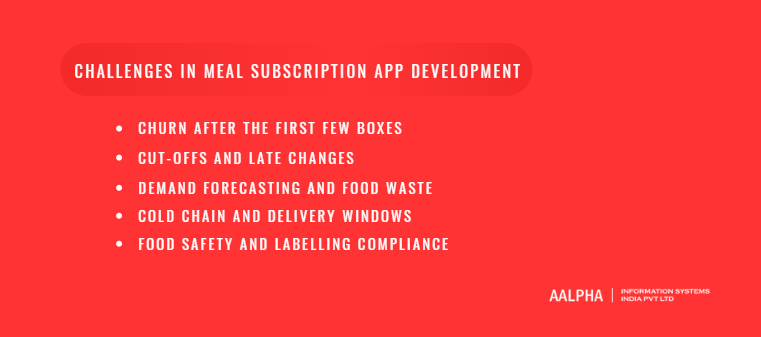
The biggest challenges are churn, cut-off and change management, demand forecasting, cold-chain delivery and food safety compliance. None of them are solved by adding screens. Each needs a business rule, a data model and an operational process, and the software only works when all three agree. Plan for these during discovery, not after launch.
-
Churn after the first few boxes
Subscription food businesses lose many customers after the introductory discount ends. The software response is to make leaving less necessary. Offer skip and pause before cancel, ask a one-question exit survey, and present a matching offer based on the answer, such as a smaller plan for “too much food” or a pause for “travelling”. Track churn by signup week so you can see whether a menu or price change helped.
-
Cut-offs and late changes
Customers want to change meals until the last minute. Kitchens need locked numbers to buy ingredients. A clear cut-off with a visible countdown, plus automatic meal assignment for customers who do not choose, resolves most of this. Allow address and slot changes later than meal changes, because they do not affect purchasing.
-
Demand forecasting and food waste
Locked orders cover next week, but purchasing for longer-lead ingredients starts earlier. A simple forecast using last four weeks of selections, skip rates and new signups is enough for the first year. Machine learning forecasts only pay off once you have months of clean order data across many dishes.
-
Cold chain and delivery windows
Chilled meals and kits must stay within safe temperatures from dispatch to doorstep. The app should record dispatch times, cap route lengths per slot and alert operations when a driver runs late. Insulated packaging is an operational cost, but missed windows are a refund and reputation cost.
-
Food safety and labelling compliance
Allergen and nutrition labelling rules differ across the US, EU, UK, UAE and India. Store allergen and nutrition data per ingredient, calculate it per dish, and print it from the system rather than typing labels by hand. Diet-specific plans also need care with health claims in marketing copy.
Should you build a custom meal subscription app or use a ready-made platform?
Use a SaaS subscription tool or an e-commerce plugin if you are testing demand with under a few hundred customers. Build a custom app once your rules for plans, skips, cut-offs and kitchen production stop fitting the tool, or when the software itself is part of your advantage. A white-label base is a middle path that saves time on delivery and ordering.
SaaS tool or e-commerce subscription plugin. Upfront cost is a low monthly fee, and you can launch in days or weeks. It suits demand validation and very small menus. The downside is limited control over cut-offs, kitchen workflow and the app experience, and fees that grow with revenue.
Customized white-label platform. This sits in the middle on cost and usually launches in six to ten weeks, which suits brands that need their own app quickly. Customization has limits, and you should confirm who owns the code and the customer data before signing.
Custom build. The highest upfront cost and a launch time of 12 weeks or more, but full control over plan logic and operations. It suits funded startups, multi-kitchen operators and businesses with unusual plan rules. You also own maintenance from the first day.
A common route is to validate on a simple tool for two or three months, document what breaks, and use that list as the requirements for the custom build. That list is worth more than any feature comparison.
Why choose Aalpha Information Systems for meal subscription app development?
Aalpha Information Systems builds subscription, food and delivery platforms with a team that covers business analysis, UI/UX, mobile, web, backend and QA under one contract. Since 2008 the company has delivered more than 5,500 projects for clients in 55+ countries, and it holds a 4.9 out of 5 rating from over 215 verified reviews on Clutch.
Relevant work includes backend order management for a fast food restaurant chain, development support for a pizza franchise, and Zumy, a hyperlocal delivery and mobility platform for tier-2 Indian cities. More detail on the company’s food sector work is on the food and beverage software page.
Aalpha’s process is ISO 9001:2015 certified, and projects run on milestone-based delivery with agreed acceptance criteria at each stage. The trade-off to know upfront: a custom build with any vendor costs more at the start than a SaaS tool, so Aalpha usually recommends starting with a tightly scoped MVP and expanding from real subscriber data.
Next step: get a scope-specific estimate in four questions with Aalpha’s mobile app development cost calculator, then share your plan model, target city and launch date with the team for a fixed quote.
Looking to build a meal subscription app? Partner with Aalpha Information Systems to develop a platform tailored to your business model, whether you offer daily meal plans, weekly subscriptions, recurring orders, or customized meal packages. From MVP development to a full-scale platform, our team can help you build the right solution. Get in touch with Aalpha to discuss your project.
Frequently asked questions
How much does it cost to build a meal subscription app?
A single-kitchen MVP costs about USD 18,000 to 45,000 with an India-based team at USD 15 to 25 per hour. A version with its own delivery app and nutrition tracking costs USD 33,000 to 80,000. A multi-city or multi-vendor platform costs USD 60,000 to 150,000 or more.
How long does it take to develop a meal subscription app?
An MVP takes 12 to 16 weeks with a team of four to six people. A growth version takes five to seven months, and a multi-kitchen platform takes eight to twelve months. Defining business rules before design is the step that most often saves time.
What is the most important feature in a meal subscription app?
Skip and pause. Customers who can skip a week or pause during travel do not need to cancel. Pair it with a clear weekly cut-off and automatic meal assignment so the kitchen always has locked numbers.
Can I use Apple in-app purchase for meal subscriptions?
No. Meals are physical goods consumed outside the app, so Apple’s guidelines require a payment method other than in-app purchase. Use a billing provider such as Stripe or Razorpay, which also avoids the app store commission.
What is the difference between a meal kit app and a meal subscription app?
A meal kit app is one type of meal subscription app. It delivers ingredients and recipes for the customer to cook. Meal subscription apps also cover ready-to-eat meals, daily tiffin boxes, diet programs and corporate meal plans.
Should a meal subscription startup build native or cross-platform apps?
Cross-platform with React Native or Flutter is the better choice for most startups. One codebase covers iOS and Android and cuts build cost. Native development makes sense only for heavy background location or device-specific features in the driver app.
How do meal subscription apps reduce churn?
They make pausing easier than cancelling, ask why customers leave, and respond with a matching offer such as a smaller plan. Weekly reminders before cut-off, meal ratings that improve the menu, and referral credits also help keep subscribers active.
Do I need my own delivery fleet?
Not at the start. Many businesses launch with a third-party delivery partner in one zone. An in-house driver app becomes worth building when daily volumes are steady and you need control over delivery windows and food handling.