





TL;DR
Dark store management software development is the process of building a platform that runs delivery-only micro-warehouses: live inventory, order routing, picking and packing, rider dispatch and multi-store reporting in one system. It is what makes 10 to 30 minute delivery possible without stockouts or picking errors. A custom build typically costs USD 25,000 to 45,000 for an MVP and USD 120,000 or more for an enterprise multi-city platform, with timelines of 3 to 12 months depending on scope and integrations. Businesses can build custom, license a SaaS tool, or start on a white-label product and extend it. Aalpha Information Systems designs and builds dark store, quick commerce and hyperlocal delivery software for retailers and startups, including multi-store inventory, picker apps and rider apps on a scalable cloud backend.
What is dark store management software development?
Dark store management software development means building the system that controls a delivery-only store from the moment an order arrives to the moment a rider hands it over. It covers inventory, picking, packing, dispatch, staff and analytics. Without it, a dark store is just a stockroom with a phone line, and fast delivery promises break under load.
What is dark store management software?
A single operating system for the store. Dark store management software is the application layer that tells each person in a dark store what to do next. Pickers see which items to collect and where they sit. Packers see which bag goes to which rider. Managers see stock levels, late orders and staff output. Head office sees every store on one screen.
It sits between the customer-facing app, where orders are placed, and the physical shelves, where the products live. Its job is to keep those two worlds in sync to the unit and to the second.
Why dark stores matter for quick commerce and hyperlocal delivery
Proximity is the whole model. A quick commerce company cannot deliver groceries in 10 minutes from a warehouse 25 km away. It needs small stocked locations within 2 to 3 km of its customers. These are dark stores, and their compact size means every square metre and every second of picking time affects margin.
In India, players such as Blinkit, Zepto and Swiggy Instamart built networks of hundreds of these sites. Grocers and pharmacies in the USA, Europe and the UAE adopted the same model for same-hour delivery. The model only works when software tells staff exactly where each item is and which order to pick first.
Growing demand for dark store management solutions
Generic tools hit their limits fast. Many operators start with a standard warehouse system or spreadsheets. That works for one store. It breaks when there are ten stores, thousands of SKUs with expiry dates, and an order spike every evening at 7 pm. At that point the business needs software designed around short, frequent orders rather than pallet movements.
Demand now comes from three directions: quick commerce startups launching in new cities, established retailers adding fast delivery to protect market share, and logistics companies offering fulfilment as a service to brands.
How software helps businesses manage dark store operations
It removes guesswork from every step. The software assigns each order to the nearest store with stock, generates a pick list sorted by shelf location, checks each item by barcode, alerts the packer, and assigns the nearest free rider. It decrements stock in real time so the customer app never sells an item that is not on the shelf.
Every action is logged. That log becomes the data used for forecasting, staffing and deciding where to open the next store.
Who should invest in dark store management software?
Anyone running more than one fulfilment point for fast delivery. That includes quick commerce startups, grocery and pharmacy chains, FMCG brands selling direct, restaurant groups running delivery-only kitchens with retail shelves, and third-party logistics providers. A single-store operator with under 100 orders a day may not need a custom platform yet. An off-the-shelf tool or a white-label product is usually the cheaper first step for that business.
What is a dark store and how does it work?
A dark store is a retail-format stockroom that serves online orders only. Customers never walk in. Staff pick items from shelves arranged for speed, pack them, and hand them to riders who deliver within a small radius, usually 2 to 5 km. The format trades browsing space for picking speed.
Understanding the dark store business model
Small footprint, high order density. A typical quick commerce dark store runs between 2,500 and 6,000 square feet and stocks 2,000 to 6,000 SKUs. Revenue depends on order count per store per day and average basket value. Costs are rent, staff, riders, wastage and technology. A store becomes profitable when it handles enough orders per hour to cover fixed costs, which is why picking speed and stock accuracy matter so much.
The model removes the cost of a customer-facing shop floor: no window displays, no checkout queues, no cashiers. In exchange, the operator must run a delivery fleet and absorb the cost of each last-mile trip.
How dark stores operate from order placement to delivery
The full cycle happens in minutes. The sequence below is typical for a 10-minute delivery promise.
- The customer places an order in the app. The system checks stock at the nearest store and confirms availability.
- The order lands on the store dashboard. A picker is assigned within seconds.
- The picker follows a route-sorted pick list on a handheld device and scans each item.
- The packer checks the items, bags chilled and ambient goods separately, and prints a label.
- The dispatch module assigns a nearby rider who is free or about to return.
- The rider collects the bag, follows the routed path, and marks the order delivered with an OTP or photo.
- Stock, rider status and order history update in real time.
In a well-run store, steps 2 to 5 take under 3 minutes. The rest of the promise is travel time.
Dark stores vs. traditional retail stores
One is built for shoppers, the other for pickers. A traditional store arranges products to encourage browsing and impulse buying. A dark store arranges them by order frequency and pick path. Traditional stores need point-of-sale systems and shelf presentation. Dark stores need handheld scanners, slotting logic and dispatch tools.
A dark store has no customers on site, while a traditional store depends on walk-in shoppers. The dark store lays out shelves for pick speed and order frequency; the traditional store lays them out for browsing and visual merchandising. Their software differs to match. A dark store runs on inventory, picking and dispatch tools, while a traditional store runs on POS, shelf pricing and loyalty systems.
Location and metrics differ too. Dark stores sit in cheaper back-street or basement units, because nobody needs to find them. Traditional stores pay for high-street, high-footfall sites. A dark store handles small, frequent baskets and measures success in orders per hour and pick accuracy. A traditional store sees varied basket sizes and tracks footfall, conversion and basket value.
Dark stores vs. warehouses and fulfilment centres
Warehouses move pallets, dark stores move baskets. A fulfilment centre may hold 50,000 or more SKUs and ship next-day or two-day orders over a wide region. It is optimised for bulk receiving and carrier handover. A dark store holds fewer SKUs, sits inside the delivery zone, and processes single-customer orders in minutes. Warehouse software assumes batch waves and long cut-off times. Dark store software assumes continuous order flow and a deadline measured in minutes.
Many operators run both. A central warehouse or mother hub replenishes a ring of dark stores daily, and the software must track stock across both tiers.
Types of dark stores: grocery, pharmacy, FMCG and multi-category
Each category puts different demands on the software. Grocery dark stores handle fresh produce, dairy and frozen goods, so expiry tracking and temperature zones are core requirements. Pharmacy dark stores need batch numbers, prescription verification and compliance with local drug regulations. FMCG and household dark stores carry fewer perishables and focus on throughput. Multi-category dark stores, which add electronics, beauty or stationery, need flexible slotting and stronger shrinkage controls for high-value items.
Role of dark stores in 10-minute and 30-minute delivery models
The delivery promise sets the store radius. A 10-minute promise usually means a 2 to 3 km radius, pick-and-pack under 2 minutes, and riders waiting at the store. A 30-minute model allows a 5 to 8 km radius, fewer stores per city, and slightly more relaxed picking times. The 10-minute model costs more per order but wins on customer frequency. Software must support either by letting operators configure radius, promise time and store capacity per location.
How does dark store management software work?
Dark store management software works by connecting four streams of data in real time: orders from the customer app, stock on each shelf, the status of each staff member, and the location of each rider. Every event in one stream updates the others within seconds, so the store always knows what it can sell and who should act next.
Understanding the core functions of dark store management software
Five jobs run all day, every day. The software receives and validates orders, holds an accurate count of every SKU at every store, directs pickers and packers, assigns riders, and records performance. A smaller set of back-office functions handles purchasing, supplier receipts, stock transfers and reporting. If you strip a dark store platform to its minimum, those five live jobs are what remain.
How the software connects inventory, orders, staff and delivery
An event-driven core ties the modules together. When a customer pays, an “order created” event reserves the stock. When a picker scans the last item, an “order picked” event alerts the packer and the dispatch engine. When a rider marks delivery, a “delivered” event closes the order and releases the rider for the next job. Each module listens for the events it cares about. This design keeps modules independent, which makes it easier to change the dispatch logic without touching inventory code.
Real-time order processing and inventory updates
Stock must be reserved at checkout, not at picking. If the system only deducts stock after picking, two customers can buy the last carton of milk in the same minute. Good dark store software reserves units the moment an order is confirmed, deducts them on pick, and releases them if the order is cancelled. Updates should reach the customer app in under a second, which usually means an in-memory cache such as Redis in front of the main database.
Centralised management of multiple dark store locations
One admin panel, many stores. Head office needs to see stock, orders, staff and riders for every store in one place, then drill down into a single site. The software should let managers set store-specific delivery radius, opening hours, product availability and pricing. It should also route orders across stores when one location runs out of an item and another nearby has it.
Example of a complete dark store software workflow
Here is a single evening order traced through the system. At 7:12 pm a customer orders bread, eggs, a frozen pizza and shampoo. The order service checks the nearest store, finds all four items, reserves them and confirms the order. The picking module assigns Picker 4, who is idle, and builds a pick list in shelf order: ambient aisle, dairy chiller, freezer last. Picker 4 scans each item; the shampoo barcode does not match, so the device flags the wrong variant and the picker corrects it. At 7:14 the packer confirms the bag and the dispatch module assigns a rider returning to the store, 300 metres away. The rider collects at 7:15 and delivers at 7:21. The customer gets a live ETA throughout, and the dashboard logs a 9-minute order with 100% pick accuracy after one correction.
Difference between dark store management software, WMS, OMS and ERP
They overlap, but each is built for a different problem. Here is where each system focuses.
Dark store management software runs minute-level picking, packing and dispatch across small stores. It is built for small, continuous, time-critical baskets, so it has no gap for dark store operations by design, though it may still need an ERP for finance.
A WMS (warehouse management system) manages receiving, storage and wave picking in large warehouses. It is built for bulk, batched, next-day orders. For dark stores it falls short on rider dispatch and real-time sync with the customer app.
An OMS (order management system) captures orders and routes them across sales channels. It handles any order profile, but it has no shelf-level picking or store workforce tools.
An ERP (enterprise resource planning) system covers finance, purchasing, HR and master data. It also handles any order profile, but it is too slow and too generic for minute-level store operations.
Most businesses at scale use a dark store platform for operations and connect it to an ERP for accounting and purchasing. The dark store system becomes the operational source of truth; the ERP becomes the financial one.
What are the key features of dark store management software?
The key features of dark store management software are real-time inventory, order management, guided picking and packing, storage and slotting, rider dispatch, workforce management, analytics and multi-store control. An MVP needs the first five working reliably. The rest decide whether the business can run 20 stores as easily as two.
Inventory management
Real-time inventory tracking. Every scan, sale, return and transfer updates the count for that SKU at that store immediately. The customer app reads from the same source, so it only shows items that are physically available. Reserved, available and damaged stock should be tracked as separate quantities.
Stock level monitoring and low-stock alerts. Each SKU gets a minimum and reorder level per store. When stock falls below it, the system alerts the manager or raises a draft purchase order. Fast movers such as milk and bread often need intra-day thresholds, not daily ones.
Batch and expiry date management. Perishables are received with batch and expiry data. The system surfaces items close to expiry for markdown or removal and blocks expired stock from being picked. For pharmacy stores, batch tracking is also a regulatory requirement for recalls.
Barcode and QR code scanning. Staff scan items at receiving, putaway, picking, packing and returns. Scanning is the single biggest driver of accuracy. A rugged Android handheld or a phone with a Bluetooth scanner both work; the software should support either.
Stock transfers between dark stores. Managers can move stock from an overstocked store to one running short. The transfer shows as “in transit” until the receiving store scans it in, which prevents units from disappearing between sites.
Inventory reconciliation and shrinkage tracking. Cycle counts compare the system count against the shelf. Variances are logged with a reason code: damage, theft, expiry, mis-pick. Over time this shows which categories and which stores lose the most stock.
Order management
Centralised order dashboard. Managers see every live order with its age, status and assigned staff. Orders close to breaching the delivery promise are highlighted so a supervisor can step in.
Automated order allocation. The system sends each order to the right store based on customer location, stock availability and current load. If no single store can fill the order, it can either split it or offer substitutes, depending on business rules.
Order status tracking. Each order moves through clear states: received, picking, packed, assigned, out for delivery, delivered, or failed. Customers and support agents see the same status, which cuts “where is my order” calls.
Order prioritisation and processing. Express orders, orders with frozen goods, or orders for priority customers can jump the queue. The system also batches nearby orders for a single rider when that does not risk the delivery promise.
Returns, refunds and cancellations. Damaged, missing or wrong items can be refunded fully or partly. Cancelled orders release reserved stock instantly. Returned goods are inspected and either restocked or written off.
Order history and reporting. Every order keeps a full audit trail of who picked it, how long each stage took, and what changed. This history powers dispute handling and performance analysis.
Picking and packing management
Automated pick list generation. As soon as an order is assigned, the picker’s device shows a list sorted by shelf location. There is no paper and no guessing.
Optimised picking routes. The route follows the store layout and the temperature rule: ambient first, chilled next, frozen last. In larger stores, a picker can collect two or three orders in one walk using separate tote bins.
Barcode-based item verification. Each item is scanned before it goes into the bag. A wrong variant or size is flagged immediately, which is cheaper than handling a refund later.
Packing and quality checks. Packers confirm item count, check fragile and fresh items, separate temperature zones, and print or attach a label. Photo capture at packing helps resolve damage complaints.
Picking accuracy and performance monitoring. The system records items per minute, mis-picks and time per order for each picker. Supervisors use this to coach staff and to spot layout problems.
Warehouse and storage management
Shelf and bin location management. Every SKU has a defined location such as aisle, rack, shelf and bin. Pick lists and putaway tasks use these codes, so new staff can work accurately from day one.
Product categorisation and slotting. Fast-moving items are placed nearest the packing station. Slotting should be reviewed every few weeks using sales data, because demand shifts with seasons and promotions.
Storage space optimisation. The software tracks shelf capacity and flags overfilled or empty locations. This matters in a 3,000 square foot store where a single wasted rack can cost dozens of SKUs.
Receiving and putaway management. Inbound deliveries are checked against the purchase order. Shortages and damages are recorded, and putaway tasks tell staff exactly where each item goes.
FIFO and FEFO inventory handling. First in, first out suits non-perishables. First expiry, first out suits fresh and pharmacy items. The pick list should direct staff to the correct batch automatically.
Delivery and dispatch management
Delivery partner assignment. The dispatch engine picks a rider based on distance, current load and expected return time. Manual override should remain available for supervisors.
Route optimisation. For batched orders, the system orders stops to reduce total travel time. Most platforms use a mapping API such as Google Maps Platform or Mapbox for distance and ETA.
Real-time delivery tracking. Rider location streams to the dashboard and the customer app. Supervisors can see delays as they happen instead of after a complaint.
Dispatch scheduling. For 30-minute or slot-based models, orders can be scheduled into delivery windows and grouped by area.
Delivery status updates. Customers receive push or SMS updates when the order is packed, picked up and nearby. Failed deliveries are logged with a reason.
Proof of delivery. OTP, photo or signature confirms handover. This protects the business against false non-delivery claims, which are common in cash-on-delivery markets.
Staff and workforce management
Employee roles and permissions. Pickers, packers, store managers, regional managers and admins each see only what they need. Role-based access also limits who can adjust stock or issue refunds.
Shift scheduling. Managers plan shifts against forecast order volume, so stores are not overstaffed at 3 pm and short at 8 pm.
Task assignment. Beyond picking, staff get tasks for receiving, cycle counts, cleaning and replenishment. Each task has an owner and a deadline.
Staff productivity tracking. The system measures orders picked per hour, accuracy and idle time per person and per shift.
Performance reports. Weekly and monthly reports support incentives, training and hiring decisions. Riders get similar reports covering deliveries per hour and on-time rate.
Analytics and reporting
Sales and order analytics. Order count, basket value, peak hours and repeat rate per store and per zone.
Inventory turnover reports. How fast each SKU sells, which items tie up cash, and which are dead stock.
Order fulfilment performance. Average time per stage, on-time delivery rate, and the share of orders that breached the promise, with the reason.
Dark store profitability reports. Revenue, cost of goods, staff cost, rider cost and wastage per store. This is the report investors and finance teams ask for first.
Demand and product performance insights. Best sellers, frequently bought pairs, stockout frequency and the revenue lost to stockouts.
Multi-store management
Centralised control of multiple dark stores. Catalogue, pricing, promotions and policies are managed once and pushed to every store, with local overrides where needed.
Store-wise inventory visibility. Buyers and planners see stock for any SKU across all stores and the central hub on one screen.
Location-based order routing. Delivery zones are drawn as polygons on a map. Each address maps to a primary store and a fallback store.
Inter-store stock transfers. Surplus in one store covers a shortage in another, tracked end to end.
Store performance comparison. Side-by-side metrics show which stores lead and which need attention, so lessons from the best site can be copied to the rest.
Which advanced technologies are used in dark store management software?
Advanced dark store platforms use AI and machine learning for demand forecasting and replenishment, IoT sensors for cold-chain monitoring, computer vision for stock checks, and optimisation algorithms for order allocation and routing. None of these are needed on day one. Most deliver value only after six months of clean operational data.
Artificial intelligence for demand forecasting
Forecasts per SKU, per store, per hour. A forecasting model learns from order history, day of week, weather, local events and promotions. It predicts how many units of each item a store will sell in the next day or week. The practical benefit is fewer stockouts on fast movers and less over-ordering of perishables. The downside is that forecasts are only as good as the data, and new stores have none, so the model must borrow patterns from similar stores until local history builds up.
Machine learning for inventory optimisation
Smarter reorder levels instead of fixed rules. Rather than a static minimum of 20 units, a model adjusts reorder points per SKU based on demand variability and supplier lead time. It can also recommend which SKUs to drop from a store because they rarely sell there.
Predictive analytics for stock replenishment
Purchase orders that write themselves. Combining forecasts with current stock, in-transit quantities and supplier schedules, the system drafts replenishment orders for each store or the central hub. A buyer reviews and approves them. Full automation is possible, but most operators keep a human approval step for the first year.
IoT sensors for temperature and storage monitoring
Cold-chain alerts before stock spoils. Sensors in chillers and freezers send temperature readings every few minutes. If a freezer drifts above its threshold, the manager gets an alert, and the system can block affected stock from being picked. For pharmacy dark stores storing vaccines or insulin, this logging may also be a compliance requirement.
Computer vision for inventory and quality checks
Cameras that count and inspect. Shelf cameras or handheld scans can detect empty facings, misplaced items and damaged packaging. Vision models can also grade fresh produce at receiving. This is still an emerging area; accuracy depends heavily on lighting and camera placement, and hardware adds cost.
Automated picking and robotics integration
Robots handle the walking, humans handle the picking. Micro-fulfilment systems from vendors such as AutoStore or Ocado bring totes to a picking station instead of sending staff down aisles. The dark store software must integrate with the robot controller through its API. Robotics only pays back at high order volumes, so it suits mature networks rather than new launches.
Real-time data analytics and business intelligence
Live dashboards instead of next-day reports. Streaming pipelines push order and stock events into an analytics store, so managers see this hour’s performance, not yesterday’s. Tools such as Metabase, Power BI or Looker sit on top for self-service reporting.
AI-based order allocation and delivery optimisation
Better matching of orders, stores and riders. An optimisation engine weighs store load, rider position, traffic and promise time to decide which store fills an order and which rider takes it. It can also decide when to batch two orders and when batching would break the promise. Gains of a minute per order add up quickly across thousands of daily orders.
What are the benefits of dark store management software for businesses?
The main benefits are faster fulfilment, accurate stock, lower wastage and operating cost, more productive staff and happier customers. Equally important, the software makes expansion repeatable. A new store can be configured and running on the same system in days rather than months.
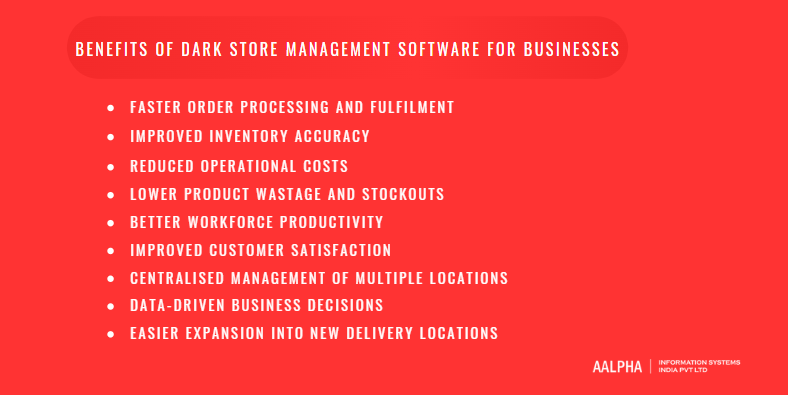
Faster order processing and fulfilment. Guided picking and auto-dispatch remove the waiting and searching that slow manual stores. Stores that move from paper lists to scanner-guided picking usually cut pick time per order noticeably within the first few weeks.
Improved inventory accuracy. Scanning at every step means the system count matches the shelf. Accurate stock is what lets the customer app promise availability with confidence.
Reduced operational costs. Less time per order means fewer staff hours per order. Better routing means fewer rider kilometres. Both fall straight to the bottom line.
Lower product wastage and stockouts. FEFO picking and expiry alerts reduce write-offs on perishables. Forecast-driven replenishment keeps fast movers on the shelf.
Better workforce productivity. Clear task lists and live performance data help supervisors coach staff and plan shifts around real demand.
Improved customer satisfaction. Correct items, on time, with live tracking. These three factors drive repeat orders, which is where quick commerce profit comes from.
Centralised management of multiple locations. One team can oversee dozens of stores without visiting each one daily.
Data-driven business decisions. Store profitability, SKU performance and zone demand data show where to open next, what to stock and which stores to fix or close.
Easier expansion into new delivery locations. A new store is a configuration task: draw the zone, load the catalogue, assign staff, and go live. The harder parts, such as hiring and real estate, remain, but the technology stops being a bottleneck.
The benefits have a cost. Software alone does not fix a bad store layout or poor supplier reliability, and staff need training to follow the system rather than work around it.
How do you develop dark store management software step by step?
You develop dark store management software in 12 steps: define goals, study the market, list features and roles, choose a build approach, design the interfaces, pick the stack, build the backend, build the core modules, integrate third-party systems, test, deploy and train, then improve. Most of the risk sits in steps 1, 3 and 9.
Step 1: Define business goals and operational requirements
Start with the delivery promise and the store count. A 10-minute promise across 5 stores needs different software from a 45-minute promise across 50. Write down the target orders per store per day, SKU count, product categories, cities, and the systems you already run. These numbers decide almost every technical choice that follows.
Step 2: Research the market and analyse competitors
Learn from what others already ship. Study how established quick commerce apps handle substitutions, out-of-stock items, delivery fees and slot booking. Talk to store managers and pickers, not only founders. The people on the floor will tell you where existing tools waste time.
Step 3: Identify core features and user roles
Separate the MVP from the wish list. Typical roles are customer, picker, packer, store manager, rider, regional manager and super admin. For each role, list the screens and actions they need on launch day. Everything else goes to a phase 2 backlog. Scope discipline here is what keeps the MVP inside budget.
Step 4: Choose the right development approach
Custom, SaaS or white-label. A custom build gives full ownership and fit but costs more upfront. A SaaS tool is fastest but limits changes. A white-label product sits in between: it launches quickly and can be extended. Section 13 compares these in detail.
Step 5: Design UI/UX for admin, store staff and delivery partners
Design each app for the person holding it. Pickers need large buttons, high contrast and one-handed use, often with gloves. Riders need a simple flow that works on low-end Android phones and patchy networks. Admins need dense dashboards with filters. Test prototypes with real staff before development starts; one hour on a store floor will catch problems no design review finds.
Step 6: Select the technology stack
Pick for real-time load and team skills. The stack must handle evening peaks, live tracking and frequent stock updates. Section 8 covers the options.
Step 7: Develop the backend and database architecture
Get the data model right first. Stores, SKUs, batches, bin locations, orders, order lines, staff, riders and zones are the core entities. Inventory must be modelled per store, per batch, with reserved and available quantities. Mistakes here are expensive to fix after launch.
Step 8: Build inventory, order and fulfilment modules
Build in the order the warehouse works. Catalogue and inventory first, then orders, then picking and packing, then dispatch. Each module should be usable and tested before the next one depends on it.
Step 9: Integrate third-party services and APIs
Integrations are where timelines slip. Payment gateways, maps, SMS, ERP, POS and supplier systems each have their own documentation quality and sandbox limits. Budget extra time for any legacy system that lacks a modern API.
Step 10: Test software performance, security and reliability
Test at peak, not at average. Load-test for at least three times your expected peak orders per minute. Run concurrency tests on the last unit of stock. Check role permissions, payment flows and offline behaviour of the picker and rider apps. Run a pilot in one live store before full rollout.
Step 11: Deploy the software and train employees
Train on the floor, in short sessions. Pickers learn faster from a 20-minute walkthrough with a device in hand than from a manual. Keep a supervisor on each shift for the first two weeks to answer questions and log issues.
Step 12: Monitor performance and plan future improvements
Measure, then iterate. Track pick time, on-time rate, stockouts and app crashes from day one. Review weekly. Use the data to prioritise phase 2 features such as forecasting, slotting optimisation or multi-city routing.
What technology stack is used for dark store management software?
A typical stack is React or Next.js for the admin panel, Node.js for the backend, Flutter or React Native for picker and rider apps, PostgreSQL with Redis for data, WebSockets for live updates, and AWS, Azure or Google Cloud for hosting. The right mix depends on order volume, team skills and existing systems.
Frontend technologies: React, Angular and Vue.js
React with Next.js is the common default. It has the largest talent pool and a strong ecosystem for data-heavy dashboards. Angular suits enterprises with existing Angular teams and strict structure needs. Vue.js is lighter and quick to learn but has a smaller hiring pool in some markets.
Backend technologies: Node.js, Python, Java and .NET
Node.js handles many concurrent connections well. That suits live order feeds and rider tracking. Python is a strong choice for forecasting and machine learning services that sit alongside the main backend. Java (Spring Boot) and .NET fit large retailers that already run them and need deep ERP integration. A common pattern is Node.js for the operational API with a separate Python service for AI features.
Mobile app development: Flutter, React Native, Android and iOS
Cross-platform covers most staff apps. Picker and rider apps run mostly on Android, so Flutter or React Native gives one codebase for Android and iOS with lower cost. Native Android is worth it when the app must talk closely to rugged scanner hardware such as Zebra or Honeywell devices. The downside of cross-platform is occasional delay in supporting new device features.
Database technologies: PostgreSQL, MySQL, MongoDB and Redis
Relational data needs a relational database. Inventory, orders and batches are tightly linked, and stock updates must be transactional. PostgreSQL is the strongest default here. MySQL works too. MongoDB suits flexible catalogue attributes but is a weaker fit for stock counts. Redis sits in front as a cache for real-time stock availability, sessions and rider locations.
Cloud infrastructure: AWS, Microsoft Azure and Google Cloud
All three are capable; pick on region and existing contracts. AWS has the widest service range and regions in India, the Middle East and Europe. Azure fits retailers already on Microsoft 365 and Dynamics. Google Cloud is strong for analytics through BigQuery and has close ties with Google Maps Platform. Containerised deployment with Docker and Kubernetes keeps the option to move later.
APIs and third-party integrations
REST for most integrations, webhooks for events. Partners such as payment gateways and ERPs expose REST APIs. Webhooks notify your system of payment success, refund or delivery events. GraphQL can help the admin panel fetch nested data efficiently.
Real-time communication technologies
WebSockets push updates without refresh. Order status, rider location and stock changes travel over WebSockets or Socket.IO to dashboards and apps. A message broker such as Apache Kafka, RabbitMQ or AWS SQS carries events between backend services, so one slow service does not block the rest.
Security, authentication and access control
Role-based access from the first sprint. Use OAuth 2.0 or JWT-based authentication, role-based permissions, encrypted data at rest and in transit, and audit logs for every stock adjustment and refund. Payment data should go through a PCI DSS compliant gateway so card details never touch your servers.
Choosing a scalable software architecture
Start modular, split when load demands it. A modular monolith, with clear boundaries between inventory, orders, picking and dispatch, is faster and cheaper to build for an MVP. As order volume grows, the busiest modules, usually orders and dispatch, can be split into separate microservices. Starting with full microservices on day one adds cost and complexity most new operators do not need.
Which integrations does dark store management software need?
Dark store software needs integrations with the customer storefront, payment gateways, maps and rider tracking, barcode hardware, and messaging services at launch. ERP, POS, CRM and BI integrations usually follow as the business grows. Each integration adds cost and testing time, so prioritise the ones that block daily operations.
eCommerce websites and mobile applications. The customer app is the source of orders. If you already run Shopify, Magento or a custom storefront, the dark store system must sync catalogue, prices, stock and order status with it in real time. Aalpha has covered the customer-side build in its guide to quick commerce app development.
POS and retail management systems. Retailers running both physical shops and dark stores need one view of stock. POS integration keeps store and online inventory from overselling the same units.
ERP and accounting software. SAP, Oracle NetSuite, Microsoft Dynamics, Tally or Zoho Books handle purchasing, invoicing and finance. The dark store system sends sales, stock movements and write-offs; the ERP sends purchase orders and supplier data.
Warehouse management systems. If a central warehouse already runs a WMS, the dark store platform needs to receive replenishment shipments from it and send demand back.
Payment gateways. Stripe, Razorpay, PayU, Checkout.com or regional gateways handle card, UPI and wallet payments. Refunds and partial refunds must flow back automatically when items are missing.
Delivery management and fleet tracking systems. Some businesses use in-house riders; others use third-party fleets such as Dunzo, Shadowfax, Uber Direct or local 3PLs. The software should support both through APIs. Maps APIs provide geocoding, ETA and routing.
Barcode scanners and RFID devices. Scanner SDKs from Zebra, Honeywell or Datalogic connect handhelds to the picker app. RFID is rarer in dark stores due to tag cost, but it helps for high-value categories.
SMS, email and push notification services. Twilio, MSG91, Firebase Cloud Messaging or AWS SNS send order updates, OTPs and staff alerts.
CRM and customer support platforms. Freshdesk, Zendesk or HubSpot let support agents see order history and issue refunds without switching systems.
Business intelligence and analytics tools. Power BI, Looker, Tableau or Metabase connect to a reporting database for management dashboards.
How much does dark store management software development cost?
Dark store management software development typically costs USD 25,000 to 45,000 for an MVP, USD 50,000 to 100,000 for a mid-level multi-store platform, and USD 120,000 to 300,000 or more for an enterprise system, at Indian development rates. The same scope built by a US or Western European team usually costs three to four times more.
All figures in this section are estimates based on typical project scopes, not fixed market rates. Real quotes depend on your features, integrations and team location.
Estimated cost of developing dark store management software
The core assumption is hours multiplied by rate. The table below uses a blended hourly rate of USD 25 to 30 for an Indian development team and covers design, development, testing and project management.
Tier | What it includes | Estimated cost (USD) | Estimated timeline |
MVP | 1 to 3 stores, inventory, orders, picker app, rider app, admin panel, payment and maps | 25,000 to 45,000 | 3 to 4 months |
Mid-level | 5 to 30 stores, multi-store routing, stock transfers, batch and expiry, workforce tools, ERP or POS integration, analytics | 50,000 to 100,000 | 5 to 7 months |
Enterprise | Multi-city network, AI forecasting, automated replenishment, IoT, robotics or micro-fulfilment integration, microservices, advanced BI | 120,000 to 300,000+ | 8 to 12+ months |
Cost breakdown by development stage
Backend and apps take most of the budget. Shares below are typical for a mid-level project.
Discovery and requirements usually take 5% to 10% of the budget, covering workshops, process mapping and the scope document. UI/UX design takes 10% to 15% for the admin, picker, packer and rider flows. The backend and database are the largest share at 30% to 35%, since they hold inventory, orders, dispatch and the APIs.
Mobile and web apps for pickers, riders and admins take another 20% to 25%. Third-party integrations such as payments, maps, ERP, POS and scanners take 10% to 15%. QA and testing, including functional, load and security testing, take 10% to 15%. Deployment and launch support, meaning cloud setup and pilot store support, accounts for about 5%.
Feature-wise development cost considerations
Some modules cost far more than they look. Estimates below assume Indian rates and a mid-level scope.
Inventory with batch and expiry handling typically costs USD 6,000 to 15,000, depending on the number of stock states, FEFO rules and cycle count features. Order management and allocation runs USD 6,000 to 14,000; split orders, substitutions and multi-store routing push it to the upper end. A picker and packer app costs USD 5,000 to 12,000, with scanner hardware support, offline mode and batch picking as the main variables.
The rider app and dispatch engine usually costs USD 6,000 to 15,000, driven by auto-assignment logic, order batching and live tracking. An admin and multi-store panel runs USD 6,000 to 14,000, depending on the number of roles, dashboards and settings. Analytics and reporting costs USD 4,000 to 12,000, from standard reports at the low end to custom BI at the high end. AI demand forecasting is the most variable module at USD 10,000 to 30,000, because cost depends on data quality, the number of models and the retraining pipeline.
Factors affecting development cost
Scope drives cost more than anything else. The main factors are number of user roles and apps, number of stores and cities at launch, SKU count and category complexity (perishables and pharmacy add rules), number and quality of integrations, real-time requirements, AI features, compliance needs, and the location and seniority of the development team. A legacy ERP with no modern API can add several weeks on its own.
Development cost in India vs. the USA and Europe
Same scope, very different invoices. The figures below apply regional blended rates to an MVP of about 1,300 hours. Rates are approximate ranges for experienced agencies.
An Indian team at a blended rate of USD 25 to 35 per hour would build that MVP for roughly USD 32,500 to 45,500. An Eastern European team at USD 40 to 75 per hour would charge about USD 52,000 to 97,500. In Western Europe, at USD 70 to 130 per hour, the same scope comes to roughly USD 91,000 to 169,000. A US team at USD 100 to 180 per hour would cost about USD 130,000 to 234,000.
Lower rates are not the whole story. Time-zone overlap, communication quality and domain experience affect total cost through rework and delays. An offshore team with retail and logistics experience is usually cheaper overall than a cheaper team learning the domain on your budget.
Hidden costs: hosting, maintenance, licensing and integrations
Budget for running costs from day one. Cloud hosting typically runs USD 300 to 1,500 per month for an MVP and USD 3,000 to 15,000 or more per month at multi-city scale. Annual maintenance, covering bug fixes, OS updates and minor features, usually costs 15% to 20% of the original build. Usage-based fees for maps, SMS and payment gateways scale with order volume. Rugged handheld scanners cost roughly USD 150 to 600 per device. Some ERP or BI connectors carry their own licence fees.
How to reduce development costs without compromising quality
Cut scope, not quality. Launch with one city and the five core modules, then add forecasting and advanced analytics once you have data. Use proven services for maps, payments and messaging instead of building them. Choose a cross-platform framework for staff apps. Start with a modular monolith instead of microservices. If speed matters more than full ownership, start on a white-label base and customise only what sets you apart. Each of these choices has a trade-off, mainly some loss of flexibility, so decide them deliberately.
How long does it take to develop dark store management software?
A basic MVP takes about 3 to 4 months. A mid-level multi-store platform takes 5 to 7 months. An enterprise-grade system with AI forecasting and automation takes 8 to 12 months or more. Integrations with older systems and late scope changes are the most common reasons projects run longer.
Development timeline for a basic MVP
12 to 16 weeks for the core loop. An MVP covers inventory, orders, picker and rider apps, an admin panel, payments and maps for one to three stores. The goal is to prove the store can hit its delivery promise and to collect real operating data.
Timeline for mid-level dark store software
20 to 28 weeks for a multi-store operation. This adds multi-store routing, stock transfers, batch and expiry handling, workforce management, deeper analytics, and an ERP or POS connection.
Timeline for enterprise-grade solutions
32 to 52 weeks or longer, usually in releases. Enterprise systems add AI forecasting, automated replenishment, IoT, robotics integration and multi-city operations. They are rarely delivered in one release; most are built as a sequence of quarterly releases on a stable core.
Phase-wise development timeline
Phases overlap in an agile project. Typical durations for a mid-level build are as follows.
Discovery and planning take 2 to 3 weeks and produce the scope document, user stories and architecture plan. UI/UX design follows over 3 to 5 weeks, ending with clickable prototypes for all apps. Backend and core modules, covering the inventory, order, picking and dispatch APIs, take 10 to 14 weeks.
While the backend is being built, the team works in parallel on the picker, rider and admin apps for 8 to 12 weeks, and on integrations such as payments, maps, ERP, POS and scanners for 3 to 6 weeks. Testing and the pilot then take 3 to 4 weeks, including load tests, security tests and one live pilot store. Rollout and stabilisation take a final 2 to 4 weeks, as the remaining stores go live and issues are fixed.
Factors that influence development duration
Decisions slow projects more than code does. The biggest factors are scope changes after design sign-off, slow feedback from stakeholders, poorly documented third-party APIs, legacy systems, hardware procurement for scanners, and the number of stores in the initial rollout. Data migration from spreadsheets or an old system can also take longer than expected.
How agile development can support faster delivery
Ship in two-week sprints, test in a real store early. Agile delivery lets the team release a working inventory module first, then add picking, then dispatch, with stakeholder review at each sprint. A pilot store can start using early modules before the full system is ready, which surfaces floor-level problems while they are still cheap to fix.
What are the main challenges in dark store management software development?
The hardest problems are keeping stock accurate in real time, staying fast during evening peaks, syncing inventory across stores, integrating older business systems, and handling perishables. Each has a known engineering answer, but each needs to be designed in from the start rather than patched after launch.
Maintaining accurate real-time inventory. Every untracked damage, mis-pick or unscanned delivery makes the system count drift from the shelf. Once customers see items that are not there, refunds and complaints follow. The fix is scan-at-every-step processes, separate reserved and available quantities, and scheduled cycle counts by category.
Managing high order volumes during peak hours. Order volume can triple between 7 pm and 9 pm. Systems that work at noon can stall at peak. Load-testing at three times expected peak, using a cache for stock reads, and queueing non-urgent tasks such as reporting keeps the live path fast.
Synchronising inventory across multiple stores. Two stores cannot both promise the last unit in a shared hub. Transactional stock updates in a single source of truth, with event-based sync to apps, avoid double-selling.
Integrating existing business systems. Older ERPs and POS systems may only support batch file exports or poorly documented APIs. A middleware layer that translates between them and the dark store platform isolates that complexity and protects the core system from their limitations.
Handling perishable and expiry-sensitive products. Dairy, bakery and produce lose value daily. FEFO picking rules, expiry dashboards, automatic markdown triggers and temperature monitoring reduce wastage. The rules must be configurable by category, because bread and frozen peas behave very differently.
Managing delivery delays and dispatch bottlenecks. Riders arrive late, orders pile up at packing, or traffic breaks ETAs. Live dashboards that flag orders close to breach, dynamic rider assignment and the option to pull riders from nearby stores keep throughput steady.
Data security and access management. Stores handle customer addresses, phone numbers and payment events, and many staff share devices. Role-based access, device-level login, audit logs and encryption are standard requirements. Compliance with local privacy law, such as India’s DPDP Act or the EU’s GDPR, needs attention from the design stage.
Maintaining performance as the business expands. What works for 5 stores may not work for 150. A modular architecture, horizontal scaling on the cloud, database indexing and read replicas, and splitting the busiest modules into separate services allow growth without a rebuild.
Practical solutions to common development challenges
Most problems trace back to three decisions. Get the inventory data model right before coding, test under peak load before launch, and keep a single source of truth for stock. Add a pilot store phase so issues show up with real staff and real orders. Finally, give store managers a fast way to report problems in the app, because they will see failures before any dashboard does.
Should you choose custom or ready-made dark store management software?
Choose custom software if your operations, scale or integrations differ from the standard model and you want to own the platform. Choose ready-made SaaS if you need to launch in weeks with standard workflows. A white-label product is a middle path: it launches fast on a proven base and can be extended where you need it.
What is custom dark store management software?
Software built around your workflows and owned by you. A development partner designs and builds the platform to your requirements. You own the code, choose the hosting and decide the roadmap. It costs more upfront and takes longer, but there are no per-store or per-order licence fees.
What is ready-made or white-label dark store software?
A finished product you configure or rebrand. Ready-made SaaS tools are hosted by the vendor and charged monthly, often per store or per order. White-label products are pre-built platforms that carry your brand and can usually be hosted on your own cloud and customised. Aalpha’s DeliveryStack is one example of a white-label on-demand delivery platform that can serve as a base for dark store and hyperlocal operations.
Custom vs. ready-made solutions: feature comparison
Feature fit and cost. Custom software fits your process exactly, while ready-made SaaS supports standard workflows only. A white-label product gives a standard base with custom additions. Custom carries the highest upfront cost, SaaS the lowest, and white-label sits at low to moderate. Ongoing, custom software costs only hosting and maintenance. SaaS charges a monthly subscription, often per store or per order. White-label usually involves a licence or setup fee plus maintenance.
Launch time and ownership. Custom builds take 3 to 12 months to launch, SaaS takes days to weeks, and white-label typically takes 4 to 10 weeks. You own custom code fully, you own nothing with SaaS, and white-label ownership varies by licence.
Integrations, scale and lock-in. Custom software can connect to any system you need, whereas SaaS is limited to the vendor’s connectors and white-label offers moderate, extendable integration. Custom is designed around your growth plan, SaaS scales as far as the vendor allows, and white-label scales well if its base architecture is sound. Vendor lock-in risk is low with custom, high with SaaS and moderate with white-label.
Development cost and time comparison
SaaS is cheapest at first, custom is often cheapest at scale. A SaaS tool may cost a few hundred dollars per store per month. At 50 stores, that adds up to a large annual bill with no asset at the end. A custom build costs more in year one, but operating costs drop to hosting and maintenance. White-label sits between: lower upfront cost than custom, and fewer recurring fees than SaaS.
Scalability, ownership and customisation considerations
Ask who controls the roadmap. With SaaS, the vendor decides which features ship and when. If your competitive edge depends on a unique substitution rule, a pricing model or a special integration, waiting for a vendor can cost market share. With custom or white-label, you decide. The downside of owning the software is that you also own its maintenance, security updates and hosting.
When should businesses choose custom development?
When the software is part of your competitive edge. Custom development fits businesses planning many stores or multiple cities, those with complex categories such as pharmacy or fresh, those with existing ERP and POS systems that must integrate deeply, and those planning AI-led forecasting or automation. It also suits investors who want the technology as a company asset.
When is a ready-made solution the better choice?
When speed and budget matter more than control. A SaaS tool fits a pilot with one or two stores, a business testing whether fast delivery works in its market, or a retailer adding delivery as a side channel. A white-label product fits teams who want to launch in weeks with their own brand, then customise as volumes grow.
How do you choose the right dark store management software development company?
Choose a software development company with proven retail, logistics or quick commerce projects, strong real-time and integration skills, clear security practices, a transparent process and post-launch support. Ask to see live systems they built, speak to past clients, and get a phased estimate rather than one fixed number for a vague scope.
Evaluate experience in retail, logistics and quick commerce. A team that has built delivery, inventory or marketplace platforms already understands order states, rider dispatch and stock reservation. That saves weeks of discovery and reduces design mistakes.
Review technical expertise and previous projects. Ask for case studies with measurable outcomes and, where possible, a demo of a working system. Check experience with real-time systems, mobile apps for field staff, and cloud scaling.
Check customisation and integration capabilities. Ask how they have integrated ERPs, POS systems, payment gateways and scanner hardware in past projects, and what went wrong. A partner who can describe integration problems honestly is more credible than one who says there were none.
Assess security and scalability practices. Look for role-based access design, encryption, secure coding standards, load testing and a documented approach to data privacy compliance.
Understand development methodology and communication. Agile sprints, a named project manager, regular demos, shared task boards and clear time-zone overlap make offshore projects work. Ask how scope changes are priced and approved.
Compare pricing models and post-launch support. Fixed price suits a tightly defined MVP. Time and materials suits evolving scope. A dedicated team suits long roadmaps. Confirm warranty periods, support hours and maintenance rates before signing.
Questions to ask before hiring a development partner
- Have you built inventory, order or dispatch systems for delivery businesses before? Can we see one?
- How would you model stock reservation to prevent overselling at peak?
- Which parts of our scope would you move to phase 2, and why?
- How do you test for peak load?
- Who owns the source code and the cloud accounts?
- What does post-launch support cover, during which hours, and at what cost?
- How do you handle changes in scope during development?
- Can we speak to two past clients?
Why choose Aalpha Information Systems for dark store management software development?
Delivery platform experience across markets. Aalpha Information Systems has built custom software since 2008, with more than 5,500 completed projects for clients in over 55 countries, including retail, marketplace, logistics and on-demand delivery platforms. That background covers the pieces a dark store system needs: inventory and order engines, picker and rider apps, admin dashboards and payment and ERP integrations.
Options for speed or full ownership. Aalpha builds fully custom dark store platforms on a modern Node.js and Next.js stack with Flutter or React Native staff apps. For businesses that need to launch faster, its white-label delivery platform, DeliveryStack, offers a ready base that can be extended with dark store modules.
Process and quality. Projects run in agile sprints with regular demos and an ISO 9001:2015 certified quality process. Client feedback is public on Aalpha’s Clutch profile, where the company holds a 4.9 out of 5 rating from more than 215 reviews. One honest limitation: as an India-based team, Aalpha works best with clients who can allow a few hours of daily overlap for calls and reviews.
What are the future trends in dark store management software?
The next wave of dark store software is moving towards AI-led planning, more automation in picking and dispatch, robotic micro-fulfilment, networked multi-store fulfilment, and unified inventory across online and physical channels. Sustainability and equipment uptime are also becoming software problems rather than facilities problems.
AI-driven inventory and demand planning. Forecasts are moving from store-level daily estimates to SKU-level hourly ones, feeding automatic replenishment and dynamic assortment per store.
Hyperautomation in picking, packing and dispatch. Rule engines and AI agents increasingly handle routine decisions: who picks next, which orders to batch, when to call extra riders. Supervisors move from assigning work to handling exceptions.
Robotics and micro-fulfilment systems. Automated storage and retrieval systems are becoming smaller and cheaper. As they do, dark store software must coordinate humans and robots in the same pick workflow.
Smarter multi-store fulfilment networks. Instead of treating each store separately, systems will balance stock and orders across a cluster of stores and the mother hub in real time, routing each order to the location that can fulfil it fastest and cheapest.
Predictive maintenance for store equipment. Sensor data from chillers, freezers and conveyors can predict failures before they happen, protecting stock and avoiding store downtime.
Energy-efficient and sustainable dark store operations. Software will track energy use per store, optimise refrigeration schedules, support electric vehicle fleets, and reduce packaging waste. Regulators and investors increasingly ask for this data.
Unified commerce and omnichannel inventory management. Retailers running shops, dark stores and marketplaces want one stock pool. Expect dark store platforms to merge with POS and marketplace systems into a single inventory layer.
Future opportunities for quick commerce businesses. New categories such as pharmacy, pet care, electronics accessories and B2B supplies to offices and restaurants are expanding the model. Businesses that own flexible software can enter these categories without rebuilding their operations.
Frequently asked questions
What is dark store management software?
Dark store management software is a platform that runs delivery-only stores. It tracks stock in real time, routes orders to the right store, guides staff through picking and packing, assigns riders, and reports performance across every location from one dashboard.
How does dark store management software work?
It connects orders, inventory, staff and riders through real-time events. When an order is placed, stock is reserved, a picker gets a sorted pick list, items are scanned and packed, and the nearest available rider is assigned. Every step updates stock and order status instantly.
What are the essential features of dark store management software?
The essentials are real-time inventory with batch and expiry tracking, order management and allocation, guided picking and packing with barcode checks, rider dispatch and tracking, staff roles and productivity tracking, analytics, and multi-store control.
How much does it cost to develop dark store management software?
At Indian development rates, an MVP typically costs USD 25,000 to 45,000, a mid-level multi-store platform USD 50,000 to 100,000, and an enterprise system USD 120,000 to 300,000 or more. These are estimates; final cost depends on features, integrations and team location.
How long does dark store software development take?
An MVP takes about 3 to 4 months. A mid-level platform takes 5 to 7 months. Enterprise systems with AI and automation take 8 to 12 months or more, usually delivered in phased releases.
Can dark store management software manage multiple locations?
Yes. Multi-store management is a core feature. It provides one admin panel for all stores, store-wise stock visibility, location-based order routing, inter-store stock transfers and side-by-side performance comparison.
What is the difference between dark store software and warehouse management software?
Warehouse management software is built for large sites moving bulk stock in batches for next-day shipping. Dark store software is built for small sites handling continuous single-customer orders with delivery deadlines in minutes, and it includes rider dispatch, which a WMS usually lacks.
Can dark store management software integrate with existing eCommerce platforms?
Yes. Through APIs it can sync catalogue, prices, stock and order status with Shopify, Magento, WooCommerce or a custom storefront. It can also connect to ERP, POS, payment gateways and delivery fleet systems.
How does AI improve dark store operations?
AI forecasts demand per SKU and store, sets smarter reorder levels, drafts replenishment orders, and improves order allocation and rider routing. The result is fewer stockouts, less wastage and faster deliveries, once the system has enough historical data to learn from.
Is custom dark store management software better than ready-made software?
It depends on scale and goals. Custom software fits businesses with complex operations, many stores or deep integrations that want full ownership. Ready-made SaaS fits quick pilots. White-label products suit teams that want a fast branded launch with room to customise.
What technologies are used to build dark store management software?
Common choices are React or Next.js for web dashboards, Node.js or Python for the backend, Flutter or React Native for picker and rider apps, PostgreSQL and Redis for data, WebSockets for real-time updates, and AWS, Azure or Google Cloud for hosting.
How do I choose a dark store management software development company?
Look for proven delivery or retail platform projects, real-time and integration experience, clear security practices, agile communication, transparent pricing and defined post-launch support. Ask for demos and speak to past clients before you sign.
Conclusion
Dark store management software decides whether a fast delivery promise is profitable or just expensive. The store layout, the riders and the stock all matter, but the software is what coordinates them minute by minute and store by store.
Key considerations before investing. Define your delivery promise, store count and categories first. Decide what must exist on launch day and what can wait. Choose between custom, SaaS and white-label based on how central the software is to your edge. Budget for running costs, not just the build.
How the right software supports long-term growth. A platform built on a sound inventory model and a modular architecture lets you add stores, cities and categories without starting over. Its data shows which stores earn, which products move, and where to open next.
Build your dark store platform with Aalpha Information Systems. If you are planning a quick commerce launch or adding fast delivery to an existing retail business, Aalpha can help you scope an MVP, estimate cost and timelines, and build a platform that scales with your network. Contact Aalpha Information Systems to discuss your requirements.