





TL;DR: how do you hire an AI integration specialist?
To hire an AI integration specialist, define one business process you want AI to improve, map the systems it touches, and then hire someone who has shipped AI features into production software, not just demos. Test candidates with a small paid integration task and judge them on reliability, security, and measurable results.
What the specialist does. An AI integration specialist connects AI models to the software a business already runs: the CRM, helpdesk, ERP, document store, or customer app. The work is mostly backend engineering. It covers APIs, authentication, data preparation, retrieval, error handling, access control, and monitoring, with the model call as one component in the middle.
When you need one. Hire when a pilot has proven value and now has to run on real data, for real users, inside existing tools. You also need one when staff copy information between disconnected systems every day, or when your product needs AI features that must respect permissions and audit rules. If a rule-based automation or a no-code workflow solves the problem, you may not need a specialist at all.
Skills to prioritize. Look first for API and backend experience, then for practical work with LLM APIs, tool calling, structured outputs, and retrieval-augmented generation. Security, testing, cost tracking, and the ability to explain tradeoffs to non-technical managers matter as much as model knowledge.
How to hire. Write a brief that defines outcomes and systems, shortlist candidates with deployed integrations, run a paid assessment on a realistic scenario, and agree on milestones before granting production access. A focused first pilot usually takes 4 to 10 weeks, and budgets for a single well-scoped integration commonly fall between USD 15,000 and USD 60,000 depending on systems and compliance needs. If you would rather hire a team than a single person, a development partner such as Aalpha Information Systems can assess your systems, scope the pilot, and supply integration, QA, and DevOps engineers under one delivery process. Start narrow, measure against a baseline, and expand only after the pilot hits its targets.
What is an AI integration specialist?
An AI integration specialist is a software engineer who connects AI models to a company’s existing systems so the AI can read the right data, take approved actions, and return results inside the tools people already use. The role sits between backend development and applied AI, and its output is working software, not research.
Core responsibilities and typical deliverables
Connecting systems. The specialist builds the plumbing between an AI model and your business software. That means calling your CRM or ERP APIs, receiving webhooks when a ticket or order changes, and writing results back to the right record. Most of the effort goes here, because enterprise systems have rate limits, inconsistent data, and permission rules that a demo never meets.
Preparing context for the model. A model only knows what you send it. The specialist decides which documents, fields, and history the model sees for each request, cleans that data, and often builds a retrieval layer so the model can search your knowledge base. This is where answer quality is won or lost.
Making outputs usable. Free text is hard for software to act on. The specialist uses structured outputs, schema validation, and tool calling so the model returns data your systems can process, and adds fallbacks for when the model gets it wrong.
Guarding and measuring. Deliverables should include access controls, audit logs, test sets, and dashboards that track accuracy, latency, errors, and spend. A typical engagement ends with a deployed integration, architecture documentation, an evaluation suite, a runbook, and handover sessions.
How does the role compare with similar roles?
The titles overlap in job ads, so compare them by what each person spends the week doing.
AI integration specialist. This person connects models to existing software and data. The typical output is production integrations, APIs, retrieval pipelines, and monitoring. Hire this role when you want AI inside your current systems and workflows.
AI engineer. An AI engineer builds AI-powered applications and features, such as new AI products, agents, and prompt and evaluation systems. Hire one when you are building a new AI product or feature set rather than extending what you already run.
ML engineer. An ML engineer trains, tunes, and serves custom models, and delivers training pipelines and model serving infrastructure. You need one when off-the-shelf models cannot meet your accuracy or cost requirements.
Automation developer. An automation developer builds rule-based workflows between tools using Zapier, Make, n8n, or RPA software. This is the right hire when the process is predictable and needs no judgment from a model.
The boundaries are soft. A strong AI engineer can often do integration work, and many integration specialists have built automations. The difference matters when you screen: an ML engineer who has trained models but never dealt with OAuth, webhooks, and messy CRM data is the wrong hire for an integration project.
Examples of integrations by team
In customer support, a specialist might connect a helpdesk to an LLM that drafts replies from the knowledge base and routes tickets by intent. In sales, the same approach enriches CRM records from emails and call notes. Operations teams use it to extract data from invoices and purchase orders into an ERP. Internal knowledge projects let staff ask questions across policies, wikis, and past project files, with answers limited to documents each person is allowed to see.
What the specialist should own after launch
Agree on ownership before work starts. After launch, someone must own prompt and model versions, the evaluation set, monitoring alerts, cost reports, and API changes in connected systems. If the specialist is a contractor, the contract should cover a support window and a documented handover to your internal team or a maintenance partner. Integrations break quietly when a vendor changes an API or a model version is retired, so unowned integrations degrade within months.
When should your business hire an AI integration specialist?
Hire an AI integration specialist when an AI idea has shown value in testing and now needs to run on live data, inside existing systems, with proper security and monitoring. If the task is predictable enough for fixed rules, or small enough for an off-the-shelf tool, a specialist is usually more than you need.
Signs a pilot is ready for production
A pilot is ready when three things are true. Users keep coming back to it without being reminded. You can name the metric it moves, such as minutes per ticket or documents processed per day. And the main blocker is now engineering, not the idea: it needs real authentication, real data, and a place in the workflow instead of a separate chat window.
The opposite signs matter too. If the pilot only works with hand-picked examples, or nobody can say what “good” output looks like, you need more discovery before you need an integration hire.
When existing software needs AI capabilities
Many businesses do not want a new AI tool. They want the tools they already pay for to get smarter. A logistics company may want its dispatch system to read delivery exceptions from driver notes. A SaaS company may want an assistant inside its product that answers questions using each customer’s own account data. Both jobs require someone who understands your codebase, your data model, and your tenant boundaries. That is integration work.
When teams copy data between disconnected tools
Watch for staff who read an email, retype the details into a CRM, look something up in a second system, and paste a summary into a third. Every copy step is slow and error-prone. When the input is unstructured, such as emails, PDFs, or call notes, rule-based automation struggles and an LLM-based extraction step, built by someone who can wire it into each system, pays off.
When a simpler fix is enough
Not every problem needs AI. If the input is already structured and the rules are stable, a Zapier or n8n workflow, a database trigger, or a small change to your software will be cheaper and more predictable. If a SaaS vendor already ships the AI feature you want, turning it on may beat a custom build. A good specialist will tell you this during scoping. One who proposes a custom AI build for a problem that a spreadsheet formula can solve is a warning sign.
In-house hire, contractor, or development partner?
The right model depends on how long the work lasts and how many skills it needs.
In-house hire. This fits when AI is a long-term part of your product or operations roadmap. The advantage is deep knowledge of your systems and continuous ownership. The downside is that hiring is slow, and one person rarely covers backend, data, security, and frontend work alone.
Freelance contractor. A contractor suits one well-defined integration with a clear end point. You get a fast start and pay only for the project. The risk is that knowledge leaves with the contractor, and there is little cover if they fall ill or the scope grows.
Development partner. A partner fits several integrations, or work that needs design, QA, DevOps, and compliance support. You get a full team with a shared delivery process and built-in backup. The monthly cost is higher than a single freelancer, and the relationship needs active management on your side.
Many companies combine models. A partner builds and stabilises the first two or three integrations while an internal engineer shadows the work, then the internal hire takes over maintenance. This reduces hiring risk and leaves you with in-house knowledge instead of a black box.
How do you define an AI integration project before hiring?
Define the project by writing down one business process, the systems and data it uses, the people involved, and the numbers that will prove success. This takes a few days of internal work. It gives candidates something concrete to quote against and gives you a fair way to compare them.
Skipping this step is the most expensive mistake in AI hiring. Without it, every candidate proposes a different project, and you end up comparing a chatbot quote with a data platform quote.
Identify the business process and its pain points
Pick a process and describe it as it runs today, step by step. Who starts it? What information do they need? Where do they look for it? What decision do they make, and what do they do next? Then note where time is lost and where errors happen.
For example: “Support agents receive 900 tickets a week. For each one, they search three help centre articles and the customer’s order history before replying. Average handling time is 11 minutes, and 18% of tickets are routed to the wrong team first.” A description like this tells a specialist far more than “we want an AI chatbot for support.” The numbers here are an illustration; use your own.
Map the systems, APIs, data sources, and users
List every system the process touches and what you know about each one.
Systems. Name each application involved and say whether it is SaaS, self-hosted, or custom-built.
APIs. Note whether each system has a documented API, whether that API is read-only or read-write, and whether it has rate limits.
Data sources. Record where documents, records, and history live, and how clean and current that data is.
Users. State who will use the output, how many people that is, and which roles and permission levels they hold.
Environments. Say whether a sandbox or staging copy exists that the specialist can use safely.
If a system has no API, say so. Legacy software without an API can still be integrated through database access, file exports, or screen automation, but each route changes cost and risk. Candidates need to know this before they quote.
Choose a narrow first use case
The best first project is small, frequent, and easy to check. Drafting replies for one ticket category is a better start than “automate customer service.” Extracting five fields from one invoice format is better than “process all documents.”
A narrow scope has practical benefits. You can build an evaluation set of 100 to 300 real examples quickly. Users can compare AI output with their own judgment. And if the pilot fails, you lose weeks, not quarters. Once the first integration works, the second one reuses most of the plumbing: authentication, logging, monitoring, and the retrieval layer.
Set success measures
Agree on how you will judge the result before anyone writes code. Useful measures include:
- Time saved per task, measured against a baseline recorded before launch
- Accuracy against a labelled test set, such as correct field extraction or correct routing
- Adoption, meaning the share of eligible tasks where staff actually use the AI output
- Cost per task, including model usage, infrastructure, and review time
- Escalation or override rate, meaning how often a human rejects or edits the output
Set a target and a floor for each. For instance, the pilot continues if routing accuracy stays above 90% on the test set and average handling time falls by at least 25%. Your own targets will depend on the process, but they must be written down before the build starts.
Document constraints around privacy, approvals, and human review
State what data may leave your environment and which data may not. Say whether customer data may be sent to a third-party model provider, and under what agreement. Name the regulations that apply, such as GDPR, HIPAA, or sector rules in finance. Decide which AI actions need human approval: drafting a reply may be automatic, while issuing a refund or changing a medical record should need a person to confirm. These constraints shape the architecture, so they belong in the brief, not in a later conversation.
What can an AI integration specialist build for each business function?
Most AI integrations fall into a few patterns: reading unstructured input, finding the right information, drafting a response, and routing or updating records. The same specialist skills apply across support, sales, operations, and knowledge work. What changes is the data, the systems, and how much human review each action needs.
Customer support assistants and ticket routing
The specialist connects the helpdesk (Zendesk, Freshdesk, Intercom, or a custom system) to a model that classifies incoming tickets by intent, urgency, and language, then routes them. A second step drafts replies using help articles and the customer’s order or account data. Agents review and send. The hard parts are permissions, since the model must only see that customer’s data, and fallback, since low-confidence tickets should go straight to a person.
CRM enrichment and sales workflows
Sales teams lose time updating records. An integration can read emails and call transcripts, extract next steps, budget signals, and stakeholders, and write them into the right CRM fields for a rep to confirm. It can also summarise an account before a call from notes spread across the CRM, support history, and billing. The risk is bad data spreading quietly, so updates should be proposed, logged, and reversible.
Document extraction and processing
Invoices, purchase orders, contracts, claims forms, and shipping documents arrive as PDFs and scans. A specialist builds a pipeline that extracts fields into a validated schema, checks them against business rules (does the PO number exist, does the total match the line items), and pushes clean records into the ERP or accounting system. Documents that fail validation go to a review queue. This is one of the most dependable use cases because accuracy is easy to measure.
Internal knowledge search and question answering
Staff waste hours hunting through wikis, shared drives, and old tickets. A retrieval-augmented generation system (RAG) indexes those sources and answers questions with citations to the original documents. The specialist’s real job is data preparation: removing outdated files, splitting documents sensibly, respecting folder permissions, and keeping the index in sync as content changes. A knowledge assistant that cites a 2019 policy as current does more harm than good.
Reporting and operational alerts
Managers want answers such as “why did late deliveries rise in the north region last week?” An integration can pull figures from the data warehouse, run the calculations in code, and have the model write a short explanation with the numbers attached. For alerts, it can watch logs, orders, or sensor data and write a plain-language summary when something crosses a threshold. The rule here is simple: calculations happen in code or SQL, and the model explains the results. Letting a model do arithmetic unchecked invites errors.
E-commerce recommendations and content workflows
Online stores use integrations to generate and translate product descriptions from supplier data, tag products with attributes for search filters, answer shopper questions from the catalogue, and suggest related items. The specialist connects the store platform, the product information system, and the model, and adds review steps so nothing goes live without a check on price, claims, and compliance wording.
Industry-specific examples
Healthcare. A typical integration summarises referral letters into structured intake fields in the practice management system. The main constraint is patient data protection, under HIPAA in the US and GDPR in Europe, plus clinician sign-off on anything clinical.
Finance. A lender might extract data from loan documents and flag missing items before underwriting. Audit trails, explainability, and data residency rules shape the design.
Logistics. An integration can read driver notes and exception emails, update shipment status, and alert customers. The input is messy and comes from many sources, and the system must keep up with real-time volume.
SaaS. A software company may add an in-product assistant that answers questions using each customer’s own account data. Strict tenant isolation is the main constraint, so one customer never sees another’s data.
In each case, the AI model is the smaller part of the project. Access control, data quality, and the fallback path take most of the engineering time, which is why integration experience matters more than familiarity with any single model.
What skills should an AI integration specialist have?
The most important skills are backend engineering and API integration, followed by practical experience with LLM APIs, retrieval, and structured outputs. Security, testing, monitoring, and cost control separate a production engineer from a demo builder. Clear communication with business owners matters because most integration decisions are business tradeoffs, not technical ones.
Weight these skills by your project. A document-processing pipeline needs strong data validation. A customer-facing assistant needs stronger security and evaluation. The list below is ordered by how often each skill decides whether a project succeeds.
-
API design, authentication, and webhooks
Every integration starts here. The candidate should be comfortable with REST and GraphQL APIs, OAuth 2.0 flows, API keys and secret storage, pagination, rate limits, retries with backoff, and idempotent webhooks that do not create duplicate records when an event is delivered twice. Ask about a time an external API changed or failed and how they handled it. Vague answers here are a strong negative signal.
-
Backend development and system architecture
AI features need a home: a service, a queue, a database, and a deployment pipeline. Look for solid experience in at least one backend language such as Python, Node.js, Java, C#, or PHP, plus working knowledge of queues, background jobs, caching, and containers. The candidate should be able to explain when a request should be synchronous and when it should run as a background job, since model calls can take several seconds.
-
LLM APIs, prompts, tool calling, and structured outputs
The candidate should have used at least one major model API in production and understand context windows, token pricing, temperature, and model versioning. More important than prompt tricks is their approach to structure. They should use JSON schemas or tool calling so outputs are machine-readable, validate every response, and handle refusals, timeouts, and malformed output. Ask how they would switch model providers without rewriting the application. A good answer involves an abstraction layer and an evaluation suite that runs against each model.
-
Retrieval-augmented generation and data preparation
For knowledge and support use cases, retrieval quality decides answer quality. The candidate should know how to split documents into chunks, choose and run embedding models, use a vector database or search engine, combine keyword and semantic search, and filter results by user permissions. They should also know when not to use RAG: if the data is a structured table, a SQL query is usually more accurate than semantic search.
-
Workflow orchestration and error handling
Real integrations are chains: receive an event, fetch data, call the model, validate, write back, notify someone. Each step can fail. Look for experience with workflow tools or job frameworks, dead-letter queues, partial-failure handling, and clear human escalation paths. Ask what happens to a request when the model provider has an outage. The right answer is not “it fails.”
-
Security, access controls, and audit logs
AI adds new attack routes, especially prompt injection, where text inside a document or email tries to instruct the model. The OWASP Top 10 for LLM Applications is a good baseline for screening questions. The candidate should apply least-privilege access so the AI can only read and change what the user could, keep secrets out of prompts and logs, redact personal data where required, and log every AI action with inputs, outputs, and the user it acted for.
-
Testing, monitoring, and cost management
AI output varies, so testing needs an evaluation set: real examples with expected results, run automatically whenever prompts, models, or retrieval settings change. In production, the candidate should track accuracy signals, latency, error rates, and cost per task, with alerts when any of them drift. Cost control techniques include caching, using smaller models for simple steps, trimming context, and batching. A candidate who cannot estimate the monthly model bill for your volume has not run a production system.
-
Communication with business and technical stakeholders
The specialist will explain to a finance head why 95% accuracy still needs a review queue, and to your IT team why the service needs a new firewall rule. They should write clear architecture notes, flag risks early, and say no to scope that will not work. In interviews, ask them to explain a past tradeoff to a non-technical manager. If you cannot follow the answer, your team will not follow their documentation either.
Skill priority by project type
Document extraction projects need structured outputs, validation, backend skills, and ERP or API integration. OCR tuning and experience with vision models are useful extras.
Knowledge assistants depend on RAG, data preparation, permission filtering, and evaluation. Search relevance tuning and some frontend work help but are not essential.
Support or sales copilots require API integration, tool calling, security, and good design of human review steps. Multilingual handling and analytics are nice to have.
In-product AI features call for backend architecture, tenant isolation, monitoring, and cost control. Frontend skills, streaming interfaces, and model fine-tuning experience add value where the feature needs them.
How do you write a job description or project brief for this role?
A good brief states the business outcome first, then describes your systems, the integration scope, deliverables, timeline, security rules, and who owns the code and accounts afterwards. It should read like a problem statement, not a shopping list of tools. Strong candidates respond to clear problems; weak ones respond to keywords.
Define outcomes instead of listing tools
“Must know LangChain, Pinecone, and GPT” filters for keyword matches and screens out engineers who solved the same problem with other tools. Write the outcome instead: “Reduce average ticket handling time by 25% by drafting replies from our help centre and order data inside Zendesk.” Then list tools only where they are fixed constraints, such as “our CRM is Salesforce” or “all data must stay on Azure.”
Describe existing systems and documentation
Tell candidates what they will work with: application names and versions, hosting, languages in your codebase, available API documentation, and whether a staging environment exists. Mention known problems honestly, such as duplicate customer records or a legacy system with no API. Candidates will price the risk either way; being open gets you more accurate quotes.
Specify scope, deliverables, and timeline
Separate what is in scope from what is not. List the deliverables you expect, such as a deployed integration, an evaluation set, a monitoring dashboard, documentation, and handover sessions. Give a target timeline with a pilot milestone, and say whether dates are fixed by a business event or flexible.
State security and data-handling requirements
Say which data is sensitive, which regulations apply, whether data may be sent to external model providers, and whether you need data residency in a particular region. Mention required practices such as SSO, audit logging, penetration testing, or signed data processing agreements. Candidates who ask good questions about this section are usually the ones worth shortlisting.
Clarify ownership of code, accounts, documentation, and support
State that your company owns all code, prompts, evaluation data, and documentation produced. Require that model provider accounts, cloud resources, and API keys are created under your company’s accounts, not the contractor’s. Define the support period after launch and how handover to your team will happen. This avoids the common situation where the only person who can restart the integration has left.
Sample job description: AI integration specialist
Adapt the sample below. It is written for a contract engagement but works for a full-time role with small changes.
Role: AI Integration Specialist (contract, 12 weeks, remote)
About the project
We are a mid-sized logistics company. Our operations team reads around 2,000
carrier emails and PDF notices each week and manually updates shipment status
in our TMS. We want an AI integration that extracts exceptions from these
messages, updates the TMS through its API, and alerts the account manager,
with human review for low-confidence cases.
Outcomes
– 60% of exception emails processed without manual retyping by week 12
– Field-level extraction accuracy of 95% or higher on our labelled test set
– Every automated update logged and reversible
Systems
– Custom TMS (Node.js, PostgreSQL) with a documented REST API and staging copy
– Microsoft 365 shared mailbox
– Hosting on AWS; data must stay in the EU region
Scope
– In scope: email ingestion, extraction, validation, TMS update, review queue,
monitoring dashboard, documentation
– Out of scope: customer-facing chat, changes to the TMS user interface
What you will deliver
– Deployed integration in staging, then production after sign-off
– Evaluation set and automated test run
– Architecture document, runbook, and two handover sessions
– 30 days of post-launch support
Requirements
– Production experience integrating LLM APIs with business systems
– Strong backend skills in Python or Node.js; queues and background jobs
– Structured outputs, validation, and error handling for AI responses
– Security practices: least-privilege access, secret management, audit logs
– Clear written communication with non-technical stakeholders
Ownership
All code, prompts, test data, and documentation belong to the company. All
cloud and model provider accounts are created under company ownership.
How to apply
Share two deployed AI integrations you built, what you owned, and one
problem you hit in production and how you fixed it.
The final line of the sample does more screening work than any requirement above it. Candidates with real production experience answer it easily and specifically.
Where can you find qualified AI integration specialists?
Qualified specialists come from four main sources: your own engineering team and referrals, freelance platforms, AI development agencies, and technical communities. Referrals and agencies with verifiable client reviews usually give the most reliable shortlists. Open platforms give the widest choice but need stricter screening, because AI titles on profiles are easy to claim.
-
Internal hiring and referrals
Check your own team first. A backend engineer who knows your systems and has built side projects with LLM APIs can often grow into the role faster than an outsider can learn your data. Pair them with an experienced external specialist for the first project if needed. Referrals from other CTOs and founders are the next best source, since someone you trust has already seen the work in production.
-
Freelance and contract platforms
Platforms such as Upwork, Toptal, and similar marketplaces list many engineers with AI in their profile. The volume is useful, and some platforms pre-vet candidates. The downside is that profiles are self-described, portfolios often show demos, and continuity is not guaranteed. If you hire here, rely on the paid assessment described later in this guide rather than on ratings alone.
-
AI development agencies and software partners
An agency gives you a team: an integration lead plus backend, frontend, QA, and DevOps support as needed. This suits projects that touch several systems or need compliance work. Judge agencies on independent reviews from verified clients, such as those on Clutch, and ask to speak with a past client whose project resembles yours. Ask who exactly will work on your project, since the engineers in the sales call are not always the ones who build.
-
Open-source work, communities, and professional networks
Engineers who contribute to integration libraries, connectors, or evaluation tools on GitHub leave public evidence of how they write code. Technical communities, meetups, and conference talks on applied AI are also good places to find people who have solved real problems. LinkedIn searches work better when you search for the systems you use, such as “Salesforce integration” plus “LLM,” rather than generic AI titles.
-
Individual specialist or multidisciplinary team?
An individual specialist suits one integration touching one or two systems. They can start quickly if available, and the total cost is lower for small scope. The tradeoff is continuity, since everything depends on one person, and you carry more of the management work because you coordinate everything yourself.
A multidisciplinary team suits projects with several systems, interface work, compliance requirements, or multiple use cases. Staffing usually takes one to three weeks. The monthly cost is higher, but a team brings built-in backup and knowledge sharing, runs delivery and QA itself, and often carries lower risk on large scope.
A practical rule: if the project needs more than one of design, frontend, DevOps, or formal QA, a team is usually cheaper than hiring several freelancers and coordinating them yourself.
How do you screen an AI integration specialist’s portfolio?
Screen for evidence of integrations that ran in production with real users, not polished demos. Ask what systems were connected, what broke after launch, how security and permissions were handled, and what business result was measured. A candidate with two deployed, well-explained projects is a better bet than one with ten impressive prototypes.
-
Look for deployed integrations, not demos
A demo shows that a model can answer a question. A deployed integration shows that the candidate handled authentication, bad data, rate limits, user permissions, and the hundred edge cases that appear in the first month. For each portfolio item, ask: Who used it? How many requests a day? Which systems did it read from and write to? Is it still running? If it was retired, why?
Ask the candidate to walk through the architecture on a whiteboard or shared screen. People who built the system can explain why each component is there. People who assembled a tutorial cannot.
-
Check how they handled unreliable outputs and failures
Every production AI system produces wrong answers sometimes. The question is what the candidate designed around that. Good answers include schema validation, confidence thresholds, human review queues, citations for retrieved answers, and regression tests that caught a bad prompt change before release. Also ask about system failures: model provider outages, expired credentials, an upstream API that changed its response format. Specific stories are the best evidence you will get.
-
Ask about data access, permissions, and security
Ask how the integration decided what data each user could see through the AI. Ask where prompts and responses were logged, whether personal data was redacted, and whether any customer data went to a third-party model provider and under what terms. Ask whether they tested for prompt injection. A candidate who has never thought about these questions has probably not shipped to real customers.
-
Ask for measurable business results
Production projects have numbers attached: handling time reduced, documents processed per hour, errors avoided, adoption rates, cost per task. The candidate may not be allowed to share client names, but they should be able to describe the before-and-after in rough terms and explain how it was measured. Be wary of results with no baseline, such as “users loved it.”
Warning signs in case studies and proposals
- Every project is a chatbot, and none touch a business system of record
- The case study names models and frameworks but not the systems integrated
- No mention of testing, evaluation, monitoring, or failures
- Accuracy claims such as “99% accurate” with no test set or method
- The proposal starts with the tool stack before asking about your process and data
- Model and cloud accounts would be owned by the vendor, not by you
- No post-launch support or maintenance plan in the proposal
- Fixed quotes given before the candidate has seen your APIs or data samples
One warning sign is not always disqualifying. Three together usually are.
What should you ask in the interview, and how do you test skills?
Use interview questions that reveal how a candidate makes tradeoffs, handles unreliable AI output, protects data, and maintains systems after launch. Then run a short paid assessment based on a realistic slice of your project, and score every candidate on the same scorecard. This combination is far more predictive than a résumé review or a quiz on AI terms.
Architecture and integration tradeoffs
- Walk me through the architecture of the last AI integration you shipped. Why did you choose each component?
- Our CRM API allows 100 requests per minute and we have 20,000 records to enrich. How would you design the job?
- When would you call the model synchronously in a user request, and when would you move it to a background job?
- How would you design this so we could switch model providers in six months?
- This process has one system with no API. What are our options, and what are the risks of each?
Strong answers mention specific numbers, name the downside of their own choice, and ask clarifying questions before designing.
AI output quality and evaluation
- How do you decide whether an AI output is good enough to ship? What would you measure for our use case?
- How would you build a test set for this project, and how many examples would you start with?
- The model is right 92% of the time. What do you do about the other 8%?
- When would you use retrieval, fine-tuning, or neither?
- How do you stop a prompt change from quietly breaking results that worked last week?
Listen for evaluation sets, regression runs, confidence thresholds, and human review queues. Be cautious with candidates whose main answer is “better prompts.”
Security, privacy, and human oversight
- A customer email contains text telling the AI to forward all orders to an outside address. What in your design stops this?
- How do you make sure the AI never shows one user data that belongs to another user or tenant?
- What do you log, where, and for how long? How do you handle personal data in those logs?
- Which actions in our process should require human approval, and why?
Monitoring and ongoing maintenance
- What would your monitoring dashboard show for this integration in its first month?
- How would you estimate and control the monthly model cost at our volume?
- The model version we use is being retired. What is your process for moving to a new one?
- What documentation would you leave so another engineer could maintain this?
A paid assessment based on a small, realistic scenario
Pay candidates for a focused task of 4 to 8 hours. Paying shows respect for their time, attracts experienced people who ignore free test projects, and lets you use a realistic task. Give each finalist the same material:
- A written scenario drawn from your project, with a mock API or sandbox access
- 20 to 50 anonymised sample inputs, such as emails, tickets, or documents, some deliberately messy
- Clear deliverables: working code, a short design note, and a brief evaluation of results
A good scenario: “Build a service that reads the sample support emails, extracts order number, issue type, and urgency into a validated schema, posts the result to the mock ticket API, and sends anything below a confidence threshold to a review list. Include tests and a one-page note on how you would take this to production.”
Do not use sensitive production data for the assessment. Review the submission together in a 45-minute call. Ask the candidate what they would change with more time and what would break first at ten times the volume. Their answers matter as much as the code.
A scorecard for comparing candidates
Score each area from 1 to 5, with written evidence for every score. Use the same scorecard for every candidate and have at least two reviewers score independently before discussing.
Integration and backend engineering (25%). A top score means clean API handling, retries, idempotency, and a sensible code structure.
AI output handling and evaluation (20%). A top score means schema validation, a test set, measured accuracy, and a clear fallback for weak output.
Security and data handling (15%). A top score means least-privilege access, properly managed secrets, prompt injection risk addressed, and careful logging.
Production readiness (15%). A top score means a monitoring plan, a cost estimate, solid error handling, and runbook-level thinking.
Business understanding (15%). A top score means the design ties back to the stated outcome, and the candidate asked about the process and its users.
Communication (10%). A top score means a clear design note, tradeoffs explained in plain terms, and honesty about limits.
Adjust the weights to your project. A customer-facing assistant in healthcare should put more weight on security. An internal reporting tool can shift weight toward evaluation and business understanding. Decide the weights before you see any submissions.
How much does it cost to hire an AI integration specialist?
A single, well-scoped AI integration pilot typically costs between USD 15,000 and USD 60,000 to build, with ongoing model, hosting, and maintenance costs on top. The price depends mainly on how many systems are connected, the state of your data, compliance requirements, and the engagement model. Treat any figure as a planning range until a candidate has seen your APIs and data.
What drives the cost of an AI integration project
Five factors move the price more than anything else:
- Number and type of systems. A modern SaaS tool with a clean API is quick to connect. A legacy system with no API can double the integration effort.
- Data quality. Duplicate records, scanned documents, and outdated knowledge bases need cleaning before AI can use them.
- Accuracy requirements. Reaching 90% accuracy is often straightforward. Pushing from 95% to 99% takes much more evaluation and engineering.
- Compliance. Healthcare, finance, and public-sector projects add work for audit trails, data residency, access reviews, and security testing.
- User interface. Working inside an existing tool is cheaper than building a new app or dashboard.
Hourly, fixed-price, and dedicated-team arrangements
Hourly or time and materials. You pay for hours worked, usually billed weekly or monthly. This suits discovery, unclear scope, and early experiments. Without weekly reporting and a budget cap, costs can drift.
Fixed price. You pay one price for defined deliverables and acceptance criteria. This works best for well-scoped pilots with known systems. Change requests add cost, and vendors usually build a risk buffer into the price.
Dedicated team. You pay a monthly fee for a reserved engineer or team. This fits several integrations or a long roadmap. It needs active product ownership on your side to keep the team working on the right priorities.
Hourly rates vary widely by region and seniority. As a rough planning assumption, experienced integration engineers from offshore development partners often bill in the USD 25 to USD 60 per hour range, while senior independent specialists in North America and Western Europe commonly charge USD 100 to USD 200 per hour or more. Verify current rates in the quotes you receive.
Implementation costs versus running costs
The build is only part of the budget. Plan for these running costs from the start:
Model usage covers the tokens sent to and returned by the model provider. Estimate it as tasks per month multiplied by average tokens per task and the provider’s price.
Infrastructure covers hosting, the vector database, queues, storage, and logging. For a single integration this is usually modest, and it grows with data volume.
Monitoring and evaluation covers dashboards, alerting, and regular evaluation runs. Expect tooling fees plus a few engineer hours each month.
Maintenance covers API changes, model version updates, prompt tuning, and bug fixes. Many teams budget 15% to 25% of the original build cost per year.
Ask every candidate for a monthly running-cost estimate at your expected volume. Model costs are usually small per task, but they multiply quickly at high volume or with long documents in every request.
How to scope a pilot before a wider rollout
Fund the pilot as its own project with a fixed budget, a 4 to 10 week timeline, and pass or fail criteria agreed in advance. Limit it to one process, one team, and the minimum set of systems. Include the evaluation set, monitoring, and a review meeting at the end. If the pilot succeeds, the wider rollout reuses its foundation, so the second phase usually costs less per use case. If it fails, you have spent a known amount and learned why.
A paid discovery phase of one to two weeks before the pilot is often worth it for complex environments. It produces an architecture proposal, a data assessment, and a firm quote, and it lets you judge the specialist’s work before committing to the full build.
Questions to ask when comparing proposals
- What exactly is included, and what is excluded?
- What are the acceptance criteria, and how will accuracy be measured?
- Who will do the work, and how many hours of senior time are included?
- What is the estimated monthly running cost at our volume?
- How are change requests priced?
- What support and maintenance is included after launch, and what does it cost after that?
- Who owns the code, prompts, data, and cloud accounts?
- What happens if the pilot does not meet its targets?
The cheapest proposal often leaves out evaluation, monitoring, or support. Compare proposals line by line against the same scope before comparing totals.
What is the step-by-step process to hire and onboard an AI integration specialist?
The process has seven steps: confirm the use case and success criteria, prepare system and data access, shortlist and interview, review an architecture proposal, agree milestones and acceptance criteria, run a pilot with real users, and review results before expanding. For a contract hire, steps one to five usually take three to five weeks.
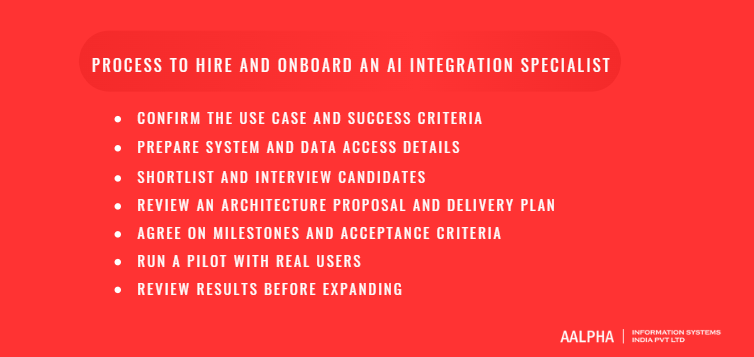
Step 1: Confirm the use case and success criteria
Write the one-page project definition described earlier: the process, the pain points, the systems, the users, the constraints, and the success measures with targets and floors. Get sign-off from the business owner who will use the result, not only from IT. Record the baseline numbers now, because you cannot measure improvement later without them.
Step 2: Prepare system and data access details
Before interviews, collect API documentation, sample data, and a list of the credentials the specialist will eventually need. Set up a sandbox or staging environment if one does not exist. Anonymise sample data for the assessment. Decide who on your side will grant access and answer technical questions. Delays in access are the most common reason integration projects start late.
Step 3: Shortlist and interview candidates
Publish the brief, screen portfolios for deployed work, and hold a first technical conversation with five to eight candidates. Invite two or three finalists to the paid assessment. Score each one on the scorecard and check at least one reference per finalist, ideally a past client with a similar project.
Step 4: Review an architecture proposal and delivery plan
Ask your preferred candidate for a short architecture proposal before signing the full contract. It should show the components, data flows, where the model is called, how permissions are enforced, how failures are handled, what is logged, and how quality will be measured. It should also include a delivery plan with weekly or fortnightly milestones. Have a technical reviewer on your side, or an independent adviser, challenge the proposal. This is the cheapest point to catch a bad design.
Step 5: Agree on milestones and acceptance criteria
Turn the proposal into a contract with milestones that each end in something you can check. For example: staging integration reading live data by week 3, evaluation results on the test set by week 5, pilot launch to ten users by week 7. Tie acceptance to measurable criteria, such as accuracy on the agreed test set, response time, and completed documentation. Include ownership terms, confidentiality, the support period, and a data processing agreement where personal data is involved.
On onboarding day, give the specialist access to staging only. Introduce them to the business users and the system owners. Share your coding standards, deployment process, and security policies. Production access comes later, after the staging build passes review.
Step 6: Run a pilot with real users
Launch to a small group of real users, often five to twenty people, with human review switched on for every AI action at first. Hold short weekly check-ins with users. Log every override and complaint, because these are your best source of test cases. Reduce review gradually as the measured accuracy holds. Keep the pilot running long enough to see normal variation in volume, usually at least three to four weeks.
Step 7: Review results before expanding
At the end of the pilot, compare the results with the targets you set in step 1. Review accuracy, time saved, adoption, cost per task, incidents, and user feedback. Then make one of three decisions: expand to more users or use cases, fix specific weaknesses and extend the pilot, or stop. Stopping a pilot that missed its floor is a good outcome if it was cheap and taught you something. Expanding a pilot that nobody measured is the expensive mistake.
What are the most common mistakes when hiring an AI integration specialist?
The most common mistakes are hiring for one AI tool instead of integration skill, starting without a clear workflow or clean data, granting production access too early, skipping evaluation and fallbacks, ignoring maintenance, and judging success by a demo. Each one is avoidable with a written brief and agreed acceptance criteria.
Hiring for familiarity with one AI tool
Model providers and frameworks change every few months. An engineer hired because they know one framework may struggle when the framework changes or the model you chose is replaced. Hire for the durable skills: APIs, backend architecture, data handling, security, and evaluation. A strong integration engineer learns a new model API in days. A tool specialist without integration experience takes months to learn your systems properly.
Starting without clean data or a clear workflow
AI cannot fix a process that nobody has defined. If three teams handle the same request three different ways, the AI will inherit the confusion. The same goes for data: an assistant built on an outdated knowledge base will confidently give outdated answers. Spend the time to document the workflow and tidy the key data sources before the build, or include that work in the project scope and budget.
Giving production access too early
A new contractor with write access to your production CRM on day one is a risk, however skilled they are. Start in staging with read-only access to anonymised or sample data. Grant production read access when the design is approved, and production write access only after the integration passes review, with every write logged and reversible. Use accounts and keys owned by your company, with the narrowest permissions that work.
Skipping evaluation and fallback procedures
Without an evaluation set, nobody can say whether the system is getting better or worse. Without fallbacks, every wrong answer reaches a customer or a record. Require both in the scope: a labelled test set that runs on every change, and a defined path for low-confidence output, such as a review queue or a hand-off to a person.
Overlooking integration maintenance
Integrations need care after launch. Connected SaaS tools change their APIs. Model providers retire versions. Your own data changes shape as the business grows. Budget for maintenance, assign an owner, and make sure documentation exists for whoever takes over. An integration nobody owns tends to fail quietly, often by returning slightly worse answers for months before anyone notices.
Measuring success by demo quality
A demo on ten chosen examples says little about performance on ten thousand real ones. Judge the specialist and the project on the success measures you defined: accuracy on the test set, time saved against the baseline, adoption, and cost per task. If those numbers are good, the demo does not need to be impressive. If they are poor, an impressive demo will not help.
What should a successful AI integration project deliver?
A successful project delivers a working integration in production, documented architecture, automated tests for normal and failure cases, access controls, monitoring for quality and cost, user guidance, a clear handover, and a way to decide what to build next. Use this list as the acceptance checklist in your contract.
Working integration and documented architecture
The integration should run in production on real data, deployed through your normal release process and hosted in accounts you own. Documentation should include an architecture diagram, data flows, the systems and endpoints used, configuration and environment variables, prompt and model versions, and a runbook for common incidents such as provider outages or expired credentials.
Tests for expected results and failure cases
Expect three layers of tests. Unit and integration tests cover the code and the API connections. An evaluation suite measures AI output against labelled examples and reports accuracy by category. Failure tests confirm the system behaves safely when the model times out, returns invalid output, or receives a hostile input. All three should run automatically before each release.
Access controls and data-handling documentation
You should receive a written description of what data the integration reads and writes, which accounts and permissions it uses, how user-level access is enforced, where logs are stored and for how long, and which data goes to external providers under which agreements. This document is what your security team, auditors, and future engineers will ask for first.
Monitoring for quality, errors, latency, and spending
A dashboard should show request volume, error rates, response times, cost per task and per month, and quality signals such as override rates, low-confidence counts, and user feedback. Alerts should fire when any of these cross an agreed threshold. Monthly cost reports stop budget surprises.
User guidance, handover, and support
Users need short guidance on what the AI does, what it does not do, how to correct it, and how to report problems. Your technical team needs handover sessions, access to all repositories and accounts, and a support window after launch, commonly 30 to 90 days. Agree how issues are reported and how quickly they will be answered.
A decision framework for the next use case
The final deliverable is a short review of the pilot results against targets, plus a ranked list of possible next use cases. Rank each candidate use case on expected value, data readiness, integration effort, and risk. Reusing the authentication, logging, monitoring, and retrieval components from the first project makes the second one faster and cheaper, which is the strongest argument for building the first one properly.
Why hire Aalpha for AI integration?
Aalpha Information Systems is an AI development company that gives you an AI integration team rather than a single freelancer: integration engineers backed by backend, frontend, QA, and DevOps specialists who have been connecting business software since 2008. The team starts by assessing your systems, then builds a scoped pilot with agreed success measures before any wider rollout.
Software development and AI integration capability
Most AI integration work is software integration work, and that is where Aalpha has the deepest experience. The team has delivered more than 5,500 projects for clients in 55+ countries, covering custom software, web and mobile applications, SaaS platforms, and enterprise system integrations with CRMs, ERPs, payment systems, and legacy databases. AI work builds on that base: LLM API integration, retrieval over company documents, document extraction pipelines, support and sales copilots, and AI features inside existing products.
Assessing your systems and building a scoped pilot
An engagement usually starts with a short discovery phase. Aalpha’s team reviews your process, APIs, data quality, and security constraints, then proposes an architecture, a narrow first use case, success measures, and a fixed-scope pilot plan. If the review shows that a simpler automation or a configuration change would solve the problem, you will hear that too. The downside to weigh: discovery adds one to two weeks before build starts, but it replaces guesswork in the quote with a plan based on your actual systems.
Delivery, documentation, and support
Delivery follows the practices described in this guide: staged access, milestone-based acceptance, evaluation sets, monitoring dashboards, and documentation written for the engineers who will maintain the system. Aalpha works under an ISO 9001:2015 certified quality process, and clients have rated the company 4.9 out of 5 across more than 215 verified reviews on Clutch. After launch, you can move to a maintenance arrangement with Aalpha or take over in-house with a full handover of code, accounts, and documentation, which you own from day one.
Discuss your AI integration requirements
If you have a process in mind, share your systems, the use case, and any data or compliance constraints with Aalpha’s team. You will get a candid view of what is feasible, a suggested first pilot, and a realistic estimate of cost and timeline. Contact Aalpha to start the conversation.
Frequently asked questions
Do I need an AI integration specialist or an AI developer?
Hire an AI integration specialist if you want AI to work inside the systems you already run, such as your CRM, helpdesk, or ERP. Hire an AI developer or AI engineer if you are building a new AI product from scratch. Many engineers can do both, so screen on the work you need done, not the title.
Can AI be integrated with legacy software?
Yes. If the legacy system has an API, integration is straightforward. If it does not, a specialist can use database access, scheduled file exports, a small API layer built around the system, or screen automation as a last resort. Each route adds cost and risk, so assess the legacy system early in scoping.
How long does an AI integration project take?
A focused pilot connecting one or two systems usually takes 4 to 10 weeks, including evaluation and user testing. A paid discovery phase adds one to two weeks. Larger rollouts across several systems or departments often take three to six months, delivered in phases.
What access will the specialist need?
At first, a staging environment, API documentation, anonymised sample data, and read-only credentials. Production read access follows design approval, and production write access follows a passed review. All accounts and keys should belong to your company and use the narrowest permissions that work.
How do I protect customer and company data?
Decide which data may be sent to external model providers, and use providers and plans with contractual data protections. Enforce user-level permissions in retrieval, redact personal data where required, log every AI action, test for prompt injection, and sign a data processing agreement with the specialist or partner.
How can I measure whether the integration is working?
Record a baseline before launch, then track time saved per task, accuracy on a labelled test set, adoption by eligible users, override or escalation rate, and cost per task. Set targets and minimum floors before the build, and review them at the end of the pilot.
Should I hire in-house or outsource the project?
Outsource when you need to start quickly, the project needs several skills, or you are not sure AI integration will become a permanent capability. Hire in-house when AI is a long-term part of your roadmap. Many companies outsource the first integrations and train an internal engineer to take over maintenance.
Who maintains the integration after launch?
Agree this before the build starts. Options are the original specialist on a support retainer, a development partner on a maintenance plan, or your own team after handover. Whoever owns it must handle API changes, model version updates, evaluation runs, monitoring alerts, and cost reviews.