





Businesses are hiring AI automation experts because traditional manual workflows can no longer keep pace with the speed, volume, and complexity of modern operations. Across industries, teams are under pressure to respond faster, reduce operational costs, improve customer experience, and make better use of business data. Tasks that once required repeated human effort, such as updating CRM records, replying to routine customer queries, processing invoices, preparing reports, qualifying leads, scheduling appointments, reviewing documents, or sending follow-up emails, can now be supported or completed through AI-assisted automation. This shift is not limited to large enterprises. Startups, small businesses, mid-sized companies, and service firms are also adopting AI automation to save time, reduce errors, and help their teams focus on higher-value work.
The move from manual workflows to AI-powered operations is visible across almost every major business function. Sales teams use AI automation to score leads, draft personalized outreach, summarize calls, and update CRM pipelines. Customer support teams use AI assistants to classify tickets, suggest replies, route requests, and answer common questions. Finance teams automate invoice extraction, payment reminders, reconciliation support, and expense approvals. HR teams use automation for candidate screening, onboarding workflows, policy assistance, and internal employee support. Logistics companies automate shipment updates, route notifications, exception alerts, and customer communication. Healthcare providers use AI-enabled workflows for appointment reminders, patient intake, follow-up messages, document handling, and administrative support. Real estate businesses automate property inquiries, lead nurturing, document collection, and buyer or tenant communication. eCommerce companies use AI to manage order updates, product recommendations, customer queries, returns, and inventory-related alerts. Professional service firms use automation for proposal preparation, meeting summaries, research support, reporting, and client communication.
However, hiring an AI automation expert is very different from simply giving employees access to ChatGPT or subscribing to a workflow automation tool. Business automation requires a clear understanding of how a process works from start to finish. An expert must identify the trigger, data source, decision points, approval steps, software systems, exception cases, user roles, and desired output before automation can be designed properly. Without this foundation, businesses may automate the wrong process, create unreliable outputs, expose sensitive data, or build workflows that fail when real-world exceptions occur.
AI automation also requires specialized technical and operational skills. A reliable automation expert needs to understand workflow mapping, system integration, APIs, prompt design, LLM behavior, database connections, webhooks, authentication, error handling, monitoring, testing, and data security. In many cases, the expert must connect multiple tools such as CRMs, ERPs, helpdesk platforms, email systems, spreadsheets, communication apps, payment gateways, document storage tools, and custom business software. They must also define when AI can act independently and when a human should review or approve an action. This is especially important in industries such as healthcare, finance, legal, insurance, HR, and enterprise operations, where accuracy, privacy, compliance, and auditability matter.
This guide explains how to hire AI automation experts for your business in a practical and structured way. It covers what AI automation experts actually do, when your business should hire them, which skills to look for, where to find qualified professionals, how to evaluate portfolios and case studies, what interview questions to ask, and how much hiring may cost. It also explains the differences between hiring freelancers, in-house experts, agencies, and dedicated AI automation teams so you can choose the right model based on your goals, budget, timeline, and technical complexity.
What Does an AI Automation Expert Do?
An AI automation expert helps a business identify, design, build, integrate, test, and maintain intelligent workflows that reduce manual effort and improve operational efficiency. Their role is not limited to creating prompts or connecting two apps with a simple automation tool. A skilled AI automation expert studies how work actually happens inside the business, understands where time is being lost, identifies which processes can be automated safely, and builds systems that can perform tasks reliably across different departments. In practical terms, they combine business process analysis, AI system design, software integration, prompt engineering, data handling, security planning, testing, and long-term workflow optimization.
-
AI Workflow Analysis
The first responsibility of an AI automation expert is to analyze existing workflows before recommending any automation. They study how a task currently moves from one step to another, who performs each action, which tools are used, what data is required, and where delays or errors occur. For example, in a sales workflow, they may review how leads enter the CRM, how sales representatives qualify them, how follow-up emails are sent, how meeting notes are recorded, and how deal stages are updated. In a finance workflow, they may examine how invoices are received, checked, approved, entered into accounting software, and matched with payments.
This analysis helps the expert separate repetitive tasks from judgment-heavy tasks. Not every process should be fully automated. Some tasks, such as sending appointment reminders, classifying support tickets, extracting invoice data, summarizing documents, or updating CRM fields, can often be automated with clear rules and AI assistance. Other tasks, such as approving a high-value refund, making a medical decision, rejecting an insurance claim, or evaluating a legal document, may require human review. A good AI automation expert maps these boundaries clearly so automation improves productivity without creating operational, legal, or customer experience risks.
-
AI Agent and Automation Design
After workflow analysis, the expert designs the automation structure. This may include simple rule-based workflows, AI-assisted workflows, or more advanced AI agents. A basic automation might trigger an email when a form is submitted. An AI-assisted workflow might read the form, classify the customer request, summarize the issue, and assign it to the correct department. A more advanced AI agent may retrieve customer history, check internal knowledge sources, prepare a response, update the CRM, and escalate the case if confidence is low.
AI automation experts also design decision trees, approval checkpoints, fallback routes, and multi-step workflows. For instance, if an AI agent qualifies a lead, the workflow may check the lead’s industry, budget, company size, and urgency before assigning it to the right sales representative. If the AI is uncertain, it may send the lead to a human for review instead of taking action automatically. This design stage is critical because businesses need automation that is structured, traceable, and aligned with internal rules.
-
Integration With Business Systems
AI automation becomes truly valuable when it is connected to the systems a business already uses. AI automation experts connect CRMs, ERPs, helpdesk tools, email platforms, WhatsApp, Slack, Microsoft Teams, Google Workspace, payment systems, databases, document storage tools, and custom software. These integrations are usually handled through APIs, webhooks, middleware, automation platforms, or custom backend services.
For example, a customer support automation may connect a helpdesk platform, company knowledge base, CRM, email inbox, and Slack channel. When a customer raises a ticket, the AI system can read the ticket, identify the issue, check customer details, suggest a response, notify the support team, and update the ticket status. In an eCommerce workflow, an AI automation expert may connect the website, inventory system, order management system, payment gateway, shipping partner, and customer notification system. Without proper integration, AI remains isolated. With proper integration, it becomes part of the company’s operating system.
-
Prompt Engineering and LLM Configuration
Prompt engineering is another important part of an AI automation expert’s work, but it must be handled as a system design activity rather than a one-time writing task. Experts write, test, and refine prompts so AI models can perform specific business tasks with consistency. These tasks may include classification, summarization, response generation, document analysis, lead qualification, ticket routing, contract review support, report generation, and internal knowledge retrieval.
For example, a prompt used for customer support should not simply ask the AI to “reply to the customer.” It should define the role of the AI, the tone of the response, the source of truth, escalation rules, restricted actions, formatting requirements, and conditions where the AI should refuse to answer or ask for human review. In more advanced systems, experts configure LLMs to return structured outputs such as JSON, categories, scores, summaries, or recommended next actions. They may also use retrieval-augmented generation, where the AI pulls information from approved company documents, policies, FAQs, product manuals, or databases before generating a response.
-
Testing, Monitoring, and Optimization
An AI automation expert is also responsible for making sure the automation works reliably before and after launch. Testing includes checking normal cases, edge cases, incomplete inputs, wrong data, duplicate records, API failures, low-confidence AI outputs, and unexpected user behavior. For example, if an invoice processing automation extracts the wrong amount or vendor name, the workflow should detect the issue and send it for human review instead of approving it blindly.
Monitoring is equally important after deployment. Experts set up logs, alerts, dashboards, performance reports, and failure notifications so the business can track whether workflows are working as expected. They may monitor accuracy, response time, failed tasks, manual overrides, user adoption, cost per automation run, and business impact. Over time, they refine prompts, improve workflows, add new rules, update integrations, and remove unnecessary steps. AI automation is not a one-time setup. It requires continuous improvement because business processes, software tools, customer behavior, and AI model capabilities keep changing.
-
Compliance, Security, and Governance
AI automation experts must also understand compliance, security, and governance because automated systems often handle sensitive business information. This may include customer data, employee records, financial documents, contracts, healthcare information, sales pipelines, payment details, and internal operational data. A poorly designed automation can expose confidential information, trigger unauthorized actions, or make decisions without proper oversight.
A qualified expert designs workflows with role-based access control, user permissions, audit trails, data retention rules, encryption, secure API handling, and human approval checkpoints. They also define which data can be sent to an AI model, which data must be masked, which actions require approval, and who is responsible for reviewing exceptions. In regulated or high-risk industries, this becomes even more important. The goal is not only to automate work but to automate it safely, transparently, and in a way that business leaders can trust.
When Should Your Business Hire AI Automation Experts?
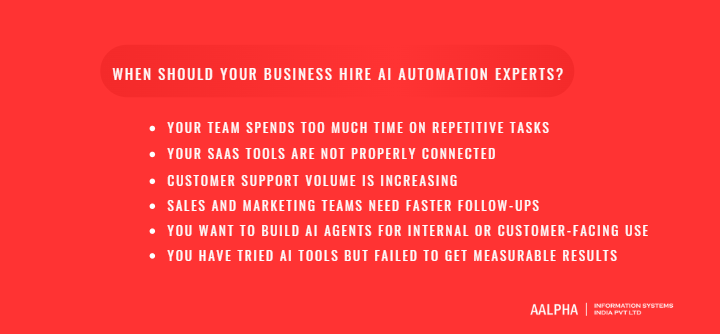
A business should hire AI automation experts when manual processes start limiting speed, accuracy, customer experience, or team productivity. Many companies begin by using basic AI tools internally, but they soon realize that real automation requires more than asking an AI chatbot to write text or summarize a document. The right time to bring in AI automation expertise is when repetitive tasks are consuming staff hours, business systems are disconnected, customer requests are increasing, sales follow-ups are being missed, or leadership wants to build AI agents that can support real workflows. In simple terms, if your team is spending more time moving information between systems than making decisions, your business is ready to evaluate AI automation.
-
Your Team Spends Too Much Time on Repetitive Tasks
One of the clearest signs that your business needs AI automation experts is when employees spend a large part of their day doing repetitive, rule-based, or low-value administrative work. This includes manual data entry, copying information from emails into spreadsheets, updating CRM records, preparing routine reports, drafting similar customer responses, sending lead follow-ups, processing invoices, checking documents, scheduling appointments, and sending order updates. These tasks are necessary, but they do not always require continuous human involvement.
For example, a sales team may receive leads from a website form, manually check each inquiry, assign it to a sales executive, send a first response, update the CRM, and set a reminder for follow-up. An AI automation expert can redesign this workflow so the lead is captured automatically, scored based on defined criteria, categorized by service requirement, assigned to the right person, and followed up with a personalized email. Similarly, a finance team that manually extracts invoice details can use AI-assisted document processing to read invoices, capture vendor details, flag mismatches, and route approvals. The goal is not to remove people from the business process. The goal is to remove unnecessary manual effort so employees can focus on judgment, relationships, problem-solving, and revenue-generating work.
-
Your SaaS Tools Are Not Properly Connected
Another strong signal is when your business uses multiple SaaS tools, but they do not communicate with each other. Many companies use a CRM for sales, a helpdesk for support, email for communication, spreadsheets for tracking, accounting software for finance, project management tools for operations, and messaging platforms for team coordination. When these systems are disconnected, employees are forced to manually transfer information from one tool to another. This creates duplicate work, inconsistent records, delayed updates, and avoidable errors.
AI automation experts help connect these systems into a single workflow. They can integrate CRMs, ERPs, helpdesk platforms, payment systems, Google Workspace, Slack, WhatsApp, databases, and custom software using APIs, webhooks, middleware, or automation platforms. For example, when a customer fills out a support form, the workflow can automatically create a ticket, check the customer’s account status, summarize the issue, notify the right team, and update the CRM. When systems are connected properly, data moves automatically, teams get better visibility, and business operations become easier to manage.
-
Customer Support Volume Is Increasing
Businesses should also consider hiring AI automation experts when customer support volume begins to grow faster than the support team can handle. As companies scale, they receive more emails, chats, calls, form submissions, refund requests, technical questions, order queries, and service complaints. Hiring more support agents may solve part of the problem, but it does not always address the underlying workflow inefficiency.
AI automation can support customer service through ticket triage, FAQ handling, customer intent detection, response suggestions, escalation rules, sentiment analysis, and multilingual support. For example, an AI system can identify whether a request is about billing, delivery, product issues, login problems, cancellation, or technical support. It can then route the ticket to the correct department, suggest a response based on approved knowledge base content, and escalate urgent or sensitive issues to a human agent. This reduces response time, improves consistency, and helps support teams handle higher volumes without lowering service quality.
-
Sales and Marketing Teams Need Faster Follow-Ups
Sales and marketing teams often lose opportunities because follow-ups are delayed, leads are not qualified properly, or CRM data is incomplete. When leads come from multiple channels such as website forms, ads, referrals, email campaigns, webinars, WhatsApp, or social media, manual lead handling becomes difficult. AI automation experts can help create faster and more structured sales workflows.
AI-led automation can score leads based on company size, budget, industry, location, urgency, and service interest. It can draft personalized emails, update CRM fields, generate proposal outlines, summarize sales calls, schedule reminders, and notify sales representatives when a high-intent lead takes action. Marketing teams can also use AI automation to segment audiences, personalize campaigns, repurpose content, analyze engagement, and trigger follow-up workflows. If your sales team regularly says that leads are slipping through the cracks, AI automation can create a more disciplined and measurable follow-up system.
-
You Want to Build AI Agents for Internal or Customer-Facing Use
A business should hire AI automation experts when it wants to move beyond basic automation and build AI agents. Basic automation usually follows fixed rules: when an event happens, perform a predefined action. For example, when a form is submitted, send an email. AI agents are more advanced because they can understand context, retrieve information, reason through a task, use tools, trigger workflows, and support multi-step processes.
An internal AI agent may help employees search company documents, prepare reports, summarize meetings, answer policy questions, or assist with project updates. A customer-facing AI agent may help users check order status, book appointments, ask product questions, submit documents, or get support without waiting for a human agent. Building these systems requires careful planning because AI agents must be connected to approved data sources, business systems, permissions, escalation logic, and monitoring tools. This is where expert support becomes essential.
-
You Have Tried AI Tools but Failed to Get Measurable Results
Many businesses experiment with AI tools but fail to achieve measurable results because they do not define the workflow clearly. They may subscribe to AI software, ask employees to use chatbots, or build a few simple automations, but the results remain inconsistent. The problem is usually not the AI tool itself. The problem is unclear process design, poor data quality, disconnected systems, weak success metrics, and lack of ownership.
AI automation experts help turn scattered AI experiments into structured business systems. They define which workflow should be automated first, what data is needed, which tools must be connected, what success should look like, who owns the process, and how results will be monitored. If your business has already tried AI but cannot clearly measure time saved, cost reduced, errors avoided, or revenue improved, it is a strong sign that you need expert guidance. A qualified AI automation expert brings structure, accountability, and technical execution to your AI adoption efforts.
Types of AI Automation Experts You Can Hire
Not all AI automation experts perform the same role. Some focus on strategy, some build workflow automations, some develop AI agents, some integrate large language models into business systems, and some manage the complete implementation from planning to adoption. Before hiring, a business must understand which type of expert is required for its current stage. A company that is still exploring automation opportunities may need a consultant. A company that already knows which workflows it wants to automate may need an implementation specialist. A company building advanced internal assistants or customer-facing AI agents may need developers, data engineers, and a project manager. Choosing the right role prevents budget waste, reduces delivery risk, and helps the business build AI automation that solves real operational problems.
-
AI Automation Consultant
An AI automation consultant helps a business identify where AI can create measurable operational value. This role is usually needed at the beginning of an AI automation journey, especially when the business knows it wants to use AI but is not sure which processes should be automated first. The consultant studies existing workflows, interviews stakeholders, reviews software systems, identifies repetitive tasks, and separates high-value automation opportunities from low-impact ideas.
A good AI automation consultant does more than suggest tools. They create an automation roadmap that shows which workflows should be addressed first, what business value each workflow may deliver, what risks are involved, and what level of technical effort is required. For example, they may recommend starting with customer ticket classification before building a fully automated support agent, or automating lead qualification before investing in a complex sales AI assistant. They also help estimate ROI by comparing current manual effort, operational cost, processing time, error rate, and expected efficiency improvement after automation.
This type of expert is useful for leadership teams, operations heads, and business owners who want a structured AI automation strategy before committing to development. Their output may include an automation audit, process map, feasibility report, tool recommendation, implementation roadmap, cost estimate, and phased rollout plan.
-
AI Workflow Automation Specialist
An AI workflow automation specialist is focused on building practical automations using workflow tools and business platforms. These experts often work with tools such as n8n, Make, Zapier, Microsoft Power Automate, Airtable, HubSpot, Salesforce, Slack, Google Workspace, Notion, Trello, Asana, and similar platforms. Their work is useful when a business wants to connect existing tools, reduce manual data transfer, automate notifications, trigger follow-ups, or create rule-based and AI-assisted workflows without building everything from scratch.
For example, an AI workflow automation specialist can create a workflow where a new website lead is captured, enriched, scored using AI, added to a CRM, assigned to a salesperson, and followed up with a personalized email. In customer support, they may automate ticket tagging, response drafting, escalation alerts, and status updates. In finance, they may automate invoice reminders, document routing, or spreadsheet updates.
This expert is ideal for small to mid-sized businesses that already use several SaaS tools but lack connected workflows. The main benefit is speed. Many automations can be launched faster using low-code or no-code platforms. However, businesses should still check whether the specialist understands data handling, security, error management, and long-term maintainability, because poorly designed no-code automations can become difficult to manage as the business grows.
-
AI Agent Developer
An AI agent developer builds systems that can understand instructions, retrieve information, use tools, call APIs, and complete structured workflows. This role is different from a basic automation specialist because AI agents are designed to perform more flexible, context-aware tasks. While traditional automation follows fixed rules, an AI agent can interpret user intent, check relevant data, decide the next step within defined boundaries, and trigger business actions.
For example, an internal AI agent may help employees search company policies, summarize client conversations, prepare reports, create tasks, and update project management software. A customer-facing AI agent may help users book appointments, track orders, submit service requests, upload documents, or get product support. In a sales environment, an AI agent may qualify leads, ask follow-up questions, retrieve pricing information, and create CRM entries.
AI agent developers must understand LLM behavior, tool calling, retrieval systems, API integration, workflow logic, context management, permissions, and fallback handling. Since AI agents may take actions inside business systems, this role requires strong attention to reliability and governance. The developer must define what the agent can do, what it cannot do, when it should ask for human approval, and how its actions should be logged.
-
LLM Integration Developer
An LLM integration developer focuses on connecting large language models with business applications. These developers work with AI models and platforms such as OpenAI, Anthropic, Google Gemini, open-source LLMs, vector databases, RAG pipelines, embeddings, and custom backend systems. Their role is important when a business wants AI features built directly into its software, internal platforms, SaaS products, dashboards, portals, or customer-facing applications.
For example, an LLM integration developer can build a feature that allows users to ask questions from internal documents, summarize uploaded files, extract structured data from contracts, generate customer support responses, classify incoming requests, or analyze large volumes of text. They may also build retrieval-augmented generation systems, where the AI model retrieves information from approved company documents, knowledge bases, databases, or product manuals before generating a response.
This role is necessary when businesses need more control than standard AI tools provide. LLM integration developers help decide which model to use, how prompts should be structured, how responses should be validated, how data should be stored, and how the AI feature should connect with existing software. They also help manage model limitations, latency, API costs, rate limits, and security concerns.
-
RPA Developer
An RPA developer specializes in robotic process automation, which is useful when a business needs to automate repetitive digital tasks in systems that do not have modern APIs. Many companies still use legacy software, desktop applications, old ERP systems, banking portals, insurance portals, government systems, or vendor platforms where direct integration is difficult. In such cases, RPA bots can imitate human actions such as clicking buttons, entering data, downloading files, uploading documents, copying information, or generating reports.
RPA developers commonly work with tools such as UiPath, Automation Anywhere, Blue Prism, and Microsoft Power Automate Desktop. Their work is especially useful in finance, insurance, healthcare administration, logistics, HR, and back-office operations. For example, an RPA bot may log into a vendor portal, download invoices, extract values, update an internal spreadsheet, and notify the finance team.
While RPA is powerful, it must be used carefully. Screen-based automation can break when software interfaces change. A qualified RPA developer should therefore design error handling, monitoring, exception alerts, and maintenance procedures. In many modern projects, RPA is combined with AI, document processing, and workflow automation to handle legacy processes more intelligently.
-
Data Engineer for AI Automation
A data engineer plays a critical role in AI automation projects that depend on clean, reliable, and accessible data. AI systems are only as useful as the data they can access. If customer records are incomplete, documents are scattered, databases are outdated, or business information is stored across disconnected tools, automation will produce poor results. A data engineer helps solve this foundation problem.
Data engineers build data pipelines, clean and transform data, connect databases, prepare structured data access, create data warehouses, and support knowledge base development. In AI automation projects, they may also work with embeddings, vector databases, document indexing, metadata tagging, and retrieval systems. Their work is especially important for RAG-based AI assistants, internal knowledge bots, reporting automation, analytics workflows, and enterprise AI agents.
For example, if a company wants an AI assistant that answers questions from thousands of internal documents, the data engineer helps organize, clean, chunk, index, and retrieve the right content. If a business wants automated reporting, the data engineer connects the relevant systems and prepares data in a usable format. Without strong data engineering, AI automation may become unreliable, inconsistent, or incomplete.
-
AI Product Manager or Automation Project Manager
Larger AI automation projects need someone who can coordinate business goals, workflows, technical teams, compliance requirements, testing, and user adoption. This is where an AI product manager or automation project manager becomes important. Their role is to translate business needs into clear requirements, prioritize features, manage delivery timelines, coordinate stakeholders, and keep the project aligned with measurable outcomes.
AI automation projects often involve several departments. A customer support automation may need input from support managers, IT teams, compliance teams, CRM administrators, and customer experience leaders. A finance automation may involve accounting staff, auditors, operations managers, and software vendors. Without proper coordination, requirements become unclear and implementation slows down.
An AI product manager or project manager defines the scope, success metrics, user stories, approval flows, testing process, rollout plan, training requirements, and post-launch improvement cycle. This role is especially valuable when the project includes multiple workflows, custom software, sensitive data, AI agents, or integrations across several systems.
-
AI Automation Agency or Dedicated Team
A business should hire an AI automation agency or dedicated team when the project requires multiple skills that one freelancer cannot reasonably handle alone. A complete AI automation project may need workflow analysis, AI consulting, backend development, LLM integration, data engineering, UI development, API integration, QA testing, security review, documentation, and ongoing support. In such cases, hiring a single specialist may create delivery gaps.
An AI automation agency or dedicated team is better suited for businesses that want end-to-end implementation. This includes companies building custom AI agents, internal automation platforms, AI-powered customer support systems, document processing workflows, sales automation systems, healthcare automation tools, logistics automation platforms, or enterprise-grade integrations. Agencies are also useful when businesses need faster execution, structured project management, and long-term maintenance.
The right choice depends on project complexity. A freelancer may be enough for a simple workflow between two tools. A workflow automation specialist may be enough for SaaS-based automations. But if the business needs secure, scalable, custom AI automation connected to multiple systems, a dedicated team is usually the safer option. This gives the business access to strategy, development, testing, deployment, and support under one coordinated structure.
Key Skills to Look for in AI Automation Experts
Hiring the right AI automation expert requires more than checking whether the person knows ChatGPT, Zapier, or a few automation tools. AI automation for business is a combination of process understanding, software integration, AI system design, data handling, security awareness, testing discipline, and clear communication. The best experts do not begin by asking, “Which AI tool should we use?” They begin by asking, “Which business process is slowing the company down, what data is involved, who owns the workflow, what outcome is expected, and what level of automation is safe?” This difference matters because successful AI automation is not just about creating faster workflows. It is about creating reliable, measurable, and secure systems that fit into the way a business actually operates.
-
Business Process Understanding
The most important skill to look for in an AI automation expert is business process understanding. A technically skilled person may know how to connect tools or configure an AI model, but if they do not understand how departments work, the automation may solve the wrong problem. A strong automation expert should be able to study sales, customer support, finance, HR, operations, logistics, healthcare administration, real estate workflows, eCommerce processes, and professional service delivery models with practical business sense.
For example, automating a sales workflow requires understanding lead sources, qualification criteria, CRM stages, follow-up timing, proposal creation, sales ownership, and reporting. Automating finance workflows requires knowledge of invoice approval, vendor records, payment matching, expense review, and audit trails. Automating customer support requires an understanding of ticket priority, escalation rules, response templates, customer history, service-level expectations, and unresolved cases. The expert should be able to map how work moves from one person or system to another, identify bottlenecks, and recommend automation only where it improves accuracy, speed, or productivity. Businesses should prioritize experts who can speak both the language of operations and the language of technology.
-
AI and LLM Knowledge
An AI automation expert must have strong knowledge of AI models and large language models because many modern automations now depend on language understanding, reasoning, classification, summarization, and content generation. The expert should understand how LLM APIs work, how prompts are structured, how models process context, and where AI outputs can become unreliable. They should know that LLMs can produce incorrect or unsupported responses if they are not guided with proper instructions, source data, constraints, validation rules, and human review checkpoints.
Important AI skills include prompt engineering, hallucination control, structured output generation, function calling, tool use, AI agent design, retrieval-augmented generation, and model evaluation. For example, if a business wants an AI system to classify customer tickets, the expert should know how to define categories, provide examples, set confidence thresholds, and route uncertain cases to a human. If the business wants an internal knowledge assistant, the expert should understand how to use approved company documents, vector databases, embeddings, and retrieval systems so the AI can answer from trusted sources instead of guessing. If the business wants an AI agent, the expert should know how to let the system use tools safely, call APIs, retrieve data, and perform actions within defined boundaries.
-
Workflow Automation Tools
AI automation experts should have practical experience with workflow automation tools. Common platforms include n8n, Make, Zapier, Microsoft Power Automate, Workato, UiPath, Airtable, HubSpot automation, Salesforce flows, and custom workflow engines. These tools are useful for connecting business applications, creating triggers, moving data, sending alerts, updating records, and reducing repetitive manual tasks.
However, tool knowledge alone is not enough. A good expert should understand when to use no-code tools, when to use low-code platforms, and when custom development is required. For example, Zapier or Make may be suitable for simple app-to-app automations, while n8n may be preferred for more flexible self-hosted workflows. UiPath may be useful for robotic process automation in legacy systems, while custom workflow engines may be required for complex enterprise-grade logic. The expert should also be able to design workflows that are maintainable, documented, and easy to monitor instead of creating disconnected automations that only one person understands.
-
API Integration Skills
API integration is one of the core skills needed for serious AI automation. APIs allow different software systems to communicate with each other, exchange data, trigger actions, and keep records synchronized. Without API knowledge, AI automation remains limited to basic tool connections and manual exports. With strong API skills, an expert can connect CRMs, ERPs, helpdesk systems, payment gateways, communication platforms, databases, document tools, and custom software into a unified workflow.
For example, when a new customer inquiry arrives, an API-based workflow can create a CRM record, check existing customer history, generate a response draft, assign a task to the right team member, and update the support ticket. In logistics, APIs can connect order systems, delivery partners, route updates, customer notifications, and billing tools. In healthcare, APIs may connect appointment systems, patient communication tools, document management systems, and administrative dashboards. The expert should understand authentication, webhooks, rate limits, retries, API errors, data formats, and permission scopes. These details are important because a workflow must continue working reliably even when an external system delays, fails, or changes its API behavior.
-
Backend Development Knowledge
Many AI automation projects eventually require backend development, especially when the business needs custom logic, dashboards, databases, user management, advanced integrations, or AI agents connected to internal systems. An AI automation expert does not always need to be a full-stack software engineer, but they should understand backend concepts or work closely with developers who do. Relevant backend technologies may include Node.js, Python, Django, FastAPI, serverless functions, PostgreSQL, MongoDB, Redis, authentication systems, background jobs, queues, and webhook handlers.
Backend development knowledge becomes important when workflows cannot be handled cleanly inside standard automation tools. For example, a business may need a custom API layer between its CRM and AI agent, a secure dashboard for reviewing AI-generated recommendations, or a background job that processes documents in batches. Backend skills also help with reliability. The expert can design systems that store workflow history, retry failed tasks, manage user permissions, schedule jobs, validate data, and separate test environments from production systems. This makes the automation more scalable and safer for long-term business use.
-
Data Handling and Knowledge Base Setup
AI automation depends heavily on data quality. If the data is incomplete, outdated, duplicated, poorly structured, or stored across disconnected systems, the automation will produce weak results. A qualified AI automation expert should understand how to handle structured data, unstructured documents, knowledge bases, embeddings, vector search, data cleaning, access control, and data freshness.
Structured data includes CRM fields, order records, customer profiles, invoices, payments, inventory data, and support tickets. Unstructured data includes PDFs, emails, contracts, policies, chat transcripts, manuals, reports, and internal documents. For AI systems that answer questions from company knowledge, the expert should know how to prepare documents, split content into usable sections, add metadata, create embeddings, store them in a vector database, and retrieve the most relevant information when needed. They should also understand that knowledge bases must be updated regularly. If an AI assistant uses outdated policies, pricing, product details, or legal terms, it can create serious business risk.
-
Security and Compliance Awareness
Security and compliance awareness is essential when hiring AI automation experts because automated workflows often process sensitive information. This may include customer data, employee records, financial files, healthcare information, legal documents, payment details, business contracts, and internal strategy documents. The expert should understand encryption, secure API key handling, role-based access control, audit logs, data retention, user permissions, consent, privacy policies, and industry-specific compliance requirements.
For example, a healthcare automation workflow may need strict controls around patient data. A finance automation may need approval trails, restricted access, and secure document storage. An HR automation may handle personal employee information that should not be exposed to unauthorized users or external tools. A responsible AI automation expert should define what data can be processed by AI, what must be masked, where data is stored, who can access outputs, and which actions require human approval. Security should not be added after launch. It should be built into the workflow from the beginning.
-
Testing and Quality Assurance
Testing is one of the biggest differences between a basic automation setup and a reliable business automation system. AI automation experts should be able to create test cases, run workflow simulations, check edge cases, validate AI outputs, handle failed steps, and define rollback plans. They should test what happens when data is missing, APIs fail, duplicate records appear, a customer enters unclear information, or the AI produces a low-confidence response.
For example, if an AI workflow extracts invoice data, the expert should test different invoice formats, missing tax details, incorrect vendor names, duplicate invoice numbers, and mismatched amounts. If an AI agent handles customer support, the expert should test angry customers, incomplete questions, refund requests, policy exceptions, multilingual messages, and sensitive complaints. The workflow should include logging, escalation rules, fallback steps, and human approval where needed. A strong expert will never treat AI automation as “set and forget.” They will treat it as a system that must be tested, monitored, and improved.
-
Communication and Documentation
Clear communication and documentation are critical because AI automation projects involve both business users and technical teams. Many automation projects fail not because the technology is weak, but because the workflow is not documented properly. Business teams may not understand what the automation does, developers may not understand the real-world process, and managers may not know how to measure success.
A qualified AI automation expert should document workflow diagrams, triggers, data sources, tools used, API connections, prompts, decision rules, approval checkpoints, exception handling, user roles, testing results, and maintenance steps. They should also explain the system in simple language to non-technical stakeholders. This helps teams adopt the automation confidently and makes future updates easier. Good documentation also protects the business if the original expert is unavailable later. In AI automation, clarity is not a soft skill. It is a core delivery requirement that determines whether the system can be trusted, maintained, and scaled.
Step-by-Step Process to Hire AI Automation Experts
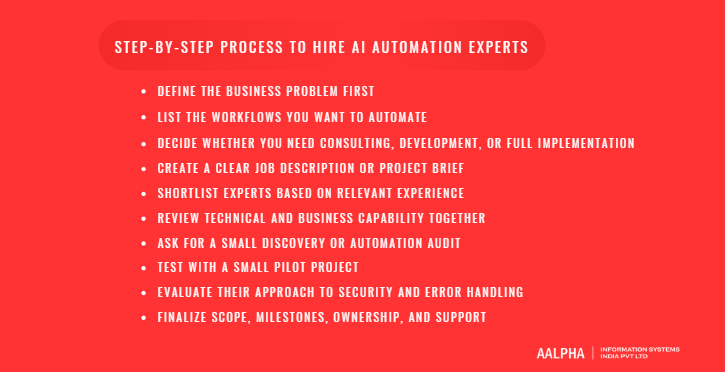
Hiring AI automation experts should be treated as a structured business decision, not a rushed technology experiment. Many companies make the mistake of starting with a tool, model, or platform before clearly understanding the process they want to improve. A better approach is to define the business problem, document the workflows, decide the type of expertise required, evaluate candidates based on relevant experience, test with a small pilot, and finalize clear ownership for implementation and support. This method helps businesses avoid vague AI initiatives and instead hire experts who can deliver measurable improvements in productivity, accuracy, response time, cost control, and operational visibility.
-
Define the Business Problem First
The first step is to define the actual business problem before looking for an AI automation expert. A company should not begin with a broad statement like “we need AI” because that does not explain what needs to change inside the business. AI is only useful when it is applied to a clear workflow, operational pain point, or measurable business outcome. Instead of starting with the technology, the business should identify where work is slow, repetitive, expensive, inconsistent, or difficult to scale.
For example, a customer support team may be struggling with slow response times because agents manually read every ticket, classify the issue, search internal documents, and draft replies. A finance team may spend hours processing invoices, checking vendor details, and routing approvals. A sales team may lose leads because follow-ups are delayed or CRM records are not updated properly. A management team may wait several days for reports because data is scattered across multiple systems. These are specific business problems that AI automation can address.
This clarity helps the business hire the right expert. If the problem is disconnected SaaS tools, a workflow automation specialist may be enough. If the problem is document-heavy processing, the business may need an AI developer with document extraction and data validation experience. If the company wants an internal AI assistant connected to business data, it may need an LLM integration developer or AI agent developer. A clearly defined problem prevents the company from hiring based on buzzwords and helps candidates propose practical solutions.
-
List the Workflows You Want to Automate
Once the problem is clear, the next step is to document the workflows that may be automated. This does not need to be a highly technical document at the beginning, but it should be detailed enough for an expert to understand how work currently happens. Each workflow should include the trigger, input, current process, tools involved, users involved, approval steps, expected output, and exception cases.
For example, if the workflow is lead follow-up, the trigger may be a website form submission. The input may include name, company, email, phone number, service interest, budget, and message. The current process may involve checking the form entry, manually adding the lead to the CRM, assigning it to a salesperson, sending a first response, and setting a reminder. The tools involved may include the website CMS, CRM, email platform, Slack, and Google Sheets. The expected output may be a qualified lead record, an assigned owner, a personalized email, and a follow-up reminder. Exceptions may include incomplete information, duplicate leads, invalid email addresses, or leads from unsupported regions.
This level of documentation helps AI automation experts understand the workflow quickly and estimate effort more accurately. It also helps the business decide which processes are suitable for automation and which should remain manual or semi-automated. A good rule is to start with workflows that are repetitive, frequent, rule-based, time-consuming, and measurable. Processes that involve sensitive decisions, legal judgment, medical judgment, or financial approvals may still be automated partially, but they should include human review checkpoints.
-
Decide Whether You Need Consulting, Development, or Full Implementation
After documenting the workflows, the business should decide what type of help it needs. Not every company requires the same level of AI automation support. Some businesses need strategic guidance, some need a working prototype, some need full production implementation, and some need ongoing managed automation support.
Consulting is suitable when the business is still exploring opportunities and wants to understand where AI automation can create the most value. An AI automation consultant can audit workflows, identify use cases, estimate ROI, recommend tools, and create an implementation roadmap. Prototype development is useful when the company wants to test one workflow before committing to a larger project. A prototype may automate lead qualification, ticket classification, invoice extraction, or internal document search on a limited scale.
Production implementation is required when the automation will be used by real users, connected to live systems, and expected to operate reliably. This requires stronger attention to integrations, security, testing, monitoring, documentation, and user training. Long-term managed automation support is useful when the company wants continuous optimization, monthly improvements, workflow monitoring, bug fixes, and additional automation development over time. Making this decision early helps the company avoid hiring a consultant when it actually needs a development team, or hiring a developer when it first needs strategy.
-
Create a Clear Job Description or Project Brief
A clear job description or project brief helps attract the right AI automation experts and reduces misunderstanding during evaluation. The brief should explain the business goals, workflows to be automated, current tools, data sources, integrations, expected deliverables, timeline, security requirements, and success metrics. It should also specify whether the business needs consulting, workflow automation, AI agent development, LLM integration, RPA, data engineering, or a complete implementation team.
For example, a strong project brief may state that the business wants to automate customer support ticket triage by connecting its helpdesk, CRM, knowledge base, and Slack. It should mention the expected workflow: classify incoming tickets, detect urgency, suggest a reply from approved knowledge base content, assign the ticket to the correct team, and escalate low-confidence cases. It should also mention the tools currently used, expected response time improvement, data privacy requirements, and whether the expert must provide documentation and training.
The more specific the brief, the easier it becomes to compare candidates. Vague requirements attract vague proposals. Clear requirements help experts explain their approach, estimate effort, identify risks, and recommend a realistic rollout plan. A good brief also protects the business from scope creep because deliverables, responsibilities, and success criteria are defined from the beginning.
-
Shortlist Experts Based on Relevant Experience
When shortlisting AI automation experts, businesses should focus on relevant experience rather than generic AI claims. The expert should have worked on similar workflows, similar industries, similar tools, or similar integration complexity. For example, if the business wants to automate sales workflows inside HubSpot or Salesforce, the expert should have CRM automation experience. If the business wants to build an AI support assistant, the expert should have experience with helpdesk tools, knowledge bases, ticket routing, and response generation. If the project involves document processing, the expert should understand OCR, data extraction, validation, and exception handling.
Industry experience can also matter. Healthcare automation may require knowledge of patient communication, appointment workflows, privacy controls, and clinical administration. Finance automation may require approval trails, audit logs, reconciliation workflows, and secure document handling. Logistics automation may require shipment tracking, route updates, customer notifications, and partner system integrations. Real estate automation may involve lead nurturing, property data, document collection, and customer communication.
Businesses should ask for case studies, workflow examples, architecture descriptions, tool experience, and measurable outcomes. Strong candidates can explain what problem they solved, how the workflow worked before automation, what systems were connected, what AI capabilities were used, what risks were handled, and what results were achieved.
-
Review Technical and Business Capability Together
A common hiring mistake is evaluating AI automation experts only based on tool knowledge. Knowing n8n, Make, Zapier, OpenAI APIs, or Power Automate is valuable, but it is not enough. The expert must also understand process design, risk management, user adoption, success metrics, and long-term maintainability. A technically working automation may still fail if it does not fit the actual business workflow.
For example, an expert may be able to build a workflow that automatically replies to customer emails, but if the workflow does not check customer status, product policy, order history, escalation rules, or confidence level, it can create poor customer experiences. Similarly, an AI lead scoring workflow may look impressive, but if the scoring logic does not match the sales team’s qualification criteria, it will not help conversion.
The best AI automation experts can explain both the technical build and the business reasoning behind it. They should be able to discuss why a workflow should be automated, which steps should remain manual, what risks exist, how the workflow will be tested, how results will be measured, and how users will adopt it. This combination of technical and business capability is what separates a reliable automation partner from a tool operator.
-
Ask for a Small Discovery or Automation Audit
Before committing to a large AI automation project, businesses should ask for a small discovery exercise or automation audit. This can be a short paid engagement where the expert reviews current workflows, tools, data sources, integration gaps, risks, and opportunities. The audit helps both sides understand the real scope before development begins.
A useful automation audit should identify which workflows are suitable for automation, which systems need to be connected, what data is available, what security issues must be addressed, and which use cases should be prioritized. It should also highlight possible blockers, such as missing APIs, poor data quality, unclear process ownership, duplicate records, or lack of approval rules. The final output may include a workflow map, automation roadmap, effort estimate, tool recommendation, risk assessment, and phased implementation plan.
This step is especially valuable for businesses that have multiple departments, many SaaS tools, legacy systems, or unclear internal processes. It reduces the chance of building the wrong automation and gives leadership a practical view of where to start.
-
Test With a Small Pilot Project
A pilot project is one of the safest ways to evaluate an AI automation expert before expanding automation across the business. Instead of automating an entire department, start with one high-impact workflow that is repetitive, measurable, and not too risky. Good pilot examples include lead qualification, customer ticket classification, invoice data extraction, appointment reminders, order status notifications, meeting summary generation, or internal document search.
The pilot should have clear success metrics. For example, if the project is customer ticket classification, the business may measure classification accuracy, reduction in manual sorting time, faster response time, and number of tickets escalated correctly. If the pilot is invoice extraction, the business may measure data extraction accuracy, processing time, exception rate, and manual correction effort. If the pilot is lead qualification, the business may measure lead response time, CRM update accuracy, and sales team adoption.
A pilot helps the business evaluate the expert’s working style, technical ability, communication, documentation, testing approach, and reliability. It also helps internal teams understand how AI automation will affect their daily work. Once the pilot proves value, the business can expand to more workflows with greater confidence.
-
Evaluate Their Approach to Security and Error Handling
Security and error handling should be evaluated before finalizing any AI automation expert. Automated workflows often interact with customer data, employee records, invoices, contracts, payment information, sales data, or confidential business documents. If the expert does not have a clear approach to protecting this information, the project can create serious risk.
Businesses should ask how the expert handles access permissions, API keys, role-based access, data masking, encryption, audit logs, and human approval checkpoints. They should also ask what happens when something goes wrong. For example, what if an API fails? What if the AI gives a low-confidence answer? What if a document cannot be read properly? What if a duplicate record is found? What if a customer asks for something outside policy? A reliable expert should design fallback workflows, alerts, manual review queues, retry logic, and logs.
Human-in-the-loop approval is especially important for sensitive workflows. AI can prepare recommendations, draft responses, summarize data, or classify requests, but final approval may still need to remain with a human for high-risk actions. A strong expert understands that safe automation is not always full automation. Sometimes the best solution is a controlled workflow where AI handles preparation and humans handle judgment.
-
Finalize Scope, Milestones, Ownership, and Support
The final step is to define the scope, milestones, ownership, and support model clearly before development begins. The scope should specify which workflows will be automated, which systems will be integrated, what deliverables will be provided, and what is excluded. Milestones should break the project into stages such as discovery, workflow design, prototype, integration, testing, user review, production deployment, training, and post-launch support.
Acceptance criteria should be defined for each workflow. For example, the business may require that the automation correctly classifies a certain percentage of tickets, processes specific invoice formats, updates CRM fields accurately, or escalates exceptions according to defined rules. Documentation should also be part of the deliverables. This may include workflow diagrams, configuration notes, API details, prompt documentation, user instructions, testing results, and maintenance guidance.
Ownership must be clear on both sides. The business should assign an internal process owner who can provide access, answer workflow questions, review outputs, and approve decisions. The expert or agency should define who is responsible for implementation, testing, bug fixes, monitoring, and support. Post-launch support is critical because automations need updates when tools change, APIs are modified, prompts require improvement, or business rules change.
A well-structured hiring process gives businesses a higher chance of success with AI automation. Instead of hiring based on vague AI promises, companies can select experts who understand real workflows, design reliable systems, protect business data, and deliver measurable operational value.
Where to Find AI Automation Experts
Finding the right AI automation expert depends on the type of project, the level of technical complexity, and the amount of support your business needs after launch. A simple workflow between two SaaS tools may be handled by a freelancer or no-code specialist. A more advanced AI automation project involving custom software, AI agents, data pipelines, APIs, security, dashboards, and ongoing support may require an agency or dedicated development team. Businesses should not look only for someone who claims to “know AI.” They should search for experts who understand workflow automation, business systems, integrations, data handling, testing, and practical implementation.
-
AI Automation Agencies
AI automation agencies are often the best option when a business needs end-to-end support under one team. An agency can usually provide consulting, workflow analysis, automation design, AI agent development, API integrations, testing, deployment, documentation, and long-term support. This is useful for businesses that do not have strong internal technical teams or do not want to manage multiple freelancers separately.
An agency is especially suitable when the project involves several departments or tools. For example, a company may want to automate customer support by connecting its helpdesk, CRM, knowledge base, Slack, email, and reporting dashboard. Another business may want to build an AI-powered sales assistant that qualifies leads, updates CRM records, drafts follow-ups, generates proposal outlines, and alerts sales managers. These projects require more than one skill set. They need workflow planning, AI configuration, software integration, data security, and quality assurance. A good AI automation agency can manage these moving parts through a structured delivery process.
-
Freelance Marketplaces
Freelance marketplaces can be useful for finding individual AI automation specialists, especially for smaller tasks, prototypes, or tool-based automations. Businesses can find freelancers who work with platforms such as Zapier, Make, n8n, Airtable, HubSpot, Salesforce, Google Workspace, Power Automate, and AI APIs. Freelancers can be a cost-effective choice when the scope is clear, the workflow is limited, and the business already knows what it wants to build.
However, businesses should use stronger vetting when hiring freelancers. A freelancer may be skilled in one tool but may not have enough experience with security, data governance, testing, or complex integrations. The business may also need to manage requirements, timelines, QA, documentation, and support more actively. Before hiring a freelancer, review relevant examples, ask how they handle errors and failed workflows, check whether they provide documentation, and confirm who will maintain the automation after delivery. Freelancers can be highly effective, but they work best when the project is clearly defined and the business has someone internally to manage the work.
-
Software Development Companies
Software development companies are a strong option when AI automation requires custom software development in addition to workflow automation. Many business automation projects begin with simple tool connections but later require custom dashboards, SaaS platforms, admin panels, backend systems, customer portals, mobile apps, reporting interfaces, or secure databases. In these cases, a software development company may be better equipped than a pure automation freelancer.
For example, a logistics business may need an AI automation system that connects shipment data, delivery partner updates, customer notifications, billing, and an admin dashboard. A healthcare company may need patient intake automation, appointment reminders, document handling, and a web portal for staff. A real estate company may need an AI lead assistant connected to listings, CRM, WhatsApp, email, and a broker dashboard. These projects require backend development, frontend interfaces, database design, authentication, APIs, and long-term maintenance. Software development companies are also useful when businesses want AI automation to become part of a product, internal platform, or customer-facing application.
-
LinkedIn and Professional Networks
LinkedIn and professional networks are useful for finding AI automation consultants, AI agent developers, LLM engineers, workflow automation specialists, and automation architects. Businesses can search using terms such as “AI automation consultant,” “AI agent developer,” “LLM engineer,” “workflow automation specialist,” “n8n automation expert,” “Make automation expert,” “Zapier consultant,” “RPA developer,” “AI solutions architect,” or “automation architect.”
When using LinkedIn, review more than job titles. Check whether the person shares case studies, explains real workflows, discusses tools and integrations, or has experience in your industry. A strong profile should show practical implementation experience, not only AI enthusiasm. Professional networks, founder communities, SaaS groups, CTO circles, and industry associations can also be useful because recommendations often come with real project context. If another business has successfully used an AI automation expert for a similar workflow, that reference can be more reliable than a cold search.
-
No-Code and Low-Code Communities
No-code and low-code communities are valuable places to find experts who specialize in fast workflow automation. Communities around n8n, Make, Zapier, Airtable, Bubble, Retool, Power Automate, and similar platforms often include consultants, builders, developers, and workflow automation specialists. These experts are useful when a business wants to automate internal processes quickly without building a full custom system from the start.
For example, a no-code automation expert may help connect form submissions to a CRM, automate email follow-ups, generate reports, update spreadsheets, classify support tickets, or send internal notifications. Low-code experts may also build internal tools, admin panels, approval workflows, and lightweight dashboards. The advantage is speed and lower initial cost. The limitation is that complex, security-sensitive, or highly customized workflows may eventually require backend developers, API engineers, or a full technical team. Businesses should choose no-code and low-code experts when the workflow can be handled reliably within these platforms and when long-term scalability has been considered.
-
Referrals and Industry-Specific Vendors
Referrals remain one of the most reliable ways to find AI automation experts, especially for industry-specific use cases. Businesses in healthcare, finance, logistics, legal, real estate, insurance, eCommerce, and professional services often have workflows that require domain understanding. An expert who has already worked in a similar industry may understand common systems, compliance needs, terminology, approval steps, and operational risks faster than a generalist.
For example, healthcare automation may involve patient communication, appointment scheduling, document handling, privacy controls, and staff workflows. Finance automation may involve invoice approvals, audit trails, reconciliation, payment reminders, and secure data handling. Logistics automation may involve shipment tracking, route updates, customer alerts, delivery exceptions, and partner integrations. Legal automation may involve document review support, contract summaries, clause extraction, and client intake workflows.
Industry-specific vendors, consultants, technology partners, and peer recommendations can help businesses find experts who understand these real-world requirements. The best hiring source is not always the biggest platform. It is the place where you can find experts with proof of solving the same type of problem your business is facing.
How to Evaluate AI Automation Portfolios and Case Studies
Evaluating an AI automation expert’s portfolio requires more than checking whether they have used popular tools or worked with well-known AI models. A strong portfolio should show that the expert understands real business problems, has built working automation systems, and can explain the measurable impact of their work. Many candidates may list tools such as ChatGPT, OpenAI, Zapier, Make, n8n, Power Automate, LangChain, or vector databases, but tool names alone do not prove capability. What matters is whether the expert has solved practical problems, connected systems properly, handled exceptions, protected data, tested workflows, and improved business performance. When reviewing portfolios and case studies, businesses should focus on outcomes, workflow complexity, integration depth, AI capabilities, and the expert’s ability to learn from implementation challenges.
-
Look for Business Outcomes, Not Just Tool Names
A good AI automation case study should clearly explain the business outcome, not only the technology stack. Businesses should look for proof that the automation saved time, reduced costs, improved response speed, decreased manual errors, improved reporting, increased conversion rates, or improved customer experience. For example, a strong case study may explain that a customer support automation reduced manual ticket sorting by 60 percent, helped agents respond faster, and improved escalation accuracy. A finance automation case study may show that invoice processing time was reduced from several hours to a few minutes per batch, with exceptions routed to a human reviewer. A sales automation case study may show faster lead response times, better CRM hygiene, and fewer missed follow-ups.
The best portfolios explain the situation before automation, the problem being solved, the workflow that was built, and the measurable result after implementation. If a candidate only says they “built an AI chatbot” or “integrated OpenAI with Zapier,” ask what business problem it solved. Did it reduce workload? Did it improve accuracy? Did it help users complete a task faster? Did it create a measurable financial or operational benefit? A serious AI automation expert should be able to connect technical work to business value.
-
Check Workflow Complexity
Businesses should also evaluate how complex the expert’s previous workflows were. Simple automations, such as sending an email after a form submission, are useful but do not prove that the expert can handle advanced AI automation. More serious projects involve multi-step workflows, conditional logic, approvals, exceptions, integrations, real-time alerts, and monitoring. The expert should be able to show how their automation handled different scenarios instead of assuming every input would be clean and predictable.
For example, a lead automation workflow may need to check whether the lead is new or existing, validate the email address, classify the service requirement, score the lead, assign it to the right salesperson, draft a personalized response, create a CRM task, and alert the team if the lead is high priority. A customer support workflow may need to detect intent, check order status, suggest a reply, escalate complaints, and alert a manager if sentiment is negative. An invoice automation may need to read documents, extract fields, validate amounts, check vendor records, detect duplicates, and route exceptions for approval.
When reviewing a portfolio, ask whether the expert has handled workflows that include decision branches, human approval, failed data, duplicate records, urgent cases, and exceptions. This helps you understand whether they can build automation for real business conditions, not only ideal demo scenarios.
-
Review Integration Depth
Integration depth is one of the strongest indicators of AI automation expertise. Basic app-to-app automation may connect two tools with a simple trigger and action. For example, a form submission may create a row in a spreadsheet or send a Slack notification. While useful, this level of automation is limited. Deeper integration involves CRMs, ERPs, helpdesk tools, databases, payment systems, document platforms, custom backend systems, user permissions, API authentication, and structured data exchange.
A strong AI automation expert should be able to explain how they connected business systems and how data moved across the workflow. For example, did they integrate with Salesforce, HubSpot, Zoho, Shopify, QuickBooks, Xero, Zendesk, Freshdesk, Google Workspace, Microsoft 365, WhatsApp, Slack, or a custom database? Did they use APIs, webhooks, middleware, RPA, or custom backend services? Did they handle rate limits, retries, failed API calls, duplicate records, and data validation?
This matters because many business automation projects fail when systems are only partially connected. If the AI system cannot access the right data or update the right records, employees still need to do manual work. A strong portfolio should show that the expert can connect automation into the company’s actual operating systems, not leave it as a standalone AI demo.
-
Look for AI-Specific Capabilities
Businesses should examine whether the expert has real AI implementation experience beyond basic automation. AI-specific capabilities may include LLM-powered classification, document understanding, summarization, structured data extraction, response generation, AI agents, retrieval-augmented generation, vector search, function calling, structured outputs, and human review workflows. These skills are important when the automation must understand language, analyze documents, interpret customer intent, or support decision-making.
For example, an expert with document automation experience may show how they built a system that reads invoices, contracts, medical forms, insurance documents, or legal files and extracts structured information. An expert with RAG experience may show how they created an internal AI assistant that answers questions using approved company documents instead of relying only on model memory. An AI agent developer may show how an agent retrieves data, uses tools, calls APIs, follows business rules, and escalates uncertain cases.
The portfolio should also show how the expert controls AI output. Ask whether they used confidence scoring, structured JSON responses, validation layers, source retrieval, restricted prompts, approval queues, or fallback logic. This is important because AI systems can produce inconsistent outputs if they are not designed carefully. A serious expert should understand that business AI automation must be controlled, testable, and reviewable.
-
Ask About Failures and Lessons Learned
One of the best ways to evaluate AI automation expertise is to ask what went wrong in previous projects. Serious experts can discuss failures, limitations, and lessons learned with clarity. They may explain how an API changed unexpectedly, how an AI model produced inconsistent outputs, how a workflow failed because of poor data quality, how users resisted adoption, or how an automation needed additional human approval checkpoints after testing. This level of honesty is valuable because real-world automation projects almost always involve unexpected issues.
A weak candidate may only present polished demos and avoid discussing problems. A strong candidate can explain how they diagnosed errors, added logging, improved prompts, created fallback workflows, strengthened validation rules, or redesigned the process after discovering a risk. For example, they may say that an invoice extraction workflow initially failed on scanned documents, so they added document quality checks and manual review for low-confidence outputs. Or they may explain that a customer support AI was too confident in policy-related answers, so they restricted it to approved knowledge base content and added escalation rules.
Businesses should not expect every past project to be perfect. They should expect the expert to demonstrate judgment, problem-solving ability, and reliability under real operating conditions. The strongest AI automation experts are not those who claim automation is effortless. They are the ones who know how to make automation dependable when business data is messy, users behave unpredictably, tools fail, and processes change over time.
In-House vs Freelance vs Agency vs Dedicated Team
Choosing between an in-house AI automation expert, freelancer, agency, or dedicated team depends on the size of your business, the complexity of your workflows, your internal technical capability, and how much long-term ownership you want. There is no single best hiring model for every company. A startup that wants to automate one lead follow-up workflow may not need a full team. A healthcare, logistics, finance, or enterprise business that wants to connect multiple systems, build AI agents, manage sensitive data, and support automation at scale may need a structured agency or dedicated team. The right model should match the level of risk, technical depth, speed, budget, and ongoing maintenance required.
-
Hiring an In-House AI Automation Expert
Hiring an in-house AI automation expert works well for companies with continuous automation needs, internal data complexity, and long-term AI transformation plans. This model is suitable when automation is not a one-time project but an ongoing part of business operations. For example, a large SaaS company, enterprise, healthcare network, logistics business, financial services firm, or fast-growing eCommerce company may need someone who continuously studies internal workflows, works with department heads, manages automation improvements, monitors AI performance, and supports new use cases over time.
The main advantage of in-house hiring is deep business understanding. An internal expert gradually learns how the company works, which teams need support, where data is stored, which systems are critical, and which processes are sensitive. This makes them valuable for long-term transformation. However, in-house hiring can be expensive and slow, especially if the company needs multiple skills such as AI engineering, workflow automation, backend development, data engineering, QA, and project management. One internal expert may not be able to handle every technical requirement alone, so this model works best when the company already has a capable internal technology team.
-
Hiring a Freelancer
Hiring a freelancer is a practical option for smaller projects, prototypes, tool setup, and single workflow automation. Freelancers can help businesses automate tasks using platforms such as Zapier, Make, n8n, Airtable, Power Automate, HubSpot, Salesforce, Google Workspace, and AI APIs. This model is useful when the scope is clear and limited, such as automating lead capture, setting up email follow-ups, routing form submissions, generating reports, classifying support tickets, or creating a proof of concept for invoice extraction.
The biggest advantage of freelancers is flexibility. Businesses can hire for a specific task without committing to a long-term team. Freelancers may also be cost-effective for startups and small businesses that want to test automation before investing in larger systems. However, freelancers may not be ideal for enterprise-grade AI automation where security, documentation, testing, integrations, and long-term support are critical. A freelancer may specialize in one tool but lack the broader capability to design secure architecture, manage complex APIs, build custom backend logic, or maintain production systems. This model works best when the project is well-defined and the business has someone internally who can review the work, manage access, and maintain the automation later.
-
Hiring an AI Automation Agency
Hiring an AI automation agency is often the best option for businesses that need end-to-end execution. Agencies are better suited for projects involving strategy, workflow analysis, automation design, AI agent development, LLM integration, API connections, QA testing, deployment, documentation, and post-launch support. Instead of relying on one person, an agency brings a combination of roles and processes that can support more complex implementation.
For example, a business may want to build an AI-powered customer support system connected to a helpdesk, CRM, knowledge base, Slack, email, and reporting dashboard. Another company may want to automate sales operations with AI lead scoring, proposal generation, CRM updates, meeting summaries, and follow-up reminders. These projects require more than basic tool setup. They need process mapping, data access planning, AI configuration, integration logic, error handling, and user training. An agency can manage these parts through a structured delivery model.
The main advantage of an agency is reliability and range of expertise. The business gets access to consultants, developers, automation specialists, QA testers, and project managers without hiring each role separately. The limitation is that agencies may cost more than freelancers, and the business must choose carefully to avoid generic vendors that talk about AI but lack real implementation depth.
-
Hiring a Dedicated AI Automation Team
A dedicated AI automation team is suitable when the business has complex, ongoing, or multi-department automation needs. This model is often used when one expert or freelancer is not enough, but the business does not want to build a full internal team immediately. A dedicated team may include an AI consultant, automation developer, AI agent developer, backend developer, data engineer, QA tester, UI developer, and project manager.
This model works well for companies building custom AI platforms, internal automation systems, AI-powered SaaS products, customer-facing AI agents, document processing systems, enterprise dashboards, or integrations across several business units. For example, a healthcare company may need automation across patient intake, appointment scheduling, document handling, staff notifications, and reporting. A logistics company may need AI automation across shipment tracking, customer alerts, driver coordination, billing, and operations dashboards. A finance company may need secure workflows for invoice processing, approvals, reconciliation, audit trails, and reporting.
The advantage of a dedicated team is continuity, speed, and broader technical capacity. The team can work across multiple workflows, maintain systems after launch, and gradually expand automation across the business. The main consideration is cost and management. A dedicated team requires clear priorities, a product roadmap, internal ownership, and regular review.
Which Hiring Model Is Best for Your Business?
The best hiring model depends on your business stage and automation maturity. If you are a small business or startup trying to automate one or two simple workflows, a freelancer or no-code automation specialist may be enough. This is suitable for tasks such as CRM updates, lead notifications, report generation, email follow-ups, or simple AI-assisted ticket tagging. If your business needs strategic clarity before implementation, start with an AI automation consultant or agency-led discovery phase.
If you are a growing company with several disconnected tools, increasing customer volume, and recurring manual work across departments, an AI automation agency is often a better fit. Agencies can design the workflow properly, connect systems, test the automation, document the process, and provide support after launch. This reduces the risk of building fragile automations that work during demos but fail in daily operations.
If you are an enterprise or a business in a regulated sector such as healthcare, finance, insurance, legal, or logistics, you should consider a dedicated team or experienced software development partner. These projects usually require stronger security, role-based access, audit logs, human approval workflows, custom integrations, and long-term monitoring. In such cases, the decision should not be based only on cost. It should be based on reliability, technical depth, data protection, and the ability to support automation after deployment.
A practical approach is to start small and scale carefully. Begin with a discovery phase, choose one high-impact workflow, test it through a pilot, measure results, and then decide whether to expand with a freelancer, agency, dedicated team, or in-house expert. This helps your business hire based on evidence rather than assumptions.
Cost of Hiring AI Automation Experts
The cost of hiring AI automation experts depends on the depth of the work required. A small automation that connects a form, spreadsheet, CRM, and email tool can cost a few hundred to a few thousand dollars. A custom AI automation system with AI agents, internal dashboards, retrieval-augmented generation, secure API integrations, role-based access, document processing, and ongoing monitoring can cost tens of thousands of dollars or more. Freelance AI developers and AI engineers commonly work across broad hourly ranges, while agency-led automation projects are usually priced around discovery, implementation, integration complexity, and monthly support.
-
Factors That Affect Cost
Several factors influence the final cost of hiring AI automation experts. The first is project complexity. A basic automation that sends lead data from a website form to a CRM is far simpler than an AI agent that reads customer messages, checks account history, retrieves policy documents, creates a response, updates a ticket, and escalates uncertain cases to a human. The number of workflows also matters because each process requires discovery, mapping, testing, and monitoring. Automating one invoice workflow is different from automating finance, sales, support, HR, and operations together.
Integration requirements can significantly increase cost. Connecting common SaaS tools through ready-made connectors is usually less expensive than integrating custom software, legacy systems, ERPs, payment systems, databases, or vendor portals. AI model usage also affects the budget because large language model APIs, embeddings, vector search, OCR, document processing, and high-volume requests can create recurring usage costs. Data quality is another major factor. If business data is clean, structured, and accessible, automation becomes easier. If records are duplicated, documents are scattered, or knowledge sources are outdated, the expert may need additional time for data cleaning and knowledge base preparation.
Security requirements also affect pricing. Projects involving customer data, healthcare records, financial documents, legal files, or employee information need stronger access control, audit logs, encryption, data retention rules, and human approval workflows. Custom development also increases cost when the business needs dashboards, admin panels, portals, backend systems, mobile apps, or advanced reporting. Finally, ongoing support should be considered because automations require monitoring, updates, bug fixes, prompt improvements, and adjustments when tools or APIs change.
-
Freelance AI Automation Expert Cost
Freelance AI automation experts are usually suitable for small automation tasks, tool setup, prototypes, and single-workflow projects. For example, a freelancer may help connect a form to a CRM, create a Zapier workflow, build an n8n automation, automate email follow-ups, classify support tickets, or create a simple AI-powered reporting workflow.
For small tasks, businesses may spend around $500 to $2,500. A more involved prototype or multi-step workflow may cost $2,500 to $10,000, especially if it includes AI prompts, API calls, CRM updates, document parsing, or user notifications. Hourly freelance pricing can vary widely based on skill level, geography, specialization, and project urgency. Simple tool-based automation may be priced lower, while advanced AI agent development, LLM integration, RAG setup, or custom backend work will usually cost more. Freelancers can be cost-effective, but businesses should budget for documentation and handover. A cheap automation that nobody can maintain later can become more expensive than a properly documented workflow.
-
AI Automation Agency Cost
AI automation agencies usually charge more than freelancers because they provide a broader delivery structure. Agency work may include discovery, workflow design, tool selection, AI configuration, API integrations, testing, deployment, documentation, training, and support. Smaller agency-led automation builds may start around $2,500 to $15,000+, while more structured implementation projects can range from $10,000 to $25,000+, depending on the number of workflows, integrations, data sources, and security requirements.
Agency pricing is usually justified when the automation needs to work in production and involve multiple systems. For example, an agency may be a better fit for automating customer support across a helpdesk, CRM, knowledge base, Slack, email, and dashboard. Agencies are also useful when the business needs project management, QA, security review, and long-term maintenance. Ongoing support retainers may range from $500 to $5,000+ per month, depending on monitoring needs, update frequency, number of workflows, and service-level expectations.
-
Custom AI Automation Development Cost
Custom AI automation development costs more because it goes beyond tool configuration. Businesses may need custom AI agents, internal dashboards, RAG systems, CRM automation, document processing, workflow engines, admin panels, reporting tools, and enterprise integrations. A simple custom AI feature may start from $10,000 to $25,000, while a more advanced AI automation system can range from $25,000 to $100,000+. Enterprise-grade implementations involving multiple departments, sensitive data, custom software, and complex integrations can exceed $150,000.
AI agent development can be particularly variable because cost depends on autonomy level, tool usage, integration depth, governance, and monitoring. A basic AI assistant that answers questions from approved content will cost less than an agent that retrieves live data, performs actions, updates business systems, handles exceptions, and supports role-based access. The more the system needs to reason, retrieve information, call APIs, process documents, support multiple users, and maintain audit trails, the higher the development cost. These numbers should be treated as broad planning ranges, not fixed prices, because every AI automation project depends on scope, data readiness, integration complexity, and reliability requirements.
-
Ongoing Maintenance and AI Usage Cost
AI automation has ongoing costs after launch. These may include AI model API usage, hosting, database storage, vector database costs, OCR tools, monitoring tools, logging infrastructure, workflow platform subscriptions, and support retainers. If the automation processes high volumes of customer messages, documents, images, or long text, model usage costs can increase. If the system uses retrieval-augmented generation, the business may also pay for embeddings, vector search, document storage, and re-indexing when knowledge sources change.
Maintenance costs should also include workflow updates, prompt refinements, bug fixes, failed-run monitoring, API changes, security patches, retraining or reconfiguration, and new feature development. A practical monthly maintenance budget may range from $500 to $3,500 for smaller business automations and $5,000+ per month for larger systems with multiple workflows, custom infrastructure, or enterprise support requirements. Businesses should not treat AI automation as a one-time setup because systems need supervision as data, tools, policies, and user behavior change.
-
How to Budget Safely
The safest way to budget for AI automation is to implement it in phases. Start with a discovery phase to identify workflows, tools, risks, data sources, and expected ROI. Then build a small pilot around one high-impact workflow, such as lead qualification, customer ticket classification, invoice extraction, appointment reminders, or internal knowledge search. If the pilot proves measurable value, move to production rollout with proper integrations, testing, security controls, documentation, and user training. After deployment, budget for monitoring and support before scaling to more departments.
This phased approach prevents overspending and reduces implementation risk. Instead of committing a large budget to a broad AI transformation project, the business can validate one workflow, measure results, and then expand based on evidence. A realistic budget should include build cost, integration cost, data preparation, AI usage, testing, security, support, and future improvements. The best AI automation investment is not the cheapest option. It is the one that produces measurable time savings, lower manual effort, fewer errors, faster response times, and stronger operational control.
Why Choose the Right AI Automation Development Partner
Choosing the right AI automation development partner or AI development company is important because AI automation is not just a technical setup. It is a business transformation exercise that affects workflows, teams, customer experience, data security, reporting, and long-term operational efficiency. A weak implementation may create disconnected automations, unreliable AI outputs, poor adoption, and hidden maintenance problems. The right partner helps your business identify practical use cases, build reliable systems, integrate existing tools, and support automation after launch so the investment delivers measurable value.
-
AI Automation Needs Strategy, Development, and Long-Term Support
A capable AI automation partner should not start by recommending tools immediately. They should first understand the business problem, study the current workflow, identify repetitive tasks, review existing systems, and define where automation can create the highest return. For example, a company may assume it needs a customer-facing AI chatbot, but a proper audit may show that internal ticket classification, CRM updates, or support response drafting will deliver faster value.
The right partner should help create an automation roadmap that includes use case prioritization, technical feasibility, data readiness, integration requirements, security considerations, and phased implementation. After that, they should be able to design and develop the actual workflows, connect systems, test the automation, train users, and provide post-launch support. This matters because AI automation is rarely a one-time setup. Business rules change, APIs change, AI prompts need refinement, users discover new edge cases, and workflows need improvement over time. Long-term support helps keep automation useful, accurate, and aligned with business needs.
-
Experience With Custom AI and Software Development Matters
Many AI automation projects begin with simple workflow automation but eventually require custom software development. A business may start by connecting a CRM and email platform, but later need an internal dashboard, custom approval portal, admin panel, reporting interface, document processing module, knowledge base, or customer-facing AI assistant. This is why businesses should look for partners with both AI automation and software development experience.
Custom AI automation may involve AI agents, backend systems, APIs, databases, user authentication, role-based access, reporting tools, mobile apps, web portals, and integrations with third-party platforms. For example, a sales automation system may need a custom dashboard where managers can review AI-scored leads, approve follow-ups, and track conversion performance. A finance automation system may need an admin panel for invoice exceptions, audit history, and approval status. A healthcare automation system may need a secure staff portal, patient communication workflows, and controlled access to sensitive records.
A partner with software development capability can build these custom layers instead of forcing the business to depend only on off-the-shelf tools. This creates more flexibility, better control, and stronger scalability.
-
Industry Understanding Improves Results
AI automation works best when the development partner understands the industry context behind the workflow. Every sector has different processes, data types, approval rules, compliance needs, and customer expectations. Healthcare automation may involve patient intake, appointment reminders, clinical administration, privacy controls, and document handling. Logistics automation may involve shipment updates, route tracking, delivery exceptions, partner coordination, and customer notifications. Retail and eCommerce automation may involve order updates, inventory alerts, returns, customer support, and personalized communication.
Real estate businesses may need lead nurturing, property inquiry automation, document collection, viewing reminders, and broker coordination. Finance companies may need invoice processing, payment reminders, reconciliation support, approval workflows, and audit trails. Education businesses may need student onboarding, course communication, assessment support, and administrative automation. Professional service firms may need proposal generation, meeting summaries, client reporting, research assistance, and document workflows.
When a partner understands these operational differences, they can design workflows that are practical, not generic. They can also identify risks earlier, ask better questions, and recommend automation that fits the way the business actually works.
-
Security and Reliability Should Be Built From the Start
Security and reliability should be part of the first design conversation, not something added after development. AI automation systems often process sensitive data such as customer records, financial documents, employee information, contracts, payment details, healthcare information, and internal business data. The right partner should understand secure architecture, access control, audit trails, encryption, data retention, user permissions, and privacy requirements.
Reliability is equally important. Automated workflows should include testing, monitoring, logs, alerts, fallback routes, retries, and human review checkpoints. For example, if an AI system is unsure about a customer request, it should escalate the case instead of sending an inaccurate response. If an API fails, the workflow should log the error and notify the right team. If a document cannot be processed correctly, the system should route it for manual review. These controls protect the business from operational errors and help teams trust the automation.
Businesses looking for a reliable AI automation and software development partner can work with experienced teams such as Aalpha, especially when the project requires custom AI agents, workflow automation, backend development, API integrations, dashboards, and long-term technical support. The right partner should bring both strategic thinking and technical execution so the final solution is not just an AI experiment but a dependable business system that improves speed, accuracy, productivity, and decision-making across the organization.
Conclusion:
Hiring AI automation experts can help your business reduce manual work, improve response times, connect disconnected systems, and build more efficient workflows across sales, support, finance, HR, operations, and customer service. However, successful AI automation is not just about using the latest AI tools. It requires clear workflow planning, reliable integrations, strong data handling, security controls, testing, and continuous improvement.
The right AI automation expert or development partner should understand both technology and business operations. They should be able to identify practical automation opportunities, design scalable workflows, connect your existing tools, build AI agents where needed, and support the system after launch. Whether you are starting with a simple workflow automation or planning a custom AI-powered business system, the best approach is to begin with one high-impact use case, measure results, and scale gradually.
If your business is ready to automate repetitive processes, build custom AI agents, integrate AI into existing systems, or create smarter internal workflows, connect with Aalpha to discuss your AI automation requirements and build a reliable solution tailored to your business goals.