





TL;DR: LLM Integration for Business
What Is It?
LLM integration embeds language models into business software, workflows, and databases so they work automatically with company data, rules, and systems—not as standalone chatbots employees use manually.Why It Matters
Integrated LLMs improve real workflows by reducing repetitive work, speeding up responses, and making internal knowledge searchable. A support LLM summarizes tickets and drafts replies inside your helpdesk. A sales LLM qualifies leads and updates your CRM. An HR LLM answers policy questions from approved documents.Common Use Cases:
Customer support automation, lead qualification, internal knowledge search, document processing (invoices/contracts), HR policy Q&A, finance automation, sales follow-up generation.How It Works
LLM integration has multiple layers: user interface → backend (permissions, business logic) → LLM model → company data sources → retrieval system (search company documents) → workflow rules (what requires approval) → monitoring.Key Capabilities:
- RAG: LLM searches company documents before answering (reduces hallucinations)
- Tool Use: LLM can create tickets, update records, send notifications
- Access Control: Users only see permitted data
- Human Review: Sensitive decisions require approval before action
Benefits:
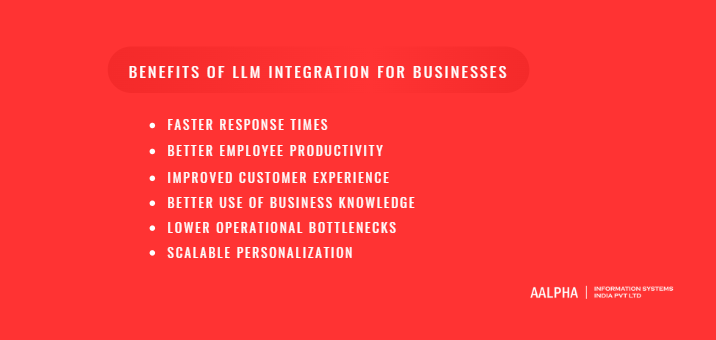
Faster responses, better employee productivity, improved customer experience, better knowledge access, reduced bottlenecks, scalable personalization.Implementation:
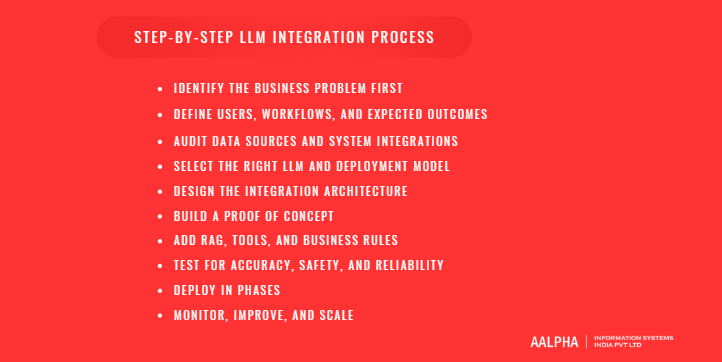
- Identify clear business problem
- Audit data and integrations
- Design architecture (before building)
- Build proof of concept
- Add retrieval, tools, rules
- Test accuracy and security
- Deploy in phases
- Monitor and improve
Cost:
- Simple MVP: $10K–$30K
- Mid-level (support + CRM + knowledge base): $30K–$100K
- Enterprise (multiple departments, AI agents): $100K–$300K+
- Plus recurring: API usage, storage, monitoring, knowledge updates
Critical Success Factors:
- Start with workflow, not model
- Clean, organized data
- Role-based access control
- Human approval for sensitive actions
- Post-launch monitoring and improvement
- Long-term partnership for optimization
Bottom Line:
LLM integration creates measurable value when it solves specific operational problems, connects to trusted data, follows business rules, and is continuously monitored. A strong partner like Aalpha can help design and deploy production-ready systems combining AI expertise with software engineering and workflow understanding.
Large language model integration has become one of the most important technology priorities for businesses that want to improve productivity, automate knowledge-heavy work, and create smarter digital experiences. A few years ago, most companies treated generative AI as an experimental tool. Employees tested chatbots for writing emails, summarizing documents, drafting marketing copy, or answering simple questions. That phase helped businesses understand the basic capability of AI, but it did not create deep operational value on its own. The real business opportunity begins when LLMs are integrated directly into software systems, customer touchpoints, internal workflows, databases, CRMs, ERPs, helpdesks, document repositories, and decision-support tools.
The shift is already visible across industries. AI adoption has moved from early testing to mainstream business usage, and companies are increasingly looking for ways to connect generative AI with actual business operations. This distinction matters because using AI occasionally is very different from embedding AI into business systems where it can improve real workflows every day. A business that only allows employees to use a public chatbot may gain small productivity improvements, but a business that connects an LLM with its CRM, support desk, knowledge base, product catalog, analytics system, or internal workflow engine can create repeatable operational value.
The Shift from AI Experiments to Business Integration
Businesses are no longer asking only, “Can AI write content?” or “Can a chatbot answer questions?” They are now asking more practical questions: How can LLMs reduce customer support workload? How can employees search internal knowledge faster? How can sales teams qualify leads automatically? How can finance teams summarize reports, review invoices, and analyze documents more efficiently? How can HR teams automate employee support? How can product and engineering teams use AI to speed up documentation, testing, bug analysis, and internal IT support?
This is where LLM integration becomes strategically valuable. Instead of acting as a separate tool outside the business workflow, the LLM becomes part of the company’s operating system. A customer support agent can receive AI-generated reply suggestions based on past tickets and company policies. A sales representative can get call summaries, CRM updates, and follow-up emails generated automatically. A manager can ask natural language questions across dashboards, reports, and internal documents. A healthcare organization can use LLM-powered document workflows to summarize patient communications or administrative records, while still applying strict access control and review processes. In each case, the value comes from connecting the LLM to the business context, not from using the model in isolation.
Why LLMs Are Different from Traditional Automation
Traditional automation works best when the process is predictable, structured, and rule-based. For example, a system can send an invoice reminder after a due date, route a form to a department, or update a database when a fixed condition is met. These automations are useful, but they struggle when the input is unstructured, incomplete, conversational, or context-dependent. Many business tasks involve emails, PDFs, chat messages, contracts, support tickets, reports, meeting notes, policy documents, and customer conversations. These are not always easy to automate with fixed rules.
LLMs are different because they can understand and generate natural language. They can summarize long documents, classify messages, extract key details, draft responses, translate content, compare information, explain complex topics, and support reasoning-based workflows. When connected with company systems, an LLM can do more than respond to a prompt. It can retrieve relevant knowledge, follow business rules, call APIs, prepare structured outputs, escalate uncertain cases, and assist users through a conversational interface. For business users, this means software can become easier to use because employees and customers can interact with systems in normal language instead of navigating complex menus or forms.
What Businesses Can Expect from This Guide
This guide explains LLM integration from a business, technical, security, cost, and implementation perspective. It covers what LLM integration means, how large language models work inside business environments, which use cases create the strongest return, what architecture components are required, and how companies should plan an implementation step by step. It also explains the risks businesses must manage, including hallucinations, data privacy, security, compliance, poor data quality, and cost control.
For business leaders, this guide will help clarify where LLM integration can create measurable value. For CTOs and product teams, it will explain the core architecture needed to connect LLMs with existing applications and data sources. For operations, sales, HR, finance, and support teams, it will show how LLMs can reduce repetitive work and improve access to business knowledge. The goal is simple: to help businesses move from AI experimentation to practical, secure, and scalable LLM integration that supports real operational outcomes.
What Is LLM Integration?
LLM integration is the process of connecting large language models with business software, data sources, workflows, and user interfaces so they can perform practical tasks inside an organization. A large language model on its own can generate text, summarize information, classify content, answer questions, and interpret natural language. However, the real business value appears when the model is connected to the systems where business work actually happens. These systems may include CRMs, ERPs, customer support platforms, websites, mobile apps, internal dashboards, document repositories, databases, communication tools, accounting systems, HR platforms, and workflow automation tools.
In simple terms, LLM integration turns a language model from a standalone AI tool into an intelligent layer inside business operations. Instead of asking employees to copy data from one system, paste it into an AI chatbot, review the answer, and then manually update another system, an integrated LLM can work within the existing software environment. It can read relevant context, generate a response, prepare structured data, suggest an action, trigger a workflow, or assist a user directly inside the application they already use.
For businesses, this distinction is important. The question is not only “What can an LLM generate?” but “How can an LLM improve a real business process?” A customer support team may want an LLM to summarize long ticket histories before an agent responds. A sales team may want it to generate follow-up emails based on CRM activity. A finance team may want it to extract key details from invoices and match them with purchase orders. A legal or compliance team may want it to summarize contracts and flag missing clauses. In each case, LLM integration connects language understanding with business context, which makes the output more useful, relevant, and actionable.
Definition of LLM Integration
LLM integration means embedding large language model capabilities into business systems so the model can understand inputs, process business context, and support specific tasks. It usually involves connecting the LLM to applications, databases, APIs, documents, workflows, and user-facing interfaces. The integration may be simple, such as adding an AI assistant to a website, or more advanced, such as building an AI-powered workflow that retrieves data from multiple systems, analyzes it, generates a recommendation, and sends the result for human approval.
A well-designed LLM integration usually has three parts. First, there is the user interaction layer, where a customer, employee, admin, or manager asks a question or triggers a task. Second, there is the business context layer, where the system collects relevant information from documents, databases, software tools, or APIs. Third, there is the model layer, where the LLM processes the input and generates a useful output. In more advanced systems, there may also be a workflow layer that allows the model to call tools, update records, create tickets, send messages, generate reports, or escalate cases.
The goal of LLM integration is not to replace business software. Instead, it makes business software easier to use, more intelligent, and more responsive. A traditional dashboard may require users to filter data manually, interpret reports, and create summaries themselves. An LLM-enabled dashboard can allow users to ask, “Why did support tickets increase this week?” or “Which customers are most likely to churn?” and receive a plain-language explanation based on available data. This makes business systems more accessible to non-technical users and reduces dependency on manual analysis.
LLM Integration vs Using ChatGPT Manually
Using ChatGPT or any AI chatbot manually is different from integrating an LLM into business systems. Manual usage means an employee opens a chatbot, types a request, pastes relevant information, and receives a response. This can be useful for individual productivity, especially for writing, brainstorming, summarizing, or rewriting content. However, it is not the same as business-grade LLM integration because the chatbot is not automatically connected to the company’s workflows, permissions, databases, or operational systems.
For example, a sales executive using a chatbot manually may paste meeting notes and ask for a follow-up email. In an integrated system, the LLM can automatically access the call transcript, customer profile, previous CRM activity, product interest, proposal status, and next-step rules. It can then draft a follow-up email, update the CRM, create a reminder, and alert the sales manager if the deal meets certain conditions. The integrated version is more consistent, secure, and scalable because it operates within the company’s defined process.
The same applies to customer support. If an agent manually asks an AI chatbot to draft replies, the quality depends on what the agent copies into the prompt. If the LLM is integrated into the helpdesk, it can read ticket history, customer plan, product documentation, SLA rules, refund policy, previous conversations, and escalation criteria. It can then suggest accurate responses within the support interface. This reduces manual effort while improving consistency.
Manual chatbot use is often informal, individual, and difficult to monitor. Integrated LLM usage can be controlled, logged, tested, secured, and improved over time. Businesses can define what data the model can access, which actions require approval, which outputs need human review, and how performance should be measured. This is why LLM integration is more suitable for companies that want repeatable value, operational control, and long-term scalability.
Types of LLM Integration
There are several types of LLM integration, and the right approach depends on the business goal, existing systems, data availability, and risk level. The most common type is API-based LLM integration. In this model, a business application connects to an LLM through an API and sends requests to generate responses, summaries, classifications, or structured outputs. This is commonly used in SaaS platforms, internal tools, web applications, mobile apps, and backend systems.
Chatbot integration is another common approach. Businesses can add LLM-powered chat interfaces to websites, customer portals, mobile apps, WhatsApp, Slack, Microsoft Teams, or internal dashboards. These chatbots can answer customer questions, help employees find information, support onboarding, assist with troubleshooting, or guide users through business processes.
Workflow automation integration goes beyond conversation. In this model, the LLM becomes part of a process that may involve multiple steps. For example, it can read an incoming email, classify the request, extract key fields, create a support ticket, assign the correct department, draft a response, and send it for approval. This is useful for operations, HR, finance, procurement, logistics, and customer service.
Document intelligence integration focuses on processing unstructured documents such as contracts, invoices, medical records, insurance claims, PDFs, policies, resumes, technical manuals, and reports. The LLM can summarize documents, extract important clauses, compare versions, classify document types, identify missing information, and prepare structured data for review.
Enterprise search integration allows employees to ask questions across internal knowledge sources. Instead of searching through folders, wikis, shared drives, PDFs, and knowledge bases manually, users can ask natural language questions and receive answers based on company-approved information. This is especially useful for large organizations with scattered knowledge.
AI agent integration is a more advanced model where the LLM can plan, use tools, retrieve information, call APIs, make decisions within defined limits, and complete multi-step tasks. For example, an AI agent may help a support team resolve tickets, help a recruiter screen resumes, help a finance team review invoices, or help a sales team prepare account briefs. AI agents require stronger guardrails, better monitoring, and clearer approval workflows than simple chatbots.
Common LLM Models and Deployment Options
Businesses can integrate LLMs in several ways depending on their budget, security needs, performance expectations, and technical environment. Proprietary LLM APIs are one of the most common options because they provide access to powerful models without requiring the business to host or manage the model infrastructure. These are suitable for many customer-facing and internal business applications where speed, quality, and ease of implementation are important.
Open-source models are another option. They can be hosted privately, customized for specific needs, and deployed with more control over data and infrastructure. Businesses may choose open-source models when they need greater flexibility, lower long-term dependency on a single vendor, or stronger control over model deployment. However, open-source deployments usually require more technical expertise, infrastructure planning, monitoring, and optimization.
Cloud-hosted models are useful for companies that want managed infrastructure, enterprise security features, and integration with existing cloud services. These models may be available through major cloud platforms and can often be connected with storage, databases, identity management, analytics, and security tools already used by the business.
Private deployments are preferred by organizations with strict data privacy, regulatory, or confidentiality requirements. In this setup, the model may run inside a private cloud, virtual private environment, or on-premise infrastructure. This approach gives the business more control, but it also increases responsibility for infrastructure, updates, scaling, and performance management.
Hybrid setups combine multiple approaches. A company may use a proprietary API for general tasks, a private model for sensitive workflows, and a retrieval system that controls what company data is sent to the model. For many businesses, a hybrid architecture offers the best balance between performance, cost, security, and flexibility. The right deployment option should be selected based on the use case, data sensitivity, compliance requirements, expected usage volume, and long-term AI strategy.
How LLMs Work in a Business Environment
LLMs work in a business environment by acting as an intelligent language layer between users, data, software systems, and workflows. Instead of requiring employees or customers to interact with software only through fixed menus, forms, filters, and dashboards, LLMs allow users to communicate with business systems using natural language. This is one of the main reasons LLM integration is different from traditional software automation. The model can understand a user’s request, interpret relevant context, retrieve supporting information, generate a response, and in more advanced setups, trigger actions through connected tools or APIs.
In a business setting, an LLM does not work effectively in isolation. It needs context, rules, permissions, trusted data sources, and workflow logic. For example, if a customer asks, “Where is my order?” the LLM should not guess. It should identify the customer, retrieve the order status from the company’s system, check delivery details, understand the support policy, and then generate a clear response. If an employee asks, “What is the refund policy for enterprise customers?” the LLM should search approved company documents before answering. This combination of language understanding, data retrieval, and system integration is what makes LLMs useful for real business operations.
-
Natural Language Input and Output
The most visible capability of an LLM is its ability to understand and respond in natural language. In traditional business software, users often need to know where to click, which filters to apply, which form fields to complete, or which report to open. This creates friction, especially for non-technical users or employees who do not use a particular system every day. LLMs reduce this friction by allowing users to ask questions or give instructions in normal language.
For example, instead of opening a CRM dashboard, applying filters, exporting data, and manually reviewing customer records, a sales manager could ask, “Show me all enterprise leads added this month that have not received a follow-up.” Instead of searching through a helpdesk system, a support lead could ask, “Which tickets are delayed because we are waiting for engineering input?” Instead of navigating a document repository, an HR employee could ask, “What does our policy say about remote work eligibility for new employees?”
The output is also easier to consume because the LLM can generate plain-language explanations, summaries, tables, draft emails, structured fields, action recommendations, or step-by-step instructions. This makes business systems more accessible and reduces the time employees spend searching, interpreting, and rewriting information. Natural language interfaces are especially valuable for internal knowledge systems, customer support portals, admin dashboards, analytics tools, onboarding flows, and executive reporting.
-
Prompting and Context Management
Prompting is the process of giving instructions to the LLM so it understands what to do, how to respond, what rules to follow, and what output format to produce. In a business environment, prompting is not limited to a user typing a question. A complete prompt may include system instructions, business rules, user input, retrieved documents, role permissions, workflow context, examples, and output formatting requirements.
System instructions define the behavior of the LLM. For example, a customer support assistant may be instructed to answer politely, avoid making refund commitments unless the policy allows it, escalate billing disputes, and never disclose internal notes to customers. Business rules add operational control. A sales assistant may be instructed to classify leads based on company-defined criteria, recommend follow-ups only for qualified prospects, and generate responses in a specific brand tone.
Context management is equally important. LLMs operate within a context window, which is the amount of information they can consider at one time. If the system provides too little context, the answer may be incomplete. If it provides too much irrelevant context, the model may become less accurate or more expensive to run. A well-designed LLM system selects the most relevant information before sending it to the model. This may include the user’s role, conversation history, customer profile, relevant documents, previous tickets, product data, or workflow status.
For businesses, good prompt and context management directly affects response quality. A generic prompt may produce a generic answer, but a carefully designed prompt with the right company data can produce useful, accurate, and policy-aligned output. This is why serious LLM integration requires prompt design, testing, version control, evaluation, and ongoing refinement.
-
Retrieval-Augmented Generation
Retrieval-augmented generation, commonly called RAG, is one of the most important patterns in business LLM integration. In simple terms, RAG allows an LLM to search trusted company information before generating an answer. Instead of depending only on the model’s general training knowledge, the system retrieves relevant content from business documents, databases, policies, product manuals, FAQs, contracts, reports, knowledge bases, or support history, and then gives that information to the LLM as context.
This approach is valuable because most business questions require current, company-specific information. An LLM may understand the concept of a refund policy, but it does not automatically know a company’s latest refund terms, product warranty rules, internal escalation process, pricing structure, or compliance requirements. With RAG, the system can first search approved sources and then generate an answer grounded in those sources.
For example, if an employee asks, “What are the onboarding steps for a new sales hire?” the system can retrieve the latest HR onboarding document, training checklist, CRM access policy, and department-specific process. If a customer asks, “Does this product include international warranty coverage?” the system can search product manuals, warranty documents, and regional policy pages before answering. If a legal team asks, “Which clause in this contract covers data retention?” the system can retrieve the relevant contract section and summarize it.
RAG is especially useful for businesses with large volumes of unstructured information. It helps reduce hallucinations, improves answer relevance, and keeps the LLM aligned with approved business knowledge. However, RAG quality depends on clean documents, good metadata, proper indexing, access control, and regular updates.
-
Function Calling and Tool Use
Function calling allows an LLM to interact with external systems and perform specific actions. Without tool use, an LLM can only generate text. With tool use, it can check records, retrieve live data, update systems, trigger workflows, and prepare operational outputs. This is what turns an LLM from a conversational assistant into a practical business automation layer.
For example, a support assistant can create a ticket, update ticket priority, assign the case to the right team, or check order status. A sales assistant can update a CRM record, generate a quote, create a follow-up reminder, or prepare a proposal draft. An HR assistant can check leave balance, create an onboarding task, or send a policy document. A finance assistant can extract invoice details, match them with purchase orders, and flag mismatches for review.
Function calling usually works through APIs. The LLM interprets the user request, identifies which tool or function is needed, prepares the required parameters, and sends the action to the connected system. For example, if a customer asks, “Can you check the delivery status of order 45891?” the LLM may call an order-status API using the order number, receive the latest tracking data, and then explain the result in natural language.
Businesses must design function calling carefully. The LLM should not be allowed to perform every action without control. Low-risk actions, such as retrieving order status, may be fully automated. Higher-risk actions, such as issuing refunds, changing pricing, approving leave, deleting data, or sending legal communications, should require confirmation or human approval.
-
Human-in-the-Loop Workflows
Human-in-the-loop workflows are essential when LLM outputs can affect customers, finances, compliance, legal decisions, medical information, employment matters, or important business records. In these workflows, the LLM assists with analysis, drafting, classification, or recommendations, but a human reviews and approves the final action before it is completed.
For example, an LLM can draft a refund response, but a support manager may approve it before it is sent. It can summarize a contract and flag unusual clauses, but a legal professional should review the interpretation. It can analyze a customer complaint and recommend escalation, but a human team member may decide the final resolution. It can prepare a medical administrative summary, but healthcare professionals must verify sensitive information before use.
Human review is also useful during the early stages of LLM deployment. Businesses can start with AI-assisted workflows where the model suggests actions but does not execute them independently. Over time, as accuracy improves and confidence grows, companies can automate low-risk tasks while keeping approval steps for sensitive scenarios.
A strong human-in-the-loop design includes review queues, approval buttons, audit logs, escalation rules, confidence scoring, exception handling, and feedback capture. This makes the system safer and more reliable. It also helps employees trust the LLM because they can see how it supports their work instead of replacing judgment entirely.
In practice, LLMs work best in business environments when they are connected to trusted data, guided by clear prompts, supported by retrieval systems, integrated with tools, and governed by human review where necessary. This combination allows companies to use LLMs not just for conversation, but for real operational improvement.
Key Business Use Cases of LLM Integration
LLM integration can create value across almost every department where people handle language, documents, data, communication, decisions, or repetitive knowledge work. The strongest use cases are not limited to public-facing chatbots. Businesses are integrating LLMs into customer support systems, CRMs, internal knowledge bases, HR platforms, document workflows, finance operations, procurement tools, software development pipelines, and industry-specific applications. The common pattern is simple: wherever employees spend time reading, searching, summarizing, drafting, classifying, comparing, or updating information, an LLM can reduce manual effort and improve speed when connected to the right systems and governed with proper controls.
The best results usually come from use cases that are repetitive, high-volume, text-heavy, and dependent on business knowledge. A company does not need to automate everything at once. It can begin with one high-impact workflow, such as support ticket summarization, proposal generation, internal policy search, invoice review, or employee onboarding assistance, and then expand once the system proves its value. Below are the most practical business use cases of LLM integration.
-
Customer Support Automation
Customer support is one of the most common and valuable areas for LLM integration because support teams handle large volumes of repetitive questions, long conversations, product documentation, policy explanations, complaints, refund requests, and escalation cases. An LLM-powered support system can work as a customer-facing chatbot, an agent-assist tool, or a backend automation layer inside a helpdesk system.
AI chatbots can answer common customer questions by searching FAQs, product documentation, order policies, troubleshooting guides, refund terms, and account information. Instead of giving generic answers, an integrated chatbot can retrieve customer-specific details such as order status, subscription plan, ticket history, warranty eligibility, or delivery updates. This makes the support experience faster and more relevant.
LLMs can also summarize long ticket histories for support agents. When a ticket has multiple replies, attachments, complaints, and internal notes, the model can create a short summary that explains the issue, customer sentiment, previous actions, unresolved points, and recommended next step. This saves agents from reading the full thread before responding.
Response drafting is another major use case. The LLM can generate suggested replies based on company policies, support tone, product details, and ticket context. Agents can review, edit, and send the response instead of writing from scratch. Multilingual support is also useful for companies serving customers across countries, as the LLM can translate messages, draft localized replies, and maintain a consistent brand tone.
Sentiment detection helps businesses identify angry, confused, frustrated, or high-priority customers. When negative sentiment is detected, the system can route the case to senior agents or mark it for faster resolution. Escalation routing can also be automated based on issue type, customer value, SLA rules, technical complexity, or risk level.
-
Sales and Lead Management
Sales teams spend a large amount of time researching prospects, qualifying leads, updating CRMs, writing emails, preparing proposals, summarizing calls, and responding to objections. LLM integration can reduce this administrative burden and help sales teams focus more on conversations and conversions.
Lead qualification is a practical starting point. An LLM can analyze website inquiries, form submissions, emails, chat messages, company information, and CRM history to classify leads based on fit, urgency, budget indicators, industry, geography, and service requirement. For example, if a prospect says they need an enterprise SaaS platform with role-based access, dashboards, reporting, and third-party integrations, the system can classify it as a high-value software development opportunity and assign it to the right sales team.
CRM updates can also be improved through LLM integration. After a call or email exchange, the model can extract key information such as client requirements, budget range, decision timeline, stakeholders, objections, and next steps. It can then prepare structured updates for the CRM. This reduces manual data entry and improves CRM accuracy.
Proposal generation is another strong use case. The LLM can create first drafts of proposals, requirement summaries, project scope documents, service descriptions, and implementation plans based on sales notes and client requirements. It can also generate personalized follow-up emails after calls or meetings.
Sales call summaries help teams avoid losing important context. After a meeting, the LLM can summarize the conversation, identify decision points, list promised deliverables, record objections, and recommend follow-up actions. It can also support objection handling by suggesting responses to concerns around budget, timeline, features, security, or technical feasibility. For account research, the LLM can summarize available company information, industry context, pain points, and possible solution angles before a sales call.
-
Internal Knowledge Management
Many businesses lose productivity because employees cannot easily find the information they need. Policies may be stored in PDFs, SOPs in shared drives, technical documentation in wikis, product details in spreadsheets, training content in learning systems, and project notes across multiple tools. LLM integration can turn scattered knowledge into a searchable, conversational knowledge system.
With an LLM-powered internal knowledge assistant, employees can ask normal questions such as, “What is the approval process for vendor onboarding?”, “Where can I find the latest product pricing policy?”, “What steps should I follow to deploy this feature?”, or “What is our leave policy for probationary employees?” The system can search approved documents, SOPs, training guides, internal wikis, project files, product manuals, and knowledge bases before generating a response.
This use case is especially useful for fast-growing companies, distributed teams, enterprise organizations, and businesses with complex internal processes. It reduces dependency on senior employees who repeatedly answer the same questions. It also improves onboarding because new employees can ask questions and receive guided answers based on company-approved information.
The quality of internal knowledge management depends heavily on document structure, access control, and freshness. The LLM should only retrieve information the user is allowed to view. It should also prioritize updated documents over outdated files. When implemented properly, internal knowledge assistants can reduce search time, improve consistency, and help employees work independently.
-
Document Processing and Summarization
Businesses handle large volumes of documents, many of which are time-consuming to review manually. LLM integration can support document processing by summarizing, extracting, comparing, classifying, and organizing information from contracts, invoices, claims, legal files, RFPs, insurance forms, healthcare records, compliance documents, and reports.
For contract review, an LLM can summarize key clauses, identify renewal terms, extract obligations, compare versions, highlight missing sections, and flag unusual wording for legal review. It should not replace legal professionals, but it can significantly reduce the time spent on first-level review.
Invoice extraction is useful for finance and procurement teams. The LLM can extract vendor name, invoice number, date, tax details, line items, amounts, payment terms, and purchase order references. When connected with accounting or ERP systems, it can help match invoices with purchase orders and flag discrepancies.
In insurance and healthcare, LLMs can summarize claim forms, medical documents, patient communication records, and administrative files. In compliance workflows, they can review documents against checklists, policies, or regulatory requirements. For RFP analysis, an LLM can summarize buyer requirements, extract submission deadlines, identify mandatory criteria, and help teams prepare structured responses.
The main benefit is not just faster reading. It is faster conversion of unstructured documents into usable business information.
-
HR and Employee Support
HR teams handle repeated employee questions, onboarding tasks, training content, policy clarifications, leave requests, performance documentation, and internal communications. LLM integration can help HR teams provide faster support while reducing manual administrative work.
An onboarding assistant can guide new employees through joining formalities, company policies, tool access, training schedules, department introductions, and required documents. Instead of sending multiple emails manually, HR can use an LLM-powered assistant to provide step-by-step support.
HR policy bots can answer questions about leave policy, probation, holidays, reimbursements, remote work, travel policy, benefits, appraisal process, and code of conduct. Employees can ask questions in natural language, and the system can respond based on approved HR documents.
Training content generation is another useful area. LLMs can help create onboarding material, quiz questions, role-specific training guides, internal FAQs, and knowledge articles. Performance review drafting can also be supported, where managers use AI to organize feedback, summarize achievements, and prepare structured review notes. The final review should remain human-led, but the LLM can reduce writing effort.
-
Software Development and IT Operations
LLM integration can support software teams across coding, documentation, testing, debugging, release management, and IT support. Developers can use LLMs to generate code snippets, explain existing code, create technical documentation, write test cases, review error logs, and summarize pull requests.
In software development, LLMs are useful for speeding up repetitive tasks. They can draft API documentation, generate unit test cases, explain legacy code, create database query examples, and suggest fixes for common errors. They can also help product and QA teams by converting requirements into test scenarios or acceptance criteria.
For bug triage, an LLM can analyze error reports, logs, user complaints, and reproduction steps to classify severity and suggest possible causes. In release management, it can generate release notes based on completed tasks, commits, and product updates.
IT operations teams can use LLM-powered assistants for internal helpdesk automation. Employees can ask questions about password reset steps, VPN setup, device troubleshooting, software access, or system outages. The assistant can answer common questions, create IT tickets, route requests, and provide troubleshooting steps before escalation.
-
Finance, Procurement, and Operations
Finance, procurement, and operations teams deal with structured and unstructured information every day. LLM integration can help process invoices, compare vendor quotes, summarize procurement documents, draft vendor communication, review reports, and explain operational variances.
Invoice matching is a strong use case. The LLM can extract invoice details and compare them with purchase orders, delivery notes, or contract terms. If there is a mismatch in quantity, rate, tax amount, or vendor details, the system can flag it for review.
Vendor communication can also be improved. The LLM can draft emails requesting missing documents, clarifying payment terms, negotiating timelines, or following up on pending approvals. Procurement teams can use LLMs to summarize vendor proposals, compare service terms, extract pricing details, and prepare recommendation notes.
For finance reporting, LLMs can summarize monthly reports, explain major changes, highlight unusual expenses, and convert financial data into management-friendly narratives. Operations teams can use LLMs to summarize daily reports, analyze process delays, prepare shift summaries, or identify recurring issues from logs and notes.
-
Industry-Specific LLM Use Cases
LLM integration becomes even more valuable when tailored to specific industries. In healthcare, LLMs can assist with appointment support, patient communication summaries, medical documentation workflows, insurance paperwork, and administrative automation. In ecommerce, they can support product search, personalized recommendations, customer queries, review summarization, product description generation, and return support.
In logistics, LLMs can help with shipment status communication, exception handling, freight document analysis, customer updates, delivery support, and operational reporting. In real estate, they can support property search, listing generation, lead qualification, lease document review, and buyer or tenant communication. In fintech, LLMs can assist with customer support, transaction explanations, compliance document review, fraud case summarization, and financial education.
Manufacturing companies can use LLMs for maintenance documentation, SOP search, quality report analysis, supplier communication, and production issue summaries. Education businesses can use LLMs for tutoring assistants, student support, content generation, grading support, and administrative help. Travel companies can use LLMs for itinerary assistance, booking support, policy explanations, and multilingual customer service. Professional services firms can use LLMs for research summaries, proposal drafting, document review, client communication, and knowledge management.
Across all these industries, the core value remains the same: LLMs help businesses process language-heavy work faster, make internal knowledge easier to access, reduce repetitive tasks, and improve the way users interact with software systems.
Benefits of LLM Integration for Businesses
LLM integration helps businesses improve speed, productivity, customer experience, knowledge access, and operational efficiency by bringing language intelligence directly into everyday workflows. Unlike standalone AI tools that employees use manually, integrated LLM systems work inside business applications, customer portals, internal dashboards, CRMs, helpdesks, document systems, and automation workflows. This allows companies to reduce repetitive work, shorten response cycles, improve consistency, and make business information easier to use. The benefits are strongest when LLMs are connected to reliable company data, clear business rules, secure access controls, and well-defined human review processes.
For most businesses, the practical value of LLM integration comes from solving common operational problems. Support teams deal with repeated customer queries. Sales teams lose time writing follow-up emails and updating CRM records. HR teams answer the same policy questions again and again. Finance and legal teams spend hours reviewing documents. Managers wait for summaries, reports, and explanations from different departments. LLM integration can reduce these delays by automating the language-heavy parts of work while keeping humans in control of judgment, approvals, and sensitive decisions.
-
Faster Response Times
One of the clearest benefits of LLM integration is faster response time across customer-facing and internal workflows. In customer support, an LLM can instantly search product documentation, previous tickets, refund policies, warranty terms, and troubleshooting guides before suggesting a response. Instead of making the customer wait while an agent manually reviews multiple sources, the system can prepare a useful answer in seconds. For routine questions, the LLM-powered chatbot may resolve the issue directly. For complex issues, it can summarize the case and route it to the right team with the relevant context already attached.
Internal teams also benefit from faster answers. Employees often waste time asking colleagues for policy details, process steps, technical documentation, sales collateral, or project updates. An LLM-powered internal assistant can search approved company knowledge and provide direct responses. This reduces delays caused by waiting for another team member to reply.
Sales workflows become faster as well. After a client call, an LLM can summarize the discussion, identify next steps, draft a follow-up email, and prepare CRM updates. Document-heavy processes such as contract review, invoice checking, RFP analysis, and compliance documentation can also move faster because the LLM can summarize long files, extract important details, and highlight items that need human attention.
-
Better Employee Productivity
LLM integration improves employee productivity by reducing the time spent on repetitive writing, searching, summarizing, classification, and administrative work. In many organizations, skilled employees spend a large part of their day handling tasks that are necessary but not strategic. They write similar emails, summarize meeting notes, classify tickets, prepare reports, search internal documents, update systems, and reformat information for different teams. These activities consume time and attention that could be used for higher-value work.
An integrated LLM can assist with these tasks directly inside the tools employees already use. A support agent can receive a suggested response inside the helpdesk. A sales executive can get a call summary inside the CRM. A manager can ask for a performance summary from internal reports. A recruiter can summarize candidate profiles. A finance executive can extract invoice details without manually reading every line item. A developer can generate documentation or test cases from technical requirements.
This does not mean employees stop making decisions. Instead, the LLM handles the first draft, first summary, first classification, or first extraction. Employees then review, improve, approve, or act on the output. This model is useful because it saves time without removing human judgment. Over time, it can improve team capacity because the same employees can handle more work with less manual effort.
-
Improved Customer Experience
LLM integration can improve customer experience by making support faster, more available, more personalized, and more consistent. Customers increasingly expect quick answers, clear communication, and service availability beyond normal business hours. A properly designed LLM-powered support system can provide 24/7 assistance for routine questions, product guidance, account support, troubleshooting, booking assistance, order tracking, and policy explanations.
Multilingual communication is another major advantage. Businesses serving customers across regions can use LLMs to understand and respond in multiple languages while maintaining consistent service quality. This is useful for ecommerce, travel, healthcare, logistics, SaaS, financial services, education, and marketplace businesses that support diverse customer groups.
Personalized responses also improve the customer experience. When integrated with customer data, the LLM can consider account type, purchase history, subscription plan, location, previous tickets, delivery status, or product usage before generating a response. For example, instead of giving a generic reply about shipping timelines, the system can provide a specific update based on the customer’s order. Instead of sending a general onboarding message, a SaaS product can guide a user based on their role and completed setup steps.
Consistency is equally important. Human agents may interpret policies differently, especially during high workload periods. An LLM connected to approved knowledge sources can help standardize answers, reduce communication errors, and improve service quality across teams.
-
Better Use of Business Knowledge
Most companies already have valuable knowledge, but it is often scattered across documents, emails, shared drives, internal wikis, ticket histories, SOPs, training manuals, product guides, project files, and databases. The problem is not always the absence of knowledge. The problem is that employees cannot find the right information at the right time. LLM integration helps turn this scattered information into a usable business asset.
With retrieval-based LLM systems, employees can ask questions in natural language and receive answers based on approved internal sources. A new employee can ask about onboarding steps. A support agent can ask about product troubleshooting. A sales team member can ask for the latest pricing policy. A project manager can ask for the status of previous decisions. A compliance officer can search policy documents more efficiently.
This makes knowledge more accessible across departments. It also reduces repeated questions to senior employees, managers, HR teams, IT teams, and operations leaders. When the system is designed with role-based access, each employee only receives information they are permitted to view. This allows businesses to improve knowledge access without compromising security.
Better use of knowledge also supports continuity. When employees leave, change roles, or move between departments, companies often lose practical context. LLM-powered knowledge systems can help preserve institutional knowledge and make it easier for teams to work consistently.
-
Lower Operational Bottlenecks
Operational bottlenecks often occur when too many tasks depend on a small number of people, manual approvals, repeated handoffs, or slow information review. LLM integration can reduce these bottlenecks by automating the early stages of work and preparing information before human review.
For example, a legal team may not need to manually read every page of every contract before identifying the key clauses. An LLM can summarize the document, extract important terms, and flag unusual sections. A finance team may not need to manually check every invoice field before review. The system can extract details and highlight mismatches. A support manager may not need to read every escalated ticket from the beginning. The LLM can summarize the issue, previous responses, sentiment, and suggested next step.
This reduces manual handoffs because the right context travels with the workflow. When a ticket is escalated, the receiving team gets a clear summary. When a lead is assigned, the sales team gets qualification notes. When a document is sent for approval, the reviewer gets extracted highlights. When a customer complaint moves to a senior team, the history and risk level are already visible.
LLM integration also reduces dependency on specific team members who hold important process knowledge. Instead of asking one person repeatedly how a process works, employees can access guided answers from approved documentation. This makes operations more resilient and less dependent on informal knowledge transfer.
-
Scalable Personalization
Personalization has traditionally required significant manual effort or complex rule-based systems. LLMs make personalization more scalable because they can generate context-aware communication, recommendations, explanations, and guidance based on user data and business rules. This is especially useful for companies that serve many customers, employees, vendors, students, patients, or users across different segments.
In customer support, an LLM can tailor responses based on the customer’s history, product type, plan, issue, location, and previous interactions. In sales, it can personalize outreach emails based on industry, company size, pain points, and buying stage. In ecommerce, it can help generate product recommendations, buying guides, and personalized product explanations. In HR, it can guide employees through onboarding flows based on role, department, location, and joining status.
For SaaS companies, LLMs can personalize user onboarding by explaining features based on what the user has already completed. For healthcare organizations, they can support administrative communication based on appointment type, patient instructions, or clinic policies. For education platforms, they can adapt study support, explanations, and learning guidance based on student progress.
The key advantage is that personalization can happen at scale without requiring every message or recommendation to be manually written. However, scalable personalization must be handled carefully. Businesses should define data access rules, review sensitive communication, avoid over-personalization that feels intrusive, and keep human approval for high-impact decisions. When implemented responsibly, LLM integration helps businesses deliver more relevant experiences while maintaining operational control.
LLM Integration Architecture and Core Components
LLM integration architecture is the technical structure that connects a large language model with users, business systems, data sources, workflows, and security controls. A basic LLM integration may look like a simple chatbot, but a business-grade implementation usually requires several layers working together. These layers include the user interface, application backend, LLM model, data and knowledge sources, retrieval system, orchestration logic, security controls, and monitoring tools. The purpose of this architecture is to make the LLM useful, accurate, secure, and aligned with real business processes.
A strong architecture is important because an LLM should not be treated as a standalone answer generator. In a business environment, the model needs access to the right context, but only within approved permissions. It should answer using trusted knowledge, but avoid exposing confidential information. It should trigger actions when appropriate, but only under defined business rules. It should help users move faster, but still allow human review where decisions are sensitive. This is why LLM integration architecture must be designed carefully before development begins.
-
User Interface Layer
The user interface layer is where employees, customers, managers, agents, or administrators interact with the LLM. This may be a web application, mobile app, chatbot, customer portal, internal dashboard, CRM, helpdesk platform, WhatsApp, Slack, Microsoft Teams, or any other interface used by the business. The interface does not need to look like a traditional chatbot in every case. Sometimes the LLM appears as a search bar, an “Ask AI” button, a writing assistant, a document review panel, a support response suggestion, or an embedded assistant inside an existing workflow.
For customer-facing use cases, the interface may be placed on a website, ecommerce store, SaaS dashboard, mobile app, WhatsApp channel, or customer support portal. Customers may use it to ask product questions, check order status, troubleshoot issues, understand policies, book appointments, or get account-related support. For internal use cases, the interface may be embedded into tools employees already use, such as CRMs, ERPs, helpdesks, HR portals, project management systems, or business intelligence dashboards.
The interface should be simple, clear, and designed around the actual task. A support agent does not need a generic chat window if the main need is ticket summarization and reply drafting. A sales user may need a CRM-side assistant that can summarize calls and prepare follow-ups. A manager may need a dashboard assistant that explains metrics in plain language. Good interface design makes LLM adoption easier because users receive AI support inside their normal workflow instead of switching between disconnected tools.
-
Application Backend
The application backend is the control center of the LLM integration. It manages authentication, user roles, business logic, permissions, workflow rules, API communication, rate limits, data validation, and system security. While the LLM generates language-based outputs, the backend decides what the user is allowed to do, which data can be accessed, which tools can be called, and how responses should be processed.
For example, if a support agent asks for a customer’s order history, the backend must verify the agent’s access rights before retrieving that data. If a sales user requests CRM updates, the backend must confirm that the user has permission to modify the record. If a customer asks for a refund, the backend must check refund eligibility rules before allowing the LLM to suggest or initiate any next step.
The backend also protects the system from misuse. It can limit how many requests a user can make, prevent unauthorized data access, validate API inputs, sanitize user prompts, and block unsafe actions. It can also route different requests to different services. A simple FAQ question may go through a retrieval system, while a live order status request may require an API call to the order management system.
In business-grade LLM integration, the backend is often more important than the model itself. The model provides intelligence, but the backend provides structure, security, reliability, and operational control.
-
LLM API or Model Layer
The LLM API or model layer is where the business application connects with the selected large language model. This connection may happen through a proprietary API, a cloud-hosted AI service, an open-source model hosted on private infrastructure, or a hybrid setup. The model layer receives the prepared prompt, user request, retrieved context, and system instructions, then returns a response or structured output.
Businesses usually choose a model based on accuracy, speed, cost, context window size, security requirements, deployment flexibility, and support for features such as function calling, structured outputs, multimodal processing, or tool use. Some businesses use high-performing proprietary models for complex reasoning and customer-facing responses. Others use smaller open-source models for internal tasks, private deployments, or cost-sensitive workflows. In some cases, a company may use multiple models, selecting the right one for each task.
For example, a high-accuracy model may be used for contract summarization or complex customer support, while a lower-cost model may be used for simple classification or internal tagging. A private model may be used for sensitive documents, while a cloud API may be used for general content generation. This model selection strategy helps businesses balance performance, privacy, and cost.
The model layer should not receive raw business data without control. The backend and orchestration layer should decide what information is sent to the model, how much context is included, which sensitive data should be masked, and what output format is required.
-
Data and Knowledge Layer
The data and knowledge layer contains the information the LLM needs to generate useful business responses. This may include structured databases, unstructured documents, PDFs, spreadsheets, CRM records, helpdesk tickets, product catalogs, policy documents, training manuals, internal wikis, contracts, invoices, reports, website content, and customer communication history.
Structured data is information stored in organized formats such as relational databases, CRM fields, ERP tables, product catalogs, transaction records, or analytics systems. Unstructured data includes documents, emails, PDFs, chat logs, call transcripts, manuals, and knowledge-base articles. Many business LLM use cases require both. For example, a customer support assistant may need structured data such as account status and order ID, along with unstructured data such as product documentation and previous ticket notes.
Data quality directly affects LLM output quality. If documents are outdated, duplicated, poorly formatted, or inconsistent, the LLM may retrieve the wrong information or generate incomplete answers. Businesses should organize documents, define ownership, maintain version control, remove obsolete files, and add useful metadata such as department, document type, effective date, product category, or access level.
The data and knowledge layer must also respect permissions. An employee in one department should not automatically access confidential files from another department. A customer should not see internal support notes. A vendor should not see financial records outside their scope. This is why data access rules must be built into the architecture from the beginning.
-
Vector Database and Embeddings
Embeddings and vector databases are important parts of many LLM integration systems, especially when the model needs to search large volumes of company knowledge. An embedding is a numerical representation of text, documents, or data. It converts meaning into a format that software can compare. Texts with similar meanings produce similar embeddings, even if they do not use the exact same words.
A vector database stores these embeddings and makes them searchable. When a user asks a question, the system converts the question into an embedding and searches the vector database for the most relevant content. The retrieved information is then passed to the LLM so it can generate a response based on trusted business knowledge.
For example, an employee may ask, “What is the process for approving a new vendor?” The exact phrase may not appear in the company documents. The actual SOP may use wording such as “supplier onboarding approval workflow.” A keyword search might miss it, but an embedding-based search can understand that the meaning is similar and retrieve the right document section.
This is especially useful for internal knowledge search, policy assistants, document review, technical support, product documentation, legal summaries, and compliance workflows. However, vector databases must be properly maintained. Documents should be chunked correctly, metadata should be added, access control should be enforced, and outdated content should be removed or deprioritized.
-
Orchestration Layer
The orchestration layer manages how the entire LLM workflow operates. It controls prompt templates, routing logic, retrieval steps, tool calling, workflow automation, permissions, fallbacks, business rules, and response formatting. If the backend is the system’s control center, the orchestration layer is the decision engine that decides how each user request should be handled.
For example, if a user asks a general policy question, the orchestration layer may route the request to the knowledge base and retrieve relevant documents. If the user asks for order status, it may call an order API. If the user asks for a refund, it may check customer eligibility, retrieve policy rules, and require human approval. If the model confidence is low, it may escalate the request to a human agent instead of generating a final answer.
Prompt templates are also managed here. Different workflows need different prompts. A legal document summarizer needs different instructions from a sales email assistant or customer support chatbot. The orchestration layer can also enforce output formats, such as JSON fields, summaries, tables, draft replies, classifications, or action recommendations.
Fallbacks are important because not every request should be answered by the LLM. If the system lacks enough information, detects restricted content, finds conflicting documents, or receives an unclear request, it should ask for clarification, escalate to a human, or provide a safe response. Proper orchestration helps businesses reduce errors and make LLM behavior more predictable.
-
Monitoring and Analytics Layer
The monitoring and analytics layer helps businesses understand how the LLM system is performing after deployment. This layer tracks usage, response quality, latency, cost, user feedback, escalation rates, failed responses, hallucination risks, and model performance over time. Without monitoring, businesses cannot know whether the LLM is actually improving operations or creating hidden problems.
Logging is one of the most important parts of monitoring. The system should record user requests, retrieved documents, model outputs, tool calls, approvals, errors, and final actions. These logs help teams audit decisions, investigate complaints, improve prompts, and identify recurring issues. Sensitive data must be handled carefully in logs, especially in regulated industries.
User feedback is also valuable. Employees and customers can mark responses as helpful, inaccurate, incomplete, or unsafe. This feedback helps improve prompts, update knowledge sources, refine retrieval logic, and identify workflows that need human review.
Response quality tracking helps measure whether the LLM is giving accurate and useful outputs. Businesses can test responses against expected answers, monitor hallucination patterns, compare model versions, and evaluate performance across departments or use cases. Latency tracking shows whether responses are fast enough for real-world use. Cost tracking helps control token usage, model selection, caching, and request volume.
A business-grade LLM integration should be treated as a living system. It needs continuous monitoring, improvement, security review, and performance evaluation. When the architecture includes the right components from the beginning, companies can move beyond experimentation and build LLM systems that are reliable, secure, scalable, and useful in daily operations.
Step-by-Step LLM Integration Process
LLM integration should be approached as a business transformation project, not just a technical experiment. Many companies make the mistake of starting with a model, tool, or vendor before clearly defining the business problem they want to solve. This often leads to impressive demos that do not create measurable operational value. A successful LLM integration process starts with the workflow, users, data, risks, and expected business outcomes. The model is important, but it is only one part of the system. The real value comes from connecting the LLM to the right business context, secure data sources, workflow logic, and measurable performance goals.
A structured integration process helps businesses reduce risk, control cost, improve accuracy, and deploy AI in a way that employees and customers can actually use. The steps below provide a practical roadmap for planning, building, testing, deploying, and scaling LLM-powered systems.
-
Identify the Business Problem First
The first step in LLM integration is to identify a clear business problem. Businesses should not begin by asking, “Which LLM should we use?” They should begin by asking, “Which workflow is slow, repetitive, knowledge-heavy, expensive, or difficult to scale?” This shift is important because LLMs are most useful when applied to a specific operational pain point.
For example, a customer support team may want to reduce repetitive tickets, speed up response drafting, or improve escalation routing. A sales team may want to automate lead qualification, generate follow-up emails, or update CRM records after calls. A legal team may want to summarize contracts and identify key clauses. A finance team may want to extract invoice details and match them with purchase orders. An HR team may want to answer employee policy questions automatically. An operations team may want to summarize daily reports and identify delays.
A strong use case should be specific, measurable, and tied to business value. “Use AI in customer support” is too broad. “Reduce average first-response time for Tier 1 support tickets by using an LLM-powered knowledge assistant inside the helpdesk” is much better. “Automate document review” is also broad. “Summarize supplier contracts and flag missing renewal, liability, and termination clauses before legal review” is more actionable.
This step should also include risk assessment. Some use cases are low risk, such as internal document search or draft generation. Others are higher risk, such as legal interpretation, medical communication, financial advice, refund approvals, or employee performance decisions. Businesses should usually start with a high-value but manageable use case where the LLM assists human users instead of making final decisions independently.
-
Define Users, Workflows, and Expected Outcomes
Once the business problem is clear, the next step is to define who will use the system, what tasks it should perform, what information it needs, and what success should look like. Different users need different LLM experiences. A customer may need a simple conversational assistant. A support agent may need ticket summaries and response suggestions inside a helpdesk. A sales executive may need CRM-linked follow-up generation. A manager may need natural language summaries from reports and dashboards. An admin may need controls for prompts, knowledge sources, access permissions, and analytics.
The workflow should be mapped in detail. Businesses should document how the process works today, where delays occur, which systems are involved, what information is required, who approves final actions, and where the LLM can help. For example, in a support workflow, the process may include ticket creation, issue classification, knowledge-base search, customer history review, response drafting, escalation, resolution, and feedback collection. The LLM may support several of these steps, but not necessarily all of them on day one.
Expected outcomes should be measurable. Examples include reducing support response time, improving ticket deflection rate, reducing document review hours, increasing CRM update completeness, improving sales follow-up speed, reducing internal search time, or lowering manual data entry. Success metrics should be defined before development begins because they guide design decisions and help the business evaluate whether the integration is working.
-
Audit Data Sources and System Integrations
LLM performance depends heavily on the quality and availability of business data. Before building the system, businesses should audit all relevant data sources and system integrations. This includes internal documents, databases, APIs, CRMs, ERPs, helpdesks, websites, mobile apps, communication channels, analytics tools, file storage systems, product catalogs, policy documents, spreadsheets, and knowledge bases.
The goal of the audit is to understand what data exists, where it is stored, who owns it, how updated it is, what format it is in, and whether it can be accessed securely. For example, customer support data may be spread across helpdesk tickets, product documentation, email conversations, chat transcripts, order management systems, and refund policy documents. Sales data may exist in CRM fields, call recordings, meeting notes, proposal documents, and email threads. HR data may be stored in policy PDFs, employee portals, onboarding checklists, and payroll systems.
Businesses should also identify data quality issues. Outdated documents, duplicate files, inconsistent naming, missing metadata, poorly formatted PDFs, incomplete CRM records, and conflicting policy versions can reduce LLM accuracy. If the model retrieves the wrong document or uses outdated information, the output may be unreliable. This is why data cleaning, document organization, version control, and metadata tagging are often required before serious LLM integration.
The audit should also review technical access. Some systems provide clean APIs, while others may require custom connectors, database access, exports, webhooks, middleware, or automation tools. Understanding these constraints early helps avoid delays during development.
-
Select the Right LLM and Deployment Model
After the business problem, workflow, and data requirements are clear, the company can select the right LLM and deployment model. Model selection should be based on practical criteria such as accuracy, response speed, cost, context window, privacy requirements, customization needs, reliability, supported languages, ability to return structured outputs, function calling capabilities, and compatibility with existing systems.
Some businesses may choose a proprietary LLM API because it offers strong performance, fast implementation, and managed infrastructure. This is often suitable for customer support, sales assistance, document summarization, content generation, and internal knowledge search. Other businesses may prefer open-source models when they need more control, lower long-term dependency on a single vendor, or private hosting. However, open-source model deployment often requires more engineering effort, infrastructure management, and performance tuning.
Cloud-hosted models can be useful for companies already using major cloud platforms, especially when they need identity management, security tooling, storage integration, monitoring, and enterprise controls. Private deployments may be preferred for regulated industries or sensitive workloads where data confidentiality is a major concern. Hybrid deployments are also common. For example, a business may use a high-performance proprietary model for general tasks, a private model for sensitive documents, and a smaller lower-cost model for classification or tagging.
The model should match the use case. A simple ticket classification workflow does not always require the most advanced model. A legal document review assistant may need stronger reasoning, longer context, and better accuracy. A real-time customer chatbot may need low latency. A multilingual support assistant may need strong language coverage. The right model is not always the most powerful model. It is the model that best balances quality, cost, privacy, and operational fit.
-
Design the Integration Architecture
Before development begins, businesses should design the LLM integration architecture. This architecture should define the user interface layer, backend layer, model layer, data layer, retrieval layer, permission system, orchestration logic, monitoring tools, and security controls. A clear architecture reduces rework and helps technical teams understand how the system will operate in production.
The app layer defines where users will interact with the LLM, such as a web app, mobile app, chatbot, CRM panel, helpdesk sidebar, internal dashboard, WhatsApp assistant, Slack bot, or Microsoft Teams assistant. The backend layer manages authentication, user roles, business logic, API communication, rate limits, workflow rules, and data validation. The data layer defines which documents, databases, and systems the LLM can use.
The retrieval layer is important when the LLM needs company-specific knowledge. This may include document indexing, embeddings, vector databases, metadata filtering, and retrieval-augmented generation. The permission layer defines which users can access which data. For example, a sales user should not see confidential HR documents, and a customer should not see internal support notes. The monitoring layer tracks usage, errors, cost, feedback, latency, response quality, and unsafe outputs.
Designing the architecture upfront is especially important for businesses that plan to scale beyond one use case. A well-designed system can support multiple workflows later, while a quick prototype may become difficult to maintain if it was built without security, permissions, observability, and extensibility.
-
Build a Proof of Concept
A proof of concept allows the business to test the LLM integration on a limited scope before investing in full-scale development. The POC should use real or realistic business data, defined prompts, selected workflows, and measurable success criteria. It should not be a generic demo disconnected from actual operations.
For example, a customer support POC may include 200 common support tickets, product documentation, refund policies, and a helpdesk-like interface where the LLM summarizes tickets and drafts replies. A document review POC may include a sample set of contracts, invoices, claims, or RFPs and test whether the LLM can extract required fields accurately. An internal search POC may include selected HR policies, SOPs, and training documents to test answer quality.
The POC should measure practical results. Are the responses accurate? Does the system retrieve the right documents? Do users trust the output? How much time does it save? Which prompts fail? Which documents need cleanup? Which tasks still require human review? The purpose is not to prove that LLMs work in general. The purpose is to prove that this specific LLM integration can solve this specific business problem under realistic conditions.
-
Add RAG, Tools, and Business Rules
After the initial POC validates the use case, the next step is to add retrieval, tool use, and business rules. Retrieval-augmented generation allows the LLM to search company knowledge before answering. This helps ground responses in approved information instead of relying only on general model knowledge. The system can retrieve policy documents, FAQs, product manuals, contracts, support articles, customer records, or internal SOPs based on the user’s request.
Tool integration allows the LLM to perform useful actions through connected systems. For example, it can create a support ticket, check order status, update a CRM record, generate a quote, send a notification, create a task, or retrieve account information. These actions usually happen through APIs, webhooks, or workflow automation tools.
Business rules define what the LLM is allowed to do and what requires human approval. For example, the system may be allowed to draft a refund response but not approve the refund. It may summarize a contract but not provide final legal approval. It may recommend escalation but not close a complaint automatically. It may generate a quote draft but require a salesperson to review pricing before sending it to the client.
This stage turns the LLM from a text generator into a controlled business assistant. The combination of company knowledge, external tools, approval rules, and structured workflows makes the system more useful and safer.
-
Test for Accuracy, Safety, and Reliability
Testing is one of the most important steps in LLM integration. Unlike traditional software, where outputs are usually deterministic, LLMs can produce varied responses. Businesses need to test not only whether the system works technically, but also whether it responds accurately, safely, consistently, and within business rules.
Accuracy testing should include real user questions, historical tickets, sample documents, edge cases, incomplete inputs, ambiguous requests, and expected outputs. The system should be tested for hallucinations, which occur when the LLM generates confident but incorrect information. Retrieval testing should confirm that the system is using the right documents and not relying on outdated or irrelevant content.
Security testing should verify role-based access control, sensitive data handling, authentication, API permissions, prompt injection resistance, and logging practices. For example, a user should not be able to trick the system into revealing confidential documents or bypassing business rules. Role-based access testing is especially important when the LLM is connected to internal documents, customer records, HR data, financial systems, or legal files.
Human review flows should also be tested. If the system is designed to escalate uncertain cases, require approval for sensitive actions, or route exceptions to managers, those workflows must work reliably. Safety testing should include restricted topics, policy conflicts, high-risk actions, and unclear user instructions.
-
Deploy in Phases
Businesses should avoid launching a complex LLM system to all users at once. A phased deployment reduces risk and allows teams to collect feedback before scaling. The rollout can be phased by team, use case, geography, department, product line, customer segment, or workflow complexity.
For example, a company may first deploy an internal support assistant to one department before expanding it across the organization. A customer support LLM may first assist agents behind the scenes before being exposed directly to customers. A document summarization system may begin with one document type, such as vendor contracts, before expanding to invoices, RFPs, and compliance files.
Phased deployment also helps build trust. Employees can test the system, report issues, suggest improvements, and learn how to use AI responsibly. Managers can compare performance before and after deployment. Technical teams can monitor latency, cost, errors, and user behavior under controlled usage volumes.
A phased approach is especially useful in regulated or customer-facing environments. It gives the business time to improve prompts, update knowledge sources, strengthen guardrails, and refine escalation rules before broader adoption.
-
Monitor, Improve, and Scale
LLM integration does not end after deployment. The system must be monitored, improved, and scaled over time. Businesses should track user adoption, response quality, accuracy, escalation rates, feedback, unresolved queries, hallucination patterns, latency, token usage, and cost. These metrics help determine whether the system is delivering the expected business value.
Feedback loops are essential. Users should be able to mark responses as helpful, incorrect, incomplete, or unsafe. Support agents may flag bad suggestions. Sales teams may edit AI-generated follow-ups. HR teams may identify missing policy details. These signals help improve prompts, retrieval logic, knowledge sources, and workflow rules.
Knowledge-base updates are also important. Business policies, pricing, product details, compliance requirements, and internal processes change over time. If the LLM uses outdated documents, output quality will decline. Businesses should define a process for updating documents, removing obsolete content, and re-indexing knowledge sources.
Cost optimization becomes important as usage grows. Companies may use caching, request routing, smaller models for simpler tasks, prompt compression, token limits, batch processing, and usage analytics to control cost. In some cases, model fine-tuning or retraining may be useful, especially when the system needs to follow a specific style, classification pattern, or domain vocabulary. However, many business use cases can be improved through better prompts, retrieval, and workflow design without full model training.
Scaling should happen gradually. Once the first use case proves value, the business can expand to related workflows. A support assistant can grow into a customer self-service bot. An internal knowledge assistant can expand across departments. A document summarizer can become a full document intelligence platform. A sales email assistant can become a CRM automation layer.
The most successful LLM integration projects follow a practical pattern: start with one clear business problem, build a controlled solution, test it with real users, deploy in phases, measure outcomes, and expand only after the system proves reliable. This approach helps businesses move from AI experimentation to long-term operational value.
Cost of LLM Integration
The cost of LLM integration depends on what the business wants the model to do, how many systems it must connect with, how sensitive the data is, and how deeply the AI capability needs to be embedded into existing workflows. A simple AI chatbot for answering website FAQs will cost far less than an enterprise-grade LLM platform connected to a CRM, ERP, helpdesk, internal knowledge base, document repository, analytics dashboard, and approval workflow. For most businesses, the total cost includes more than model usage fees. It includes discovery, architecture, UI design, backend development, data preparation, API integration, retrieval setup, security controls, testing, deployment, monitoring, and ongoing optimization.
A realistic budget should separate one-time implementation cost from recurring operational cost. One-time costs include development, integration, data preparation, testing, and launch. Recurring costs include LLM API usage, hosting, vector database storage, monitoring tools, support, prompt refinement, knowledge-base updates, and security maintenance. This distinction is important because an LLM system is not a static software feature. It needs regular review as business policies, documents, workflows, customer queries, and model capabilities change.
Factors That Affect LLM Integration Cost
The biggest cost driver is use case complexity. A simple internal assistant that answers questions from a small set of company documents is easier to build than an AI agent that reads customer messages, checks account data, creates support tickets, updates CRM records, sends notifications, and escalates exceptions. The more decisions, data sources, permissions, and workflows involved, the higher the cost.
The number of integrations also affects cost. Connecting an LLM to one knowledge base is relatively straightforward. Connecting it to multiple systems such as Salesforce, HubSpot, Zendesk, Microsoft Teams, Slack, ERP software, accounting tools, payment systems, email, and custom databases requires more backend work, API handling, authentication, and error management.
Data volume and data quality also matter. If the business has clean documents, well-maintained databases, and structured APIs, integration is faster. If documents are outdated, duplicated, poorly formatted, or scattered across multiple systems, additional time is needed for data cleaning, document preparation, metadata tagging, and knowledge indexing.
Model choice affects both development and operating cost. High-performing models may produce better results but cost more per request. Smaller models may be cheaper but may need more prompt engineering, retrieval support, or human review. Security needs also influence cost. Role-based access, audit logs, encryption, sensitive data masking, approval workflows, and compliance controls add development effort but are essential for business-grade systems.
UI requirements are another factor. A basic chat interface is cheaper than a fully integrated AI panel inside a CRM, helpdesk, customer portal, mobile app, or internal dashboard. Ongoing monitoring also adds cost because businesses need to track accuracy, latency, user feedback, token usage, failed responses, and unsafe outputs.
LLM API and Token Costs
LLM API pricing is usually based on token usage. A token is a small unit of text processed by the model. Both the input sent to the model and the output generated by the model count toward usage. Input tokens may include the user’s question, system instructions, conversation history, retrieved documents, business rules, and formatting instructions. Output tokens include the response generated by the LLM.
Context size has a major impact on cost. If every request sends a large amount of document content, conversation history, or customer data to the model, token usage increases quickly. This is common in document review, legal analysis, customer support, and enterprise search systems. Businesses can reduce cost by retrieving only the most relevant content, summarizing long histories before sending them to the model, caching repeated answers, and using smaller models for simpler tasks.
High-volume scenarios require careful planning. A customer-facing chatbot with thousands of daily users can generate significant usage costs if not optimized. A support assistant used by 20 internal agents may have a lower operating cost but may require higher accuracy and deeper integrations. Usage limits, rate limits, request routing, and cost dashboards should be implemented early so the business can control spending as adoption grows.
Development and Integration Costs
Development cost depends on the scope of the application and the number of components required. Backend development includes authentication, user roles, API communication, business logic, workflow handling, rate limiting, logging, and data validation. Frontend development includes chat interfaces, AI panels, dashboards, admin controls, feedback buttons, approval screens, and user-facing workflows.
API integration cost depends on how many systems the LLM must connect with and how reliable those APIs are. Standard tools may have well-documented APIs, while legacy systems may require custom connectors, middleware, scheduled exports, or manual data pipelines. RAG implementation adds another layer of cost because documents must be processed, chunked, embedded, indexed, retrieved, and filtered based on permissions.
Vector database setup is required for many knowledge-based LLM systems. This includes choosing the database, defining document chunking rules, creating embeddings, adding metadata, setting retrieval logic, and testing answer quality. Testing and deployment also require time. Teams must test accuracy, edge cases, security, role-based access, hallucination risks, latency, and failure handling before the system is ready for production use.
Infrastructure and Hosting Costs
Infrastructure costs depend on whether the business uses hosted LLM APIs, cloud-hosted models, private deployments, or hybrid systems. For API-based integrations, infrastructure may include the application server, database, vector database, storage, logging tools, monitoring tools, and workflow orchestration services. For private model hosting, costs can be much higher because the business may need GPU infrastructure, model serving tools, scaling configuration, monitoring, and specialized engineering support.
Cloud hosting costs increase with traffic, storage, retrieval volume, and compute requirements. Vector databases may charge based on stored embeddings, query volume, memory, and performance tier. Logging and observability tools may charge based on event volume or data retention. Orchestration tools may add cost when managing multi-step AI workflows, tool calls, retries, fallbacks, and approvals.
Scaling costs should be considered from the start. A prototype may work well with a few users, but production usage can require load balancing, caching, queue systems, failover handling, security hardening, backup processes, and performance optimization.
Maintenance and Optimization Costs
LLM systems need ongoing maintenance because business information changes over time. Prompt updates may be required when workflows change, output quality drops, or users need better formatting. Model evaluation should be performed regularly to check whether the system is still accurate and reliable. Knowledge-base updates are essential because outdated policies, pricing, product details, or SOPs can lead to incorrect responses.
Security patches and access reviews are also part of maintenance. If the LLM is connected to sensitive business systems, the company must continuously review permissions, logs, API keys, authentication flows, and data handling practices. Monitoring and analytics help identify failed responses, high-cost workflows, slow requests, user complaints, and areas for improvement.
User training should also be included in the budget. Employees need to understand what the LLM can do, what it cannot do, when to trust it, when to review outputs, and how to report inaccurate responses. Without training, adoption may remain low even if the system is technically strong.
Sample Cost Ranges
LLM integration costs vary widely by scope, but broad ranges can help businesses plan an initial budget. A basic MVP, such as an internal FAQ assistant, website chatbot, or limited document summarization tool, may cost around $10,000 to $30,000, depending on data preparation, UI needs, and the number of integrations.
A mid-level business integration, such as a customer support assistant connected to a helpdesk, CRM, knowledge base, and workflow rules, may cost around $30,000 to $100,000. This range usually includes a stronger backend, RAG implementation, role-based access, analytics, testing, and admin controls.
An enterprise-grade LLM platform with multiple departments, advanced permissions, several third-party integrations, custom dashboards, audit logs, human approval workflows, monitoring, and scalable architecture may cost $100,000 to $300,000 or more. Private model deployment, regulated industry requirements, custom AI agents, complex document processing, and high-volume usage can increase the budget further.
These ranges should be treated as planning estimates, not fixed prices. The actual cost depends on the business problem, integration depth, data quality, security requirements, usage volume, and long-term support needs. A practical approach is to start with a focused MVP, prove business value, and then expand the LLM integration in phases.
How to Choose the Right LLM Integration Partner
Choosing the right LLM integration partner is one of the most important decisions a business will make when moving from AI experimentation to production-ready implementation. LLM integration is not only about connecting an API and building a chatbot. A serious business system must understand users, data, workflows, permissions, security rules, performance requirements, and long-term maintenance needs. The right partner should be able to translate business objectives into a practical AI architecture that works reliably inside existing software, not just create a demo that looks impressive during early testing.
A good LLM integration partner should combine AI knowledge with strong software engineering capability. Businesses should evaluate whether the partner can understand the full lifecycle of an LLM system, including planning, architecture, development, testing, deployment, monitoring, improvement, and support. The ideal partner should also be honest about where LLMs are useful, where human review is still required, and which workflows should not be fully automated without proper controls.
-
Technical Expertise in AI and Software Integration
The first quality to look for is technical expertise across both AI and software integration. A capable partner should understand LLM APIs, prompt engineering, retrieval-augmented generation, embeddings, vector databases, structured outputs, function calling, and model evaluation. However, AI knowledge alone is not enough. The partner should also have strong experience in backend systems, databases, APIs, authentication, cloud infrastructure, workflow automation, enterprise software architecture, and scalable application development.
This matters because most business LLM projects require the model to work with existing systems. For example, a customer support assistant may need to connect with a helpdesk, CRM, product database, knowledge base, order management system, and notification service. A document intelligence system may need to process PDFs, extract structured data, store results, route exceptions, and maintain audit records. A sales assistant may need to summarize meetings, update CRM fields, generate follow-ups, and trigger reminders. These are software engineering challenges as much as AI challenges.
The right partner should be able to recommend the best-fit model, design the integration architecture, choose the right retrieval approach, build secure APIs, manage data flow, and deploy the system in a way that can scale. Businesses should avoid partners who only focus on surface-level chatbot development without understanding backend logic, data architecture, and operational reliability.
-
Experience with Business Workflows
Business process understanding is as important as AI model knowledge. An LLM integration partner must understand how work actually happens inside departments such as sales, customer support, HR, finance, operations, procurement, legal, and IT. Without this understanding, the solution may produce technically correct outputs but fail to fit daily workflows.
For example, a support team may not need a generic AI chatbot. It may need ticket classification, sentiment detection, response drafting, policy lookup, escalation routing, and SLA-aware prioritization inside its helpdesk. A finance team may not need a conversational assistant. It may need invoice extraction, purchase order matching, vendor email drafting, exception flagging, and approval routing. A sales team may need lead scoring, call summarization, CRM updates, proposal drafting, and follow-up automation.
A strong partner will ask detailed questions about users, workflows, decision points, approval steps, data sources, failure cases, and success metrics before recommending a solution. This business-first approach helps avoid unnecessary features and keeps the integration focused on measurable outcomes. The goal should not be to “add AI” everywhere. The goal should be to improve specific workflows where LLMs can reduce delays, manual effort, and knowledge access problems.
-
Security and Compliance Capability
Security and compliance should be evaluated early, especially when the LLM will access customer data, employee records, financial information, healthcare documents, contracts, internal policies, or confidential business knowledge. A reliable integration partner should understand role-based access control, audit logs, encryption, secure API handling, sensitive data masking, data retention, and privacy-by-design principles.
Access control is especially important in LLM systems because the model may retrieve information from different departments or systems. The integration must make sure users can only access data they are authorized to view. A customer should not see internal notes. A sales user should not access HR records. A department manager should not see confidential finance files unless permitted.
Audit logs are also important because businesses need visibility into user requests, retrieved documents, model responses, tool calls, approvals, and final actions. This is necessary for troubleshooting, compliance reviews, quality control, and risk management. In regulated industries such as healthcare, fintech, insurance, legal services, and enterprise software, the partner should understand industry-specific requirements and design the system accordingly. Security cannot be added as an afterthought. It must be part of the architecture from the beginning.
-
Ability to Build Beyond a Chatbot
Many businesses start their AI journey with a chatbot, but serious LLM integration often goes far beyond a chat interface. A production-grade LLM system may include retrieval-augmented generation, API integrations, workflow automation, dashboards, analytics, admin controls, user permissions, approval queues, reporting tools, and human review systems.
For example, an enterprise knowledge assistant should not only answer questions. It should retrieve information from approved sources, show the basis for the response, respect permissions, handle outdated documents, collect feedback, and escalate unanswered questions. A customer support AI system should not only chat with users. It should summarize tickets, suggest replies, classify issues, detect sentiment, route escalations, and help agents work faster inside the helpdesk. An AI sales assistant should not only write emails. It should work with CRM data, meeting notes, lead status, account history, and follow-up workflows.
Businesses should choose a partner that can build full systems, not just conversational wrappers. This includes admin functionality for managing prompts, knowledge sources, user permissions, workflow rules, analytics, and feedback. It also includes human-in-the-loop design for sensitive actions such as refunds, legal decisions, financial approvals, compliance responses, or customer escalations.
-
Long-Term Support and Optimization
LLM systems need ongoing improvement after deployment. Business documents change, products change, policies change, customer questions change, and model capabilities also change over time. A one-time deployment is not enough for a reliable business-grade LLM system.
A good partner should provide long-term support for prompt updates, knowledge-base maintenance, model evaluation, performance monitoring, cost optimization, security updates, user feedback analysis, and workflow improvements. The system should be reviewed regularly to identify inaccurate answers, failed queries, high-cost prompts, slow responses, and areas where users need better support.
Optimization may include improving retrieval quality, updating prompt templates, adding new data sources, refining business rules, introducing better models, reducing token usage, improving response speed, or expanding the solution to additional departments. Over time, the LLM integration should become more useful as the business learns from real usage data.
Businesses should also check whether the partner can support future scaling. A project may begin as an internal knowledge assistant and later expand into customer support, sales automation, document processing, HR support, and AI agents. The original architecture should be flexible enough to support this growth without requiring a complete rebuild.
For businesses that want to integrate LLMs into existing software products, CRMs, portals, mobile apps, or internal workflows, working with an experienced AI development partner such as Aalpha can help convert AI ideas into secure, scalable, business-ready systems.
The right LLM integration partner should bring together AI expertise, software engineering capability, workflow understanding, security awareness, and long-term support. Businesses should look for a team that can design around real operational needs, not just build a quick AI interface. A well-chosen partner can help identify the right use cases, build a reliable architecture, connect the system with business data, manage risks, and scale the solution as adoption grows.
Future of LLM Integration for Businesses
The future of LLM integration will move beyond simple chat interfaces and become a deeper part of business software, operations, and decision-support systems. In the early stage of generative AI adoption, many companies focused on chatbots that could answer questions, draft content, or summarize text. These use cases are still useful, but the next phase will be more operational. Businesses will increasingly use LLMs as intelligent layers inside CRMs, ERPs, helpdesks, finance systems, HR platforms, analytics dashboards, workflow tools, customer portals, and industry-specific applications.
As LLMs become more reliable, affordable, and easier to integrate, businesses will focus less on standalone AI tools and more on embedded AI capabilities that support measurable outcomes. The future will not be defined only by which model is most powerful. It will be defined by how well companies connect models with trusted data, business rules, human review, compliance controls, and real workflows.
-
From Chatbots to AI Agents
One of the biggest shifts will be the move from basic chatbots to AI agents. A chatbot usually responds to user questions. An AI agent can go further by understanding a goal, retrieving information, using tools, following business rules, and completing multi-step tasks within defined limits. For example, instead of only answering “What is the refund policy?”, an AI agent could check the customer’s order, verify eligibility, summarize the issue, prepare a refund recommendation, create an internal approval request, and notify the support team.
This shift will make LLMs and AI agent development more useful in daily operations. Sales agents may qualify leads, prepare account research, update CRM records, and schedule follow-ups. HR agents may guide onboarding, answer policy questions, create tasks, and route exceptions. Finance agents may review invoices, match them with purchase orders, flag discrepancies, and prepare approval summaries. These systems will still need human supervision, especially for sensitive or high-impact decisions, but they will reduce the manual work required before a human takes action.
-
More Private and Domain-Specific Models
Businesses will also see more private and domain-specific LLM deployments. General-purpose models are useful, but regulated industries often need stronger control over data, terminology, workflows, and compliance requirements. Healthcare, fintech, insurance, legal services, manufacturing, logistics, and enterprise software companies may prefer models that are customized for their industry vocabulary, document types, risk rules, and operational processes.
Private deployments will become more common where confidentiality is critical. Some organizations may run models in private cloud environments, virtual private networks, or on-premise infrastructure. Others may use hybrid architectures, where sensitive tasks are handled through private models while lower-risk workflows use managed APIs. Fine-tuned systems and retrieval-based architectures will also help businesses improve accuracy for specialized tasks without exposing unnecessary data.
-
Multimodal LLM Integration
Future LLM systems will not be limited to text. Multimodal integration will allow businesses to process text, images, audio, video, documents, charts, forms, screenshots, and structured data together. This will create new possibilities across departments and industries.
A customer support system may analyze screenshots, chat history, and product documentation together to troubleshoot a problem. A healthcare workflow may process forms, doctor notes, lab reports, and voice instructions in one system. A manufacturing company may combine equipment images, maintenance logs, sensor readings, and SOPs to diagnose issues. A finance team may analyze invoices, spreadsheets, charts, and report commentary together. This ability to understand multiple formats will make LLMs more useful for real business environments where information rarely exists in only one format.
-
AI Governance as a Core Business Function
As LLM integration becomes more common, AI governance will become a standard business function. Companies will need clear policies for where AI can be used, what data it can access, which outputs require review, how decisions are logged, and how risks are monitored. Governance will not be optional for businesses that use LLMs in customer-facing, financial, legal, healthcare, HR, or compliance-related workflows.
Monitoring, audit logs, access control, model evaluation, prompt management, user feedback, and compliance reviews will become part of normal AI operations. Businesses will also need internal rules for responsible AI usage, employee training, escalation paths, and vendor evaluation. The companies that succeed with LLM integration will be the ones that treat AI as a managed business capability, not just a software feature.
Conclusion
LLM integration helps businesses move beyond basic AI experimentation and bring practical intelligence into daily operations. When connected with business applications, data sources, documents, APIs, and workflows, large language models can improve customer support, internal knowledge access, sales productivity, document processing, HR support, finance operations, and decision-making.
However, successful LLM integration depends on more than choosing a model. Businesses need the right use case, clean data, secure architecture, role-based access, reliable testing, human review, monitoring, and long-term optimization. A well-planned implementation can reduce manual work, improve response speed, support employees, and create better customer experiences.
If your business wants to integrate LLMs into existing software, automate knowledge-heavy workflows, or build secure AI-powered applications, Aalpha can help you design and develop a practical LLM solution aligned with your business goals.