






TL;DR
Fitness app development is the process of planning, designing, building, and launching a mobile app that helps people train, track activity, eat better, or recover. The first decisions are who the app serves and which single problem it solves. A focused MVP usually covers profiles, goal-based plans, a workout library, progress tracking, reminders, and subscriptions. Wearable data from Apple HealthKit or Android Health Connect comes next for most products. Under the planning assumptions in this guide, a cross-platform MVP costs roughly USD 25,000 to 65,000 and takes 3 to 4 months. A platform with live video, AI recommendations, and trainer tools can pass USD 100,000. Health data needs clear consent, minimal collection, and deletion controls from the first release. Launch with one pricing model, measure activation and retention, and let real usage decide the next features. Aalpha Information Systems, a software development company with 5,500+ projects delivered since 2008, builds fitness apps from a discovery-first MVP through to full coaching and live-class platforms, with feature-level estimates so founders can phase the budget.
What is a fitness app, and what problems can it solve?
A fitness app is software that helps people plan, perform, and track physical activity, nutrition, or recovery. It solves three recurring problems: not knowing what to do, losing motivation, and having no clear record of progress. For businesses, it creates recurring revenue, keeps members engaged between sessions, and turns coaching into a scalable product.
How fitness apps help users plan, perform, and track
Most people who stop exercising do not stop because the exercise is hard. They stop because the routine breaks. A missed week turns into a missed month, and nobody notices. A good fitness app fixes the gaps around the workout. It tells the user what today’s session is, shows how to do each movement, records what was done, and reminds them tomorrow. Planning, performing, and tracking sound like separate features. In practice they form one loop, and an app that handles only one part of the loop tends to get deleted.
Workout app versus fitness platform
A workout app does one job. It might deliver strength programs, running plans, or yoga sessions. A fitness platform connects several jobs and often several user types. It might include members, trainers, gym staff, and administrators, each with their own interface. The difference matters for budget and timeline. A workout app can launch in a few months. A platform with trainer dashboards, class booking, payments, and web admin panels is a larger build. It should be planned in phases.
Common business goals
Founders and operators usually build fitness apps for one of four reasons. The first is subscription revenue from a consumer audience. The second is coaching at scale, where one trainer can serve hundreds of clients instead of twenty. The third is community, where members train together through challenges and leaderboards. The fourth is member retention for gyms and studios. There, the app keeps people connected to the brand between visits and cuts cancellations.
Each goal leads to a different feature set. A subscription app needs content depth. A coaching app needs trainer tools and messaging. A gym app needs booking and check-in. Pick the primary goal before writing a feature list.
What types of fitness apps can you build?
The main types are workout and training apps, activity trackers, nutrition apps, coaching apps, meditation and recovery apps, and gym or studio apps. Many successful products are hybrids. Choose a primary type first, because each carries different content needs, integrations, and costs. Add secondary services only when users ask for them.
-
Workout and training apps
These deliver structured exercise programs. The core asset is content: exercise demonstrations, program logic, and progression rules. Build effort goes into the workout player, logging, and plan scheduling. The first integrations are usually HealthKit and Health Connect, so completed workouts show up in the user’s health records. Content production often costs as much as the software, and founders tend to underestimate it.
-
Activity and step tracking apps
These collect movement data from phone sensors or wearables. They then turn it into daily summaries, streaks, and trends. The engineering challenge is data. You need reliable syncing, sensible handling of duplicate records from several devices, and battery-friendly background collection. HealthKit, Health Connect, and sometimes direct wearable APIs are needed from day one. Content needs are light.
-
Nutrition and meal planning apps
These log food, count calories or macronutrients, and suggest meals. A food database is the hardest part. Licensing an existing database is usually faster and more accurate than building one. Search accuracy and logging speed decide whether people keep using the app. Barcode scanning and photo-based logging are common upgrades.
-
Personal training and coaching apps
These connect trainers with clients. The trainer builds programs, reviews logged workouts, and sends feedback. The client follows the plan and messages the coach. This type needs two distinct interfaces. The trainer side is often better as a web dashboard, because trainers build programs at a desk. Payments and video calls are the usual first integrations.
-
Meditation and recovery apps
These offer guided audio, breathing exercises, sleep content, and mobility routines. The technical load is modest. Audio streaming, media hosting, and offline downloads matter most, along with subscriptions. The product depends on content quality and the tone of the experience.
-
Gym and fitness studio apps
These serve an existing business with an existing membership base. Core features include class schedules, booking, waitlists, membership management, check-in, and payments. Integration with the gym’s current management software is often the deciding factor. Many gyms already run a booking system and will not replace it.
-
Hybrid apps
Many products combine types. A coaching app may add nutrition logging. A gym app may add on-demand workouts for members who cannot attend. Hybrids work when the combination solves one clear user problem. They fail when features are added because competitors have them.
When comparing types, look at three things: what the primary asset is, where the main technical risk sits, and which integrations are needed first. Workout and meditation apps are content businesses first. Tracking apps are data businesses. Coaching and gym apps are relationship businesses, where the value sits with trainers or an existing membership. That tells you where to spend the first budget.
How do you validate a fitness app idea?
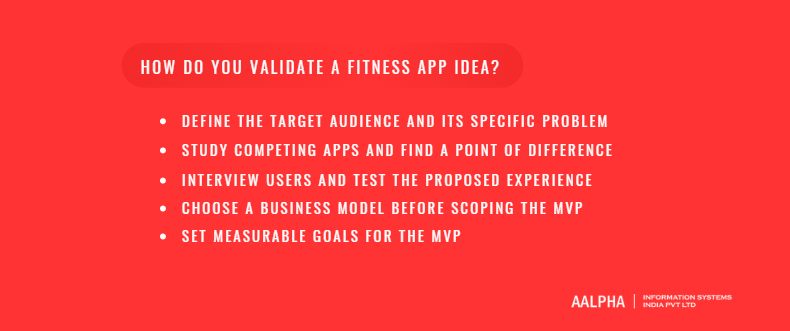
Validate a fitness app idea by defining one audience and one problem, studying competitors for a real gap, and interviewing potential users. Then test a prototype before building anything. Choose the business model early, because it shapes the MVP. Set measurable goals so the first release proves or disproves the idea.
-
Define the target audience and its specific problem
“People who want to get fit” is not an audience. “Women over 40 returning to strength training after a long break” is an audience. So is “amateur runners training for their first half marathon.” A narrow audience makes every later decision easier. You know what content to produce, which features matter, what to charge, and where to find users. The problem should be specific too. “Staying motivated” is vague. “Not knowing how to adjust a program after missing a week” is something an app can solve.
-
Study competing apps and find a point of difference
Download the top five apps in your category and use them for two weeks. Read their one-star and three-star reviews in the App Store and Google Play. Three-star reviews are the most useful. They come from people who wanted the app to work and explain what stopped it. Your point of difference should come from those gaps. Good examples are a better experience for a specific group, a coaching model competitors lack, or an integration they ignore. “Better design” alone is rarely enough.
-
Interview users and test the proposed experience
Talk to 15 to 20 people from your target audience before writing code. Ask about their current routine, what they have tried, and why they stopped. Do not ask whether they would use your app. People say yes to be polite. Then build a clickable prototype in a design tool and watch five people use it. Where they hesitate, the design needs work. Where they skip ahead, the feature may not matter.
-
Choose a business model before scoping the MVP
A subscription app needs enough content to justify a monthly fee. A freemium app needs a clear line between free and paid features. A B2B app sold to gyms or employers needs admin tools and reporting that a consumer app never would. Deciding this late means rebuilding features later.
-
Set measurable goals for the MVP
Write down what success looks like before launch. Useful goals include the share of new users who complete a first workout, the share still active after 30 days, and the free-to-paid conversion rate. Set a target for each. If the MVP misses by a wide margin, the idea needs to change, not just the marketing.
What features does a fitness app need?
A fitness app MVP needs account creation with a fitness profile, goal setting, a plan or program, a workout library with clear instructions, activity logging, a progress view, reminders, and subscription payments. Behind the app, an admin panel manages content, users, and support. Everything else can wait until users show they need it.
-
Account creation and fitness profiles
Sign-up should take under a minute. Offer Sign in with Apple, Google, and email. Apple requires Sign in with Apple when an app offers other third-party logins, subject to the exceptions in the App Store Review Guidelines. The fitness profile collects what the app needs to personalize: goal, experience level, available equipment, training days per week, and any movements to avoid. Ask only for what changes the plan. Every extra question loses users at onboarding. Collect details like body weight later, when the user sees why they help.
-
Goal setting and personalized plans
Personalization in an MVP does not need AI. A rule-based system works well. For example, a beginner with dumbbells who trains three days a week gets program A. An intermediate with a full gym gets program B. Build ten to twenty program variants and match users to them with clear rules. This is cheaper to build and easier to test. It is also easier to explain when a user asks why they got a particular plan. The downside is that rule-based plans do not adapt well to missed sessions. Plan a simple adjustment rule for that from the start.
-
Workout libraries with clear instructions
Each exercise needs a short video or animation, written cues, the target muscles, and common mistakes. Short looping videos of 5 to 15 seconds work better during a workout than long explanations. Users glance at the screen between sets. They do not watch a three-minute tutorial. Tag every exercise by equipment, muscle group, and difficulty. Tags power search, substitutions, and plan logic.
-
Activity logging and progress dashboards
Logging must be fast. For strength training, pre-fill sets and reps from the plan so the user only confirms or edits. For cardio, record duration, distance, and pace, or pull them from a wearable. The progress dashboard should answer one question: am I improving? Useful views include total volume over time, personal records, workout consistency, and body measurements if the user chose to track them. Keep the default view simple. Put detailed charts one tap deeper.
-
Reminders, schedules, and notifications
Let users choose training days and a reminder time. Send reminders on those days only. Notifications beyond reminders should be rare and useful. Good examples are a new personal record, a completed week, or a message from a coach. Daily promotional notifications get switched off, and with them go your reminders.
-
Payments and subscription management
Digital subscriptions sold inside an iOS or Android app generally have to use Apple’s and Google’s in-app purchase systems. Services delivered in person, such as a gym class or one-to-one training session, are treated differently under the store rules. Check the current App Store Review Guidelines and Google Play payments policy before designing the payment flow. A subscription management service can handle receipt validation, entitlements, and cross-platform access. It saves weeks of work. Build free trials, upgrades, cancellations, and restore purchases into the first release.
-
Admin tools for content, users, and support
The admin panel is the feature founders most often cut, and later regret. Your team needs to add and edit exercises, programs, and articles without a developer. Support staff need to look up a user, see their subscription status, and reset access. You also need basic reports: sign-ups, active users, conversions, and cancellations. A web-based admin panel with role-based access is enough for launch.
What belongs in the MVP and what can wait
Sign-up with a fitness profile, rule-based goal plans, the workout library, logging and progress, and reminders all belong in the first release, because together they deliver the core value and protect the routine. Subscriptions belong there too if you plan to charge at launch, since willingness to pay is the thing the MVP most needs to prove. The admin panel is a launch requirement so content can change without a developer. Wearable sync usually makes the cut, starting with one platform, because most users now expect it.
Social features usually wait. They need an active user base before they feel alive. AI recommendations wait because they need usage data to work well. Live classes wait unless they are the core offer, as their cost and operational load are high for an unproven product.
Which advanced features and integrations are worth adding?
The most valuable additions are wearable and health platform integrations, GPS tracking for outdoor sports, video coaching, and trainer dashboards. AI recommendations, nutrition logging, and social challenges earn their place once the app has enough users and data. Add each feature when usage data or user requests support it, not to match a competitor.
-
Wearable and health data integrations
On iOS, Apple HealthKit gives access to workouts, heart rate, steps, and other health data the user chooses to share. On Android, Health Connect plays the same role. Google has deprecated the older Google Fit APIs in favor of it. These two integrations cover most wearables indirectly. Many watch and band makers write their data into HealthKit or Health Connect. Direct integrations with a specific brand, such as Garmin or Fitbit, make sense when your audience relies on one ecosystem. Each direct integration adds build and maintenance work. Expect to update integrations when platform APIs change.
-
GPS tracking for outdoor activities
Running, cycling, and hiking apps need route tracking, pace, distance, elevation, and maps. The hard parts are accuracy and battery life. Location must be recorded in the background, filtered for GPS noise, and handled gracefully when the signal drops. Both iOS and Android restrict background location access. Your app must explain clearly why it needs location, or store review will reject it. Test on real routes, in real conditions, on older phones.
-
Video coaching and live classes
On-demand video is the simpler option. Upload, encode, stream, and allow downloads for offline use. Live classes add scheduling, real-time streaming, chat, and the operational work of running classes on time. One-to-one video calls between trainers and clients are another option, usually built on a third-party video service. Choose based on the business model. Live classes suit studios with existing instructors. On-demand libraries suit subscription apps.
-
AI-assisted workout recommendations
AI can adjust plans based on performance, suggest substitutions, and generate programs from a user’s constraints. It works best once you have usage data to learn from and a safe set of rules to keep recommendations within. An AI model that suggests a heavy lift to a beginner with a reported back issue is a liability. Put guardrails around any generated plan. Keep the underlying exercise library curated by qualified people. Start with narrow, testable uses, such as suggesting a substitute when equipment is unavailable, before trying full program generation.
-
Nutrition logging and meal planning
Nutrition makes sense when it supports the training goal, as in body recomposition or endurance fueling. Use a licensed food database and add barcode scanning. Logging speed decides whether people keep using it. Avoid presenting nutrition advice as medical or clinical guidance. Be careful with features that could encourage extreme restriction.
-
Social challenges and community features
Challenges, leaderboards, and group feeds can lift retention. They need an active base of users to feel alive. A leaderboard with four people on it makes the app look empty. Add community features once you have enough daily users, or scope them to existing groups such as a gym’s members or a company’s staff. Moderation and reporting tools are part of the feature, not an extra.
-
Trainer dashboards and client management
For coaching products, the trainer dashboard is the product for half your users. Trainers need to build programs from the exercise library, assign them to clients, see logged workouts, spot missed sessions, and message clients. A web dashboard is usually better than a mobile interface for program building. Billing, client limits, and revenue share rules add complexity if trainers sell through your platform.
How should a fitness app be designed?
Design a fitness app for use in the middle of a workout: large tap targets, readable text at arm’s length, and one clear action per screen. Keep onboarding short, show progress in simple terms, and support different ability levels. Motivation features should help users keep a routine, not pressure or shame them.
-
Designing a simple onboarding flow
Onboarding has two jobs. It collects what the app needs to create a first plan, and it gets the user into a first workout quickly. Aim for five to seven screens, each with one question. Show the plan before asking for payment where possible, so users see what they are buying. Ask for notification and health data permissions at the moment they become useful, with a short explanation. Asking for everything on the first screen gets more refusals.
-
Making workout instructions easy to follow during exercise
A user mid-set is sweaty, tired, and holding weights. The workout screen should show the current exercise, target reps or time, and a large button to log and move on. A rest timer should start automatically. Audio cues let users keep their eyes off the phone. Keep the screen awake during active workouts. Test the workout flow in an actual gym, not only at a desk.
-
Presenting progress without overwhelming users
Most users want reassurance, not analytics. A weekly summary with workouts completed, total training time, and one highlight does more than ten charts. Offer detailed views for users who want them. Be thoughtful about body weight. For some users, a scale-focused dashboard is discouraging. Let people choose which metrics they track and see.
-
Accessibility
Use readable font sizes and support the phone’s system text size settings. Keep strong color contrast, and give controls clear labels so screen readers work. Add captions on instructional videos. The Web Content Accessibility Guidelines are a useful reference even for mobile apps. Apple and Google both publish accessibility guidance for their platforms. Accessibility work costs far less when planned from the start than when retrofitted.
-
Designing for different fitness levels and abilities
A beginner and an experienced athlete need different language, different exercises, and different progress expectations. Offer modifications for common exercises: an easier version, a harder version, and an option for limited mobility. Avoid assuming every user has a gym, a specific body type, or no injuries. Inclusive imagery and instruction widen your audience.
-
Keeping motivation helpful rather than intrusive
Streaks, badges, and reminders work for many users. They backfire when they punish a missed day or send guilt-based messages. Allow rest days without breaking streaks. Let users pause a plan during illness or travel. Frame missed workouts as something to reschedule, not a failure. An app that makes people feel bad is an app they delete.
What technology stack and architecture suit a fitness app?
Most fitness apps suit a cross-platform framework such as Flutter or React Native, backed by a cloud API, a relational database, and a managed video service. Native development is the better choice when the app relies heavily on sensors, background tracking, or watch apps. Integrate commodity services such as payments and video, and build what differentiates the product.
-
Native versus cross-platform development
Cross-platform frameworks let one codebase serve iOS and Android. That cuts mobile development effort compared with building two native apps, though the exact saving depends on how much platform-specific work the app needs. It also gets both versions to market faster and lets one team maintain the product. Flutter and React Native both handle workout players, logging, dashboards, and subscriptions well. Their weak points are sensor-heavy work and background tracking, which often need native modules, and watch companion apps, which are usually built natively anyway. New operating system features also reach these frameworks after a short delay, and major framework upgrades can cause rework.
Native Swift and Kotlin development costs more because it means two codebases and two skill sets. It also takes longer unless two teams run in parallel, and features can drift apart between the platforms over time. In return, it gives the best control over sensors and background tracking, full support for Apple Watch and Wear OS, and immediate access to new platform features. Choose native when the app depends on continuous GPS tracking or heavy sensor use. A common middle path is a cross-platform app with native modules for HealthKit, Health Connect, and background location.
-
Backend, database, and content management choices
The backend handles accounts, plans, workout logs, subscriptions, and admin functions. Node.js, Python, and PHP frameworks such as Laravel all work well. The choice matters less than the team’s experience with it. Use a relational database such as PostgreSQL for users, plans, and logs. The data is structured, and reporting queries will be relational. Time-series data, such as heart rate samples, can grow quickly. Store summaries for the app, and keep raw samples only if a feature needs them. A headless CMS or a custom admin panel manages exercises, programs, and articles.
-
Video hosting, streaming, and offline access
Do not serve video files straight from basic storage. Use a video platform or media service that handles encoding, adaptive streaming, and delivery through a content delivery network. Adaptive streaming adjusts quality to the connection, which matters in basements and gyms with weak signal. Offline downloads need encrypted local storage and a rule for expiring content when a subscription ends. Video delivery is an ongoing cost that rises with usage, so model it early.
-
Integrating device and third-party data
Health data arrives from several sources, often overlapping. A user might record the same run on a watch and on the phone. Your app needs rules for deduplication, source priority, and time zones. Sync should run in the background without draining the battery. When a user revokes permission, the app must handle it cleanly and explain what stopped working.
-
Planning for scale, reliability, and maintainability
Most fitness apps have predictable peaks: early mornings, evenings, Mondays, and the first two weeks of January. Cloud hosting with automatic scaling handles this without paying for peak capacity all year. Add crash reporting, performance monitoring, and error alerts before launch. Automated tests on core flows, such as sign-up, logging, and purchase, prevent regressions as the app grows.
-
Deciding what to build in-house and what to integrate
Integrate authentication, payments, subscription management, video hosting, push notifications, analytics, and food databases. These are solved problems, and building them adds cost without adding value. Build the parts that make your app different: plan logic, the workout experience, progress views, coaching workflows, and your admin tools. The downside of integrating is vendor dependency and monthly fees. Choose providers with clear data export options.
How should a fitness app handle privacy, security, and health data?
A fitness app should collect only the data it needs, ask for clear consent before accessing health data, and let users view, export, and delete their information. Protect accounts and payments with standard security controls. Keep fitness guidance separate from medical advice, and check the privacy laws of every market you launch in.
-
Collecting only the data the app needs
Every data point you store is a liability if breached and a question in a privacy review. If the app does not use body fat percentage, do not ask for it. If step counts are shown as daily totals, do not store minute-by-minute samples. Minimal collection also makes privacy disclosures shorter and easier for users to trust.
-
Consent and controls for connected health data
HealthKit and Health Connect require the user to grant permission for each data type. Request only the types the app uses, and explain why in plain language. Apple’s guidelines restrict how HealthKit data can be used, including a prohibition on using it for advertising. Google Play has its own policy for health data. Read the relevant sections of the App Store Review Guidelines and the Health Connect documentation before designing data flows. Store review teams check these points.
-
Protecting accounts, payments, and personal information
Encrypt data in transit and at rest. Hash passwords with a modern algorithm, or avoid storing them by relying on Sign in with Apple and Google. Rate-limit login attempts, and offer multi-factor authentication for trainer and admin accounts. Never store card numbers yourself. Payments go through Apple, Google, or a certified payment provider. Give admin staff the minimum access their role needs and log admin actions.
-
Handling data sharing, deletion, and retention
Users should be able to export their data and delete their account from inside the app. Apple requires in-app account deletion for apps that support account creation. Decide how long you keep data after cancellation and after deletion, and document it. If you share data with processors such as analytics or email providers, list them in your privacy policy. Check that their terms match your commitments to users.
-
Distinguishing fitness guidance from medical advice
A fitness app gives general exercise and wellness guidance. It should not diagnose conditions, treat injuries, or replace a doctor. Add a clear statement to this effect in onboarding and in your terms. Suggest that users with medical conditions consult a professional before starting. Features that interpret heart rhythms, blood glucose, or other clinical signals may fall under medical device rules in some countries. Get regulatory advice before building anything in that direction.
-
Reviewing applicable rules in each launch market
Privacy law depends on where your users are. In the European Union and the UK, the General Data Protection Regulation treats health data as a special category needing explicit consent. In India, the Digital Personal Data Protection Act, 2023 sets consent and data rights obligations. In the United States, HIPAA usually does not cover consumer fitness apps. It can apply when an app works with healthcare providers or insurers. The Federal Trade Commission also enforces rules on health apps, including breach notification. Several US states have their own consumer health data laws. This guide is not legal advice. Have a privacy lawyer review your data flows before launch in each market.
What does the fitness app development process look like?
Fitness app development follows seven stages: discovery and requirements, user journeys and prototypes, MVP scoping and milestones, development and integration, testing on real devices and in real conditions, app store preparation and release, and ongoing maintenance. Discovery and prototyping take the least budget and prevent the most rework.
-
Discovery and product requirements
Discovery turns an idea into a buildable plan. It covers the target audience, core user problems, business model, feature list, integrations, content needs, and constraints such as budget and launch date. The output is a requirements document, a prioritized backlog, and an estimate. For a typical fitness MVP, discovery takes two to four weeks. Skipping it is the most common reason projects overrun. Unanswered questions surface later, when they are expensive to fix.
-
User journeys, wireframes, and prototypes
Map the main journeys first: onboarding, starting a workout, logging a set, reviewing progress, and subscribing. Wireframes show the structure of each screen. A clickable prototype built from the visual designs lets you test flows with real users before development. This stage usually takes three to five weeks and overlaps with the end of discovery.
-
MVP scope and development milestones
Cut the feature list to what tests the core idea. Use the MVP goals set during validation to decide. Split development into two-week sprints with a working build at the end of each. Milestones might be accounts and profiles, then plans and the workout player, then logging and progress, then subscriptions and admin, then integrations. Each milestone should be demonstrable, so you see progress in the app, not only in reports.
-
App development and integration
Backend, mobile, and admin work run in parallel once the API design is agreed. For an MVP, development typically runs 8 to 12 weeks. Third-party integrations, such as HealthKit, Health Connect, payments, and video, should start early. They carry the most uncertainty. Content production, filming exercises and writing programs, must run in parallel too. A finished app with no content cannot launch.
-
Testing across devices and real-world conditions
Test on a range of real devices, including older and low-end Android phones. Fitness apps also need field testing. That means workouts in a gym with poor signal, runs outdoors with GPS, sessions with a watch paired and unpaired, and interrupted workouts when a call comes in. Test subscription purchases, renewals, cancellations, and restores in the store sandbox environments. Run a closed beta through TestFlight and Google Play testing tracks with 30 to 100 real users before public launch. Testing and beta usually take two to four weeks, overlapping the end of development.
-
App store preparation and release
Prepare the store listing: app name, subtitle, description, keywords, screenshots, preview video, and privacy disclosures. Apple requires a privacy “nutrition label,” and Google Play requires a data safety section. Both must match what the app actually does. Plan one to two weeks for review and possible rejection. Health data use, background location, and subscription terms are frequent rejection reasons. A staged rollout on Google Play lets you release to a percentage of users first.
-
Maintenance and feature improvements after launch
Launch starts the product’s life. Expect bug fixes in the first weeks, then regular updates. Apple and Google release major OS versions every year, and apps need updates to stay compatible. Integrations change. Content needs refreshing. Plan a monthly release cycle, and use analytics and user feedback to choose what to build next.
How much does fitness app development cost, and how long does it take?
Under the assumptions below, a cross-platform fitness app MVP costs about USD 25,000 to 65,000 and takes 3 to 4 months. A mid-level app with wearables, on-demand video, and trainer features costs about USD 50,000 to 140,000 over 5 to 7 months. An advanced platform can exceed USD 100,000 to 280,000 and take up to a year.
Assumptions behind these figures
These are planning estimates built from effort hours. They are not market averages. They assume a cross-platform mobile app for iOS and Android, a web admin panel, and a cloud backend. They also assume a blended rate of USD 25 to 40 per hour, typical of an experienced offshore team in India. Teams in the US and Western Europe usually bill several times that rate, so the same scope costs more there. The figures exclude content production, such as filming exercises, and ongoing costs after launch.
Tier | What it includes | Effort (hours) | Estimated cost (USD) | Timeline |
Basic MVP | Profiles, rule-based plans, workout library, logging, progress, reminders, subscriptions, admin panel | 1,000 to 1,600 | 25,000 to 65,000 | 3 to 4 months |
Mid-level app | MVP plus HealthKit and Health Connect, on-demand video with offline access, trainer dashboard, messaging | 2,000 to 3,500 | 50,000 to 140,000 | 5 to 7 months |
Advanced platform | Mid-level plus live classes, AI recommendations, GPS tracking, community features, multi-role web portals | 4,000 to 7,000+ | 100,000 to 280,000+ | 8 to 12 months |
The main factors that affect cost
Scope drives cost more than anything else. The number of user roles matters: a member-only app is far simpler than one with members, trainers, gym staff, and admins. Platform choice matters, since native iOS and Android roughly doubles mobile effort compared with cross-platform. Custom design takes longer than a design system. Every integration adds build and test time. Regulatory and security requirements add review work. The team’s location and seniority set the hourly rate.
How integrations, video, and personalization affect the budget
HealthKit and Health Connect integrations are moderate in effort, but data handling rules add testing time. Direct wearable brand integrations each add effort, and some require partner approval. On-demand video is manageable with a video platform. Live classes add real-time streaming, scheduling, and operations. Rule-based personalization is affordable. AI-driven personalization needs data pipelines, model integration, evaluation, and guardrails. It is a separate workstream, not a feature toggle.
Typical project phases and what can delay them
Delays most often come from four sources. Requirements change mid-build. Content is not ready when the app is. Integrations behave differently than their documentation suggests. Store review rejects the first submission. You can reduce the first two with a firm MVP scope and a content plan with deadlines. Build buffer time into the plan for the last two.
Ongoing costs
After launch, budget for cloud hosting, video delivery, and third-party services such as subscription management, analytics, email, and food databases. Most of these scale with active users. The Apple Developer Program costs USD 99 per year, and Google Play charges a one-time USD 25 registration fee. Store commissions apply to in-app subscriptions. Check current rates in the official Apple and Google developer documentation, as they vary by program and subscription length. Maintenance and small updates are commonly planned at 15 to 20 percent of the initial build cost per year. Treat this as a planning figure; the actual amount depends on how fast you add features. Content refreshes and customer support are ongoing costs too.
Ways to control costs without weakening the core experience
Launch on cross-platform unless there is a clear reason not to. Start with rule-based plans instead of AI. Use a subscription management service instead of building receipt validation. Integrate with HealthKit and Health Connect before any brand-specific wearable. Put social and community features in phase two. Keep the workout experience, logging speed, and content quality at full budget. Those are what users judge the app on. Cutting them to save money produces an app nobody keeps.
How do fitness apps make money and grow after launch?
Fitness apps make money through subscriptions, freemium upgrades, paid coaching, one-time program purchases, and business-to-business licensing to gyms or employers. Pick one primary model at launch. Growth depends on activation, workout completion, and retention more than downloads, so measure those from day one and improve the product from what users actually do.
-
Subscription, freemium, coaching, and business-to-business models
A subscription charges a monthly or annual fee for full access. It suits content-rich workout and wellness apps. The catch is that subscribers expect steady new content, so the content budget never really ends.
Freemium gives away core features and charges for a premium tier. It fits tracking apps and broad audiences, where a free tier brings in volume. Most users never pay, though, and the free tier still costs money to host and support.
Paid coaching charges for access to a human coach through the app. It suits coaching apps and trainer marketplaces and supports higher prices. Revenue scales with coach capacity, so growth means recruiting and managing more coaches.
One-time program purchases let users buy individual plans. This works well for influencer and specialist programs with a clear outcome, such as a 12-week race plan. Revenue is lumpy, and there is no recurring base to build on.
Business-to-business licensing charges gyms, studios, or employers per member or seat. It suits gym apps and corporate wellness products and brings larger contracts. Sales cycles are longer, and buyers expect admin tools and reporting from the first demo.
-
Choosing a pricing approach that fits the audience
Price for the audience’s alternative, not your cost. A coaching app replacing in-person training sessions can charge more than a general workout app competing with free video platforms. Offer an annual plan at a discount to the monthly price. Annual subscribers churn less. A free trial of 7 or 14 days lets users complete several workouts before paying. Test prices once you have enough traffic to measure the difference, and change one variable at a time.
-
Preparing app store listings and launch content
Your store listing is your most-seen marketing page. Screenshots should show the app in use and state the benefit in a few words each. Research the keywords your audience searches, and use them in the title, subtitle, and description where they read naturally. Prepare launch content in advance: a landing page, social posts, a short demo video, and outreach to any trainers or communities you have relationships with. Existing audiences, such as a gym’s members or a trainer’s followers, are the cheapest first users.
-
Measuring activation, workout completion, retention, and cancellations
Downloads say little on their own. Track activation, defined as the share of new users who complete their first workout within a set period. Track workout completion, the share of started workouts that are finished. Track retention on day 7, day 30, and day 90. For subscription apps, track trial-to-paid conversion, monthly churn, and refund requests. Set up analytics events for each step of onboarding and the workout flow before launch. Without them you cannot see where users drop off.
-
Using feedback to improve the product after release
Read every review and support message in the first months. Add a short in-app survey after a user’s third or fourth workout, when they have an informed view. Combine what users say with what they do. If users ask for a feature but the analytics show they ignore similar features, dig deeper before building it. Ship improvements in small releases, and measure whether each one moved the metric it targeted.
How do you choose a fitness app development partner?
Choose a fitness app development partner by checking real experience with mobile app development company projects, wearable integrations, video, and health data handling. Ask how they would scope your MVP, and review estimates line by line. Confirm you will own the code and data, and ask how they handle testing, security, and support after launch.
-
Relevant mobile, wearable, video, and data experience
Ask to see live apps in the stores, not only design mockups. Ask which of their projects used HealthKit, Health Connect, background location, video streaming, or in-app subscriptions. Then ask what went wrong on those projects and how they fixed it. A partner who has hit the common problems will describe them specifically. Check independent reviews on platforms such as Clutch, and speak to at least one past client.
-
Questions to ask about product strategy and MVP scope
A good partner challenges your feature list. Ask them what they would cut from the MVP and why. Ask how they would validate the idea before building. Ask what they need from you, such as content, decisions, and test users, and when. A partner who agrees to build everything you listed, on your timeline, without questions, is either not reading closely or plans to raise the price later.
-
Reviewing estimates, deliverables, and ownership terms
Estimates should break down effort by feature and phase, not show a single total. Compare how each vendor interpreted your scope. Big price differences usually mean different assumptions. Confirm the deliverables: source code, design files, documentation, and access to all accounts and services. The contract should state that you own the intellectual property on payment. App store accounts, cloud accounts, and domains should be registered in your company’s name.
-
Assessing testing, security, and post-launch support
Ask how they test. Look for automated tests on core flows, testing on real devices, field tests for tracking features, and beta programs. Ask how they handle security: code reviews, dependency updates, secret management, and access controls. Ask what post-launch support costs, how fast they respond to critical issues, and how they handle annual iOS and Android updates. A quality certification such as ISO 9001 shows documented processes. It does not replace looking at their actual work.
Why choose Aalpha for fitness app development
Aalpha Information Systems has built custom software, web, and mobile products since 2008. That includes cross-platform and native apps, SaaS platforms, and AI-enabled products for clients in more than 55 countries. For a fitness app, that experience covers the pieces most projects need: mobile development, backend and admin systems, subscription payments, third-party integrations, and cloud hosting that scales with usage.
Aalpha works from a discovery-first model. Every engagement starts with scoping the MVP against your audience, business model, and budget. The estimate is broken down by feature, so you can see what each part costs and decide what to defer. Clients own their source code and accounts. Delivery follows ISO 9001:2015 certified quality processes, with testing on real devices and staged releases.
Clients rate Aalpha 4.9 out of 5 across more than 215 reviews on its Clutch profile, which is a useful place to read independent feedback before a first conversation. Post-launch, Aalpha offers maintenance and feature development, including annual OS compatibility updates and integration upkeep.
Back to You!
If you are planning a fitness app, start with a scoping discussion. Share your target audience, the problem your app solves, and your launch goals with Aalpha Information Systems. Get in touch with the team to discuss your requirements and receive a recommended MVP scope and phased estimate.
Frequently asked questions
How long does it take to develop a fitness app?
A fitness app MVP typically takes 3 to 4 months from discovery to store release. That assumes a cross-platform app with core features and a web admin panel. A mid-level app with wearable integrations, video, and trainer tools takes 5 to 7 months. An advanced platform with live classes, AI features, and several user roles can take 8 to 12 months. Content readiness and store review often decide the final launch date.
How much does a fitness app cost?
Using a blended rate of USD 25 to 40 per hour, a basic fitness app MVP costs about USD 25,000 to 65,000. A mid-level app costs about USD 50,000 to 140,000. An advanced platform can exceed USD 100,000 and reach USD 280,000 or more. Teams in higher-cost regions charge more for the same scope. Budget separately for content production and for annual maintenance, commonly planned at 15 to 20 percent of the build cost.
What features should a fitness app MVP include?
A fitness app MVP should include sign-up with a fitness profile, goal-based plans, a workout library with video instructions, activity logging, a progress view, reminders, subscription payments, and a web admin panel. Wearable sync through HealthKit or Health Connect is expected by most users. Leave social features, AI recommendations, and live classes for later phases unless one of them is your core offer.
Should I build a native or cross-platform fitness app?
Build cross-platform, with Flutter or React Native, for most fitness apps. It costs less, launches on both platforms faster, and needs one team to maintain. Choose native Swift and Kotlin when the app depends on continuous GPS tracking, heavy sensor use, or watch companion apps. Many teams use a cross-platform app with native modules for health data and location.
Can a fitness app connect to smartwatches and health platforms?
Yes. On iOS, apps connect to Apple HealthKit, which receives data from Apple Watch and many third-party devices. On Android, apps connect to Health Connect, which replaced the older Google Fit APIs. Direct integrations with brands such as Garmin or Fitbit are possible but add build and maintenance work. Users must grant permission for each type of health data.
How do fitness apps make money?
Fitness apps make money through subscriptions, freemium upgrades, paid access to coaches, one-time program purchases, and licensing to gyms, studios, or employers. Subscriptions are the most common model for content-based apps. Coaching apps charge more but scale with coach capacity. B2B licensing brings larger contracts but longer sales cycles. Start with one model and test pricing once traffic allows.
Does a fitness app need AI?
No. Most fitness apps launch successfully with rule-based personalization, which matches users to plans by goal, level, and equipment. AI becomes useful once you have usage data. Good uses include adapting plans after missed sessions, suggesting exercise substitutions, and generating programs within safe limits. Any AI feature needs guardrails and a curated exercise library behind it.
How can I protect users’ fitness and health data?
Collect only the data the app uses, and ask for explicit consent before reading health data. Encrypt data in transit and at rest. Use secure sign-in and never store card numbers. Let users export and delete their data from inside the app. Follow the health data rules in Apple’s and Google’s store policies, and have a privacy lawyer review compliance for each launch market.