





TL;DR
EdTech AI startup website design is the process of planning, designing, and building a website or web platform where artificial intelligence shapes how people learn, from AI tutors and adaptive lesson paths to automated grading and learning analytics. A good build starts with one clear learner problem, a small MVP, and AI features that are grounded in approved course content rather than open-ended chat. Budgets range from about $3,000 for a basic marketing website to $20,000 to $50,000 for an AI-powered MVP, and $120,000 or more for an enterprise platform, with timelines of 4 to 40+ weeks. Student data privacy (FERPA, COPPA, GDPR), accessibility (WCAG 2.2), and AI accuracy need to be designed in from the first sprint, because retrofitting them later costs more than building them early. Aalpha Information Systems designs and develops custom EdTech platforms, from LMS-integrated websites to AI tutor products, and typically starts AI projects with a prototype and proof of concept before committing to the full build.
Introduction to EdTech AI startup website design
EdTech AI startup website design covers two jobs at once. The site has to sell an education product to students, parents, teachers, schools, or HR teams, and it often has to deliver the learning itself through dashboards, lessons, and AI features. Getting both right decides whether visitors sign up and whether they come back.
What it means in practice. For most startups, the “website” is really three layers. There is a public marketing site that explains the product, a logged-in web app where learning happens, and an AI layer that personalizes content, answers questions, or grades work. A design team has to plan all three together, because the promise made on the homepage is tested within the first five minutes of using the app.
Why design matters more for AI education products. Buyers of education software are cautious. A parent wants to know what an AI tutor will say to a 12-year-old. A school district wants to know where student records are stored. A corporate L&D manager wants proof that completion rates improve. The website is where those questions get answered or ignored, and an ignored question usually ends the sale.
How AI is changing digital learning. Earlier e-learning platforms delivered the same course to every learner in the same order. AI makes it practical to adjust difficulty, suggest the next lesson, explain a concept in a different way, and give feedback on an essay within seconds. Large language models, which became widely usable through APIs from 2023 onward, lowered the cost of building these features from research budgets to startup budgets.
Traditional EdTech websites versus AI-powered learning platforms. A traditional EdTech site is mostly a catalog with video hosting, quizzes, and payments. An AI-powered platform adds a feedback loop. It collects learner activity, interprets it, and changes what the learner sees next. That loop brings new design needs: explaining AI behaviour to users, handling wrong answers from the model, controlling API costs, and protecting the learner data that feeds the system.
This guide walks through website types, planning, essential pages, features, UX, the build process, technology choices, AI integration, cost, compliance, common mistakes, and how to pick a development partner.
Understanding the role of AI in modern EdTech websites
An EdTech website is AI-powered when software models, not fixed rules, decide part of what each learner sees, hears, or receives as feedback. That can be a tutor that answers questions, a recommendation engine that picks the next lesson, or a grader that scores written answers. The AI changes the experience per learner; static content does not.
What makes an EdTech website AI-powered?
Decisions that adapt to the learner. A quiz that always shows the same ten questions is not AI. A quiz that picks the next question based on which concepts the learner keeps missing is. The test is simple: if two learners would get different content, guidance, or feedback because of their own activity, an AI or machine learning component is doing that work.
Language understanding. Most new EdTech AI features rely on reading and writing natural language. Learners can type a question in their own words, submit an essay, or ask for a simpler explanation, and the system responds in context.
How AI improves personalized learning
Personalization works at three levels. At the content level, the platform recommends lessons, videos, or practice sets based on gaps. At the pace level, it speeds up for confident learners and slows down for those who struggle. At the explanation level, an AI tutor can rephrase a concept with a different example, a diagram description, or a worked problem. Teachers benefit too, since the same data shows which students need attention this week.
Machine learning, generative AI, and natural language processing
Machine learning predicts outcomes from patterns in data, such as the chance a learner drops out or the lesson most likely to help next. Generative AI, built on large language models, writes text: explanations, quiz questions, summaries, and feedback. Natural language processing is the broader field that lets software parse, classify, and respond to human language, and it also covers speech recognition for voice-based learning. Most platforms combine all three rather than picking one.
Common applications in educational websites
The applications seen most often are conversational tutors, adaptive practice, automated essay and short-answer feedback, quiz and flashcard generation from course material, course recommendations, at-risk learner alerts, translation of lessons, and pronunciation scoring in language apps.
Benefits for startups, educators, and learners
For startups, AI creates a product difference that is hard to copy with content alone, and it lets a small team serve thousands of learners. For educators, it cuts grading and question-writing time and surfaces struggling students earlier. For learners, it means help at 11 pm, practice that matches their level, and feedback in seconds rather than days.
Challenges of implementing AI in education platforms
The downsides are real. Language models can produce confident wrong answers, which is a serious problem when the user is learning the subject. Learner data is sensitive, and children’s data is regulated more strictly. API costs grow with usage, so a popular free tier can become expensive. Teachers may resist tools that feel like a black box. And measuring whether AI actually improves learning, as opposed to engagement, takes deliberate effort and time.
Types of EdTech AI startup websites
EdTech AI startups usually build one of nine website types: an AI-enabled LMS, a tutoring platform, an adaptive learning site, a test prep platform, a language learning site, a corporate training platform, a content generation tool, a learning analytics platform, or a course marketplace. Each type needs a different feature set, data model, and budget.
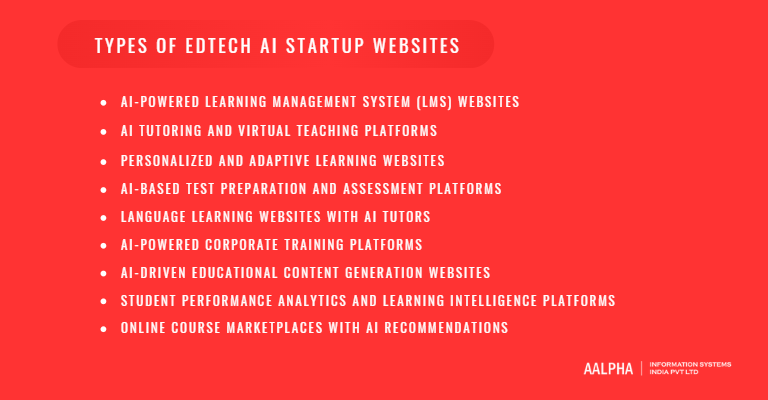
AI-powered learning management system (LMS) websites. An LMS hosts courses, enrolls learners, tracks progress, and issues certificates. The AI layer adds recommendations, auto-generated quizzes, at-risk alerts, and a course assistant. Schools and training providers buy these, so admin tools, roles, and reporting matter as much as the learner view. This is often the most complex type because it serves several user groups at once.
AI tutoring and virtual teaching platforms. These products put a conversational tutor at the centre. The learner asks questions, works through problems step by step, and gets hints rather than answers. Some platforms pair the AI with human tutors for escalation. The design challenge is the chat interface and the guardrails behind it. An AI tutor often sits beside an existing LMS instead of replacing it, a pattern covered in Aalpha’s guide to AI tutor app development.
Personalized and adaptive learning websites. Adaptive platforms change the sequence and difficulty of content based on performance. They need a skill map, meaning a structured list of concepts and the links between them, plus enough content per concept to offer alternatives. Without that content depth, adaptivity has nothing to adapt.
AI-based test preparation and assessment platforms. Test prep sites for exams like the SAT, IELTS, GMAT, or national entrance tests use AI to diagnose weak areas, generate practice questions, predict scores, and grade writing or speaking tasks. Accuracy is non-negotiable here, since learners make decisions based on predicted scores.
Language learning websites with AI tutors. These combine conversation practice with a language model, speech recognition for pronunciation, and spaced repetition for vocabulary. Voice latency and accent handling become key design concerns.
AI-powered corporate training platforms. Corporate products focus on onboarding, compliance, and skills development. Buyers expect SSO, integration with HR systems, manager dashboards, and reporting that ties training to job performance. AI typically builds role-based learning paths and answers questions from internal policy documents.
AI-driven educational content generation websites. These tools help teachers and course creators produce lesson plans, quizzes, slides, and summaries. The user is the educator, not the learner, so the interface resembles a productivity app with editing, review, and export.
Student performance analytics and learning intelligence platforms. Analytics platforms pull data from LMSs, assessment tools, and attendance systems to predict outcomes and recommend interventions. They live or die on data integration and on dashboards that a busy teacher can read in under a minute.
Online course marketplaces with AI recommendations. Marketplaces connect instructors and learners, handle payments and payouts, and use AI for search, recommendations, and review summaries. They need two-sided onboarding and strong catalog management. The trade-off is that marketplace mechanics take most of the build budget, leaving less for deep learning features.
How to plan an EdTech AI startup website
Planning an EdTech AI startup website means deciding who the product serves, what single learning problem it solves first, which AI feature proves that value, and how much budget and time the first release gets. A written plan covering goals, audience, competitors, MVP scope, user journeys, and budget prevents most rework later.
Identify your business goals. Write down what the website must achieve in its first 12 months. Examples include 1,000 paying learners, five school pilots, or a 20% improvement in course completion for one corporate client. Goals decide features. A startup chasing school pilots needs admin dashboards and data agreements; one chasing consumer subscriptions needs onboarding and payments first.
Define your target audience. EdTech products rarely have one user. Students learn, teachers assign and review, parents pay and monitor, institutions buy and administer, and businesses fund training. List each group, what they need from the site, and who pays. In K-12, the buyer (a school or parent) is often not the daily user (the student), and the website has to speak to both.
Conduct competitor research. Sign up for three to five competing platforms and use them as a learner and as a teacher. Note pricing, onboarding length, how AI is presented, and where the experience breaks. Read app store and review site complaints, since they point to gaps you can fill.
Establish a unique value proposition. “AI-powered learning” is no longer a differentiator. A useful value proposition names the learner, the outcome, and the method, for example: “Grade 9 to 12 students in India improve physics exam scores through step-by-step AI hints aligned to the CBSE syllabus.” That sentence also tells the design team what content the AI must be grounded in.
Choose between a marketing website, SaaS platform, and complete learning ecosystem. A marketing website explains the product and captures leads; it suits startups still validating demand. A SaaS platform adds accounts, subscriptions, and the core learning app. A full ecosystem adds mobile apps, integrations, marketplaces, and institution management. Most startups should start with a marketing site plus a focused SaaS MVP, then expand.
Define MVP requirements and prioritize features. List every feature, then sort into must-have, should-have, and later. A practical MVP for an AI EdTech product usually includes sign-up, one learning flow, one AI feature that works well, progress tracking, payments, and an admin panel. Cut features that serve a user group you have not yet signed.
Plan website architecture and user journeys. Map the path from first visit to first learning success for each user type. For a student, that might be homepage, free trial, diagnostic quiz, first personalized lesson, first AI hint, and progress screen. Every step that does not move the learner toward that first success is a candidate for removal.
Set a realistic budget and timeline. Allocate budget for design, development, AI integration, testing, and at least six months of post-launch running costs, including AI API usage. Keep a 15 to 20% contingency, because AI features often need more tuning than planned. A focused MVP typically takes 10 to 16 weeks; trying to launch a full ecosystem in that window is the most common reason startup timelines slip.
Essential pages every EdTech AI startup website needs
Every EdTech AI startup website needs a homepage, about page, features page, product demo, course catalog, pricing page, learner and educator dashboards, testimonials or case studies, a blog, FAQ and support pages, and legal pages that include an AI usage disclosure. Together these pages answer what the product does, whether it works, what it costs, and whether it is safe.
Homepage. The homepage should state who the product is for and what outcome it delivers within the first screen. Show the product in use, ideally a short loop of the AI tutor or adaptive lesson in action, rather than stock photos of smiling students. Add one primary call to action, such as “Start free trial” or “Book a school demo,” depending on who buys.
About Us page. Education buyers want to know who is behind the product. List founders, educators or subject experts on the team, academic advisors, and the reason the company exists. If your content is aligned to a curriculum or built with teachers, say so here.
Features and Solutions page. Explain each AI capability in terms of the problem it solves. “AI hints that guide students through a problem without giving away the answer” is more convincing than “powered by advanced AI.” Separate pages for students, teachers, and institutions help each audience find what matters to them.
Product Demo page. A demo page can host a recorded walkthrough, an interactive sandbox, or a limited live version of the AI tutor. Interactive demos convert better for consumer products. For institutional buyers, pair a short video with a form to book a guided demo.
Courses and Learning Programs page. Organize content by subject, level, exam, or skill. Include filters, sample lessons, learning outcomes, duration, and prerequisites. If AI personalizes the path, explain that the order may differ per learner, so buyers are not surprised.
Pricing and Subscription Plans page. Show plans clearly, with what each includes and any AI usage limits, such as the number of tutor questions per month. Offer institutional pricing as a separate path. Hidden limits that appear only after sign-up damage trust quickly.
Student and Educator Dashboards. Dashboards are part of the logged-in product, but they belong in the site plan because they are where users spend most of their time. Students need progress, next steps, and streaks. Teachers need class overviews, struggling learners, and assignment status.
Testimonials and Case Studies page. Lead with outcomes: score improvements, completion rates, time saved for teachers. Name the institution or learner where permission allows. A case study with numbers from one real pilot is worth more than twenty generic quotes.
Blog and Learning Resources page. A blog builds search traffic and shows subject expertise. Useful formats include study guides, exam updates, teaching strategies, and explanations of how your AI features work.
FAQs, Contact, and Support pages. Answer the questions that stall sign-ups: data privacy, age limits, device requirements, refund policy, and how the AI works. Offer chat or email support and a help center for logged-in users.
Privacy Policy, Terms of Service, and AI Usage Disclosures. Beyond the standard legal pages, publish a plain-language AI disclosure. State which AI providers you use, whether learner data is used for model training, how long conversations are kept, and how humans review AI output. Schools increasingly ask for this before signing.
Key features of a successful AI-powered EdTech website
A successful AI-powered EdTech website combines dependable core learning features, such as accounts, courses, assessments, progress tracking, and payments, with a small set of AI features that clearly improve learning, such as tutoring, adaptive paths, and instant feedback. The core features must work flawlessly first, because no AI feature compensates for a broken login or lost progress.
Core website and learning features
User registration, authentication, and profile management. Support email sign-up, Google or Microsoft sign-in for schools, and SSO for institutions. For learners under 13 in the US, the sign-up flow needs verifiable parental consent. Profiles should store grade level, goals, and preferences that feed personalization.
Personalized student and educator dashboards. The student dashboard answers “what should I do next?” in one glance. The educator dashboard answers “who needs help?” Role-based views keep each user focused on their own tasks.
Course discovery, enrollment, and progress tracking. Learners should find, enroll in, and resume courses in a few clicks. Progress must save automatically across devices, including partly completed quizzes and videos.
Interactive lessons, videos, and learning materials. Mix short videos, readings, interactive exercises, simulations, and downloadable notes. Adaptive video streaming and captions are basic requirements, not extras.
Online assessments, quizzes, and assignments. Support multiple question types, timed tests, question banks, randomization, file uploads, and rubrics. Teachers need simple tools to create and edit assessments.
Learning progress reports and achievement tracking. Show mastery by topic, time spent, scores over time, and certificates or badges. Exportable reports matter for schools and corporate clients.
Subscription management and secure payment integration. Handle free trials, monthly and annual plans, coupons, institutional invoicing, and regional payment methods. Use a PCI-compliant payment gateway so card data never touches your servers.
Mobile-responsive learning experiences. Many learners study on phones, especially in emerging markets. Every lesson, quiz, and tutor conversation must work on a small screen and on slow connections.
AI-powered features
AI tutors and conversational learning assistants. A tutor answers questions, explains concepts, and guides learners through problems with hints. The best tutors use a Socratic approach, asking questions back instead of handing over answers. They should only answer from approved course content and should hand off to a human teacher when needed.
Personalized course and content recommendations. Recommendations use learner history, goals, and performance to suggest the next lesson or course. Explain why each item is recommended, such as “because you scored 55% on quadratic equations.”
Adaptive learning paths based on student performance. The platform adjusts difficulty and sequence as the learner progresses. This requires tagged content mapped to skills and enough alternative material per skill.
AI-generated quizzes, summaries, and study materials. Generative AI can produce practice questions, flashcards, and lesson summaries from course material. Teachers should review generated content before it goes live, at least during the first months.
Automated grading and intelligent feedback systems. AI can score short answers, essays, and code, then give specific feedback. Keep a human review option for high-stakes grades, and show the rubric used.
Predictive learning analytics. Models can flag learners at risk of failing or dropping out, based on activity, scores, and engagement patterns. Alerts must lead to a clear action for the teacher, otherwise they are noise.
Multilingual AI learning assistance. Translation and multilingual tutoring open new markets and help learners studying in a second language. Subject terminology needs checking in each language, since machine translation errors in science or math terms mislead learners.
Speech recognition and voice-enabled learning. Voice input helps young learners, language students, and learners with some disabilities. Pronunciation scoring and spoken tutoring require low latency; a delay above about one second makes conversation feel broken.
EdTech AI website UX/UI design best practices
Good EdTech AI UX keeps learners focused on learning, not on the interface. That means simple navigation per role, distraction-free lesson screens, accessible typography and colour, short onboarding that reaches a first win quickly, honest AI interfaces that show sources and limits, and compliance with WCAG accessibility standards from the first wireframe.
Design intuitive navigation for students and educators. Give each role its own navigation. Students need Home, My Courses, Practice, Tutor, and Progress. Teachers need Classes, Assignments, Reports, and Content. Mixing them into one menu forces every user to scan items they never use. Keep primary navigation to five or six items.
Create clean, distraction-free learning interfaces. When a learner is inside a lesson, hide marketing banners, upsell prompts, and unrelated notifications. Use a focused layout with the content in the centre, a progress indicator, and a clear next button. The AI tutor can sit in a collapsible side panel so it is available without competing for attention.
Use visual hierarchy, typography, and accessible colour schemes. Pick a readable sans-serif font at 16px or larger for body text, with line lengths around 60 to 80 characters. Maintain a contrast ratio of at least 4.5:1 for normal text. Avoid using colour alone to show right and wrong answers; add icons or labels for learners with colour vision deficiency.
Design engaging onboarding experiences. Ask only what you need to personalize the first session: grade or level, goal, and perhaps a short diagnostic. Then get the learner into a real lesson within two to three minutes. Long onboarding forms lose users before they see the product’s value.
Build personalized, easy-to-use dashboards. Put the single most useful action at the top, such as “Continue Lesson 4: Photosynthesis” or “3 students need help in Class 8B.” Supporting charts go below. Teachers in particular have little time, so dashboards should surface exceptions rather than every data point.
Create mobile-first and responsive experiences. Design the phone layout first, then expand for tablet and desktop. Test lessons, quizzes, drag-and-drop exercises, and chat on low-end Android devices and on 3G-level speeds if you serve markets such as India, Africa, or Southeast Asia.
Incorporate gamification and progress indicators. Streaks, badges, points, and progress bars support motivation, but tie them to learning, not clicks. Rewarding time spent encourages idle sessions; rewarding mastery encourages practice. Let older learners and corporate users hide game elements if they prefer.
Design effective AI chatbot and virtual tutor interfaces. Label the tutor clearly as AI. Offer suggested prompts so learners know what to ask. Show a typing indicator and stream responses so the wait feels shorter. Render math with proper notation, display code in formatted blocks, and let learners rate answers or flag errors. Add a visible route to a human teacher or support.
Follow accessibility guidelines and WCAG standards. Aim for WCAG 2.2 level AA. That covers keyboard navigation, screen reader labels, captions and transcripts for video, resizable text, and accessible forms. Many public schools and universities require accessibility conformance in procurement, so this affects sales, not just usability.
Build trust through transparent AI interactions. Show where an answer came from, such as “Based on Chapter 3: Cell Structure.” Explain why a recommendation appeared. Tell users when content is AI-generated. When the model is unsure, it should say so and point to a reliable source instead of guessing.
Avoid common UX mistakes. The most frequent problems in educational platforms are cluttered lesson screens, hidden progress saving, too many notifications, tiny tap targets on mobile, inconsistent button labels, and AI chat windows that cover the content the learner is asking about. Usability tests with five to eight real students and teachers per round usually expose these before launch.
How to design and develop an EdTech AI startup website: step-by-step process
A web development company can help design and develop an EdTech AI startup website through nine stages: discovery, market research, information architecture, UI/UX design, frontend and backend development, AI integration, testing, launch, and post-launch improvements. For a typical MVP, discovery and design take three to five weeks, development and AI integration take six to ten weeks, and testing and launch take another two to three weeks.
Step 1: Discovery and requirement analysis
Identify business objectives, learner needs, and AI requirements. Discovery workshops bring founders, subject experts, and the development team together to agree on goals, user groups, and the one or two AI features that matter most. For each AI feature, define the input, the expected output, the content it must be grounded in, and what counts as a wrong answer.
Define functional and technical specifications. The output of discovery is a written specification: user stories per role, feature list with priorities, integrations, data requirements, compliance needs, and non-functional targets such as page load time and concurrent users. This document becomes the basis for estimates and acceptance testing.
Step 2: Competitor analysis and user research
Analyze competing EdTech platforms. Review competitor onboarding, pricing, AI features, and reviews in detail. Record patterns users already expect and the gaps your product can fill.
Conduct student and educator research. Interview five to ten people from each primary user group. Ask how they study or teach today, what tools they use, where they get stuck, and how they feel about AI. Teachers often reveal constraints, such as limited class time or school device policies, that change the design.
Step 3: Information architecture and wireframing
Plan navigation and content structure. Create a sitemap for the marketing site and a screen map for the app. Define how courses, modules, lessons, and assessments relate, and how the AI tutor connects to each.
Create wireframes and map user journeys. Low-fidelity wireframes let the team test layout and flow cheaply. Walk through the key journeys, such as “new student completes first lesson” and “teacher assigns and reviews homework,” and fix dead ends before visual design begins.
Step 4: UI design and interactive prototyping
Establish branding, typography, and design components. Build a design system with colours, type scale, spacing, buttons, form fields, cards, and states such as loading, empty, and error. A shared component library speeds up both design and frontend development.
Create high-fidelity designs and interactive prototypes. Turn wireframes into final screens and link them into a clickable prototype. Test the prototype with real learners and teachers. It is much cheaper to change a prototype than shipped code, so this round of feedback has a large return.
Step 5: Frontend and backend development
Build responsive interfaces. Frontend developers convert designs into responsive pages and components, focusing on speed, accessibility, and consistent behaviour across browsers and devices.
Develop authentication, APIs, databases, and dashboards. Backend developers build user management, roles and permissions, course and content models, assessment logic, progress tracking, payments, notifications, and the admin panel. APIs should be designed so a mobile app can reuse them later without rework.
Step 6: AI model and third-party integration
Integrate AI APIs, tutoring systems, and recommendation engines. Connect to a language model provider, build prompts and guardrails, set up retrieval from course content, and implement recommendation or adaptive logic. Log every AI interaction (with privacy controls) so quality can be reviewed and improved.
Connect LMS platforms and educational tools. Implement standards such as LTI for tool launches inside existing LMSs, xAPI or SCORM for content tracking, and integrations with Google Classroom, Microsoft Teams, Zoom, or HR systems as the audience requires.
Step 7: Testing and quality assurance
Perform functionality, usability, accessibility, and performance testing. QA covers functional tests per feature, cross-device tests, load tests for exam-day peaks, security tests, and accessibility audits with automated tools and manual screen reader checks.
Evaluate AI accuracy, reliability, and safety. Build a test set of real learner questions with expected answers and run it against the AI on every significant change. Check for wrong answers, off-topic responses, unsafe content, and attempts to make the tutor do homework or bypass rules. Subject experts should sign off on accuracy for each subject area.
Step 8: Deployment and website launch
Configure hosting, security, analytics, and monitoring. Set up production infrastructure, SSL, backups, a web application firewall, error tracking, uptime monitoring, product analytics, and AI cost dashboards.
Deploy and conduct final launch checks. Run a staged rollout, starting with a beta group or pilot school. Check payment flows, emails, SEO basics such as meta tags and sitemaps, legal pages, and support channels before the public launch.
Step 9: Post-launch maintenance and improvement
Monitor performance and user behaviour. Track activation, retention, lesson completion, AI usage, AI error reports, and support tickets. Watch where learners drop off and why.
Improve features based on feedback and learning outcomes. Release improvements in short cycles, typically every two weeks. Re-test AI quality whenever prompts, models, or content change. Over time, measure learning outcomes, such as score gains, not only engagement metrics.
Best technology stack for EdTech AI website development
A practical stack for most EdTech AI startups is Next.js (React) on the frontend, Node.js or Python (FastAPI) on the backend, PostgreSQL with Redis for data and caching, a hosted language model API with a vector database for retrieval, and AWS, Azure, or Google Cloud for hosting. The right choice depends on your team’s skills, AI depth, and scale.
Frontend technologies. React is the most widely used choice for interactive learning interfaces. Next.js, built on React, adds server-side rendering, which helps marketing pages rank in search and load fast, and it can host both the public site and the app in one codebase. Angular suits large teams that prefer a structured, opinionated framework, often in enterprise training products. Vue.js is lighter and quick to learn, a reasonable pick for smaller teams. For most startups, Next.js offers the best balance of SEO, performance, and developer availability.
Backend technologies. Node.js works well for real-time features such as chat, notifications, and live classes, and it lets a team use JavaScript or TypeScript end to end. Python is the natural choice when the backend does heavy AI or data work. FastAPI is fast and modern for Python APIs; Django provides more built-in features such as an admin panel and authentication. A common pattern is a Node.js main application with a separate Python service for AI and analytics. The downside is two languages to maintain, which small teams should weigh carefully.
Database technologies. PostgreSQL handles users, courses, enrollments, grades, and payments well, because this data is relational and reporting queries depend on joins. MongoDB suits flexible content structures and activity logs, though many teams find PostgreSQL’s JSON support covers that need. Redis caches sessions, leaderboards, and frequent queries, and it helps keep AI response times down by caching repeated answers.
AI and machine learning frameworks. PyTorch and TensorFlow are used to train or fine-tune custom models, such as a recommendation model or a grading classifier. Hugging Face provides open-source models and tools for tasks like classification, embeddings, and speech. Most startups do not need to train models at launch; they need these frameworks later, when they have enough data to justify custom work.
Large language model integration. Hosted APIs from providers such as OpenAI, Anthropic, and Google give access to capable models without managing infrastructure. Open-weight models, hosted on your own servers, offer more control over data and cost at scale but require more engineering. Build an abstraction layer so you can switch providers or use different models for different tasks, such as a cheaper model for quiz generation and a stronger one for tutoring.
Vector databases and retrieval-augmented generation (RAG). Retrieval-augmented generation lets the AI answer from your approved course material. Content is split into chunks, converted into embeddings, and stored in a vector database such as pgvector (a PostgreSQL extension), Pinecone, Weaviate, or Qdrant. Starting with pgvector keeps the stack simple until scale demands a dedicated service.
Cloud infrastructure. AWS, Microsoft Azure, and Google Cloud all provide hosting, storage, video delivery, and managed AI services. Azure is often preferred by institutions already on Microsoft 365. Google Cloud integrates well with Google Workspace for Education. AWS has the broadest service range. Choose regions that match your data residency obligations, for example EU regions for European learners.
LMS integration and interoperability standards. Support LTI 1.3 for launching your tool inside Canvas, Moodle, Blackboard, or Brightspace. Use xAPI or SCORM for tracking learning activity across systems, and OneRoster for class and roster data in K-12.
Payment gateways, video, and communication APIs. Stripe, PayPal, and Razorpay (for India) handle payments and subscriptions. Zoom, Agora, or Daily support live classes. Twilio, SendGrid, or Firebase Cloud Messaging handle SMS, email, and push notifications.
How to choose the right stack. Start from requirements, not trends. Consider the skills your team can hire for, the AI depth needed now and in 18 months, compliance and data residency, expected scale, and total running cost. A stack your team knows well usually beats a theoretically better one they are learning on the job.
AI integration strategies for EdTech startup websites
The safest AI integration strategy for an EdTech startup is to begin with third-party model APIs, ground every answer in approved course content through retrieval-augmented generation, add guardrails and human review for high-stakes output, and measure learning impact before building custom models. This keeps early costs low and accuracy high.
Choose between third-party AI APIs and custom models. Third-party APIs get you to market in weeks and give you strong general language ability. Their downsides are per-use cost, dependency on a provider, and data handling terms you must check carefully. Custom or fine-tuned models make sense later for narrow, high-volume tasks, such as scoring a specific exam’s essays, where you have thousands of labelled examples. Most startups should start with APIs and collect data for later customization.
Implement AI tutors and conversational assistants. Write a system prompt that defines the tutor’s role, tone, age-appropriate language, and teaching method, such as giving hints before answers. Pass in learner context: current lesson, level, and recent mistakes. Limit the tutor to the subject in scope and give it a polite way to decline unrelated or unsafe requests.
Use RAG to answer from approved materials. Index your textbooks, lesson notes, and question explanations. When a learner asks something, retrieve the most relevant passages and instruct the model to answer only from them, citing the source. If nothing relevant is found, the tutor should say it does not know rather than invent an answer.
Build adaptive learning and recommendation systems. Start with rule-based adaptivity, for example “if mastery below 60%, show a remedial lesson,” plus simple collaborative filtering for recommendations. Move to machine learning models once you have enough learner data to train and validate them. Rules are easier to explain to teachers, which helps adoption.
Automate assessments, feedback, and content creation. Use AI to draft questions, rubrics, and feedback, then route drafts through educator review. For grading, show the AI’s score with the reasoning against the rubric and allow teachers to override it.
Manage accuracy, hallucinations, and content quality. Maintain an evaluation set of real questions with verified answers per subject. Run it whenever you change the model or prompts. Collect learner feedback on every response and review flagged answers weekly. Set a lower creativity (temperature) setting for factual tutoring than for creative writing tasks.
Protect student information during AI processing. Strip names, emails, and other identifiers before sending text to an AI provider where possible. Use providers and contract terms that do not train on your data, and choose regions that meet residency rules. Log AI interactions securely with access limited to authorized staff.
Manage API cost, response time, and scale. Route simple tasks to smaller, cheaper models. Cache common answers. Set per-user usage limits on free plans. Stream responses so learners see text appear immediately. Track cost per active learner as a core business metric from the first month.
Measure the effectiveness of AI features. Compare learners who use AI features against those who do not, or run A/B tests, on outcomes such as mastery gains, test scores, and course completion. Engagement alone can mislead, since a tutor that gives answers away may get heavy use while learning drops.
How much does EdTech AI startup website design cost?
EdTech AI startup website design & development typically costs $3,000 to $8,000 for a basic marketing website, $20,000 to $50,000 for an AI-powered MVP, and $120,000 or more for an enterprise-grade platform. The final figure depends on the number of user roles, the depth of AI features, integrations, compliance requirements, and where the development team is based.
Factors affecting EdTech AI website design costs
Scope and user roles. Each additional role, such as parent, teacher, school admin, or corporate manager, adds screens, permissions, and reports. A product with one learner role costs far less than one serving four.
AI depth. Calling a language model API for a simple Q&A feature is relatively cheap. A grounded tutor with RAG, guardrails, evaluation, and analytics costs several times more. Custom-trained models add data preparation and ML engineering on top.
Integrations and compliance. LMS standards, SSO, payment gateways, video platforms, and HR systems each add effort. FERPA, COPPA, or GDPR requirements add consent flows, audit logs, data export, and security reviews.
UI/UX design and prototyping expenses
Design usually takes 10 to 20% of the total budget. A marketing site with a template-based design costs at the lower end. A custom design system, user research, and tested interactive prototypes for several roles cost more, but they reduce expensive changes during development.
Frontend and backend development costs
Development is the largest share, often 45 to 60% of the budget. Frontend effort scales with the number of screens and interactive elements, such as drag-and-drop exercises or rich text editors. Backend effort scales with business logic: assessments, adaptive rules, subscriptions, reporting, and admin tools.
AI model integration and customization expenses
AI work typically takes 15 to 30% of an AI-first MVP budget. That includes prompt design, RAG pipelines, content indexing, guardrails, evaluation sets, and tuning. Fine-tuning or training custom models can add $15,000 to $60,000 or more, depending on data availability and model type.
Hosting, cloud infrastructure, and API usage costs
Hosting for an early-stage product often runs $100 to $1,000 per month, rising with video streaming and user volume. AI API costs depend on usage: a tutor handling a few hundred thousand messages a month can cost a few hundred to a few thousand dollars, depending on the model chosen and message length. Model these costs per active learner before setting prices.
Security, testing, and ongoing maintenance expenses
QA usually accounts for 15 to 20% of development effort. Third-party security testing can add $3,000 to $15,000. Ongoing maintenance, covering bug fixes, updates, monitoring, and small improvements, is commonly budgeted at 15 to 25% of the initial build cost per year.
Estimated EdTech AI website development costs
Project type | Estimated cost (USD) |
Basic EdTech startup website | $3,000 to $8,000 |
EdTech website with LMS integratio | $8,000 to $20,000 |
AI-powered EdTech MVP | $20,000 to $50,000 |
Custom AI learning platform | $50,000 to $120,000 |
Enterprise-grade AI EdTech platform | $120,000+ |
These are illustrative budgeting ranges. Actual costs depend on the features, integrations, development team, security requirements, and project scope.
Estimated development timelines for different project sizes
A basic EdTech startup website takes about 4 to 6 weeks. A website with LMS integration takes 6 to 10 weeks. An AI-powered MVP usually needs 10 to 16 weeks, including AI evaluation. A custom AI learning platform takes 4 to 8 months. Enterprise platforms with multiple products, integrations, and compliance audits often take 9 months or longer, usually delivered in phases.
In-house development vs outsourcing: cost comparison
An in-house team gives full control and deep product knowledge, but it is expensive to start. Hiring a designer, two or three developers, a QA engineer, and an ML engineer in the US or Western Europe can exceed $500,000 a year in salaries alone, before recruitment time and benefits. Outsourcing to an experienced agency converts that into a fixed project cost and gives immediate access to a full team. Offshore teams in India commonly charge $25 to $50 per hour, against $100 to $200 per hour for many US agencies. To see what that gap means for your own project, you can estimate the total with our web development cost calculator. The downsides of outsourcing are time zone gaps and less day-to-day control, which clear specifications, weekly demos, and a dedicated project manager reduce. Many startups outsource the MVP and build an in-house team after product-market fit.
Hidden costs EdTech startups should consider
Budget for content creation or licensing, subject expert review of AI output, third-party software subscriptions, app store fees if you add mobile apps, accessibility audits, legal review of privacy policies, data processing agreements with schools, customer support, and marketing. AI API usage is the cost most often underestimated, especially on free plans.
How to reduce development expenses without sacrificing essential features
Launch with one learner journey and one AI feature that works well. Use proven services for payments, video, and email instead of building them. Start with hosted model APIs and pgvector before custom models or dedicated vector databases. Reuse a design system across the marketing site and app. Run pilots with a few institutions to validate features before scaling them. Each of these choices delays some capability, so be explicit about what is deferred and when it returns to the roadmap.
Security, privacy, accessibility, and compliance in AI EdTech websites
AI EdTech websites must protect learner data with encryption, secure authentication, and role-based access; follow education and privacy laws such as FERPA, COPPA, and GDPR; control how AI providers process and retain data; and meet accessibility standards such as WCAG 2.2 AA. Schools and enterprises check these items during procurement, so gaps block sales.
Protect student and educator information. Collect only the data the product needs. Separate personal identifiers from learning activity where practical. Keep a data inventory listing what you store, where, why, and for how long, because schools and regulators will ask.
Data encryption and secure authentication. Encrypt data in transit with TLS and at rest in databases, file storage, and backups. Hash passwords with a modern algorithm such as bcrypt or Argon2. Offer multi-factor authentication for teachers and administrators, and SSO through Google, Microsoft, or SAML for institutions.
Role-based access control and user permissions. Define what each role can see and change. A teacher should see only their own classes; a school admin only their school. Log access to sensitive records and review those logs.
Children’s data privacy and age-appropriate design. Products used by children need age checks, parental consent where required, minimal data collection, no behavioural advertising, and AI tutors tuned for age-appropriate language and safe content. The UK Age Appropriate Design Code and similar rules set expectations for defaults, such as high privacy settings out of the box.
FERPA, COPPA, GDPR, and regional regulations. In the US, FERPA governs student education records held by schools and their vendors, and COPPA requires verifiable parental consent before collecting personal data from children under 13. Many US states add their own student privacy laws. In the EU and UK, the GDPR applies, with stricter rules for children’s consent. The EU AI Act also classifies some education uses of AI, such as systems that evaluate learning outcomes or decide admissions, as high-risk, which brings documentation and oversight duties. India’s Digital Personal Data Protection Act, the UAE’s data protection law, and other regional rules apply depending on where learners live. Take legal advice for each target market.
AI data retention, consent, and third-party provider policies. Check whether each AI provider stores prompts, for how long, and whether it uses them for training. Prefer enterprise or zero-retention terms. Tell users in plain language when AI processes their data and get consent where the law requires it. Sign data processing agreements with every provider that touches learner data.
Accessibility standards and inclusive learning design. Follow WCAG 2.2 AA for all pages, lessons, and assessments. Provide captions, transcripts, alt text, keyboard access, and adjustable timing on tests for learners who need it. AI can help, for example by generating captions or simplified explanations, but outputs still need review.
Security audits, vulnerability assessments, and ongoing monitoring. Run penetration tests before launch and at least yearly. Scan dependencies for known vulnerabilities, monitor for unusual activity, and keep an incident response plan that covers notifying schools and parents. Certifications such as ISO 27001 or SOC 2 take time and money but shorten enterprise and district sales cycles.
Common challenges and mistakes in EdTech AI website design
The most common mistakes in EdTech AI website design are adding AI features nobody asked for, designing without talking to students and teachers, weak mobile and accessibility support, confusing onboarding, unvalidated AI answers, neglected data privacy, underestimated running costs, thin testing, and measuring engagement instead of learning. Most are avoidable with early research and a narrow MVP.
Adding unnecessary AI features. A chatbot on every page, AI-generated avatars, and auto-generated everything can make a product harder to use. Each AI feature should solve a specific learning or teaching problem. If you cannot state that problem in one sentence, leave the feature out of the first release.
Designing without understanding student and educator needs. Founders often design for themselves. A teacher with 40 students and 45-minute periods has very different needs from an adult self-learner. Skipping user research leads to features that look good in demos but go unused in classrooms.
Poor mobile responsiveness and accessibility. Lessons that only work on a laptop exclude many learners. Missing captions, poor contrast, and keyboard traps exclude learners with disabilities and can disqualify you from institutional contracts.
Confusing navigation and complicated onboarding. Long sign-up forms, unclear first steps, and menus full of features the user cannot access yet all increase drop-off. A new learner should reach their first lesson within a few minutes.
Inaccurate AI responses and insufficient educational validation. An AI tutor that gives a wrong formula or a misleading historical fact damages trust immediately, and learners may not notice the error. Ground answers in reviewed content, test against expert-verified question sets, and let users flag mistakes.
Ignoring student data privacy and security. Sending learner data to AI providers without agreements, storing chat logs indefinitely, or skipping parental consent creates legal risk and can end school partnerships. Privacy work done at the end of a project usually means rework.
Underestimating infrastructure and AI maintenance costs. Model API bills, video hosting, monitoring, and ongoing AI evaluation continue after launch. Startups that price plans without modelling cost per learner can lose money on every active user.
Launching without adequate testing. Exam-day traffic spikes, payment failures, and broken progress saving are common post-launch problems. Load testing, real-device testing, and a beta with a small group catch most of them.
Focusing on engagement rather than measurable learning outcomes. Time on site and streaks are easy to track, but schools and parents pay for results. Define learning outcome metrics early, such as mastery gains or pass rates, and report them. They also make the strongest marketing evidence.
How to choose the right EdTech AI website design and development company
Choose an EdTech AI development company that has shipped education products, can show working AI features rather than slides, designs for students and teachers with equal care, follows clear security and accessibility practices, prices transparently, and supports the product after launch. Ask for references from education clients and talk to them before signing.
Evaluate experience in EdTech and AI development. Education has its own constraints: academic calendars, school procurement, curriculum alignment, and child safety. A partner who has built LMS platforms, assessment tools, or tutoring products will spot these early. Ask how many education projects they have delivered and which AI features are live in production.
Review portfolios and relevant case studies. Look for case studies that describe the problem, the solution, and measurable results. Ask for demo access to platforms they built. Read independent reviews on platforms such as Clutch, focusing on comments about communication, deadlines, and post-launch support.
Assess UX/UI design and technical capabilities. Check whether the team does user research and prototyping or jumps straight to code. Review their design work for accessibility and mobile quality. On the technical side, confirm experience with your preferred stack, cloud provider, and the integrations you need.
Understand the company’s AI integration expertise. Ask how they ground AI answers in course content, how they test accuracy, how they handle unsafe requests, and how they control API costs. A capable partner will talk about evaluation sets, retrieval, guardrails, and monitoring, not just which model they use.
Review security, privacy, and accessibility practices. Ask about secure coding standards, penetration testing, data handling, and experience with FERPA, COPPA, or GDPR. Confirm that accessibility testing is part of QA rather than an optional extra.
Compare development models, pricing, and timelines. Fixed-price projects suit well-defined MVPs. Time-and-materials suits evolving products. Dedicated teams suit long-term roadmaps. A very low quote often means scope gaps that reappear later as change requests, so compare what each quote includes, not just the total.
Evaluate post-launch support and maintenance. Ask what support hours, response times, and maintenance plans are offered, and who owns the code and infrastructure accounts. You should own your source code, data, and cloud accounts from day one.
Important questions to ask before hiring.
- Which education or AI products have you built, and can we speak with those clients?
- How do you prevent and detect wrong answers from AI features?
- How will learner data flow to AI providers, and under what terms?
- What does your testing process include, and how is accessibility checked?
- Who will be on our team, and how often will we see working software?
- What is included in the price, and what counts as a change request?
- What happens after launch, and what does maintenance cost?
Why choose Aalpha Information Systems for EdTech AI website development?
Aalpha Information Systems has built software for education and training clients since 2008, as part of more than 5,500 projects delivered for clients in over 55 countries. One example is EFAG College, an end-to-end e-learning platform for a Qatar-based education company, with course modules in English and Arabic, assignments, quizzes, discussion forums, payment integration, and IELTS exam registration in cooperation with the British Council.
Custom EdTech website design and development. Aalpha builds marketing websites, learner and educator portals, and full learning platforms on Next.js and Node.js with a custom CMS, so content teams can manage courses and pages without developer help.
AI integration and learning platform engineering. The team integrates AI tutors, retrieval from course content, recommendations, and automated feedback. AI projects usually start with a prototype and proof of concept, so accuracy and cost are validated before the full build, an approach described in Aalpha’s guide to AI tutor app development.
Dedicated development teams. For startups with ongoing roadmaps, Aalpha provides dedicated teams of designers, developers, AI engineers, and QA specialists who work as an extension of the founding team.
UX/UI design and responsive development. Design work covers research, wireframes, design systems, and tested prototypes for each user role, built mobile-first and to WCAG accessibility standards.
Third-party LMS and API integrations. Aalpha connects platforms with LMS standards, payment gateways, video conferencing, SSO, and CRM or HR systems.
Ongoing maintenance and technical support. After launch, Aalpha offers maintenance plans within a defined weekday support window, covering monitoring, fixes, updates, and feature releases. The company holds ISO 9001:2015 certification for quality management and a 4.9 out of 5 rating from more than 215 reviews on Clutch, where several reviews come from e-learning clients.
Future trends in EdTech AI website design
EdTech AI website design is moving toward AI tutors that plan and act across sessions, multimodal learning through voice, images, and video, AI-driven accessibility and translation, competency-based personalization, immersive AR/VR lessons, assisted content creation, privacy-first analytics, and recommendations that explain themselves. Startups should design architecture that can absorb these without a rebuild.
Agentic AI tutors and autonomous learning assistance. Tutors are starting to plan multi-week study schedules, remember past sessions, assign practice, and check in when a learner falls behind. This raises new design questions about learner control, so learners and teachers should be able to see and change what the agent plans.
Multimodal learning through text, voice, images, and video. Learners can photograph a handwritten math problem, ask a spoken question, or get a generated diagram as an answer. Interfaces need upload, voice, and rich rendering built in, along with checks that the model read the image correctly.
AI-powered accessibility and multilingual education. Real-time captions, text-to-speech, simplified reading levels, and translation make content usable for more learners at lower cost. Human review of subject terminology remains necessary.
Hyper-personalized and competency-based learning. Instead of fixed courses, learners progress by demonstrating skills. Platforms will need detailed skill maps, flexible pacing, and credentials that reflect mastery rather than seat time.
AR/VR integration for immersive education. Virtual labs, 3D anatomy, and simulated workplaces suit subjects that are hard to teach on a flat screen. Hardware cost and motion sickness still limit adoption, so web-based 3D on ordinary devices is the practical starting point.
AI-assisted educational content creation. Teachers and course creators will produce first drafts of lessons, question banks, and videos with AI, then edit them. Platforms that include review workflows and version history will earn more trust than one-click generators.
Privacy-conscious learning analytics. Expect more on-device processing, anonymized analytics, and stricter limits on data retention, driven by regulation and by parent and school expectations.
Explainable AI and transparent recommendations. Learners and teachers increasingly expect to know why the system suggested a lesson or gave a grade. Clear explanations tied to evidence will become a standard feature rather than a differentiator.
Conclusion: building a successful EdTech AI startup website
A successful EdTech AI startup website solves one learning problem well, uses AI only where it measurably helps learners or teachers, and earns trust through accurate answers, privacy protection, and accessible design. Budget, technology, and partner choices should all serve that goal.
The practical next steps are straightforward. Write down the learner, the outcome, and the single AI feature that proves your value. Interview the students and teachers who will use it. Scope an MVP that a team can ship in 10 to 16 weeks, with privacy and accessibility built in rather than added later. Plan running costs per learner, especially AI usage, before setting prices. Then measure learning outcomes from the first pilot and let that evidence drive the roadmap. The development partner matters as much as the plan, since AI features need ongoing evaluation and tuning after launch.
If you are planning an AI-powered learning platform, tutor, or EdTech website, Aalpha Information Systems can help scope the MVP, validate the AI approach with a proof of concept, and design and build the full product.
Frequently asked questions (FAQs)
1. What is EdTech AI startup website design?
EdTech AI startup website design is the planning, design, and development of a website or web platform for an education startup where AI shapes the learning experience. It usually combines a marketing site, a logged-in learning app, and AI features such as tutors, adaptive lessons, and automated feedback.
2. How much does it cost to design an AI-powered EdTech website?
A basic EdTech website costs about $3,000 to $8,000. An AI-powered MVP usually costs $20,000 to $50,000, a custom AI learning platform $50,000 to $120,000, and an enterprise platform more than $120,000. Ongoing hosting, AI API usage, and maintenance add to these figures.
3. How long does it take to develop an AI EdTech website?
A basic website takes 4 to 6 weeks. An AI-powered MVP takes 10 to 16 weeks. A custom AI learning platform takes 4 to 8 months, and enterprise platforms often take 9 months or more, delivered in phases.
4. What features should an AI EdTech startup website include?
Core features include sign-up and profiles, learner and teacher dashboards, courses and lessons, assessments, progress tracking, payments, and mobile support. AI features usually include a tutor, personalized recommendations, adaptive learning paths, generated practice material, and automated feedback.
5. Which technology stack is best for AI EdTech website development?
A common stack is Next.js or React on the frontend, Node.js or Python (FastAPI) on the backend, PostgreSQL and Redis for data, a hosted language model API with a vector database for retrieval, and AWS, Azure, or Google Cloud for hosting. The best choice depends on your team, AI depth, and compliance needs.
6. Can AI be integrated into an existing EdTech website?
Yes. AI features such as a tutor, quiz generation, or recommendations can usually be added through APIs and a separate AI service, without rebuilding the whole site. The main work is indexing existing content, connecting learner data securely, and testing accuracy.
7. What is the difference between an EdTech website and an AI learning platform?
A standard EdTech website delivers the same courses and quizzes to every learner. An AI learning platform uses learner data to change what each person sees, through personalized recommendations, adaptive difficulty, conversational tutoring, and instant feedback.
8. How can startups build an AI-powered EdTech MVP on a limited budget?
Focus on one learner journey and one AI feature. Use hosted AI APIs instead of custom models, rely on existing services for payments and video, reuse a design system, and pilot with a small group before scaling. Outsourcing to an experienced offshore team can also reduce costs.
9. What security and privacy requirements apply to AI education websites?
Requirements depend on your users and markets. Common ones are FERPA for US student records, COPPA for children under 13 in the US, and GDPR in the EU and UK. Platforms also need encryption, secure authentication, role-based access, clear AI data policies, and WCAG accessibility conformance.
10. How do I choose the best EdTech AI website design company?
Look for proven education and AI projects, live demos, user research and design skills, clear AI testing methods, strong security and accessibility practices, transparent pricing, and post-launch support. Speak with past education clients and check independent reviews before deciding.