





TL;DR: What should businesses know about readymade app solutions?
Readymade app solutions are prebuilt applications that a business licenses, rebrands, and configures instead of building software from scratch. They usually include customer apps, a provider or driver app, an admin dashboard, and a backend.
The main types are white-label apps, templates and UI kits, clone scripts, SaaS subscriptions, licensed source-code products, and no-code builders. Each gives you a different level of control. A subscription is quick to start but you rarely own the code. A source-code licence gives you more freedom, along with the responsibility for hosting and updates.
The benefits are a shorter path to launch and the chance to test a working product before you pay. The limits show up when your workflow differs from the one the product was built for. Code quality, security, licensing terms, and recurring costs also vary widely between vendors.
Advertised prices often start at a few hundred to a few thousand US dollars, but a realistic first-year budget for a launch-ready app usually lands between USD 10,000 and USD 60,000 once customization, hosting, third-party services, and maintenance are counted.
Choose a readymade solution when your process is close to standard and speed matters. Choose custom development when the workflow itself is your advantage. Before you buy, test edge cases such as refunds and cancellations, read the licence, and confirm who owns the data.
Aalpha Information Systems helps businesses make that call, then customizes, integrates, and maintains the chosen application.
What are readymade app solutions?
A readymade app solution is software that already works for a common business model, such as food delivery or appointment booking. The buyer adds its brand, sets its rules, and launches. The vendor built the core once and sells it to many businesses, so each buyer pays for a share of that original work.
Definition of readymade app solutions
The term covers any application where most of the code exists before the buyer arrives. That includes products sold under the buyer’s name, known as white-label products, and subscription platforms where the vendor keeps running the software. What they share is a fixed starting point that the buyer adapts rather than designs.
What a typical readymade app package includes
A complete package for a two-sided business usually has a customer app for Android and iOS, a provider app for drivers, vendors, or staff, and a web admin panel. Behind them sit a backend API and a database. Better vendors add documentation, installation support, and a set period of bug fixes. Cheaper listings may include only the mobile app code, which leaves you to build or buy the rest.
The difference between a working demo and a launch-ready application
A demo shows the happy path. One customer places one order, one driver accepts it, and it arrives. A launch-ready app also handles a declined card, a driver who goes offline mid-trip, a partial refund, and two hundred orders arriving at lunch. It runs on your servers, with your payment account, your store listings, and your legal pages. The gap between the two is where most of the real cost and time sits.
Who uses readymade app solutions?
Startups use them to test an idea before raising money. Established businesses use them to add a digital channel, such as a restaurant group adding its own ordering app. Agencies and resellers use them to serve several clients from one codebase. Enterprises sometimes use them for internal tools where the workflow is standard.
Readymade applications as a starting point for business development
The best way to think of a readymade app is as a foundation, not a finished building. It gives you accounts, payments, and order flows on day one. Your team then spends its effort on what makes the business different, whether that is pricing logic, a loyalty scheme, or an integration with your warehouse.
What types of readymade app solutions are available?
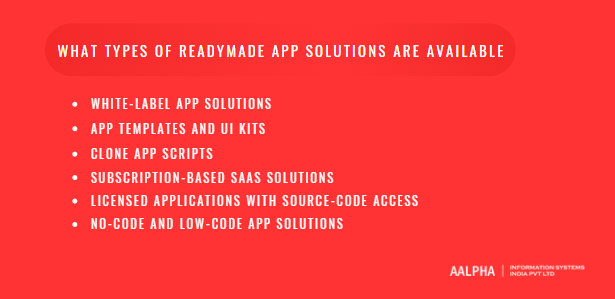
There are six common types: white-label apps, templates and UI kits, clone scripts, SaaS subscriptions, licensed source-code products, and no-code builders. They differ in what you receive, who hosts the software, how far you can change it, and whether you can move it elsewhere later. Those four points matter more than the feature list.
-
White-label app solutions
A white-label solution is a complete product that the vendor rebrands for you. You get your logo, colours, and app store listings. Some vendors hand over the code; many keep it and host the platform for you. Control depends entirely on the contract, so read it before comparing features.
-
App templates and UI kits
Templates and UI kits give you screens and components, usually for Flutter, React Native, or native iOS and Android. They are cheap and save design time. They rarely include a working backend, payments, or an admin panel, so a developer still has to build the business logic.
-
Clone app scripts
Clone scripts copy the workflow of a well-known app, such as a ride-hailing or food delivery service. They are popular because buyers can picture the result. Quality ranges from solid to poor, and some scripts carry outdated libraries or unclear licences for the code inside them. Treat any clone script as something to audit, not something to trust.
-
Subscription-based SaaS solutions
With SaaS, you pay monthly and the vendor runs everything. Setup can take days. You never manage servers, and updates arrive automatically. The trade-off is dependency: you cannot change the code, prices can rise, and leaving means exporting your data and rebuilding elsewhere.
-
Licensed applications with source-code access
Here you pay once, or yearly, for a licence that includes the source code. You host it, change it, and hire any developer to extend it. This is the most flexible readymade option. It also moves security, hosting, and upgrades onto your side of the table.
-
No-code and low-code app solutions
No-code builders let non-developers assemble apps from blocks. They suit internal tools, simple catalogues, and early prototypes. They struggle with complex logic, heavy traffic, and unusual integrations. Most do not let you export working code, so growth often means a rebuild.
How do readymade app solutions work?
A readymade app works like any other app: client apps talk to a backend, which stores data and applies business rules. The difference is that most rules already exist and you change them through settings. Understanding which changes are settings and which need code is the single most useful thing to learn before buying.
-
Frontend applications, backend services, and databases
The frontend is what users touch: Android and iOS apps, and often a web app. The backend is an API, commonly built in Node.js, Laravel, or Django, that handles accounts, orders, and payments. A database such as MySQL, PostgreSQL, or MongoDB holds the records. Ask which stack the product uses, because it decides which developers you can hire later.
-
Administrative dashboards and business controls
The admin panel is where your operations team works. It approves vendors, sets delivery zones, issues refunds, and pulls reports. Spend time here during the demo. A polished customer app with a thin admin panel creates manual work every day after launch.
-
Configuration versus code customization
Configuration means changing values the product already expects: commission rates, tax percentages, service areas, or which payment methods appear. Code customization means changing how the software behaves: a new pricing formula, a new order state, or a new user role. Configuration is fast and survives updates. Code changes cost developer time and can conflict with the vendor’s future releases.
-
Branding, language, and regional settings
Most products let you set your logo, colours, fonts, and app name without code. Language support varies more. Right-to-left layouts for Arabic, local date formats, and currency rounding are often weaker than the sales page suggests, so test them directly if you serve those markets.
-
Hosting and deployment models
SaaS products run on the vendor’s cloud. Licensed products run on yours, usually AWS, Google Cloud, Azure, or a managed VPS. Some vendors offer a middle path where they install and manage the software on your account. Your choice affects data residency, uptime responsibility, and monthly cost.
-
Third-party integrations
No app does everything itself. Maps come from Google Maps or Mapbox, messages from Twilio or a local SMS gateway, emails from a service such as SendGrid, and payments from Stripe, Razorpay, or a regional provider. Check which integrations are built in and which are only listed as possible.
Which readymade app solutions are popular by industry?
Readymade apps are most mature in industries with repeatable workflows: delivery, mobility, logistics, marketplaces, bookings, wellness, education, and home services. Each category has a standard flow that the product handles well. Each also has local or business-specific rules that almost always need customization.
-
Food ordering and delivery apps
The core flow is browse, order, pay, restaurant accepts, driver picks up, customer receives. Products usually include menus, add-ons, ratings, and driver assignment. Customization often covers restaurant-specific prep times, scheduled orders, dine-in or takeaway modes, and commission structures that differ by partner.
-
Grocery and hyperlocal delivery apps
Grocery adds inventory, substitutions, weight-based pricing, and delivery slots. A single order may contain 40 items, and some will be out of stock. The parts that need work are usually substitution approval, store-level stock sync, and packing workflows for staff. White-label products such as Aalpha’s DeliveryStack are built for this kind of on-demand, multi-store delivery.
-
Taxi booking and mobility apps
Ride-hailing apps handle booking, driver matching, live tracking, fare calculation, and payouts. Fare rules vary by city, including surge, night rates, tolls, and airport fees. Many regions also need driver document checks, cash handling, and vehicle categories such as auto-rickshaws or bike taxis that a generic product may not model.
-
Courier, parcel, and logistics apps
Parcel apps track a package from pickup through hubs to delivery, with proof of delivery and cash collection. Single pickup-and-drop is common in readymade products. Multi-stop routes, route optimization, return-to-sender flows, and business accounts with monthly invoicing usually need extra development.
-
Ecommerce and multivendor marketplace apps
Marketplaces let many sellers list products while the platform takes a commission. Readymade options cover catalogues, carts, seller dashboards, and payouts. Watch for split payments, seller-level shipping rules, tax handling across regions, and product variants, all of which tend to need custom work.
-
Hotel, travel, and appointment booking apps
Booking apps manage availability, reservations, reminders, and cancellations. Hotels need room inventory and rate plans. Clinics and salons need staff calendars and service durations. Common gaps include deposits, no-show fees, recurring appointments, and sync with existing property or calendar systems.
-
Healthcare, fitness, and education apps
These include telemedicine, workout and class booking, and course platforms. They share video, scheduling, subscriptions, and progress tracking. Healthcare carries the heaviest compliance load, because patient data is regulated in most countries. Education products often need custom grading, certificates, or links to an existing learning management system.
-
Home services and professional services apps
These connect customers with plumbers, cleaners, tutors, or consultants. The flow is request, quote or fixed price, booking, job completion, and payment. Businesses usually need to adjust quoting, provider verification, service areas, and how disputes and partial completions are handled.
What are the benefits of readymade app solutions?
The main benefits are a faster first launch, lower upfront effort, proven features, a cheap way to test demand, and the chance to try the product before paying. Every one of these depends on fit. If your business model matches the software closely, the savings are real. If it does not, they shrink quickly.
-
A shorter path to an initial launch
A custom two-sided app with customer, provider, and admin apps often takes four to eight months to build. A well-matched readymade product can be branded, configured, and submitted to the app stores in four to ten weeks. The time saved comes from not building accounts, payments, and order flows. It disappears if you need to rewrite those parts.
-
Lower initial development effort
You pay for configuration and changes, not for every screen. That lowers the first invoice and the size of the team you need. The condition is that changes stay modest. Once customization passes roughly a third of the codebase, many teams find a custom build would have cost about the same.
-
Access to prebuilt features and workflows
Mature products already include things founders forget to budget for: password reset, push notifications, promo codes, ratings, tax settings, and admin reports. Each one is small. Together they add up to weeks of work that you do not repeat.
-
Support for testing a business concept
A readymade app lets you run a pilot in one neighbourhood or one city with real orders. You learn what customers actually do before spending on a bespoke platform. If the pilot fails, you have lost less. If it works, you have data to shape the next version.
-
The ability to evaluate a working product before purchase
With custom work, you buy a promise. With a readymade product, you can place test orders, open the admin panel, and see how the driver app behaves on a cheap Android phone. That lowers the risk of buying something that looks good on slides and fails in the field.
-
Vendor support and maintenance options
Many vendors offer installation, a bug-fix warranty, and paid support plans. This helps businesses without a technical team. Check the response times, what counts as a bug versus a change request, and whether support continues if the vendor releases a new major version.
What are the limitations and risks of readymade app solutions?
The main risks are poor fit with your workflow, weak code quality, security gaps, scaling limits, vendor lock-in, unclear licensing, hidden costs, and conflicts between your changes and the vendor’s updates. Most of these are invisible in a demo. They appear after launch, when changing course is expensive.
-
Limited flexibility for unique requirements
A product designed around one workflow resists another. Take a delivery app built for single pickup-and-drop orders. Adding multi-stop deliveries means changing the order model, driver routing, pricing per stop, tracking screens, and proof of delivery at each address. That is not a setting. It touches the database, the API, three apps, and the admin panel.
-
Uncertain code quality and technical debt
You often cannot see the code before buying. Some products are clean and well tested. Others have copied functions, no automated tests, and business logic buried in the user interface. Poor code makes every later change slower and riskier, and you pay that cost for as long as you run the app.
-
Security weaknesses and outdated dependencies
Readymade code is sold to many buyers, so a single flaw affects all of them and attracts attackers. Common issues include missing checks on who can access which order, API keys stored in the app, and open-source libraries that have not been updated in years.
-
Performance and scalability constraints
A product that runs smoothly with 50 test orders may slow down at 5,000 a day. Typical causes are unindexed database queries, location updates sent every second by every driver, and a single server handling everything. Ask the vendor for the largest live deployment and what infrastructure it runs on.
-
Vendor dependency and portability restrictions
With SaaS, the vendor controls uptime, pricing, and the roadmap. With licensed code, you may still depend on the vendor for updates or a licence key. If the vendor closes or changes terms, you need a way to keep running. That requires your own data exports and, ideally, the right to modify and host the code yourself.
-
Licensing and intellectual property issues
Buying code is not the same as owning it. A licence may limit you to one domain, one brand, or one region, or forbid resale. Clone scripts can also include third-party components with licences that conflict with commercial use. Ask for a written list of what you may and may not do.
-
Hidden customization and operating costs
The sticker price rarely covers app store accounts, servers, maps and SMS usage, payment fees, design changes, or a developer to keep things running. These costs arrive monthly and grow with usage. A cheap licence can become an expensive operation.
-
Update conflicts after customization
Once your team changes the code, every vendor update must be merged with those changes. If the vendor rewrites a module you modified, you either skip the update or redo your work. Many businesses end up frozen on an old version, which brings the security problems described above.
Differences between demo functionality and production behavior
Demos run on clean data, fast servers, and good networks. Production has drivers in basements, customers with old phones, and payment gateways that time out. Some demo features are also mocked, such as payments that always succeed. Test every feature you depend on with real accounts before you sign.
How do readymade app solutions compare with custom app development?
Readymade apps usually cost less and launch sooner when your workflow is standard. Custom app development costs more upfront but fits your process exactly, and you own the result. Neither is cheaper in every case. The deciding factors are how unusual your workflow is, how long you plan to run the app, and how much control you need.
-
Initial investment and total ownership cost
A readymade launch might cost USD 10,000 to 60,000 in year one. A custom build of similar scope often starts around USD 40,000 and can pass USD 150,000. Over three to five years the gap narrows. Licences, subscriptions, and workarounds keep adding to the readymade side, while a custom app’s main ongoing cost is maintenance.
-
Development and launch timelines
Readymade apps can go live in weeks when changes are light. Custom apps typically take four to nine months for a first release. Heavy customization of a readymade product can take as long as a custom build, because developers first have to learn someone else’s code.
-
Customization and business differentiation
If your advantage is price, location, or brand, a readymade app may be enough. If your advantage is how the product works, such as a unique matching rule or pricing model, custom software protects it better. Competitors can buy the same readymade product you did.
-
Ownership, control, and portability
Custom development, under a proper contract, gives you full ownership of the code. Readymade solutions range from no code access at all (SaaS) to a broad licence with source code. Portability, meaning the ability to move hosts or vendors, follows ownership closely.
-
Security, performance, and scalability
A custom build can be designed for your expected load and your compliance needs from the start. A readymade product has whatever architecture its author chose. That can be excellent or weak. Either way, an independent review is worth doing before launch.
-
Maintenance and future development
Custom apps depend on your team or agency for updates. Readymade apps depend on the vendor for core updates and on you for your changes. The second arrangement is cheaper while customizations are small and harder once they grow.
-
A hybrid approach using a prebuilt foundation
Many businesses take a middle path. They license a product with full source code, keep its standard modules for accounts, payments, and notifications, and rebuild the parts that make them different. This keeps the time savings where the work is generic and spends money where it creates value.
How to choose based on business requirements
Choose readymade when your workflow matches an existing product closely, you need to launch within three months, and your budget is limited. Choose custom when your core process is unusual, you expect heavy scale, or regulators require tight control over data and code. Choose hybrid when you are somewhere in between, which is common.
Which features should you evaluate before buying?
Evaluate accounts, core workflows, admin roles, payments and refunds, notifications, search and order management, reporting, APIs, localization, and backups. Do not stop at the standard purchase flow. Test what happens when a payment fails, an order is cancelled halfway, or a refund is partial, because that is where weak products break.
-
Registration, authentication, and account management
Check sign-up by phone OTP, email, and social login, along with password reset and account deletion. Apple requires apps that support account creation to also let users delete their accounts from within the app. Confirm that one person cannot see another person’s orders by changing an ID in a request.
-
Core business workflows and exception handling
Walk through every order state: placed, accepted, rejected, in progress, delayed, cancelled by each party, completed, and disputed. Ask what happens when a provider never responds. A good product has timeouts, reassignment, and clear notifications for each case.
-
Administrative tools and role-based permissions
Your support agent should not be able to change commission rates. Look for roles such as super admin, operations, support, finance, and vendor manager, each with limited access. An audit log showing who changed what is valuable when something goes wrong.
-
Payments, refunds, commissions, and settlements
Test full and partial refunds, failed payments, cash orders, wallet top-ups, and tips. Check how commissions are calculated and how vendors and drivers are paid out. Settlement reports should reconcile with your payment gateway statement to the cent.
-
Notifications and customer communication
Push notifications, SMS, email, and in-app chat should be configurable per event. Check whether templates can be edited without a developer and whether messages support your languages.
-
Search, booking, and order management
Search should handle typos, filters, and location. Booking should prevent double bookings. Order management should let staff find any order quickly and change it with a recorded reason.
-
Analytics, reports, and data exports
You need sales, order volume, cancellation rate, provider performance, and payout reports. More important, you need to export raw data to CSV or through an API. Without exports, your history is trapped in the vendor’s system.
-
APIs and webhook support
Documented APIs and webhooks let you connect your CRM, accounting tool, or warehouse system later. Ask for the API documentation before buying. No documentation usually means integration will be slow.
-
Accessibility, localization, and device compatibility
Check screen-reader labels, text scaling, and colour contrast. Test right-to-left languages if you need them. Run the apps on low-cost Android phones and older iOS versions your customers actually use.
-
Monitoring, backups, and recovery
Ask how errors are logged, how often the database is backed up, where backups are stored, and how long a restore takes. A product with no answer here is not ready for real customers.
How do you choose the right readymade app solution?
Start with your business problem, not the product catalogue. Write down who uses the app and what they must be able to do, then test shortlisted products against those exact scenarios. Score vendors on fit, code terms, and support, and put deliverables and acceptance criteria in writing before paying.
-
Define the business problem and target users
Describe the business in one paragraph: who pays, who delivers, how money moves, and where you operate. List each user type, such as customer, vendor, driver, and admin. This keeps the evaluation focused on your model rather than on whatever the demo shows best.
-
Identify essential and optional requirements
Split features into must-have for launch, needed within six months, and nice to have. Be strict. A long must-have list makes every product look weak and pushes you toward custom work you may not need yet.
-
Assess the product’s fit with your workflows
Map your process step by step and mark where the product matches, where configuration covers the gap, and where code is needed. If more than a handful of core steps need code, reconsider the product or move to a hybrid plan.
-
Test realistic business scenarios
Run ten to fifteen scenarios in the demo with your team. Include a busy-hour order, a cancellation after pickup, a failed payment, a partial refund, a provider rejecting a job, and an admin correcting a mistake. Note every step that needed a workaround.
-
Review technical documentation and source-code terms
Ask for installation guides, API documentation, and the technology stack. If source code is included, ask for a sample or a supervised code review. Read the licence for domain limits, resale rights, and what happens if the vendor stops trading.
-
Evaluate vendor experience and support commitments
Ask how many businesses run the product live, for references you can call, and when the last major update shipped. Check support hours against your time zone and the response times written into the contract.
-
Compare vendors using a weighted scorecard
Give each criterion a weight, score each vendor from one to five, and multiply. Typical weights are workflow fit 30 percent, code quality and ownership 20 percent, total cost 20 percent, vendor support 15 percent, and security 15 percent. The scorecard stops the cheapest or best-looking demo from winning by default.
Document deliverables and acceptance criteria
The contract should list every app, panel, and document you receive, the customizations agreed, and how each will be tested before sign-off. Include the handover of source code, credentials, and store accounts.
A short vendor evaluation checklist:
- Does the product handle our top ten scenarios without workarounds?
- Do we receive source code, and what does the licence allow?
- Can we export all data at any time?
- Which third-party services are required, and who pays for them?
- When was the last major update, and how are updates delivered?
- What are the support hours, response times, and warranty period?
- Can we speak to two businesses running it live?
- Has the code been through any independent security review?
How much do readymade app solutions cost?
A readymade app usually costs USD 10,000 to 60,000 in its first year once it is launch-ready. The advertised price is only one part. Customization, hosting, third-party services, testing, and maintenance often add two to five times the licence fee. The figures below are estimates based on typical small and mid-sized launches, not quotes.
Common pricing models
Vendors charge in five main ways. A one-time licence buys the code, sometimes with a year of updates. A subscription charges monthly for a hosted platform. Per-user pricing scales with active drivers, vendors, or staff. Transaction fees take a percentage or fixed amount per order. Managed service fees cover the vendor running and supporting the platform for you. Many vendors combine two or more of these.
What the advertised price includes
A low listed price often covers only the base code with default branding. Admin panels, provider apps, installation, and app store submission may be separate line items. Ask for an itemized quote that names every app and service included, and the number of revision rounds.
Branding and customization costs
Rebranding alone, meaning logo, colours, app name, and splash screens, is usually inexpensive. Business rule changes, new screens, and new features are billed by effort. This is the most variable cost and the one most often underestimated.
Hosting and deployment costs
Self-hosted products need servers, a database, file storage, and a domain with SSL. A small launch can run on a few hundred dollars a month. Costs rise with traffic, location tracking, and media storage. Initial server setup and deployment are often a separate one-time fee.
Third-party services and integration charges
Maps, SMS, email, push notifications, and payment gateways all charge by usage. Payment gateways take a percentage of each transaction. Store accounts add fixed costs: the Apple Developer Program charges USD 99 a year and a Google Play developer account has a one-time USD 25 fee.
Testing and security review costs
Functional testing across devices, load testing, and a security review protect you from expensive failures after launch. Budget for this even if the vendor says the product is tested. Their tests did not cover your changes.
Maintenance, support, and upgrade costs
Expect ongoing costs for bug fixes, operating system updates, library upgrades, and small improvements. A common rule of thumb is 15 to 25 percent of the initial build cost each year. Paid vendor support plans sit on top of this if you need them.
Calculating total cost of ownership
Add the licence or subscription, one-time setup and customization, monthly operating costs for twelve months, and maintenance. Then repeat for years two and three. Compare that figure, not the sticker price, across vendors and against a custom build.
Cost component | What it covers | Estimated year-one cost (USD) | How it is paid |
Licence or subscription | Base product, sometimes with first-year updates | 500 to 15,000 one-time, or 100 to 2,000 per month | One-time or monthly |
Branding and customization | Visual branding, business rules, new screens and features | 2,000 to 30,000 | Project fee |
Hosting and deployment | Servers, database, storage, domain, SSL, initial setup | 1,200 to 9,600 | Monthly, plus one-time setup |
Third-party services | Maps, SMS, email, push notifications | 600 to 6,000 | Monthly, usage-based |
Payment gateway | Card and wallet processing | Usually 2 to 3 percent per transaction | Per transaction |
App store accounts | Apple and Google developer accounts | 124 | Yearly (Apple), one-time (Google) |
Testing and security review | Device testing, load testing, security assessment | 1,500 to 8,000 | Project fee |
Maintenance and support | Bug fixes, OS updates, library upgrades, minor changes | 3,000 to 15,000 | Monthly retainer or hourly |
Estimates assume a two-sided app with customer, provider, and admin components, a single city or region, and up to a few thousand orders a day. They exclude marketing, staff, and other business operating costs.
An illustrative first-year budget
Consider a food delivery business launching in one city with a licensed source-code product. An illustrative year-one budget might be: licence USD 3,000, branding and moderate customization USD 12,000, hosting at about USD 200 a month for USD 2,400, maps, SMS, and email at about USD 150 a month for USD 1,800, testing and security review USD 3,000, maintenance at about USD 500 a month for USD 6,000, and store accounts USD 124. That totals about USD 28,300, before payment gateway fees.
This is an example, not a quote. Marketing, rider recruitment, customer support staff, and insurance are business operating costs and sit outside this application budget.
What customization and integration options are available?
Most readymade apps can be rebranded easily, adjusted through business rules, and extended with new features and integrations. Deeper changes to the database or architecture are possible only with source-code access. Vendor-hosted products limit you to what the vendor exposes. At some point, rebuilding a module is cheaper than bending it.
-
Branding and interface customization
This covers logo, colours, typography, app icons, onboarding screens, and store listings. It also includes layout changes, such as reordering the home screen or adding promotional banners. Interface work is usually quick unless it changes how screens connect.
-
Business rules and workflow changes
Rules include pricing, commissions, taxes, service radius, cancellation fees, and order assignment logic. Simple rule changes may be settings. Changes to the order lifecycle, such as adding an approval step before dispatch, need code in the backend and every app that shows order status.
-
Adding features and integrations
Typical additions are loyalty points, subscriptions, referral programmes, and local payment methods. Integrations connect the app to a CRM such as HubSpot or Salesforce, accounting tools such as QuickBooks, Xero, or Tally, ERP or inventory systems, and courier partners. Integrations go faster when the product already has a documented API.
-
Database and architecture modifications
Some needs touch the foundation: multi-tenant support for several brands, multi-country tax and currency, or splitting a monolith to handle more traffic. These changes are expensive and risky in someone else’s code. Plan them early and test them heavily.
-
Restrictions in vendor-hosted solutions
SaaS and managed products usually allow branding, settings, and sometimes plugins or webhooks. They rarely allow custom backend logic or direct database access. If your roadmap depends on deep changes, a hosted product may block you no matter how much you are willing to pay.
When rebuilding becomes more practical than customization
Rebuilding a module makes sense when every change breaks something else, when the code has no tests, or when your requirement contradicts the original design. The multi-stop delivery example is typical: rebuilding the order and routing module cleanly can cost less than patching the single-drop model repeatedly.
What security, privacy, and legal issues should you consider?
Check authentication and access control, payment handling, dependency updates, privacy consent and data retention, software licences, sector and country rules, and app store policies. A readymade product does not transfer these obligations to the vendor. As the business running the app, you remain responsible to your users and regulators.
-
Authentication, authorization, and data protection
Authentication confirms who a user is. Authorization controls what they can see and change. The second is where readymade apps fail most often, for example when any logged-in user can fetch any order by guessing its number. Data should be encrypted in transit with HTTPS and at rest in the database and backups.
-
Secure payment integration
Card data should go straight to a certified payment gateway through its hosted fields or SDK, never through your own servers. This keeps most of the PCI DSS burden with the gateway. Verify payment results on the server through webhooks, not just in the app, so a tampered app cannot fake a successful payment.
-
Vulnerability management and dependency updates
Run a dependency scan on the code at purchase and on a schedule afterwards. Agree who patches what: the vendor for core code, your team or agency for your changes. Older readymade products commonly ship with libraries that have known, published vulnerabilities.
-
Privacy, consent, and data retention
Collect only what you need, ask for consent where the law requires it, and publish a clear privacy policy. Set retention periods for location history, chat logs, and documents. Laws such as the EU’s GDPR and India’s Digital Personal Data Protection Act, 2023 set specific duties for consent, access, and deletion.
-
Software licensing and third-party component rights
Your licence should state clearly whether you may modify, host, rebrand, and resell the software. Ask for a list of open-source components and their licences. Some licences carry obligations that conflict with closed commercial products.
-
Industry and jurisdiction-specific requirements
Healthcare apps may fall under rules such as HIPAA in the US. Fintech features may need licensed partners. Ride-hailing and delivery often need local permits, driver verification, and data stored in-country. Confirm these with a qualified lawyer in each market before launch.
-
App marketplace submission policies
Apple’s App Review Guidelines state that apps built from commercial templates or app generators may be rejected unless the business providing the content submits them itself. Google Play also restricts apps that repeat existing content without added value. Submit from your own developer accounts, with your own content and branding, to avoid rejection.
What is the step-by-step process to launch a readymade app?
A typical launch runs through nine steps: validate the model, select and contract, review the software, configure it, prepare infrastructure, test, pilot, submit to the stores, and monitor. With light customization this takes six to twelve weeks. Skipping the review, testing, or pilot steps is the most common reason launches slip later.
-
Validate the business concept and operational model
Before buying software, confirm that the business works on paper. Who are your first 50 vendors or drivers? What will customers pay, and what does each order cost you to fulfil? Software cannot fix a model that loses money on every order.
-
Select the solution and finalize the agreement
Use the scorecard from the selection stage. Sign a contract that lists deliverables, customizations, timelines, payment milestones, warranty, source-code handover, and data ownership.
-
Review the software and plan required changes
Install the product in a test environment and have a developer review the code, database, and security. Turn your gap list into a written change plan with estimates. Agree on scope before work starts, and handle new requests through a simple change process.
-
Configure branding, workflows, and integrations
Apply the brand, set business rules, connect payment, maps, and messaging accounts, and build the agreed changes. Use separate development, staging, and production environments so testing never touches live data.
-
Prepare infrastructure and migrate data
Set up production servers, backups, monitoring, and domains. If you are moving from an older system or spreadsheets, import products, vendors, and customers, and check the results with sample records.
-
Test functionality, security, and performance
Run every scenario from your evaluation list on real devices. Load test the busiest hour you expect, then double it. Fix critical and high-severity security findings before any real customer uses the app.
-
Run a controlled pilot
Launch to a limited area, user group, or invite list for two to four weeks. Watch failed orders, support tickets, and payout accuracy daily. Fix what you find before expanding.
-
Prepare app submissions and launch materials
Prepare store listings, screenshots, privacy details, and support contacts. Allow time for app review, which can take days and may need changes. Train your support and operations staff on the admin panel.
-
Launch and monitor early usage
Open to the full market, track crash rates, response times, order completion, and cancellations, and keep a developer on call for the first few weeks. Plan a first update within a month based on what users actually do.
How do you handle maintenance, scalability, and long-term growth?
Assign clear ownership for maintenance, keep your changes compatible with vendor updates, monitor reliability and costs, and plan capacity ahead of growth. Keep backups and data exports current so you always have an exit. Review once a year whether the readymade foundation still fits or whether parts should move to custom code.
-
Assign maintenance and support responsibilities
Write down who handles server issues, app crashes, payment problems, and store policy updates, and how fast. Split responsibilities between the vendor, your development partner, and your own team in one simple document. Gaps here turn small outages into long ones.
-
Manage software updates and customization compatibility
Keep your changes in version control, separate from the vendor’s code where possible. Before applying an update, test it in staging against your customizations. Apple and Google release new OS versions every year, and apps that are not updated can stop working properly or fail store requirements.
-
Monitor reliability, performance, and costs
Track uptime, API response times, crash-free sessions, and error rates. Watch cloud, maps, and SMS bills monthly. Usage-based services can grow faster than revenue if nobody is looking.
-
Plan for more users, transactions, and locations
Growth stresses the database, real-time tracking, and notifications first. Add caching, database indexes, queues for background jobs, and autoscaling before you need them. New cities or countries bring new taxes, currencies, languages, and regulations, so treat expansion as a project.
-
Maintain backups, data exports, and an exit plan
Test a restore from backup at least quarterly. Export your core data regularly to a location you control. Keep a short exit plan that lists what you would need to move to another vendor or host within 60 days.
-
Decide when to move toward custom development
Signs that it is time include frequent workarounds, frozen updates because of heavy customization, performance limits that tuning cannot fix, and features that competitors can match by buying the same product. Many businesses then rebuild one module at a time rather than everything at once.
What common mistakes should you avoid?
The costliest mistakes are buying on price or screenshots, assuming every advertised feature is included, confusing code access with ownership, ignoring exceptions, underestimating recurring costs, skipping technical review and pilots, and leaving handover undefined. Each is easy to prevent before signing and hard to fix after launch.
-
Buying based only on price or screenshots
Screens show design, not behaviour. The cheapest product often costs the most once you add the work to make it usable. Judge products by how they handle your scenarios.
-
Assuming all advertised features are included
Feature lists sometimes mix the base package with paid add-ons or items on a future roadmap. Ask the vendor to confirm in writing which features are in your package and working today.
-
Confusing source-code access with ownership rights
Receiving the code does not mean you can resell it, run it for a second brand, or keep using it if the licence ends. Read the terms, and if ownership matters, negotiate it explicitly.
-
Ignoring operational exceptions
Refunds, disputes, no-shows, and failed payments happen every day once you have real volume. If the admin panel cannot handle them, your team will handle them by hand, at a cost that grows with every order.
-
Underestimating recurring costs
Hosting, third-party usage, store fees, and maintenance continue every month. Build them into the business plan from the start, and model how they change at five and ten times your launch volume.
-
Skipping technical review and pilot testing
A one-week code and security review and a two-week pilot cost little compared with a public failure. Both regularly find problems the demo hid.
-
Failing to agree on documentation and handover
Without documentation, credentials, and source code in your hands, you depend on one vendor or developer forever. List every item to be handed over and make the final payment depend on it.
Why choose Aalpha for readymade app solutions?
Aalpha Information Systems is a mobile app development company that helps businesses decide between a readymade, customized, or custom-built app, then delivers whichever fits. Since 2008, the team has completed more than 5,500 projects for clients in 55+ countries. That work spans the delivery, marketplace, booking, and SaaS products that most readymade solutions are built around.
-
Business-focused solution assessment
Aalpha starts with your business model, not a product to sell. The team maps your workflows against available readymade options and against a custom build, then gives you a clear recommendation with cost and timeline for each path. Sometimes the answer is a lightly configured product. Sometimes it is a hybrid that keeps the standard modules and rebuilds the core.
-
Customization for your business workflows
Aalpha adapts branding, user experience, business rules, and admin functions to how your operations actually run. That includes industry-specific needs such as multi-stop routing for logistics, substitutions for grocery, or staff calendars for clinics. For on-demand delivery, Aalpha’s white-label DeliveryStack platform provides a tested foundation to build on.
-
Integration with existing business systems
The team connects apps to payment gateways, CRM platforms, accounting tools, ERP and inventory systems, courier partners, and regional SMS and map services. Integrations are built against documented APIs, so they keep working when either side is updated.
-
Technical review, testing, and deployment
Before launch, Aalpha reviews the code for quality and security, tests your real business scenarios on real devices, load tests for expected traffic, and sets up production infrastructure with backups and monitoring. Delivery follows ISO 9001:2015 certified quality processes.
-
Maintenance and future feature development
After launch, Aalpha handles bug fixes, OS and library updates, performance tuning, and new features. Customizations are kept in version control and tested against vendor updates, so your app does not get stuck on an old release. Clients rate the work 4.9 out of 5 across more than 215 reviews on Clutch.
Discuss your requirements with Aalpha
If you are weighing a readymade app against a custom build, get in touch with Aalpha Information Systems to discuss your requirements. The team can assess both options and provide an estimate covering development, launch, and ongoing costs.
Frequently asked questions about readymade app solutions
Are readymade app solutions suitable for startups?
Yes, when the startup’s model is close to an existing product and the goal is to test demand quickly. They are less suitable when the startup’s main idea is a new workflow, because the readymade product will not include it and competitors can buy the same base.
How do readymade apps differ from white-label apps?
Readymade is the broad category for any prebuilt app. White-label is one type within it, sold specifically to be rebranded under the buyer’s name. All white-label apps are readymade, but templates, SaaS tools, and no-code builders are readymade without being white-label.
Do readymade app solutions include source code?
Some do and some do not. Licensed products and many white-label packages include it. SaaS platforms and most no-code builders do not. Always confirm in the contract which code you receive, for which apps, and under what licence.
Can a readymade application be customized?
Yes. Branding and settings are usually easy. Workflow changes and new features need developers and, for deep changes, access to the source code. Hosted SaaS products allow the least customization.
How long does it take to launch a readymade app?
With light customization, six to twelve weeks is typical, including testing and app store review. Moderate changes can push this to three or four months. Heavy changes may take as long as a custom build.
Can readymade applications support business growth?
They can, if the architecture is sound and you invest in hosting, monitoring, and performance work as volume grows. Weak products hit limits early. Ask about the vendor’s largest live deployment and run a load test before launch.
Who owns the application and customer data?
You should own your customer and transaction data in every model, and the contract should say so. Code ownership varies: you may own it outright, hold a licence to use it, or have no access at all with SaaS.
What ongoing costs should businesses expect?
Expect hosting, third-party services such as maps and SMS, payment gateway fees, app store fees, maintenance, and possibly a subscription or support plan. For a small launch these often total several hundred to a few thousand US dollars a month.
Can businesses change vendors or hosting providers?
With source code and data exports, yes, though the move takes planning. With SaaS, you can usually export data but must rebuild or buy a new platform. Check exit terms before you sign, not when you need them.
When is custom app development a better choice?
Custom development is better when your core process is unusual, when you need full ownership for investors or regulators, when you expect very high scale, or when no readymade product covers most of your must-have workflow.
Conclusion
A readymade app is the right choice when your workflow is close to standard, you need to launch within a few months, and you have tested the product against your real scenarios. Judge every option on four things: business fit, technical quality, licensing rights, and total cost over three years. The sticker price is the least reliable of these.
If the product covers most of your must-have workflow, configure it, review it, pilot it, and launch. If it covers only part, consider a hybrid build that keeps the standard modules and replaces the rest. If your core process is what sets you apart, build it custom.
The next step is a short assessment: list your user types and top ten scenarios, then test two or three shortlisted products against them. Aalpha Information Systems can run that assessment with you and estimate each path.