






A subscription-based website is an online platform where users pay a recurring fee to access content, services, software, products, communities, tools, or premium features. Instead of selling once and ending the customer relationship, a subscription website is built around continuous value. Users may pay monthly, quarterly, or annually, depending on the pricing model. In return, they receive ongoing access to something useful, such as a learning portal, SaaS dashboard, paid newsletter, fitness program, private community, digital library, research database, product delivery plan, or professional service package.
Definition of a Subscription-Based Website
A subscription-based website works by combining three core elements: user accounts, recurring payments, and restricted access. A visitor signs up, chooses a plan, completes payment, and receives access based on the subscription level they selected. For example, a basic user may access limited content, while a premium user may access advanced lessons, downloadable resources, analytics tools, community discussions, live sessions, or priority support. The website automatically manages renewals, payment reminders, failed payments, plan upgrades, cancellations, and access permissions.
What makes this model different from a standard business website is the recurring relationship between the business and the customer. A normal website may only generate leads or process one-time purchases, but a subscription website is designed to generate predictable recurring revenue. This is why the model is widely used across SaaS platforms, membership portals, online course websites, media platforms, professional communities, subscription eCommerce businesses, and digital service providers.
Why Subscription Websites Are Growing
Subscription websites are growing because both businesses and customers now prefer ongoing access over one-time ownership in many categories. Customers want convenience, flexibility, personalization, and continuous updates. Businesses want predictable income, stronger customer retention, and higher customer lifetime value. Industry data shows that the global subscription economy market was estimated at USD 492.34 billion in 2024 and is projected to reach USD 1,512.14 billion by 2033, growing at a CAGR of 13.3% from 2025 to 2033.
This shift is especially visible in SaaS, online learning, paid communities, digital media, and creator-led businesses. SaaS companies use subscriptions to deliver cloud-based software without forcing customers to buy expensive licenses upfront. Educators and coaches use subscription websites to sell courses, memberships, live classes, and learning resources. Creators use paid communities and premium content models to monetize loyal audiences directly. Payment providers have also made recurring billing easier by supporting subscription plans, usage-based pricing, automated payment collection, invoicing, failed payment recovery, and revenue reporting.
Who Should Build a Subscription Website?
A subscription website is suitable for any business that can deliver repeated value over time. Entrepreneurs can use it to validate and monetize niche ideas. SaaS founders can build recurring software platforms. Educators can sell structured learning programs. Coaches and consultants can offer premium communities, templates, workshops, and advisory access. Media companies can create paid newsletters, digital magazines, and research portals. Fitness trainers can offer workout plans, meal plans, progress tracking, and live sessions. Marketplaces can offer premium seller tools, buyer access, or recurring service packages. Businesses that already provide recurring digital or physical services can also use a subscription website to automate billing, improve customer access, and reduce manual work.
This guide explains how to build a subscription-based website from idea to launch. By the end, you will understand not only how to build a subscription website, but also how to make it commercially viable, technically reliable, and valuable enough for users to keep paying month after month.
Types of Subscription-Based Websites
Subscription-based websites are not limited to one industry or business model. A subscription model can be used for digital content, software, physical products, education, communities, professional services, media access, or a combination of these. The right type of subscription website depends on what customers are willing to pay for repeatedly. A strong subscription website does not simply charge users every month; it gives them a clear reason to stay subscribed because the value continues after the first payment.
-
Membership Websites
A membership website allows users to pay for exclusive access to content, resources, communities, courses, reports, tools, templates, or expert guidance. This model is common among consultants, coaches, educators, creators, professional associations, industry experts, and niche communities. The key value of a membership website is controlled access. Free visitors may see public content, while paying members receive premium materials that are hidden behind a login.
For example, a business coach may offer paid members access to strategy templates, recorded workshops, live Q&A sessions, private discussion boards, and monthly implementation guides. A legal consultant may create a membership portal where businesses can access legal document templates, compliance guides, and expert sessions. A fitness trainer may offer workout plans, diet resources, progress tracking, and a private support community. In each case, the subscription works because users receive continuous access to material or guidance they cannot get from a basic public website.
A membership website is often easier to launch than a full SaaS product because the first version can be built around content, access control, payment integration, and member management. However, retention depends heavily on fresh resources, active engagement, useful updates, and a strong reason for users to keep returning.
-
SaaS Subscription Websites
A SaaS subscription website is a software-as-a-service platform where users pay monthly or yearly to access cloud-based software. Instead of downloading or installing software locally, users log in through a web browser and use the product online. SaaS websites commonly include dashboards, automation tools, reporting systems, customer portals, collaboration features, workflow management, analytics, integrations, and business applications.
Examples include accounting software, CRM systems, project management tools, HR platforms, appointment booking software, marketing automation tools, AI tools, document management platforms, inventory systems, and analytics dashboards. A small business may pay monthly for invoicing software. A marketing team may subscribe to a campaign automation platform. A clinic may subscribe to appointment scheduling and patient communication software. The subscription fee gives users ongoing access to the software, updates, cloud hosting, technical support, and new features.
SaaS subscription websites usually require stronger backend development than simple membership websites. They need secure user accounts, role-based permissions, database architecture, recurring billing, usage tracking, APIs, admin panels, reporting, and reliable hosting. For this reason, SaaS platforms are often built through custom development when the business model is complex or when the product needs long-term scalability.
-
Online Course and Learning Platforms
Online course and learning platforms use subscriptions to give learners access to educational content, structured lessons, live classes, certificates, quizzes, assignments, progress tracking, and community support. Instead of selling one course as a one-time product, the platform may offer access to a library of courses for a monthly or yearly fee.
This model works well for educators, training companies, coaching businesses, schools, professional certification providers, and businesses selling skill-based learning. A learning subscription website may include video lessons, downloadable resources, quizzes, assignments, instructor feedback, certificates, student dashboards, live sessions, discussion areas, and progress reports. Users stay subscribed because they continue learning, completing modules, attending classes, and accessing new content.
For example, a coding education platform may offer monthly access to beginner, intermediate, and advanced programming courses. A business training company may provide leadership courses, sales training, templates, and certification programs. A language learning website may offer lessons, practice exercises, pronunciation tools, live tutoring, and learner progress tracking. The strongest learning subscription websites combine structured content with accountability, progress visibility, and fresh material.
-
Subscription eCommerce Websites
Subscription eCommerce websites allow customers to receive physical products on a recurring schedule. This model is widely used for groceries, beauty products, pet supplies, health products, supplements, meal kits, personal care products, cleaning supplies, books, fashion accessories, and niche subscription boxes. Customers subscribe once and receive products weekly, monthly, quarterly, or based on a custom delivery schedule.
The main value of a subscription eCommerce website is convenience. Customers do not need to reorder regularly used products manually. For example, a customer may subscribe to monthly skincare products, weekly meal kits, pet food delivery, coffee beans, organic groceries, or health products. The business benefits from predictable repeat purchases, while customers benefit from automated delivery and consistent availability.
A subscription eCommerce platform requires product catalog management, recurring order creation, inventory tracking, shipping rules, customer account management, payment automation, delivery scheduling, cancellation options, and customer support workflows. Unlike digital subscription websites, physical subscription models also need operational planning, packaging, logistics, returns, and supplier coordination.
-
Media, News, and Content Subscription Websites
Media, news, and content subscription websites charge users for access to premium articles, newsletters, research, reports, analysis, videos, podcasts, interviews, or knowledge libraries. This model is common among digital publishers, independent journalists, financial analysts, research companies, industry experts, niche bloggers, and professional knowledge platforms.
A paid content website may use a full paywall, metered paywall, freemium model, or member-only content structure. In a full paywall, most valuable content is available only to subscribers. In a metered model, users may read a limited number of free articles before being asked to subscribe. In a freemium model, some content remains public while deeper reports, expert analysis, downloadable resources, or premium insights are reserved for paid users.
This model works best when the content is trusted, specialized, timely, or difficult to find elsewhere. Users are more likely to subscribe when the website helps them make better business, investment, career, academic, or personal decisions.
-
Community-Based Subscription Websites
Community-based subscription websites allow users to pay for access to private groups, networking spaces, mastermind communities, expert forums, coaching groups, peer learning circles, or professional member areas. The product is not only content; it is access to people, conversations, shared knowledge, accountability, and belonging.
This model is common among founders, marketers, investors, creators, fitness groups, career communities, industry professionals, and coaching businesses. A founder community may offer networking events, investor introductions, expert sessions, templates, and peer discussions. A marketing community may provide campaign reviews, workshops, tool recommendations, and private discussions. A professional association may offer member directories, events, certification resources, and industry updates.
The success of a community subscription website depends on engagement. If members join but conversations are inactive, cancellations increase. Strong communities need moderation, regular events, useful discussions, expert participation, member recognition, and clear community rules.
-
Hybrid Subscription Websites
Many modern subscription websites combine multiple models into one recurring revenue platform. A hybrid subscription website may include content, community, software, services, eCommerce, and expert support under one subscription. This approach can increase perceived value because users are not paying for only one feature; they are paying for a complete experience.
For example, a fitness subscription platform may include workout videos, diet plans, live coaching, progress tracking software, a private community, and monthly supplement delivery. A business education platform may include courses, templates, expert calls, a private community, and SaaS tools for planning or reporting. A creator platform may include premium content, live sessions, downloadable resources, paid community access, and merchandise discounts.
Hybrid subscription websites are powerful because they give users several reasons to stay subscribed. However, they are also more complex to build and manage. Businesses need to plan content operations, software features, community management, billing rules, user roles, fulfillment, analytics, and support carefully. For many subscription businesses, the best approach is to start with one strong core offer, prove demand, and then add complementary subscription features over time.
Benefits of Building a Subscription-Based Website
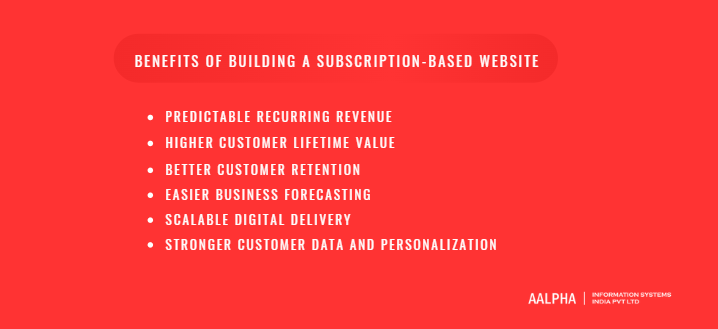
A subscription-based website gives businesses a more stable way to generate revenue, serve customers, and build long-term relationships. Instead of depending only on one-time sales, a subscription model allows a company to earn repeatedly by delivering continuous value. This makes the model attractive for SaaS companies, membership platforms, online course providers, digital publishers, eCommerce brands, professional communities, and service businesses that want more predictable growth.
-
Predictable Recurring Revenue
The biggest benefit of a subscription-based website is predictable recurring revenue. When customers pay monthly or annually, the business has a clearer view of expected income. This is very different from a one-time purchase model, where revenue depends heavily on new sales every month. A business selling one-time products must keep finding new customers to maintain revenue. A subscription business, on the other hand, can begin each month with revenue already committed from existing subscribers.
For example, if a website has 1,000 customers paying $20 per month, it starts the month with $20,000 in monthly recurring revenue before adding any new customers. If some users choose annual plans, the business also receives upfront cash that can support marketing, product development, hiring, and operations. This financial predictability is one of the main reasons SaaS companies, learning platforms, paid communities, and subscription eCommerce brands prefer recurring billing models.
-
Higher Customer Lifetime Value
A subscription website can increase customer lifetime value because the business earns from the same customer over a longer period. In a one-time sales model, the customer may buy once and never return. In a subscription model, the relationship continues as long as the customer keeps receiving value. This means a single customer can generate revenue for several months or even years.
For example, a customer who pays $49 once for a downloadable course creates $49 in revenue. But if the same customer pays $19 per month for a learning membership and stays for 12 months, the total revenue becomes $228. The same principle applies to SaaS products, paid newsletters, coaching portals, subscription boxes, and professional communities. A subscription business does not need every customer to make a large upfront payment. It needs to provide enough continuous value for users to keep paying over time.
Higher customer lifetime value also gives a business more room to invest in marketing and customer support. If the average customer stays longer and pays more over time, the company can afford better onboarding, better content, better product development, and stronger retention campaigns.
-
Better Customer Retention
Subscription websites are naturally built around retention because the business must keep serving users after the first payment. Customers stay subscribed when they receive ongoing value through new content, software updates, expert guidance, product deliveries, community interaction, learning progress, or useful support. This creates a more active relationship between the brand and the customer.
For example, an online learning platform can retain users by adding new lessons, certificates, live classes, progress tracking, and instructor support. A SaaS website can retain users by releasing new features, improving workflows, fixing issues, and providing reliable customer service. A community website can retain members through active discussions, expert sessions, events, and peer networking. In each case, retention improves when users see that the subscription continues to solve a real problem.
A good subscription website also makes customers feel involved. Features such as member dashboards, usage history, recommendations, saved preferences, progress reports, and community activity encourage users to return regularly. The more often users engage, the more likely they are to stay subscribed.
-
Easier Business Forecasting
Recurring revenue makes business forecasting easier because the company can estimate future income with more confidence. This helps founders and managers make better decisions about hiring, marketing budgets, infrastructure, product development, customer support, and expansion. When a business knows its monthly recurring revenue, churn rate, average revenue per user, and customer acquisition cost, it can plan growth more accurately.
For example, a SaaS business with stable recurring revenue can decide when to hire developers, increase server capacity, expand the sales team, or invest in paid ads. A subscription eCommerce business can forecast product demand, inventory needs, packaging requirements, and delivery volumes. A paid content website can plan editorial teams, content calendars, and marketing budgets based on expected subscriber revenue.
Subscription metrics also help build investor confidence. Investors often prefer businesses with recurring revenue because they can track retention, revenue growth, customer lifetime value, and expansion opportunities. A business that can show consistent subscriber growth and low churn is usually easier to evaluate than a business with unpredictable one-time sales.
-
Scalable Digital Delivery
Subscription websites are especially powerful when the product is digital. Software, courses, templates, reports, videos, newsletters, tools, and communities can often be delivered to many users without a proportional increase in cost. Once the core platform is built and the content or software is created, the same digital asset can serve hundreds, thousands, or even millions of users.
For example, a SaaS dashboard can be used by many customers through cloud infrastructure. A recorded course can be watched by unlimited learners. A paid report can be downloaded by thousands of subscribers. A private community can grow without needing a separate physical location for every member. This scalability makes digital subscription businesses attractive because revenue can grow faster than delivery costs when the platform is planned correctly.
That said, scalability still requires good infrastructure. A growing subscription website needs reliable hosting, secure authentication, database optimization, payment automation, customer support systems, analytics, and regular maintenance. The advantage is that the business does not need to recreate the product from scratch for every new customer.
-
Stronger Customer Data and Personalization
A subscription-based website gives businesses access to useful customer behavior data. The platform can track what users view, how often they log in, which features they use, what content they complete, where they drop off, which plans they choose, and when they are likely to cancel. This data can help improve recommendations, onboarding, pricing, customer support, and the overall user experience.
For example, an online course platform can recommend the next lesson based on completed modules. A SaaS website can identify users who have not used important features and send onboarding prompts. A media website can recommend articles based on reading history. A subscription eCommerce website can personalize product boxes based on customer preferences and purchase behavior.
This data is valuable because it helps the business move from generic communication to personalized customer experiences. Instead of treating every subscriber the same way, the website can guide users based on their behavior, subscription plan, usage level, and interests. Over time, better personalization can improve engagement, reduce churn, increase upgrades, and make the subscription more valuable to each customer.
Planning Your Subscription Website Before Development
Planning is the most important stage in building a subscription-based website because the success of the platform depends on more than design, payment integration, or technology. A subscription business works only when users see enough repeated value to continue paying month after month. Before development starts, the business must clearly define the customer problem, target audience, subscription offer, pricing model, validation strategy, and success metrics. Without this clarity, even a technically well-built website can struggle to convert visitors, retain subscribers, and generate stable recurring revenue.
-
Define the Core Problem You Are Solving
A subscription website should be built around a recurring customer need, not simply around the idea of charging users monthly. Customers do not subscribe because a website has a payment gateway. They subscribe because the platform solves an ongoing problem, gives them repeated access to something valuable, saves time, improves outcomes, or provides convenience they do not want to manage manually.
For example, a SaaS accounting platform solves a recurring need because businesses must track invoices, payments, expenses, taxes, and reports every month. An online learning platform solves a recurring need when learners want continuous access to new courses, practice material, certificates, and skill improvement. A fitness subscription website solves a recurring need when users want workout plans, meal guidance, progress tracking, and accountability. A paid research website solves a recurring need when professionals require regular industry insights, reports, and analysis to make better decisions.
The main question is simple: why would someone continue paying after the first month? If the answer is weak, the subscription model may not be suitable yet. A strong subscription idea usually has one or more of these qualities: the problem repeats regularly, users need fresh updates, the service saves ongoing effort, the product improves with continued use, or the community becomes more valuable over time. The clearer the recurring problem, the easier it becomes to define features, pricing, onboarding, marketing, and retention strategies.
-
Identify Your Target Audience
A subscription website must be planned for a specific audience. Trying to serve everyone often leads to unclear messaging, weak pricing, unnecessary features, and poor retention. The planning process should begin with detailed customer personas that describe who the users are, what they need, what they currently use, what frustrates them, and what would motivate them to pay repeatedly.
For a B2B SaaS subscription website, the target audience may include founders, operations managers, finance teams, HR teams, agencies, clinics, schools, or eCommerce brands. For a learning platform, the audience may include students, working professionals, certification seekers, corporate teams, or hobby learners. For a membership website, the audience may include business owners, creators, consultants, fitness enthusiasts, investors, marketers, or niche professional groups.
Beyond demographics, the business should understand pain points and willingness to pay. A user with a serious business problem is usually more willing to pay than someone with a casual interest. For example, a company may pay $99 per month for software that saves employee time or reduces errors, while an individual learner may prefer a lower monthly fee for educational content. User behavior also matters. Some audiences prefer mobile access, some want downloadable resources, some need live sessions, some expect community interaction, and some care mainly about automation and reporting.
Buying motivation should also be documented clearly. Is the user paying to save time, make money, learn a skill, reduce risk, access expert advice, avoid manual work, join a trusted community, or receive products conveniently? This understanding helps shape the website’s offer, content, pricing page, feature set, and marketing message.
-
Decide Your Subscription Offer
The subscription offer defines what users receive in exchange for recurring payment. This is the core of the business model. A website can charge users for content, software access, tools, expert help, physical products, services, community access, or a combination of these. The offer must be specific enough for users to understand its value immediately.
A content-based subscription may offer premium articles, reports, newsletters, videos, templates, guides, or research libraries. A SaaS subscription may offer access to cloud-based software, dashboards, automation tools, analytics, storage, integrations, and team accounts. A learning subscription may include courses, lessons, assignments, quizzes, live classes, certificates, and instructor feedback. A community subscription may include private groups, expert sessions, peer networking, member events, and discussion spaces. A subscription eCommerce website may offer recurring delivery of groceries, beauty products, meal kits, health products, pet supplies, or niche boxes.
The offer should also define what users receive at each plan level. A basic plan may provide limited access, while a premium plan may include advanced features, more usage, priority support, exclusive content, or expert access. The business should avoid making the first version too broad. A focused subscription offer is easier to explain, build, market, and improve.
-
Choose Your Subscription Model
The subscription model determines how users will pay and how value will be packaged. Monthly subscriptions are common because they reduce the upfront commitment and make it easier for new users to try the service. Annual subscriptions provide better upfront cash flow and often reduce churn because users commit for a longer period. Many businesses offer both options, with a discount on annual billing to encourage longer commitments.
Freemium models allow users to access a limited version for free and upgrade when they need advanced features or more access. This works well for SaaS tools, communities, and content platforms where users can experience value before paying. Free trials give users temporary access to paid features, usually for 7, 14, or 30 days. This model works best when the product can show value quickly during the trial period. Paid trials can also work when the audience is serious and the business wants to reduce low-quality signups.
Tiered pricing is useful when different user groups need different levels of access. For example, a SaaS platform may offer Starter, Professional, and Enterprise plans. A learning platform may offer Individual, Team, and Institution plans. Usage-based pricing charges users based on consumption, such as number of seats, API calls, projects, storage, credits, downloads, or transactions. Paywalls are common for media and content websites, where users must subscribe to access premium material. Bundle pricing combines several benefits, such as content, community, tools, support, and services, into one package.
The right model depends on customer behavior, value delivered, competition, operating cost, and how often users need the product. Pricing should be simple enough to understand but flexible enough to support business growth.
-
Validate Demand Before Building
A subscription website should be validated before investing heavily in development. Many businesses make the mistake of building a complete platform before confirming whether users actually want the offer and are willing to pay for it. Validation reduces risk and helps refine the business model before major development costs begin. This validation phase is common across startups, digital product teams, and organizations working with a SaaS development company to build subscription-based platforms.
A simple landing page is one of the fastest ways to test demand. It should explain the problem, offer, benefits, pricing idea, and call to action. The call to action may invite visitors to join a waitlist, request early access, book a demo, or pre-order. Waitlists help measure interest before launch. Customer interviews help uncover real pain points, objections, current alternatives, and buying triggers. Surveys can support broader research, but direct conversations often provide deeper insights.
Pre-orders and pilot programs are stronger validation signals because they show willingness to pay. A business can offer discounted early access to a limited group of users and use their feedback to improve the product. Competitor research is also important. Studying competitor pricing, reviews, complaints, features, and customer segments can reveal gaps in the market. MVP testing allows the business to launch a smaller version with only the most important features, such as signup, payment, restricted access, dashboard, and basic admin controls.
Validation should answer three questions clearly: do users have this problem, are they actively looking for a solution, and will they pay repeatedly for the solution being offered?
-
Define Success Metrics
A subscription website should be built with measurable goals from the beginning. Without clear metrics, the business cannot know whether the platform is growing, retaining users, or losing money. The most important metric is monthly recurring revenue, commonly called MRR. It shows how much predictable subscription revenue the business generates each month. Annual recurring revenue, or ARR, shows the recurring revenue value over a full year and is especially useful for SaaS and B2B subscription businesses.
Churn rate measures how many customers cancel during a given period. A high churn rate means users are not seeing enough ongoing value, the pricing may be wrong, onboarding may be weak, or the product may not fit the audience. Trial-to-paid conversion rate measures how many trial users become paying customers. This is important for websites using free trials, freemium plans, or demo-led sales.
Customer lifetime value measures how much revenue a customer generates during their full relationship with the business. Customer acquisition cost measures how much the business spends to acquire one paying customer. These two metrics should be reviewed together. If it costs more to acquire a customer than the customer is likely to generate in revenue, the model may not be sustainable.
Activation rate measures how many users complete the first meaningful action, such as finishing onboarding, creating a project, watching the first lesson, joining a community, downloading a resource, or placing the first recurring order. Retention measures how many users continue using and paying for the service over time. Revenue expansion tracks upgrades, add-ons, higher-tier plans, increased usage, and additional seats.
These metrics help the business make better decisions after launch. Instead of guessing, the team can improve onboarding, adjust pricing, add features, reduce churn, and grow revenue based on actual user behavior.
Essential Features of a Subscription-Based Website
A subscription-based website needs more than a homepage, pricing page, and payment button. The platform must allow users to create accounts, choose subscription plans, make recurring payments, access paid content or services, manage their subscription, receive notifications, and get support when needed. On the business side, administrators need tools to manage users, plans, payments, access permissions, reports, content, coupons, and customer activity. The exact features depend on the business model, but most successful subscription websites share a common set of core functions.
-
User Registration and Login
User registration and login are the foundation of a subscription website because every subscriber needs a secure account. The signup process should allow users to create an account using an email address, password, phone number, or social login option such as Google, Apple, Facebook, or LinkedIn, depending on the audience and region. For B2B SaaS products, email-based registration with company details may be necessary. For consumer subscription websites, quick social login can reduce friction and help users start faster.
The registration flow should include account verification to confirm that the user owns the email address or phone number. This helps reduce fake accounts, improves communication accuracy, and protects the platform from abuse. Password reset functionality is also essential because users must be able to recover access without contacting support for every login issue. A good password reset flow should use secure, time-limited links or OTP verification.
Secure authentication should be treated as a core product requirement, not a technical afterthought. A subscription website handles user profiles, payment information, access rights, billing history, and sometimes sensitive usage data. Strong password rules, encrypted sessions, multi-factor authentication for admin users, login attempt limits, and secure token management help protect customer accounts. For websites that serve businesses, teams, healthcare users, financial users, or enterprise customers, role-based authentication and advanced access controls may also be required.
-
Subscription Plans and Pricing Page
The pricing page is one of the most important conversion pages on a subscription website. It should explain what users get, how much they pay, which plan is best for them, and why the subscription is worth it. A confusing pricing page can reduce signups even when the product is valuable. A strong pricing page usually includes clear pricing tiers, feature comparisons, monthly and annual billing toggles, trial information, frequently asked questions, trust signals, and visible call-to-action buttons.
Pricing tiers help businesses serve different customer groups. For example, a learning platform may offer Basic, Pro, and Team plans. A SaaS platform may offer Starter, Business, and Enterprise plans. A membership website may offer Standard and Premium access. Each plan should clearly explain what is included, what limits apply, and who the plan is suitable for. Feature comparison tables are useful when customers need to compare access levels, usage limits, support levels, downloads, courses, storage, seats, or advanced functionality.
Monthly and annual toggles give users flexibility. Monthly pricing lowers the starting commitment, while annual billing can improve cash flow and reduce churn. Trial offers can help users experience the product before paying, especially for SaaS tools, learning platforms, and memberships. Trust signals such as testimonials, client logos, refund policies, security badges, payment protection notes, and usage numbers can increase confidence. Every pricing page should also include clear call-to-action buttons such as “Start Free Trial,” “Subscribe Now,” “Choose Plan,” or “Get Started.”
-
Payment Gateway Integration
Payment gateway integration allows the website to collect subscription payments securely and automatically. A subscription website should support recurring billing so that customers are charged at regular intervals without manual payment reminders. Depending on the target market, the website may support credit cards, debit cards, wallets, bank transfers, UPI, net banking, PayPal, Apple Pay, Google Pay, or region-specific payment methods.
For Indian businesses, UPI and local payment options may be important. For global SaaS businesses, Stripe, PayPal, Paddle, Chargebee, or similar subscription billing platforms are commonly used. The payment gateway should handle recurring payments, invoices, refunds, failed payments, tax settings, payment retries, and secure checkout. If the website serves multiple countries, tax handling becomes more important because VAT, GST, sales tax, and invoice formats may vary by region.
Failed payment handling is especially important in subscription websites. Payments can fail because of expired cards, insufficient balance, bank restrictions, or authentication issues. The system should automatically notify users, retry payment based on a defined schedule, give a grace period where appropriate, and suspend access only after clear communication. Secure checkout is equally important. Users should never feel uncertain about entering payment details. SSL, PCI-compliant payment processing, transparent pricing, and clear refund policies all contribute to trust.
-
User Dashboard
The user dashboard is the subscriber’s personal area inside the website. It should give users quick access to everything they are paying for. The dashboard design depends on the business model, but it usually includes account details, active subscription plan, billing history, payment method, saved content, downloads, usage data, course progress, orders, support access, or service status.
For a SaaS subscription website, the dashboard may show projects, reports, analytics, usage limits, team members, integrations, and workflow activity. For an online course platform, it may show enrolled courses, completed lessons, certificates, quizzes, assignments, and learning progress. For a membership website, it may show premium content, saved resources, event links, community access, and member benefits. For subscription eCommerce, it may show upcoming deliveries, order history, product preferences, shipping address, and subscription frequency.
A useful dashboard reduces support requests because users can find information and manage basic actions themselves. It should be simple, mobile-friendly, and organized around the user’s most important tasks. If the dashboard is cluttered or confusing, users may not fully understand the value of their subscription.
-
Content or Product Access Control
Access control is one of the defining features of a subscription website. The platform must know which users can access which content, products, tools, services, courses, downloads, videos, communities, or software modules based on their subscription status. Without proper access control, premium resources may become available to unpaid users, expired subscribers, or users on lower plans.
For a paid content website, access control may restrict articles, videos, reports, templates, or downloadable files. For a course platform, it may restrict modules, lessons, certificates, quizzes, or live class links. For a SaaS product, access control may restrict features, usage limits, projects, team seats, storage, analytics, or integrations. For a community website, it may restrict private groups, event access, member directories, or expert sessions.
Access rules should automatically update when a user upgrades, downgrades, cancels, renews, pauses, or fails payment. For example, if a user moves from a basic plan to a premium plan, new features should become available immediately. If a subscription expires, access should change based on the business policy. Some websites remove access instantly, while others provide a grace period or allow limited access to account settings and billing pages.
-
Subscription Management
Subscription management allows users to control their plan without depending completely on customer support. A subscription website should let users upgrade, downgrade, cancel, renew, pause, change plans, update payment methods, view invoices, and manage billing details. This improves user trust because customers feel in control of their subscription.
Upgrades should be simple because they increase revenue. When a user needs more features, higher limits, additional seats, more content, or priority support, the platform should make it easy to move to a higher plan. Downgrades and cancellations should also be clear. Hiding cancellation options may reduce short-term cancellations but damages trust and can create negative reviews, refund requests, and support complaints.
Pausing a subscription can be useful for learning platforms, fitness programs, subscription boxes, and seasonal services. Refund workflows are also important, especially when the business offers money-back guarantees, accidental renewal refunds, or cancellation-based refunds. Payment method updates should be easy because expired cards are a common reason for failed renewals.
-
Admin Panel
The admin panel is the control center for the business. It allows the internal team to manage users, subscriptions, pricing plans, content, coupons, payments, support issues, revenue reports, and analytics. A weak admin panel can make the business dependent on developers for routine actions, which slows operations and increases cost.
User management features should allow admins to view customer profiles, plan status, payment history, activity, support notes, and access permissions. Subscription tracking should show active, canceled, expired, paused, trial, and failed-payment users. Revenue reports should show monthly recurring revenue, annual recurring revenue, refunds, upgrades, downgrades, and failed payments.
The admin panel should also include content control if the website offers courses, articles, downloads, videos, reports, or premium resources. Plan management helps administrators create new plans, modify pricing, define feature limits, and manage billing cycles. Coupon management allows the business to create discounts, trial offers, referral offers, and promotional campaigns. Customer support tools can help the team resolve billing questions, access problems, cancellations, and refund requests quickly.
-
Notifications and Email Automation
Notifications and email automation help guide users through the subscription journey. A website should not rely on users to remember every renewal date, trial expiry, failed payment, or onboarding step. Automated emails and notifications improve communication, reduce confusion, and increase retention.
Welcome emails should confirm account creation and explain the next steps. Trial reminder emails should notify users before the trial ends and encourage them to complete key actions before payment begins. Renewal alerts can remind annual subscribers about upcoming charges. Failed payment emails should explain the problem clearly and provide a direct link to update payment information. Cancellation confirmation emails should confirm the cancellation and explain what happens to access after the billing period ends.
Onboarding sequences are especially important for SaaS platforms, learning websites, and memberships. These emails can guide users toward the first useful action, such as completing a profile, starting a lesson, joining a community, downloading a resource, inviting a team member, or setting up a dashboard. Reactivation campaigns can target inactive users, canceled subscribers, and users who did not convert after a trial.
-
Analytics and Reporting
Analytics and reporting help the business understand whether the subscription website is growing in a healthy way. Basic website analytics are not enough. A subscription business must track revenue, engagement, retention, churn, trial performance, content usage, payment failures, and customer behavior.
Important subscription metrics include monthly recurring revenue, annual recurring revenue, active subscribers, canceled subscribers, churn rate, trial-to-paid conversion, customer lifetime value, customer acquisition cost, average revenue per user, upgrade rate, downgrade rate, and failed payment recovery. User engagement metrics show how often users log in, which features they use, what content they view, how much progress they make, and where they stop.
Content performance matters for membership, media, and learning websites. The platform should identify which articles, courses, videos, reports, downloads, or events drive the most engagement. Cohort analysis can show how different groups of users behave over time. For example, users who joined through a webinar may retain better than users who joined through paid ads. These insights help the business improve pricing, onboarding, marketing, content, and product development.
-
Security and Compliance Features
Security and compliance are essential for any subscription website because the platform handles user accounts, payments, personal data, and access rights. SSL should be used across the entire website to protect data in transit. Payment data should be processed through secure, compliant payment providers rather than stored directly on the website. Sensitive data should be encrypted where appropriate, and admin access should be protected with strong authentication.
Role-based access control is important for both users and internal teams. A normal subscriber should not access admin features. A support executive should not have the same permissions as a super admin. Audit logs help track important actions such as plan changes, refunds, access updates, login activity, content edits, and admin changes.
A subscription website should also have clear legal pages, including privacy policy, terms of service, refund policy, cancellation policy, and cookie policy where applicable. GDPR may apply if the website serves users in the European Union or processes personal data of EU residents. Depending on the business model and industry, additional compliance requirements may apply. Data backup is also critical. Regular backups, recovery planning, monitoring, and security updates help protect the business from data loss, technical failures, and operational disruption.
The strongest subscription websites are built with these features planned from the beginning. When user registration, pricing, payments, access control, dashboards, admin tools, automation, analytics, and security work together properly, the website becomes easier to operate and more trustworthy for subscribers.
Step-by-Step Process to Build a Subscription-Based Website
Building a subscription-based website requires a clear process because the platform must support both business growth and recurring customer access. A normal website may only need pages, forms, and basic content management, but a subscription website must manage users, payments, renewals, restricted access, dashboards, admin controls, notifications, analytics, and long-term customer retention. The process should begin with a strong subscription idea and move through research, MVP planning, user journey design, technology selection, development, payment integration, testing, and launch. Many businesses partner with a web development company during this process to handle technical implementation, platform architecture, and ongoing maintenance requirements.
-
Step 1: Choose the Right Subscription Website Idea
The first step is to choose an idea that solves a repeat problem. A subscription website works only when customers have a reason to keep paying every month or every year. If the value is limited to a one-time download, one-time lesson, or one-time transaction, the subscription model may not be the best fit. The idea should deliver ongoing value through continuous access, regular updates, convenience, expert support, automation, community, or recurring product delivery.
A good subscription idea usually has at least one strong retention driver. For example, a SaaS product keeps users subscribed because they use the software to manage daily or weekly business operations. An online learning platform retains users because they want ongoing access to new lessons, live sessions, progress tracking, and certificates. A paid research website retains professionals because they need fresh reports, industry data, and expert analysis. A fitness membership retains users by offering workout plans, nutrition guidance, accountability, and progress updates. A subscription eCommerce website retains customers by automatically delivering products they need regularly.
Before choosing the final idea, ask whether the problem is urgent, repeated, and valuable enough for customers to pay for regularly. A weak subscription idea may attract initial curiosity but struggle with cancellations. A strong subscription idea gives users a clear reason to return, engage, and renew. This is why the best subscription websites are not built around the question “What can we charge for monthly?” but around “What ongoing problem can we solve better than existing alternatives?”
-
Step 2: Research Competitors and Market Demand
Once the idea is clear, research competitors and market demand. This helps identify whether people already pay for similar solutions, what pricing models are accepted, what features users expect, and where competitors are failing. Competitor research should not be limited to copying features. The goal is to understand customer expectations, gaps in the market, and opportunities for stronger positioning.
Start by listing direct and indirect competitors. Direct competitors solve the same problem with a similar subscription model. Indirect competitors may solve the same problem through one-time products, offline services, free tools, communities, agencies, spreadsheets, templates, or manual processes. For example, a subscription-based project management SaaS may compete not only with other SaaS tools but also with spreadsheets, email workflows, and internal manual systems.
Study competitor pricing carefully. Look at monthly plans, annual discounts, free trials, freemium plans, usage limits, feature restrictions, enterprise pricing, refund policies, and add-ons. This gives you a realistic view of what customers may be willing to pay. Also review customer feedback on public platforms, app stores, review websites, forums, social media, and product communities. Complaints often reveal useful opportunities. Users may complain about confusing pricing, poor onboarding, missing integrations, weak support, slow performance, limited customization, or difficult cancellation flows.
Market demand can also be evaluated through search volume, paid ad activity, competitor growth, industry reports, online communities, waitlists, and direct customer conversations. The best positioning often comes from a specific underserved niche. Instead of building a generic subscription platform for everyone, a business may win faster by targeting a clear segment, such as subscription software for small clinics, learning memberships for finance professionals, or paid templates for real estate agents.
-
Step 3: Define Your MVP Feature Set
After research, define the minimum viable product. The MVP should include only the features needed to launch, test demand, collect real user feedback, and process subscriptions reliably. Many businesses make the mistake of building too many advanced features before confirming whether users will pay. This increases cost, delays launch, and makes the product harder to test.
For most subscription websites, the MVP should include user signup, secure login, subscription plans, payment integration, gated access, user dashboard, admin panel, basic email notifications, and basic analytics. These features are enough to support the core subscription flow. Users should be able to create an account, choose a plan, pay, access the promised content or service, manage their subscription, and receive essential emails. Admins should be able to manage users, view subscriptions, track payments, control content or access, and monitor basic revenue data.
The MVP feature set will vary based on the subscription type. A membership website may need premium content pages, member-only downloads, and a private resource area. A SaaS website may need a working dashboard, core software features, usage limits, and team access. An online course platform may need lesson pages, video access, quizzes, progress tracking, and certificates. A subscription eCommerce website may need recurring orders, product preferences, shipping address management, and delivery schedules.
The goal is not to build a limited or poor-quality product. The goal is to build a focused first version that solves the main customer problem without unnecessary complexity. Once the MVP is live and users are paying, the business can add advanced analytics, community features, mobile apps, integrations, automation, AI features, referrals, or enterprise tools based on actual demand.
-
Step 4: Create the User Journey
A subscription website should be planned around the complete user journey, not just individual pages. The journey begins when a visitor first discovers the website and continues through signup, payment, onboarding, subscription usage, renewal, upgrade, cancellation, and reactivation. Mapping this journey helps identify friction points before development begins.
The visitor journey should explain how users arrive at the website, what problem they see on the homepage, how they understand the offer, and what encourages them to view pricing or start a trial. The signup flow should be simple and should request only necessary information. Long forms can reduce conversion, especially for consumer products and early-stage subscription websites. For B2B products, additional fields may be acceptable if they support qualification, onboarding, or account setup.
Trial activation should guide users toward the first meaningful action. For example, a SaaS user may need to create a project, connect an integration, invite a team member, or generate a report. A learning platform user may need to start the first course, complete a lesson, or download a workbook. A membership user may need to join the community, watch an intro session, or access a resource library. The faster users experience value, the more likely they are to convert and stay.
The payment flow should be clear, secure, and transparent. Users should know exactly what they are paying, when they will be charged, whether a trial is included, and how renewal works. After payment, onboarding should confirm the subscription and guide the user to the right dashboard or premium access area. Renewal, upgrade, downgrade, and cancellation flows should also be planned. A strong subscription website does not hide these flows. It makes them clear while using ethical retention methods such as pause options, downgrade suggestions, or feedback collection.
-
Step 5: Design Wireframes and User Interface
Wireframes turn the subscription plan into a visual structure. Before full design begins, create wireframes for the homepage, pricing page, signup page, login page, checkout page, user dashboard, content or product pages, subscription management page, and admin screens. Wireframes help teams agree on layout, navigation, user actions, and content hierarchy before investing time in visual design.
The homepage should explain the value proposition quickly. Visitors should understand what the subscription offers, who it is for, how it works, and why it is worth paying for. The pricing page should make plan comparison simple, with clear benefits, limits, trial details, billing frequency, and call-to-action buttons. The signup and checkout pages should remove unnecessary distractions and make the conversion path direct.
The user dashboard should be designed around the subscriber’s main goals. In a SaaS product, the dashboard may show activity, projects, reports, usage, and shortcuts. In a course platform, it may show learning progress, enrolled courses, certificates, and recommended lessons. In a membership site, it may show resources, community links, events, saved content, and account details. In subscription eCommerce, it may show next delivery, order history, product preferences, and subscription schedule.
Admin screens are equally important. The business team should be able to view users, subscriptions, payments, plans, coupons, support issues, content, and analytics without needing developer help for routine tasks. The user interface should be simple, responsive, and consistent across devices. Since many users will browse, subscribe, and manage accounts from mobile devices, mobile-first design should be part of the planning from the beginning.
-
Step 6: Select the Right Technology Stack
The technology stack depends on the business model, budget, timeline, complexity, and long-term goals. Simple subscription websites can be built using no-code tools, website builders, CMS platforms, or WordPress membership plugins. More advanced subscription platforms may need custom development with dedicated frontend, backend, database, cloud infrastructure, and payment systems.
No-code and low-code tools can be useful for fast MVPs, paid communities, creator memberships, and simple subscription portals. CMS platforms are useful when content publishing is central to the business. WordPress can be a practical choice for membership websites, online courses, and content subscriptions, especially when combined with plugins for memberships, payments, access control, and learning management.
Custom development is usually better for SaaS platforms, complex dashboards, custom workflows, multi-role systems, advanced subscription rules, integrations, marketplaces, enterprise products, and platforms that need long-term scalability. A custom stack may include React, Next.js, Vue, or Angular for the frontend; Node.js, Python, Django, Laravel, or .NET for the backend; PostgreSQL, MySQL, or MongoDB for the database; and AWS, Google Cloud, Azure, or similar cloud services for hosting.
Payment gateways should be selected based on target geography and billing requirements. Stripe, PayPal, Paddle, Chargebee, Razorpay, and other billing tools support different payment methods, subscription rules, taxes, invoices, and retry workflows. The stack should also include email services, analytics tools, logging, monitoring, backups, and security controls.
-
Step 7: Develop the Frontend
Frontend development focuses on what users see and interact with. The subscription website should be responsive, fast, accessible, and easy to navigate. Since the frontend influences both user trust and conversion, it should not be treated as only a design layer. A slow, confusing, or poorly structured website can reduce signups even when the offer is strong.
The homepage, pricing page, plan comparison, signup flow, checkout page, dashboard, and account settings should be developed with clear navigation and strong usability. The pricing page should support monthly and annual billing toggles if both options are offered. Plan cards should clearly show features, limits, prices, and calls to action. The checkout page should show payment amount, billing cycle, trial terms, taxes where applicable, and secure payment indicators.
Page speed is important because slow loading can affect both user experience and conversion. Images should be optimized, scripts should be minimized, and the frontend should be built with performance in mind. Accessibility also matters. Text should be readable, forms should be easy to complete, buttons should be clear, and the website should work properly across desktop, tablet, and mobile devices.
Conversion-focused frontend development also includes trust-building elements such as testimonials, FAQs, refund policy notes, security messages, client logos, examples, case studies, and support links. The design should make users confident enough to create an account and enter payment information.
-
Step 8: Develop the Backend
Backend development powers the subscription logic behind the website. It manages user accounts, subscriptions, billing rules, access permissions, plan limits, database structure, admin controls, APIs, notifications, and security. A subscription website’s backend must be reliable because any error in billing, renewals, or access control can directly affect revenue and customer trust.
User account management should include profile data, login credentials, verification status, subscription status, billing details, and activity history. Subscription logic should define what happens when a user starts a trial, pays for a plan, upgrades, downgrades, cancels, pauses, renews, or fails payment. Plan rules should control features, limits, content access, seats, usage, storage, downloads, courses, or tools based on subscription level.
The database must be planned carefully. It may include tables or collections for users, plans, subscriptions, payments, invoices, content, products, orders, permissions, coupons, logs, notifications, and admin activity. APIs may be needed for frontend communication, mobile apps, third-party integrations, payment webhooks, email tools, analytics systems, and external services.
Security should be built into the backend from the beginning. This includes encrypted passwords, secure sessions, role-based permissions, input validation, protection against common attacks, audit logs, backup systems, and careful handling of payment events. Admin controls should allow internal teams to manage users, plans, access, content, support tickets, and reports without touching the codebase.
-
Step 9: Integrate Payments and Recurring Billing
Payment and recurring billing integration is one of the most important parts of subscription website development. The system must collect payments, create subscriptions, process renewals, generate invoices, handle cancellations, manage failed payments, and update access status automatically.
Stripe is widely used for global card payments, subscription billing, invoices, trials, coupons, taxes, and payment retries. PayPal is useful when customers prefer wallet-based payments or when PayPal adoption is strong in the target market. Razorpay is relevant for Indian businesses that need cards, UPI, net banking, wallets, and local payment options. Paddle can be useful for SaaS businesses that want merchant-of-record support in certain regions. Chargebee and similar tools are useful when businesses need advanced subscription billing, plan management, revenue operations, and dunning workflows.
Payment integration should include webhook handling. Webhooks notify the website when payment events happen, such as successful payment, failed payment, subscription renewal, trial ending, refund, cancellation, or chargeback. The backend should use these events to update user access accurately. For example, if a renewal payment succeeds, the user’s subscription remains active. If payment fails after retries and grace period, access may be limited or suspended.
The checkout experience should be secure and transparent. Users should see the plan, billing cycle, price, tax, trial period, renewal terms, and cancellation policy before completing payment. A trustworthy payment flow reduces abandoned checkouts and support disputes.
-
Step 10: Set Up Access Control
Access control determines what each user can view, use, download, or manage based on subscription status. This step is critical because a subscription website earns revenue by giving paid users controlled access to premium value. Access control must work correctly across content, products, courses, software modules, downloads, community areas, and admin functions.
For content websites, gated access may restrict premium articles, videos, reports, newsletters, or downloadable resources. For online courses, access rules may restrict lessons, modules, quizzes, certificates, and live class links. For SaaS platforms, feature restrictions may control projects, users, storage, reports, API access, integrations, automation limits, or advanced tools. For community websites, access rules may control private groups, forums, events, expert sessions, and member directories.
Access control should also handle trial limits. A trial user may receive full access for a limited time, limited access to selected features, or usage-based limits. Expired plan handling should be planned clearly. Some businesses immediately remove premium access after cancellation, while others allow access until the end of the paid billing period. Failed payment handling should include grace periods and clear communication before access is restricted.
Permissions should be tested carefully because access errors can create revenue loss or customer frustration. A user on a basic plan should not access premium features. A canceled user should not keep paid access beyond the allowed period. A paid user should not lose access because of a webhook or synchronization error.
-
Step 11: Test the Complete Subscription Flow
Testing should cover the full subscription journey, not just individual pages. The team should test signup, login, email verification, password reset, pricing selection, payment, free trials, renewals, failed payments, cancellations, upgrades, downgrades, refunds, access control, email notifications, dashboard views, admin reporting, and analytics events.
Payment testing should use test cards or sandbox environments before going live. Developers should simulate successful payments, failed payments, expired cards, authentication requirements, refunds, chargebacks, trial ending, renewal success, and renewal failure. Payment webhooks should be tested carefully because they connect billing events with user access. If webhooks are not handled correctly, users may be charged without receiving access or may receive access without successful payment.
User role testing is also important. A visitor should see public pages. A free user should see only free access. A trial user should see trial-enabled features. A paid user should see the correct plan benefits. An expired or canceled user should see the correct restrictions. Admins should have access only to the controls assigned to their role.
Email automation should be tested for timing, content, links, and triggers. Welcome emails, trial reminders, renewal notices, failed payment emails, cancellation confirmations, and reactivation emails should all work properly. Admin reports should match payment gateway data and database records. Testing should be done across devices, browsers, and screen sizes to confirm that the website works properly for real users.
-
Step 12: Launch the Website
The launch should begin with a controlled beta or soft launch before opening the platform to a wider audience. A beta launch allows a small group of users to test the subscription experience, provide feedback, report bugs, and validate whether the offer is clear. These early users can reveal issues that internal teams may miss, such as confusing onboarding, unclear pricing, missing features, payment friction, or dashboard usability problems.
A soft launch can be done with waitlist users, existing customers, email subscribers, a small paid ad campaign, partner referrals, or a closed community. During this phase, the team should monitor signups, payments, activation, support requests, churn signals, page performance, and user engagement. Feedback should be collected through surveys, interviews, support tickets, session recordings, analytics, and direct conversations.
Before the public launch, the website should have analytics, error monitoring, payment monitoring, email automation, backup systems, support workflows, privacy policy, terms of service, refund policy, and basic help documentation in place. The team should fix critical bugs, improve unclear pages, and confirm that payment and access flows work reliably.
The public launch should focus on reaching the right audience, not just generating traffic. SEO content, founder-led outreach, email campaigns, social media, partnerships, paid ads, webinars, product demos, and community promotion can all support the launch. After launch, the real work begins. The business must track conversion, activation, retention, churn, failed payments, customer feedback, and revenue growth. A subscription website is not finished when it goes live. It improves continuously as the team learns what users value, what they ignore, why they subscribe, and why they cancel.
Payment, Billing, and Subscription Management
Payment, billing, and subscription management are central to the success of a subscription-based website. A user may like the product, content, or service, but if payment fails, invoicing is unclear, cancellation is difficult, or renewal terms are confusing, trust drops quickly. A good subscription website should make billing simple for users and manageable for the business. It should support recurring payments, plan changes, invoices, taxes, failed payment recovery, refunds, discounts, and compliance requirements from the beginning.
-
Choosing a Payment Gateway
The payment gateway should be selected based on the target market, supported payment methods, recurring billing features, tax support, transaction fees, fraud protection, and developer support. A business selling globally may need gateways such as Stripe, PayPal, Paddle, Chargebee, or Recurly. A business targeting India may need Razorpay, Cashfree, PayU, Stripe India where applicable, or other providers that support local payment methods such as UPI, cards, net banking, wallets, and recurring mandates.
Supported countries matter because not every gateway works for every business location or customer geography. Payment methods also matter because customers prefer familiar payment options. For example, card payments may be standard for SaaS subscriptions in the US and Europe, while UPI and net banking may be important for Indian customers. If the business sells to companies, invoice-based payments, bank transfers, and annual billing may also be required.
Recurring billing support should include plan creation, renewals, failed payment retries, invoices, refunds, coupons, trials, and webhooks. Tax handling is also important if the website sells across multiple regions. Some gateways provide built-in tax tools, while others require separate tax configuration or third-party tools. Developer support is equally important. Clear documentation, SDKs, webhook reliability, sandbox testing, and support quality can reduce implementation time and payment errors.
-
Monthly vs Annual Billing
Monthly billing is easier for customers to start because the upfront cost is lower. It works well for new subscription websites, consumer memberships, SaaS trials, paid communities, and products where users want flexibility before committing for a longer period. The downside is that monthly subscribers may cancel faster if they do not see value quickly. Monthly billing also creates more frequent payment failures because cards, mandates, or account balances are checked more often.
Annual billing gives the business stronger upfront cash flow and can reduce churn because users commit for a longer period. Many subscription websites offer annual discounts to encourage this commitment. For example, a website may offer “two months free” when users choose annual billing instead of monthly billing. Annual billing is especially useful for B2B SaaS, learning platforms, professional tools, and memberships where users expect long-term use.
The best approach for many subscription websites is to offer both monthly and annual plans. Monthly billing helps reduce entry barriers, while annual billing improves cash flow and retention. The pricing page should clearly show the difference, including savings, billing terms, renewal dates, cancellation rules, and refund policy.
-
Free Trials, Freemium, and Paid Trials
Free trials allow users to experience the paid product before being charged. This can improve conversion when the platform can show value quickly. A 7-day, 14-day, or 30-day trial is common, depending on the product complexity. SaaS tools with fast onboarding may use shorter trials, while learning platforms or B2B tools may need longer trial periods.
Freemium gives users a limited free version without a fixed trial end date. This works well when the product has natural upgrade triggers, such as usage limits, storage limits, premium features, team seats, advanced reports, or integrations. Freemium can bring more users into the funnel, but it can also increase support load if many free users never convert.
Paid trials require users to pay a small amount to test the product. This usually attracts more serious users and reduces low-quality signups. However, it may reduce total trial volume because the user must make a payment decision upfront. Paid trials work best when the product has clear value, strong positioning, or a high-support onboarding process.
Each model affects revenue predictability differently. Free trials can generate more leads but require strong onboarding. Freemium can create a large user base but may delay revenue. Paid trials may produce fewer users but better-qualified customers. The right choice depends on the product, target audience, sales process, support capacity, and how quickly users can experience value.
-
Handling Failed Payments
Failed payments are common in subscription businesses and must be handled carefully. Payments can fail because of expired cards, insufficient funds, bank declines, authentication issues, UPI mandate problems, network errors, or fraud checks. If the website does not recover failed payments properly, revenue can be lost even when customers still want to stay subscribed.
Dunning emails are automated messages sent when a payment fails. These emails should clearly explain the issue and provide a direct link to update payment details. The system should also retry payments based on a defined schedule. For example, it may retry after one day, three days, and seven days before limiting access.
A grace period gives users time to fix payment issues before losing access. This is useful for SaaS tools, learning platforms, memberships, and business-critical services. Account suspension should be handled only after clear communication. Instead of deleting data immediately, the website may restrict premium access while keeping the account available for billing updates.
Card updater tools can help reduce failed payments by automatically updating expired or replaced card details where supported by the payment network and gateway. Failed payment recovery should be tracked as a revenue metric because even small improvements can protect monthly recurring revenue.
-
Coupons, Discounts, and Promotional Offers
Coupons and discounts can help attract early users, promote annual plans, reward referrals, and recover canceling customers. Launch discounts are useful when a new subscription website wants to build its first user base. Referral coupons can encourage existing subscribers to invite others. Seasonal offers can support campaigns during holidays, business events, academic cycles, or industry-specific buying periods.
Annual plan incentives are one of the most useful discount strategies because they increase upfront revenue and reduce monthly churn risk. Retention offers can also help prevent cancellations, such as a temporary discount, downgrade option, pause option, or bonus access. However, discounts should be used carefully. Too many offers can train users to wait for lower prices and weaken the perceived value of the subscription.
The best promotional strategy is tied to a clear business goal. A discount should support acquisition, conversion, upgrade, annual commitment, referral growth, or retention. It should not be used only because signups are slow.
-
Taxes, Invoices, and Compliance
Taxes, invoices, and compliance depend on where the business is located, where customers are located, and what type of product or service is being sold. A subscription website may need to handle GST in India, VAT in Europe, sales tax in the United States, or other local tax requirements. Digital services, SaaS subscriptions, online courses, physical subscription boxes, and professional memberships may be taxed differently across regions.
Invoices and receipts should be generated automatically after successful payments. Business customers often need invoices with tax details, billing address, company name, tax identification number, payment date, plan name, and billing period. Refund policies, cancellation terms, privacy policy, and terms of service should be clearly available on the website.
Financial reporting should also be organized from the start. The business should track gross revenue, net revenue, taxes collected, refunds, failed payments, discounts, transaction fees, and recurring revenue. Good billing infrastructure makes accounting easier, reduces customer disputes, and helps the subscription website operate with greater reliability as it grows.
Cost to Build a Subscription-Based Website
The cost to build a subscription-based website depends on the business model, feature complexity, design requirements, payment setup, and whether the platform is built using no-code tools, WordPress, or custom development. A simple paid content website can be launched at a relatively low cost, while a custom SaaS platform with dashboards, user roles, billing logic, analytics, automation, and integrations can require a much larger budget. Because every platform has different requirements, the website development cost can vary significantly from one project to another. The right budget should be based on the actual subscription model, not just the number of web pages.
-
Factors That Affect Development Cost
The biggest cost driver is the type of subscription business being built. A basic membership website with gated articles, downloads, and member login is much simpler than a SaaS platform with workflow automation, team accounts, APIs, reporting dashboards, and usage-based billing. Similarly, a subscription eCommerce website needs product management, recurring order creation, inventory logic, shipping rules, and delivery scheduling, which makes it different from a paid newsletter or learning portal.
Features also affect cost. User registration, login, pricing plans, recurring payments, gated access, user dashboard, admin panel, notifications, and analytics are common requirements. Advanced features such as role-based access, multi-user accounts, referral systems, coupons, AI recommendations, custom reports, multi-language support, mobile apps, or third-party integrations increase development time.
Design complexity matters as well. A template-based design is faster and cheaper than a fully custom user interface. Payment integrations can also affect the budget, especially when the platform needs multiple payment methods, international taxes, invoices, refunds, failed payment recovery, UPI, wallets, or bank transfers. The admin panel is another major cost factor because internal teams need tools to manage subscribers, plans, content, payments, reports, support, and access permissions.
-
No-Code or Website Builder Cost
No-code tools and website builders are suitable for simple membership websites, creator platforms, small paid communities, paid newsletters, and basic content subscriptions. These platforms reduce the need for custom coding and allow founders to launch faster. The cost usually includes platform subscription fees, templates, payment processing fees, add-ons, email tools, domain, and setup effort.
A basic no-code subscription website may cost around $500 to $5,000 to set up, depending on design, configuration, content structure, and payment setup. Monthly platform costs may range from $20 to $300 or more, depending on traffic, CMS requirements, membership features, and add-ons. Website builders such as Webflow, Wix, Squarespace, Kajabi, Podia, Circle, Memberful, or similar tools can be useful when speed matters more than deep customization.
The trade-off is control. No-code platforms are faster for launch but may become restrictive when the business needs complex billing rules, custom dashboards, advanced permissions, multi-role workflows, or unique product features. They are best suited for early validation, creator memberships, private communities, and simple paid content businesses.
-
WordPress Subscription Website Cost
WordPress is a common choice for subscription websites because it supports content publishing, membership plugins, course plugins, eCommerce plugins, and payment integrations. A WordPress subscription website usually includes theme setup, plugin configuration, payment gateway integration, content restriction rules, user accounts, email setup, hosting, security, and maintenance.
A basic WordPress membership or content subscription website may cost around $2,000 to $8,000. A more customized WordPress subscription website with learning features, WooCommerce subscriptions, advanced design, coupons, dashboards, email automation, and reporting may cost around $8,000 to $25,000 or more. The final cost depends on the level of customization and the number of paid features required.
Plugin costs should also be planned. Membership, LMS, subscription billing, form, security, backup, SEO, and automation plugins may charge annual fees. Hosting can range from low-cost shared hosting to managed WordPress hosting depending on traffic and performance needs. Security updates, plugin renewals, backups, and compatibility testing should be included in the maintenance budget. WordPress is cost-effective for many subscription models, but it must be managed carefully because plugin conflicts, poor hosting, and weak security can create long-term issues.
-
Custom Subscription Website Cost
Custom development is usually required for SaaS platforms, advanced dashboards, marketplaces, course platforms with complex learning flows, enterprise subscription systems, multi-role portals, custom billing logic, and products that need long-term scalability. A custom platform gives the business more control over user experience, database structure, subscription rules, integrations, performance, and future expansion.
A simple custom subscription website may cost around $15,000 to $40,000 if it includes signup, login, plans, payment integration, gated access, dashboard, admin panel, and basic analytics. A mid-level custom platform may cost around $40,000 to $100,000 when it includes advanced dashboards, user roles, reporting, automation, content management, email workflows, and third-party integrations. A complex SaaS platform, marketplace, enterprise subscription portal, or multi-tenant system can cost $100,000 to $250,000 or more, depending on scope.
Custom development costs are higher because the system is built around the business model instead of being limited by existing templates or plugins. This approach is better when the subscription website is the core product, not just a marketing website with paid access.
-
Ongoing Maintenance Cost
The cost of a subscription website does not end after launch. Ongoing maintenance includes hosting, payment gateway fees, plugin renewals, technical support, security updates, backups, analytics tools, email automation tools, monitoring, bug fixes, content updates, and feature improvements. For no-code websites, maintenance may be mostly platform fees and content updates. For WordPress websites, maintenance includes plugin updates, hosting, security scans, backups, compatibility checks, and performance optimization. For custom platforms, maintenance includes server management, bug fixing, security patches, monitoring, database optimization, and new feature development.
As a general estimate, ongoing website maintenance may cost 10% to 25% of the initial development cost per year. For smaller websites, monthly maintenance may range from $100 to $1,000. For custom subscription platforms, monthly support may range from $1,000 to $10,000 or more depending on traffic, complexity, integrations, uptime requirements, and feature roadmap.
How to Reduce Cost Without Hurting Quality
The best way to reduce cost is to start with an MVP. Instead of building every possible feature, launch with the features required to test the subscription model: signup, payment, gated access, dashboard, admin panel, email notifications, and basic analytics. Once users start paying, the business can expand based on real behavior rather than assumptions.
Using existing billing tools can also reduce cost. Stripe Billing, Razorpay Subscriptions, PayPal Subscriptions, Paddle, Chargebee, and similar tools can handle recurring billing, invoices, retries, coupons, and payment events without building everything from scratch. Limiting integrations in the first version is another smart decision. Every integration adds development, testing, maintenance, and support work.
Launching with fewer plans can also simplify development. A new subscription website may only need one or two paid plans instead of a complex pricing structure with multiple tiers, add-ons, usage limits, and custom billing rules. Businesses should also avoid building mobile apps too early unless the subscription experience clearly requires them. A responsive web platform is often enough for the first version.
A cost-effective subscription website is not the cheapest possible website. It is a focused platform that solves the main customer problem, supports secure recurring payments, gives users reliable access, and gives the business enough control to operate and improve after launch.
Common Mistakes to Avoid When Building a Subscription Website
A subscription website can become a strong recurring revenue business, but only when it is planned, built, and managed correctly. Many subscription projects fail not because the idea is bad, but because the platform is launched with too many assumptions, unclear pricing, weak onboarding, poor retention tracking, or a fragile technical foundation. Avoiding these mistakes early can reduce development cost, improve customer trust, and increase the chances of long-term subscriber growth.
-
Building Too Many Features Before Validation
One of the most common mistakes is building too many features before proving demand. Founders often assume that a subscription website must launch with advanced dashboards, multiple pricing tiers, community features, referral systems, mobile apps, integrations, automation, and detailed analytics from day one. This approach increases cost, delays launch, and makes the product harder to test.
A better approach is to start with a focused MVP that includes only the essential subscription flow: signup, login, pricing plans, payment, gated access, user dashboard, admin panel, and basic analytics. The first version should answer the most important question: will users pay repeatedly for this offer? Once the business has real users, feedback, and payment data, it can expand features based on actual behavior instead of assumptions.
-
Weak Subscription Value
A subscription website must deliver ongoing value. Users may subscribe once because the marketing message is strong, but they will cancel if they do not receive continuous benefits. Weak subscription value is one of the main reasons customers leave after the first billing cycle.
A paid content website needs fresh articles, reports, videos, templates, or insights. A SaaS platform needs useful features, reliable performance, updates, and measurable productivity benefits. A learning platform needs courses, progress tracking, certificates, quizzes, live sessions, or skill outcomes. A community needs active discussions, expert access, useful events, and member participation. If users ask, “Why should I keep paying?” and the answer is unclear, churn will rise.
-
Complicated Pricing
Pricing should be simple enough for users to understand quickly. Too many plans, unclear limits, hidden fees, confusing discounts, and complicated feature restrictions can reduce conversions. Users should not need to compare ten plan differences before deciding whether to subscribe.
A clear pricing page should show who each plan is for, what is included, what is limited, how billing works, and whether users can cancel or upgrade later. Monthly and annual pricing should be displayed clearly. Discounts should be easy to understand. If the platform uses usage-based pricing, the limits should be transparent. Simple pricing builds trust, while confusing pricing creates hesitation.
-
Poor Onboarding
Poor onboarding can damage even a good subscription product. When users sign up but do not understand how to get value quickly, they are more likely to become inactive or cancel. This is especially important for SaaS platforms, online courses, memberships, and communities where users must take action after signup.
Onboarding should guide users toward the first meaningful result. A SaaS platform may prompt users to create a project, connect a tool, or generate a report. A course platform may guide learners to start the first lesson. A membership site may direct users to the best resources or private community. Welcome emails, product tours, checklists, tooltips, and progress indicators can help users understand the value faster.
-
Ignoring Churn
Subscription businesses must track churn from the beginning. Cancellations, failed payments, inactive users, support issues, downgrade patterns, and refund requests reveal whether the subscription is healthy. If churn is ignored, the business may keep spending money on acquisition while losing existing customers quietly.
Churn analysis should identify why users cancel, when they cancel, which plans have the highest churn, and which customer segments retain better. Failed payments should also be tracked because they can cause involuntary churn even when users still want the service. Businesses should monitor inactivity, support complaints, low usage, downgrade requests, and cancellation feedback to improve retention.
-
Weak Technical Foundation
A subscription website needs a reliable technical foundation because it handles payments, user accounts, access control, billing events, and customer data. Poor security, slow loading pages, payment errors, weak access rules, unreliable hosting, and missing backups can quickly damage trust.
For example, if a paid user loses access after renewal, the support team will face complaints. If a canceled user keeps premium access, the business loses revenue. If payment webhooks fail, subscription status may become inaccurate. If the website is slow or frequently down, users may cancel even if the content or product is valuable.
A strong technical foundation should include secure authentication, SSL, reliable hosting, tested payment integration, accurate access control, regular backups, admin permissions, monitoring, and error tracking. These technical details may not be visible to users when everything works, but they become business-critical when something fails. A subscription website should be built for reliability from the start because recurring revenue depends on recurring trust.
Why Work With a Subscription Website Development Company
Building a subscription-based website is different from building a standard business website. A normal website may focus mainly on design, content, contact forms, and lead generation, while a subscription website must support recurring revenue, user accounts, payment logic, restricted access, dashboards, renewals, cancellations, analytics, and customer retention. This makes technical planning and product thinking just as important as visual design.
-
Subscription Websites Need More Than Basic Web Design
A subscription website needs a complete system behind the user-facing pages. Visitors must be able to create accounts, choose plans, complete secure payments, access paid content or features, manage billing, upgrade or cancel plans, and receive automated notifications. At the same time, the business must be able to manage users, monitor revenue, control access, view reports, issue refunds, track failed payments, and understand subscriber behavior.
This level of functionality requires more than basic web design. Recurring billing must work correctly because every renewal affects revenue. Account access must be accurate because paid users expect immediate access after payment. Payment security must be handled carefully because users are entering sensitive billing details. Dashboards must be useful because subscribers need a clear place to access what they paid for. Analytics must be planned properly because subscription businesses depend on metrics such as monthly recurring revenue, churn, trial conversion, upgrade rates, and customer lifetime value.
Retention workflows also need attention. A good subscription website should support welcome emails, trial reminders, renewal alerts, failed payment recovery, cancellation feedback, reactivation campaigns, and upgrade prompts. These workflows directly affect revenue and customer satisfaction, which is why experienced technical execution matters.
-
Custom Development Helps When the Model Is Complex
Custom development becomes important when the subscription model is more advanced than a simple paid content website. SaaS platforms, advanced member portals, learning platforms, marketplaces, B2B subscription tools, and recurring service platforms often need custom workflows that cannot be handled properly with basic templates or plugins.
For example, a SaaS platform may require role-based access, team accounts, usage limits, API integrations, reporting dashboards, automation workflows, and plan-based feature restrictions. A membership portal may need different access levels for individuals, teams, partners, instructors, and administrators. A subscription eCommerce platform may need recurring order rules, shipping schedules, inventory logic, product preferences, and delivery management. A B2B subscription system may need custom invoices, annual contracts, approvals, enterprise accounts, and account manager access.
Custom development gives the business more control over architecture, user experience, billing logic, admin workflows, database structure, and integrations. It also makes the platform easier to expand when the business grows. Instead of forcing the business model to fit an existing plugin, the system can be built around the actual subscription strategy.
Real Example: Online Medical Learning Platform
A good example of this is an online medical learning platform such as First Aid AMC, built by Aalpha for doctors preparing for AMC MCQ, Clinical, and PESCI pathways in Australia. The platform brings together structured course access, online learning resources, recorded sessions, mock tests, and exam preparation content in one digital learning environment.
This type of platform shows why subscription website development often needs more than basic web design. A medical learning website may require user accounts, paid course access, secure login, content management, video access, student dashboards, admin controls, payment integration, and ongoing technical support. When these features are planned properly, the website becomes more than a content portal. It becomes a recurring learning platform where users can access structured resources, continue their preparation, and return regularly for new learning material.

-
Long-Term Support Matters
A subscription website is not finished after launch. Since the platform handles recurring payments and active users every day, it needs ongoing maintenance and technical support. Payment issues, expired cards, webhook failures, plugin updates, security patches, hosting problems, bug fixes, and access errors can directly affect customer trust and revenue.
Long-term support also helps improve the platform after real users start using it. The business may need to improve conversion rates, add new pricing plans, update dashboards, build new features, optimize page speed, improve onboarding, add integrations, strengthen security, or adjust cancellation flows. Performance monitoring is equally important because slow pages, downtime, and broken checkout flows can reduce signups and increase cancellations.
Working with a development company gives businesses access to technical expertise across planning, design, development, integrations, testing, deployment, and post-launch support. This is especially useful when the subscription website is expected to become a core revenue channel rather than a small side project.
Businesses planning to build a custom subscription website, SaaS platform, paid membership portal, or recurring revenue web application can work with experienced software development teams such as Aalpha. This is particularly useful when the project requires custom design, backend development, secure payment integration, admin panels, user dashboards, access control, analytics, and long-term technical support. With the right development partner, a subscription website can be built not only as a functional website, but as a reliable recurring revenue platform that supports growth over time.
Conclusion
Building a subscription-based website is one of the most effective ways to create predictable recurring revenue, improve customer retention, and deliver continuous value through content, software, services, products, or community access. However, a successful subscription website needs more than a payment button. It requires a clear business model, strong user experience, secure recurring billing, reliable access control, useful dashboards, admin tools, analytics, and ongoing technical support.
The best approach is to start with a focused MVP, validate demand, launch with the essential features, and improve the platform based on real subscriber behavior. Whether the website is a paid membership portal, SaaS product, online learning platform, subscription eCommerce store, or hybrid recurring revenue platform, long-term success depends on giving users a strong reason to keep paying month after month.
If you are planning to build a custom subscription-based website, SaaS platform, membership portal, or recurring revenue web application, connect with Aalpha. Our team can help you plan, design, develop, integrate, and support a subscription platform built around your business goals.