


Website maintenance support is the structured, ongoing process of keeping a website secure, functional, compliant, fast, and aligned with business goals after it has gone live. It goes far beyond occasional content edits or software updates. At its core, website maintenance support covers technical upkeep, security management, performance optimization, compatibility assurance, and continuous monitoring of all components that make a website usable and trustworthy over time. This includes the website’s codebase, content management system, plugins or extensions, hosting environment, third-party integrations, databases, and user-facing features such as forms and checkout flows.
A critical distinction must be made between one-time fixes and ongoing website maintenance support. One-time fixes are reactive in nature. They address a specific, visible problem such as a broken contact form, a layout issue after a browser update, or a plugin conflict. Once the issue is resolved, the engagement typically ends. Ongoing website maintenance support, by contrast, is proactive and preventive. It assumes that websites are living systems exposed to constant change through browser updates, security threats, evolving search algorithms, and user behavior. Maintenance support therefore includes regular updates, scheduled health checks, performance audits, backups, security scans, uptime monitoring, and documentation of changes.
From a business perspective, website maintenance support functions as risk management and operational continuity. It reduces downtime, prevents security incidents, protects search visibility, and ensures that the website continues to support lead generation, sales, and customer engagement without disruption.
Why Website Maintenance Is Not Optional
Website maintenance is not optional because the internet environment in which a website operates is never static. Performance degradation is one of the earliest and most common consequences of neglect. As databases grow, unused scripts accumulate, images remain unoptimized, and third-party services change their behavior, page load times increase. Slower websites directly affect user engagement and conversion rates, and they also reduce visibility in search engines that increasingly prioritize real-world performance metrics.
Security vulnerabilities represent an even more serious risk. Outdated content management systems, plugins, or frameworks are among the most common entry points for malware, data breaches, and defacement attacks. A single unpatched vulnerability can expose customer data, payment information, or internal systems. The financial and reputational damage from such incidents often far exceeds the cost of ongoing maintenance support.
SEO decay is another overlooked but measurable outcome of poor maintenance. Broken links, crawl errors, outdated metadata, duplicate pages, and poor mobile performance gradually erode rankings. Search engines such as Google continuously update their algorithms to favor secure, fast, and well-maintained websites. Without regular maintenance, even previously well-ranked websites lose organic traffic over time.
User experience and compliance risks compound the problem. Broken forms, outdated content, inaccessible navigation, and non-compliant cookie or privacy implementations reduce trust and may expose businesses to legal consequences, particularly in regulated industries. In this context, website maintenance is not a technical luxury. It is a foundational requirement for digital credibility and business continuity.
Website Maintenance vs Website Development
Website maintenance and website development serve different but complementary purposes, and confusing the two often leads to misaligned expectations and budgets. Website development focuses on creating something new. This includes building a website from scratch, adding new features, redesigning interfaces, or implementing major functional changes such as a new booking system or customer portal. Development work is typically project-based, time-bound, and scoped around specific deliverables.
Website maintenance, on the other hand, focuses on preserving and stabilizing what already exists. It involves updating existing systems, fixing bugs, optimizing performance, monitoring security, and ensuring compatibility with evolving technologies. Maintenance does not usually introduce new business logic or major features. Instead, it ensures that existing functionality continues to work as intended under changing conditions.
Understanding this boundary is important for decision-makers. Maintenance keeps the digital asset healthy and operational. Development expands or transforms the asset. Most mature websites require both, but maintenance should be continuous, while development is periodic and strategic.
Who Needs Website Maintenance Support
Website maintenance support is relevant to virtually every organization that relies on its website for visibility, communication, or revenue. Small and medium-sized businesses depend on maintenance to protect limited marketing budgets and avoid downtime that directly impacts leads and inquiries. Startups rely on maintenance to keep lean products stable while they iterate quickly and scale.
Enterprises require structured maintenance support to manage complex infrastructures, multiple integrations, and strict security requirements. eCommerce stores need continuous monitoring of checkout flows, payment gateways, inventory synchronization, and performance during traffic spikes. SaaS platforms depend on maintenance to maintain uptime, protect user data, and ensure compatibility across browsers and devices.
Regulated industries such as healthcare and fintech face additional compliance and data protection obligations that make maintenance non-negotiable. Content publishers and media platforms rely on maintenance to manage high traffic volumes, publishing workflows, and monetization systems. In practice, any organization that treats its website as a business asset rather than a static brochure requires reliable website maintenance support to protect that asset over the long term.
Why Website Maintenance Support Is Critical for Business Success
-
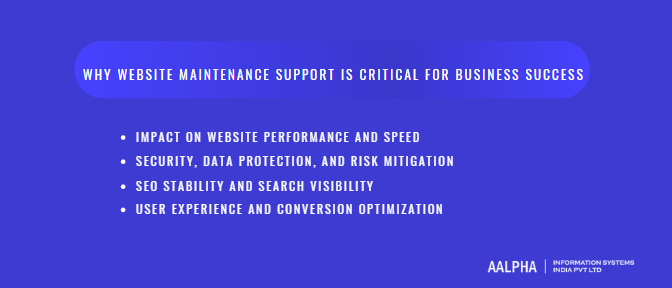
Impact on Website Performance and Speed
Website performance is not a one-time achievement. It degrades naturally over time if maintenance is ignored. Unmaintained code accumulates inefficiencies as quick fixes, outdated libraries, and unused functions remain in the system. This leads to heavier page payloads, increased JavaScript execution time, and slower rendering in modern browsers. Plugins and third-party integrations are a major contributor to this decline. As plugins update independently or stop receiving support, compatibility issues arise that increase load times and block rendering paths.
Databases also play a central role in performance degradation. Without routine cleanup, databases accumulate redundant records, orphaned tables, unused revisions, and bloated logs. This slows query execution, increases server response time, and directly affects metrics measured by Google such as Core Web Vitals. Metrics like Largest Contentful Paint, Interaction to Next Paint, and Cumulative Layout Shift are all sensitive to backend inefficiencies and frontend bloat.
Hosting environments further amplify these issues when left unattended. Outdated server configurations, insufficient resource allocation, expired caching rules, or misconfigured content delivery networks reduce a website’s ability to respond efficiently under real user conditions. Website maintenance support addresses these problems through routine performance audits, dependency updates, database optimization, caching adjustments, and infrastructure monitoring. The result is not just faster load times, but consistent performance across devices, locations, and traffic conditions, which directly correlates with higher engagement and lower abandonment.
-
Security, Data Protection, and Risk Mitigation
Security threats evolve continuously, which makes website maintenance a frontline defense rather than a background task. Malware infections often originate from outdated plugins, themes, or frameworks that contain publicly known vulnerabilities. Attackers actively scan the internet for such weaknesses, and websites without regular patching are easy targets. Zero-day vulnerabilities compound this risk by exploiting flaws before official fixes are widely deployed, making active monitoring and rapid response essential.
Outdated content management systems pose a particularly high risk. Many data breaches occur not because systems are complex, but because they are neglected. Once attackers gain access, the consequences extend beyond technical damage. Customer data may be exposed, transactions compromised, and proprietary information leaked. Recovery costs include cleanup, forensic analysis, downtime, potential legal action, and loss of customer trust.
Reputational damage often exceeds direct financial loss. Users who encounter security warnings, defaced pages, or suspicious behavior associate the incident with the brand, not the technical cause. Website maintenance support mitigates these risks through routine security updates, vulnerability scanning, firewall management, access control reviews, backup verification, and incident response planning. In regulated industries, maintenance also supports compliance with data protection requirements by keeping security controls current and auditable.
-
SEO Stability and Search Visibility
Search visibility depends on technical consistency as much as content quality. Websites that are not maintained gradually develop structural issues that search engines interpret as low quality or unreliable. Broken internal and external links disrupt crawl paths and reduce the discoverability of important pages. Crawl errors caused by misconfigured redirects, outdated URLs, or server issues waste crawl budgets and delay indexing.
Outdated content and metadata reduce relevance over time, especially in competitive search environments. Slow-loading pages further weaken rankings as performance signals become increasingly central to search algorithms. Even small declines in speed or usability compound over months, leading to measurable drops in organic traffic.
Website maintenance support stabilizes SEO performance by addressing these issues proactively. Regular site audits identify crawl errors before they escalate. Performance optimization protects Core Web Vitals scores. Content updates and structural checks ensure that search engines continue to interpret the site as current, authoritative, and reliable. This ongoing attention prevents silent ranking erosion and protects long-term search equity.
-
User Experience and Conversion Optimization
User trust is fragile and highly sensitive to technical friction. Bugs, broken forms, UI glitches, and inconsistent behavior across devices interrupt user journeys and reduce confidence. A contact form that fails silently, a checkout page that loads slowly, or a navigation element that breaks after a browser update directly impacts conversions. Users rarely report these issues. They simply leave.
Downtime, even when brief, compounds the problem. When users encounter errors or unavailable pages, they often assume unreliability rather than temporary disruption. This perception affects not only immediate revenue but also long-term brand credibility. For lead-driven businesses, missed form submissions translate into lost opportunities that are difficult to measure but significant in aggregate.
Website maintenance support directly influences conversion optimization by ensuring that critical user paths remain functional and optimized. Routine testing of forms, payment gateways, integrations, and interactive elements prevents revenue leakage. UI consistency checks ensure that design and functionality remain aligned as devices, browsers, and screen sizes evolve. In this way, maintenance is not just about keeping a website running. It is about protecting the trust and confidence that drive user action and business growth.
Types of Website Maintenance Support
Website maintenance support is not a single activity but a combination of specialized functions that work together to keep a website reliable, secure, and business-ready. Each type of maintenance addresses a distinct risk area. Ignoring even one category creates gaps that eventually surface as downtime, lost traffic, security incidents, or declining conversions. Understanding these maintenance types helps decision-makers evaluate support providers and align maintenance scope with business priorities.
-
Technical Maintenance
Technical maintenance forms the operational backbone of website maintenance support. It focuses on the stability and health of the underlying systems that keep a website accessible and functional at all times. Server health monitoring is a core component. This includes tracking CPU usage, memory consumption, disk space, and network activity to ensure that hosting resources are sufficient for current and peak traffic conditions. Without continuous monitoring, performance issues often go unnoticed until the website becomes slow or unavailable.
Uptime monitoring is closely tied to server health. It involves automated checks that confirm whether the website is reachable and responding correctly. When downtime or abnormal response behavior is detected, alerts allow teams to act immediately rather than discovering the issue through customer complaints. Error log analysis is another critical area. Application logs, server logs, and database logs reveal hidden issues such as failed requests, deprecated functions, or recurring warnings that signal deeper structural problems.
Database optimization plays a direct role in performance and scalability. Over time, databases accumulate unnecessary data such as revisions, expired sessions, unused records, and fragmented indexes. Technical maintenance includes routine cleanup, indexing optimization, and query analysis to keep database operations efficient. Code refactoring completes this picture by improving the internal quality of the codebase. Refactoring removes redundant logic, modernizes outdated patterns, and improves maintainability without changing visible functionality. Together, these activities ensure that the website remains stable, predictable, and capable of supporting business operations reliably.
-
Security Maintenance
Security maintenance is a continuous risk management function rather than a one-time setup. Patching is the most visible element. Content management systems, frameworks, plugins, libraries, and server software all release updates to fix known vulnerabilities. Applying these patches promptly is essential, as attackers actively target outdated components. Vulnerability scans complement patching by proactively identifying weaknesses before they are exploited. These scans assess file integrity, configuration errors, exposed endpoints, and known exploit signatures.
Firewalls add another layer of protection by filtering malicious traffic before it reaches the application. Web application firewalls help block common attack vectors such as SQL injection, cross-site scripting, and brute-force login attempts. Backup management is equally critical. Security maintenance includes automated, scheduled backups stored in secure, separate locations and regularly tested for successful restoration. Backups are not useful unless they can be restored quickly under pressure.
SSL certificate management ensures encrypted communication between users and the website. Expired or misconfigured certificates lead to browser warnings that immediately erode trust. Access control completes the security maintenance scope by limiting who can access administrative areas and sensitive systems. This includes role-based permissions, password policies, multi-factor authentication, and periodic access reviews. Together, these measures reduce the likelihood of breaches and limit damage if an incident occurs.
-
Content and Visual Maintenance
Content and visual maintenance ensures that a website remains accurate, relevant, and aligned with the brand. Text updates are often driven by changes in offerings, pricing, policies, or messaging. Without routine review, websites quickly drift out of sync with the actual business, creating confusion and mistrust. Banner updates and landing page refreshes support ongoing campaigns, seasonal promotions, and product launches, ensuring that the website reflects current priorities rather than outdated initiatives.
Outdated images present both aesthetic and practical problems. Old visuals can misrepresent products, facilities, or teams, while large unoptimized images negatively affect load times. Visual maintenance includes replacing outdated assets, optimizing image formats, and ensuring consistent presentation across pages. Brand consistency is a critical but often overlooked aspect. Fonts, colors, layouts, and tone must remain coherent as content evolves, particularly in organizations with multiple contributors. Content and visual maintenance preserves clarity, credibility, and alignment across the entire site.
-
Performance and Speed Optimization
Performance and speed optimization is an ongoing process because websites change continuously. Caching strategies are central to this effort. Properly configured caching reduces server load and accelerates page delivery by serving pre-generated content where appropriate. This includes browser caching, server-side caching, and full-page caching depending on the website architecture.
Content delivery networks distribute static assets across geographically dispersed servers, reducing latency for users regardless of location. Maintenance support ensures that CDN configurations remain effective as content changes. Image optimization addresses one of the most common performance bottlenecks. This includes resizing images appropriately, using modern formats, and implementing lazy loading to defer offscreen assets.
Script optimization focuses on reducing render-blocking behavior. This includes minimizing and combining files, deferring non-critical scripts, and removing unused code. Performance maintenance directly supports metrics evaluated by Google such as Core Web Vitals, but its business impact is broader. Faster websites retain users, increase engagement, and support higher conversion rates consistently over time.
-
Compliance and Accessibility Maintenance
Compliance and accessibility maintenance protects businesses from legal, regulatory, and reputational risk. Data protection regulations require websites to handle personal information transparently and securely. This includes maintaining accurate privacy policies, implementing proper consent mechanisms, and updating data handling disclosures as regulations evolve. In regulated sectors, compliance failures can lead to fines, audits, and loss of operating privileges.
Accessibility maintenance ensures that websites remain usable for people with disabilities. Guidelines such as WCAG, published by the World Wide Web Consortium, evolve over time as assistive technologies and best practices improve. Maintenance includes reviewing contrast ratios, keyboard navigation, form labels, alternative text, and structural markup to ensure continued accessibility compliance.
Cookie consent tools and tracking disclosures also require maintenance as browsers and privacy expectations change. Compliance and accessibility are not static checklists. They require periodic review and updates to reflect current standards, protect users, and safeguard the business against avoidable risk.
Website Maintenance Tasks Explained in Detail
Website maintenance tasks translate strategy into execution. While high-level maintenance categories define scope, it is the day-to-day execution of specific tasks that determines whether a website remains stable, secure, and revenue-generating. Each task addresses a distinct failure point that, if ignored, compounds quietly until it impacts users, search visibility, or business operations.
-
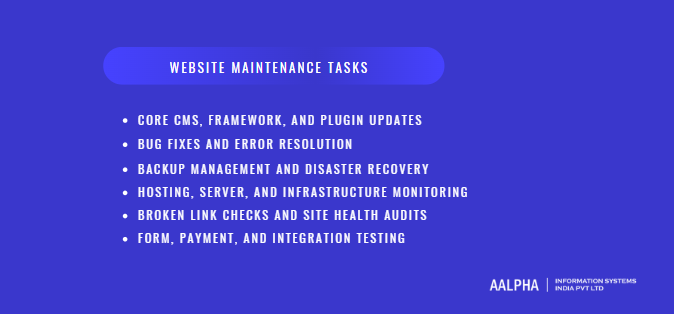
Core CMS, Framework, and Plugin Updates
Core system updates are the foundation of technical and security stability. Content management systems, application frameworks, and plugins are actively maintained by their respective vendors to fix vulnerabilities, improve performance, and maintain compatibility with evolving browsers and server environments. When these updates are delayed or skipped, the website gradually diverges from supported and secure configurations.
Website maintenance support manages updates in a controlled and systematic way. This includes reviewing update release notes, assessing potential breaking changes, testing updates in staging environments, and deploying them during low-risk windows. Blindly applying updates without validation often causes layout breaks, plugin conflicts, or functional regressions, especially on websites with custom code or multiple integrations.
Framework updates are particularly important for custom-built or SaaS-style websites. As underlying frameworks evolve, older versions lose security support and performance improvements. Maintenance teams ensure that dependencies remain within supported ranges and that deprecated functions are replaced before they become critical failures. Plugin updates receive similar attention, with unused or abandoned plugins identified and removed to reduce attack surface and maintenance complexity. This disciplined update process ensures that the website evolves safely alongside the broader technology ecosystem.
-
Bug Fixes and Error Resolution
Bugs are an inevitable outcome of software operating in dynamic environments. Browser updates, device variations, third-party service changes, and user behavior all introduce conditions that may not have been anticipated during development. Website maintenance support treats bug fixing as a continuous quality assurance process rather than an occasional reaction to complaints.
Error resolution begins with monitoring and diagnostics. Error logs, application monitoring tools, and user reports provide insight into issues such as failed form submissions, JavaScript errors, broken layouts, or intermittent server failures. Maintenance teams analyze root causes rather than applying surface-level patches that risk recurrence.
Once identified, bugs are prioritized based on business impact. Issues affecting checkout flows, lead capture, authentication, or data integrity receive immediate attention. Less critical cosmetic issues are scheduled appropriately. Importantly, bug fixes are documented and tested across devices and browsers to confirm resolution and prevent regression. This systematic approach prevents small issues from accumulating into larger reliability problems that undermine trust and conversions.
-
Backup Management and Disaster Recovery
Backup management is often misunderstood as a simple checkbox task. In reality, it is a comprehensive risk mitigation strategy. Website maintenance support includes configuring automated backups at appropriate intervals based on how frequently content, data, or transactions change. For static websites, daily backups may suffice. For eCommerce or SaaS platforms, backups may be required hourly or even more frequently.
Equally important is backup storage strategy. Backups must be stored securely and separately from the production environment to remain available during server failures, ransomware attacks, or accidental deletions. Maintenance teams verify backup integrity regularly, ensuring that files and databases can be restored without corruption.
Disaster recovery planning extends beyond backups. It defines recovery time objectives and recovery point objectives that align with business tolerance for downtime and data loss. Maintenance support includes documented recovery procedures, access controls, and periodic restoration drills. When incidents occur, this preparation determines whether recovery takes minutes or days, directly affecting revenue, customer trust, and operational continuity.
-
Hosting, Server, and Infrastructure Monitoring
Hosting and infrastructure form the physical foundation of a website’s availability and performance. Maintenance support includes continuous monitoring of server resources such as CPU, memory, disk usage, and network throughput. These metrics reveal capacity constraints before they cause slowdowns or outages, allowing proactive scaling or optimization.
Uptime monitoring complements resource tracking by confirming that the website is reachable and functioning correctly from multiple locations. When anomalies are detected, alerts enable rapid investigation rather than delayed discovery through customer complaints. Infrastructure monitoring also includes reviewing server logs for recurring errors, misconfigurations, or unusual access patterns.
As hosting environments evolve, maintenance support ensures that operating systems, runtime environments, and server-level dependencies remain supported and secure. Configuration drift is corrected, unnecessary services are disabled, and performance-related settings are tuned. This ongoing oversight ensures that infrastructure remains aligned with the website’s growth and traffic patterns.
-
Broken Link Checks and Site Health Audits
Broken links and structural issues degrade both user experience and search engine interpretation. Website maintenance support includes routine scanning for internal and external links that return errors or redirect incorrectly. These issues often arise after content updates, URL changes, or third-party resource removals.
Site health audits extend beyond links. They assess crawlability, indexation status, duplicate content, redirect chains, and server response codes. Performance metrics, mobile usability, and accessibility signals are also reviewed. Platforms such as Google rely on these signals to evaluate site quality over time.
By addressing site health issues proactively, maintenance support prevents gradual SEO erosion and ensures that both users and search engines encounter a coherent, reliable structure. This protects long-term organic visibility and reduces technical debt.
-
Form, Payment, and Integration Testing
Forms, payment systems, and third-party integrations are among the most failure-prone elements of any website. They rely on multiple systems working together, often across different vendors and APIs. Website maintenance support includes routine testing of contact forms, lead capture workflows, authentication systems, and transactional processes.
Payment gateway testing is particularly critical for revenue-driven websites. Maintenance teams verify successful transactions, error handling, confirmation messaging, and data synchronization with accounting or order management systems. Changes in gateway APIs, security requirements, or browser behavior can silently break these flows if not monitored.
Integrations with CRM systems, analytics platforms, email services, and automation tools are also tested regularly. Maintenance ensures that data flows remain accurate and complete, protecting reporting integrity and operational efficiency. This level of testing safeguards revenue, data quality, and customer experience across the entire digital ecosystem.
Website Maintenance Support for Different Website Types
Website maintenance support is not one-size-fits-all. The scope, frequency, and priorities of maintenance vary significantly based on how a website is used, the risks it carries, and the business outcomes it supports. A corporate website focused on credibility and lead generation faces very different maintenance demands than a high-traffic eCommerce platform or a SaaS application handling sensitive user data. Understanding these differences is essential for designing maintenance strategies that protect both performance and business value.
-
Corporate and Business Websites
Corporate and business websites serve as the digital front door for an organization. Their primary goals are credibility, clarity, lead generation, and brand representation. Maintenance support for these websites focuses heavily on reliability, content accuracy, and performance consistency rather than transactional complexity.
Technical maintenance ensures that pages load quickly, forms function correctly, and the site remains compatible across browsers and devices. Broken contact forms, outdated landing pages, or expired SSL certificates directly undermine trust and lead generation efforts. Content and visual maintenance play a prominent role. Corporate messaging, service descriptions, leadership profiles, and case studies must stay aligned with the current state of the business. Outdated content creates confusion and signals neglect to potential clients or partners.
SEO stability is another priority. Regular health checks prevent crawl errors, broken links, and performance regressions that quietly reduce visibility over time. For most corporate websites, maintenance support acts as digital brand protection, ensuring that the site remains accurate, polished, and dependable as the organization evolves.
-
eCommerce Website Maintenance Support
eCommerce websites have some of the most demanding maintenance requirements because every technical issue has a direct revenue impact. Maintenance support extends far beyond basic updates and focuses on transactional integrity, performance under load, and operational accuracy. Inventory synchronization is a continuous priority. Product availability, pricing, and stock levels must remain consistent across the website, backend systems, and third-party marketplaces to prevent overselling and customer dissatisfaction.
Checkout flows require constant monitoring and testing. Even minor changes in browser behavior, payment gateway requirements, or security protocols can disrupt conversions. Maintenance support includes routine testing of cart functionality, discount logic, tax calculations, shipping rules, and order confirmations. Payment gateway maintenance is equally critical. Gateways update APIs, enforce new security standards, and deprecate older integrations regularly. Without proactive updates, transactions may fail silently, leading to lost sales.
Seasonal traffic readiness distinguishes mature eCommerce maintenance from reactive support. During sales events, holidays, or promotions, traffic spikes can overwhelm unprepared systems. Maintenance teams prepare by optimizing caching, scaling hosting resources, reviewing database performance, and stress-testing critical flows. This preparation ensures that performance and reliability hold up when demand is highest, protecting revenue and customer trust.
-
SaaS and Web Application Maintenance
SaaS platforms and web applications treat maintenance as an operational necessity rather than a background task. These platforms are living products with ongoing user activity, data processing, and feature evolution. Uptime and reliability are central concerns. Maintenance support aligns closely with uptime SLAs, ensuring that infrastructure, monitoring, and incident response processes are capable of meeting availability commitments.
Release cycle support is a defining characteristic of SaaS maintenance. New features, improvements, and fixes are deployed regularly, often weekly or continuously. Maintenance ensures that deployments are stable, rollbacks are possible, and backward compatibility is preserved. Dependency management is another critical area. SaaS platforms rely on frameworks, libraries, and third-party services that evolve rapidly. Keeping these dependencies within supported and secure ranges prevents security gaps and performance regressions.
Scalability separates successful SaaS platforms from fragile ones. Maintenance support includes monitoring usage patterns, optimizing databases, and adjusting infrastructure as user numbers grow. Rather than reacting to failures, mature maintenance anticipates growth-related stress and adapts systems proactively, ensuring consistent user experience as the product scales.
-
Content-Heavy and Media Websites
Content-heavy and media websites prioritize performance, availability, and publishing continuity. These platforms often handle large volumes of traffic, frequent updates, and extensive media assets. Maintenance support focuses on optimizing content delivery, managing database growth, and ensuring that publishing workflows remain uninterrupted.
Performance optimization is central. Large image libraries, video embeds, and frequent content additions can degrade load times if not managed carefully. Maintenance includes image optimization, caching strategies, and CDN tuning to maintain fast delivery at scale. Database maintenance is equally important, as content revisions, comments, and metadata grow rapidly over time.
Reliability during traffic spikes is another concern. News coverage, viral content, or marketing campaigns can generate sudden surges in visitors. Maintenance support prepares infrastructure to absorb these spikes without downtime, preserving audience trust and monetization opportunities.
-
Industry-Specific Websites (Healthcare, Finance, Education)
Industry-specific websites face additional layers of responsibility due to regulatory, data sensitivity, and user trust considerations. Healthcare websites often handle patient inquiries, appointment data, and health-related information. Maintenance support emphasizes security updates, access control, data handling transparency, and availability to ensure uninterrupted access to critical services.
Finance websites carry similar sensitivity, with an added emphasis on transaction security, auditability, and protection against fraud. Maintenance includes rigorous security monitoring, encryption management, and frequent testing of integrations with financial systems.
Education platforms balance accessibility, performance, and content accuracy. Maintenance ensures that learning materials remain available, user accounts function correctly, and accessibility standards are upheld for diverse user groups. Across all regulated industries, maintenance support functions as both a technical safeguard and a compliance enabler, protecting users while preserving institutional credibility.
Website Maintenance Support Models
Choosing the right website maintenance support model is a strategic decision that directly affects reliability, cost control, response times, and long-term scalability. There is no universally correct model. The right approach depends on website complexity, business criticality, budget maturity, and internal technical capacity. Understanding how each model operates in practice helps organizations avoid gaps that often surface only during outages, security incidents, or traffic spikes.
-
In-House Website Maintenance Teams
An in-house website maintenance team consists of full-time employees responsible for managing and maintaining the organization’s website and related systems. This model offers the highest level of control and internal alignment. Teams develop deep familiarity with the codebase, infrastructure, internal processes, and business priorities. Communication is direct, and urgent issues can often be addressed quickly without contractual overhead.
However, the cost structure of in-house maintenance is significant. Salaries, benefits, training, tooling, and management overhead create a fixed expense regardless of workload. For many businesses, especially SMEs, the volume of maintenance tasks does not justify a full-time team. Skill coverage is another challenge. Website maintenance spans multiple disciplines including backend systems, frontend performance, security, DevOps, and compliance. A small in-house team rarely covers all areas at an expert level.
Scalability is the most common limitation. As traffic grows, features expand, or security requirements increase, in-house teams must scale through additional hires, which is slow and costly. In-house maintenance works best for large enterprises, SaaS companies with complex products, or organizations with continuous development pipelines where maintenance and development are tightly integrated.
-
Freelancers for Website Maintenance
Freelancers are often used for website maintenance when budgets are limited or maintenance needs appear simple. This model can work well for small websites with predictable requirements such as basic updates, minor bug fixes, or occasional content changes. Freelancers offer flexibility, lower upfront costs, and direct access to the individual performing the work.
The risks emerge as complexity increases. Freelancers typically operate without formal SLAs, documented processes, or redundancy. Availability depends on personal schedules, workload, and long-term commitment. If a freelancer becomes unavailable, knowledge transfer gaps can delay resolution during critical incidents. Security practices, backup strategies, and documentation standards also vary widely.
Continuity is the primary concern. Website maintenance is ongoing by nature, but freelancers often engage on short-term or ad-hoc bases. This creates dependency risk, especially when critical systems rely on undocumented fixes or informal workflows. Freelancers are best suited for low-risk websites or as supplementary support, but they are rarely sufficient for mission-critical or growing platforms.
-
Website Maintenance Support Agencies
Website maintenance support agencies provide structured, long-term maintenance services backed by defined processes, teams, and accountability. This model balances expertise, scalability, and operational reliability. Agencies typically offer clear scopes of work, response time commitments, escalation paths, and reporting mechanisms through service level agreements.
Processes are a key differentiator. Agencies operate with standardized update procedures, security protocols, backup strategies, and monitoring systems. This reduces reliance on individual knowledge and ensures consistency over time. Maintenance tasks are documented, tested, and reviewed, lowering the risk of regression or undocumented changes.
Accountability is another advantage. Agencies are contractually responsible for uptime, response times, and maintenance outcomes. This is particularly valuable for eCommerce, SaaS, and regulated websites where downtime or security failures have measurable business impact. Long-term stability comes from team-based delivery rather than individual dependency. If one team member is unavailable, others can step in with access to documentation and systems.
While agencies involve higher costs than freelancers, they often deliver better cost efficiency over time by preventing incidents, reducing downtime, and supporting growth without constant renegotiation.
-
Hybrid Maintenance Models
Hybrid maintenance models combine internal ownership with external expertise. In this approach, an in-house team manages business-critical knowledge and strategic priorities, while an external agency or specialist handles ongoing maintenance, monitoring, and advanced technical tasks. This model offers flexibility, cost control, and access to specialized skills without full internal staffing.
Hybrid models work well for growing businesses that want control without operational overload. Clear role definitions, communication workflows, and escalation protocols are essential for success. When implemented correctly, hybrid maintenance delivers resilience, scalability, and predictable support while preserving internal oversight and alignment with business goals.
Website Maintenance Costs: Pricing Models and What to Expect
Website maintenance costs are often misunderstood because they are compared incorrectly to development costs or treated as optional overhead. In reality, maintenance pricing reflects the level of risk, responsibility, and continuity required to keep a website operational, secure, and competitive. Understanding common pricing models and cost drivers helps businesses budget realistically and avoid false economies that lead to higher long-term losses.
-
Monthly Website Maintenance Packages
Monthly website maintenance packages are the most common and predictable pricing model. They bundle a defined set of services into a fixed recurring fee, providing ongoing coverage rather than reactive fixes. Typical inclusions are core system updates, security patching, uptime monitoring, backups, performance checks, bug fixes within scope, and reporting. Higher-tier packages often add response-time guarantees, proactive audits, priority support, and scalability planning.
Pricing varies based on website complexity and business criticality. A small corporate website may fall into a lower-cost package focused on stability and security, while an eCommerce or SaaS platform requires broader coverage, more frequent monitoring, and faster response commitments. The value of monthly packages lies in prevention. By addressing issues before they escalate, these plans reduce downtime, emergency costs, and reputational damage.
From a budgeting perspective, monthly maintenance packages convert unpredictable technical risk into a controlled operational expense. This predictability is particularly valuable for growing businesses that rely on their website for leads, sales, or service delivery and cannot afford surprise failures.
-
Hourly vs Retainer-Based Support
Hourly website maintenance is typically used for ad-hoc or short-term needs. Businesses pay only for the time spent on specific tasks such as fixing a bug, updating content, or resolving a one-off issue. This model can appear cost-effective for very small websites or infrequent needs, but it has limitations. Response times are not guaranteed, and costs become unpredictable during incidents that require extended investigation or remediation.
Retainer-based support sits between hourly billing and full monthly packages. A retainer reserves a fixed number of hours each month at a negotiated rate, often with priority access. This model works well for businesses with regular but variable maintenance needs, such as ongoing content updates combined with occasional technical work.
The key difference is mindset. Hourly support is reactive, while retainers encourage proactive engagement within an agreed scope. For mission-critical websites, purely hourly models often result in delayed responses and higher total costs over time, especially during emergencies.
-
Cost Breakdown by Website Size and Complexity
Website maintenance costs scale with complexity rather than page count alone. A small informational website with static content, minimal integrations, and low traffic typically requires basic maintenance covering updates, security, and occasional fixes. Costs remain relatively low because risk exposure is limited.
Mid-sized websites such as lead-generation platforms or content-heavy sites introduce additional cost factors. These include database growth, SEO monitoring, performance optimization, and more frequent updates. Maintenance becomes more active and requires broader skill coverage.
High-complexity websites such as eCommerce platforms, SaaS products, or regulated industry websites carry the highest maintenance costs. Factors include transactional workflows, third-party integrations, uptime SLAs, security compliance, and scalability planning. In these cases, maintenance costs should be viewed as a percentage of revenue protected rather than a standalone expense. The higher the business dependency on the website, the higher the justified maintenance investment.
-
Hidden Costs of Skipping Maintenance
The most expensive website maintenance strategy is no maintenance at all. Skipping routine maintenance creates hidden costs that surface later as emergencies. Downtime during peak business hours leads to immediate revenue loss. Security breaches result in cleanup costs, potential legal exposure, and long-term trust erosion. SEO decay caused by technical neglect reduces organic traffic, increasing reliance on paid acquisition to compensate.
Emergency fixes are almost always more expensive than planned maintenance. They require urgent attention, often outside normal working hours, and are performed under pressure with limited testing. Over time, neglected websites accumulate technical debt that eventually forces costly rebuilds rather than incremental fixes.
From a business perspective, maintenance is not an avoidable cost. It is a form of insurance that protects digital assets, revenue streams, and brand credibility. Organizations that understand this treat website maintenance as a strategic operating expense rather than an optional line item.
How to Choose the Right Website Maintenance Support Provider
Choosing a website maintenance support provider is a long-term operational decision, not a short-term procurement task. The web development company you select will influence website reliability, security posture, response during incidents, and the overall health of a critical business asset. A poor choice often becomes visible only when something breaks, while a strong provider operates quietly in the background, preventing issues before they surface.
Key Evaluation Criteria
Experience is the first and most reliable indicator of maintenance capability. A credible provider should demonstrate hands-on experience maintaining websites similar to yours in size, complexity, and industry. Maintaining a simple corporate website is fundamentally different from supporting an eCommerce platform or a SaaS application with uptime commitments. Ask for concrete examples of long-term maintenance engagements rather than one-off development projects.
Response time is equally critical. Maintenance is measured not only by what is done, but by how quickly issues are identified and resolved. Providers should clearly define response times for different issue severities, including security incidents, downtime, and revenue-impacting failures. Vague assurances without measurable commitments are insufficient.
Documentation and process maturity distinguish professional maintenance providers from ad-hoc operators. Look for structured workflows around updates, testing, incident handling, and change tracking. Proper documentation ensures continuity, reduces dependency on individuals, and allows issues to be resolved faster. Tooling also matters. Providers should use monitoring systems, security scanners, backup automation, and performance tracking tools rather than relying solely on manual checks.
Security posture must be evaluated explicitly. This includes how updates are applied, how access is controlled, how backups are stored, and how incidents are handled. A provider should be able to explain their security practices clearly and confidently, especially if your website handles sensitive data or transactions.
Questions to Ask Before Signing a Maintenance Contract
Before committing to a maintenance contract, decision-makers should ask questions that reveal how the provider operates under real conditions. Ask how updates are tested before deployment and whether staging environments are used. Clarify what happens if an update breaks functionality and how rollbacks are handled.
Inquire about backup frequency, storage location, and restoration testing. Ask how often backups are verified and how long recovery typically takes during an incident. These details are rarely volunteered but are critical during emergencies.
Understand scope boundaries. Ask which tasks are included in routine maintenance and which are billed separately. Clarify how bug fixes are categorized and whether performance optimization or SEO health checks are part of the agreement. Communication expectations should also be addressed. Ask who your primary point of contact will be, how issues are reported, and how progress is tracked.
Finally, ask how the provider handles growth. Websites rarely stay static. A good maintenance partner should be able to scale support as traffic, features, and business dependency increase.
SLAs, Communication, and Reporting Expectations
Service level agreements convert promises into enforceable commitments. A well-defined SLA specifies response times, resolution targets, uptime expectations, and escalation paths. These metrics create accountability and protect businesses during critical incidents. Providers that avoid SLAs or keep them intentionally vague often lack operational confidence.
Communication structure is just as important as technical capability. Regular status updates, clear incident notifications, and defined escalation channels prevent confusion during stressful situations. Businesses should expect predictable communication rather than reactive explanations after issues occur.
Reporting completes the feedback loop. Maintenance reports should summarize updates applied, issues resolved, performance trends, security events, and recommendations. These reports provide visibility into the value being delivered and support informed decision-making about future improvements.
Red Flags to Avoid
Certain warning signs consistently indicate unreliable maintenance providers. One major red flag is the absence of proactive monitoring. If a provider relies on clients to report problems, issues will always be discovered too late. Another warning sign is poor documentation or reluctance to share processes, which increases dependency risk.
Overly low pricing should also raise concern. Maintenance involves responsibility and risk. Prices that seem too good to be true usually reflect limited scope, reactive support, or lack of security practices. Frequent staff turnover, unclear ownership, and inconsistent communication are additional indicators of instability.
Businesses should also be cautious of providers who treat maintenance as an afterthought rather than a core service. Maintenance requires discipline, process, and long-term commitment.
When evaluating professional website maintenance partners, organizations often benefit from providers that combine structured processes, security-first practices, and long-term support experience. For businesses seeking a managed, agency-led approach to website maintenance with clear accountability and scalable support, companies such as Aalpha are frequently chosen for their emphasis on documented processes, proactive monitoring, and enterprise-grade maintenance delivery rather than ad-hoc fixes.
Website Maintenance Best Practices and Long-Term Strategy
Effective website maintenance is not defined by how often problems are fixed, but by how rarely they occur. Best practices turn maintenance from a reactive cost center into a long-term strategy that protects performance, security, and business continuity. Organizations that treat maintenance as an ongoing operational discipline consistently experience fewer outages, stronger search visibility, and more predictable digital performance.
-
Creating a Website Maintenance Checklist
A website maintenance checklist provides structure and accountability. It ensures that critical tasks are executed consistently rather than relying on memory or urgency. A well-designed checklist covers technical, security, performance, content, and compliance activities, clearly separating routine tasks from periodic audits.
Core technical items typically include CMS and plugin updates, server health checks, error log reviews, and database optimization. Security-related checklist items include vulnerability scans, firewall rule reviews, backup verification, SSL validation, and access permission audits. Performance tasks focus on page speed testing, image optimization checks, cache validation, and monitoring of Core Web Vitals trends.
Content and UX elements should not be excluded. Regular reviews of landing pages, forms, navigation paths, and outdated visuals help maintain accuracy and conversion effectiveness. Compliance items such as cookie consent behavior, privacy policy accuracy, and accessibility checks complete the checklist.
The value of a checklist lies in repeatability. When tasks are documented and reviewed consistently, maintenance becomes predictable and measurable rather than reactive and chaotic.
-
Maintenance Frequency and Scheduling
Maintenance frequency should be determined by business dependency rather than convenience. High-traffic or revenue-generating websites require more frequent checks than static informational sites. Security updates and uptime monitoring should be continuous, while performance reviews and SEO health checks are typically conducted weekly or monthly depending on scale.
Scheduling is equally important. Maintenance activities should be planned during low-traffic windows to minimize user impact. Automated monitoring and alerts reduce the need for constant manual checks, allowing teams to focus attention where it is most needed. A defined maintenance calendar also prevents long gaps that allow technical debt to accumulate silently.
Consistency matters more than intensity. Regular, scheduled maintenance prevents emergencies and spreads workload evenly over time, reducing both operational stress and long-term costs.
-
Documentation and Change Logs
Documentation is a core best practice that separates mature maintenance operations from fragile ones. Every update, configuration change, bug fix, and infrastructure adjustment should be logged with context, timestamps, and responsible parties. Change logs create a clear history of how the website has evolved and allow teams to trace the origin of issues quickly.
Well-maintained documentation reduces dependency on individual knowledge and supports continuity during staff changes or provider transitions. It also improves incident response by enabling faster root cause analysis. Over time, documentation becomes a strategic asset that supports informed decision-making rather than guesswork.
-
Proactive vs Reactive Maintenance
Reactive maintenance responds to visible problems after users are affected. Proactive maintenance focuses on preventing those problems from occurring in the first place. The difference is not philosophical. It is measurable in downtime, recovery costs, and lost trust.
Proactive maintenance relies on monitoring, audits, and trend analysis. Performance regressions are addressed before users notice. Security vulnerabilities are patched before exploitation. Infrastructure limits are identified before traffic spikes cause outages. Reactive maintenance, by contrast, often occurs under pressure, with limited testing and higher risk of secondary failures.
From a long-term perspective, proactive maintenance is more cost-effective. It reduces emergency interventions, protects brand credibility, and allows teams to operate calmly rather than in crisis mode.
-
Aligning Maintenance With Business Growth
As businesses grow, their websites become more critical and more complex. Maintenance strategies must evolve accordingly. Growth introduces higher traffic volumes, more integrations, stricter security expectations, and greater dependence on uptime and performance.
Aligning maintenance with business growth means revisiting scope, frequency, and tooling regularly. What was sufficient for an early-stage website may be inadequate for a platform generating leads, revenue, or customer data at scale. Maintenance should be treated as an enabler of growth, not a background task.
Organizations that plan maintenance alongside expansion avoid disruptive rebuilds and last-minute fixes. They maintain stability while scaling, ensuring that the website continues to support business objectives reliably over the long term.
Final Words
Website maintenance support is what protects performance, security, search visibility, and user trust over time. When maintenance is proactive and structured, websites remain reliable assets that support growth instead of becoming sources of risk and emergency costs.
If your website drives leads, revenue, or customer confidence, maintenance should be treated as a strategic responsibility, not an afterthought. Review how updates, security, backups, and performance are handled today. If the process feels reactive or fragmented, it is time to move to a managed maintenance model with clear accountability and long-term focus. Businesses that want a disciplined, agency-led approach often work with providers like Aalpha to ensure their websites stay secure, stable, and business-ready at every stage of growth. Get in touch with Aalpha today!