


Mobile app redesign refers to the structured process of improving an existing application’s user experience, interface, performance, and underlying interaction patterns without discarding its core purpose or user base. In 2026, mobile app redesign is no longer limited to visual changes or aesthetic updates. It is a strategic exercise that aligns product usability, business objectives, platform evolution, and user behavior into a cohesive experience. As mobile ecosystems mature, redesigns have become essential to keep applications relevant, usable, and competitive in an environment shaped by constant OS updates, evolving device form factors, and rapidly shifting user expectations.
What Mobile App Redesign Actually Means in 2026
In the current mobile landscape, redesign means rethinking how users interact with an app across touch, gesture, voice, and adaptive interfaces. Modern redesigns account for accessibility compliance, performance optimization, personalization, and consistency across platforms. It involves revisiting user flows, navigation logic, onboarding experiences, and interaction feedback, not just changing colors or layouts. With users expecting frictionless experiences similar to best-in-class apps they use daily, redesign efforts must address usability gaps, cognitive load, and context-aware interactions. In practice, redesign is a holistic improvement of how an app feels, behaves, and supports user goals over time.
TL;DR
Mobile app redesign is a strategic, evidence-driven process focused on improving usability, performance, accessibility, and long-term scalability without losing existing users or core functionality. In 2026, redesign goes far beyond visual updates. It involves analyzing real user behavior, addressing engagement and retention issues, modernizing UI and navigation patterns, optimizing onboarding and user flows, managing technical constraints like legacy code and performance, and validating every change through testing and data. For many products, redesign is a lower-risk, higher-ROI alternative to rebuilding from scratch, especially when user data continuity and time-to-market matter. Whether handled internally or with support from a mobile app development company, successful redesigns are guided by clear goals, measurable KPIs, continuous iteration, and a strong balance between user experience and technical stability.
Redesign vs Refresh vs Rebuild
It is important to distinguish redesign from related concepts. A refresh typically focuses on surface-level visual updates such as typography, icons, spacing, or color schemes while keeping the underlying structure intact. A redesign goes deeper by reworking user journeys, navigation models, interaction patterns, and often parts of the technical implementation. A rebuild, by contrast, involves developing a new application from scratch, often due to unmanageable technical debt or fundamental architectural limitations. Choosing between these approaches depends on the app’s age, technical health, business direction, and user feedback. In many cases, a well-planned redesign delivers most of the benefits of a rebuild with lower risk and cost.
Why Successful Apps Redesign Regularly
High-performing mobile apps treat redesign as an ongoing practice rather than a one-time project. Companies behind widely used apps regularly analyze user behavior, identify friction points, and iterate on their experience to improve retention and engagement. Regular redesign cycles allow teams to respond to changing usage patterns, introduce new features more intuitively, and remove elements that no longer serve users. This continuous evolution helps apps remain intuitive even as functionality grows. It also signals to users that the product is actively maintained, which builds trust and long-term loyalty.
How User Expectations, OS Updates, and Device Changes Force Redesigns
User expectations evolve rapidly, influenced by platform leaders and emerging interaction standards. When operating systems introduce new design guidelines, navigation patterns, or accessibility requirements, apps that fail to adapt quickly feel outdated or broken. Device changes such as foldable screens, varying aspect ratios, larger displays, and improved input methods further pressure apps to rethink layouts and interactions. Additionally, users now expect faster load times, smoother animations, and personalized experiences by default. These external forces make redesign unavoidable for apps that want to remain functional and competitive across devices and platforms.
When Redesign Becomes a Business Necessity Rather Than a Design Choice
At a certain point, redesign shifts from being a design-led initiative to a business-critical decision. Declining retention, poor app store ratings, increased support tickets, or stagnant conversion rates often indicate deeper experience issues. In such cases, redesign directly impacts revenue, customer acquisition costs, and brand perception. For subscription-based and transaction-driven apps, even minor usability improvements can lead to measurable gains in lifetime value. When an app’s experience limits growth, expansion, or user trust, redesign becomes essential to sustaining the business rather than enhancing visual appeal.
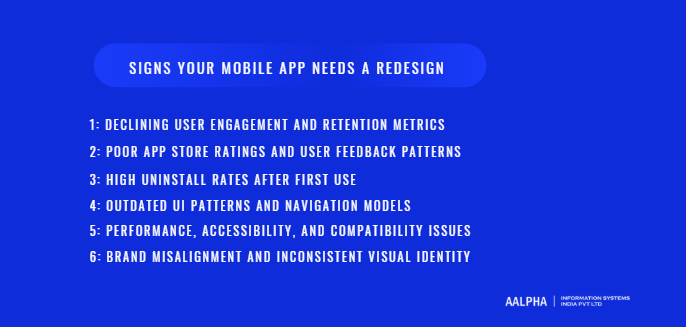
Signs Your Mobile App Needs a Redesign
Recognizing when a mobile app requires a redesign is critical to maintaining product relevance, user satisfaction, and business performance. Many organizations delay redesign efforts until metrics decline sharply, but the most effective teams identify early warning signals and act before user trust erodes. A redesign is rarely triggered by a single issue. It is usually the result of multiple indicators across engagement data, user feedback, technical performance, and brand alignment. Understanding these signals helps teams make informed decisions and prioritize redesign as a strategic initiative rather than a reactive fix.
-
Declining User Engagement and Retention Metrics
One of the strongest indicators that an app needs a redesign is a sustained decline in engagement and retention. Metrics such as daily active users, session frequency, time spent per session, and cohort retention rates reveal how users interact with the product over time. When users open the app less frequently or abandon key flows earlier than before, it often points to usability friction, confusing navigation, or features that no longer align with user needs. In many cases, the core functionality still works, but the experience feels inefficient or unintuitive compared to competing apps. A redesign allows teams to reassess user journeys, simplify interactions, and realign the app with how users actually behave rather than how it was originally designed.
-
Poor App Store Ratings and User Feedback Patterns
App store reviews provide direct, unfiltered insight into user sentiment. A pattern of low ratings or recurring complaints is a strong signal that experience issues are affecting perception and adoption. Users frequently mention problems such as difficulty finding features, confusing workflows, visual clutter, or outdated design. While individual reviews may be subjective, consistent themes across hundreds or thousands of ratings indicate systemic design problems. Declining ratings also have a compounding effect, as app store algorithms favor highly rated apps in search and discovery. Redesigning the app experience based on real feedback helps address the root causes of dissatisfaction and rebuild credibility in public marketplaces.
-
High Uninstall Rates After First Use
A high uninstall rate shortly after installation is often linked to poor first impressions and ineffective onboarding. When users download an app but remove it within minutes or days, it suggests that the value proposition is not being communicated clearly or the initial experience feels overwhelming. Complex sign-up processes, unclear navigation, intrusive permissions, or slow performance during the first session all contribute to early abandonment. A redesign focused on onboarding and first-use flows can dramatically improve activation rates by guiding users toward meaningful outcomes faster and with less friction. This is especially important in competitive categories where users have many alternatives.
-
Outdated UI Patterns and Navigation Models
Design conventions evolve as platforms mature. Navigation patterns that felt intuitive a few years ago may now appear clumsy or inefficient. Apps that rely on outdated UI components, inconsistent gestures, or non-standard interactions often feel harder to use, even if functionality remains unchanged. Users subconsciously compare every app to the best experiences they encounter elsewhere. When an interface does not meet current usability expectations, users perceive the app as lower quality or poorly maintained. Redesigning UI and navigation allows teams to adopt modern patterns that reduce cognitive load, improve discoverability, and align with current platform guidelines.
-
Performance, Accessibility, and Compatibility Issues
Technical performance is inseparable from user experience. Slow load times, laggy animations, frequent crashes, or unresponsive screens quickly erode trust. As devices, operating systems, and network conditions evolve, apps that are not updated regularly may struggle with compatibility. Accessibility is another critical factor. Users increasingly expect apps to support screen readers, scalable text, color contrast standards, and alternative input methods. When an app fails to meet accessibility expectations, it excludes a significant portion of users and may expose the business to compliance risks. A redesign often includes performance optimization, accessibility improvements, and updates that ensure consistent behavior across devices and OS versions.
-
Brand Misalignment and Inconsistent Visual Identity
Over time, companies evolve their brand positioning, messaging, and visual identity. When an app no longer reflects the current brand, it creates confusion and weakens trust. Inconsistent typography, colors, iconography, or tone across screens signal a lack of cohesion and professionalism. This is particularly problematic for businesses that operate across multiple digital touchpoints, such as websites, dashboards, and marketing campaigns. A redesign provides an opportunity to unify the app experience with the broader brand system, creating a consistent and recognizable presence. This alignment strengthens user confidence and reinforces brand values at every interaction.
In practice, these signs rarely appear in isolation. Declining engagement often coincides with poor reviews, performance complaints, and visual inconsistencies. When multiple indicators emerge simultaneously, redesign becomes less about visual improvement and more about restoring the app’s ability to serve users effectively and support business growth. Identifying these signals early allows organizations to plan redesign efforts thoughtfully, minimize disruption, and deliver measurable improvements in user satisfaction and outcomes.
Mobile App Redesign vs New App Development
Deciding between redesigning an existing mobile app and building a new one from scratch is a strategic choice that affects cost, timelines, user retention, and long-term scalability. While both approaches aim to improve product outcomes, they differ significantly in scope, risk, and impact. Understanding these differences helps product owners and stakeholders choose the path that aligns best with their technical reality and business objectives.
-
Cost, Timeline, and Risk Comparison
A mobile app redesign is generally more cost-effective and faster to execute than full-scale new app development. Redesign projects reuse existing code, infrastructure, and data models, allowing teams to focus on improving user experience, interface, and performance without rebuilding the entire system. This reduces development hours and shortens release cycles. In contrast, new app development involves designing, engineering, testing, and launching an entirely new product, which significantly increases cost and time-to-market. The risk profile also differs. Redesigns carry lower adoption risk because the existing user base is already familiar with the app’s core functionality, whereas new apps must re-earn trust, rebuild engagement, and often face higher uncertainty in market acceptance.
-
Technical Debt and Legacy Architecture Considerations
Technical debt plays a central role in determining whether redesign or rebuild is appropriate. Apps built on outdated frameworks, poorly structured codebases, or unsupported libraries may limit how much improvement a redesign can realistically achieve. In such cases, redesigning the interface without addressing deep architectural issues may only offer temporary relief. However, not all legacy systems require a full rebuild. Many apps can support incremental modernization through selective refactoring, API upgrades, and performance optimization as part of a redesign. The key is assessing whether the existing architecture can scale, remain secure, and support future features without excessive maintenance overhead.
-
Data Preservation and User Continuity
One of the strongest advantages of redesigning an existing app is the ability to preserve user data, preferences, and historical behavior seamlessly. Users expect continuity. Losing accounts, settings, or usage history during a transition damages trust and increases churn. Redesigns typically maintain backend systems and data structures, allowing users to upgrade their experience without disruption. New app development introduces greater complexity in data migration and user onboarding. Even with careful planning, transitions to a completely new app can create confusion, require re-authentication, or introduce data inconsistencies. For apps with established user bases, continuity is often a decisive factor in favor of redesign.
-
When Redesign Is the Smarter Option
Redesign is usually the better choice when the app’s core functionality is still valid, the backend remains stable, and user feedback points primarily to usability or visual issues. If the product has strong market fit but struggles with engagement, navigation, or outdated interaction patterns, redesigning can unlock significant gains without the disruption of a rebuild. Redesign also makes sense when timelines are tight or budgets are constrained, as it allows teams to deliver improvements incrementally. For businesses that rely on steady user activity and revenue, redesign provides a way to evolve the product while maintaining operational continuity.
-
When Rebuilding From Scratch Is Unavoidable
In some situations, rebuilding the app is the only viable option. This typically occurs when the codebase is no longer maintainable, security risks are high, or the architecture cannot support modern requirements such as scalability, accessibility, or integration with new services. Major shifts in business models, target audiences, or core functionality may also justify a rebuild. For example, transitioning from a simple consumer app to a complex, multi-tenant platform often exceeds the limits of incremental redesign. While rebuilding demands higher investment and careful change management, it can provide a clean foundation for long-term growth when redesign would only postpone deeper issues.
Ultimately, the decision between mobile app redesign and new development is not purely technical or aesthetic. It is a balance between risk, cost, user impact, and future readiness. A thorough evaluation of the existing product’s strengths and limitations enables teams to choose an approach that delivers sustainable value rather than short-term improvement.
Setting Clear Goals for a Mobile App Redesign
A successful mobile app redesign begins with clearly defined goals that connect user needs with measurable business outcomes. Without explicit objectives, redesign efforts risk becoming subjective, design-driven exercises that look better but fail to deliver meaningful results. Clear goal-setting provides direction, helps prioritize decisions, and creates a framework for evaluating success after launch. In mature product teams, redesign goals are treated as strategic commitments rather than aesthetic preferences.
-
Defining Business Goals vs User Experience Goals
One of the first steps in goal-setting is distinguishing between business goals and user experience goals, then understanding how they support each other. Business goals typically focus on outcomes such as increasing retention, improving conversion rates, reducing churn, or driving revenue growth. User experience goals, on the other hand, address how easily and effectively users can achieve their objectives within the app. Examples include simplifying onboarding, reducing time to complete key tasks, or improving navigation clarity. A redesign that prioritizes one while ignoring the other creates imbalance. Effective redesigns define both sets of goals and explicitly link them, recognizing that improved usability is often the most reliable path to stronger business performance.
-
Aligning Redesign Objectives With KPIs
Once high-level goals are defined, they must be translated into specific, measurable key performance indicators. KPIs provide an objective way to evaluate whether the redesign is delivering the intended impact. For example, a goal to improve onboarding clarity may align with KPIs such as activation rate, time to first meaningful action, or completion rate of onboarding steps. A goal focused on monetization may map to metrics like conversion rate, average revenue per user, or subscription retention. Aligning objectives with KPIs ensures that design and development decisions are grounded in data rather than assumptions, and it allows teams to track progress before and after the redesign.
-
Retention, Conversion, Engagement, and Revenue Metrics
Redesign goals often center around a core set of performance metrics that reflect app health. Retention metrics reveal whether users find long-term value in the experience. Engagement metrics show how frequently and deeply users interact with the app. Conversion metrics measure how effectively the app guides users toward desired actions, such as sign-ups, purchases, or feature adoption. Revenue metrics connect experience improvements directly to financial outcomes. During goal-setting, teams should identify which of these metrics matter most for the product’s current stage and business model. Attempting to optimize all metrics simultaneously can dilute focus, so prioritization is essential.
-
Stakeholder Alignment and Decision Ownership
Mobile app redesigns typically involve multiple stakeholders, including product managers, UI/UX designers, developers, marketers, and business leaders. Misalignment among these groups is a common cause of scope creep and delayed decisions. Clear goals help align stakeholders around a shared definition of success, but they must be accompanied by clear decision ownership. Identifying who has final authority over trade-offs prevents redesign projects from stalling due to conflicting opinions. Regular communication and documented objectives keep all parties focused on outcomes rather than personal preferences or departmental agendas.
-
Common Goal-Setting Mistakes in Redesign Projects
Many redesign initiatives fail to deliver impact because of avoidable mistakes made early in the process. A common error is setting vague goals such as making the app more modern or improving usability without defining what those improvements mean in measurable terms. Another mistake is copying goals from competitors without considering the app’s unique users and constraints. Some teams also focus exclusively on short-term metrics, overlooking long-term retention or scalability. Finally, failing to revisit and refine goals as new insights emerge can lock teams into assumptions that no longer hold true. Avoiding these pitfalls requires discipline, clarity, and a willingness to ground redesign decisions in evidence.
When goals are well-defined, aligned with KPIs, and shared across stakeholders, a mobile app redesign becomes a focused, outcome-driven effort. This clarity not only guides design and development decisions but also provides a benchmark for evaluating whether the redesign has truly improved the product for users and the business alike.
User Research and Data Analysis Before Redesign
User research and data analysis form the foundation of any successful mobile app redesign. Without a clear understanding of how real users interact with the product, redesign decisions risk being driven by assumptions, internal opinions, or visual trends rather than evidence. In mature redesign projects, research is not treated as a preliminary checkbox but as a continuous input that informs priorities, validates hypotheses, and reduces risk. The objective is to move from subjective observations to a fact-based understanding of what is broken, what works, and what truly matters to users.
-
Analyzing In-App Analytics and Behavioral Data
In-app analytics provide a quantitative view of user behavior at scale. Metrics such as session length, feature usage frequency, navigation paths, and event completion rates reveal how users actually use the app, not how teams expect them to. Before redesign, teams should analyze historical data to identify patterns and anomalies. Features that were heavily promoted but rarely used often signal discoverability or usability problems. Conversely, frequently used features with high error rates or abandonment suggest friction that redesign can address. Behavioral data also helps distinguish between core and peripheral features, allowing redesign efforts to focus on high-impact areas rather than cosmetic improvements.
-
Interpreting Churn, Funnels, and Drop-Off Points
Churn analysis is particularly valuable during redesign planning because it highlights where users disengage permanently. By examining when users stop returning to the app and correlating churn with specific actions or stages, teams can identify experience failures that directly affect retention. Funnel analysis complements this by showing how users move through critical flows such as onboarding, sign-up, checkout, or feature activation. Sharp drop-offs at specific steps often indicate confusing interfaces, unclear value propositions, or excessive friction. Understanding these breakdowns allows redesign teams to target structural issues in user flows rather than addressing symptoms in isolation.
-
Using Heatmaps, Session Recordings, and Usage Paths
While analytics reveal what users do, qualitative behavior tools explain how and why they do it. Heatmaps show where users tap, scroll, or hesitate, revealing mismatches between design intent and user behavior. Session recordings provide context by capturing real interactions, including repeated taps, backtracking, or abandoned actions. Usage path analysis visualizes the sequences users follow, highlighting unexpected routes or inefficient navigation patterns. These tools are especially useful for identifying usability problems that metrics alone cannot explain. For example, a feature may show low engagement not because users do not want it, but because its placement or labeling is unclear. Redesign priorities informed by these insights are far more likely to improve real-world usability.
-
Conducting User Interviews and Surveys
Quantitative data must be complemented by direct user input to uncover motivations, frustrations, and expectations. User interviews allow teams to explore how users perceive the app, what problems they are trying to solve, and where the experience falls short. Well-structured interviews focus on behavior and outcomes rather than opinions about design aesthetics. Surveys, when designed carefully, help validate patterns at scale and uncover trends across different user segments. Questions about ease of use, perceived value, and unmet needs provide insight into experience gaps that analytics cannot fully capture. Together, interviews and surveys ground redesign decisions in user reality rather than internal assumptions.
-
Reviewing App Store Feedback and Support Tickets
App store reviews and customer support interactions represent some of the most candid feedback available. Users often describe their frustrations in detail, especially when something prevents them from achieving a goal. Reviewing this feedback systematically helps identify recurring themes such as confusing navigation, slow performance, or missing features. Support tickets add another layer of insight by revealing issues that users encounter after prolonged use, including edge cases and technical failures. When similar complaints appear across multiple channels, they indicate problems that redesign should address at a structural level rather than through incremental fixes.
-
Turning Raw Insights Into Actionable Redesign Priorities
The most challenging part of research is translating raw data into clear, actionable priorities. Effective teams synthesize insights across analytics, qualitative tools, and user feedback to identify root causes rather than surface-level symptoms. For example, low feature adoption combined with session recordings showing hesitation and interviews revealing confusion suggests a discoverability issue rather than lack of demand. These insights should be mapped to specific redesign opportunities such as simplifying navigation, clarifying labels, or reworking onboarding flows. Prioritization frameworks help rank issues based on user impact, business value, and implementation effort. This structured approach ensures that redesign efforts focus on changes that deliver measurable improvements rather than subjective enhancements.
In practice, user research and data analysis reduce uncertainty and align redesign decisions with evidence. By grounding the redesign process in real user behavior and feedback, teams can confidently address the issues that limit engagement, retention, and growth. This research-driven approach transforms redesign from a visual exercise into a strategic investment that improves both user experience and business outcomes.
UX Audit: Identifying Experience Gaps and Friction Points
A UX audit is a structured evaluation of an existing mobile app experience aimed at identifying usability gaps, friction points, and design inconsistencies that limit effectiveness. Unlike exploratory user research, which focuses on discovering user needs and behaviors, a UX audit assesses how well the current product meets established usability principles and user expectations. Conducted before a redesign, a thorough UX audit provides a clear, evidence-backed diagnosis of what must change and why, allowing redesign efforts to focus on high-impact improvements rather than subjective preferences.
-
Heuristic Evaluation of Existing UX
Heuristic evaluation is one of the most efficient methods for identifying usability issues in a mobile app. It involves reviewing the app against established usability principles such as clarity, consistency, feedback, error prevention, and user control. Evaluators examine whether actions produce predictable results, whether system status is visible at all times, and whether error messages are understandable and actionable. Common findings during heuristic evaluations include unclear labels, inconsistent interaction patterns, hidden actions, and unnecessary steps in core flows. These issues may not always appear in analytics but often contribute to user frustration and abandonment. Documenting heuristic violations provides a concrete list of experience gaps that redesign can systematically address.
-
Navigation and Information Architecture Analysis
Navigation and information architecture form the backbone of any mobile app experience. A UX audit examines how content and features are structured, labeled, and accessed. This analysis focuses on whether users can easily find what they need without excessive exploration or guesswork. Poorly organized menus, overloaded navigation bars, and inconsistent terminology often indicate that the information architecture no longer matches user mental models. As apps evolve and features accumulate, navigation structures tend to become fragmented. Auditing these structures reveals opportunities to simplify hierarchies, reduce cognitive load, and align navigation with real usage patterns rather than legacy design decisions.
-
Onboarding and First-Time User Experience Review
The first-time user experience has an outsized impact on long-term retention, making onboarding a critical focus of UX audits. This review assesses how clearly the app communicates its value, guides users through initial setup, and helps them reach meaningful outcomes quickly. Auditors look for friction points such as excessive permissions, mandatory sign-ups before value is demonstrated, unclear instructions, or overwhelming tutorials. A common finding is that onboarding reflects internal feature priorities rather than user goals. Redesigning onboarding based on audit insights helps reduce early drop-offs and sets a strong foundation for continued engagement.
-
Accessibility and Usability Compliance Checks
Accessibility is no longer optional in modern mobile apps. A UX audit evaluates whether the app supports users with diverse abilities by reviewing color contrast, text scalability, touch target sizes, screen reader compatibility, and alternative input methods. Usability compliance checks also consider platform-specific guidelines to ensure consistent behavior across devices and operating systems. Accessibility issues often overlap with general usability problems, affecting all users, not just those with disabilities. Identifying these gaps during an audit allows redesign teams to improve inclusivity while reducing legal and reputational risk.
-
Mapping User Journeys and Pain Points
User journey mapping translates audit findings into a holistic view of the experience from the user’s perspective. This process outlines key paths users take to achieve their goals and highlights moments of confusion, delay, or frustration along the way. Pain points may appear during task initiation, decision-making, error recovery, or completion. Mapping journeys helps teams understand how individual issues compound across flows. For example, minor navigation confusion combined with unclear feedback can turn a simple task into a frustrating experience. These insights guide redesign efforts toward improving entire journeys rather than isolated screens.
-
Prioritizing UX Issues Based on Impact
Not all usability issues carry the same weight. A critical outcome of the UX audit is prioritization. Teams evaluate issues based on factors such as frequency, severity, impact on key metrics, and alignment with business goals. High-impact issues that affect core flows or large user segments should take precedence over cosmetic inconsistencies. Prioritization frameworks help balance user benefit with implementation effort, ensuring that redesign resources are allocated effectively. This disciplined approach prevents scope creep and keeps the redesign focused on changes that deliver measurable improvements.
A well-executed UX audit transforms subjective observations into structured insights. By systematically identifying experience gaps and friction points, teams gain a clear roadmap for redesign that is grounded in usability principles, user behavior, and business priorities. This clarity is essential for delivering a redesign that meaningfully improves how users interact with the app and how the product performs in the market.
UI Redesign Principles for Modern Mobile Apps
UI redesign in modern mobile apps is not about visual novelty. It is about clarity, efficiency, and predictability across a wide range of devices, contexts, and user abilities. In 2026, effective UI redesign is deeply tied to platform conventions, accessibility standards, and user expectations shaped by the most widely used consumer apps. A strong UI redesign translates complex functionality into interfaces that feel intuitive, responsive, and consistent, while remaining flexible enough to evolve as the product grows.
-
Platform-Specific Design Guidelines (iOS vs Android)
Modern mobile UI redesign must respect platform-specific design systems rather than forcing a single visual language across operating systems. iOS and Android users have different expectations shaped by years of interaction with native apps. Apple’s Human Interface Guidelines emphasize clarity, depth, and subtle motion, while Android’s Material Design prioritizes flexibility, responsiveness, and component-based layouts. Ignoring these conventions often results in apps that feel unfamiliar or uncomfortable to users, even if they look visually appealing. A well-executed redesign adapts layouts, navigation patterns, and interaction behaviors to each platform while maintaining brand consistency at a higher level. This approach improves usability and reduces the learning curve for users switching between apps on the same device.
-
Visual Hierarchy and Layout Systems
Visual hierarchy determines how users scan, interpret, and interact with an interface. In mobile UI redesign, hierarchy is established through size, placement, contrast, and spacing rather than decorative elements. Key actions should be immediately visible, secondary information should be accessible without distraction, and visual noise should be minimized. Modern layout systems rely on grids and consistent spacing rules to create rhythm and predictability across screens. When hierarchy is poorly defined, users hesitate, make errors, or abandon tasks. Redesigning UI with a clear hierarchy helps users understand what matters at each moment and guides them naturally through flows without explicit instruction.
-
Color Systems, Typography, and Spacing
Color, typography, and spacing form the foundation of a cohesive visual system. In redesign projects, these elements should be treated as systems rather than isolated choices. Color systems define primary, secondary, and functional colors with clear usage rules for actions, states, and feedback. Typography systems establish readable type scales that adapt across screen sizes and accessibility settings. Spacing systems ensure consistency and reduce visual clutter by standardizing margins and padding. Together, these elements create interfaces that feel balanced and legible. Poorly defined systems lead to inconsistency over time, especially as new features are added. A redesign that formalizes these foundations improves maintainability as much as aesthetics.
-
Dark Mode, Dynamic Themes, and Adaptive UI
User expectations around personalization and adaptability have increased significantly. Dark mode is no longer a novelty but a baseline requirement for many apps, driven by user comfort, battery considerations, and accessibility. Beyond dark mode, modern UI redesigns increasingly support dynamic themes that respond to system settings, user preferences, or contextual factors. Adaptive UI also accounts for different screen sizes, orientations, and device types without breaking layouts or hierarchy. Redesigning with adaptability in mind ensures that the app remains usable and visually coherent across a growing range of devices, including foldables and larger displays.
-
Micro-Interactions, Motion, and Feedback Design
Micro-interactions and motion play a critical role in how users perceive responsiveness and control. Subtle animations that confirm actions, indicate loading states, or guide attention reduce uncertainty and improve perceived performance. In redesign efforts, motion should be purposeful and restrained, reinforcing hierarchy and feedback rather than distracting users. Feedback design also includes visual, tactile, and auditory responses that confirm user input or signal errors. When feedback is missing or unclear, users repeat actions or assume the app is broken. Thoughtful motion and feedback design make interactions feel reliable and human without adding unnecessary complexity.
-
Consistency Across Screens and States
Consistency is one of the most important principles in UI redesign. Users build mental models based on repeated patterns, and inconsistencies force them to relearn interactions unnecessarily. Consistency applies not only to visual elements but also to behavior across different states such as loading, error, empty, and success screens. Buttons should behave the same way everywhere, icons should retain their meaning, and similar actions should look and feel identical across flows. A redesign that enforces consistency reduces cognitive load, speeds up task completion, and increases user confidence. It also simplifies future development by establishing reusable components and clear design rules.
When applied together, these UI redesign principles create mobile apps that feel modern without being trend-driven. They prioritize usability, adaptability, and clarity over visual novelty. In practice, strong UI redesign is less about how the app looks in isolation and more about how effortlessly users can achieve their goals across devices, contexts, and repeated interactions.
Information Architecture and Navigation Redesign
Information architecture and navigation determine how easily users can understand, explore, and use a mobile app. Even visually polished apps fail when users cannot find what they need quickly or predict how to move through the interface. In redesign projects, navigation issues are often the root cause of poor engagement and high abandonment. Redesigning information architecture is therefore a structural exercise that aligns content, features, and user mental models into a coherent and scalable system.
-
Simplifying Complex Navigation Structures
As mobile apps evolve, navigation structures often become bloated with new features, shortcuts, and exceptions layered onto the original design. This complexity increases cognitive effort and makes the app feel overwhelming. A navigation redesign begins with auditing existing pathways and identifying redundancy, rarely used sections, and confusing labels. Simplification does not mean removing functionality indiscriminately. It means grouping related features logically, reducing unnecessary choices, and creating clear entry points for core tasks. By aligning navigation with how users actually think about their goals, redesign teams can dramatically improve discoverability and ease of use.
-
Bottom Navigation, Gestures, and Contextual Menus
Modern mobile navigation relies on a combination of visible controls and intuitive gestures. Bottom navigation has become a standard pattern for accessing primary sections because it supports quick switching and one-hand use. Gestures such as swipes and long presses can streamline interactions when used consistently and predictably. Contextual menus help surface relevant actions without cluttering the interface, but they must be clearly discoverable. In redesign efforts, the challenge is balancing efficiency with clarity. Overreliance on hidden gestures can confuse users, while excessive visible controls increase visual noise. Effective navigation redesign uses these patterns selectively and reinforces them with clear feedback and onboarding cues.
-
Reducing Cognitive Load for Users
Cognitive load refers to the mental effort required to use an app. High cognitive load leads to hesitation, errors, and abandonment. Navigation redesign reduces cognitive load by limiting the number of choices presented at any given time, using familiar labels, and maintaining consistent patterns across screens. Clear visual hierarchy and progressive disclosure help users focus on the task at hand without being distracted by secondary options. When users can predict what will happen when they tap or swipe, they move through the app with confidence. Redesigning navigation with cognitive load in mind improves both speed and satisfaction.
-
Designing for One-Hand Usage and Accessibility
Most mobile interactions occur with one hand, especially on larger screens. Navigation redesign must account for reachability, ensuring that primary actions are accessible without awkward stretching or grip changes. Placing key controls within the natural thumb zone improves comfort and reduces friction. Accessibility considerations extend beyond reachability to include touch target sizes, screen reader compatibility, and logical focus order. Navigation elements should be operable by users with different abilities and interaction preferences. A redesign that prioritizes accessibility not only expands the app’s audience but also improves usability for everyone.
-
Structuring Content for Scalability
Information architecture must support not only current content but also future growth. Many apps struggle after redesign because their navigation structure cannot accommodate new features without becoming cluttered again. Scalable architecture anticipates expansion by using flexible categories, modular sections, and consistent naming conventions. Content should be structured in a way that allows new features to be added without disrupting existing user flows. This forward-looking approach ensures that the app remains usable and coherent as business needs evolve.
Effective information architecture and navigation redesign transform how users experience an app at a fundamental level. By simplifying structures, reducing cognitive load, and designing for accessibility and scalability, teams create experiences that feel intuitive today and resilient tomorrow. This structural clarity is essential for supporting long-term engagement and sustainable product growth.
Redesigning Mobile App Onboarding and User Flows
Onboarding and core user flows determine whether a mobile app delivers value quickly or loses users before meaningful engagement begins. In redesign projects, onboarding is often one of the highest-impact areas because it directly influences activation, retention, and long-term usage patterns. A well-designed onboarding experience guides users toward success without overwhelming them, while optimized user flows reduce friction and reinforce confidence at every step.
-
Why Onboarding Fails in Most Apps
Onboarding fails when it prioritizes feature explanation over user outcomes. Many apps overwhelm new users with lengthy tutorials, mandatory walkthroughs, or excessive permissions before demonstrating value. Others assume too much prior knowledge, leaving users confused about what to do next. Poor onboarding often reflects internal priorities rather than user needs, highlighting features the team wants to promote instead of actions users actually want to complete. When users cannot quickly understand how the app helps them or how to get started, they disengage. Redesigning onboarding begins with reframing success as helping users achieve a meaningful result as soon as possible.
-
Progressive Disclosure and Contextual Guidance
Progressive disclosure is a core principle in modern onboarding redesign. Instead of presenting all options and instructions upfront, the app reveals information gradually as users need it. Contextual guidance such as tooltips, inline hints, and just-in-time prompts helps users learn by doing rather than reading. This approach reduces cognitive load and keeps the interface focused. In redesign projects, progressive disclosure often replaces static tutorials with dynamic guidance that adapts to user actions. By embedding help directly into workflows, apps become easier to learn and more forgiving of mistakes.
-
Personalization in Onboarding Experiences
Personalization increases relevance and engagement during onboarding. Simple choices such as selecting goals, preferences, or use cases allow the app to tailor content, recommendations, and flows to individual users. This not only improves perceived value but also helps users reach relevant features faster. In redesign efforts, personalization should be purposeful and minimal, avoiding unnecessary questions that slow progress. Effective onboarding personalization balances user input with behavioral signals, creating experiences that feel responsive without demanding excessive effort.
-
Reducing Friction Without Losing Clarity
Reducing friction is a common redesign objective, but removing steps indiscriminately can create confusion. For example, skipping explanations or confirmations may speed up onboarding while increasing errors or uncertainty. The goal is to remove unnecessary barriers while preserving clarity and trust. This includes simplifying sign-up processes, deferring non-essential permissions, and clearly communicating what the app is doing at each step. Redesigning user flows with this balance in mind ensures that users move quickly while still understanding the consequences of their actions.
-
Testing and Optimizing User Flows
Onboarding and user flows should be continuously tested and refined rather than finalized once. Usability testing, A/B experiments, and behavioral analytics reveal where users hesitate, drop off, or make mistakes. In redesign projects, testing helps validate assumptions and uncover issues that are not obvious during design reviews. Small changes in wording, sequence, or visual emphasis can significantly impact completion rates. Optimizing flows based on real user behavior ensures that redesign improvements translate into measurable gains in activation and retention.
Redesigning onboarding and user flows is about creating momentum. By guiding users toward early success, reducing unnecessary friction, and adapting to individual needs, redesigned experiences build confidence and encourage continued engagement. This focus on clarity and progression transforms onboarding from a barrier into a catalyst for long-term value.
Technical Considerations in Mobile App Redesign
Mobile app redesign is often perceived as a design-led initiative, but its success is heavily dependent on technical decisions made behind the scenes. Redesigning without accounting for engineering realities introduces instability, performance issues, and long-term maintenance risks. In mature products, the technical layer determines how far a redesign can go, how safely it can be released, and whether improvements will scale over time. Addressing technical considerations early ensures that visual and UX improvements are supported by a stable, secure, and future-ready foundation.
-
Working With Legacy Codebases
Most redesign projects involve existing apps with years of accumulated code, architectural decisions, and shortcuts. Legacy codebases are not inherently problematic, but they often lack modularity, documentation, or test coverage. This makes even small UI changes risky if side effects are difficult to predict. During redesign, teams must assess which parts of the codebase can be reused safely and which require refactoring. Incremental modernization is often more practical than wholesale replacement. Isolating UI layers, improving component reuse, and cleaning up critical paths allow redesigns to progress without destabilizing the entire system. Ignoring legacy constraints leads to brittle implementations that fail under real-world usage.
-
Performance Optimization During Redesign
Redesign presents a natural opportunity to address performance issues that users may have tolerated but never accepted. Visual changes often introduce heavier assets, animations, and dynamic layouts, which can degrade performance if not handled carefully. Performance optimization should be treated as a first-class redesign requirement rather than a post-launch fix. This includes optimizing rendering, reducing unnecessary re-renders, minimizing network calls, and improving startup time. Performance is a core part of user experience. An app that looks better but feels slower undermines the redesign’s purpose. Measuring baseline performance before redesign and validating improvements throughout development ensures that enhancements do not come at the cost of responsiveness.
-
API Compatibility and Backend Dependencies
Mobile apps rarely operate in isolation. They depend on APIs, third-party services, and backend systems that may not have been designed with redesign flexibility in mind. Changes to user flows, navigation, or data presentation often expose limitations in existing APIs. During redesign planning, teams must evaluate whether backend contracts support the new experience or require updates. API versioning, backward compatibility, and graceful degradation are critical considerations, especially when rolling out redesigns gradually. Coordinating frontend and backend changes reduces integration failures and ensures that redesigned interfaces can reliably access and display the data users expect.
-
Handling Data Migration and User State
Preserving user data and session state is one of the most sensitive aspects of mobile app redesign. Users expect continuity across updates, including saved preferences, progress, and personalization. Even minor data loss or forced reauthentication damages trust. Redesign projects that alter data models, storage mechanisms, or authentication flows must include careful migration strategies. This involves mapping old data structures to new ones, validating edge cases, and providing fallbacks if migration fails. Testing with real user data scenarios is essential. Successful redesigns feel seamless to users because technical transitions happen invisibly in the background.
-
Security, Compliance, and Platform Updates
Security and compliance requirements evolve continuously, influenced by platform changes, regulations, and emerging threats. Redesign is an opportunity to reassess whether the app meets current security standards and regulatory obligations. This includes reviewing authentication flows, encryption practices, data handling, and permission usage. Platform updates may introduce new requirements for privacy disclosures, background processing, or API usage. Ignoring these changes during redesign can lead to app store rejections or forced updates later. Integrating security and compliance checks into the redesign process ensures that the app remains trustworthy and compliant as it evolves.
-
Avoiding Regressions During Redesign
One of the biggest risks in mobile app redesign is regression, where previously working functionality breaks or degrades. Regressions often occur when changes are tested visually but not functionally. To prevent this, redesign projects must include strong testing practices, including automated tests for critical flows, regression testing across devices, and validation of edge cases. Feature parity checks ensure that redesigned screens still support existing use cases. Monitoring tools and staged rollouts help detect issues early after release. Avoiding regressions is not about perfection but about minimizing disruption to users who rely on the app daily.
Technical considerations shape the real-world impact of a mobile app redesign. When engineering constraints, performance, data integrity, and security are addressed alongside design goals, redesign efforts result in durable improvements rather than temporary gains. A technically sound redesign supports long-term scalability, reduces maintenance burden, and ensures that enhanced experiences remain reliable as the product continues to grow.
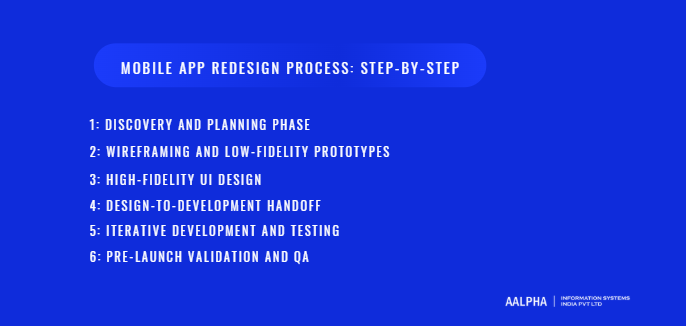
Mobile App Redesign Process: Step-by-Step
A structured redesign process is essential for transforming insights, goals, and design principles into a stable, high-quality mobile app experience. Unlike greenfield development, redesign projects must balance innovation with continuity, ensuring that improvements do not disrupt existing users or business operations. A step-by-step approach reduces uncertainty, aligns cross-functional teams, and ensures that design decisions translate into reliable, scalable implementations.
-
Discovery and Planning Phase
The redesign process begins with discovery and planning, where teams establish a shared understanding of the app’s current state and future objectives. This phase consolidates findings from user research, analytics, and UX audits into a clear problem definition. Teams identify which user segments and flows are most critical, define redesign goals, and agree on success metrics. Technical assessments are also conducted to understand constraints related to architecture, performance, and integrations. Planning includes defining scope, timelines, responsibilities, and risk mitigation strategies. A well-executed discovery phase prevents misalignment later by grounding redesign decisions in evidence and feasibility rather than assumptions.
-
Wireframing and Low-Fidelity Prototypes
Once priorities are clear, teams move into wireframing and low-fidelity prototyping. At this stage, the focus is on structure, flow, and hierarchy rather than visual polish. Wireframes outline how screens connect, where content lives, and how users move through key tasks. Low-fidelity prototypes allow stakeholders to evaluate usability and logic early, before significant design or development investment. This phase encourages experimentation and rapid iteration, making it easier to identify and resolve issues with navigation, information architecture, and interaction flow. Feedback gathered here is invaluable because changes are still inexpensive and low risk.
-
High-Fidelity UI Design
High-fidelity design translates validated wireframes into detailed, production-ready interfaces. This phase defines the visual language of the redesigned app, including color systems, typography, components, and interaction states. Designers apply platform-specific guidelines and accessibility standards to ensure consistency and usability across devices. High-fidelity prototypes also simulate motion, transitions, and feedback, helping teams evaluate how the redesigned experience feels in practice. This stage is where brand expression and usability converge. Decisions made here directly influence user perception and must be grounded in the goals established during discovery.
-
Design-to-Development Handoff
The transition from design to development is a critical moment in the redesign process. Poor handoffs lead to inconsistencies, rework, and delays. Effective handoff involves clear documentation of layouts, components, states, and interactions, as well as alignment on technical constraints and implementation details. Designers and developers should collaborate closely to clarify intent and resolve ambiguities before development begins. Shared design systems and component libraries help ensure consistency and reduce interpretation errors. A smooth handoff ensures that the redesigned experience is implemented faithfully and efficiently.
-
Iterative Development and Testing
Redesign implementation should follow an iterative development approach rather than a single, monolithic build. Features and screens are developed in increments, allowing for continuous testing and feedback. Functional testing ensures that redesigned components behave correctly, while usability testing validates that the experience meets user expectations. Performance testing is also critical, as visual changes can introduce unintended slowdowns. Iteration allows teams to identify issues early, adjust designs if necessary, and maintain alignment between design intent and technical reality. This approach reduces the risk of major surprises late in the project.
-
Pre-Launch Validation and QA
Before releasing the redesigned app, thorough validation and quality assurance are essential. QA teams test the app across devices, screen sizes, operating system versions, and network conditions to identify bugs, inconsistencies, and edge cases. Pre-launch validation also includes regression testing to ensure that existing functionality remains intact. Beta releases or staged rollouts allow real users to experience the redesign in controlled conditions, providing final feedback before full deployment. This phase ensures that the redesigned app meets quality standards and is ready for widespread use without disrupting existing users.
A disciplined, step-by-step redesign process transforms complex changes into manageable phases. By combining research, design, development, and testing into a cohesive workflow, teams can deliver redesigns that improve usability, performance, and user satisfaction while minimizing risk. This structured approach is what separates successful redesigns from visually appealing but unstable updates.
Testing and Validation During App Redesign
Testing and validation are the mechanisms that separate a well-intentioned redesign from a demonstrably effective one. Even when redesign decisions are grounded in research and best practices, assumptions must be validated against real user behavior. In mobile app redesign, testing is not a single phase conducted at the end of the project. It is an ongoing process that reduces risk, improves decision quality, and ensures that changes deliver measurable improvements rather than unintended regressions.
-
Usability Testing Methods
Usability testing is the most direct way to evaluate whether redesigned interfaces support user goals effectively. Common methods include moderated testing, where facilitators observe users completing tasks, and unmoderated testing, where users interact with the app independently. Task-based testing focuses on critical flows such as onboarding, navigation, checkout, or feature activation. Observing where users hesitate, make errors, or abandon tasks reveals usability issues that are not always visible in design reviews. In redesign projects, usability testing should be conducted on prototypes as well as functional builds, allowing teams to identify and correct issues early before development effort compounds mistakes.
-
A/B Testing Redesigned Screens
A/B testing provides quantitative evidence of whether a redesigned element performs better than its predecessor. By exposing different user segments to alternative versions of screens, flows, or interactions, teams can measure the impact of specific changes on metrics such as conversion, completion rates, or engagement. In redesign scenarios, A/B testing is particularly useful for validating controversial or high-risk changes, such as new navigation models or altered onboarding sequences. Rather than relying on subjective opinions, teams can base decisions on statistically significant outcomes. This approach reduces internal debate and builds confidence in redesign choices.
-
Beta Testing Strategies
Beta testing bridges the gap between internal testing and public release. By rolling out the redesigned app to a controlled group of users, teams can observe real-world usage without exposing the entire user base to potential issues. Beta testers often represent diverse devices, usage patterns, and network conditions, uncovering problems that are difficult to replicate in test environments. Effective beta programs include clear feedback channels, structured prompts, and monitoring tools to capture both reported issues and behavioral data. Beta testing is especially valuable for identifying edge cases, performance bottlenecks, and unexpected interactions introduced by the redesign.
-
Gathering Qualitative vs Quantitative Feedback
Both qualitative and quantitative feedback are essential for validating redesign outcomes, but they serve different purposes. Quantitative data answers questions about what is happening at scale, such as whether completion rates have improved or drop-offs have decreased. Qualitative feedback explains why those changes are occurring. User comments, interview insights, and open-ended survey responses provide context that numbers alone cannot. For example, a slight increase in task completion may be accompanied by feedback describing lingering confusion or frustration. Balancing these perspectives helps teams avoid misinterpreting metrics and ensures that improvements are meaningful, not superficial.
-
Iterating Based on Real User Behavior
Validation does not end with identifying issues. The true value of testing lies in iteration. Redesign teams must be prepared to refine designs, adjust flows, or reconsider assumptions based on evidence. Small iterations, such as adjusting copy, spacing, or sequencing, often produce outsized improvements when guided by real user behavior. Iteration also prevents redesigns from becoming rigid or defensive, where teams resist change to protect earlier decisions. By treating redesign as an adaptive process, teams continuously align the app with user needs and business goals rather than freezing the experience prematurely.
Testing and validation ensure that mobile app redesigns deliver tangible value rather than theoretical improvements. Through usability testing, experimentation, and iterative refinement, teams replace guesswork with evidence. This disciplined approach not only improves the quality of the redesigned experience but also builds organizational confidence in design-led decisions. In competitive mobile markets, validation is not optional. It is the safeguard that turns redesign investment into sustained user satisfaction and measurable performance gains.
Launching a Redesigned Mobile App Without Losing Users
Launching a redesigned mobile app is one of the most sensitive stages of the redesign lifecycle. Even well-executed redesigns can trigger negative reactions if users feel surprised, disoriented, or ignored. Long-time users develop habits and muscle memory, and sudden changes can create frustration even when the new experience is objectively better. A thoughtful launch strategy focuses on minimizing disruption, setting expectations, and responding quickly to real-world feedback.
-
Soft Launch vs Full Rollout Strategies
Choosing the right rollout strategy is critical to managing risk. A soft launch involves releasing the redesigned app to a limited audience, such as a specific region, platform, or percentage of users. This approach allows teams to validate stability, performance, and usability under real conditions while containing potential issues. A full rollout delivers the redesign to all users at once and is typically reserved for smaller changes or highly confident teams. In most redesign scenarios, a phased rollout offers better control. It enables teams to compare metrics between old and new experiences, identify regressions early, and pause deployment if serious issues emerge.
-
Communicating Changes to Existing Users
Clear communication reduces confusion and resistance during launch. Users should understand what has changed and why those changes benefit them. This does not require lengthy explanations but rather concise, contextual messaging delivered at the right moment. Release notes, in-app announcements, and brief walkthroughs can highlight key improvements without overwhelming users. Transparency builds trust, especially when redesigns address common complaints or introduce new workflows. When users feel informed rather than surprised, they are more likely to explore and adapt to the new experience.
-
Handling Resistance to UI Changes
Resistance is a natural response to change, particularly among long-term users. Negative reactions do not always indicate failure. They often reflect disrupted habits rather than poor design. Effective teams differentiate between emotional resistance and genuine usability issues. Providing reassurance through guidance, tips, or optional tutorials helps users rebuild confidence. In some cases, offering temporary access to familiar patterns or gradual transitions reduces frustration. Listening to feedback without reacting defensively allows teams to identify real problems and adjust where necessary. Managing resistance is about empathy, not reversal.
-
Monitoring Post-Launch Metrics
The period immediately after launch is critical for evaluating redesign impact. Teams should closely monitor key metrics such as retention, engagement, crash rates, conversion, and support volume. Comparing these metrics against pre-launch baselines helps identify whether the redesign is achieving its goals. Sudden drops or spikes often signal issues that require immediate attention. Monitoring should extend beyond quantitative data to include qualitative signals such as app store reviews and customer support feedback. Early detection enables rapid response and prevents minor issues from escalating into widespread dissatisfaction.
-
Rapid Fixes and Hot Updates
No redesign launch is perfect. The ability to respond quickly separates resilient teams from those that lose momentum. Rapid fixes and hot updates address critical bugs, performance issues, or usability regressions without waiting for major release cycles. This requires strong monitoring, efficient development pipelines, and clear decision-making authority. Communicating improvements transparently reassures users that feedback is taken seriously. When users see issues resolved quickly, trust is often strengthened rather than damaged.
Launching a redesigned mobile app is not a single event but a managed transition. By rolling out changes carefully, communicating clearly, and responding decisively to feedback, teams protect existing user relationships while introducing meaningful improvements. This approach ensures that redesign efforts enhance long-term loyalty rather than erode it at the moment of greatest visibility.
Post-Redesign Optimization and Continuous Improvement
A mobile app redesign does not conclude at launch. The post-redesign phase is where long-term value is realized through continuous optimization and disciplined iteration. User behavior evolves, market expectations shift, and new constraints emerge over time. Treating redesign as a one-time initiative limits its impact, while ongoing improvement ensures that gains in usability, engagement, and performance are sustained and expanded.
-
Measuring Redesign Success Against KPIs
The first step in post-redesign optimization is evaluating outcomes against the goals and KPIs defined earlier. Metrics related to retention, engagement, conversion, performance, and revenue provide objective evidence of whether the redesign achieved its intended impact. Comparing post-launch data to pre-redesign baselines reveals where improvements occurred and where gaps remain. It is important to allow sufficient time for users to adapt before drawing conclusions, as initial reactions may not reflect long-term behavior. Measuring success through data rather than perception keeps teams focused on outcomes rather than opinions.
-
Iterating Based on Live Usage Data
Live usage data uncovers how users interact with the redesigned experience in real conditions. Analytics, heatmaps, and session recordings reveal patterns that were not apparent during testing. Users may adopt new flows in unexpected ways or struggle with redesigned elements that seemed clear in prototypes. Iteration based on live data allows teams to refine layouts, copy, and interactions incrementally. Small adjustments, informed by real behavior, often produce significant improvements without requiring major rework. This adaptive approach prevents stagnation and ensures that the app remains aligned with user needs.
-
Feature Prioritization After Redesign
Redesign often clarifies which features truly matter. Post-launch insights help teams reassess feature priorities based on actual usage rather than assumptions. Features that receive little engagement may require redesign, repositioning, or removal, while heavily used features may warrant further enhancement. Prioritization should balance user value, business impact, and technical effort. By using redesign as a reset point, teams can make more informed decisions about where to invest development resources next, avoiding feature bloat and unnecessary complexity.
-
Establishing Continuous UX Improvement Cycles
Sustainable success requires formalizing continuous improvement as part of the product lifecycle. This involves setting regular review intervals, maintaining feedback loops with users, and embedding UX evaluation into development workflows. Design systems, usability benchmarks, and experimentation frameworks support consistent iteration without introducing chaos. Continuous UX improvement shifts the organization from reactive fixes to proactive refinement. Over time, this discipline builds products that adapt smoothly to change and consistently deliver value.
Post-redesign optimization transforms a successful launch into lasting progress. By measuring outcomes, iterating thoughtfully, and institutionalizing continuous improvement, teams ensure that their mobile apps remain usable, relevant, and competitive long after the initial redesign effort.
Cost of Mobile App Redesign
Understanding the cost of mobile app redesign is essential for planning realistic timelines, allocating budgets effectively, and setting stakeholder expectations. Unlike greenfield development, redesign costs vary widely based on how much of the existing product can be reused, how deep the UX and technical changes go, and how many platforms are involved. A well-scoped redesign balances investment with measurable returns rather than aiming for cosmetic upgrades alone.
-
Cost Factors: Scope, Complexity, and Platforms
The primary cost driver in any redesign is scope. A UI-only redesign that updates visual elements while preserving existing flows costs significantly less than a full UX and technical redesign that reworks navigation, onboarding, and performance. Complexity also matters. Apps with multiple user roles, real-time data, third-party integrations, or offline functionality require more effort to redesign safely. Platform coverage further affects cost. Redesigning for both iOS and Android typically requires parallel design and development work to respect platform-specific behaviors, increasing total effort compared to single-platform updates.
-
UI-Only vs Full UX and Technical Redesign
UI-only redesigns focus on visual consistency, branding updates, and modern design patterns. These are quicker and less expensive but offer limited impact if deeper usability issues exist. Full redesigns address user journeys, interaction models, performance, accessibility, and sometimes backend constraints. While more expensive, full redesigns often deliver higher ROI because they improve retention, conversion, and long-term maintainability. Choosing the right level of redesign requires honest assessment of user pain points and business goals rather than budget alone.
-
Typical Cost Ranges for Startups, SMEs, and Enterprises
Cost expectations vary by organization size and app maturity. Early-stage startups often invest in focused redesigns targeting onboarding, navigation, or core flows to improve activation and retention. Mid-sized businesses typically undertake broader redesigns to support scaling, feature expansion, and brand alignment. Enterprise redesigns are the most complex, often involving multiple integrations, compliance requirements, and extensive testing. While exact figures vary by region and engagement model, redesign costs generally range from a fraction of full redevelopment to near parity when technical debt is significant.
-
In-House vs Outsourced Redesign
Whether redesign is handled in-house or outsourced has a major impact on cost and outcomes. In-house teams offer deeper product knowledge and faster iteration but may lack specialized UX or redesign expertise. Outsourced teams bring structured processes, cross-industry experience, and scalability, often accelerating timelines. Hybrid models combine internal ownership with external execution. Cost comparisons should account not only for hourly rates but also for efficiency, risk reduction, and opportunity cost.
-
Budgeting and Cost-Control Strategies
Effective budgeting starts with clear goals, prioritized scope, and phased execution. Breaking redesign into milestones allows teams to validate progress before committing additional investment. Reusing existing components, leveraging design systems, and focusing on high-impact areas help control costs. Redesign budgets should also account for post-launch iteration, as optimization is essential to realizing full value.
Common Mobile App Redesign Mistakes to Avoid
Many redesign projects fail not because of poor intent, but because of avoidable mistakes that undermine usability and trust. Identifying these pitfalls early helps teams protect investment and deliver meaningful improvements.
- Redesigning for Aesthetics Only
A visually appealing redesign that ignores usability often performs worse than the original. Users value clarity, speed, and predictability over visual novelty. Redesign decisions should always be grounded in user behavior and business goals, not trends or subjective preferences.
- Ignoring Existing Users
Radical changes without considering existing users’ habits create frustration and churn. Successful redesigns respect familiarity while improving experience. Gradual transitions, guidance, and continuity preserve trust.
- Overloading the App With Features
Redesign is not an opportunity to add everything that was previously deferred. Feature overload increases cognitive load and dilutes core value. Redesign should simplify, not complicate.
- Skipping Research and Validation
Assumptions are expensive. Skipping user research, UX audits, or testing leads to redesigns that solve the wrong problems. Evidence-backed decisions reduce risk and rework.
- Underestimating Technical Impact
UI changes often have deep technical implications. Ignoring performance, data handling, or regression risk leads to instability and post-launch issues.
Industry-Specific Mobile App Redesign Considerations
Redesign strategies vary significantly by industry because user expectations, regulatory requirements, and success metrics differ.
- eCommerce Apps
Redesigns focus on discovery, checkout friction, performance, and trust signals. Small UX improvements often produce measurable revenue gains.
- Healthcare Apps
Compliance, accessibility, and clarity are critical. Redesigns must prioritize safety, data protection, and error prevention over visual flair.
- Fintech Apps
Trust, transparency, and predictability dominate redesign priorities. Clear information hierarchy and consistent feedback reduce anxiety and errors.
- SaaS and Productivity Apps
Efficiency and scalability matter most. Redesigns aim to reduce task time, support complex workflows, and accommodate feature growth.
- On-Demand and Marketplace Apps
Balancing supply and demand flows, real-time updates, and usability under time pressure defines redesign success.
Future Trends in Mobile App Redesign
Mobile app redesign is increasingly shaped by intelligent systems and adaptive interfaces.
AI-driven personalization tailors experiences dynamically based on behavior and context. Predictive interfaces anticipate user needs, reducing manual input. Multimodal interactions combine touch, voice, and gesture. Accessibility-first design continues to influence standards, benefiting all users. OS-level changes will keep redefining navigation and interaction patterns, making redesign an ongoing necessity rather than a periodic task.
How to Choose the Right Partner for Mobile App Redesign
Choosing the right partner for a mobile app redesign has a direct impact on product quality, delivery speed, user retention, and long-term scalability. A redesign partner is not simply executing visual updates. They are influencing how users experience the product, how reliably it performs, and how effectively it supports business goals over time. For this reason, organizations must evaluate redesign partners on strategic depth, execution maturity, and real-world experience rather than surface-level portfolios or pricing alone.
What to Evaluate in a Mobile App Redesign Partner
A strong redesign partner demonstrates proven expertise across UX research, UI systems, mobile engineering, and post-launch optimization. Redesign projects require teams that understand how existing products behave in production, how users resist change, and how technical constraints shape design decisions. Experience with redesigns is more valuable than greenfield development experience because redesigns demand risk management, incremental change, and continuity for existing users. Teams should also assess how a partner handles collaboration, documentation, stakeholder alignment, and iteration cycles, as redesigns involve continuous feedback and evolving requirements.
Why Aalpha Is a Strong Choice for Mobile App Redesign
Aalpha Information Systems stands out as a mobile app redesign partner because of its deep experience working with mature, production-grade applications across industries. Rather than treating redesign as a cosmetic exercise, Aalpha approaches it as a structured product transformation grounded in user research, data analysis, and measurable outcomes. The team has extensive experience redesigning apps that already have active users, complex workflows, and backend dependencies, which significantly reduces the risk of disruption during transition.
Aalpha’s redesign approach begins with understanding existing user behavior through analytics, UX audits, and stakeholder interviews. This ensures that redesign decisions are evidence-backed rather than assumption-driven. The team places equal emphasis on usability, performance, and scalability, recognizing that visual improvements must be supported by technical stability. This balance is particularly important for businesses where downtime, regressions, or user churn have direct revenue implications.
Platform Expertise and Technical Depth
One of Aalpha’s core strengths lies in its platform-specific expertise. The team designs and engineers redesigned experiences that respect iOS and Android conventions rather than forcing a one-size-fits-all interface. This platform awareness improves usability, reduces learning friction, and aligns the app with native user expectations. On the technical side, Aalpha has strong experience working with legacy codebases, performance optimization, API dependencies, and data migration scenarios. This allows redesigns to move forward without introducing instability or excessive technical debt.
Unlike partners that separate design and engineering responsibilities rigidly, Aalpha emphasizes close collaboration between UX designers and developers. This reduces handoff gaps, prevents misinterpretation of design intent, and accelerates iteration cycles. Design systems, reusable components, and clear documentation are used to ensure long-term maintainability beyond the redesign phase.
Collaboration, Communication, and Transparency
Effective redesign partnerships depend on communication clarity and decision discipline. Aalpha operates with transparent workflows, defined milestones, and regular checkpoints that keep stakeholders aligned throughout the redesign lifecycle. Clear ownership of decisions prevents scope creep and delays, while structured feedback loops ensure that insights from testing and validation are incorporated efficiently. This level of process maturity is especially valuable for organizations managing multiple stakeholders or distributed teams.
Long-Term Support and Continuous Improvement
A redesign is only as successful as its performance after launch. Aalpha supports post-launch optimization through monitoring, iteration, and UX refinement based on live usage data. This long-term engagement mindset ensures that redesign outcomes continue to improve rather than stagnate after release. By treating redesign as part of an ongoing product evolution, Aalpha helps businesses build mobile apps that remain relevant as user expectations, platforms, and markets change.
In short, the right mobile app redesign partner combines UX expertise, technical depth, and operational maturity. Aalpha’s experience with real-world redesign challenges, evidence-driven approach, and focus on continuity make it a reliable partner for organizations seeking meaningful, sustainable improvements rather than short-term visual changes.
Conclusion
Mobile app redesign is not about chasing trends. It is about aligning evolving user expectations, business goals, and technical realities into a coherent experience. Apps that remain relevant treat redesign as an ongoing discipline grounded in research, validation, and continuous improvement. By approaching redesign strategically rather than reactively, organizations build products that adapt gracefully to change, earn long-term user trust, and sustain growth in competitive markets.
If your mobile app is struggling with engagement, usability, or scalability, a structured redesign can unlock measurable improvements. Aalpha helps businesses modernize existing apps without disrupting users, combining UX expertise, platform-specific design, and deep technical execution. Partner with Aalpha to turn your mobile app redesign into a sustainable product advantage.