





What Is an AI Symptom Checker App?
An AI symptom checker app is a digital healthcare application that allows users to enter symptoms such as fever, headache, abdominal pain, cough, skin rash, dizziness, fatigue, or breathing difficulty and receive structured health guidance powered by artificial intelligence. The app collects symptom details, asks follow-up questions, analyzes the user’s inputs, and suggests possible causes or the most suitable next step, such as self-care, booking a doctor consultation, visiting urgent care, or seeking emergency help.
Unlike a basic health questionnaire, an AI symptom checker app does not depend only on fixed questions and static answers. A simple questionnaire follows a predefined path, where every user may see almost the same questions regardless of their condition. An AI-powered symptom checker is more dynamic. It can understand natural language, identify symptom patterns, personalize follow-up questions, and adjust the assessment based on the user’s age, gender, medical history, risk factors, severity, and duration of symptoms. For example, “mild headache after screen use” and “sudden severe headache with confusion” should not be treated in the same way. A well-designed AI symptom checker should recognize the difference and guide the user safely.
Several technologies work together inside an AI symptom checker app. Natural Language Processing, or NLP, helps the system understand how people describe symptoms in everyday language. Machine learning helps identify patterns from large volumes of medical and symptom-related data. Medical databases provide structured information about conditions, symptoms, risk factors, and warning signs. Clinical logic or rule-based decision engines help the app follow medically reviewed pathways, especially for urgent symptoms where patient safety is critical.
It is also important to understand the difference between symptom checking, triage, and diagnosis. Symptom checking means collecting symptoms and matching them with possible health conditions. Triage means assessing the urgency of the situation and recommending the right care pathway. Diagnosis is different. A diagnosis is a medical conclusion made by a qualified healthcare professional after reviewing symptoms, examination findings, medical history, lab reports, imaging results, and other clinical evidence. Therefore, an AI symptom checker app should support users with guidance, but it should not claim to replace a doctor.
Common use cases include checking fever, cold and cough symptoms, headache, stomach pain, skin irritation, respiratory symptoms, urinary discomfort, fatigue, allergies, and minor injuries. Hospitals may use symptom checker apps for patient intake before consultation. Telemedicine platforms may use them to collect patient information before connecting users with doctors. Insurance companies may use them to direct members to the right care option. Healthcare startups may build them as standalone AI healthcare apps.
AI symptom checker apps are becoming important because patients increasingly expect faster, easier, and more accessible healthcare support. They help users understand when symptoms may need medical attention, reduce unnecessary clinic visits, support early risk identification, and improve digital patient engagement. For healthcare businesses, AI symptom checker app development creates an opportunity to offer smarter patient access, better intake workflows, and more connected healthcare services.
How Does an AI Symptom Checker App Work?
An AI symptom checker app works by collecting health-related information from the user, interpreting the symptoms using artificial intelligence, comparing the input with medical knowledge sources, and then suggesting the most suitable next step. The process may look simple from the user’s side, but behind the interface there are multiple layers, including symptom collection, natural language processing, clinical logic, risk scoring, condition matching, triage rules, and safety checks. A well-built AI symptom checker app should guide users in a structured way without creating fear, confusion, or false confidence.
-
Symptom Input Through Text, Voice, or Guided Questions
The process usually begins when the user enters symptoms into the app. This can happen through a text box, voice input, chatbot conversation, or a guided question flow. For example, a user may type “I have fever and body pain,” speak the symptoms into the app, or choose options such as fever, cough, sore throat, headache, or stomach pain from a predefined list. Some apps also ask for important background details, including age, gender, duration of symptoms, severity, existing conditions, allergies, current medications, pregnancy status, and recent travel history.
This first step is important because symptom quality directly affects the accuracy of the result. A vague input such as “I feel unwell” gives the system less information, while a structured input such as “fever for two days, dry cough, body pain, and no breathing difficulty” helps the app assess the situation more clearly.
-
Natural Language Processing Understands the User’s Input
Once the user enters symptoms, the app uses Natural Language Processing, or NLP, to understand the meaning behind the input. People rarely describe symptoms in formal medical terms. A user may write “my stomach is burning,” “my head feels heavy,” or “I feel tightness in my chest.” NLP helps convert everyday language into structured medical concepts that the system can process.
For example, “stomach burning” may be mapped to acidity, gastritis-like symptoms, or upper abdominal discomfort. “Breathing feels tight” may be mapped to shortness of breath or chest tightness. This makes the app more user-friendly because patients do not need to know medical terminology. The app can understand common phrases, spelling variations, local expressions, and symptom descriptions, depending on how well the NLP model is trained.
-
Follow-Up Questions Based on Medical Logic
After understanding the initial symptoms, the app asks follow-up questions. These questions are not random. They are based on medical logic and symptom pathways. If the user reports fever, the app may ask about temperature, chills, cough, sore throat, rash, vomiting, recent infection exposure, or duration. If the user reports chest discomfort, the app may ask about pain location, breathing difficulty, sweating, dizziness, pain spreading to the arm or jaw, and previous heart problems.
Follow-up questions help narrow the assessment. They also help identify red-flag symptoms that may require urgent medical attention. This step is one of the main differences between a basic symptom form and an AI-powered symptom checker. A strong symptom checker adapts the conversation based on the user’s previous answers instead of asking the same fixed questions to every user.
-
Risk Scoring and Condition Matching
Once enough information is collected, the system analyzes the symptoms using risk scoring and condition matching. The app compares the user’s symptom pattern with medical knowledge bases, clinical rules, and trained AI models. It may calculate the likelihood of common conditions and also check whether any urgent warning signs are present.
For example, fever with mild sore throat may point toward a common viral infection, while fever with stiff neck, confusion, or severe headache may require urgent escalation. Similarly, abdominal pain after overeating may suggest a minor digestive issue, while severe abdominal pain with vomiting, fainting, or blood in stool may need immediate medical attention. The app should not only look for the most common condition; it should also recognize high-risk situations even when they are less common.
-
Triage Recommendation and Care Guidance
The main output of an AI symptom checker app is usually a triage recommendation. This recommendation tells the user what level of care may be appropriate. The app may suggest self-care for mild symptoms, a doctor consultation for symptoms that need professional review, urgent care for concerning signs, or emergency services for serious symptoms.
For example, a user with mild cold symptoms may receive self-care guidance, hydration advice, rest suggestions, and a reminder to consult a doctor if symptoms worsen. A user with persistent high fever may be advised to book a doctor consultation. A user with severe breathing difficulty, chest pain, signs of stroke, or loss of consciousness should be directed toward emergency care immediately.
-
Medical Knowledge Base and Clinical Decision Support
Behind the scenes, an AI symptom checker app depends on a medical knowledge base and clinical decision support logic. The medical knowledge base contains information about symptoms, diseases, risk factors, warning signs, age-related conditions, medication-related concerns, and care recommendations. Clinical decision support helps the app apply structured medical reasoning to user inputs.
This layer is critical because AI alone is not enough for healthcare applications. A general AI model may produce fluent responses, but healthcare requires medically reviewed logic, safety rules, escalation pathways, and strong control over what the app can and cannot say. For this reason, reliable symptom checker apps often combine AI models with rule-based clinical pathways reviewed by healthcare professionals.
-
Final Output: Possible Causes, Urgency Level, and Next Steps
At the end of the assessment, the app presents the final output in a clear and responsible format. This may include possible causes, urgency level, recommended next action, self-care guidance, warning signs to monitor, and an option to book a doctor consultation. The best apps also allow users to download or share a symptom summary with a healthcare professional. This summary may include reported symptoms, duration, severity, answers to follow-up questions, and risk factors.
The language must be simple and careful. Instead of saying “You have bronchitis,” the app should say “Your symptoms may be associated with conditions such as bronchitis, viral infection, or other respiratory issues. Please consult a healthcare professional for proper evaluation.” This keeps the output useful without presenting AI-generated suggestions as confirmed medical conclusions.
Why the App Should Not Replace a Doctor
An AI symptom checker app should never claim to replace a doctor because symptoms alone are not enough for a confirmed diagnosis. Doctors consider physical examination, medical history, vital signs, lab reports, imaging, medication use, and clinical judgment before making a diagnosis. An app can support early guidance, patient education, and triage, but it cannot fully understand every medical situation.
This is especially important for emergency symptoms, children, elderly patients, pregnant women, people with chronic diseases, and users taking multiple medications. In these cases, the app should be conservative and encourage professional medical care when risk is present. The safest approach is to position the AI symptom checker as a digital health assistant that helps users understand symptoms and choose the right care pathway, not as a replacement for qualified healthcare professionals.
Why Are AI Symptom Checker Apps Important in Healthcare?
AI symptom checker apps are becoming important in healthcare because they help patients take the first step toward understanding their symptoms and choosing the right care pathway. Many people delay care because they are unsure whether their symptoms are serious, while others visit clinics or emergency departments for minor issues that could have been managed with basic guidance. An AI symptom checker app helps reduce this confusion by offering structured, accessible, and timely health guidance before a patient speaks to a doctor.
-
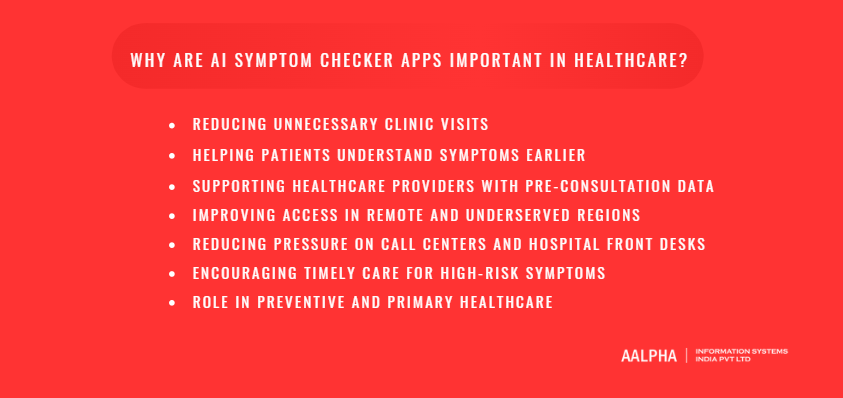
Reducing Unnecessary Clinic Visits
One of the biggest benefits of AI symptom checker apps is their ability to reduce unnecessary clinic visits. Patients often visit doctors for common symptoms such as mild fever, seasonal cold, headache, acidity, body pain, or minor skin irritation. While medical consultation is important when symptoms are severe or persistent, many low-risk cases can begin with self-care guidance, monitoring advice, or pharmacy-level support where legally appropriate.
A symptom checker app can help users understand whether their symptoms appear mild, moderate, or urgent. For example, a user with a mild sore throat and no fever may receive basic care guidance and warning signs to watch for. On the other hand, a user with high fever, breathing difficulty, chest pain, or confusion should be advised to seek urgent medical care. This helps patients avoid unnecessary visits while still encouraging action when symptoms require attention.
-
Helping Patients Understand Symptoms Earlier
AI symptom checker apps also help patients understand symptoms at an earlier stage. Many people search online when they feel unwell, but general internet searches often create confusion or unnecessary fear. A symptom checker provides a more structured experience. It asks relevant questions, considers symptom duration and severity, and explains possible causes in simple language.
For example, if a user reports abdominal pain, the app may ask about pain location, vomiting, fever, bowel changes, food intake, pregnancy status, or previous medical conditions. This type of guided assessment helps users think more clearly about their symptoms and decide whether they should monitor, consult a doctor, or seek urgent care.
-
Supporting Healthcare Providers With Pre-Consultation Data
AI symptom checker apps are valuable not only for patients but also for healthcare providers. When integrated with a clinic, hospital, or telemedicine platform, the app can collect pre-consultation data before the appointment. This may include symptoms, duration, severity, medical history, allergies, medications, and red-flag responses.
This information helps doctors save time during consultations and understand the patient’s concern before the visit begins. It can also help front-desk teams route patients to the right department, such as general medicine, pediatrics, dermatology, gynecology, or emergency care. For telemedicine platforms, pre-consultation symptom summaries can make virtual consultations more focused and efficient.
-
Improving Access in Remote and Underserved Regions
In remote or underserved regions, patients may not always have immediate access to doctors, hospitals, or specialist care. AI symptom checker apps can act as a first-level digital health support system. They can guide users on whether symptoms may be managed temporarily with self-care, require a scheduled consultation, or need urgent medical attention.
This is especially useful in areas where healthcare facilities are far away, appointment availability is limited, or people hesitate to seek care due to cost or travel constraints. Multilingual symptom checker apps can further improve access by allowing users to describe symptoms in their preferred language.
-
Reducing Pressure on Call Centers and Hospital Front Desks
Hospitals, clinics, insurance providers, and telemedicine companies often receive repeated calls from patients asking whether they should book an appointment, visit emergency care, or wait. An AI symptom checker app can answer basic symptom-related intake questions and guide users to the correct next step.
This reduces pressure on call centers and front-desk staff, especially during seasonal illness peaks, flu outbreaks, or high-demand periods. Instead of manually handling every basic query, healthcare teams can focus on patients who need human support, appointment scheduling, emergency escalation, or specialist coordination.
-
Encouraging Timely Care for High-Risk Symptoms
A responsible AI symptom checker app can play an important role in identifying high-risk symptoms early. Symptoms such as chest pain, severe breathing difficulty, sudden weakness, facial drooping, confusion, severe allergic reaction, uncontrolled bleeding, or loss of consciousness should never be treated as routine health concerns.
When such symptoms are entered, the app should clearly recommend urgent or emergency care. This helps users take timely action instead of delaying treatment. In this way, AI symptom checker apps can support patient safety when designed with strong clinical rules and conservative escalation logic.
-
Role in Preventive and Primary Healthcare
AI symptom checker apps also support preventive and primary healthcare by encouraging users to track symptoms, monitor recurring issues, and seek medical advice before conditions worsen. They can remind users to follow up, record symptom history, and share summaries with healthcare providers.
For healthcare businesses, this creates a stronger digital entry point into the patient journey. For patients, it offers easier access to health guidance. For providers, it improves intake quality, reduces avoidable workload, and supports better care coordination. This is why AI symptom checker app development is becoming a valuable investment for hospitals, clinics, telemedicine companies, insurers, and healthcare startups.
Who Can Build and Use an AI Symptom Checker App?
An AI symptom checker app can be built and used by almost any healthcare-focused organization that wants to improve patient access, collect symptom information, reduce manual workload, and guide users toward the right care option. The app can work as a standalone healthcare product, or it can be integrated into an existing hospital system, telemedicine platform, insurance portal, pharmacy app, or employee wellness program.
-
Can hospitals and clinics use an AI symptom checker app?
Yes. Hospitals and clinics are among the most practical users of AI symptom checker apps. Why? Because they deal with a high number of patients every day, and many patients arrive without clear information about their symptoms, duration, severity, or medical history. A symptom checker can collect these details before the patient reaches the doctor.
For example, a clinic can allow patients to complete a symptom assessment before booking an appointment. The app can ask about fever, pain, breathing issues, allergies, current medications, and past conditions. The doctor then receives a structured summary instead of starting from zero. This can make consultations more focused and help clinics route patients to the right department.
-
Can telemedicine platforms benefit from symptom checker apps?
Absolutely. In fact, telemedicine platforms are one of the strongest use cases for AI symptom checker app development. When patients book online consultations, doctors often need basic health details before the call begins. A symptom checker can collect this information automatically.
For example, if a patient wants to consult a doctor for stomach pain, the app can ask about pain location, food intake, vomiting, fever, bowel changes, and duration. By the time the video consultation starts, the doctor already has a useful pre-consultation summary. This improves the patient experience and helps the doctor use consultation time more effectively.
-
Why would health insurance companies build a symptom checker?
Health insurance companies can use AI symptom checker apps to guide members to the right care level. Should the patient visit a general physician? Is urgent care required? Can the issue begin with a teleconsultation? These are common questions for insurers and policyholders.
A symptom checker can support digital triage and reduce unnecessary claim-related healthcare visits when symptoms are minor. At the same time, it can encourage faster care when high-risk symptoms are detected. For insurers, this can improve member support, care navigation, and cost control.
-
Can digital health startups build AI symptom checker apps?
Yes, and many healthcare startups choose symptom checker software as their core product or as part of a larger healthcare platform. A startup may build a general AI healthcare assistant, a women’s health symptom checker, a pediatric symptom checker, a dermatology-focused app, or a chronic care support tool.
For startups, the value is clear. A symptom checker can become the first touchpoint between the user and the healthcare platform. From there, the app can connect users to doctors, diagnostics, pharmacies, wellness programs, or follow-up care.
-
Can pharmacies and wellness platforms use this technology?
Yes. Pharmacies and wellness platforms can use symptom checker apps to help users understand basic symptoms and choose the right next step. For example, a user with mild acidity, seasonal cold symptoms, or skin irritation may need general guidance before speaking to a pharmacist or doctor.
However, pharmacy-linked symptom checker apps must be designed carefully. They should avoid unsafe medicine recommendations, follow local healthcare regulations, and clearly guide users to professional care when symptoms are serious, persistent, or unclear.
-
Can enterprises offer symptom checkers to employees?
Yes. Large companies can include AI symptom checker apps in employee wellness programs. Employees can use the app to understand symptoms, access self-care guidance, book teleconsultations, or connect with the company’s healthcare provider.
This can be useful for organizations that want to support workforce health, reduce absenteeism, and offer convenient healthcare access. It is especially valuable for companies with distributed teams, factory workers, field staff, or employees in locations where immediate healthcare access may be limited.
-
Can government and public health organizations use AI symptom checkers?
Yes. Government bodies and public health organizations can use symptom checker apps for population-level health guidance, public health awareness, disease outbreak support, and early risk identification. During seasonal illness peaks or public health events, these apps can help citizens understand symptoms and choose the right care pathway.
The app can also be made multilingual and region-specific, which is important for public health adoption. However, public sector symptom checker apps must follow strict standards for privacy, accessibility, medical accuracy, and safety.
-
Can healthcare SaaS companies add symptom checker modules?
Yes. Healthcare SaaS companies can add AI symptom checker modules to their existing products. For example, an appointment booking system, hospital management platform, telemedicine SaaS, EHR system, or patient engagement platform can include symptom checking as an additional feature.
This helps SaaS providers offer more value to hospitals, clinics, and healthcare businesses. Instead of only managing bookings or records, the platform can support early patient intake, triage, and digital care navigation.
Overall, AI symptom checker apps can be used by hospitals, clinics, telemedicine businesses, insurers, pharmacies, startups, enterprises, public health bodies, and healthcare SaaS companies. The exact use case may differ, but the goal remains the same: help users understand symptoms earlier, guide them safely, and connect them with the right healthcare support.
What Are the Main Types of AI Symptom Checker Apps?
AI symptom checker apps can be built in different ways depending on the target users, healthcare workflow, business model, and medical scope. Some apps are designed for general health concerns, while others focus on specific conditions, patient groups, or healthcare delivery models. Choosing the right type is one of the first decisions in AI symptom checker app development because it affects features, medical logic, compliance needs, integrations, cost, and development timeline.
-
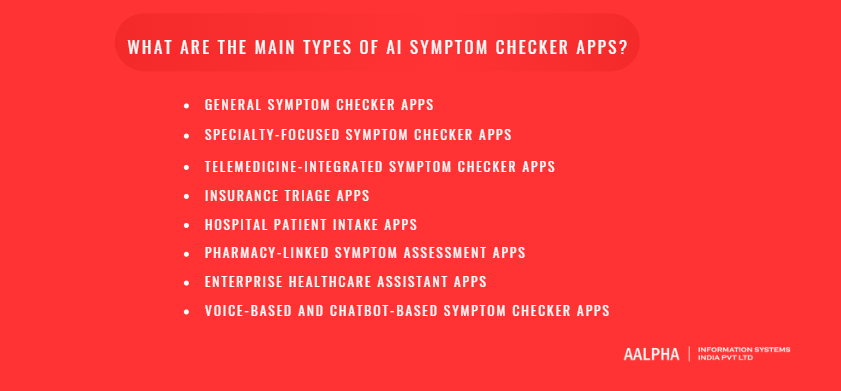
General Symptom Checker Apps
A general AI symptom checker app is designed to help users assess common health symptoms across multiple categories. These may include fever, cough, headache, stomach pain, fatigue, skin irritation, body pain, allergies, sore throat, urinary symptoms, and respiratory issues. The app usually asks the user about symptoms, duration, severity, age, gender, medical history, and risk factors before suggesting possible causes and next steps.
This type of app is suitable for digital health startups, telemedicine companies, hospitals, and healthcare platforms that want to offer broad first-level health guidance. However, since general symptom checker apps cover many conditions, they need a strong medical knowledge base, well-structured triage logic, and clear safety rules for emergency symptoms.
-
Specialty-Focused Symptom Checker Apps
Specialty-focused symptom checker apps are built for a specific medical area or patient group. For example, a pediatric symptom checker may help parents assess fever, cough, rashes, vomiting, diarrhea, or breathing issues in children. A dermatology symptom checker may allow users to describe or upload images of skin rashes, acne, pigmentation, swelling, or wounds. A women’s health symptom checker may focus on menstrual issues, pregnancy-related concerns, urinary discomfort, pelvic pain, or hormonal symptoms.
Mental health symptom checker apps are another important category. These apps may help users screen for stress, anxiety-like symptoms, low mood, sleep issues, burnout, or emotional distress. However, mental health applications require careful wording, crisis escalation workflows, and responsible referral options.
Specialty-focused apps often deliver better user experience because the questions, risk factors, and recommendations are more targeted.
-
Telemedicine-Integrated Symptom Checker Apps
A telemedicine-integrated AI symptom checker app works as a pre-consultation assistant. Before a patient connects with a doctor, the app collects symptom details, asks follow-up questions, identifies urgency level, and creates a summary for the healthcare provider.
For example, if a patient books a video consultation for abdominal pain, the app may collect details about pain location, duration, fever, vomiting, food intake, bowel habits, pregnancy status, and previous medical conditions. This information helps the doctor understand the case faster and conduct a better consultation. Telemedicine platforms can also use symptom checking to route patients to the right specialist, such as a general physician, dermatologist, pediatrician, gynecologist, or emergency care provider.
-
Insurance Triage Apps
Health insurance companies can use AI symptom checker apps as digital triage tools for their members. The goal is to help users choose the right care option based on symptom urgency. The app may suggest self-care, teleconsultation, clinic visit, urgent care, or emergency services.
Insurance triage apps can reduce unnecessary healthcare visits, improve member support, and guide patients toward appropriate care. They may also integrate with provider networks, claim support systems, telehealth partners, and care management teams. Since insurance-related symptom checker apps may influence care decisions, they must be designed with strong compliance, clear disclaimers, and medically reviewed triage pathways.
-
Hospital Patient Intake Apps
Hospital patient intake symptom checker apps are designed to collect patient information before an appointment, walk-in visit, emergency visit, or specialist consultation. Instead of asking patients to fill long paper forms, hospitals can use a digital symptom checker to collect details through a mobile app, web portal, kiosk, or chatbot.
This type of app can ask about current symptoms, medical history, allergies, medications, previous surgeries, family history, and emergency warning signs. The collected information can be shared with doctors, nurses, or front-desk teams. It can also help hospitals prioritize urgent cases and direct patients to the right department.
-
Pharmacy-Linked Symptom Assessment Apps
Pharmacy-linked symptom assessment apps help users understand minor health concerns and decide whether they should speak to a pharmacist, consult a doctor, or seek urgent care. These apps may be useful for common issues such as mild cold symptoms, acidity, allergies, skin irritation, minor pain, or digestive discomfort.
However, this type of app must be handled carefully. It should not push unsafe medicine recommendations or encourage self-medication for serious symptoms. A responsible pharmacy-linked symptom checker should include warning signs, dosage safety reminders where applicable, and clear instructions to consult a licensed healthcare professional when needed.
-
Enterprise Healthcare Assistant Apps
Enterprises can use AI symptom checker apps as part of employee wellness and occupational health programs. Employees can check symptoms, receive basic health guidance, book teleconsultations, access wellness resources, or connect with the company’s healthcare partner.
These apps are useful for companies with large teams, remote employees, factory workers, field staff, or distributed offices. They can support early symptom reporting, reduce unnecessary absenteeism, and help employees access care faster. Enterprise healthcare assistant apps may also include mental wellness support, preventive care reminders, health risk assessments, and family health profiles.
-
Voice-Based and Chatbot-Based Symptom Checker Apps
Voice-based and chatbot-based symptom checker apps focus on conversational access. Instead of filling forms, users can talk or chat with the app in a natural way. A chatbot may ask, “What symptoms are you experiencing?” and then continue with follow-up questions based on the user’s answers. A voice-based app can be useful for elderly users, visually impaired users, or people who prefer speaking instead of typing.
These apps can be built for mobile, web, WhatsApp, patient portals, smart kiosks, or call center automation. They are especially powerful when combined with multilingual support, NLP, medical triage logic, and doctor handoff features.
Overall, the best type of AI symptom checker app depends on the business goal. A startup may choose a general or specialty-focused app, a hospital may need patient intake, an insurer may need triage, and a telemedicine company may need pre-consultation support. The right model should match the target audience, medical scope, regulatory requirements, and long-term healthcare strategy.
What Features Should an AI Symptom Checker App Include?
An AI symptom checker app must be designed with more care than a normal healthcare information app because it deals with sensitive health concerns, patient decision-making, and medical risk. The right feature set should help users enter symptoms easily, receive responsible guidance, connect with healthcare providers when needed, and protect personal health data at every step. For healthcare businesses, the app should also include admin tools, doctor workflows, analytics, compliance controls, and integrations that support long-term operations.
-
User Registration and Profile Management
User registration is one of the basic features of an AI symptom checker app. The app can allow users to sign up using mobile number, email, social login, or enterprise login, depending on the business model. Once registered, users should be able to create a health profile with basic details such as name, age, gender, height, weight, location, preferred language, emergency contact, and healthcare preferences.
Profile management becomes important because symptom assessment is rarely the same for every person. A fever in a child, an elderly person, a pregnant woman, and a patient with diabetes may require different questions and different urgency rules. The user profile helps the system personalize the assessment and avoid generic recommendations.
-
Symptom Input Through Text, Voice, or Guided Forms
The app should allow users to enter symptoms in the way they find most comfortable. Some users may prefer typing symptoms in a text box. Others may prefer voice input, especially elderly users or people who struggle with medical spelling. Guided forms are useful for users who are unsure how to describe symptoms.
For example, the app can ask, “What are you experiencing today?” and allow the user to select fever, headache, cough, stomach pain, skin rash, dizziness, vomiting, fatigue, or breathing difficulty. The app can then ask about duration, severity, location of pain, triggers, and associated symptoms. A good symptom input flow should be simple for users but structured enough for the AI engine to process accurately.
-
AI Chatbot for Symptom Conversation
An AI healthcare chatbot is one of the most important features of a modern symptom checker app. Instead of forcing users to fill long medical forms, the chatbot can create a conversational experience. It can ask questions naturally, understand user responses, and continue the assessment step by step.
For example, if a user says, “I have a headache and feel dizzy,” the chatbot can ask when the headache started, whether it is mild or severe, whether there is vomiting, vision disturbance, fever, injury, weakness, or confusion. The chatbot should be trained to use simple language and avoid frightening the user. It should also know when to stop the conversation and recommend urgent care if dangerous symptoms are reported.
-
Follow-Up Question Engine
A follow-up question engine helps the app ask relevant questions based on the user’s previous answers. This is different from a static questionnaire. In a static form, every user may see the same questions. In an AI symptom checker app, the next question should depend on the symptom, risk level, and user profile.
For example, if the user reports chest pain, the app may ask about shortness of breath, sweating, pain spreading to the arm or jaw, dizziness, nausea, heart disease history, and age. If the user reports skin rash, the app may ask about itching, swelling, fever, allergy exposure, new medication, pain, or spreading of the rash. This adaptive flow improves assessment quality and helps detect warning signs earlier.
-
Medical History Collection
The app should collect relevant medical history because past health conditions can change the meaning of current symptoms. Users should be able to add chronic diseases, past surgeries, allergies, current medications, previous hospitalizations, family medical history, and lifestyle factors where necessary.
For example, stomach pain may be assessed differently for a user with previous ulcers, liver disease, pregnancy, or recent surgery. Similarly, fever may require more attention in a user undergoing cancer treatment or taking immune-suppressing medication. Medical history helps the app provide more responsible guidance.
-
Age, Gender, Allergies, Medications, and Risk Factor Inputs
AI symptom checker apps should include structured fields for age, gender, allergies, medications, pregnancy status, chronic conditions, recent travel, smoking, alcohol use, and other risk factors. These details should not be collected randomly. They should be used only when they are relevant to the symptom assessment.
For example, certain symptoms in children require different care guidance compared to adults. Some medications can cause side effects that resemble disease symptoms. Allergies can change the seriousness of skin rashes, swelling, or breathing problems. Risk factor inputs make the app safer and more personalized.
-
Triage and Urgency Recommendation
Triage is one of the core features of an AI symptom checker app. After analyzing symptoms, the app should recommend the level of care the user may need. This can include self-care, pharmacy advice where legally allowed, routine doctor consultation, same-day doctor visit, urgent care, or emergency services.
The triage output must be clear and direct. For mild symptoms, the app may suggest monitoring and self-care. For moderate symptoms, it may recommend booking a doctor appointment. For serious symptoms such as chest pain, severe breathing difficulty, sudden weakness, confusion, uncontrolled bleeding, or signs of stroke, the app should recommend emergency care immediately.
-
Possible Condition Suggestions
The app can show possible conditions related to the user’s symptoms, but this feature must be handled carefully. The language should never sound like a confirmed diagnosis. Instead of saying, “You have migraine,” the app should say, “Your symptoms may be associated with migraine, tension headache, dehydration, or other causes. A doctor can confirm the exact reason.”
Possible condition suggestions should be ranked responsibly and accompanied by urgency guidance. The app should also explain that similar symptoms can occur in different conditions and that professional medical evaluation may be required.
-
Doctor Booking or Teleconsultation Integration
A useful AI symptom checker app should not stop after giving guidance. It should help the user take action. Doctor booking and teleconsultation integration allow users to schedule appointments directly from the app. If the symptom assessment suggests medical review, the app can recommend the right type of doctor and show available consultation slots.
For example, a skin-related symptom may lead to a dermatologist booking option, while a child’s fever may lead to a pediatrician consultation. Teleconsultation integration is especially useful because users can move from symptom assessment to medical advice without switching platforms.
-
Emergency Alert or Urgent Care Recommendation
Emergency alert features are essential for patient safety. If the user reports high-risk symptoms, the app should clearly recommend urgent care or emergency services. It may also show emergency contact numbers, nearby hospitals, ambulance options, or instructions to call local emergency services.
The app should not try to continue a long assessment when serious symptoms are present. For example, if the user reports severe chest pain with sweating and breathing difficulty, the safest response is immediate emergency guidance. The app can also allow users to notify an emergency contact, depending on privacy and consent settings.
-
Health Records and Symptom History
The app should maintain a record of previous symptom assessments, user responses, recommendations, and doctor consultations. Symptom history helps users track recurring health issues and share better information with doctors.
For example, a user who has recurring headaches can show the doctor when the symptoms started, how often they occurred, what triggers were reported, and whether any warning signs appeared. This feature is also useful for chronic disease monitoring, follow-up care, and long-term patient engagement.
-
Prescription Upload or Medicine Support Where Legally Allowed
Some AI symptom checker apps may include prescription upload, medication tracking, refill reminders, or pharmacy integration. However, medicine-related features must follow local healthcare laws and should be implemented carefully.
The app should not encourage unsafe self-medication. If medicine recommendations are included, they should be reviewed by licensed professionals and limited to what is legally allowed in the target market. A safer approach is to allow users to upload prescriptions, track prescribed medicines, receive dosage reminders, and connect with licensed pharmacies or doctors when needed.
-
Push Notifications and Follow-Up Reminders
Push notifications can help users stay engaged and follow care guidance. The app may send reminders to monitor symptoms, take prescribed medicines, attend doctor appointments, upload reports, or follow up if symptoms continue.
For example, if a user reports mild fever, the app may remind them to check temperature again after a few hours. If the app recommends a doctor consultation, it can remind the user to book or attend the appointment. Notifications should be helpful, not excessive, and users should be able to control notification preferences.
-
Multi-Language Support
Multi-language support is important for healthcare accessibility. Many users are more comfortable describing symptoms in their local language rather than English. The app should support regional languages, simple medical explanations, and culturally familiar symptom descriptions.
This is especially important for public health apps, rural healthcare access, elderly users, and multilingual markets. However, translation alone is not enough. Medical meaning must be preserved accurately across languages because an incorrect interpretation of symptoms can lead to unsafe guidance.
-
Admin Dashboard
The admin dashboard helps healthcare businesses manage the entire platform. Admin users should be able to view user activity, symptom categories, chatbot flows, doctor profiles, appointment data, content, reports, support tickets, and system settings.
For hospitals, startups, insurers, and SaaS providers, the admin panel is essential for managing operations. It can also include role-based access, audit logs, compliance settings, content management, notification controls, and integration management.
-
Doctor Dashboard
A doctor dashboard allows healthcare professionals to review symptom summaries before consultation. The dashboard may show patient profile, reported symptoms, medical history, allergies, medications, risk factors, previous assessments, uploaded prescriptions, and AI-generated intake summaries.
This feature can save consultation time and help doctors prepare better. The doctor should also be able to add notes, update recommendations, request lab tests, mark follow-ups, and review patient history. The AI output should support the doctor, not override clinical judgment.
-
Analytics and Reporting
Analytics and reporting features help healthcare businesses understand how the app is being used. The platform can track common symptoms, user engagement, completed assessments, doctor booking conversions, urgent care recommendations, drop-off points, response times, and follow-up outcomes.
For hospitals and telemedicine companies, analytics can improve patient intake and resource planning. For startups, it can support product improvement and business decisions. For insurers and enterprises, reporting can help understand care usage patterns while maintaining privacy and compliance.
-
Data Privacy and Consent Management
Data privacy and consent management are among the most critical features of an AI symptom checker app. The app handles sensitive health information, so it must collect only necessary data, explain how the data will be used, and ask for consent before storing or sharing information.
Important privacy features include secure login, encryption, role-based access control, consent forms, privacy settings, audit logs, data retention controls, and the ability to delete or export user data where required by law. Users should always know whether their data is being used for symptom assessment, doctor consultation, analytics, or AI improvement.
In short, an AI symptom checker app should include more than a chatbot and a list of possible conditions. It needs a complete feature set that supports safe symptom assessment, responsible triage, doctor connectivity, patient records, healthcare workflows, privacy, and business operations. The stronger the feature planning, the safer and more valuable the final product becomes.
How Is AI Used in Symptom Checker App Development?
AI is used in symptom checker app development to make the assessment process more intelligent, conversational, personalized, and clinically useful. A traditional symptom form can only collect fixed answers, but an AI-powered symptom checker can understand user input, ask relevant follow-up questions, compare symptoms with medical knowledge, identify warning signs, calculate risk levels, and guide the user toward the right care pathway. However, medical AI must be designed with strict safety controls because health-related recommendations can directly influence patient decisions.
-
Natural Language Processing for Understanding Symptoms
Natural Language Processing, or NLP, helps the app understand how users describe symptoms in normal language. Most patients do not type medical terms. They may write, “My chest feels tight,” “I feel burning in my stomach,” “My head is spinning,” or “I have pain near the right side of my belly.” NLP converts these everyday expressions into structured symptom data that the system can process.
For example, “head spinning” may be interpreted as dizziness or vertigo-like symptoms. “Burning stomach” may be mapped to upper abdominal discomfort or acidity-like symptoms. NLP can also help detect symptom severity, duration, body location, and associated complaints from the user’s sentence. This makes the app easier to use because users do not need to understand medical terminology before starting an assessment.
-
Machine Learning for Condition Prediction
Machine learning helps the app identify patterns between symptoms, patient characteristics, and possible health conditions. The model may analyze inputs such as age, gender, symptom duration, pain intensity, medical history, allergies, medication use, and risk factors. Based on these inputs, it can suggest possible conditions that may be associated with the user’s symptoms.
For example, fever, cough, sore throat, and body pain may point toward a respiratory infection-like condition, while abdominal pain with vomiting and fever may require a different assessment pathway. The model should not present its output as a confirmed diagnosis. Instead, it should support possible condition matching and help the app recommend the next level of care.
-
Rule-Based Clinical Decision Trees
Rule-based clinical decision trees are used to bring medical structure and safety into the app. These rules are usually created or reviewed by healthcare professionals and define what the app should do in specific symptom scenarios. For example, if a user reports chest pain with sweating and breathing difficulty, the app should not continue casual questioning. It should recommend urgent or emergency care.
Clinical decision trees are especially useful for red-flag symptoms, pediatric cases, pregnancy-related concerns, elderly patients, chronic disease risks, and emergency escalation. While machine learning can detect patterns, rule-based logic helps make the system safer and more predictable.
-
Large Language Models for Conversational Experience
Large Language Models, or LLMs, can improve the conversational experience of AI symptom checker apps. They can make the chatbot feel more natural, ask questions in simple language, explain next steps clearly, and summarize the user’s symptoms for doctors. Instead of showing a long medical form, the app can guide the user through a conversation.
However, LLMs must be used carefully in healthcare. A general-purpose language model may produce confident-sounding answers that are not medically safe. For this reason, LLM responses should be controlled with medical prompts, approved content, clinical rules, safety filters, and strict output boundaries. The LLM should help with communication and summarization, not act as an independent doctor.
-
Retrieval-Augmented Generation for Medical Knowledge Grounding
Retrieval-Augmented Generation, or RAG, helps ground AI responses in approved medical knowledge sources. Instead of allowing the AI model to answer only from its general training, the system retrieves relevant information from trusted medical content, clinical guidelines, internal care protocols, or a reviewed health knowledge base. The AI then uses that retrieved information to generate a more controlled response.
For symptom checker apps, RAG is useful because medical content must stay accurate, updated, and aligned with the organization’s care policies. For example, a hospital may want the app to follow its own triage pathways, specialty routing rules, emergency instructions, and patient intake protocols. RAG helps connect the AI experience with approved medical knowledge rather than uncontrolled generic responses.
-
Computer Vision for Image-Based Assessments
Computer vision can be used when the app supports image-based symptom assessment. This is especially relevant for dermatology, wound care, swelling, eye redness, burns, bruises, or visible skin changes. A user may upload an image of a rash, mole, wound, or infection-like skin concern, and the system can analyze visual patterns.
Image-based AI can help classify visible symptoms, detect changes over time, and recommend whether a doctor review may be needed. However, this feature must be used with extra caution. Lighting, camera quality, skin tone, image angle, and user error can affect results. The app should clearly explain that image analysis is only a screening support feature and that a clinician should review uncertain or serious cases.
-
Predictive Analytics for Risk Scoring
Predictive analytics helps calculate risk levels based on multiple inputs. The app may consider symptom severity, duration, age, medical history, risk factors, and red-flag responses to assign a risk score. This score can help decide whether the user should follow self-care guidance, consult a doctor, visit urgent care, or seek emergency help.
For example, mild fever in a healthy adult may receive low-risk guidance, while fever in an elderly patient with breathing difficulty and chronic illness may receive a higher-risk recommendation. Risk scoring helps the app move beyond basic symptom matching and provide more personalized triage.
-
AI Triage Systems
AI triage systems are used to recommend the most appropriate care pathway. The app may classify the case into categories such as self-care, routine consultation, same-day doctor visit, urgent care, or emergency services. This is one of the most valuable uses of AI in symptom checker app development because it helps users decide what to do next.
A well-designed triage system should be conservative when serious symptoms are reported. It should also avoid giving false reassurance. If the system is unsure, it should guide the user toward professional medical advice rather than making a risky assumption.
-
Human-in-the-Loop Validation
Human-in-the-loop validation means that doctors, nurses, clinical reviewers, or medical safety teams are involved in reviewing the app’s logic, AI outputs, and performance. This is important during development, testing, launch, and post-launch monitoring.
Healthcare professionals can review symptom flows, red-flag rules, chatbot responses, possible condition suggestions, and triage recommendations. They can also help identify unsafe outputs, missing questions, confusing wording, or cases where the app should escalate faster. Human review is essential because AI models may miss context that a trained clinician would notice.
Why Medical AI Requires Stricter Accuracy, Safety, and Governance
Medical AI requires stricter accuracy, safety, and governance because users may act on the guidance they receive. A wrong recommendation can delay care, create unnecessary panic, or send a user to the wrong care setting. This is why AI symptom checker apps need strong clinical oversight, privacy controls, audit logs, safety testing, bias checks, model monitoring, and clear medical disclaimers.
The safest approach is to combine multiple AI methods with medically reviewed logic. NLP can understand symptoms, machine learning can support condition matching, decision trees can control safety rules, LLMs can improve conversation, RAG can ground responses, and human reviewers can validate clinical quality. When these layers work together, an AI symptom checker app can become a powerful digital health tool that supports patients and healthcare providers without pretending to replace medical professionals.
How Do You Build an AI Symptom Checker App Step by Step?
AI symptom checker app development requires a structured approach because the product is not just a chatbot or a digital form. It must collect health information, understand symptoms, ask relevant follow-up questions, identify risk levels, support triage, and guide users safely. A poorly planned symptom checker can create confusion, miss serious warning signs, or give users false confidence. A well-planned app, on the other hand, can improve patient intake, support telemedicine workflows, reduce manual workload, and help users reach the right care option faster.
-
Define the Target Users and Medical Scope
The first step is to define who the AI symptom checker app is being built for and what medical scope it should cover. Is the app for patients, hospitals, clinics, telemedicine platforms, insurance members, pharmacy customers, or employees? Each audience needs a different product experience.
For example, a hospital symptom checker may focus on patient intake and department routing. A telemedicine symptom checker may focus on collecting pre-consultation information before a video call. An insurance triage app may focus on guiding users to self-care, doctor consultation, urgent care, or emergency support. A pharmacy-linked app may focus on basic symptom assessment and professional referral where required.
Medical scope is equally important. The app may cover common symptoms such as fever, cough, headache, abdominal pain, skin irritation, fatigue, urinary discomfort, and body pain. Or it may focus only on a specific area, such as pediatrics, dermatology, women’s health, mental wellness, respiratory symptoms, or chronic disease support. Defining the scope early helps control complexity, safety risk, dataset requirements, feature planning, and development cost.
-
Decide Whether the App Is General or Specialty-Specific
Once the target users are clear, the next step is deciding whether the app should be a general symptom checker or a specialty-specific tool. A general symptom checker covers many common health concerns and is suitable for broad healthcare platforms. However, it needs a larger medical knowledge base, more symptom pathways, stronger triage rules, and wider clinical review.
A specialty-specific app is narrower but often easier to make clinically useful. For example, a dermatology-focused symptom checker can ask more relevant questions about rashes, itching, swelling, wounds, acne, skin color changes, and image uploads. A pediatric symptom checker can focus on age-specific risks, fever in children, feeding issues, vomiting, diarrhea, cough, breathing problems, and parental guidance. A women’s health symptom checker can focus on menstrual symptoms, pregnancy-related concerns, pelvic pain, urinary discomfort, and hormonal health.
The choice should depend on the business model, medical expertise available, compliance requirements, and launch timeline. For many startups, beginning with a focused MVP is safer than trying to cover every symptom category from day one.
-
Prepare Medical Datasets and Clinical Knowledge Sources
The AI system needs reliable medical content before it can assess symptoms responsibly. This may include medical datasets, symptom-condition mappings, clinical triage guidelines, red-flag rules, doctor-reviewed health content, public health protocols, and internal care pathways from hospitals or healthcare providers.
This step should involve medical experts. Developers can build the software, but doctors and clinical reviewers must help define symptom flows, risk levels, emergency triggers, and care recommendations. For example, chest pain, severe breathing difficulty, sudden weakness, confusion, uncontrolled bleeding, severe allergic reaction, and signs of stroke must have clear escalation rules.
The medical knowledge base should be structured in a way the application can use. Symptoms, conditions, risk factors, question trees, urgency levels, and recommended next steps should be organized clearly. If the app uses Retrieval-Augmented Generation, the approved medical content should be stored in a searchable knowledge base so the AI can generate responses from controlled sources.
-
Design User Journeys and Symptom Flows
After the medical scope is defined, the product team should design user journeys and symptom flows. A user journey shows how a patient moves through the app, from opening the symptom checker to receiving guidance or booking a consultation.
For example, a simple journey may look like this: user selects symptom, answers follow-up questions, receives urgency level, sees possible causes, gets care recommendation, and books a doctor consultation if needed. A more advanced journey may include login, medical history collection, image upload, AI chatbot conversation, emergency escalation, doctor handoff, prescription upload, and follow-up reminders.
Symptom flows must be designed carefully. The app should ask enough questions to understand the case, but not so many that users abandon the process. The questions should be simple, medically relevant, and adapted to the user’s previous answers. Serious symptoms should trigger faster escalation instead of forcing the user through a long questionnaire.
-
Build Wireframes and UI/UX Design
UI/UX design is important because healthcare users may be anxious, confused, or in discomfort while using the app. The interface should be clean, calm, easy to read, and simple to navigate. Medical language should be understandable to non-medical users.
Wireframes should cover onboarding, symptom input, chatbot conversation, guided forms, medical profile, urgency results, possible condition suggestions, doctor booking, emergency guidance, health records, consent screens, and user settings. Designers should pay special attention to accessibility, font size, contrast, local language support, and mobile-first usage.
The result screen should be designed responsibly. It should not scare users with long lists of severe conditions, and it should not give false certainty. The app should clearly show urgency level, next steps, warning signs, and options to consult a healthcare professional.
-
Develop the AI Symptom Assessment Engine
The AI symptom assessment engine is the core of the app. It may include NLP, machine learning, rule-based clinical logic, risk scoring, triage algorithms, LLM-based conversation, and RAG-based medical knowledge retrieval.
NLP helps the app understand free-text symptom descriptions. Machine learning can support condition matching and pattern recognition. Rule-based decision trees help apply clinical safety logic. Risk scoring helps classify cases based on severity and user profile. LLMs can improve the conversational experience, while RAG can keep responses grounded in approved medical content.
The engine should be designed with strong boundaries. It should know when to ask more questions, when to suggest a possible condition, when to recommend doctor consultation, and when to escalate to urgent or emergency care. In healthcare, the safest AI system is not the most talkative one. It is the one that knows its limits.
-
Build the Mobile App, Web App, Backend, and Admin Panel
Once the AI logic and design are ready, the development team can build the user-facing app and backend system. Depending on the project, the product may include an iOS app, Android app, web app, patient portal, chatbot interface, and admin dashboard.
The backend manages user accounts, symptom records, AI processing, medical history, doctor profiles, appointments, notifications, analytics, consent logs, integrations, and security controls. The admin panel allows the business team to manage content, symptom flows, user activity, reports, doctors, roles, and system settings.
For healthcare providers, a doctor dashboard may also be needed. This dashboard can show patient symptom summaries, medical history, risk factors, previous assessments, uploaded files, and consultation notes. The doctor should always have the ability to review, override, and correct AI-generated outputs.
-
Integrate Telemedicine, EHR, Pharmacy, or Insurance APIs
Integrations turn the symptom checker from a standalone tool into a connected healthcare platform. A telemedicine integration allows users to book video consultations after symptom assessment. EHR or EMR integration allows symptom summaries and patient data to move into clinical records. Pharmacy integration can support prescription upload, medicine reminders, or order fulfilment where legally allowed. Insurance integration can support member verification, provider network routing, claim support, or care navigation.
These integrations should be planned early because they affect data structure, user permissions, security, compliance, and workflow design. Healthcare APIs must be handled carefully, especially when sensitive patient information is being exchanged between systems.
-
Add Security, Compliance, and Consent Workflows
Security and compliance should not be treated as final-stage tasks. They should be part of the product architecture from the beginning. The app should include secure authentication, encryption, role-based access control, audit logs, consent management, privacy settings, data retention policies, and secure API communication.
Users should know what data is collected, why it is collected, how it will be used, and whether it will be shared with doctors, hospitals, insurers, pharmacies, or third-party systems. Consent screens should be clear and easy to understand. For regulated markets, the app may need to follow healthcare privacy laws, medical software rules, and region-specific data protection requirements.
-
Test the App With Medical Experts
Testing an AI symptom checker app requires more than normal software QA. The product must be tested by medical experts, clinical reviewers, QA engineers, security teams, and real users. Medical experts should review symptom flows, AI responses, triage recommendations, emergency escalation rules, possible condition suggestions, and health content.
Testing should include common cases, rare but serious cases, pediatric cases, elderly users, pregnancy-related scenarios, chronic disease patients, medication-related risks, and unclear symptom descriptions. The goal is to check whether the app asks the right questions, avoids unsafe claims, and recommends professional care when needed.
-
Launch MVP and Monitor Real-World Performance
The best approach is to launch a controlled healthcare MVP instead of releasing a fully broad symptom checker immediately. The MVP may focus on selected symptom categories, a defined user group, limited geography, or a specific healthcare workflow. This makes it easier to monitor performance and correct issues before scaling.
After launch, the team should track completion rates, drop-off points, user feedback, doctor feedback, triage outcomes, false reassurance risks, emergency escalation accuracy, and support queries. Monitoring helps identify where users are confused, where the AI asks unnecessary questions, and where clinical logic needs improvement.
-
Improve the AI Model Continuously With Validated Feedback
AI symptom checker app development does not end after launch. The system must be improved continuously using validated feedback from doctors, users, support teams, and performance data. However, healthcare AI should not learn freely from unverified user behavior. Feedback should be reviewed and approved before changing medical logic or AI outputs.
The team should regularly update medical content, refine symptom flows, improve NLP understanding, monitor model performance, review safety incidents, and add new features based on real usage. Continuous improvement is what turns a basic symptom checker MVP into a reliable digital health product.
In short, building an AI symptom checker app requires product planning, medical review, AI engineering, secure software development, clinical validation, and ongoing monitoring. The safest and most useful apps are built step by step, with a clear medical scope, responsible AI design, strong compliance, and continuous doctor-led improvement.
What Compliance and Security Requirements Should an AI Symptom Checker App Follow?
An AI symptom checker app handles sensitive health information, which makes compliance and security central to the development process. The app may collect symptoms, medical history, allergies, medications, age, gender, uploaded prescriptions, doctor notes, health records, and consultation data. If this information is not protected properly, it can expose users to privacy risks and expose the healthcare business to legal, financial, and reputational damage. Therefore, compliance, security, consent, clinical safety, and regulatory review must be planned from the beginning of AI symptom checker app development.
-
HIPAA Compliance for the United States
If the AI symptom checker app is built for the United States and handles protected health information through covered entities or business associates, HIPAA compliance becomes an important requirement. HIPAA focuses on protecting patient health information and controlling how it is created, stored, transmitted, accessed, and shared.
For an AI symptom checker app, HIPAA-related requirements may include secure user authentication, access control, encryption, audit logs, data backup, secure hosting, breach response procedures, and business associate agreements with third-party vendors. If the app integrates with hospitals, clinics, telemedicine providers, insurance companies, EHR systems, cloud platforms, or analytics tools, each data flow must be reviewed carefully. The development team must know where patient data is stored, who can access it, and whether any third-party service can view or process it.
-
GDPR Compliance for Europe
For users in the European Union or European Economic Area, GDPR compliance is a major requirement. Health data is treated as a special category of personal data, which means the app must follow strict rules for consent, lawful processing, transparency, user rights, data minimization, data retention, and cross-border data transfers.
An AI symptom checker app targeting Europe should clearly explain what data is collected, why it is collected, how long it will be stored, and who it may be shared with. Users may need options to access their data, correct inaccurate data, request deletion, restrict processing, or withdraw consent. If AI is used to generate recommendations, the business should also be transparent about the role of automated processing and should avoid making unsafe or fully automated medical decisions without proper safeguards.
-
Data Protection Rules for Other Regions
Healthcare data protection rules vary across countries. Markets such as the United Kingdom, Canada, Australia, India, the Middle East, and Southeast Asia may have their own privacy laws, healthcare data rules, consent requirements, localization expectations, and regulatory procedures. A symptom checker app should therefore be designed based on the target launch region, not just generic healthcare assumptions.
For example, some regions may require health data to be stored locally. Others may restrict how patient data is transferred outside the country. Some may require specific consent for processing medical information, using AI, sharing data with doctors, or sending data to third-party systems. Before launch, the business should map every market where the app will operate and review the applicable healthcare, privacy, and software regulations.
-
Patient Consent Management
Patient consent management is one of the most important features of an AI symptom checker app. Users should clearly understand what they are agreeing to before entering sensitive health information. Consent should not be hidden inside long legal text that users cannot understand. It should be presented in simple language.
The app may need separate consent for symptom assessment, storing health records, sharing information with doctors, using data for analytics, sending reminders, integrating with insurance or pharmacy systems, and improving AI models. Users should also be able to manage consent later. For example, they may want to delete a previous assessment, stop reminders, or prevent their data from being used for product improvement.
-
Secure Storage of Health Information
Health information must be stored securely in databases, cloud systems, backups, and logs. The backend architecture should separate sensitive health data from non-sensitive account data where possible. Access to production databases should be limited, monitored, and protected with strong controls.
Secure storage also includes backup protection, disaster recovery planning, server hardening, database encryption, vulnerability management, and controlled access by developers or support teams. Healthcare businesses should avoid storing unnecessary data. If the app does not need certain information for assessment or care delivery, it should not collect it.
-
Encryption in Transit and at Rest
Encryption is a basic security requirement for AI symptom checker apps. Data should be encrypted in transit when it moves between the mobile app, web app, backend, AI engine, cloud systems, and third-party APIs. This helps protect information from interception during transmission.
Data should also be encrypted at rest when stored in databases, file storage, backups, and document repositories. This is especially important for symptom history, health profiles, uploaded prescriptions, doctor notes, medical images, and consultation summaries. Encryption does not remove all risk, but it adds an essential layer of protection.
-
Role-Based Access Control
Role-based access control allows the platform to define who can view, edit, approve, export, or delete health information. A patient should only access their own records. A doctor should only access records of assigned patients. An admin should only access operational information required for their role. Support teams should have limited visibility and should not see sensitive health data unless necessary.
For enterprise platforms, access roles may include patient, doctor, nurse, clinic admin, hospital admin, insurance care manager, super admin, compliance officer, and support executive. Each role should have clear permissions. This reduces the risk of internal misuse and accidental exposure.
-
Audit Trails and Activity Logs
Audit trails are important for accountability. The app should record important actions such as user login, symptom assessment submission, doctor access, data update, prescription upload, admin changes, consent acceptance, data export, and deletion requests.
Activity logs help investigate security incidents, compliance issues, clinical safety concerns, and user complaints. They are also useful when healthcare organizations need to demonstrate that only authorized users accessed patient data. Audit logs should themselves be protected from tampering.
-
Medical Disclaimer and Risk Communication
An AI symptom checker app must communicate its role clearly. It should not claim to provide a confirmed diagnosis or replace a qualified healthcare professional. The app should explain that its output is for informational and triage support purposes and that users should consult a doctor for medical evaluation.
Risk communication must be especially clear for emergency symptoms. If the app detects chest pain, severe breathing difficulty, stroke-like symptoms, severe allergic reaction, heavy bleeding, loss of consciousness, or other high-risk signs, it should recommend urgent medical care directly. The app should avoid vague wording in serious cases.
-
Data Minimization and Retention Policies
Data minimization means collecting only the information required for the app’s purpose. A symptom checker should not collect unnecessary personal details, location data, documents, or health history unless they are needed for assessment, consultation, compliance, or user-requested services.
Data retention policies define how long information will be stored. Some records may need to be retained for legal, clinical, or operational reasons. Other data may be deleted after a defined period or when requested by the user, depending on applicable law. Clear retention rules reduce privacy risk and make compliance easier to manage.
-
Clinical Safety Review
Clinical safety review is essential because the app may influence healthcare decisions. Doctors or qualified medical reviewers should review symptom flows, AI outputs, red-flag rules, triage recommendations, possible condition suggestions, self-care content, and emergency escalation logic.
The review should happen before launch and continue after launch. Real-world usage may reveal confusing questions, unsafe wording, missed warning signs, or cases where users misunderstand the output. A clinical governance process helps the team identify and correct these issues.
-
Regulatory Considerations for Medical Device Classification
Some AI symptom checker apps may fall under medical device or software as a medical device rules, depending on what the app does, where it is launched, and how strongly it influences medical decisions. An app that only provides general wellness information may face lower regulatory requirements. An app that assesses symptoms, predicts conditions, or recommends care pathways may require deeper regulatory review.
The business should carefully evaluate whether the product is positioned as wellness software, clinical decision support, triage software, diagnostic support, or medical device software. The claims made in marketing, app store descriptions, user screens, and doctor-facing dashboards can affect regulatory classification. This is why product language must be reviewed carefully.
-
Why Legal and Medical Consultation Is Important Before Launch
AI symptom checker app development should involve legal, medical, compliance, security, and technical experts. Developers can build the application, but they should not decide medical risk rules or regulatory positioning alone. Healthcare lawyers can review privacy obligations, consent flows, liability concerns, data sharing agreements, and regional compliance. Medical experts can review the clinical accuracy and safety of symptom pathways.
Launching without proper review can create serious problems. The app may collect data unlawfully, store health information insecurely, make unsafe medical claims, miss emergency symptoms, or operate in a regulated category without the right approvals. A strong compliance and security foundation protects patients and gives healthcare businesses a safer path to market.
In short, an AI symptom checker app should be built with privacy by design, security by design, and clinical safety by design. Compliance should not be added at the end. It should guide the architecture, data flows, AI logic, consent screens, user experience, and operating model from the first stage of development.
How Much Does It Cost to Develop an AI Symptom Checker App?
The cost to develop an AI symptom checker app usually depends on the app’s complexity, AI capabilities, medical scope, compliance requirements, integrations, and development team location. A basic symptom checker MVP may cost significantly less than an enterprise-grade healthcare platform with advanced AI, telemedicine, EHR integration, image analysis, analytics, and strict compliance workflows. In most cases, businesses should not estimate the cost only by counting screens. A symptom checker app involves medical logic, AI models, clinical review, security architecture, user workflows, backend systems, and long-term maintenance.
-
Basic AI Symptom Checker MVP Cost
A basic AI symptom checker MVP can cost between $25,000 and $60,000, depending on features and development region. This version is suitable for startups, clinics, or healthcare businesses that want to test the idea before investing in a full-scale platform.
A basic MVP development may include user registration, symptom input through guided forms, basic chatbot flow, medical profile, simple symptom-condition mapping, triage recommendation, possible causes, self-care guidance, admin panel, and basic reporting. It may not include advanced machine learning, EHR integration, doctor dashboards, video consultation, image analysis, or complex compliance automation.
The goal of an MVP is to validate whether users find the symptom checker useful, whether doctors can use the collected data, and whether the business model has demand. For healthcare startups, starting with a focused MVP is often a better option than building a broad app that covers every symptom category from day one.
-
Mid-Level App With Chatbot, Triage, and Doctor Booking
A mid-level AI symptom checker app may cost between $60,000 and $120,000. This version usually includes a more advanced AI chatbot, adaptive follow-up questions, risk scoring, doctor booking, teleconsultation support, symptom history, push notifications, multilingual support, admin dashboard, and doctor dashboard.
For example, a telemedicine company may build a symptom checker that collects patient details before consultation and recommends the right doctor specialty. A hospital may use this type of app for patient intake and appointment routing. An insurance provider may use it for digital triage and care navigation.
The cost increases because the app needs stronger backend logic, better AI workflows, secure data handling, more user roles, and integrations with appointment systems, payment gateways, notification tools, and healthcare provider dashboards.
-
Advanced AI Symptom Checker App Cost
An advanced AI symptom checker app can cost between $120,000 and $250,000 or more, depending on scope. This type of solution may include advanced NLP, large language model integration, Retrieval-Augmented Generation, AI triage, EHR or EMR integration, telemedicine APIs, pharmacy integration, prescription upload, image-based symptom assessment, wearable device integration, analytics dashboards, audit logs, consent management, and multi-region compliance support.
Enterprise-grade apps are usually built for hospitals, healthcare SaaS providers, insurers, large telemedicine platforms, or public health organizations. These projects take more time and require a larger team that includes product managers, UI/UX designers, mobile developers, backend developers, AI engineers, cloud engineers, QA testers, compliance experts, and medical reviewers.
-
Cost Based on App Complexity
Complexity is one of the biggest cost drivers. A simple app with guided symptom forms is easier to build than an AI chatbot that understands natural language and adapts questions dynamically. A general symptom checker covering many conditions is more expensive than a focused dermatology or pediatric symptom checker because it requires more medical pathways, datasets, test cases, and clinical validation.
The number of user roles also affects complexity. A patient-only app costs less than a platform with patients, doctors, admins, nurses, insurance care managers, and support teams. Similarly, a standalone app costs less than a connected healthcare system with EHR, telemedicine, insurance, pharmacy, and lab integrations.
-
Cost Based on Features
Features have a direct impact on development cost. User registration, profile management, symptom forms, chatbot flow, notifications, and basic admin tools are usually part of an MVP. Features such as doctor booking, video consultation, AI-generated doctor summaries, prescription upload, payment integration, multilingual support, analytics, and role-based dashboards increase the cost.
Advanced features add even more cost. These may include voice input, computer vision for skin or wound analysis, wearable integration, AI risk scoring, medical knowledge base management, real-time emergency alerts, data export, consent versioning, and audit logs. Each feature requires planning, design, development, testing, and security review.
-
Cost Based on Development Team Location
Development team location also affects the total budget. Teams in the United States, Canada, Western Europe, and Australia usually charge higher hourly rates. Teams in India, Eastern Europe, Southeast Asia, and Latin America often provide more cost-effective development while still offering strong technical capability.
For example, the same app may cost much more if built entirely by a US-based agency compared to a skilled offshore development team. Many healthcare startups and enterprises choose experienced offshore healthcare app development companies to reduce costs without compromising engineering quality, security, and long-term support.
-
Cost of AI Model Development and Training
AI model development can become a major part of the budget. If the app uses basic rule-based logic and pre-built NLP services, the AI cost may stay manageable. However, if the project requires custom machine learning models, medical dataset preparation, model training, validation, fine-tuning, RAG architecture, LLM integration, or computer vision, the budget increases.
Medical AI also needs careful testing. The model must be evaluated for accuracy, safety, bias, false positives, false negatives, and emergency escalation performance. This requires both AI engineers and medical experts.
-
Cost of Compliance, Security, and Testing
Compliance and security are not optional in an AI symptom checker app. The app may need secure authentication, encryption, consent management, audit logs, data retention controls, role-based access, secure APIs, vulnerability testing, and cloud security configuration.
Testing is also more demanding than normal app testing. The QA team must test usability, functionality, security, performance, AI response quality, triage logic, edge cases, and medical safety scenarios. Clinical testing with healthcare experts can increase the upfront cost, but it reduces long-term risk.
-
Cost of Cloud Hosting and Third-Party APIs
Cloud hosting and third-party APIs add ongoing costs after launch. The app may require cloud servers, databases, file storage, AI model hosting, vector databases, SMS or WhatsApp APIs, push notifications, video consultation APIs, payment gateways, EHR APIs, analytics tools, and monitoring systems.
AI-related infrastructure can be more expensive than normal app hosting, especially if the app uses large language models, image analysis, or high-volume chatbot conversations. Businesses should plan both development cost and monthly operating cost before launch.
-
Maintenance and Post-Launch Support Cost
AI symptom checker apps need continuous maintenance after launch. Maintenance may include bug fixes, security updates, server monitoring, app store updates, compliance changes, AI model improvements, medical content updates, feature enhancements, and user support.
A practical estimate is to budget 15% to 25% of the initial development cost per year for maintenance and support. For AI-heavy or compliance-heavy healthcare apps, the yearly maintenance cost may be higher.
Suggested Cost Range for AI Symptom Checker App Development
A basic AI symptom checker MVP may cost $25,000 to $60,000. A standard app with chatbot, triage, doctor booking, dashboards, and basic integrations may cost $60,000 to $120,000. An advanced enterprise-grade AI symptom checker app with EHR integration, telemedicine, image analysis, analytics, compliance workflows, and custom AI models may cost $120,000 to $250,000 or more.
The best way to control cost is to start with a clearly defined MVP, choose a focused medical scope, build essential features first, validate the product with users and medical experts, and then expand gradually. This approach reduces development risk and helps healthcare businesses invest in features that genuinely improve patient experience and operational value.
What Are the Main Challenges in AI Symptom Checker App Development?
AI symptom checker app development is complex because the product operates at the intersection of healthcare, artificial intelligence, patient behavior, compliance, and software security. Unlike a normal mobile app, a symptom checker can influence how users understand their health and what action they take next. This creates a higher responsibility for accuracy, safety, privacy, and clinical reliability. The biggest challenge is not only building an app that works technically, but building one that guides users responsibly without replacing medical judgment.
-
Medical Accuracy and False Recommendations
Medical accuracy is the most important challenge in AI symptom checker app development. If the app gives a wrong or incomplete recommendation, the user may delay treatment, ignore serious symptoms, or visit the wrong care provider. For example, mild stomach discomfort may not be urgent, but severe abdominal pain with fever and vomiting may need immediate medical attention. The app must be able to separate low-risk symptoms from red-flag situations.
False reassurance is especially dangerous. If a user reports chest pain, shortness of breath, sudden weakness, or confusion, the app should not suggest routine self-care. It should recommend urgent or emergency care. At the same time, the app should avoid presenting every symptom as a serious disease. The challenge is to balance safety with practical guidance.
-
Limited or Biased Datasets
AI models depend heavily on the quality of the data used to train, test, and validate them. If the dataset is limited, outdated, incomplete, or biased toward certain age groups, genders, ethnic backgrounds, languages, or regions, the app may perform poorly for some users.
For example, symptoms may present differently in children, elderly patients, pregnant women, and people with chronic diseases. Skin-related AI tools may also perform inconsistently across different skin tones if the training data is not diverse. To reduce this risk, healthcare businesses must use clinically reviewed data, test across user groups, and involve medical experts throughout development.
-
Understanding Vague User Symptoms
Patients often describe symptoms in unclear or informal ways. A user may say, “I feel weak,” “my head feels heavy,” “my stomach is burning,” or “I feel uncomfortable.” These statements can mean different things depending on context. Weakness may relate to fatigue, low blood sugar, infection, dehydration, neurological issues, or many other causes.
Natural Language Processing can help interpret such descriptions, but the app still needs a strong follow-up question engine. Instead of guessing too early, the app should ask relevant questions about duration, severity, location, triggers, associated symptoms, and medical history. The challenge is to collect enough information without making the process too long or frustrating.
-
Handling Emergency Cases Safely
Emergency handling is one of the most sensitive parts of symptom checker app development. The app must identify dangerous symptoms and escalate immediately. Examples include severe chest pain, breathing difficulty, signs of stroke, severe allergic reaction, uncontrolled bleeding, loss of consciousness, severe head injury, and suicidal thoughts.
In such cases, the app should not continue with routine symptom checking. It should provide clear emergency guidance, recommend immediate medical help, and, where appropriate, display emergency contact options. Safety-first escalation rules are critical because AI uncertainty can be risky in urgent situations.
-
Regulatory Uncertainty
Regulatory requirements for AI-based healthcare apps can vary by country and by product function. A basic wellness app may face fewer requirements, while an app that provides triage, risk scoring, condition prediction, or care recommendations may require deeper regulatory review. In some markets, the app may be assessed as clinical decision support software or software as a medical device.
This uncertainty creates challenges for product planning, marketing claims, feature design, compliance documentation, and launch strategy. Businesses must be careful about how they describe the app. Claims such as “AI diagnosis” or “doctor replacement” can increase regulatory and legal risk.
-
User Trust and Adoption
Even if the app is technically strong, users may hesitate to trust AI with health-related concerns. Some users may worry about accuracy, privacy, or whether the app understands their symptoms properly. Others may overtrust the app and treat its output as a confirmed diagnosis.
To build trust, the app must use clear language, explain its limitations, show when professional care is needed, protect user data, and provide doctor handoff options. The app should feel helpful and responsible, not robotic or alarming. Trust improves when users understand that the app is a care guidance tool, not a replacement for medical professionals.
-
Integration With Existing Healthcare Systems
Many AI symptom checker apps need to connect with existing healthcare systems such as EHR, EMR, hospital management software, telemedicine platforms, appointment booking tools, pharmacy systems, insurance platforms, payment gateways, and notification services. These integrations can be difficult because healthcare systems often use different data formats, workflows, access rules, and security standards.
For example, a hospital may want symptom summaries to appear inside its patient record system. A telemedicine platform may want symptom results to be shared with the doctor before the consultation. These workflows require careful API planning, data mapping, permission management, and testing.
-
Data Privacy and Cybersecurity Risks
AI symptom checker apps collect sensitive health data, which makes them attractive targets for cyberattacks. A security breach can expose symptoms, medical history, prescriptions, consultation records, and personal identifiers. This can harm users and damage the healthcare brand.
The app must include secure authentication, encryption, role-based access control, audit logs, secure APIs, consent management, and regular security testing. Data should be collected only when needed and stored only for as long as required. Privacy and security should be part of the architecture, not added after development.
-
Multilingual and Regional Symptom Interpretation
In many markets, users may describe symptoms in local languages, mixed languages, slang, or region-specific expressions. A phrase used to describe dizziness, acidity, weakness, or breathing discomfort may vary across regions. Direct translation may not always preserve medical meaning.
This creates a major challenge for multilingual AI symptom checker apps. The system must understand local symptom descriptions accurately and ask follow-up questions in simple, culturally familiar language. Medical content should be reviewed by experts who understand both the language and the clinical context.
-
Continuous Model Monitoring
AI symptom checker apps require continuous monitoring after launch. The team must track how users interact with the app, where they drop off, which questions confuse them, how often urgent cases are detected, and whether doctors agree with AI-generated summaries or triage suggestions.
Monitoring should also identify unsafe outputs, repeated errors, bias patterns, and outdated medical content. AI models should not be updated blindly based on user behavior. Improvements must be reviewed and validated by medical experts before being released.
-
Avoiding Overdiagnosis or Unnecessary Panic
Another major challenge is avoiding overdiagnosis. If the app shows too many serious possible conditions for common symptoms, users may panic unnecessarily. For example, a simple headache should not immediately make the user fear a rare neurological condition unless red-flag symptoms are present.
The app must present information carefully. It should explain possible causes, urgency level, and next steps without overwhelming the user. A responsible symptom checker should focus on care guidance rather than frightening disease lists. It should help users make sensible decisions, seek care when needed, and avoid unnecessary anxiety.
In short, the main challenges in AI symptom checker app development include medical accuracy, dataset quality, emergency safety, regulatory planning, system integration, user trust, multilingual understanding, privacy protection, and continuous clinical monitoring. These challenges can be managed with careful product planning, strong medical review, secure architecture, transparent communication, and responsible AI governance.
Why Should You Work With an AI Healthcare App Development Company?
Building an AI symptom checker app is very different from building a normal mobile app. A standard app may focus mainly on design, login, payments, notifications, and user engagement. An AI healthcare app must go much deeper. It needs medical workflows, symptom assessment logic, AI model integration, secure backend systems, patient data protection, compliance planning, doctor-facing tools, and long-term monitoring. This is why working with an experienced AI healthcare app development company can reduce risk and help businesses build a safer, more useful product.
-
Healthcare Apps Need More Than Normal App Development
Healthcare apps deal with sensitive user information and health-related decision-making. A small mistake in a shopping app may affect an order, but a mistake in a symptom checker app may affect how a patient responds to a medical concern. This makes planning, architecture, testing, and review more important.
An experienced healthcare app development company understands that the product must be designed around safety, clarity, privacy, and clinical responsibility. The app should not simply show possible conditions. It should guide users with the right questions, identify warning signs, recommend the right level of care, and clearly explain when professional medical help is required.
-
Medical Workflow Understanding Matters
AI symptom checker apps must fit into real healthcare workflows. A hospital may need patient intake before consultation. A telemedicine platform may need pre-call symptom summaries. An insurance company may need digital triage and care navigation. A pharmacy platform may need symptom assessment with safe referral rules. An enterprise wellness program may need employee health support and doctor booking.
A development team with healthcare workflow experience can design the app around these practical use cases. This includes user journeys, symptom flows, doctor dashboards, appointment routing, medical history collection, prescription upload, follow-up reminders, and emergency escalation. Without workflow understanding, the app may look good but fail in real healthcare operations.
-
AI, Backend, Security, and Compliance Experience Are Essential
An AI symptom checker app requires multiple technical layers. The AI layer may include Natural Language Processing, machine learning, large language models, Retrieval-Augmented Generation, risk scoring, and clinical decision logic. The backend must manage users, symptoms, health records, doctors, appointments, notifications, reports, consent logs, and integrations.
Security and compliance are equally important. The app may need encryption, role-based access control, audit logs, secure APIs, consent management, data retention rules, and privacy-first architecture. An AI healthcare app development company can bring these skills together instead of treating AI, app development, and compliance as separate pieces.
-
Faster MVP Development With the Right Team
Many healthcare businesses do not need to build a large enterprise platform from day one. A better approach is to start with a focused MVP that covers a defined medical scope, selected user group, and essential features. The right development team can help identify what should be included in the first version and what can be added later.
For example, an MVP may start with user profiles, guided symptom input, AI chatbot support, triage recommendation, possible condition suggestions, doctor booking, admin dashboard, and basic analytics. Advanced features such as EHR integration, image analysis, wearable integration, and multilingual voice support can be added after validation. This approach saves cost, reduces complexity, and helps businesses launch faster.
-
Support for Healthcare Integrations
AI symptom checker apps often need third-party and healthcare system integrations. These may include EHR and EMR systems, telemedicine platforms, pharmacy systems, insurance platforms, payment gateways, video consultation APIs, SMS, WhatsApp, push notifications, analytics tools, and cloud monitoring services.
Integrations must be planned carefully because they involve sensitive data movement between systems. A healthcare-focused development company can design secure API flows, permission controls, data mapping, and reliable integration architecture. This helps the app become part of a connected healthcare system rather than a standalone tool with limited value.
-
Long-Term Maintenance and AI Model Improvement
AI healthcare products require continuous maintenance after launch. The app may need bug fixes, security patches, app store updates, server monitoring, compliance updates, medical content revisions, AI prompt improvements, model monitoring, and feature enhancements. User feedback and doctor feedback must also be reviewed regularly.
AI outputs should not be changed casually. In healthcare, improvements must be validated before release. A reliable development partner can support post-launch monitoring, performance optimization, AI model refinement, and long-term product growth.
Businesses planning to build an AI symptom checker app can work with experienced healthcare app development companies such as Aalpha Information Systems for mobile app development, AI integration, backend development, compliance-ready architecture, cloud deployment, healthcare integrations, and long-term technical support. With the right team, an AI symptom checker app can move from concept to MVP faster while staying focused on safety, usability, and real healthcare value.
Conclusion
AI symptom checker app development is becoming a strong opportunity for hospitals, clinics, telemedicine platforms, insurers, pharmacies, and healthcare startups that want to improve digital patient access. A well-built symptom checker app can help users understand symptoms earlier, receive safe triage guidance, share better pre-consultation data with doctors, and move toward the right care pathway faster.
However, success depends on more than adding an AI chatbot to a healthcare app. The product must be built with medically reviewed symptom flows, strong AI logic, secure architecture, compliance-ready data handling, clear disclaimers, and continuous clinical improvement. The safest approach is to start with a focused MVP, validate it with real users and healthcare professionals, and then expand into advanced features such as telemedicine, EHR integration, multilingual support, image analysis, and analytics.
If you are planning to build an AI symptom checker app, Aalpha Information Systems can help you design and develop a secure, scalable, and AI-powered healthcare solution with mobile apps, backend systems, AI integration, admin dashboards, cloud deployment, and long-term support.
Connect with Aalpha today to discuss your AI symptom checker app development project.