





TL;DR
A technology migration strategy is a documented plan for moving applications, data, infrastructure, or platforms from an existing environment to a new one, covering what moves, why, which of AWS’s 7 Rs approach applies to each workload, and how success gets measured afterward. Migrations get triggered by end-of-life software, rising maintenance costs, security exposure, scalability limits, or business expansion into new markets, and the strongest business cases tie the move to a specific, measurable problem rather than to a newer technology being available. Cost and timeline scale with the number of applications, their dependencies, data volume, and whether the migration approach is a straightforward rehost or a full rebuild, with typical enterprise migration waves running four to ten weeks depending on complexity. Rehosting is the fastest and cheapest option but carries forward existing inefficiencies, while refactoring or rebuilding costs more upfront and pays off when the current architecture is actually the bottleneck. Aalpha Information Systems runs migration engagements end to end, from assessment and architecture through development, database migration, testing, and post-launch optimization, across AWS, Azure, and Google Cloud.
What Is a Technology Migration Strategy?
A technology migration strategy is a structured plan for moving applications, data, infrastructure, platforms, or other technology assets from an existing environment to a new one. The strategy defines what will be migrated, why the migration is necessary, which approach will be used, how risks will be controlled, and how the organization will measure whether the new environment delivers the expected business and technical outcomes.
Technology migration is broader than simply transferring software from one server to another. A migration may involve moving an application from an on-premise data center to the cloud, replacing an outdated database, shifting from a legacy programming framework to a supported one, consolidating multiple business systems, or moving from one cloud provider to another. In each case, the organization needs to understand dependencies, data requirements, security controls, downtime constraints, testing requirements, and the cost of both the migration and the resulting environment.
AWS describes a cloud migration strategy as a plan that establishes the business case, scope, and method for moving existing IT resources to a new cloud environment. It also recommends selecting a migration approach for individual workloads based on their technical requirements and expected business value.
A good technology migration strategy therefore connects technical execution with business objectives. Instead of asking only, “How do we move this system?”, decision-makers should also ask, “Why are we moving it, what problem should the migration solve, and what measurable improvement should we expect afterward?”
Definition of Technology Migration
Technology migration is the process of transferring or transitioning an organization’s existing technology components to another technology environment, platform, architecture, or system. The components being migrated can include applications, source code, databases, operating systems, servers, infrastructure, business software, APIs, development frameworks, and data.
For example, an organization running a decade-old application on physical servers might migrate that application to AWS, Microsoft Azure, or Google Cloud. Another company might replace a legacy Oracle database with PostgreSQL, while a software company may migrate an application from an outdated framework to a currently supported version.
The degree of technical change can vary considerably. Some migrations preserve most of the existing application and simply change the hosting environment. Others involve major architectural changes.
AWS categorizes common cloud migration approaches through the 7 Rs: rehost, relocate, replatform, repurchase, refactor or rearchitect, retain, and retire. This classification illustrates an important principle: migration does not necessarily mean moving every system exactly as it currently exists. Some workloads may be moved largely unchanged, some may be redesigned, and others may be replaced or removed altogether.
A typical migration can therefore involve several decisions at once. An organization could rehost one application, replatform its database, replace another system with SaaS software, retain a specialized legacy application temporarily, and retire an obsolete internal tool.
This is why technology migration should be treated as a portfolio-level planning exercise rather than a simple infrastructure task.
Why Businesses Migrate Technology
Organizations usually initiate technology migration because their existing systems no longer support business requirements efficiently. The immediate reason may be technical, such as an unsupported operating system, but the underlying objective is generally connected to cost, growth, reliability, security, or operational efficiency.
One of the most common reasons is technical debt. Applications that have been maintained for many years may contain obsolete frameworks, custom workarounds, outdated integrations, and architecture that is difficult to modify. Over time, development becomes slower and maintenance becomes more expensive.
Microsoft identifies technical debt, outdated technology, high maintenance effort, reliability problems, limited scalability, security vulnerabilities, and end-of-support deadlines as common factors that drive modernization initiatives.
Businesses also migrate technology to improve scalability. An application designed for a few thousand users may struggle when usage grows significantly. Moving to an architecture that supports elastic computing, distributed databases, caching, load balancing, and automated infrastructure can make it easier to handle higher workloads without repeatedly purchasing or provisioning physical infrastructure.
Cost can be another driver. Maintaining data centers requires hardware procurement, physical space, networking equipment, power, maintenance, licensing, backup systems, and engineering resources. Migration does not automatically reduce technology spending, but it can change the cost structure and make infrastructure resources easier to allocate according to actual demand.
Security and compliance frequently influence migration decisions as well. Legacy platforms may no longer receive security patches or may not support current encryption, identity management, monitoring, and access-control practices. Microsoft notes that newly discovered vulnerabilities, deprecated technologies, and end-of-support deadlines can significantly increase the urgency of modernization.
Migration may also improve development speed. Modern development platforms can provide managed databases, CI/CD pipelines, infrastructure automation, monitoring, container orchestration, serverless computing, and other services that reduce the amount of infrastructure engineers must manage manually.
Business requirements can create additional pressure. A company entering new markets, launching digital services, acquiring another company, implementing AI systems, or supporting remote employees may discover that its current infrastructure cannot accommodate the required integrations or operational model.
For these reasons, a technology migration project should begin with a clear business case. Microsoft recommends tying cloud initiatives to measurable business objectives so that technology investments can be evaluated according to outcomes such as cost efficiency, resilience, security, and organizational productivity.
Technology Migration vs. Modernization vs. Digital Transformation
Technology migration, modernization, and digital transformation are related concepts, but they describe different levels of change.
Technology migration primarily concerns moving technology assets from one environment, system, platform, or technology to another.
For example:
On-premise application → Cloud infrastructure
The application could remain almost identical after the move. The hosting environment changes, but the core application architecture may remain largely unchanged.
Technology modernization focuses on improving the architecture, code, infrastructure, or operating model of an existing system.
For example:
Legacy monolithic application → Containerized or microservices-based application
Microsoft defines cloud modernization as improving existing workloads so that they better meet business requirements. Modernization can include replatforming, refactoring, or rearchitecting applications rather than simply transferring them unchanged.
Migration and modernization can therefore occur together, but they do not have to.
Consider an organization moving an old application from its data center to AWS. If the application is moved to virtual machines with almost no application changes, the project is primarily a migration. If the company simultaneously replaces the database, restructures application components, introduces containers, and modifies the application to use managed cloud services, the project combines migration and modernization.
Digital transformation is broader still. It describes business-level change enabled by digital technology.
A simplified comparison looks like this:
Concept | Primary Objective | Example |
Technology Migration | Move technology to another environment or platform | Move an application from an on-premise server to AWS |
Technology Modernization | Improve the architecture or technical capabilities of an existing system | Refactor a legacy application into cloud-native services |
Digital Transformation | Change business processes, products, or operating models through technology | Launch a digital customer platform that replaces manual processes |
Digital transformation may involve multiple migration and modernization initiatives. For example, a traditional insurance company introducing a fully digital claims platform may need to migrate databases, modernize legacy applications, implement APIs, introduce analytics systems, and redesign customer-facing processes.
Microsoft’s Cloud Adoption Framework similarly separates migration, modernization, and cloud-native development into distinct activities while positioning all of them within a broader technology adoption strategy.
Understanding these distinctions is important because each initiative requires different budgets, technical skills, timelines, and risk controls. Treating a major modernization project as a straightforward migration can result in underestimated development work, while unnecessarily rebuilding applications during a simple infrastructure migration can increase cost and complexity.
Common Triggers for Technology Migration
Technology migrations are rarely initiated without a specific operational or business trigger. In many cases, several triggers occur simultaneously.
End-of-life technology is one of the clearest signals. Software vendors eventually stop supporting older operating systems, databases, programming frameworks, and enterprise applications. Once official support ends, organizations may lose access to security updates, compatibility fixes, and technical assistance.
Rising maintenance costs can also make migration necessary. Legacy systems frequently require specialized engineers, older infrastructure, custom integrations, and manual maintenance processes. As these systems age, businesses may spend more money simply maintaining existing capabilities rather than developing new ones.
Scalability limitations become particularly important for growing digital businesses. Systems that depend on manually provisioned infrastructure or tightly coupled application architectures may struggle to support sudden increases in traffic or transaction volume.
Security vulnerabilities can trigger urgent migration projects. Older software may depend on unsupported libraries, weak authentication models, outdated encryption methods, or operating systems that no longer receive patches.
Performance and reliability issues are another common indicator. Frequent outages, slow database queries, unstable integrations, long deployment cycles, or difficulty handling peak demand can indicate that the current environment has reached practical limits.
Business expansion may also require migration. Entering new countries, supporting larger customer volumes, integrating acquired companies, or launching new digital products can expose limitations in existing technology.
Vendor or licensing changes sometimes drive migration as well. A software vendor may increase licensing fees, discontinue a product, change deployment requirements, or move customers toward another platform. Organizations may respond by migrating to alternative software or open-source technologies.
Data and analytics requirements are increasingly important migration drivers. Older applications often store information across disconnected databases and systems. Organizations implementing advanced analytics, machine learning, or generative AI may need to consolidate or migrate data into platforms that support scalable processing and governed access.
Finally, cloud adoption initiatives frequently create broader migration programs. Rather than moving one application, an enterprise may evaluate hundreds of workloads and assign a different migration strategy to each one. AWS recommends combining workload classification with information about application dependencies and technical complexity when building migration waves.
The presence of a migration trigger does not automatically mean an organization should move the affected system immediately. Migration introduces its own costs and risks. The decision should consider the remaining lifespan of the system, migration complexity, business criticality, available technical skills, security requirements, and expected return on investment.
The strongest technology migration strategies therefore begin with a simple principle: migration should solve a defined business or technical problem, not merely replace one technology with another. Once that objective is clear, the organization can determine which systems should move, which migration approach is appropriate, and how success will be measured.
Types of Technology Migration
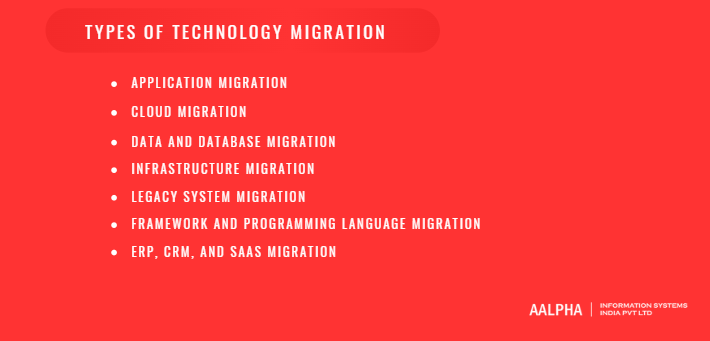
Technology migration can take different forms depending on what a business needs to move, replace, consolidate, or upgrade. In some cases, the project involves a single application or database. In others, the migration affects infrastructure, cloud platforms, business software, development frameworks, and data at the same time. These categories often overlap, so organizations should evaluate them as connected parts of a broader migration strategy rather than isolated technical tasks.
-
Application Migration
Application migration is the process of moving a software application from one environment to another. The destination could be a different server, data center, cloud platform, operating environment, or application architecture. AWS defines application migration as moving applications between environments and notes that the process may range from relocating an application with minimal changes to redesigning it to take greater advantage of cloud services.
A common example is moving an internal business application from physical servers to cloud infrastructure. The application may initially be rehosted with few changes, or the business may choose to replatform selected components by adopting managed databases, containers, or other cloud services. More complex migrations may involve refactoring the application itself so that it can use cloud-native capabilities.
Application migration requires careful attention to dependencies. An application may rely on databases, authentication systems, APIs, third-party services, file storage, scheduled jobs, and network configurations. Moving the application without identifying these dependencies can lead to broken integrations, performance problems, or downtime after cutover.
-
Cloud Migration
Cloud migration refers to moving applications, data, infrastructure, or other digital assets into a cloud computing environment. Microsoft describes cloud migration as moving applications and data from one location, usually on-premise infrastructure, to a public cloud, although the same process can also involve moving workloads between cloud providers.
Organizations usually choose cloud migration to reduce dependence on physical infrastructure, improve scalability, access managed services, strengthen disaster recovery, or change the way IT resources are provisioned and maintained. A company operating its website and database on internal servers, for example, may move those workloads to AWS, Microsoft Azure, or Google Cloud so computing resources can be increased or reduced according to demand.
Cloud migration does not always mean moving every workload in the same way. Some applications may be rehosted, while others are replatformed, refactored, retained, replaced, or retired. AWS formalizes these choices through its 7 Rs migration framework, which includes retire, retain, rehost, relocate, repurchase, replatform, and refactor or re-architect.
The right cloud migration model depends on technical complexity, security requirements, compliance obligations, workload performance, expected costs, and the business value of moving each system.
-
Data and Database Migration
Data migration involves transferring information from one storage environment, application, or system to another. Database migration is a more specific form of this process in which data and database structures are moved from one database environment to another.
A business may migrate customer records from an old CRM to a new platform, move operational data into a cloud data warehouse, consolidate information from several systems, or transfer historical records into a new ERP application. Database migration may also involve moving from a self-hosted database to a managed cloud database.
Google Cloud distinguishes between homogeneous and heterogeneous database migrations. A homogeneous migration uses the same or a closely related database engine at the source and destination, while a heterogeneous migration moves to a different engine and typically requires schema and code conversion.
For example, moving PostgreSQL from an on-premise server to a managed PostgreSQL service is generally simpler than migrating Oracle to PostgreSQL because the second scenario may require changes to stored procedures, database-specific functions, schemas, queries, and data types.
Data integrity is one of the most important considerations in this type of migration. Organizations need to verify that records, relationships, timestamps, permissions, indexes, and schema objects have been transferred correctly. For critical systems, teams may also use replication or change data capture to keep the source and destination synchronized until final cutover.
-
Infrastructure Migration
Infrastructure migration involves moving or replacing the underlying computing resources that support applications and business systems. This may include servers, virtual machines, storage, networks, firewalls, load balancers, backup systems, and disaster recovery infrastructure.
A typical infrastructure migration might involve moving virtual machines from an on-premise data center to a cloud provider without making major changes to the applications running on them. AWS describes rehosting as moving an application with minimal modification, while relocation can involve transferring groups of servers or workloads at the infrastructure level.
Organizations often pursue infrastructure migration because of aging hardware, data center costs, scalability limitations, disaster recovery requirements, or a broader move toward cloud computing. However, simply copying existing infrastructure configurations into a new environment can reproduce old inefficiencies.
For this reason, infrastructure migration should usually include capacity analysis and right-sizing. Teams should determine how much processing power, memory, storage, bandwidth, and redundancy each workload actually requires rather than reproducing the existing configuration without review.
-
Legacy System Migration
Legacy system migration involves moving away from older applications, platforms, databases, or infrastructure that remain operational but have become difficult, expensive, or risky to maintain.
A legacy system is not defined by age alone. A system can become a legacy platform when it depends on unsupported technology, requires specialist skills that are difficult to find, cannot integrate easily with modern applications, or no longer meets current business requirements.
A company may migrate a desktop application to a web platform, replace an unsupported database, move a mainframe workload to a distributed environment, or replace a custom-built internal system with a modern SaaS application. Legacy migration can also involve rearchitecting a monolithic application to improve scalability, maintainability, and integration capabilities.
The main challenge is usually not the technology itself but the accumulated business logic around it. Older systems often contain undocumented rules, custom integrations, historical data structures, and workflows that employees depend on every day. A successful legacy migration therefore begins with detailed discovery and dependency analysis.
In some cases, migrating the existing system is still the right choice. In others, replacing or rebuilding it may offer better long-term value. The decision should be based on business importance, maintenance cost, technical debt, security exposure, and the expected lifespan of the replacement.
-
Framework and Programming Language Migration
Framework and programming language migration involves changing the technologies used to build and maintain an application. This may mean upgrading from an outdated framework to a current version or rewriting some or all of the application in another programming language.
Common examples include moving from AngularJS to Angular, updating an older .NET Framework application to modern .NET, moving from Objective-C to Swift, or replacing older JavaScript-heavy code with TypeScript. AWS also identifies framework and platform changes as part of replatforming and refactoring strategies where organizations update underlying technologies to improve support, performance, security, or cloud compatibility.
Businesses typically undertake this type of migration when a framework reaches end of support, security vulnerabilities become difficult to manage, development becomes slow, hiring developers becomes harder, or the application cannot integrate efficiently with newer systems.
These migrations can be more demanding than infrastructure moves because they affect the application code itself. Teams need strong automated testing, regression testing, code review, and performance benchmarking to confirm that the new implementation behaves correctly.
Large applications do not always need to be rewritten at once. Incremental migration can allow old and new components to run side by side while individual modules are replaced over time.
-
ERP, CRM, and SaaS Migration
ERP, CRM, and SaaS migration involves moving from one enterprise software platform to another. These projects often affect core business operations such as finance, sales, procurement, inventory, customer service, human resources, or reporting.
Unlike application migrations where the organization may control the source code, enterprise platform migrations are usually centered on data, configurations, permissions, workflows, custom fields, integrations, and business processes.
For example, a company moving from one CRM to another may need to transfer customer records, contacts, sales opportunities, notes, activity history, documents, and custom fields. It must then rebuild sales pipelines, automation rules, dashboards, user permissions, and integrations in the destination system.
ERP migrations can be even more complex because the platform may support several departments at once. A single migration can affect accounting, inventory, purchasing, manufacturing, payroll, and supply chain processes. For this reason, ERP migrations require close involvement from business teams as well as technical specialists.
In some cases, an organization may replace an internally hosted application with a SaaS product rather than migrate the original system. AWS refers to this approach as repurchasing, where an existing application is replaced with another product when doing so is more practical or cost-effective than rebuilding the old platform.
The most effective ERP, CRM, and SaaS migrations therefore combine technical planning with data cleansing, process redesign, employee training, governance, and change management. A technically successful migration can still fail from a business perspective if users cannot work effectively in the new system or if critical workflows are not recreated correctly.
When Should a Business Consider Technology Migration?
A business should consider technology migration when its existing systems begin to restrict performance, security, growth, integration, or cost efficiency. Migration should not be triggered simply because a newer technology exists. The stronger reason is that the current environment can no longer support business objectives at an acceptable level of cost or risk.
Microsoft recommends assessing both business value and technical risk when prioritizing workloads for modernization. Its Cloud Adoption Framework identifies technical debt, outdated platforms, high maintenance effort, performance problems, limited scalability, security vulnerabilities, and end-of-support deadlines as important indicators that a workload may require modernization or migration.
The decision should therefore be based on measurable operational problems and future requirements rather than technology trends alone.
-
High Maintenance Costs
Rising maintenance expenditure is one of the clearest signs that a technology platform may be approaching the end of its practical life.
Older systems often require more manual intervention, specialized support, custom patches, outdated hardware, expensive licenses, and engineers with knowledge of technologies that are becoming harder to recruit for. Over time, a growing percentage of the IT budget may be spent maintaining existing functionality rather than developing new capabilities.
Microsoft specifically identifies high maintenance effort, frequent manual intervention, complex troubleshooting, and increasing support costs as signs of elevated technical risk.
Consider a company running a custom order management system built many years ago. Every new feature requires extensive testing because different modules are tightly connected. The application depends on an outdated database, deployments are performed manually, and only a small number of developers understand the codebase. Even if the application still works, its total cost of ownership may continue to increase.
At that point, the organization should compare the cost of maintaining the current platform against the cost of migration over a defined period, such as three to five years. That comparison should include infrastructure, licensing, engineering time, downtime, security work, support contracts, and lost productivity.
A migration becomes easier to justify when the long-term operating cost of the existing environment is materially higher than the expected cost and business value of the replacement.
-
Outdated or Unsupported Technology
Technology migration should receive serious consideration when important software, operating systems, frameworks, databases, or infrastructure are approaching or have already reached end of support.
Unsupported technology creates several problems at once. Vendors may stop providing security patches, compatibility updates, technical assistance, and bug fixes. New development tools may no longer support the old environment, while third-party integrations may eventually stop working with it.
Microsoft identifies outdated operating systems, databases, programming languages, and technologies approaching end-of-support as indicators of high technical risk. It also treats approaching support deadlines as an urgent modernization trigger.
AWS similarly identifies legacy platforms that are out of support as a common driver for large-scale migration programs.
The important distinction is that age alone does not justify migration. A ten-year-old system that remains secure, supported, inexpensive, and capable of meeting business needs may not require immediate replacement. Conversely, a much newer platform can become a migration candidate if the vendor discontinues support or the surrounding technology ecosystem moves away from it.
Organizations should therefore track technology lifecycle dates as part of architecture governance. Operating systems, frameworks, database versions, libraries, and major enterprise applications should have known support timelines so that migrations can be planned before support expires rather than performed under emergency conditions.
-
Security Vulnerabilities
Security risk can turn a planned migration into an urgent business requirement.
Legacy systems frequently depend on outdated operating systems, libraries, authentication mechanisms, encryption protocols, or application frameworks. If these components no longer receive security updates, organizations can be left with vulnerabilities that cannot be corrected easily without upgrading or replacing the underlying technology.
Microsoft lists newly discovered vulnerabilities, outdated encryption protocols, and compliance violations among the conditions that can make modernization urgent.
A security-driven migration may involve more than moving an application. An organization might need to replace an unsupported identity platform, migrate databases containing sensitive information, introduce stronger access controls, change network architecture, or move workloads into an environment that supports more comprehensive logging and security monitoring.
However, migration itself does not automatically make a system secure. Moving a poorly configured application from an internal server to the cloud can simply transfer the same weaknesses into another environment.
Microsoft’s Cloud Adoption Framework recommends treating security as part of the migration strategy from the beginning rather than applying security controls after workloads are already in production.
Businesses should therefore consider migration when existing technology prevents them from implementing appropriate security controls, but the new environment must also be designed with access management, encryption, monitoring, vulnerability management, backup, and incident response requirements from the start.
-
Poor Scalability and Performance
Systems that consistently struggle with increasing workloads are strong candidates for migration or modernization.
Performance problems may appear as slow application response times, database bottlenecks, frequent outages, long batch-processing windows, or unstable performance during periods of high demand. In other cases, the system may perform adequately today but require extensive hardware purchases or architectural changes whenever usage increases.
Microsoft identifies chronic downtime, slow response times, inability to handle load spikes, and architectures that require major rework to scale as indicators of technical risk.
AWS also notes that legacy applications may require refactoring when their architecture prevents them from handling growing business demand or when monolithic design slows the delivery of new features.
For example, an eCommerce application may operate normally during most of the year but become unstable during major sales events. Increasing server capacity could solve the immediate problem, but if the application architecture cannot distribute workloads efficiently, each future increase in traffic may require another expensive infrastructure upgrade.
Migration to a more scalable environment can give the business access to options such as elastic computing, managed databases, caching, content delivery networks, automated load balancing, and distributed processing. In some situations, however, simply moving the application will not solve the bottleneck. The application may also require replatforming or refactoring.
The migration decision should therefore begin with performance analysis. Teams need to understand whether the constraint lies in infrastructure, application code, database design, network architecture, or another component before selecting a migration strategy.
-
Integration Limitations
Modern businesses depend on interconnected systems. Applications increasingly need to exchange information with payment platforms, analytics tools, CRM systems, mobile applications, suppliers, AI development services, identity providers, and other internal and external platforms.
Older systems may not have been designed for this level of connectivity.
A legacy application might rely on proprietary protocols, direct database connections, file transfers, or tightly coupled interfaces instead of modern APIs and event-driven integration methods. Connecting new systems can then require expensive custom development.
Integration limitations become a migration trigger when they begin to slow product development or business operations.
For instance, a retailer may want to connect its inventory platform with an eCommerce website, warehouse system, marketplace channels, logistics providers, and analytics platform. If the existing inventory system has no reliable APIs, each integration may require a custom workaround.
Over time, these workarounds create additional technical debt.
Migration can allow the organization to introduce better integration architecture, such as APIs, message queues, webhooks, event streams, or middleware. Microsoft specifically recommends integration approaches such as API gateways, message queues, and data synchronization when organizations need reliable connectivity between migrating workloads and systems that remain in the source environment.
The goal should not simply be to make the new system compatible with current integrations. Organizations should also consider how easily the target architecture will accommodate future partners, applications, and data sources.
-
Changing Business Requirements
Technology that worked well when a company was smaller may not remain appropriate as the business changes.
Growth can introduce requirements that were never part of the original system design. A company may enter new countries, launch additional products, acquire another business, support substantially more customers, introduce subscription billing, implement AI capabilities, or create new digital sales channels.
Microsoft identifies business growth, new market entry, integration requirements, and changing system capacity needs as conditions that can increase modernization priority.
AWS similarly notes that migration programs are often driven by the need to scale, accelerate product releases, modernize application stacks, or support broader strategic changes in the business.
Consider a company whose internal application was originally designed to serve one country. International expansion could suddenly introduce requirements for multiple currencies, languages, regional data storage, tax systems, and new payment providers. Modifying the existing application may be technically possible, but the effort required could be greater than moving to an architecture designed for those requirements.
Migration becomes particularly valuable when the current system consistently forces the business to adapt its plans around technology limitations.
The decision should still be based on expected business outcomes. Organizations should identify which new requirements cannot be supported efficiently, how important those requirements are, and whether migration provides a better economic outcome than extending the existing system.
Signs That Migration Should Be Postponed
Not every technology problem requires immediate migration. In some situations, postponing migration can be the lower-risk decision.
The first warning sign is the absence of a clear business case. If the main argument for migration is that another technology is newer or more fashionable, the organization may be taking on significant cost without a measurable benefit. AWS stresses that migration drivers should be clearly understood and prioritized because each additional driver can increase scope, cost, timeline, and risk.
Migration may also need to be delayed when dependencies are poorly understood. Moving a workload without knowing which applications, databases, integrations, and business processes depend on it can create unexpected outages. Microsoft advises organizations to review workload ownership, dependencies, criticality, business value, and migration effort before sequencing migration work.
Lack of internal expertise is another reason to reconsider timing. If the target platform requires skills the organization does not currently possess, teams may spend the migration learning core technologies while simultaneously managing production risk. Microsoft explicitly recommends evaluating organizational readiness and skills before modernization and using training or external expertise where required.
Migration should also be reconsidered when the proposed scope is unnecessarily large. Combining infrastructure migration, application refactoring, database replacement, user-interface redesign, and major feature development into one project can make testing and troubleshooting considerably more difficult. Microsoft notes that modernization during migration introduces additional complexity and should be undertaken when there is a clear business justification and adequate skills and time.
AWS provides similar guidance for large migrations, noting that refactoring is one of the most complex and costly migration approaches and recommending, where practical, a “migrate first, then modernize” strategy.
Finally, organizations should postpone migration if they cannot establish a safe cutover and recovery plan. Critical systems should not be moved to production without adequate testing, backups, rollback procedures, monitoring, and clearly defined responsibilities.
The best time to migrate is therefore not simply when the current technology becomes old. Migration makes the strongest business sense when the limitations of the existing environment are measurable, the target environment addresses those limitations, dependencies are understood, the organization has the required resources, and the expected benefits justify the cost and risk of the transition.
How to Build a Technology Migration Strategy
A technology migration strategy should convert a broad intention to replace or move technology into a documented plan that explains why the migration is happening, what will move, how it will move, who is responsible, and how success will be measured. The strongest migration strategies combine business priorities with technical evidence. Microsoft’s Cloud Adoption Framework recommends connecting technology initiatives to measurable business objectives, documenting workload details, defining responsibilities, estimating costs, and recording migration methods before execution begins.
The strategy should also be treated as a working document rather than something created once and ignored. Migration assumptions can change as teams discover hidden dependencies, revised costs, licensing limitations, compliance requirements, or technical constraints. Microsoft specifically recommends maintaining a documented adoption plan as a single source of truth for decisions, timelines, estimates, responsibilities, and workload-specific migration strategies.
-
Define Business Goals and Success Criteria
The first step is to establish why the organization is migrating in the first place. Technology migration should solve a defined business or operational problem. Common objectives include reducing infrastructure costs, retiring unsupported systems, improving reliability, increasing scalability, strengthening security, shortening release cycles, or supporting business expansion.
These objectives should be translated into measurable success criteria. For example, instead of stating that the migration should “improve performance,” the organization could define a target application response time, reduction in infrastructure cost, availability level, recovery time objective, or deployment frequency.
Microsoft recommends starting cloud adoption strategies with clear motivations, mission, and measurable objectives. It also emphasizes that technology investments should be tied directly to outcomes such as cost efficiency, resiliency, security, and business agility.
Clear success criteria are important because a migration can be technically completed without producing meaningful business value. An application may successfully move to the cloud, for instance, while operating costs remain higher than expected or performance remains unchanged. Without predefined metrics, it becomes difficult to determine whether the migration actually achieved its purpose.
-
Assess the Current Technology Environment
Once the business case is clear, the organization needs an accurate picture of its existing environment. This assessment establishes the baseline against which the target environment will be designed and the migration effort estimated.
The assessment should cover application architecture, databases, infrastructure, operating systems, programming languages, frameworks, security controls, network configuration, performance requirements, licensing arrangements, and support status. It should also document business ownership, technical ownership, criticality, compliance requirements, recovery objectives, and maintenance windows.
Microsoft’s migration planning guidance recommends documenting workload architecture in detail, including compute, storage, networking, databases, application tiers, programming languages, framework versions, environments, performance requirements, licensing considerations, security controls, and service-level objectives.
This stage often reveals problems that were not obvious before migration planning began. Teams may discover unsupported libraries, unused servers, duplicated databases, excessive infrastructure capacity, old integrations, or applications that are no longer required.
A complete inventory therefore helps prevent organizations from migrating unnecessary technology. In many programs, some systems should be retired rather than moved, while others may be replaced with SaaS products or consolidated with existing platforms.
-
Identify Applications, Dependencies, and Integrations
Dependency analysis is one of the most important parts of migration planning because applications rarely operate independently.
A business application may depend on shared databases, identity systems, payment gateways, file servers, APIs, third-party SaaS platforms, scheduled jobs, DNS services, caching infrastructure, reporting tools, and other internal applications.
Microsoft recommends discovering dependencies before creating migration groups because moving connected systems separately can cause service disruptions. Its migration guidance advises grouping workloads based on shared databases, APIs, authentication services, network connections, and other direct relationships.
Dependencies should also be classified by importance. Some systems require constant low-latency communication and should move together, while others can temporarily operate across different environments. Business dependencies matter as well. Two systems may not communicate technically but may support the same operational process and therefore need coordinated migration.
For example, an order management platform might depend on a customer database, warehouse application, payment service, notification system, and analytics platform. Migrating only the application server without understanding those relationships could leave the application functional at the infrastructure level but unable to complete actual business transactions.
Dependency mapping therefore directly influences migration sequencing, cutover planning, and rollback strategy.
-
Define the Target Architecture
After understanding the current environment, the organization should define what the technology environment should look like after migration.
The target architecture describes the destination platform, infrastructure model, application components, databases, networking, security controls, integrations, geographic regions, availability configuration, backup approach, disaster recovery design, and operational tooling.
Microsoft recommends documenting the target architecture for each workload together with the required services, deployment regions, expected costs, and operational requirements.
The target environment should not simply reproduce the source environment unless there is a specific reason to do so. Migration provides an opportunity to remove unnecessary components, right-size infrastructure, improve resilience, introduce managed services, standardize security controls, and simplify operations.
At the same time, organizations should avoid redesigning everything simply because migration provides an opportunity to do so. Extensive architectural changes increase development effort, testing requirements, and migration risk. The target architecture should therefore balance long-term objectives with practical migration constraints.
Security should be incorporated into the architecture from the beginning. Microsoft advises organizations to establish security requirements during migration planning rather than treating security as a post-deployment activity.
-
Select the Migration Approach
Once the current and target states are understood, the organization can determine how each workload should reach the destination.
Different workloads may require different migration approaches. A relatively modern application might be rehosted with minimal changes, while an outdated application may require replatforming or refactoring. Another system may be replaced with SaaS software, retained temporarily, or retired completely.
The selected approach should reflect business value, technical complexity, risk, cost, timeline, and expected lifespan.
A low-risk internal application with limited dependencies may be suitable for rehosting. A business-critical platform that cannot scale may justify refactoring. An outdated commodity application, such as a basic internal ticketing platform, may be better replaced by an existing SaaS product rather than migrated.
Organizations should also avoid assuming that one migration approach should apply to every workload. Large migration programs usually include a mixture of strategies based on workload characteristics.
Microsoft’s current migration planning guidance recommends documenting the chosen strategy for each workload along with its assessment results, success metrics, target architecture, and estimated cost.
-
Prioritize Systems and Workloads
Large organizations rarely migrate everything simultaneously. Applications should be prioritized according to business value, technical feasibility, dependencies, urgency, and migration risk.
Microsoft recommends evaluating workloads according to business criticality and migration effort. Its guidance categorizes high-value, low-effort workloads as suitable early candidates, while low-value, high-effort systems may be better deferred or avoided.
Teams should also consider technical risk. A system with high business importance and severe technical risk may require urgent attention, whereas a stable low-value application may not justify immediate migration. Microsoft similarly recommends evaluating workloads using business value and technical risk when establishing modernization priorities.
Migration programs often begin with relatively simple workloads rather than the most mission-critical application. This allows teams to test tooling, refine processes, identify gaps, and gain operational experience before moving more complicated systems.
Development, testing, and staging environments can also be migrated before production environments. Microsoft recommends this sequence because non-production environments provide a safer setting for validating configurations, migration procedures, performance, and recovery processes.
Prioritization should therefore consider both strategic value and execution risk rather than simply moving the oldest application first.
-
Create the Migration Roadmap
The migration roadmap translates the strategy into an executable sequence of activities.
A roadmap should identify which workloads move first, which systems must move together, major milestones, dependencies, testing stages, business freeze periods, cutover windows, and expected production dates.
For larger environments, workloads are commonly organized into migration waves. Each wave contains related systems that can be assessed, tested, migrated, and stabilized together.
Microsoft recommends grouping connected workloads into migration waves and sequencing them according to dependencies, business value, complexity, and risk. It also recommends documenting major milestones, blockers, dependencies, and estimated production-ready dates so stakeholders have a shared understanding of progress.
A typical roadmap might begin with discovery and assessment, followed by a proof of concept, non-production migration, pilot workload, first production wave, larger migration waves, and final decommissioning of the source environment.
The roadmap should also account for business constraints. An eCommerce company, for example, may avoid major migrations during its peak sales season, while a financial organization may have month-end or year-end periods during which major system changes are prohibited.
A useful roadmap therefore combines technical sequencing with operational realities.
-
Set Budget, Resources, and Responsibilities
Technology migration requires resources beyond infrastructure and software licensing. The budget may include architecture work, development, data migration, cloud services, testing, security, training, external consultants, monitoring tools, temporary duplicate environments, and post-migration support.
Migration programs should also account for temporary cost overlap. During some migration stages, businesses may need to operate both the existing and destination environments simultaneously. This can temporarily increase infrastructure spending even when the long-term objective is cost reduction.
Microsoft recommends documenting estimated platform costs, workload costs, operational costs, resource requirements, and responsibilities as part of migration planning.
Responsibilities should be clearly assigned across business and technical teams. A typical migration may involve executive sponsors, project managers, solution architects, application engineers, infrastructure specialists, database administrators, security teams, QA engineers, product owners, and operational staff.
Microsoft emphasizes documenting ownership for architecture, security, operations, and business alignment because unclear responsibility can create gaps during execution.
Organizations should also determine whether the internal team has the required skills. If a migration involves unfamiliar cloud platforms, databases, security models, or application architectures, additional training or external expertise may be necessary. Microsoft recommends identifying skills gaps early and addressing them through training, hiring, contractors, or specialist migration partners.
A complete technology migration strategy ultimately brings all of these decisions together. It defines the business reason for migration, documents the current environment, maps dependencies, describes the target architecture, assigns a migration method to each workload, establishes priorities, creates an implementation roadmap, and assigns the resources required to execute it. Once these elements are documented, the organization can move from strategic planning into the detailed migration process itself.
Step-by-Step Technology Migration Process
A technology migration should follow a controlled sequence that reduces uncertainty before production systems are changed. The exact process varies by project, but most migrations move through discovery, planning, validation, execution, testing, cutover, stabilization, and decommissioning. The purpose of this structure is to prevent teams from treating migration as a single technical event. In practice, successful migration depends on a series of decisions and checkpoints that confirm the organization is ready to move to the next stage.
-
Discovery and Assessment
The first stage is to understand the current technology environment in detail. This includes applications, databases, infrastructure, integrations, security controls, dependencies, performance requirements, licensing, support status, and business criticality.
The assessment should identify which systems are still required, which ones can be retired, and which workloads are suitable for migration. Teams should also document known technical debt, unsupported software, performance bottlenecks, and operational risks.
This stage is particularly important for legacy systems because documentation may be incomplete. A system that appears independent may rely on a shared database, authentication service, scheduled process, or third-party integration. Missing these relationships can create failures later in the migration.
The output of discovery should be a reliable inventory of the current environment and a clear understanding of what each system does, who depends on it, and what would happen if it became unavailable.
-
Migration Planning
Once the existing environment is understood, the migration team can define how the transition will be executed. This stage converts assessment findings into a structured migration plan.
The plan should define the migration scope, target architecture, migration method, timeline, workload sequence, downtime expectations, testing requirements, security controls, rollback procedures, and responsibilities.
Migration planning should also account for business constraints. A retailer may avoid production changes during peak sales periods, while a financial organization may need to work around month-end processing or regulatory reporting deadlines.
Microsoft recommends documenting migration waves, dependencies, business value, target architecture, estimated costs, and production milestones before execution begins.
A strong migration plan should make it clear what will happen before, during, and after cutover, as well as who is responsible for each activity.
-
Proof of Concept
A proof of concept helps validate the proposed migration approach before the organization commits to a full production migration.
The goal is not to recreate the entire environment. Instead, the team selects a representative workload, application component, or data set and tests whether the proposed architecture, tools, and migration method work as expected.
For example, a company planning to move an application to a managed cloud platform might first migrate a non-critical internal service. This gives engineers an opportunity to validate network connectivity, deployment pipelines, database compatibility, authentication, logging, monitoring, and performance.
A proof of concept can also reveal unexpected costs or limitations. A target platform may technically support the application but require significant code changes, licensing adjustments, or additional services that were not identified during initial planning.
The findings should be documented and used to refine the larger migration strategy. If the proof of concept exposes major problems, it is much less expensive to adjust the approach at this stage than after production migration has started.
-
Data Preparation
Data preparation is one of the most important stages because migrating poor-quality or unnecessary data can create long-term problems in the destination system.
Before transfer begins, organizations should review data quality, structure, ownership, retention requirements, privacy classifications, duplicate records, and obsolete information. The team should determine which data must be migrated, which data can be archived, and which data should be deleted according to applicable retention policies.
Schema mapping may also be required when the destination system stores information differently from the source. This is especially important in heterogeneous database migrations or when moving between ERP, CRM, or SaaS platforms.
Data preparation should also include backup and recovery planning. A verified copy of critical information should exist before migration begins so that the source state can be recovered if the transfer fails.
For large or business-critical databases, organizations may use replication or change data capture to keep the source and destination synchronized while users continue working. This can reduce the amount of downtime required during final cutover.
-
Application and Infrastructure Migration
Once the destination environment is ready, application and infrastructure components can be moved according to the selected migration approach.
A rehosted application may be transferred to new virtual machines with minimal code changes. A replatformed workload may move to managed databases, containers, or platform services. A refactored application may require code and architectural changes before it can operate in the destination environment.
Infrastructure migration may include compute resources, storage, networking, firewalls, load balancers, DNS configuration, backup systems, monitoring tools, and disaster recovery environments.
The sequence matters. Infrastructure and networking normally need to be available before applications can be deployed, while databases and shared services may need to be migrated before dependent application components.
Organizations should avoid making unnecessary changes during this stage. Combining migration with unrelated feature development can make troubleshooting harder because teams may struggle to determine whether a problem was caused by the migration or by newly introduced functionality.
-
Integration Migration
Applications rarely operate in isolation, so integrations must be migrated and validated alongside the core workload.
These integrations may include APIs, payment gateways, identity providers, messaging systems, third-party SaaS products, analytics platforms, file transfers, webhooks, and other business applications.
Some integrations may require new endpoints, certificates, authentication credentials, firewall rules, or API configurations after migration. Others may need redesign if the destination architecture uses different protocols or network boundaries.
Microsoft recommends accounting for shared databases, APIs, authentication services, and network relationships when grouping workloads for migration.
Integration testing should therefore focus on complete business processes rather than individual technical connections. For example, confirming that an API responds successfully is useful, but a more meaningful test is verifying that a customer can place an order, complete payment, trigger inventory updates, receive notifications, and generate the correct accounting record.
-
Testing
Testing should take place throughout the migration rather than being left until the end.
Functional testing verifies that applications perform their expected business functions. Integration testing confirms that systems communicate correctly. Regression testing identifies whether previously working features have been affected. Performance testing compares the destination environment against established benchmarks. Security testing checks access controls, vulnerabilities, encryption, and configuration.
Data migration also requires reconciliation. Teams should compare record counts, financial totals, relationships, timestamps, and other critical values between source and destination systems.
User acceptance testing is particularly important for business applications. Employees who work with the system every day can identify process problems that technical teams may overlook.
Migration should not proceed to production simply because the application starts successfully. Go-live should require documented acceptance criteria and confirmation that critical functionality, data, security, performance, and integrations have been validated.
-
Production Cutover
Production cutover is the point at which users and live workloads begin operating on the new environment.
Before cutover, the team should confirm that backups are current, the destination environment is ready, testing has passed, monitoring is active, rollback procedures are available, and all required personnel are prepared.
The exact cutover method depends on the migration strategy. A big-bang migration switches the entire workload during a defined window. A phased migration moves users or components gradually. A parallel approach may keep both systems running temporarily, while blue-green deployment can allow traffic to move between two production environments.
For data-intensive systems, the final stage may involve stopping writes to the source database, completing the last synchronization, validating the destination, and then redirecting applications or users.
Clear communication is essential during this period. Business teams, technical staff, support teams, and users should know when the migration begins, what services may be affected, and how incidents will be handled.
-
Validation and Stabilization
Go-live does not mean the migration is complete. The new environment should enter a stabilization period during which teams monitor application behavior, infrastructure performance, integrations, data integrity, costs, security events, and user feedback.
Production monitoring may reveal issues that were not visible during testing because real-world usage creates different traffic patterns, transaction volumes, and edge cases.
The team should compare post-migration performance against the success criteria defined earlier. If the migration was intended to improve response times, availability, deployment frequency, or infrastructure cost, these metrics should now be measured.
User support is also important during stabilization, particularly after ERP, CRM, or other enterprise software migrations. Employees may require assistance with new workflows, permissions, or interfaces.
Problems identified during this stage should be categorized and resolved before the old environment is permanently removed.
-
Legacy System Decommissioning
The final stage is to retire the source environment once the organization has confirmed that the new system is stable and that rollback is no longer required.
Decommissioning can include shutting down servers, removing virtual machines, terminating cloud resources, cancelling software licenses, revoking old access credentials, archiving required data, and removing obsolete network connections.
Organizations should avoid decommissioning too early. The source system may still be required for historical records, regulatory requirements, auditing, or emergency recovery during the stabilization period.
At the same time, leaving old systems running indefinitely creates cost and security risks. Unused servers and applications may continue consuming infrastructure resources, licenses, and maintenance effort while receiving less operational attention.
A formal decommissioning checklist should therefore confirm that required data has been preserved, compliance obligations have been met, users have fully transitioned, dependencies have been removed, and the destination environment is operating reliably.
Only after these conditions are met should the migration be considered complete. At that point, the organization can move from migration activities to ongoing optimization, monitoring, and modernization of the new technology environment.
Technology Migration Approaches and How to Choose One
There is no single migration approach that works for every application. Some systems can be moved with minimal changes, while others require redesign, replacement, or complete retirement. The right choice depends on the business value of the workload, its technical condition, available budget, migration timeline, security requirements, dependencies, and the level of disruption the organization can tolerate.
AWS commonly describes migration strategies through the 7 Rs: rehost, relocate, replatform, repurchase, refactor or re-architect, retain, and retire. Microsoft uses a related modernization model that includes rehost, replatform, refactor, rebuild, retain, and retire. These frameworks are useful because they force organizations to evaluate each workload independently rather than assuming that every application should be migrated in the same way.
-
Rehost
Rehosting, often called lift and shift, means moving an application to a new environment with little or no change to its code or architecture. AWS describes rehosting as moving an application to the cloud without modifying it to use cloud-specific capabilities.
For example, a company running a business application on an on-premise virtual machine could move the same application to a cloud virtual machine. The operating environment changes, but the application itself largely remains the same.
Rehosting is attractive when the main objective is to leave an existing data center quickly, reduce hardware dependence, or move a large number of workloads within a limited timeframe. Because there is minimal application change, the migration can usually be completed faster than replatforming, refactoring, or rebuilding.
The trade-off is that the organization may carry existing inefficiencies into the destination environment. An oversized server, inefficient application architecture, or poorly designed database does not automatically improve simply because it moves to the cloud. Rehosting can therefore be a useful first step, followed by modernization after the migration is stable.
AWS specifically notes that rehosting is often suitable for large migration programs because it limits code changes and reduces business disruption.
-
Replatform
Replatforming moves an application to a new environment while making limited changes that allow the organization to use some capabilities of the destination platform. It is sometimes described as lift, tinker, and shift.
Microsoft describes replatforming as moving an application to a new runtime platform with relatively small code changes, while AWS defines it as migrating an application while introducing some optimization without significantly changing its core architecture.
For example, instead of moving a database from one virtual machine to another, a company could migrate it to a managed database service. The application may require some configuration changes, but the underlying business logic remains largely unchanged.
Replatforming is often a good middle ground between rehosting and refactoring. It allows a business to gain some benefits from managed services, automation, scalability, or reduced infrastructure administration without the cost of rebuilding the application.
The approach becomes less suitable when the application’s architecture itself is the primary problem. If the system cannot scale, contains significant technical debt, or depends heavily on obsolete technology, limited platform changes may not be enough.
-
Refactor
Refactoring involves changing application code or architecture so that the system can better meet current requirements or make greater use of the target environment.
Microsoft describes refactoring as changing existing code without fundamentally changing the application’s external behavior. AWS uses the broader term refactor or re-architect for migrations that substantially modify application architecture to improve areas such as scalability, performance, and agility.
A company might refactor a tightly coupled application into more modular services, replace local file storage with object storage, introduce managed messaging services, or redesign components so they can scale independently.
The main advantage is that the organization can address architectural problems rather than simply transferring them. The disadvantage is higher cost, greater complexity, and more extensive testing.
AWS warns that refactoring during a large migration can be difficult because it combines migration and modernization in the same program. For large application portfolios, AWS often recommends migrating first through approaches such as rehost or replatform and modernizing afterward.
Refactoring therefore makes the most sense when the existing architecture materially limits business growth, performance, security, or development speed and when the expected long-term benefit justifies the additional engineering effort.
-
Rebuild
Rebuilding means creating a new application rather than attempting to migrate the existing implementation.
The organization may retain the original business requirements and data while replacing most or all of the application code, architecture, user interface, and underlying technology.
Microsoft identifies rebuild as the most extensive modernization approach and recommends considering it when the cost or limitations of replatforming and refactoring make continued investment in the old application difficult to justify.
For example, a company might operate a 15-year-old internal application built on an unsupported framework. If the system has poor documentation, deeply embedded technical debt, and architecture that cannot meet current requirements, rewriting it using a modern architecture may be more practical than repeatedly modifying the old codebase.
Rebuilding offers maximum flexibility but usually requires the greatest investment. Business logic must be rediscovered and recreated, data must be migrated, integrations rebuilt, and user behavior retested.
It also creates the risk of unnecessary scope expansion. Teams may try to redesign every feature while migrating, which can substantially increase the project’s duration. A rebuild should therefore begin with a clear understanding of which existing capabilities are still valuable and which can be removed.
-
Repurchase
Repurchasing means replacing an existing application with another commercial product, commonly a SaaS platform, instead of migrating the original software.
AWS includes repurchase within its 7 Rs framework and describes it as moving from an existing application to another software product when purchasing an alternative is more appropriate than maintaining or modernizing the current solution.
A company using a custom-built CRM, for example, might decide to move to a commercial cloud CRM rather than continue maintaining its own system.
The migration then focuses less on application code and more on data transfer, configuration, integrations, user permissions, workflow recreation, and employee training.
Repurchasing works particularly well when the existing application performs a relatively standard business function that is already well served by commercial software. It can reduce long-term development and infrastructure responsibilities.
However, organizations must consider subscription costs, vendor dependency, customization limitations, contractual terms, data portability, and integration requirements. Replacing internally controlled technology with SaaS can simplify operations while also reducing control over the platform.
-
Retain
Retaining means deliberately leaving a workload in its current environment rather than migrating it immediately.
AWS recommends retain when an application is not ready for migration, when dependencies require other systems to move first, when regulatory or data-residency requirements prevent migration, or when there is little business value in moving the workload at the present time.
Retention should be an intentional decision rather than a result of indecision. The organization should document why the application is being retained and when the decision will be reviewed.
For example, a company may have recently invested heavily in a specialized on-premise platform with several years remaining on its support contract. Migrating it immediately might create substantial cost without producing enough additional value.
Another workload may need to stay on-premise temporarily because several dependent systems have not yet migrated.
Retaining such applications can reduce migration risk and allow the organization to focus resources on workloads where the benefits are greater.
-
Retire
Retiring means permanently decommissioning an application or system because it no longer provides sufficient business value.
Migration assessments often reveal systems that are no longer actively used, duplicate functionality available elsewhere, or consume infrastructure and licensing resources without meaningful benefit.
AWS recommends considering retirement when an application provides little business value, creates unnecessary maintenance costs, or introduces security risk because it runs on unsupported technology.
Retirement can therefore be one of the most valuable outcomes of a migration assessment. Every retired system is one less workload that needs to be moved, secured, patched, monitored, licensed, and maintained.
However, decommissioning requires careful validation. Teams should confirm that no important integrations, reports, historical records, compliance requirements, or users still depend on the system before shutting it down.
Required data may also need to be archived before the application is removed.
-
Big Bang vs. Phased Migration
The migration strategy describes what happens to a workload, while the migration method also determines how the transition takes place.
A big bang migration moves the relevant users, data, or systems to the new environment within a single cutover window. The old system is then replaced by the destination system.
This method can be appropriate for relatively simple applications, smaller user populations, or situations where operating two systems simultaneously would be impractical. It can also reduce the period during which the organization must maintain both environments.
The major disadvantage is concentrated risk. If something goes wrong during the cutover, a large portion of the business may be affected at once. Big bang migrations therefore require strong testing, backups, rollback procedures, and clearly defined go-live criteria.
A phased migration moves systems, components, locations, users, or workloads over several stages.
For example, an organization may migrate one business unit first, followed by other departments after the first group is stable. A large application portfolio might similarly be divided into migration waves according to dependencies and business criticality.
The phased approach reduces the impact of individual failures and allows lessons from early stages to improve later migrations. It is particularly valuable for complex enterprise environments.
The trade-off is that the source and destination environments may need to coexist for a longer period, creating additional integration, synchronization, and operational complexity.
-
Parallel and Pilot Migration
A parallel migration keeps the old and new environments operating simultaneously for a defined period. Users or transactions may continue to run through both systems until the organization confirms that the destination produces reliable results.
This method is particularly useful when migration risk is high and uninterrupted operation is critical. Financial systems, ERP platforms, and other applications involving important records may benefit from temporary parallel operation because outputs can be compared between environments before the legacy platform is removed.
The disadvantage is cost and complexity. Running two systems may require duplicate infrastructure, additional data synchronization, and extra operational effort.
A pilot migration moves a limited workload, user group, location, or business function before expanding the migration.
For example, an organization migrating an enterprise application used across 20 locations might begin with one branch. The team can observe performance, identify configuration issues, gather user feedback, and refine training before extending the migration.
Pilot migrations are particularly effective when there is uncertainty about the target platform or when user behavior is an important part of the transition.
A successful pilot does not remove the need for testing in later phases, but it provides practical evidence that the migration design works under real operating conditions.
How to Select the Right Strategy Based on Cost, Complexity, and Risk
Choosing a migration strategy requires balancing three major factors: cost, complexity, and risk.
Rehosting generally involves the lowest technical complexity because little code changes. Microsoft characterizes rehost as a relatively fast and cost-effective option, while replatforming requires slightly more development effort. Refactoring involves greater code changes, and rebuilding typically requires the highest level of redesign, time, and resource investment.
Cost should be evaluated beyond the migration project itself. A low-cost rehost can become expensive over several years if the application continues consuming inefficient infrastructure. A more expensive replatform or refactor may reduce operating costs or enable greater scalability. Decisions should therefore consider total cost of ownership rather than migration expenditure alone.
Complexity depends heavily on application architecture and dependencies. A simple standalone application may be easy to replatform, while a business-critical application connected to dozens of databases and services may create significant migration risk even if little code changes.
Risk should be considered from both technical and business perspectives. Teams should evaluate the consequences of downtime, data loss, security failures, integration problems, performance degradation, and rollback failure. The more critical the application, the stronger the case for phased, pilot, or parallel migration instead of a single high-risk cutover.
The age and expected lifespan of the workload also matter. Investing heavily in refactoring an application that will be replaced in two years may not make financial sense. Retaining or rehosting it temporarily could be more appropriate. Conversely, a strategic platform expected to support the business for the next decade may justify substantial modernization investment.
AWS recommends making migration-strategy decisions using both business and technical requirements and combining application portfolio information with dependencies, technical complexity, financial constraints, resource requirements, and migration objectives.
In practice, a large organization will rarely select only one migration strategy. It may rehost stable applications, replatform databases, refactor strategic software, rebuild obsolete custom systems, repurchase commodity business applications, retain workloads with unresolved dependencies, and retire systems that no longer provide value.
The best technology migration approach is therefore not necessarily the most advanced one. It is the approach that solves the required business problem while keeping cost, technical complexity, operational disruption, and migration risk at an acceptable level.
Technology Migration Risks, Security, and Testing
Technology migration introduces risk because critical applications, infrastructure, integrations, and data are being changed while the business may still depend on them for daily operations. A technically sound migration strategy therefore needs more than a target architecture and implementation schedule. It must also identify what can go wrong, establish controls to reduce those risks, and define how the organization will verify that the destination environment works correctly before production traffic is fully transferred.
Risk management should begin during planning rather than immediately before go-live. Microsoft recommends incorporating security, governance, workload dependencies, business continuity, testing, and recovery requirements into migration planning so that they are addressed before production cutover. (learn.microsoft.com)
-
Data Loss and Corruption
Data loss is one of the most serious migration risks because an application can often be repaired or redeployed, while missing or corrupted business data may be difficult or impossible to reconstruct.
Data problems can occur because records are omitted during transfer, schemas are mapped incorrectly, character encodings change, relationships between tables are broken, files are duplicated, or transformations produce unexpected values. The risk increases when information is being moved between different database engines, ERP platforms, CRM systems, or data models.
The migration team should therefore establish a verified backup before changing production data. It should also document source record counts, checksums where appropriate, important business totals, data relationships, and reconciliation rules so that the destination can be compared against the original.
For systems that continue receiving transactions during migration, synchronization becomes especially important. Change data capture or continuous replication can keep the destination database updated while the source remains active, reducing the amount of data that must be transferred during the final cutover. Google Cloud’s Database Migration Service, for example, supports an initial data load followed by continuous replication until the organization is ready to promote the destination database.
Data should not be considered successfully migrated merely because the transfer job completed. Business-level validation is required to confirm that the resulting information is complete, accurate, and usable.
-
Downtime
Downtime occurs when users or connected systems cannot access an application during migration. Some downtime may be planned, while unexpected downtime can result from failed deployments, configuration errors, network problems, database synchronization failures, or incomplete integrations.
The acceptable amount of downtime depends on the workload. A rarely used internal reporting system may tolerate several hours of planned maintenance, whereas an eCommerce platform, payment service, healthcare system, or financial application may require near-continuous availability.
Downtime requirements should therefore be established before the migration method is selected. A business that can accept a defined maintenance window may use a direct cutover. Systems with stricter availability requirements may need phased migration, blue-green deployment, parallel environments, or continuous data replication.
Migration teams should also distinguish between technical availability and business availability. A server may technically be online while users are unable to complete transactions because an authentication service, API, or database connection is unavailable.
The cutover plan should consequently define the expected outage window, sequence of activities, validation checkpoints, rollback threshold, responsible personnel, and communication process in case the outage lasts longer than planned.
-
Integration Failures
Integration failures are common because modern applications frequently depend on multiple internal and external systems. An application may communicate with identity providers, payment gateways, CRM platforms, ERP software, messaging systems, analytics tools, email services, third-party APIs, and databases.
Migration can change network addresses, API endpoints, authentication mechanisms, certificates, firewall policies, DNS records, or credentials. Any of these changes can cause previously working integrations to fail.
Microsoft recommends identifying application and service dependencies before migration and grouping tightly coupled workloads where appropriate. Its migration planning guidance specifically calls attention to APIs, databases, authentication systems, networking, and other workload dependencies when defining migration waves.
Integration testing should therefore verify complete workflows rather than individual connections alone. For example, an eCommerce migration should not stop at confirming that the payment API responds. The team should verify that a customer can place an order, complete payment, update inventory, create the correct order record, trigger fulfillment, and receive notifications.
This approach is more likely to reveal problems that affect actual business operations.
-
Performance Problems
A migration can be functionally successful while producing worse application performance than the original environment.
Performance degradation may result from insufficient computing resources, incorrect instance sizing, database configuration, increased network latency, inefficient storage, missing indexes, poorly configured caching, or application components that were not designed for the target platform.
Performance benchmarks should therefore be captured before migration. Useful metrics include response times, transaction throughput, database query latency, CPU and memory utilization, error rates, and processing time for important background workloads.
These baseline measurements make it possible to compare the destination against the source rather than relying on subjective impressions after go-live.
Performance testing should also simulate realistic demand. Testing an application with a handful of users does not demonstrate that it can support thousands of simultaneous requests during peak periods. Load, stress, and endurance testing can reveal problems that appear only under sustained or unusually high demand.
The migration team should also review performance after production cutover because real users and actual transaction patterns can expose bottlenecks that test environments do not reproduce perfectly.
-
Security Vulnerabilities
Migration changes the technical environment, which can create new security risks even when the original application was well protected.
Misconfigured access permissions, publicly exposed storage, overly permissive firewall rules, hard-coded credentials, weak identity policies, unencrypted traffic, or incorrect security-group settings can expose systems after migration. New platforms may also use different security models that the existing team does not yet fully understand.
Microsoft recommends treating security as an integral part of cloud adoption and migration, including identity, access control, network protection, data security, monitoring, and governance rather than applying controls only after workloads are deployed.
The target environment should therefore follow the principle of least privilege. Users, applications, and service accounts should receive only the permissions required for their roles. Sensitive data should be encrypted in transit and at rest where appropriate, credentials should be managed securely, and logging should provide enough visibility to investigate suspicious activity.
Security testing should also cover both the application and its surrounding infrastructure. Vulnerability scanning, configuration reviews, penetration testing where appropriate, dependency analysis, and access-control validation can reveal weaknesses before production deployment.
Migration is also an opportunity to remove outdated accounts, unused credentials, obsolete firewall rules, and other security debt accumulated in the source environment.
-
Compliance Requirements
Organizations operating in regulated industries or processing sensitive information need to consider compliance throughout migration.
Requirements may relate to personal data, financial records, healthcare information, payment data, government information, or industry-specific regulations. Depending on the organization’s jurisdiction and sector, obligations may affect where data is stored, how long records are retained, who can access them, how information is encrypted, and how security events are logged.
A migration that moves data to another geographic region, cloud provider, or SaaS platform can therefore have regulatory implications even when the application itself does not materially change.
Compliance requirements should be documented before target architecture decisions are finalized. The migration team should determine which datasets are regulated, what residency or retention rules apply, what audit evidence must be maintained, and whether vendors involved in the migration meet applicable contractual and regulatory requirements.
Security and compliance teams should participate early rather than being asked to approve a finished architecture immediately before launch. Doing so reduces the likelihood that major architectural changes will be required late in the migration.
-
Data Validation
Data validation confirms that information in the destination accurately represents the source after migration.
Basic validation can compare record counts and file totals, but critical migrations require deeper reconciliation. Teams may need to compare financial balances, customer totals, transaction histories, relationships between records, timestamps, calculated fields, and business-specific aggregates.
For example, a financial migration should not merely confirm that one million records exist in both databases. It may also need to verify that account balances and transaction totals match. Similarly, an ERP migration may require comparison of inventory quantities, purchase orders, invoices, and general ledger values.
Automated validation scripts can make this process more reliable and repeatable, particularly when migration rehearsals are performed several times before production cutover.
Any acceptable differences should be documented. If old records are intentionally archived rather than migrated, for example, the destination record count will not match the source exactly. The validation process should explain these expected differences rather than treating them as unexplained discrepancies.
-
Functional, Regression, Performance, and Security Testing
Migration testing should evaluate several dimensions of the new environment because no single test can demonstrate that a system is ready for production.
Functional testing confirms that business features work correctly in the destination. Users should be able to perform important activities such as logging in, creating records, processing transactions, uploading files, generating reports, or completing workflows.
Regression testing verifies that capabilities that worked before migration still behave as expected. This is especially important when applications are replatformed, refactored, or upgraded because code and dependencies may have changed during the transition.
Performance testing measures whether the destination can meet required response times, throughput, and workload capacity. Results should be compared with pre-migration benchmarks and agreed service-level objectives.
Security testing checks whether the migrated environment introduces vulnerabilities or configuration weaknesses. This can include authentication tests, permission reviews, vulnerability scans, dependency checks, encryption validation, and penetration testing where justified by the application’s risk level.
Testing should also include user acceptance testing for important business systems. Technical teams may confirm that every API works while end users discover that a critical business workflow is inconvenient or incomplete.
Go-live criteria should therefore be documented before cutover. The migration should proceed only after required tests have passed and outstanding issues are understood and accepted by the appropriate stakeholders.
-
Rollback and Disaster Recovery Planning
Even thoroughly tested migrations can fail, which is why every important cutover needs a defined recovery path.
A rollback plan explains how the organization will return to the previous environment if the destination cannot safely support production operations. It should establish the conditions that trigger rollback, who has authority to make the decision, how traffic will be redirected, how data generated during the failed cutover will be handled, and how long the rollback procedure is expected to take.
Rollback becomes more complicated when users have already created new data in the destination. Simply switching back to the old system could lose transactions generated after cutover. Migration teams therefore need to determine in advance how data will remain synchronized or how new transactions will be reconciled if reversal becomes necessary.
Disaster recovery planning addresses broader failures after migration. Organizations should define appropriate recovery time objectives and recovery point objectives, maintain tested backups, and verify that critical workloads can be restored if infrastructure, databases, or an entire environment becomes unavailable.
AWS emphasizes designing workloads around tested recovery procedures and explicitly recommends regular recovery testing rather than assuming backups alone provide sufficient protection.
A migration is therefore ready for production only when the organization knows both how to move forward and how to recover if the move fails. By combining risk assessment, security controls, comprehensive testing, data validation, and tested recovery procedures, businesses can significantly reduce the likelihood that a technology migration causes data loss, prolonged downtime, security incidents, or disruption to critical operations.
Technology Migration Cost, Timeline, and ROI
Technology migration cost and duration can vary substantially from one organization to another because the effort depends on the number of workloads involved, the condition of the existing systems, the selected migration strategy, data volume, security requirements, integrations, and the amount of modernization performed during the move. A simple rehost of a small internal application may require limited engineering effort, while an enterprise migration involving hundreds of applications, databases, compliance controls, and business-critical integrations can become a multi-phase program.
For this reason, organizations should avoid relying on generic migration price estimates. A more reliable approach is to build the financial model from the current architecture, target architecture, migration activities, operational requirements, and expected long-term benefits. Microsoft recommends defining the target architecture first and then estimating the cost of the services, operations, skills, and processes required to support it.
-
Factors Affecting Migration Cost
The cost of technology migration is primarily determined by scope and complexity. Moving a single application with limited dependencies is fundamentally different from migrating an interconnected application portfolio.
Application architecture has a major effect. Rehosting usually requires fewer code changes than replatforming or refactoring, while rebuilding an application may involve extensive development, testing, data conversion, and integration work.
Dependencies also increase cost. An application connected to multiple databases, APIs, identity systems, payment providers, and reporting platforms requires more analysis and validation than an isolated workload.
Other important variables include the amount of data being transferred, the target platform, licensing requirements, security controls, downtime constraints, compliance requirements, availability needs, and the internal skills available to execute the migration.
AWS recommends including existing infrastructure costs, target cloud costs, application licensing, workload-specific migration and modernization expenses, and eventual decommissioning costs when developing a migration business case.
The selected migration approach is particularly important. A rehost strategy may reduce initial development cost, while refactoring can require more engineering investment but may produce better long-term scalability or operating efficiency. Cost analysis should therefore look beyond the migration event itself.
-
Development and Infrastructure Costs
Development costs arise when applications must be modified before or during migration. These changes may include updating code, replacing unsupported libraries, modifying APIs, changing database connections, redesigning integrations, implementing authentication, or adapting applications for new infrastructure.
Replatforming generally requires moderate changes, while refactoring and rebuilding can involve substantial engineering work. Development expenses may include software architects, backend and frontend developers, database engineers, DevOps specialists, QA engineers, security professionals, and project management.
Infrastructure costs involve both the destination environment and the temporary resources required during migration. In a cloud migration, these may include computing instances, managed databases, storage, networking, backup services, load balancers, monitoring, and disaster recovery infrastructure.
Organizations should also account for the possibility that both source and target environments will run simultaneously during migration. Parallel operation may be required while data is synchronized, applications are tested, or production traffic is moved gradually. This creates a temporary period of duplicated infrastructure spending.
Microsoft recommends estimating both platform-level and workload-level costs and using historical utilization data where available to produce more realistic forecasts. It also advises including operational staffing and training requirements in the target cost model.
-
Data Migration Costs
Data migration can represent a significant portion of the project, particularly when large databases, historical records, or multiple data sources are involved.
The cost is rarely limited to transferring bytes from one environment to another. Data often needs to be analyzed, cleaned, deduplicated, transformed, mapped to new schemas, encrypted, synchronized, and validated.
A straightforward homogeneous database migration may require relatively little transformation. In contrast, moving from one database engine to another may involve changes to schemas, stored procedures, data types, queries, and application logic.
Data quality can also affect cost considerably. If the source environment contains duplicates, missing values, inconsistent formats, or obsolete records, additional work may be required before the migration can proceed safely.
Businesses with strict downtime requirements may need replication or change data capture so that the destination remains synchronized with the source until cutover. This adds infrastructure, tooling, configuration, and testing requirements.
The volume of information matters as well. Large datasets can affect transfer duration, storage requirements, network costs, backup strategies, and the amount of time required for validation.
Data migration budgets should therefore cover preparation, migration tooling, transfer, transformation, validation, synchronization, backups, and post-migration reconciliation.
-
Testing and Security Costs
Testing is another major cost category because migration must prove that the new environment behaves correctly before it replaces the source system.
Functional testing checks business features, regression testing confirms that existing functionality still works, integration testing verifies communication between systems, performance testing measures capacity and response time, and security testing identifies vulnerabilities and configuration problems.
Large applications may also require user acceptance testing involving business teams from multiple departments.
Security-related migration costs can include architecture reviews, identity and access management, encryption, vulnerability scanning, penetration testing, security monitoring, logging, compliance validation, and remediation of weaknesses discovered during assessment.
These expenses should not be treated as optional overhead. Insufficient testing may reduce the project budget initially but can create significantly greater costs if defects appear after production cutover.
Critical workloads usually require deeper testing and additional safeguards. Microsoft recommends giving business-critical systems more extensive testing periods and moving them after migration teams have demonstrated capability on earlier workloads where possible.
-
Hidden Migration Expenses
Some of the most common budget overruns occur because organizations estimate obvious infrastructure and development expenses but overlook indirect migration costs.
One frequently missed cost is operating two environments at once. Source infrastructure may need to remain active until the new environment has completed stabilization and rollback is no longer required.
Software licensing can also create unexpected expenditure. A license that works on-premise may use a different pricing model in the destination environment, or vendors may charge additional fees for cloud deployment, additional instances, or temporary overlap.
Training is another expense. A migration to cloud platforms, containers, managed databases, new monitoring systems, or modern application architectures may require engineers and operations teams to learn new tools and processes. Microsoft specifically recommends including skills development and training in migration cost estimates.
Other hidden expenses can include external consulting, additional monitoring tools, temporary contractors, data transfer charges, backup storage, compliance audits, testing environments, contract termination fees, hardware write-offs, and decommissioning activities.
AWS explicitly recommends including contract termination, asset disposal, equipment write-offs, and other decommissioning expenses in detailed migration business cases.
A complete migration budget should therefore account for the entire transition period rather than only the cost of building the destination environment.
-
Factors Affecting Migration Timelines
Migration duration is influenced by many of the same factors that affect cost.
The number of applications is an obvious variable, but application count alone can be misleading. Ten highly interconnected systems may take longer to migrate than fifty simple standalone applications.
Dependency complexity is particularly important because related workloads may need to move together. Data volume can also affect the schedule because large databases may require extended replication, transfer, and validation periods.
The selected migration strategy affects duration as well. Rehosting is generally faster than major refactoring or rebuilding because it requires fewer changes to application code.
Security reviews, regulatory approvals, user acceptance testing, and business change controls can add further time. Organizations may also have limited production maintenance windows or blackout periods during financial close, peak retail seasons, or major product launches.
Microsoft recommends building detailed migration schedules with explicit start and end dates, adding time for testing and issue resolution, and aligning cutovers with business events.
AWS likewise advises organizations to select migration methods that fit fixed business deadlines and warns that large-scale migration programs with hard completion dates need carefully defined scope and outcomes.
-
Small vs. Enterprise Migration Timelines
There is no universal timeline that applies to every technology migration. The most useful distinction is between a single-workload migration and a portfolio-level enterprise program.
A small migration may involve one application, a limited amount of data, and relatively few dependencies. Such a project may move through assessment, testing, migration, and stabilization within a relatively compact schedule, particularly if the workload is being rehosted or replatformed with limited changes.
Enterprise migrations operate differently. Rather than attempting to move all systems simultaneously, applications are usually grouped into migration waves. Each wave contains workloads with compatible dependencies, risk profiles, or business requirements.
AWS recommends using migration waves to create manageable groups and reduce risk. Its guidance notes that there is no fixed duration for every wave, although one AWS planning guide suggests keeping individual waves around six to ten weeks when practical, while another describes four to eight weeks as a typical planning range depending on effort and complexity.
These figures should be treated as planning guidance rather than guaranteed project durations. A workload requiring extensive application rewriting can take substantially longer and may be better managed as a separate modernization project rather than forced into a standard migration wave.
An enterprise program can therefore run through numerous overlapping or sequential waves, with early waves used to establish repeatable processes before critical workloads are migrated.
Calculating ROI and Total Cost of Ownership
Migration economics should be evaluated using both return on investment (ROI) and total cost of ownership (TCO).
TCO measures the cost of owning and operating a technology environment over a defined period. For the existing environment, this may include hardware, software licenses, data center costs, support contracts, maintenance, engineering labor, backups, networking, and disaster recovery.
The target environment should be evaluated using the same logic. For a cloud environment, for example, the cost model should include computing, storage, databases, networking, monitoring, support, software licensing, operations, security, and staffing.
Migration itself should then be added as a separate transition cost.
A simplified business case compares:
Cost of staying with the current environment
against
Migration cost + cost of operating the target environment
over the same period.
AWS recommends creating multi-year scenarios comparing the existing environment with the migrate-and-modernize scenario, including migration and modernization expenditure as well as expected operating costs.
ROI adds the benefits generated by the migration. These benefits may include direct infrastructure savings, reduced licensing costs, lower maintenance effort, fewer outages, faster deployments, increased developer productivity, improved scalability, or additional revenue enabled by new digital capabilities.
A basic ROI calculation can be expressed as:
ROI (%) = ((Total Benefits − Migration Investment) / Migration Investment) × 100
However, organizations should avoid forcing every migration benefit into an immediate cost-saving calculation. Some technology migrations are justified primarily by risk reduction. Replacing unsupported software, improving disaster recovery, or meeting regulatory requirements may be valuable even if the project does not significantly reduce annual infrastructure expenditure.
Microsoft also notes that cloud adoption commonly changes the financial model from capital expenditure toward operating expenditure, which means businesses should evaluate how costs are structured as well as the absolute amount spent.
The strongest technology migration business case therefore considers both short-term transition expenses and long-term economics. A migration that appears expensive when viewed only as a one-time project may still deliver strong value over several years through reduced operating costs, lower technical risk, higher reliability, or greater development capacity. Conversely, a migration with a low initial price can become expensive if the destination environment is poorly sized or carries forward inefficient architecture.
Cost, timeline, and ROI should consequently be evaluated together. The organization should understand how much the migration requires, how long the transition will take, what the new environment will cost to operate, and what measurable business value the investment is expected to produce.
Technology Migration Best Practices and Common Mistakes
Technology migration succeeds when planning, execution, and validation are treated as one continuous process. Many migration failures are not caused by the target technology itself but by weak preparation, incomplete dependency mapping, rushed timelines, insufficient testing, or failure to measure whether the new environment actually improves business outcomes.
The best practices below focus on reducing those risks while keeping the migration aligned with operational and financial goals.
-
Start With a Complete Technology Assessment
A migration should begin with a detailed assessment of the existing environment. This includes applications, databases, infrastructure, operating systems, frameworks, integrations, security controls, licenses, data volumes, business ownership, and support status.
The purpose is not just to create an inventory. The assessment should identify which systems are business-critical, which ones create technical risk, which workloads have strong dependencies, and which components may no longer be required.
Microsoft recommends assessing workloads before migration by documenting architecture, dependencies, business value, technical risk, cost, and target-state requirements. This creates a stronger basis for workload prioritization and migration sequencing.
One common mistake is to begin migration with an incomplete view of the environment. Undocumented servers, forgotten integrations, or legacy databases often surface late in the project and create delays or unexpected outages. A complete assessment reduces that uncertainty.
-
Migrate in Controlled Phases
Large migrations should usually be divided into manageable stages rather than executed as one major event.
A phased approach gives the migration team an opportunity to test tools, validate processes, identify errors, and improve documentation before moving critical workloads. Early migration waves can focus on lower-risk systems, while complex or business-critical applications can be moved after the process has been tested.
Microsoft recommends grouping workloads into migration waves based on dependencies, business value, risk, and technical complexity.
The mistake to avoid is assuming that migrating everything at once will always save time. A large simultaneous migration can concentrate risk and make troubleshooting difficult because multiple systems may fail at the same time. Controlled phases make it easier to isolate problems and reduce the business impact of individual failures.
-
Map Dependencies Before Migration
Dependency mapping is one of the most important migration activities because most production applications rely on other systems.
An application may depend on shared databases, authentication services, APIs, payment providers, file servers, messaging platforms, internal tools, or third-party services. These relationships need to be understood before migration sequencing begins.
Microsoft specifically recommends identifying application and service dependencies before grouping workloads into migration waves. Shared databases, APIs, authentication systems, and network relationships can all influence whether workloads should move together.
A common mistake is evaluating applications individually while overlooking how they communicate with the rest of the technology environment. This can result in technically successful migrations where the application is online but critical business processes no longer work.
Dependency mapping should therefore include both technical relationships and business process dependencies.
-
Maintain Backups and Rollback Procedures
Every important migration should have a tested recovery path.
Backups should exist before production data or infrastructure is modified. However, maintaining backups alone is not enough. Teams should confirm that the backup can actually be restored and that recovery procedures are documented.
The migration plan should also include rollback criteria. These criteria define the conditions under which the organization should stop the migration and return to the previous environment.
Rollback planning becomes more complex when users begin generating new data after cutover. The team must understand how transactions created in the destination will be synchronized, preserved, or reconciled if the old environment needs to be restored.
AWS recommends defining disaster recovery objectives and testing recovery procedures regularly rather than assuming that backups automatically provide resilience.
One of the most serious migration mistakes is discovering during an outage that the rollback procedure was never tested.
-
Automate Repetitive Migration Tasks
Automation can improve consistency and reduce human error during repetitive migration activities.
Infrastructure provisioning, configuration deployment, database migration scripts, testing, monitoring setup, validation checks, and deployment pipelines can often be automated.
Infrastructure as Code is particularly useful in cloud and infrastructure migrations because it allows environments to be created using repeatable configuration rather than manual setup. Automated deployment pipelines can similarly reduce configuration differences between development, testing, staging, and production.
Automation becomes increasingly important in large migration programs where the same processes need to be performed across dozens or hundreds of workloads.
However, automation should not be introduced without validation. A flawed automated migration script can repeat the same error across every workload. Teams should test automation on smaller or non-critical environments before using it at scale.
The goal is to automate repeatable processes while keeping important business and architectural decisions under appropriate human review.
-
Test Continuously
Testing should take place throughout the migration lifecycle rather than being concentrated immediately before go-live.
Early testing can validate the target architecture and migration tooling. Data migration rehearsals can reveal mapping or transformation problems. Integration testing can identify broken dependencies, while performance testing can expose capacity limitations.
Regression testing is especially important when application code, frameworks, databases, or operating environments change. The migration team needs evidence that existing business functions continue to behave correctly.
Testing should also include security controls, access permissions, backup restoration, monitoring, and rollback procedures.
A common mistake is treating successful deployment as proof of successful migration. An application may start correctly but still contain broken integrations, missing data, security weaknesses, or poor performance.
Continuous testing reduces the amount of uncertainty concentrated into the final production cutover.
-
Monitor After Go-Live
The period immediately after production cutover should be treated as part of the migration rather than the beginning of normal operations.
Applications should be monitored for error rates, response times, resource utilization, database performance, security events, integration failures, and unusual user behavior.
Cost monitoring is also important, particularly after cloud migration. A workload can operate successfully while consuming substantially more resources than expected because of poor sizing, excessive data transfer, unused infrastructure, or inefficient configurations.
Post-migration monitoring should compare the destination environment against the performance and reliability baseline captured before migration.
A common mistake is reducing migration-team involvement immediately after go-live. Production usage often exposes problems that were difficult to reproduce in testing. A defined stabilization period gives engineers time to identify and correct these issues before the source environment is fully decommissioned.
-
Avoid Unrealistic Schedules
Migration timelines should reflect technical complexity, testing requirements, business constraints, and the availability of skilled resources.
Setting an aggressive deadline without understanding application dependencies or data complexity can encourage teams to skip assessment, shorten testing, or move multiple high-risk workloads simultaneously.
Microsoft recommends building migration timelines based on workload complexity, business value, dependencies, testing requirements, and operational constraints rather than applying a single schedule to every system.
An unrealistic timeline can also increase project cost because teams may need additional contractors, overtime, expedited procurement, or emergency remediation.
This does not mean migrations should move slowly. The goal is to establish a schedule that is ambitious but supported by evidence about the actual work required.
-
Avoid Migrating Unnecessary Legacy Components
A migration project should not automatically transfer everything that exists in the source environment.
Legacy environments often contain unused applications, old databases, duplicate systems, abandoned development environments, unnecessary virtual machines, and outdated integrations.
Moving these assets increases migration effort and creates long-term maintenance costs in the destination.
AWS includes retire as one of its established migration strategies precisely because some applications no longer provide enough business value to justify migration.
Before migration, organizations should evaluate whether each component should be moved, replaced, consolidated, archived, retained temporarily, or retired.
The common mistake is treating the migration as a direct copy of the source environment. Doing so can reproduce years of technical debt and unnecessary infrastructure in the new platform.
-
Measure Results Against Business Objectives
Migration should end with a comparison between the actual results and the objectives established at the beginning of the project.
If the migration was intended to reduce operating costs, the organization should compare infrastructure and support spending before and after the move. If the objective was improved performance, response times and transaction throughput should be measured. If the goal was increased reliability, availability and incident rates should be tracked.
Other useful indicators may include deployment frequency, recovery time, developer productivity, cloud utilization, customer experience, security findings, and maintenance effort.
Microsoft recommends defining measurable business outcomes early in the adoption process so that technology investments can later be evaluated against those objectives.
One of the most common migration mistakes is declaring success when the old system has been switched off. Technical completion does not necessarily mean business success.
A migration should be considered successful when the new environment operates reliably and delivers the improvements that justified the investment in the first place. Continuous measurement after go-live also helps identify opportunities for further optimization, modernization, or cost reduction.
Why Choose Aalpha Information Systems for Technology Migration?
Technology migration requires more than moving applications or data from one environment to another. Businesses need a partner that can assess the existing technology stack, define the target architecture, handle application and database changes, manage cloud infrastructure, test the migrated environment, and provide support after production cutover.
Aalpha Information Systems provides end-to-end software engineering and migration capabilities across application modernization, cloud infrastructure, databases, SaaS platforms, web and mobile applications, and enterprise systems. Its service portfolio includes legacy modernization, cloud migration, application re-engineering, API integration, database migration, testing, DevOps, and post-launch support.
-
Experience With Legacy Application Modernization and Technology Migration
Legacy applications often contain years of accumulated technical debt, outdated frameworks, old database structures, and tightly coupled integrations. Migrating these systems requires an understanding of both the existing architecture and the business processes that depend on it.
Aalpha supports organizations that need to modernize or migrate existing software rather than replace functioning systems without a clear reason. Its modernization services include upgrading outdated codebases, moving applications to cloud environments, introducing modern APIs, re-engineering legacy architectures, and improving application performance.
For businesses running older Java applications, for example, Aalpha provides Java migration and modernization services aimed at moving legacy platforms toward current frameworks while addressing performance, security, and scalability requirements.
This capability is important because legacy migration frequently requires a combination of approaches. One application may only require rehosting, another may need replatforming, and a strategically important system may justify significant refactoring or re-architecture.
-
Cloud, Web, Mobile, SaaS, Database, and Infrastructure Expertise
Technology migrations frequently span several technology layers. A cloud migration may include application code, databases, infrastructure, APIs, mobile applications, and SaaS integrations rather than a single isolated workload.
Aalpha works across these areas, including web and mobile application development, SaaS platforms, enterprise applications, databases, cloud infrastructure, and system integrations. Its cloud services cover AWS, Microsoft Azure, and Google Cloud, while its database capabilities include relational, NoSQL, and managed cloud database technologies.
Its database migration and modernization services include moving legacy databases to modern or cloud-managed platforms through strategies such as lift-and-shift, replatforming, and re-architecting. Aalpha also works with technologies including MySQL, PostgreSQL, Oracle, SQL Server, MongoDB, DynamoDB, Azure SQL, AWS RDS, and Google Cloud database services.
For SaaS products, Aalpha supports modernization of existing applications into cloud-based platforms through architectural changes, API integrations, microservices, and cloud infrastructure.
This breadth can be particularly useful for migration programs where changing one technology component affects several others.
-
Application Re-Engineering and Platform Migration Support
Not every application should simply be lifted and shifted to another server. In many cases, the application architecture itself needs to change.
Aalpha’s modernization capabilities include refactoring outdated applications, re-engineering legacy systems, introducing cloud-ready architectures, migrating applications to managed infrastructure, and improving interoperability through APIs. Its cloud application services also cover lift-and-shift migration, replatforming, and full re-architecting depending on workload requirements.
For example, an organization might have a monolithic application that cannot scale efficiently in its current form. Instead of reproducing the same architecture in the cloud, the application could be gradually re-engineered into more modular components, connected through APIs, and deployed using cloud-managed or containerized infrastructure.
Similarly, a legacy mobile application may need to move to a new platform or modern framework while retaining existing business functionality and data. Aalpha provides mobile application modernization and platform migration services for such scenarios.
The appropriate approach depends on the business case. Migration should preserve what still works while changing the parts of the system that create measurable technical or operational limitations.
-
Migration Planning, Architecture, Development, Testing, and Deployment Under One Team
Technology migration typically requires several specialist disciplines. Architecture teams determine the destination environment, developers modify applications, database engineers handle data, DevOps specialists prepare infrastructure and deployment automation, QA engineers validate functionality, and security specialists review risks.
A fragmented delivery model can create coordination problems when these activities are handled independently.
Aalpha provides services across the product and software lifecycle, including architecture, development, cloud infrastructure, database engineering, API integration, QA, DevOps, deployment, monitoring, and ongoing maintenance.
Its cloud application services also include functional, performance, and security testing, CI/CD implementation, containerized deployment, security validation, and post-launch monitoring.
Keeping these activities within a coordinated engineering team can make it easier to trace migration issues across application, data, infrastructure, and integration layers.
For example, if a migrated application experiences slow response times after deployment, the cause may lie in application code, database queries, network configuration, infrastructure sizing, or an external API. A multidisciplinary migration team can investigate the complete system rather than treating each layer as a separate project.
-
Experience With Modern Technology Stacks and Cloud Platforms
Technology migration decisions are strongly influenced by the capabilities of the destination technology stack. Businesses therefore benefit from migration teams that work across both established enterprise platforms and modern application technologies.
Aalpha works with major cloud platforms including AWS, Microsoft Azure, and Google Cloud. Its full-stack and application-development capabilities include technologies such as .NET Core, Java and Spring Boot, Python frameworks, Node.js, React, Angular, and modern database platforms.
Its DevOps capabilities include Docker, Kubernetes, Jenkins, GitHub Actions, GitLab CI/CD, Terraform, and related deployment and infrastructure automation technologies.
This range matters because technology migration frequently involves hybrid environments. An organization might retain a Java backend, modernize its frontend with React, move its database to a managed cloud platform, introduce containerization, and automate deployments through CI/CD rather than rewriting the entire system.
The target stack should always be selected according to business and technical requirements rather than technology popularity alone.
-
Flexible Engagement Models for Startups, SMBs, and Enterprises
Technology migration projects vary greatly in scope. A startup may need help modernizing one SaaS platform, while an established enterprise may require a dedicated team for a multi-phase migration involving several interconnected systems.
Aalpha supports different engagement structures, including dedicated product teams, fixed-price engagements, and milestone-based partnerships. Its services are positioned for startups, software companies, and larger organizations that require additional development or architecture capacity.
This allows the engagement model to match the migration scope rather than forcing every organization into the same delivery structure.
A clearly defined migration with stable requirements may work well under a milestone-based model. A long-term modernization program with changing priorities may benefit more from a dedicated engineering team that works alongside internal developers and IT stakeholders.
-
Post-Migration Maintenance and Optimization
Migration should not end immediately after production cutover. The destination environment needs monitoring, performance tuning, security maintenance, infrastructure optimization, and continued application support.
Aalpha provides post-launch monitoring, performance optimization, maintenance, cloud cost optimization, bug fixing, scaling assistance, database administration, backup management, and disaster recovery support.
This stabilization period is particularly important after cloud migration because actual production usage may differ from assumptions made during assessment. Computing resources may need to be resized, database queries optimized, caching adjusted, or infrastructure configurations changed after real traffic begins flowing through the new environment.
Ongoing optimization also helps organizations capture more value from the migration. A workload that has simply been moved to the cloud may later benefit from managed services, automation, containerization, architectural improvements, or additional cost controls.
-
Discuss Your Technology Migration Requirements With Aalpha
A successful technology migration should reduce technical limitations rather than simply relocate them.
Whether the requirement involves migrating legacy software, modernizing an existing application, moving infrastructure to AWS, Azure, or Google Cloud, upgrading databases, re-engineering a SaaS platform, or transitioning to a modern development framework, Aalpha Information Systems can support the process from initial assessment and architecture through development, migration, testing, deployment, and ongoing maintenance.
Businesses planning a migration can begin by assessing the current environment, identifying the systems creating the greatest cost or technical risk, and defining measurable objectives for the destination platform. From there, Aalpha can help determine whether workloads should be rehosted, replatformed, refactored, rebuilt, replaced, retained, or retired.
Planning a technology migration? Get in touch with Aalpha Information Systems to assess your current technology environment and define a practical migration roadmap for your business.
FAQs
What is a technology migration strategy?
It is a plan that defines what gets moved, the reason for moving it, the migration approach for each workload, how risk gets controlled, and how the organization will know whether the destination environment actually delivers on the reason it was built. AWS frames this as tying the migration to a business case and scope before picking a method, and that ordering matters: teams that start with the target platform before the business case tend to build the wrong thing well.
What is the difference between migration, modernization, and digital transformation?
Migration moves technology from one environment to another, often with the application staying close to unchanged, like lifting an on-premise app onto AWS virtual machines. Modernization changes the architecture or code of an existing system, such as breaking a monolith into services. Digital transformation is the business-level change that migration and modernization enable, like a new digital claims process for an insurer. A project can be pure migration, pure modernization, or both at once, and treating a modernization project as a simple migration is one of the more common ways budgets run short.
What are the AWS 7 Rs of migration?
Rehost, relocate, replatform, repurchase, refactor or re-architect, retain, and retire. Rehosting moves an application with minimal code change. Replatforming makes limited adjustments, such as moving a database to a managed service, without touching the core architecture. Refactoring changes the application itself to use the destination environment properly. Repurchasing replaces the application with a commercial product. Retaining leaves a workload where it is for now, and retiring shuts it down because it no longer earns its keep. Large migrations mix several of these across the same application portfolio rather than picking one approach for everything.
How do I know if my business needs a migration?
Look for measurable signals rather than a feeling that the technology is old: maintenance costs climbing as a share of the IT budget, software approaching end of vendor support, security patches that no longer arrive, performance that degrades under normal growth, or integration work that keeps requiring custom workarounds because the system has no real API. A ten-year-old application that is still supported, secure, and meeting requirements is not automatically a migration candidate. The trigger is the limitation, not the birthday.
What is the difference between rehosting, replatforming, and refactoring?
Rehosting is lift and shift: the same application on new infrastructure, fastest to complete, but any inefficiency in the original design comes along for the ride. Replatforming keeps the application mostly intact while swapping in a managed service somewhere, like moving a self-hosted database to RDS. Refactoring changes the application’s code or architecture to actually use what the new environment offers, which costs more and takes longer but is the only one of the three that fixes a broken architecture instead of relocating it.
How long does a typical technology migration take?
It depends far more on dependency complexity than on how many applications are on the list. A single application with few dependencies can move through assessment, testing, and cutover in a matter of weeks. Enterprise programs are usually broken into migration waves of related, interdependent systems, and AWS guidance puts a typical wave somewhere between four and ten weeks, though a workload that needs substantial rewriting can run well past that and is often better treated as its own project.
What does a technology migration cost?
There is no reliable industry-wide number because cost tracks scope: the migration approach chosen per workload, the volume and condition of the data, the number of dependencies and integrations, security and compliance requirements, and how much parallel infrastructure has to run while both environments are live. Rehosting is generally the cheapest path upfront. Refactoring and rebuilding cost more in development time but can lower the operating cost of the destination environment for years afterward, which is why the real comparison is total cost of ownership across several years, not the one-time migration invoice.
What are the biggest risks in a technology migration, and how do you manage them?
Data loss or corruption during transfer, unplanned downtime, integrations that break because an endpoint, certificate, or credential changed, performance that gets worse instead of better, and security gaps introduced by a misconfigured destination environment. The controls that actually work: a verified backup before anything moves, dependency mapping before sequencing, performance benchmarks captured before migration so the comparison after go-live means something, security built into the target architecture from the start rather than bolted on after, and a rollback plan with a defined trigger, not just a hope that one won’t be needed.
Should I choose a big bang or phased migration?
Big bang moves everything in one cutover window, which works for smaller applications or user bases and avoids running two environments longer than necessary, but concentrates risk into a single event. Phased migration moves systems, business units, or workloads in stages, which limits the blast radius of any one failure and lets lessons from an early wave improve a later one, at the cost of running both environments side by side for longer. Business-critical systems and large enterprise portfolios generally favor phased over big bang for this reason.
How does Aalpha Information Systems help with technology migration?
Aalpha runs assessment, target architecture design, application and database migration, cloud infrastructure work across AWS, Azure, and Google Cloud, testing, and post-launch monitoring and optimization as a single engagement rather than handing pieces to separate vendors. Its work spans legacy modernization, cloud migration, database migration across MySQL, PostgreSQL, Oracle, SQL Server, MongoDB, and managed cloud databases, API integration, and re-engineering applications that need architectural change rather than a straight lift and shift.