





TL;DR: On-Demand SaaS Delivery App Development
An on-demand SaaS delivery app is a subscription-based software platform that lets many businesses take delivery orders, dispatch drivers, track deliveries, and manage operations under their own brand from one shared system. Instead of building a separate app for every restaurant, retailer, or courier company, the platform owner builds one multi-tenant product and charges each business a recurring fee.
A complete platform has five core parts: a customer ordering interface, a delivery partner app, a dispatch and operations dashboard, a merchant dashboard, and a platform admin console. Behind them sit live tracking, delivery zones and fee rules, payments, notifications, and strict tenant isolation so one business never sees another business’s data.
The decisions that shape the project most are the tenancy model, the service model (own drivers, external couriers, or both), the payment and payout flow, the integrations, and the pricing plan. As a rough planning range, a focused MVP for one industry and one city often costs USD 40,000 to USD 90,000 and takes four to six months, while a multi-industry platform can reach USD 120,000 to USD 300,000 or more. Start narrow, prove that dispatch and payments work, and add automation only after real tenants are live.
Aalpha Information Systems builds multi-tenant SaaS platforms, including on-demand delivery software with customer, driver, merchant, and dispatcher applications, and also offers DeliveryStack, a white-label on-demand delivery product, for teams that want a faster route to launch than a ground-up build.
What Is an On-Demand SaaS Delivery App?
An on-demand SaaS delivery app is a cloud platform that businesses rent by subscription to receive delivery orders, assign drivers, and track each order to the doorstep. One codebase serves many businesses, called tenants, and each tenant has its own branding, settings, and data. The platform owner earns recurring revenue instead of building custom software for every client.
Meaning of on-demand delivery and SaaS
On-demand delivery means an order is fulfilled within minutes or hours of being placed, with the customer watching progress in real time. SaaS, or software as a service, means the software runs on the provider’s servers and customers pay a recurring fee instead of buying and installing it. Together they describe a hosted system that any eligible business can sign up for and use to run its own deliveries.
How a subscription-based delivery platform works
A business signs up, configures its branches, delivery zones, fees, and payment methods, and starts taking orders through a branded customer interface. Each order reaches a dispatcher or is assigned automatically to a driver in the delivery partner app. The platform bills the business a monthly or annual subscription, often with usage charges on top, such as a small fee per completed order.
SaaS delivery software versus a consumer delivery marketplace
A consumer marketplace owns the customer relationship, brings the demand, and usually charges a commission on every order. A SaaS delivery platform works the other way around. The business keeps its own customers, its own brand, and its own pricing, and pays for the tooling. The trade-off is that the platform does not supply demand, so tenants need their own way to attract customers.
SaaS delivery software versus a custom app for one business
A custom app serves a single business, one brand, and one set of rules. It is built once and paid for once. A SaaS platform must also handle tenant onboarding, data isolation, configurable settings, subscription billing, and support at scale. That extra layer is why a SaaS delivery product costs more to build than a single-business app but can serve hundreds of businesses at a low incremental cost.
Platform owner, business tenant, customer, and delivery partner roles
Four roles appear in almost every deployment. The platform owner runs the software and sells subscriptions. The business tenant is the restaurant, retailer, or courier company that subscribes. The customer places orders with that tenant. The delivery partner picks up and drops off the order, either as the tenant’s own driver or as a freelancer or external courier. Picture a software provider that sells delivery tools to a neighborhood bakery chain, a pharmacy group, and a local courier firm. Each runs on the same platform, and none can see the others’ orders, customers, or drivers.
What Types of On-Demand SaaS Delivery Platforms Exist?
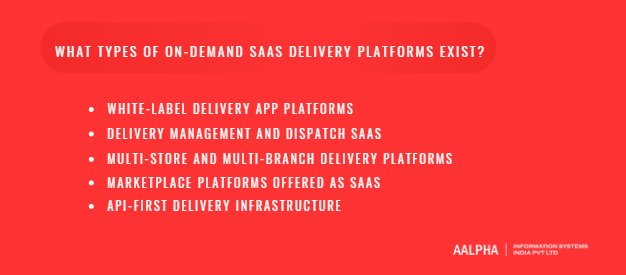
There are five common product models: white-label delivery apps, delivery management and dispatch software, multi-store platforms, marketplace platforms sold as SaaS, and API-first delivery infrastructure. Each targets a different buyer and needs a different amount of customization, so choosing one early shapes the architecture, pricing, and sales approach.
-
White-label delivery app platforms
A white-label platform gives each tenant a ready-made customer app and web ordering site under its own name, logo, and colors. It suits restaurants, grocers, and retailers who want their own branded channel without hiring developers. The main challenge is keeping branding configurable without forking the code for every client.
-
Delivery management and dispatch SaaS
Delivery management software focuses on the operations side: order intake through an API or dashboard, driver assignment, route planning, tracking links, and proof of delivery. Buyers already have a storefront and need help moving parcels or meals efficiently. This model has a smaller customer-facing footprint, so it is faster to build.
-
Multi-store and multi-branch delivery platforms
This model serves chains and franchises that run many outlets under one brand. Each branch has its own hours, zones, staff, and stock, while head office sees consolidated reports. Hierarchical permissions are the hard part, because a branch manager, a regional manager, and an owner all need different views.
-
Marketplace platforms offered as SaaS
Here the tenant is the operator of a local marketplace, such as a regional food or grocery aggregator. The operator onboards vendors, takes commission, and manages drivers. The platform provider supplies the vendor, customer, and driver apps plus commission and payout logic. It is the most complex model because every order involves three parties and a split payment.
-
API-first delivery infrastructure
An API-first platform exposes quoting, order creation, driver dispatch, and tracking as developer APIs and webhooks. Other software companies embed it into their own products. It scales well and needs little interface work, but buyers expect excellent documentation, stable versioning, and reliable uptime.
Choosing a product model based on the target customer
Match the model to the buyer’s biggest pain. A single restaurant wants a branded app and may not care about dispatch algorithms. A courier company wants dispatch and proof of delivery more than a storefront. A franchise wants multi-branch control. A developer wants clean APIs. Trying to serve all five at launch usually produces a product that does none of them well, so pick one model, ship it, and layer others on later.
Which Businesses Use On-Demand SaaS Delivery Software?
Restaurants, grocers, couriers, pharmacies, distributors, and local service providers all use delivery SaaS, but their workflows differ sharply. A restaurant needs fast dispatch within minutes, a courier needs multi-stop routes, and a pharmacy needs verification steps. Understanding these differences helps you choose a first market and avoid building a product that fits nobody well.
-
Restaurant and cloud kitchen delivery
Restaurant orders are small, perishable, and time-critical. The workflow runs from order acceptance to kitchen preparation, driver pickup, and delivery within roughly 30 to 45 minutes. Key needs include kitchen status updates, preparation time estimates, and driver arrival timed to when the food is ready. Cloud kitchens add multiple brands under one roof.
-
Grocery and local retail delivery
Grocery orders involve many items, substitutions, and stock checks. Pickers assemble the basket, so the platform needs a picking workflow and a way to offer replacements when an item is missing. Delivery windows are often scheduled rather than immediate.
-
Courier, parcel, and document delivery
Couriers care about pickup and drop-off addresses, package size, pricing by distance or weight, and proof of delivery. The customer is often a business sending parcels rather than a hungry consumer, so booking forms, bulk uploads, and invoicing matter more than a product catalog.
-
Pharmacy delivery and sector-specific requirements
Pharmacies add prescription upload, pharmacist review, age or identity checks at the door, and sometimes temperature-sensitive handling. Rules vary by country, so the platform must support configurable verification steps instead of hard-coded ones.
-
B2B distribution and scheduled business deliveries
Distributors deliver bulk goods to shops and offices on recurring schedules. Orders repeat weekly, drivers run fixed routes with many stops, and customers expect invoices and credit terms. Route planning and recurring order templates drive the value here.
-
Hyperlocal services and multi-category delivery
Some operators deliver food, groceries, parcels, and household items from one app. This multi-category model shares drivers across categories, which raises utilization, but it also multiplies the number of order types and pricing rules to maintain.
Selecting the first industry and geographic market
Pick one industry and one city for the launch. A single restaurant order and a scheduled multi-stop B2B delivery follow very different state flows, fee rules, and driver behavior. Starting with one lets you refine dispatch, onboarding, and support before expanding. Choose a market where you can reach at least a few dozen potential tenants personally, since early customer feedback matters more than early scale.
Which Applications and Dashboards Does a Delivery SaaS Platform Need?
A complete platform has five surfaces: a customer app or web interface, a delivery partner app, a merchant dashboard, a dispatcher dashboard, and a platform admin console. Each serves a different user, runs on a different device, and needs its own permissions. Planning all five early prevents rework, even if the MVP ships simplified versions of some.
-
Customer app or web ordering interface
The customer surface is where orders begin. Registration and saved addresses let returning users reorder in a few taps. Ordering or parcel booking covers the catalog, cart, and checkout for commerce tenants, or pickup, drop-off, and package details for courier tenants. Delivery estimates, payments, and tracking give customers a fee and arrival time before they pay, then a live map afterward. Support, cancellations, and refunds need clear rules, such as when an order can still be cancelled and how a refund is returned. Many tenants prefer a mobile-friendly web ordering page alongside the native app, because it needs no download.
-
Delivery partner app
Drivers use a mobile app built for one-handed use in poor conditions. Onboarding and verification collects identity documents, vehicle details, and bank information for payouts. Availability and order acceptance lets drivers go online, receive offers, and accept or reject them within a time limit. Navigation and delivery instructions show the route, the contact, and notes such as a gate code. Proof of delivery, earnings, and cash reconciliation capture a photo, signature, or one-time code, show the driver what they earned, and record cash collected on cash-on-delivery orders so it can be settled later.
-
Merchant or business dashboard
Tenants manage their daily operations here. Order management and branch settings include accepting orders, updating preparation times, and pausing a branch. Delivery zones and service hours let each tenant draw its own coverage area and schedule. Staff access and delivery preferences control who can do what and whether the tenant uses its own drivers, platform drivers, or an external courier. Reports and settlement information show sales, fees, refunds, and what the platform owes the tenant or the tenant owes the platform.
-
Dispatcher and operations dashboard
Dispatchers keep deliveries moving when automation falls short. Live delivery visibility shows every active order and driver on one map. Manual assignments and exception handling let a dispatcher override the system, reassign a driver, or split a batch. Delayed orders, failed deliveries, and reassignments surface in a priority queue so the team deals with the riskiest orders first. In small operations the tenant owner acts as dispatcher; in larger ones this becomes a full control room.
-
SaaS platform administration
The platform owner needs a separate admin console. Tenant onboarding and subscription management covers creating tenants, assigning plans, and handling upgrades, trials, and cancellations. Platform configuration and usage monitoring shows order volumes, feature usage, and error rates per tenant. Support access and audit trails let support staff view a tenant’s account with the tenant’s consent and record every action, so access is accountable.
-
Role-based access and permissions across applications
Role-based access control ties the five surfaces together. Each user has a role, such as customer, driver, branch manager, dispatcher, tenant owner, or platform admin, and each role carries a set of permissions. Permissions must be enforced on the server, not just hidden in the interface, and they must always be scoped to the user’s tenant. A branch manager should see only their branch, a tenant owner should see all branches, and no tenant user should ever see another tenant’s records.
What Core Features and Workflows Does Delivery Software Need?
The core features are order creation, dispatch, delivery zones, fee rules, live tracking, scheduling, proof of delivery, exception handling, and notifications. They work as one chain: every order moves through defined states, and each feature either triggers or reacts to a state change. Designing around that chain keeps the system predictable.
-
Order creation and delivery status management
Every order has a lifecycle, for example: placed, accepted, preparing, ready, assigned, picked up, in transit, delivered, or cancelled. A status model with strict allowed transitions prevents impossible states, such as a delivered order being reassigned. Every change should be logged with a timestamp and actor.
-
Automated dispatch and driver assignment
Dispatch can be manual, nearest-driver, or score-based. A basic rule offers the order to the closest available driver and moves to the next one after a timeout. Better rules add workload, vehicle type, and rating. Start with nearest-driver plus manual override and tune from real data.
-
Delivery zones, geofencing, and serviceability checks
Tenants draw delivery zones as polygons or radius circles. At checkout the system checks that the address falls inside a zone and that the branch is open. This stops orders the tenant cannot fulfill and avoids refund requests later.
-
Distance-based pricing and delivery fee rules
Fees can be flat, distance-based, zone-based, weight-based, or surge-adjusted. Flexible fee rule engines let each tenant combine a base fee, a per-kilometer rate, minimum order values, and free-delivery thresholds without code changes.
-
Live tracking and estimated arrival times
Drivers send location updates every few seconds while on a delivery. The customer sees the driver moving on a map and a changing arrival estimate. Accurate estimates depend on routing data and on realistic preparation time inputs.
-
Scheduled deliveries, batching, and multi-stop orders
Not every order is immediate. Scheduled orders reserve a time slot, batching gives one driver several nearby orders, and multi-stop routes sequence many drops efficiently. These features raise driver productivity but complicate dispatch, so add them after the single-order flow is stable.
-
Proof of pickup and proof of delivery
Proof reduces disputes. Pickup can require a scan or confirmation from the merchant, and delivery can require a photo, signature, or a one-time passcode sent to the customer. The right proof depends on the category and the order value.
-
Failed deliveries, returns, cancellations, and refunds
Some deliveries fail because the customer is unreachable, the address is wrong, or the item is refused. The system needs defined outcomes: retry, return to sender, or cancel, each with its own fee and refund rule. Writing these rules early avoids support chaos.
-
Notifications and customer communication
Customers and tenants expect updates at key states through push, SMS, email, or WhatsApp. Templates should be editable per tenant and delivered through a queue with retries.
One end-to-end example
A customer orders from a pharmacy at 6:10 pm. The system confirms the address is inside the delivery zone and calculates a fee from the distance. The pharmacist accepts and marks the order ready at 6:25. Dispatch offers it to the nearest driver, who accepts within 30 seconds. The customer follows the driver on the map, gives a one-time code at the door, and the order closes as delivered. Payment, driver earnings, and the pharmacy’s settlement are recorded automatically.
How Does Multi-Tenant Architecture Work for Delivery Software?
Multi-tenant architecture lets one running application serve many businesses while keeping each business’s data, settings, and branding separate. For delivery software, this means orders, drivers, customers, and zones are always tied to a tenant, and every query and background job respects that boundary. Getting this right early is far cheaper than retrofitting it later. See the general concept of multitenancy for background.
What multi-tenancy means for delivery software
In a multi-tenant product, a pharmacy and a bakery use the same servers and code, but each sees only its own world. The advantage is cost: one deployment, one release process, and one monitoring setup serve everyone. The risk is that a single mistake in access control can expose one tenant’s data to another, so isolation must be designed in, not added on.
Shared databases versus separate tenant databases
There are three common patterns. A shared database with a tenant ID column on every table is the cheapest and simplest to operate. A separate schema per tenant gives stronger separation with moderate overhead. A separate database per tenant gives the strongest isolation and easy per-tenant backups, but costs more and complicates migrations. Most early-stage delivery platforms start with a shared database and move large enterprise tenants to dedicated databases if they demand it.
Tenant isolation and secure data access
Isolation should be enforced at several levels. Application code must attach the tenant ID to every query. Database features such as row-level security can enforce the same rule as a second line of defense. Automated tests should try to read one tenant’s data while logged in as another and fail the build if they succeed.
Tenant-specific branding, domains, and configuration
Tenants expect their own logo, colors, app name, and often a custom domain. Store these as configuration, not code. A theme file, a domain mapping table, and per-tenant feature flags let you onboard a new business in hours without a new release.
Subscription plans, feature access, and usage limits
Plans decide which features a tenant can use and how much, for example the number of branches, drivers, or monthly orders. A central entitlement check should gate each feature, so changing a plan changes access immediately.
Order state management and event-driven processing
Every order change, such as accepted, assigned, or delivered, can be published as an event. Other services react to events by sending notifications, updating earnings, or recalculating settlements. This keeps modules loosely coupled and makes retries safe.
Reliable payment handling and duplicate-event prevention
Payment providers can send the same webhook more than once. Use idempotency keys and store processed event IDs so a repeated event never charges a customer twice or credits a driver twice.
Modular monolith versus microservices
A modular monolith keeps all modules in one deployable application with clear internal boundaries. Microservices split modules into separate services. For an MVP, the modular monolith is usually faster to build, cheaper to run, and easier to debug. Extract services such as tracking or notifications later, when load or team size requires it.
Managing time zones, currencies, and regional settings
Each tenant may operate in a different time zone, currency, tax regime, and language. Store timestamps in UTC, convert at display time, and keep currency and tax rules in tenant settings.
Configuration versus custom development
A useful rule is that anything a tenant can change through a setting is configuration, and anything that needs different code for one tenant is custom development. Custom code per tenant creates a maintenance burden that grows with every release, so price it separately or decline it.
What Technology Stack Should You Use for a Delivery SaaS Platform?
A proven stack for most teams is Flutter or React Native for mobile apps, React or Next.js for dashboards, a Node.js, Laravel, or Django backend, PostgreSQL with PostGIS for location data, Redis for caching and queues, and a major cloud provider for hosting. The best choice depends less on fashion than on your team’s skills and expected load.
Mobile development: Flutter, React Native, or native apps
Flutter and React Native let one team build iOS and Android apps from a shared codebase, which cuts cost and time. Native development in Swift and Kotlin gives the best performance and deepest access to device features, which can matter for background location tracking, but it needs two separate codebases.
Web dashboards and ordering interfaces
Merchant, dispatcher, and admin dashboards are well served by React or Next.js. Next.js helps when tenant ordering sites must be indexed by search engines.
Backend frameworks and API design
Node.js, Laravel, Django, and Spring Boot all work. Choose the one your team knows best and design a clean, versioned REST or GraphQL API, since every app depends on it.
Databases and geospatial queries
PostgreSQL is a strong default. With the PostGIS extension it can answer questions such as which drivers are within three kilometers of a pickup point, or whether an address falls inside a delivery zone.
Queues, caching, and background jobs
Redis, RabbitMQ, or a managed queue handle notifications, payouts, and report generation without slowing the main app. Caching reduces repeated reads of zones and settings.
Real-time location updates and notifications
WebSockets or a managed real-time service stream driver locations to customer maps. Push services such as Firebase Cloud Messaging deliver alerts to devices.
Cloud infrastructure and deployment
AWS, Google Cloud, and Azure all support this workload. Use containers, infrastructure as code, automated deployment, and separate staging and production environments from the start.
Choosing technologies based on team skills and workload
A team fluent in PHP will ship faster with Laravel than by learning a new framework. Choose technology you can hire for, keep the number of languages small, and avoid exotic tools until load proves they are needed.
Stack options compared
For mobile, Flutter gives one codebase and a smooth interface, though its talent pool is smaller than React Native’s in some markets, so it suits a fast two-platform MVP. React Native shares JavaScript skills and has a large community, but background tracking may need native modules, so it fits teams already working in React. Native development in Swift and Kotlin offers the best performance and device access at the price of two codebases, which suits tracking-heavy driver apps at scale.
On the backend, Node.js handles fast input and output and real-time work well but needs disciplined structure, so it fits dispatch and tracking. Laravel delivers quickly with a rich ecosystem but is less suited to heavy real-time loads on its own, which makes it a good match for admin-heavy MVPs. Django brings strong security defaults and admin tools but needs extra components for real-time features, so it suits data-rich platforms. For data, PostgreSQL with PostGIS is reliable and has geospatial queries built in, though it needs tuning at high volume, and it is the best fit for delivery zones and nearest-driver search.
Which Third-Party Integrations Does a Delivery SaaS Platform Need?
A delivery platform depends on maps, payments, billing, messaging, and often POS, accounting, and courier integrations. Most are bought rather than built, which speeds delivery but adds recurring costs and provider dependencies. Plan each integration with a fallback so one outage does not stop deliveries for every tenant.
-
Maps, geocoding, navigation, and route optimization
Maps power address search, distance calculation, tracking displays, and driver navigation. Google Maps Platform is the most common choice, while Mapbox and OpenStreetMap-based services are alternatives that can cost less at volume. Map usage is billed per request, so cache geocoding results and avoid unnecessary calls. Route optimization for multi-stop work may need a dedicated service.
-
Payment gateways, refunds, and payouts
Customers pay by card, wallet, bank transfer, or cash on delivery. Marketplaces and platforms also need to split payments and pay out tenants and drivers. Services such as Stripe Connect are built for this pattern, and regional gateways may suit specific countries better. Always confirm which provider supports your markets and payout rules before choosing.
-
Subscription billing and invoicing
Tenants pay you, so you need recurring billing, plan changes, trials, proration, tax handling, and invoices. Use a billing provider instead of building this yourself, and keep usage metering accurate because it feeds invoices.
-
SMS, email, push notifications, and WhatsApp
Order updates travel by push, SMS, email, or WhatsApp. Each channel has its own cost, delivery rate, and approval process, and WhatsApp business messaging has template rules. Let tenants choose channels and pay for what they use.
-
Restaurant POS and eCommerce platforms
Many tenants already run a point-of-sale system or an online store. Integrations that import menus, push orders into the POS, and sync stock save them double entry. Start with the two or three most common systems in your target market.
-
Accounting, CRM, and inventory systems
Larger tenants want sales and settlement data in their accounting software, customer records in their CRM, and stock levels synced with inventory tools. Offer CSV exports first, then build direct connectors when several tenants ask for the same one.
-
Identity verification and delivery partner onboarding
Verifying driver identity, licenses, and background where permitted reduces risk. Verification providers vary by country, so keep the integration behind an adapter that can be swapped.
-
External courier and fleet providers
Some tenants lack drivers and want to hand deliveries to a third-party courier or fleet network. An abstraction layer lets the dispatcher send an order to an internal driver or an external provider through the same workflow, with status updates mapped back into your order states.
-
API authentication, webhooks, retries, and rate limits
Exposing your own API lets tenants connect their systems. Use API keys or OAuth, sign webhooks, retry failed deliveries with backoff, and apply rate limits per tenant so one noisy client cannot slow everyone else.
-
Costs, dependencies, and fallbacks
Every integration brings fees, usage limits, and a risk of provider outages or price changes. Keep provider-specific code behind internal interfaces, monitor each provider’s health, and define manual fallbacks, such as letting dispatchers assign orders by hand if the routing service is down.
How Do You Secure a Multi-Tenant Delivery Platform?
Security for delivery SaaS centers on strong authentication, strict tenant isolation, protection of customer addresses and driver locations, safe payment handling, and complete audit logs. Specific legal duties depend on where you operate, what you deliver, and how you handle payments, so confirm them with qualified advisers for each market.
-
Authentication and account security
Use hashed passwords, short-lived tokens, and optional multi-factor authentication for tenant admins and platform staff. Drivers and customers often log in with one-time codes sent to their phone. Lock accounts after repeated failed attempts and let users see active sessions.
-
Tenant isolation and authorization checks
Every request must carry the tenant context, and every data access must be filtered by it. Check permissions on the server for each action, not just in the interface. Test isolation continuously with automated tests and periodic security reviews.
-
Customer address and driver location privacy
Addresses, phone numbers, and live locations are personal data. Show drivers only what they need and only while an order is active. Hide or mask customer phone numbers where possible, and stop collecting driver location when they go offline.
-
Payment security and payment-provider responsibilities
Let a certified payment provider handle card details so your servers never store them. This sharply reduces your compliance scope under card industry rules. Your duty is to integrate correctly, protect API keys, verify webhooks, and keep payment records accurate.
-
Encryption, secrets management, and audit logging
Encrypt data in transit with TLS and sensitive data at rest. Keep keys and passwords in a secrets manager, never in code. Record who did what and when, especially for refunds, payouts, role changes, and support access to tenant accounts.
-
Data retention, deletion, backups, and recovery
Define how long order, location, and identity data are kept, and delete or anonymize it afterward. Run automated backups, test restoring them, and document recovery targets so you know how much data you could lose and how long recovery takes.
-
Applicable privacy, tax, and industry requirements
Privacy laws such as the EU’s GDPR and similar regional rules govern consent, access, and deletion requests. Tax rules affect delivery fees and invoices. Pharmacy, alcohol, and food categories carry their own licensing and record-keeping duties. Build configurable settings so each market can follow its own rules.
-
Fraud prevention and misuse monitoring
Watch for fake accounts, refund abuse, promo abuse, driver collusion, and GPS spoofing. Simple controls such as velocity limits, device checks, and anomaly alerts catch many cases, and a manual review queue handles the rest.
What Are the Steps to Develop an On-Demand SaaS Delivery App?
The development process has ten steps: validate the problem, map workflows, define the MVP, design the experiences, plan the architecture, build, test, pilot, launch subscriptions, and improve from feedback. Skipping early validation and late piloting causes most of the expensive mistakes in delivery products.
1. Validate the customer problem and SaaS business model
Talk to at least 15 to 20 potential tenants in your chosen industry. Ask how they handle deliveries today, what it costs them, and what they would pay to fix it. Confirm that they would pay a subscription, not just ask for free features.
2. Map operational workflows and exceptions
Write out the happy path and the exceptions: late drivers, wrong addresses, refused items, cash handling, and refunds. Exceptions are where delivery software succeeds or fails.
3. Define MVP scope and acceptance criteria
List features by priority and set measurable acceptance criteria, such as “a dispatcher can assign an order in under 10 seconds.” Cut everything that does not support the first pilot.
4. Design customer, driver, and dispatcher experiences
Prototype the key screens and test them with real drivers and dispatchers. Drivers work outdoors and in a hurry, so large buttons and few steps matter.
5. Plan architecture and integration contracts
Decide tenancy, data model, API structure, and integration boundaries before coding. Agree on how each provider connects and what happens when it fails.
6. Develop the platform and applications
Build in short sprints with working demos every two weeks. Tackle the riskiest parts first: tenant isolation, dispatch, live tracking, and payments.
7. Test tenant isolation, payments, tracking, and dispatch
Beyond normal functional tests, run isolation tests, payment failure and duplicate-webhook tests, tracking tests on real devices with weak signal, and load tests that simulate peak hours.
8. Run a pilot with a limited number of businesses
Launch with three to five friendly tenants in one area. Watch real orders, interview dispatchers and drivers, and fix problems before wider release.
9. Launch subscriptions and tenant onboarding
Turn on billing, publish pricing, and create a repeatable onboarding checklist covering branding, zones, menus or catalogs, staff accounts, and driver training.
10. Improve the product using operational and customer feedback
Track where orders stall, which support tickets repeat, and which features tenants request most. Use that evidence to plan each release.
MVP requirements versus later releases
Include in the MVP: a shared database with tenant branding and basic subscription plans, single-order checkout with one payment gateway, nearest-driver offers with manual override, a live map with status updates, delivery zones and fee rules with basic reports, and integrations for maps, payments, and SMS or push messages.
Add in later releases: custom domains at scale and dedicated databases for enterprise tenants, scheduled and multi-stop orders with wallets and loyalty, batching with scored dispatch and route optimization, predictive arrival times, advanced analytics with surge pricing, and integrations with POS, accounting, and external courier networks.
How Much Does On-Demand SaaS Delivery App Development Cost?
A focused MVP typically costs USD 40,000 to USD 90,000 and takes four to six months, while a full-featured multi-industry platform often costs USD 120,000 to USD 300,000 or more and takes nine to fourteen months. These are planning ranges, not quotes. Real costs depend on scope, team location, integrations, and the level of customization.
Factors that affect development cost
The biggest drivers are the number of applications, the number and depth of integrations, the complexity of dispatch and pricing rules, the tenant customization level, the design effort, and the hourly rates of the team you hire. Compliance needs in regulated categories such as pharmacy also add effort.
MVP versus a full-featured SaaS platform
The estimates below assume: one industry, one region, two mobile apps (customer and driver), web dashboards for merchants, dispatchers, and platform admins, one payment gateway, one maps provider, push and SMS notifications, and a shared multi-tenant database. A full platform adds scheduling, batching, multiple payment gateways, POS and accounting integrations, analytics, a public API, and enterprise controls.
Cost differences between web-first and mobile-first products
A web-first product with a mobile-friendly ordering page and a driver web app can cost 20 to 30 percent less than native or cross-platform apps, but it handles background location tracking and push alerts less reliably. Mobile-first costs more and gives a better driver and customer experience.
Estimated costs by development phase
Phase | Typical MVP range (USD) |
Discovery, workflow mapping, and design | 3,000 to 6,000 |
Multi-tenant backend, APIs, and dispatch logic | 10,000 to 22,000 |
Customer and driver mobile apps | 12,000 to 24,000 |
Merchant, dispatcher, and admin dashboards | 7,000 to 14,000 |
Integrations (maps, payments, messaging) | 4,000 to 10,000 |
Testing, deployment, and pilot support | 4,000 to 14,000 |
Total | 40,000 to 90,000 |
Team composition and delivery timeline
A typical MVP team includes a project manager, a UI and UX designer, two backend developers, two mobile developers, one web developer, one or two QA engineers, and part-time DevOps support. With this team, an MVP usually takes four to six months from discovery to pilot.
Recurring cloud, maps, messaging, and payment costs
Budget for hosting, map requests, SMS and push messages, email, error monitoring, and payment fees. Early-stage cloud hosting often runs a few hundred to a few thousand USD per month, but maps and messaging scale with order volume, so model them against your expected orders per tenant.
Maintenance, support, and security updates
A common rule of thumb is to budget 15 to 20 percent of the initial build cost per year for fixes, updates, operating system and library upgrades, and security patches. Mobile apps need regular updates to keep pace with new iOS and Android releases.
How to compare development proposals
Compare proposals on scope clarity, not just price. Check that each lists the applications, integrations, and tenant features included, the assumptions behind the estimate, the testing approach, who owns the code, what support follows launch, and how changes are priced. A lower quote that leaves out multi-tenancy or payments will cost more later.
How Do You Price and Monetize a Delivery SaaS Platform?
Most delivery SaaS products combine a monthly subscription with usage-based charges, such as a fee per completed order or per active driver. This covers fixed platform costs while letting revenue grow with each tenant’s volume. The right mix depends on how predictable your tenants’ order volumes are and how much support each one needs.
-
Monthly and annual subscription plans
Tiered plans, for example Starter, Growth, and Enterprise, set limits on branches, drivers, orders, and features. Annual plans with a discount improve cash flow and reduce churn. Keep the tiers few and clear so buyers can choose without a sales call.
-
Per-order or usage-based pricing
A small fee per completed order aligns your income with the tenant’s success and suits businesses with seasonal or uneven volume. The downside is less predictable revenue, so many providers add a minimum monthly fee.
-
Per-branch and per-driver pricing
Charging per branch suits chains, and charging per active driver suits courier and fleet operators. Both scale naturally with the size of the tenant’s operation and are easy to explain.
-
Setup fees and white-label packages
A one-time setup fee covers onboarding, branding, and data import. A white-label package that includes a branded mobile app under the tenant’s own store listing can carry a higher price, since publishing and maintaining a separate app adds real cost.
-
Enterprise contracts and paid integrations
Large tenants may negotiate custom contracts with service-level agreements, dedicated environments, and paid integrations with their POS or ERP systems. Price these separately from the standard plans so they do not erode your margins.
-
Software revenue versus delivery service revenue
Keep two things apart: the software subscription you charge tenants, and the delivery fees customers pay for each order. If you also operate drivers, the delivery service has its own costs and margins. Mixing them hides whether the software itself is profitable.
Contribution margin and cost to serve each tenant
A worked example, using illustrative assumptions, shows how the pieces fit. Suppose a tenant pays USD 199 per month for a Growth plan and USD 0.10 per completed order, and completes 2,500 orders a month.
The tenant earns the platform USD 199 in subscription revenue plus USD 250 in usage revenue (2,500 orders at USD 0.10), so total monthly revenue is USD 449. The cost to serve is about USD 160: USD 25 for the tenant’s share of hosting and infrastructure, USD 75 for maps, SMS, and push messages at about USD 0.03 per order, and USD 60 for support and onboarding. That leaves a contribution margin of about USD 289 per month, or roughly 64 percent.
If maps and messaging costs per order double or support time doubles, the margin falls quickly. Track cost to serve for each tenant so you can reprice or adjust plan limits before a customer becomes unprofitable.
How Do You Scale a Delivery SaaS Platform Reliably?
Scaling a delivery platform means handling sudden order peaks, constant location updates, and unreliable mobile networks without dropping orders. Plan for dinner-hour spikes and holiday surges, monitor the system closely, and track two separate sets of metrics: software performance and delivery operations. Mixing them hides the real source of problems.
-
Handling peak order volumes
Orders cluster around meal times, weekends, and promotions. Use autoscaling, queues that absorb bursts, and database indexes tuned for the busiest queries. Run load tests at two to three times the expected peak before launch and before major campaigns.
-
Scaling location updates and dispatch workloads
Location tracking creates far more writes than ordering does. Send updates every few seconds only during active deliveries, store the latest position in a fast cache, and write history in batches. Run dispatch as a separate worker so a spike in tracking traffic cannot slow order assignment.
-
Operating under weak mobile connectivity
Drivers lose signal in lifts, basements, and rural areas. The driver app should queue actions such as pickup confirmation and proof of delivery locally and sync them when the connection returns. Short payloads and retries make the app feel reliable.
-
Monitoring errors, latency, and delivery exceptions
Track error rates, response times, queue depth, and failed background jobs, and alert the team before tenants notice. Also monitor business exceptions such as orders unassigned for more than a set number of minutes.
-
Backup, disaster recovery, and incident response
Automate backups, store them in another region, and rehearse restoration. Write a short incident plan that says who responds, how tenants are informed, and how a status page is updated.
-
SaaS metrics: activation, retention, churn, and recurring revenue
The health of the software business shows in activation (tenants who take their first live order), retention, churn, monthly recurring revenue, and expansion revenue from upgrades. A tenant who signs up but never goes live is an onboarding problem, not a sales success.
-
Delivery metrics: acceptance, completion, punctuality, and cost per order
Operational health shows in the driver acceptance rate, order completion rate, on-time delivery rate, average delivery time, and cost per order. These measure how well tenants run deliveries on your platform. Report them in tenant dashboards, and keep them apart from your own software metrics, because a weak delivery rate may come from a tenant’s staffing rather than a product fault.
What Mistakes Should You Avoid When Building Delivery SaaS?
The most common mistakes are launching for too many industries, treating a single-business app as a platform, underestimating cash and payment reconciliation, ignoring failed deliveries, allowing unlimited customization, automating too early, and overlooking onboarding and support costs. Each one is avoidable with early decisions.
-
Building for too many industries at launch
Food, grocery, pharmacy, and parcel delivery follow different workflows. Supporting all of them at launch multiplies scope and weakens the product. Win one industry first.
-
Treating a single-business app as a multi-tenant platform
Adding a business name column to a single-business app does not create multi-tenancy. Without tenant-aware data, permissions, billing, and configuration from day one, you will rebuild the foundation later.
-
Underestimating cash collection and payment reconciliation
Cash on delivery, driver payouts, refunds, and tenant settlements create accounting work that grows with every order. Build clear ledgers and daily reconciliation reports early.
-
Ignoring failed deliveries and offline workflows
Wrong addresses, absent customers, and lost signal are routine. If the product handles only the successful path, support teams absorb the cost.
-
Allowing excessive tenant-specific customization
Every custom feature built for one tenant must be tested and maintained in every release. Offer configuration, charge for real custom work, and say no when a request would fragment the product.
-
Adding advanced automation before validating basic dispatch
Score-based dispatch and predictive arrival times look impressive but depend on good data. Prove that simple nearest-driver dispatch with manual override works, and collect data before adding sophistication.
-
Overlooking onboarding and support costs
A tenant that cannot configure zones, menus, or drivers will churn, however good the software is. Budget for onboarding guides, training, and support staff, and include those costs when you set prices.
Why Choose Aalpha for On-Demand SaaS Delivery App Development?
Aalpha Information Systems builds custom software, mobile apps, and SaaS platforms for clients across the US, UK, Gulf, Africa, and Asia, and its work covers the full set of requirements discussed in this guide: product planning, multi-tenant architecture, mobile and web applications, integrations, and long-term support. Learn more about the company at aalpha.net.
-
SaaS product planning and requirements discovery
A delivery SaaS project starts with workflows, not screens. Aalpha’s discovery work maps tenant, driver, customer, and dispatcher journeys, defines MVP scope with measurable acceptance criteria, and flags the decisions that affect cost most, such as tenancy model, payment flow, and integration list.
-
Customer, delivery partner, and operations application development
The company develops the full application set: customer ordering apps and web interfaces, delivery partner apps with live location and proof of delivery, and merchant, dispatcher, and admin dashboards. Building all of them with one team keeps the order lifecycle consistent across every surface.
-
Multi-tenant architecture and integration expertise
Aalpha has built SaaS products where one platform serves many organizations, including MoneyWellth, a US financial wellness platform sold to employers for use by their staff. That experience carries over to tenant isolation, role-based access, subscription billing, and integrations with maps, payment, messaging, and accounting services.
-
MVP development and phased product expansion
Aalpha recommends launching a focused MVP, piloting with a few tenants, and expanding in planned phases. Dispatch automation, scheduling, batching, and advanced analytics come after the core flow has proven itself with real orders.
-
Engagement models and project communication
Clients can work with Aalpha on fixed-scope projects, time-and-materials arrangements, or dedicated teams, depending on how clearly the scope is defined. Regular sprint demos, shared project boards, and a named project manager keep decisions visible.
-
Maintenance and ongoing product development
A delivery platform needs continuous attention: operating system updates, security patches, provider API changes, and new tenant requests. Aalpha offers maintenance and ongoing development so the product keeps improving after launch.
DeliveryStack as a faster starting point
Not every team needs a ground-up build. DeliveryStack is a white-label on-demand delivery product that gives a business or a platform operator a ready base for customer ordering, driver dispatch, tracking, and operations, which can then be branded and adapted to a specific market. It suits founders who want to test demand quickly, or operators who need a working system sooner than a full custom build allows. The trade-off is that a pre-built product limits how far the core workflow can be reshaped. If your model needs unusual dispatch rules, deep integrations, or a different tenancy design, custom multi-tenant development is the better path, and Aalpha can advise on which route fits.
Client feedback is available on the company’s Clutch profile, which lists a 4.9 out of 5 rating from more than 215 reviews, and the company holds ISO 9001:2015 certification.
Frequently Asked Questions
What is an on-demand SaaS delivery app?
It is a subscription platform that lets many businesses take delivery orders, dispatch drivers, and track deliveries under their own brand from one shared system, with each business’s data kept separate from the others.
How does delivery SaaS differ from a delivery marketplace?
A marketplace owns the customer relationship, brings the demand, and charges commission. Delivery SaaS gives businesses their own branded channel and operating tools for a subscription fee, but it does not supply customers.
How much does an on-demand SaaS delivery platform cost to develop?
A focused MVP typically costs USD 40,000 to USD 90,000, and a full multi-industry platform costs USD 120,000 to USD 300,000 or more. These are planning ranges that depend on scope, integrations, and team location.
How long does development take?
An MVP usually takes four to six months, including discovery, design, build, testing, and pilot support. A full platform with advanced features often takes nine to fourteen months.
Can one platform support multiple businesses and delivery categories?
Yes, if it is built as multi-tenant software. Each business has its own zones, fees, catalogs, and staff. Supporting several categories at once raises scope, so most teams launch with one and add others later.
Can each business use its own branding and domain?
Yes. Logo, colors, app name, and domain mapping are stored as tenant configuration. A separately published mobile app under the tenant’s own store listing costs more because each one needs publishing and upkeep.
Which features should be included in the MVP?
Include customer ordering and tracking, a driver app with order acceptance and proof of delivery, nearest-driver dispatch with manual override, merchant and admin dashboards, delivery zones and fee rules, one payment gateway, notifications, tenant branding, and basic subscription plans.
Can the platform integrate with existing POS and eCommerce systems?
Yes, through APIs, webhooks, or ready connectors. Start with the one or two systems your first tenants use, and offer CSV import and export as a fallback for the rest.
How does the platform protect each tenant’s data?
Every record carries a tenant ID, every request is checked on the server, row-level database rules add a second barrier, and automated tests try to cross tenant boundaries. Encryption and audit logs complete the controls.
Can businesses use their own drivers and external delivery providers?
Yes. A dispatch layer lets a tenant assign orders to its own drivers, to freelance drivers on the platform, or to an external courier, all through the same workflow, with external statuses mapped back into the order record.
Conclusion: Where Should You Start?
A viable on-demand SaaS delivery product comes down to four decisions: a focused customer segment, a sound multi-tenant foundation, reliable delivery workflows that handle exceptions, and pricing that covers the real cost of serving each tenant. Teams that choose one industry and one city, ship a lean MVP, and learn from a small pilot reach sustainable revenue faster than teams that try to serve everyone at launch.
The technology is well understood. The harder work is operational: onboarding tenants, supporting drivers, reconciling payments, and improving dispatch with real data. Plan for those from the start, and budget for maintenance after launch.
If you are planning a delivery platform, Aalpha Information Systems can review your requirements, integrations, MVP scope, and development budget with you. Get in touch with Aalpha to discuss your project and requirements.