



Artificial intelligence has fundamentally changed how digital products behave. Traditional software executes predefined rules. AI-powered products generate predictions, recommendations, classifications, and content based on probabilistic models trained on data. That difference alters not only engineering architecture but also how interfaces must be designed. In AI systems, the user experience is no longer about guiding people through deterministic workflows. It is about managing uncertainty, shaping expectations, building trust, and enabling effective collaboration between human judgment and machine intelligence.
When users interact with an AI application, they are not simply clicking buttons to trigger predictable outputs. They are engaging with a system that interprets inputs, infers intent, and produces outputs that may vary depending on context, data distribution, or model confidence. This introduces ambiguity, variability, and risk. If the interface does not clearly communicate what the AI is doing, how reliable it is, and where its limitations lie, the product fails—regardless of how advanced the underlying model may be.
Modern AI products such as generative text tools, predictive analytics dashboards, AI copilots, autonomous decision-support systems, and recommendation engines demand a new approach to UI/UX design. The challenge is not just usability. It is credibility, transparency, and cognitive alignment. Users must understand what the system can do, what it cannot do, and how much they should rely on it. Designing for AI therefore requires different mental models, interaction patterns, research methods, and evaluation criteria compared to conventional digital products.
The Shift from Deterministic Software to Probabilistic Systems
Traditional software systems operate under deterministic logic. Given the same input, they produce the same output. For example, a calculator will always return the same result for the same equation. A payroll system calculates salary based on predefined formulas. A content management system stores and retrieves data exactly as instructed. In such systems, UX design focuses on clarity, efficiency, and task completion.
AI systems operate differently. Machine learning models, neural networks, and generative algorithms produce outputs based on probabilities derived from training data. A language model may generate different responses to the same prompt. A fraud detection system assigns risk scores rather than absolute verdicts. A medical triage AI predicts likelihoods instead of certainties.
This shift from rule-based execution to probabilistic inference introduces variability. The system may be correct most of the time, but not always. It may behave differently under edge cases. It may improve over time as models are retrained. From a UX perspective, this changes everything. Interfaces must communicate uncertainty, confidence levels, fallback options, and human override mechanisms. Users must be prepared for outputs that are helpful but not infallible.
Designing AI interfaces without acknowledging probabilistic behavior creates confusion. Users expect consistency from software. When AI deviates from that expectation, trust erodes quickly. Effective AI UX design begins by accepting that uncertainty is inherent, not accidental.
Why Traditional UX Frameworks Fail in AI Applications
Classic UX methodologies were built around predictable workflows. Designers map user journeys, define user tasks, create wireframes, and test flows under the assumption that system responses are stable. This approach works well for transactional systems such as booking platforms, dashboards, and eCommerce checkouts.
In AI products, however, outcomes are dynamic. The system’s output depends on data quality, context, model accuracy, and user input phrasing. Traditional UX frameworks rarely account for evolving model performance or probabilistic variability. For example, a generative AI writing assistant does not produce a single “correct” output. It produces many plausible outputs. Designing for such systems requires flexible interfaces that support iteration, editing, regeneration, and evaluation.
Another limitation of conventional UX models is their focus on task completion rather than human-AI collaboration. In AI-powered tools, users often co-create with the system. A developer works alongside an AI coding assistant. A marketer refines drafts generated by a text model. A physician reviews AI-supported diagnostic suggestions. The interface must support dialogue, revision, comparison, and confidence evaluation. Static flow-based design patterns are insufficient.
Furthermore, traditional usability testing often measures efficiency, error rates, and completion time. AI products demand additional metrics such as perceived intelligence, trust calibration, mental model accuracy, and reliance behavior. If users overtrust or undertrust the system, design has failed even if the interface appears intuitive.
AI UX requires new design heuristics, new evaluation criteria, and new feedback mechanisms. Applying legacy UX thinking to AI systems often results in misleading simplicity that hides complexity rather than responsibly managing it.
The Trust Problem in AI Interfaces
Trust is the central challenge in AI product design. Users must decide how much to rely on outputs generated by a system they may not fully understand. When an AI suggests a medical diagnosis, recommends financial investments, flags fraudulent transactions, or generates legal summaries, the stakes are high. A poorly designed interface can either encourage blind trust or trigger complete skepticism.
Research in human-computer interaction shows that users calibrate trust based on transparency, consistency, and feedback clarity. If an AI system fails without explanation, trust declines rapidly. If it appears overly confident despite being wrong, trust collapses even faster. Conversely, when systems communicate uncertainty and provide understandable explanations, users are more likely to engage responsibly.
The trust problem is amplified by AI’s opacity. Many modern models operate as black boxes. While the underlying algorithms may be complex, the interface must still provide signals that help users interpret reliability. Confidence indicators, rationale explanations, alternative suggestions, and editability are not cosmetic features. They are trust mechanisms.
Designing AI UX is therefore an exercise in trust calibration. The goal is not to maximize reliance. It is to align user confidence with actual system capability. When users understand where AI performs well and where human oversight is required, the product becomes safer and more effective.
What This Guide Covers and Who It Is For
This guide provides a comprehensive framework for designing UI and UX for AI-powered products across industries. It addresses fundamental principles, interaction patterns, research methodologies, and implementation strategies specific to probabilistic systems. It explains how to design conversational interfaces, predictive dashboards, generative tools, and AI copilots. It examines how to build transparency into interfaces without overwhelming users with technical details. It outlines how to test trust, manage bias, design safe failure states, and structure human-in-the-loop collaboration.
The content is intended for product managers, UX designers, UI designers, AI engineers, founders, and enterprise decision-makers building modern AI applications. Whether you are developing a healthcare AI assistant, a fintech risk-scoring system, an AI-driven SaaS copilot, or a generative content platform, the principles discussed here apply across domains.
It also addresses practical questions that frequently arise in AI product development. How should an AI system communicate uncertainty? What is the best way to display model confidence? How do you design editable outputs for generative tools? How do you prevent users from overtrusting recommendations? What research methods effectively evaluate mental models in AI systems? These questions are not peripheral; they define product success.
AI is no longer a backend feature. It is the product experience. As AI capabilities expand into multimodal interfaces, autonomous agents, and adaptive systems, UI/UX design becomes the defining competitive advantage. Companies that treat AI as a technical upgrade without rethinking interaction design risk user confusion, regulatory scrutiny, and erosion of credibility. Companies that invest in AI-specific UX design create products that are not only powerful but trusted, usable, and sustainable.
What Is UI/UX Design for AI Products?
UI/UX design for AI products is the discipline of designing interfaces and user experiences for systems powered by machine learning, predictive analytics, generative models, or autonomous decision engines. Unlike traditional software design, which focuses on usability within predefined workflows, AI UX design focuses on managing uncertainty, enabling human-machine collaboration, and building calibrated trust in probabilistic outputs.
When people ask what AI UX design is, they are usually trying to understand whether it is simply UX design applied to AI tools. It is not. AI product design introduces new cognitive, behavioral, and ethical dimensions that traditional UX methods do not fully address. The interface is not merely a surface for interaction; it becomes the mediator between human judgment and algorithmic inference.
To understand how AI product design is different and what makes AI interfaces unique, it is necessary to examine the structural differences between deterministic systems and probabilistic systems, the nature of human-AI interaction, and the defining characteristics of AI-driven interfaces.
Definition of AI UX Design
AI UX design refers to the structured approach to designing user interfaces and experiences for products that rely on artificial intelligence to generate outputs, make predictions, or automate decisions. It encompasses interaction design, visual design, information architecture, behavioral design, and trust modeling specific to systems that operate on probabilistic reasoning rather than fixed logic.
In traditional UX design, the primary goal is to ensure users can complete tasks efficiently within stable workflows. In AI UX design, the goal expands to include interpretation, evaluation, and collaboration. Users must not only interact with the system but also assess its outputs, understand its limitations, and decide how much to rely on it.
For example, in a conventional analytics dashboard, the system displays predefined metrics. In an AI-powered analytics tool, the system may suggest insights, forecast trends, or automatically detect anomalies. The user must evaluate whether these suggestions are reliable. The interface must therefore communicate confidence levels, contextual relevance, and the ability to override or refine results.
AI UX design also integrates ethical and transparency considerations. Since AI systems learn from data and may reflect biases or inaccuracies, the design must incorporate explainability mechanisms, user control options, and safe failure states.
In essence, AI UX design is about structuring human interaction with intelligent systems in a way that enhances understanding, trust, and effective decision-making.
Deterministic vs. Probabilistic Interfaces
Understanding how AI product design differs begins with recognizing the distinction between deterministic and probabilistic interfaces.
A deterministic interface is built on rule-based logic. The system behaves predictably. Given identical inputs, it produces identical outputs. A tax calculator, a booking form, or a login authentication flow operates under fixed rules. UX design in such systems focuses on clarity, minimizing friction, and preventing user errors.
A probabilistic interface, by contrast, is driven by models that estimate likelihoods rather than execute strict rules. Machine learning systems predict outcomes based on patterns in data. Generative models produce outputs based on learned distributions. Recommendation engines rank options according to inferred preferences.
This difference affects every aspect of interface design. In deterministic systems, designers can anticipate exact system responses. In probabilistic systems, outputs may vary depending on data quality, input phrasing, or model confidence. As a result, AI interfaces must account for variability and uncertainty.
For example, a generative AI writing assistant may provide multiple valid drafts for the same prompt. The interface must allow editing, regeneration, comparison, and refinement. A fraud detection system may assign a risk score rather than a definitive label. The interface must display the reasoning or factors influencing that score.
Probabilistic interfaces also require designers to address edge cases explicitly. When AI systems fail, they often fail unpredictably. Unlike deterministic bugs, which can be traced to specific code paths, AI errors may emerge from training data limitations or contextual misinterpretation. UX must include fallback messaging, user override options, and clear explanations of uncertainty.
This structural distinction is the foundation of AI UX design. Without acknowledging probabilistic behavior, interfaces risk misleading users into assuming certainty where none exists.
Human-AI Interaction Fundamentals
AI products are not standalone decision-makers in most practical contexts. They function as collaborators, assistants, or decision-support systems. Human-AI interaction therefore becomes the central design challenge.
At its core, human-AI interaction involves three layers: input interpretation, model inference, and output evaluation. The user provides input. The AI interprets intent and generates an output. The user then interprets that output and decides whether to accept, modify, or reject it. This feedback loop defines the experience.
Effective AI UX design must support this loop explicitly. Users should be able to understand how their input influences the output. They should have mechanisms to refine instructions, adjust parameters, or request clarification. The system should respond transparently to these adjustments.
Another fundamental aspect is mental model alignment. Users develop internal assumptions about how systems work. If an AI tool appears highly intelligent in some cases but behaves inconsistently in others, users may form inaccurate mental models. This leads to either overtrust or undertrust. Interfaces must provide cues that shape realistic expectations.
Human-AI interaction also requires designing for shared agency. The user should feel in control, not replaced. When AI tools automate tasks without visibility, users may feel disengaged or threatened. When AI supports and augments user expertise, adoption increases.
The success of AI products often depends less on algorithmic accuracy and more on how effectively the interface structures collaboration between human judgment and machine intelligence.
Key Characteristics of AI-Driven Interfaces
AI-driven interfaces exhibit distinctive characteristics that differentiate them from traditional digital products. These characteristics directly influence UI and UX decisions.
- Uncertainty
AI systems rarely provide absolute certainty. Predictions, recommendations, and generated outputs are based on statistical likelihoods. Interfaces must reflect this uncertainty without undermining usability.
For example, a medical AI assistant may display diagnostic suggestions ranked by probability. A financial risk model may show a confidence interval. Even generative tools should allow users to refine or regenerate outputs when results are suboptimal. Presenting outputs as definitive when they are probabilistic creates false confidence and potential liability.
Designing for uncertainty means incorporating visual cues, confidence indicators, and language that accurately reflects model limitations.
- Adaptivity
AI systems can adapt based on user behavior and new data. Over time, recommendation engines personalize suggestions. Intelligent dashboards surface insights dynamically. Conversational agents adjust tone and context.
Adaptivity improves relevance but introduces unpredictability. If the interface changes too dramatically, users may lose orientation. Designers must balance personalization with stability. Adaptive features should enhance clarity rather than disrupt familiarity.
For example, a SaaS AI copilot might suggest context-specific actions within a workflow. However, the placement and structure of suggestions should remain consistent to avoid confusion.
- Context-Awareness
AI interfaces often rely on contextual signals such as user history, location, behavior patterns, or real-time inputs. Context-awareness enables more relevant outputs but increases complexity.
Users may wonder why a particular recommendation appeared or how the system interpreted their intent. Interfaces must clarify contextual factors without overwhelming users with technical detail. Simple explanations such as “Based on your recent activity” can improve comprehension.
Context-awareness also requires robust privacy communication. If users do not understand what data is being used, trust declines.
- Data Dependency
AI systems depend heavily on data quality. Poor data leads to inaccurate predictions. Biased data leads to biased outputs. Unlike traditional software errors, AI errors may not stem from code defects but from training data limitations.
UX design must anticipate data-related failure modes. For example, a predictive maintenance tool might inform users when insufficient data exists for reliable forecasting. A recommendation system may clarify when suggestions are based on limited user history.
Interfaces that acknowledge data dependency signal transparency and maturity. Ignoring this factor risks misleading users into assuming universal accuracy.
- Continuous Learning
Many AI systems evolve over time through retraining or reinforcement learning. This continuous learning capability creates long-term UX implications.
If system behavior improves, users may need subtle communication indicating enhancements. If performance fluctuates due to model updates, users may notice inconsistencies. Interfaces should communicate updates clearly, especially in high-stakes domains.
Continuous learning also enables feedback-driven improvement. Well-designed AI interfaces allow users to rate outputs, correct errors, or provide refinement signals. This transforms UX into a data-collection channel that strengthens model performance.
Designing for continuous learning requires treating the interface not as a static layer but as part of an evolving ecosystem.
UI/UX design for AI products is therefore not an incremental extension of conventional design. It is a specialized discipline focused on uncertainty management, trust calibration, and collaborative intelligence. AI interfaces are unique because they are dynamic, probabilistic, context-sensitive, data-dependent, and continuously evolving. Understanding these characteristics is essential before exploring principles, patterns, and implementation strategies for modern AI applications.
Core Principles of UI/UX Design for AI Products
Designing AI-powered products requires a shift from task-centric usability to trust-centric interaction design. In deterministic systems, clarity and efficiency are often sufficient to create a good user experience. In AI systems, however, users must interpret outputs that are probabilistic, data-dependent, and sometimes ambiguous. The interface must therefore function as an interpreter of intelligence. It must clarify what the system is doing, why it is doing it, how reliable it is, and how much control the user retains.
The following principles form the foundation of UI/UX design for modern AI applications, including AI chat interfaces, recommendation engines, and AI copilots embedded in SaaS platforms.
-
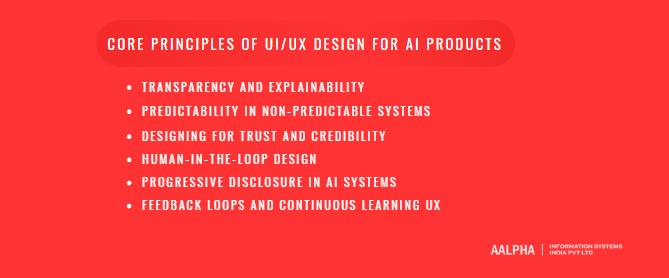
Transparency and Explainability
Transparency is the ability of an AI system to communicate what it is doing and why. Explainability refers to the clarity of the reasoning behind specific outputs. Together, they prevent the interface from becoming a black box.
In AI chat interfaces, transparency might involve indicating that responses are generated based on patterns in training data rather than verified facts. In recommendation engines, transparency could mean explaining that suggestions are based on past user behavior, demographic similarities, or trending items. In SaaS dashboards with AI copilots, transparency may require showing which data sources were analyzed before generating insights.
Explainability does not mean exposing raw algorithmic logic. Most users do not need model weights or statistical equations. Instead, they need contextual explanations that align with their mental models. For example, a financial AI assistant might state, “This forecast is based on your last six months of transaction data.” A content-generation tool might indicate, “This suggestion was generated based on your selected tone and target audience.”
Transparent systems increase user confidence, reduce confusion when errors occur, and support responsible decision-making. When AI fails without explanation, trust declines. When AI provides understandable rationale, users are more likely to evaluate outputs critically and engage productively.
-
Predictability in Non-Predictable Systems
AI systems are inherently probabilistic, yet users expect consistent behavior from software. Designing predictability within non-deterministic environments is therefore essential.
Predictability does not mean identical outputs. It means consistent interaction patterns, stable interface structure, and clear behavioral boundaries. In AI chat interfaces, for example, the tone, formatting, and response structure should remain stable even if the content varies. In recommendation engines, ranking logic should follow visible patterns, such as clear sorting criteria or category grouping.
AI copilots in SaaS dashboards should consistently display suggestions in the same location, use recognizable visual cues, and follow predictable workflows. If the copilot suddenly appears in different contexts without explanation, users may feel disoriented.
Designing predictable boundaries also involves setting expectations explicitly. If a generative tool has limitations, such as token constraints or domain restrictions, the interface should communicate these clearly. Users who understand constraints perceive systems as reliable, even if outputs vary.
Predictability in AI UX is about stabilizing the interaction layer, even when the intelligence layer remains dynamic.
-
Designing for Trust and Credibility
Trust is the central metric of AI user experience. Without calibrated trust, adoption collapses. Users must neither overtrust nor undertrust AI outputs.
Credibility signals can be visual, textual, or behavioral. Confidence scores, citations, source references, and data recency indicators all contribute to perceived reliability. In AI recommendation engines, displaying “Why this recommendation?” links increases transparency. In AI copilots embedded in enterprise dashboards, showing the data source behind each insight strengthens legitimacy.
Consistency also influences trust. If an AI chat interface produces high-quality responses most of the time but occasionally generates irrelevant outputs without explanation, credibility erodes. Clear fallback messaging such as “I’m not confident in this answer” is preferable to misleading precision.
Brand positioning and interface tone also shape credibility. Professional typography, structured layouts, and restrained visual design signal reliability. Overly playful or exaggerated claims of intelligence undermine serious applications, especially in healthcare, finance, or legal domains.
Trust in AI systems is not built through marketing claims. It is built through visible transparency, controlled uncertainty, and reliable interaction patterns.
-
Human-in-the-Loop Design
Human-in-the-loop design ensures that AI augments rather than replaces human decision-making. It provides mechanisms for review, override, and refinement.
In AI chat interfaces, this might include editable responses, regeneration options, or adjustable tone settings. In recommendation engines, users should be able to filter results, provide preference feedback, or remove irrelevant suggestions. In SaaS dashboards with AI copilots, users should have the ability to accept, reject, or modify AI-generated insights before implementation.
Human-in-the-loop systems reinforce agency. When users feel in control, they are more likely to trust and adopt AI features. Conversely, when AI acts autonomously without visibility, users may resist or disengage.
For example, in a predictive analytics dashboard, an AI copilot may suggest operational optimizations. Instead of automatically applying changes, the system should allow managers to review the rationale, simulate outcomes, and approve actions. This maintains accountability and reduces risk.
Designing for human-in-the-loop interaction also mitigates ethical and regulatory concerns. It ensures that final decisions remain under human supervision, particularly in high-stakes domains.
AI UX should position the system as a collaborator, not an authority.
-
Progressive Disclosure in AI Systems
AI systems can generate complex outputs and multi-layered insights. Presenting all information at once can overwhelm users. Progressive disclosure addresses this by revealing information gradually based on user interest or interaction depth.
In AI recommendation engines, initial suggestions may appear as simple ranked lists. Additional details such as confidence levels or data rationale can be accessed through expandable sections. In AI copilots embedded within dashboards, a summary insight might appear first, followed by deeper analysis when requested.
Progressive disclosure prevents cognitive overload while preserving transparency. It allows novice users to engage at a high level while enabling expert users to access advanced explanations.
In AI chat interfaces, progressive disclosure might involve providing a concise response initially, with options to request elaboration or supporting sources. This maintains readability while offering depth.
This principle is particularly important because AI systems often generate more information than users can process efficiently. Good design prioritizes clarity over volume.
-
Feedback Loops and Continuous Learning UX
AI systems improve through data and feedback. UX design must therefore facilitate meaningful feedback loops without burdening users.
In AI chat interfaces, simple mechanisms such as thumbs-up or thumbs-down indicators help capture satisfaction signals. In recommendation engines, user interactions such as clicks, saves, or dismissals inform model refinement. In SaaS AI copilots, corrections and edits provide valuable learning signals.
However, feedback mechanisms must be integrated naturally into workflows. Explicit rating prompts after every interaction can frustrate users. Instead, passive behavioral signals combined with occasional targeted feedback requests are more effective.
Continuous learning also requires transparency. If a system adapts based on user input, subtle messaging such as “Your preferences have been updated” reinforces user awareness and control.
Another important aspect is communicating improvements. When AI performance evolves, especially after major model updates, users should understand that changes are intentional. This prevents confusion when behavior shifts over time.
Feedback loops transform UX into a dynamic ecosystem where interaction continuously shapes intelligence. Designing these loops thoughtfully ensures that AI systems grow more aligned with user expectations rather than drifting unpredictably.
The core principles of AI UX design revolve around managing uncertainty, stabilizing interaction patterns, building calibrated trust, preserving human agency, controlling information flow, and enabling continuous improvement. Whether designing AI chat interfaces, recommendation engines, or AI copilots within SaaS dashboards, these principles ensure that intelligence is delivered responsibly and effectively.
AI products do not succeed solely because their models are accurate. They succeed because their interfaces make intelligence understandable, controllable, and trustworthy.
Types of AI Product Interfaces
AI-powered products manifest through distinct interface models, each shaped by the type of intelligence being delivered. While underlying technologies may vary—machine learning, large language models, computer vision, predictive analytics—the way intelligence is surfaced to users determines usability, trust, and adoption.
Understanding the major types of AI product interfaces helps teams design appropriate interaction patterns. A healthcare AI triage assistant cannot use the same interaction logic as an AI-powered code copilot. A predictive recommendation engine differs fundamentally from an autonomous risk-scoring system. The following categories represent the dominant interface types in modern AI applications.
-
Conversational Interfaces (Chatbots, AI Assistants)
Conversational interfaces allow users to interact with AI systems through natural language. These interfaces simulate dialogue, enabling users to ask questions, provide instructions, and refine outputs iteratively.
AI chatbots and assistants have become central to consumer and enterprise applications. In healthcare AI tools, conversational systems assist patients with symptom checking, appointment scheduling, and medication reminders. In enterprise SaaS platforms, AI copilots embedded in dashboards allow users to ask natural-language queries such as “Show me revenue trends for the last quarter” instead of navigating complex filters.
The defining characteristic of conversational interfaces is their fluidity. Unlike traditional menu-driven systems, users are not constrained by predefined navigation paths. However, this flexibility introduces ambiguity. Users may not know what the system can handle or how to phrase requests effectively.
Effective conversational UI design must therefore include prompt guidance, suggested queries, visible system capabilities, and clarification prompts. For example, an AI assistant for developers might provide quick-action suggestions like “Refactor this function” or “Explain this error message.” This reduces friction and shapes realistic expectations.
Tone and response structure also matter. Healthcare AI tools require a measured, reassuring tone. Developer copilots require precision and technical clarity. Conversational AI interfaces succeed when they feel responsive, context-aware, and bounded within clear capabilities.
-
Predictive Interfaces (Recommendations, Suggestions)
Predictive interfaces present suggestions or forecasts based on historical data and inferred patterns. Unlike conversational systems, these interfaces do not rely primarily on dialogue. Instead, intelligence is embedded directly within the UI.
Recommendation engines in eCommerce platforms, content streaming services, and enterprise dashboards fall into this category. In healthcare AI tools, predictive models may identify high-risk patients for intervention. In AI analytics dashboards, systems may highlight emerging trends or flag anomalies.
The core design challenge in predictive interfaces is visibility without intrusion. Suggestions must be noticeable but not disruptive. For example, an AI analytics dashboard might display a subtle alert stating, “Unusual spike detected in user activity.” Clicking the alert reveals deeper analysis.
Predictive systems must also clarify rationale. Users often ask, “Why was this recommended?” Interfaces that provide contextual explanations—such as “Based on your recent searches” or “Similar users also viewed”—improve acceptance and trust.
Ranking logic, sorting transparency, and the ability to dismiss irrelevant suggestions are essential components. Without control mechanisms, predictive interfaces risk being perceived as opaque or manipulative.
-
Generative Interfaces (Text, Image, Code Generation)
Generative interfaces enable AI systems to create new content rather than simply analyze existing data. These interfaces power text generators, image creation tools, code assistants, and design copilots.
In developer workflows, AI copilots generate code snippets, suggest bug fixes, or propose refactoring strategies directly within integrated development environments. In healthcare documentation systems, generative tools may draft patient summaries or medical notes based on structured inputs. In marketing platforms, generative AI produces campaign copy or design assets.
The defining feature of generative interfaces is co-creation. Users rarely accept outputs without modification. Instead, they iterate, refine prompts, edit drafts, and regenerate alternatives. UX design must therefore prioritize editability, version control, comparison views, and undo functionality.
Confidence indicators and quality disclaimers are particularly important in generative systems. For example, a healthcare documentation assistant should clarify that generated notes require physician review. A coding copilot should display suggestions inline but require explicit acceptance before integration.
Generative interfaces must also manage output volume. AI can produce extensive responses, but clarity requires structure. Clear typography, collapsible sections, and summary-first layouts prevent cognitive overload.
The success of generative AI interfaces depends less on novelty and more on seamless integration into real workflows.
-
Autonomous Interfaces (Self-Acting Systems)
Autonomous interfaces represent systems that act on behalf of users with minimal direct interaction. These systems may trigger actions automatically based on learned patterns or predictive models.
Examples include fraud detection systems that block suspicious transactions, automated supply chain optimizers, and AI-driven medical monitoring systems that alert clinicians when thresholds are crossed. In enterprise SaaS platforms, autonomous agents may automatically allocate resources or adjust campaign budgets based on performance metrics.
The design challenge in autonomous interfaces is maintaining visibility and control. When AI acts without user initiation, users must understand what occurred and why. Notification systems, audit logs, and override controls are essential.
For instance, a healthcare AI monitoring system might automatically flag abnormal vitals but still require physician validation before escalating treatment. An AI analytics dashboard might auto-generate weekly insights but allow managers to adjust thresholds.
Autonomous systems must communicate boundaries clearly. Over-automation without transparency leads to mistrust. Interfaces must ensure that autonomy enhances efficiency without eliminating accountability.
-
Decision-Support Dashboards
Decision-support dashboards combine analytics with AI-generated insights. These interfaces are common in enterprise software, healthcare management platforms, and financial systems.
Unlike predictive interfaces that offer isolated suggestions, decision-support dashboards integrate AI outputs within comprehensive data environments. An AI analytics dashboard might highlight trends, forecast outcomes, and recommend actions alongside traditional charts and metrics. In healthcare administration tools, AI systems may prioritize patient cases based on risk scores.
The design focus in decision-support systems is clarity of insight hierarchy. AI-generated insights should be visually distinct from raw data. Users must immediately recognize what is algorithmically derived versus manually entered.
Contextual explanations, drill-down capabilities, and scenario simulation features strengthen these dashboards. For example, a financial AI dashboard might allow users to simulate projected revenue under different assumptions before implementing recommendations.
Decision-support interfaces succeed when they augment analytical reasoning rather than overwhelm it. They must balance automation with interpretability and integrate AI intelligence seamlessly into existing workflows.
AI product interfaces vary widely, but each category shares a common design imperative: making intelligent behavior understandable, controllable, and aligned with user intent. Whether through conversational AI assistants, predictive recommendation engines, generative content tools, autonomous systems, or decision-support dashboards, the interface defines how intelligence is perceived and trusted.
Designing for Explainable AI (XAI)
Explainable AI is not a research luxury or regulatory checkbox. It is a usability requirement. When AI systems influence decisions in healthcare, finance, legal, or enterprise operations, users need to understand not only what the system concluded but why it reached that conclusion. Explainability transforms AI from an opaque engine into a collaborative tool.
From a UI/UX perspective, explainability is about translating model reasoning into human-comprehensible signals. It requires thoughtful interface design, structured communication, and calibrated detail levels. Without explainability, AI systems risk misinterpretation, overreliance, or rejection. With it, they enable informed trust and responsible adoption.
-
Why Explainability Matters in AI Products
Explainability matters because AI systems operate probabilistically and often influence high-stakes decisions. When users encounter a recommendation, classification, or generated output, their next question is often, “Why did the system produce this?”
In healthcare AI tools, clinicians need to understand why a model flagged a patient as high risk. In AI analytics dashboards, executives want to know what data patterns triggered a forecast. In AI copilots for developers, engineers may ask why a particular code refactor was suggested.
Explainability supports three critical outcomes: trust calibration, error detection, and accountability. If users understand the reasoning behind outputs, they can assess whether the conclusion aligns with domain knowledge. This reduces blind reliance and improves error correction. Transparent systems also demonstrate accountability, which is increasingly important in regulated environments.
Research in human-computer interaction consistently shows that users are more likely to trust systems that provide clear rationale, even when the rationale is simplified. Conversely, opaque systems often generate skepticism or inappropriate overconfidence.
Explainability is therefore not optional. It is central to user confidence, safety, and long-term product credibility.
-
Types of Explanations: Global vs. Local
Explainability in AI systems can be categorized into global and local explanations. Understanding this distinction helps designers structure interface content appropriately.
Global explanations describe how the system works overall. They answer questions such as, “What data does this model use?” or “What factors influence predictions?” Global explanations establish baseline understanding. For example, a healthcare risk model might state that predictions are based on demographic data, medical history, and laboratory results. An AI recommendation engine may disclose that suggestions are derived from user behavior and collaborative filtering techniques.
Local explanations focus on individual outputs. They answer, “Why did the system generate this specific result?” For instance, an AI analytics dashboard might show that a revenue forecast increased due to seasonal purchasing trends and recent campaign performance. A code copilot might indicate that a suggestion was based on common patterns in similar open-source repositories.
Both explanation types are necessary. Global explanations build foundational trust, while local explanations support contextual decision-making. Interfaces should provide accessible global information, such as “How this works” sections, alongside contextual “Why this result?” interactions embedded within workflows.
Balancing both layers ensures clarity without overwhelming users.
-
Designing “Why This Result?” Interfaces
The “Why this result?” pattern is one of the most powerful explainability tools in AI UX design. It allows users to request context-sensitive reasoning for a specific output.
Effective implementation begins with visibility. Explanations should be discoverable but not intrusive. A subtle link or icon adjacent to AI-generated content enables users to access rationale on demand. For example, in an AI recommendation engine, each suggestion might include a “Why recommended?” link. In a healthcare AI dashboard, clicking on a patient risk score could reveal contributing variables ranked by impact.
Clarity is essential. Explanations should avoid technical jargon unless the target audience is highly specialized. A financial AI tool might display: “This projection is influenced by increased transaction volume and improved customer retention.” For technical audiences, more detailed breakdowns may be appropriate.
Visual aids enhance comprehension. Bar charts, highlighted contributing factors, or confidence intervals can communicate reasoning more effectively than dense text.
It is equally important to acknowledge uncertainty. If model confidence is moderate or low, the interface should communicate that explicitly. This prevents overreliance and signals maturity.
Designing explainability interfaces requires collaboration between UX designers and AI engineers to ensure explanations are both accurate and comprehensible.
-
Balancing Simplicity and Technical Transparency
One of the central challenges in explainable AI design is balancing simplicity with transparency. Overly simplified explanations risk being misleading. Excessively technical explanations overwhelm most users.
The appropriate balance depends on context and audience. In consumer applications, high-level rationale is usually sufficient. For example, “Recommended because you recently viewed similar products” is clear and effective. In enterprise AI analytics dashboards, users may require more detailed breakdowns, such as weighted feature contributions.
Layered disclosure is a practical solution. Provide concise explanations by default, with the option to access deeper technical detail. For instance, a healthcare AI tool might initially state that risk classification is based on patient vitals and history. An advanced view could display feature importance scores and confidence metrics.
Language also plays a critical role. Designers should avoid anthropomorphizing AI systems with phrases that imply understanding or intention. Statements such as “The model identified patterns in your data” are preferable to “The AI believes.”
The goal is not to expose proprietary algorithms but to provide sufficient context for informed interpretation. Transparent communication builds long-term credibility and reduces legal and ethical risk.
-
Explainability in Regulated Industries
Explainability is particularly critical in regulated sectors such as healthcare, finance, insurance, and legal services. Regulatory frameworks increasingly require transparency in automated decision-making.
In healthcare AI tools, clinicians must be able to justify treatment decisions influenced by predictive systems. In financial risk scoring, customers may have the right to understand why they were denied credit. In insurance underwriting, automated decisions may require auditable reasoning.
From a UX perspective, this means interfaces must include accessible documentation, audit trails, and structured rationale displays. Decision-support dashboards should log AI-generated insights alongside data sources and timestamps. Users should be able to review past decisions and associated explanations.
Explainability also intersects with fairness and bias mitigation. Transparent systems enable stakeholders to detect potential disparities in model behavior.
In regulated environments, explainability is not merely a usability enhancement. It is a compliance and risk management necessity. AI products that integrate robust explainability mechanisms position themselves as responsible, enterprise-ready solutions.
Designing for explainable AI requires thoughtful integration of transparency, contextual reasoning, layered disclosure, and domain sensitivity. Whether embedded in healthcare AI tools, developer copilots, or AI analytics dashboards, explainability transforms complex algorithms into understandable collaborators. In modern AI applications, clarity is not a secondary feature. It is the foundation of trust and long-term adoption.
Step-by-Step Process to Design UI/UX for AI Products
Designing UI/UX for AI products requires a structured, iterative approach that differs from conventional software design. In traditional systems, designers focus on flows and task completion within predictable constraints. In AI-powered systems, designers must account for probabilistic outputs, evolving performance, uncertainty management, and human-AI collaboration.
A disciplined design process reduces risk, improves trust calibration, and aligns intelligence with user expectations. The following step-by-step framework provides a tactical blueprint for building usable and trustworthy AI products across domains, including AI content generators, AI health triage tools, and AI analytics assistants.
-
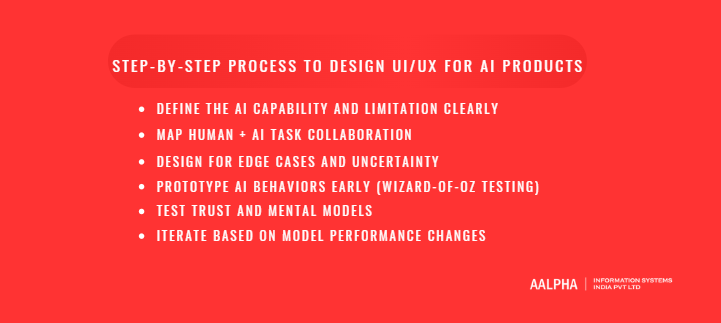
Define the AI Capability and Limitation Clearly
The first step in designing AI UX is defining precisely what the AI can and cannot do. Many AI product failures stem from overpromising capabilities or failing to communicate limitations clearly.
Designers must collaborate closely with AI engineers to document:
- The model’s core function
- Data sources used
- Accuracy benchmarks
- Known failure modes
- Confidence thresholds
- Update frequency
For example, when designing an AI content generator, the team must clarify whether the model can generate long-form content reliably, whether it supports citations, and whether it retains conversational memory. If the system cannot verify factual accuracy, that limitation must shape the interface.
In an AI health triage tool, defining capability boundaries is even more critical. The system may assess symptom likelihood but must not be positioned as a diagnostic authority. Clear language such as “This tool provides preliminary guidance and does not replace medical consultation” prevents misuse.
Similarly, in an AI analytics assistant embedded in a SaaS dashboard, designers must define whether the AI surfaces correlations, forecasts trends, or recommends actions. If forecasts are based on limited data, that constraint must be visible.
Documenting AI limitations at the start prevents misleading UX decisions and ensures transparency is embedded into the product from day one.
-
Map Human + AI Task Collaboration
AI products rarely operate in isolation. They augment human workflows. The next step is mapping how responsibilities are shared between human users and AI systems.
This involves identifying:
- Tasks performed by the AI
- Tasks performed by the user
- Points of review and validation
- Escalation scenarios
For example, in designing an AI content generator, the AI may draft text, while the human edits tone, verifies facts, and approves publication. The interface must support this collaboration through editable outputs, version history, and regeneration controls.
In an AI health triage tool, the AI might classify symptom severity, but a healthcare professional reviews high-risk cases. The interface should route flagged cases to clinicians while allowing patients to clarify inputs.
For an AI analytics assistant, the system may identify anomalies or forecast revenue, but executives decide on operational changes. The interface should present insights with confidence indicators and allow simulation before implementation.
Mapping collaboration ensures that AI does not replace human judgment where oversight is required. It also prevents redundant functionality, such as forcing users to manually perform tasks already automated.
Human-AI collaboration design defines agency boundaries and strengthens trust by clarifying roles.
-
Design for Edge Cases and Uncertainty
AI systems fail differently from traditional software. Failures may arise from data gaps, unusual inputs, or contextual ambiguity. Designing only for ideal scenarios is insufficient.
Designers must anticipate:
- Low-confidence predictions
- Ambiguous inputs
- Missing or incomplete data
- Bias-sensitive scenarios
- Out-of-distribution queries
In an AI content generator, the system may receive vague prompts. Instead of generating irrelevant content, the interface should request clarification. Clear fallback messaging such as “Please provide more context” prevents frustration.
In an AI health triage tool, incomplete symptom data may reduce accuracy. The system should explicitly indicate uncertainty and encourage additional input. For example, “Based on the information provided, confidence is moderate. Would you like to answer additional questions?”
In AI analytics dashboards, small data samples may distort forecasts. The interface should indicate data sufficiency thresholds and avoid presenting unreliable predictions as definitive.
Designing for uncertainty includes:
- Confidence indicators
- Clear disclaimers without alarmism
- Fallback actions
- User override mechanisms
Acknowledging uncertainty improves credibility. Hiding it damages trust.
-
Prototype AI Behaviors Early (Wizard-of-Oz Testing)
AI models may not be fully developed during early design stages. However, waiting for final model integration delays usability insights. Wizard-of-Oz testing allows designers to simulate AI behavior manually during prototyping.
In this method, users interact with a prototype that appears automated, while human operators generate responses behind the scenes. This approach enables teams to test conversational flows, insight presentation, and collaboration patterns before model deployment.
For example, when designing an AI content generator, a prototype interface can simulate generation while designers manually craft outputs based on prompts. Observing user reactions reveals expectations regarding tone, length, and editability.
In AI health triage tools, early prototypes can simulate symptom classification logic. Designers can observe whether users understand risk labels and confidence messaging.
For AI analytics assistants, mock insights can be generated to test how executives interpret data narratives and confidence scores.
Wizard-of-Oz testing identifies UX friction, trust concerns, and mental model mismatches before technical constraints lock in interface decisions. It reduces costly redesign after model deployment.
-
Test Trust and Mental Models
Traditional usability testing measures efficiency and error rates. AI UX testing must also evaluate trust calibration and mental model accuracy.
Key questions include:
- Do users understand what the AI can and cannot do?
- Do they overtrust low-confidence outputs?
- Do they underutilize accurate recommendations?
- Can they explain how the system reached a conclusion?
For an AI content generator, testing might reveal that users assume factual correctness without verification. The interface may need stronger citation prompts or confidence messaging.
In AI health triage systems, testing must ensure patients do not treat the tool as a definitive diagnostic authority. Interviews and scenario-based testing can reveal misunderstandings.
For AI analytics assistants, executives may assume forecasts are guaranteed outcomes. Interfaces should reinforce that predictions are probabilistic.
Trust testing may involve:
- Scenario-based interviews
- A/B testing of explanation styles
- Confidence perception surveys
- Longitudinal studies of reliance behavior
Understanding mental models allows designers to adjust transparency, tone, and feedback mechanisms accordingly.
-
Iterate Based on Model Performance Changes
AI systems evolve. Model updates may improve accuracy, change output style, or introduce new capabilities. UX design must adapt alongside model performance.
When an AI content generator improves coherence or adds citation capability, the interface should reflect these enhancements clearly. Conversely, if model behavior changes unexpectedly after retraining, users may perceive inconsistency.
AI health triage tools must communicate updates carefully, especially if risk thresholds change. Clear update notes and subtle messaging help maintain continuity.
AI analytics assistants may expand forecasting capabilities over time. Progressive disclosure ensures new features integrate smoothly without overwhelming existing users.
Iteration should include:
- Monitoring user feedback trends
- Tracking error patterns
- Measuring trust metrics
- Updating confidence indicators
Continuous alignment between model evolution and interface communication prevents drift between capability and perception.
Designing AI UX is not a one-time effort. It is an ongoing collaboration between product, design, and AI engineering teams.
When designing an AI content generator, the process begins by defining generation limits, mapping collaboration between drafting and editing, designing for vague prompts, prototyping output flows early, testing user assumptions about factual reliability, and iterating based on model upgrades.
In an AI health triage tool, designers must clarify non-diagnostic boundaries, structure clinician review workflows, design transparent risk messaging, prototype symptom flows early, validate patient understanding, and update explanations when models improve.
For an AI analytics assistant, teams define forecast scope, map executive oversight, handle low-data scenarios, test insight comprehension, and refine explanation clarity after each model update.
A structured design process transforms AI systems from experimental features into reliable products. By defining capability boundaries, mapping collaboration, planning for uncertainty, prototyping behaviors early, testing trust calibration, and iterating alongside model performance, teams can create AI experiences that are not only intelligent but understandable, controllable, and trustworthy.
UI Design Considerations Specific to AI Products
AI systems introduce interaction dynamics that require deliberate visual and behavioral design choices. Unlike static software outputs, AI-generated responses may vary in structure, confidence, and relevance. The interface must therefore communicate intelligence in a way that is structured, interpretable, and aligned with user expectations.
UI decisions in AI products directly influence trust, clarity, and cognitive load. Whether building an AI content generator, a healthcare AI assistant, or an AI analytics dashboard, the following design considerations are essential.
-
Visual Hierarchy for AI Outputs
AI systems often generate dense or complex outputs. Without clear visual hierarchy, users struggle to interpret results efficiently. Good AI UI design prioritizes scannability, structure, and clarity.
In generative AI interfaces, large blocks of unstructured text can overwhelm users. Clear headings, sub-sections, bullet structures, and whitespace improve readability. For AI copilots in SaaS dashboards, suggested actions should be visually distinct from raw data metrics. This separation prevents confusion between algorithmic insights and user-entered information.
Confidence indicators, metadata, and explanations should be secondary but accessible. For example, in an AI analytics assistant, the primary insight may be displayed in bold text, while the supporting rationale appears in smaller, collapsible sections. This maintains focus while preserving transparency.
In healthcare AI tools, risk scores should be color-coded and structured hierarchically. High-risk alerts must be immediately visible without overshadowing contextual information.
Visual hierarchy ensures that AI outputs are digestible, reduces cognitive overload, and guides users toward informed decisions.
-
Loading States and “Thinking” Indicators
AI systems often require longer processing times than traditional rule-based software. Whether generating text, analyzing large datasets, or processing medical inputs, latency is common. The way loading states are designed significantly influences perceived intelligence and usability.
A blank screen or generic spinner can create uncertainty. Users may question whether the system is functioning. Instead, AI interfaces should communicate active processing clearly and transparently.
For conversational AI tools, dynamic typing indicators or progressive text streaming create a sense of responsiveness. In AI analytics dashboards, progress indicators can specify what is being analyzed, such as “Evaluating transaction patterns” or “Generating forecast.”
In healthcare AI triage systems, displaying staged progress such as “Assessing symptoms” followed by “Calculating risk level” helps users understand the process.
However, designers must avoid anthropomorphizing the system excessively. Subtle “Thinking” cues are acceptable, but exaggerated animations implying human cognition may mislead users about capabilities.
Clear loading states reduce anxiety, reinforce transparency, and maintain engagement during model processing delays.
-
Error Messaging for AI Failures
AI systems fail differently from traditional applications. Failures may result from ambiguous input, insufficient data, model limitations, or unexpected edge cases. Effective error messaging must reflect this complexity.
Generic messages such as “Something went wrong” are inadequate. AI interfaces should clarify the nature of the issue whenever possible.
In an AI content generator, if a prompt lacks sufficient context, the system might respond with “Please provide more specific details to generate accurate content.” This transforms failure into guidance.
In healthcare AI tools, if symptom data is incomplete, messaging should indicate uncertainty and recommend next steps, such as “Additional information is required for reliable assessment.”
AI analytics dashboards may encounter data insufficiency. Instead of displaying empty charts, the interface should state, “Insufficient historical data to generate a reliable forecast.”
Error messaging should also distinguish between system errors and model limitations. Users must understand whether a technical issue occurred or the model lacks confidence in its prediction.
Clear, informative error states preserve trust and encourage corrective action.
-
Real-Time vs. Batch Output Design
AI systems may operate in real-time or batch processing modes. The UI must align with the temporal behavior of the model.
Real-time AI outputs, such as code suggestions in developer copilots or streaming responses in chat interfaces, require incremental rendering. This creates a dynamic interaction flow and supports iterative refinement.
In AI health monitoring systems, real-time alerts must be immediate and prominent. Latency in critical scenarios can compromise safety.
Batch outputs, such as periodic AI-generated analytics reports or scheduled medical risk assessments, require summary-based design. Dashboards may present weekly insights or automated summaries. These interfaces should emphasize clarity, version tracking, and historical comparison.
Designers must avoid confusing users about timing expectations. If a forecast updates daily rather than instantly, the interface should indicate the update frequency clearly.
Aligning UI behavior with model timing enhances reliability perception and reduces confusion about responsiveness.
-
Personalization Without Over-Automation
AI products often personalize content, recommendations, and workflows. While personalization increases relevance, excessive automation can reduce user agency.
In AI recommendation engines, users should retain control to filter or override suggestions. In AI copilots, personalized suggestions must not automatically execute actions without confirmation.
Healthcare AI tools may personalize risk assessments based on patient history. However, clinicians should maintain decision authority and visibility into contributing factors.
Transparency around personalization logic strengthens trust. Statements such as “Based on your recent activity” clarify why content appears.
Over-automation risks disempowering users and creating dependency. Effective AI UI design balances personalization with user control, ensuring that intelligence enhances rather than overrides human decision-making.
UI design in AI products requires careful alignment between visual clarity, behavioral transparency, and system intelligence. Structured hierarchy, informative loading states, meaningful error messaging, timing alignment, and responsible personalization collectively determine whether users perceive AI as trustworthy and usable. Intelligent systems succeed when their interfaces communicate not only what they produce, but how and why they produce it.
UI/UX Design for Different AI Product Categories
AI design principles remain consistent across industries, but their implementation varies significantly depending on context, risk level, regulatory pressure, and user expectations. A healthcare AI interface cannot be designed with the same tolerance for ambiguity as an eCommerce recommendation engine. A fintech AI dashboard must prioritize auditability and compliance, while a SaaS AI copilot must prioritize workflow integration and productivity.
Understanding how AI UX adapts across product categories enables teams to design domain-appropriate interfaces that balance intelligence, usability, and accountability.
-
AI in SaaS Applications
AI integration in SaaS platforms often appears in the form of copilots, automated insights, workflow suggestions, and predictive analytics. The primary design objective in SaaS environments is augmentation. AI should enhance productivity without disrupting established workflows.
In AI-powered CRM systems, for example, the interface may suggest follow-up emails, predict deal closure probabilities, or summarize client conversations. These suggestions must be clearly distinguished from user-generated content. Visual cues such as labeled suggestion panels, subtle highlighting, and editable fields help users differentiate AI-generated outputs from manual entries.
Context-awareness is critical. AI copilots embedded within dashboards should understand the current user task. For example, when a sales manager views pipeline data, the AI assistant may surface insights like “Deals in the negotiation stage show a 15 percent lower close rate this quarter.” These insights must be concise, actionable, and supported by visible data references.
Trust calibration is especially important in SaaS AI tools. Business users rely on these systems for operational decisions. Confidence indicators, drill-down capabilities, and scenario simulations reinforce credibility. Overly assertive automation without clear validation pathways can erode trust.
Successful AI UX in SaaS products integrates seamlessly into existing workflows, supports collaboration, and preserves user control while delivering measurable efficiency gains.
-
AI in Healthcare Applications
AI in healthcare operates in high-stakes environments where safety, accuracy, and compliance are paramount. User experience design in healthcare AI tools must prioritize clarity, explainability, and accountability.
In AI health triage systems, patient-facing interfaces should use plain language and structured questioning to reduce ambiguity. Symptom collection forms must guide users carefully, avoiding leading or confusing prompts. Once an assessment is generated, risk classifications should be displayed with clear disclaimers and recommended next steps. Confidence levels should be visible without causing alarm.
For clinician-facing AI dashboards, explainability becomes critical. If a predictive model flags a patient as high risk, the interface must display contributing factors, relevant patient history, and confidence metrics. Physicians need the ability to override or annotate AI recommendations. Audit trails that record AI-generated insights and subsequent human decisions are essential for compliance and accountability.
Tone and visual design in healthcare AI tools must convey seriousness and professionalism. Overly informal language or playful UI elements undermine credibility.
Healthcare AI UX must also consider accessibility, ensuring usability across varying levels of digital literacy. Clear typography, structured layouts, and progressive disclosure improve comprehension.
In healthcare environments, AI UX is not merely about efficiency. It directly affects patient outcomes and professional accountability.
-
AI in Fintech Platforms
Fintech platforms rely heavily on predictive analytics, fraud detection models, credit scoring algorithms, and risk assessment systems. The UX challenge in fintech AI lies in balancing transparency with regulatory compliance.
Users interacting with AI-driven financial tools expect precision. Whether viewing investment forecasts or loan approval decisions, they require clear rationale. Interfaces must provide contextual explanations such as “Credit score impacted by payment history and credit utilization.” This improves perceived fairness and reduces disputes.
Confidence intervals and risk indicators should be visually structured. Color coding, probability ranges, and scenario comparisons help users interpret financial projections. However, clarity must not be sacrificed for complexity. Financial dashboards overloaded with metrics can obscure decision-making.
Fraud detection systems often operate autonomously, blocking transactions or flagging suspicious activity. In such cases, UX must prioritize immediate clarity. Notifications should clearly explain why a transaction was flagged and provide direct steps for resolution.
Security and privacy cues are also central in fintech UX. Visual indicators that reassure users about data encryption and compliance standards strengthen credibility.
Given regulatory frameworks in financial services, explainability is not optional. UX design must align with transparency requirements and support auditability.
-
AI in eCommerce Systems
AI in eCommerce primarily manifests through recommendation engines, personalized search results, dynamic pricing, and automated customer support chatbots. The goal is relevance and conversion optimization.
Recommendation interfaces must balance visibility with subtlety. Product suggestions should integrate naturally into browsing flows without appearing intrusive. “Recommended for you” sections benefit from contextual explanation, such as “Based on your recent searches.”
Search interfaces enhanced by AI should provide predictive suggestions and typo correction while maintaining transparency. If personalization influences ranking, users should retain sorting and filtering control.
AI-powered chatbots in eCommerce environments must respond quickly and accurately, handling routine queries while escalating complex issues to human support when needed. Clear identification of bot interactions reduces confusion.
Over-personalization can feel invasive. Users should be able to manage preferences and data usage transparently.
Effective AI UX in eCommerce increases engagement without undermining user autonomy or privacy expectations.
-
AI in Enterprise Internal Tools
Enterprise internal tools often incorporate AI for operational analytics, workforce management, procurement forecasting, and strategic planning. These environments demand clarity, accountability, and role-based customization.
AI analytics dashboards for executives should surface high-level insights with clear visual hierarchy. Drill-down capabilities allow deeper exploration of data drivers. Scenario modeling tools enhance strategic decision-making by showing projected outcomes under different conditions.
In workforce management systems, AI may recommend staffing adjustments or productivity optimizations. The interface must allow managers to evaluate assumptions before implementation. Transparent data sources and editable parameters reinforce trust.
Role-based personalization is essential. Different stakeholders require varying levels of explanation. Executives may prefer concise summaries, while analysts require detailed breakdowns.
Enterprise AI UX must integrate with existing governance structures. Logging, reporting, and version tracking ensure accountability.
Designing AI for enterprise tools involves balancing advanced analytics with intuitive interaction patterns that align with organizational workflows.
AI user experience design is inherently contextual. While core principles such as transparency, trust calibration, and human-in-the-loop interaction remain universal, implementation varies across industries. SaaS platforms emphasize workflow augmentation. Healthcare systems demand safety and clarity. Fintech applications prioritize compliance and risk communication. eCommerce platforms focus on personalization and conversion. Enterprise tools require structured governance and insight clarity.
Understanding these contextual nuances ensures that AI interfaces are not only intelligent but also appropriate for their operational environment.
Cost of Designing UI/UX for AI Products
The cost of designing UI/UX for AI products is typically higher than for conventional digital applications. This increase is not driven solely by interface aesthetics or screen count. It stems from the added complexity of uncertainty management, explainability requirements, human-AI collaboration design, and continuous iteration aligned with model performance.
Organizations evaluating AI product development often focus heavily on model training and infrastructure. However, inadequate investment in AI-specific UX design frequently results in poor adoption, user mistrust, and rework costs. The interface determines whether AI capability translates into usable value.
Understanding the cost structure of AI UX design requires examining complexity drivers, influencing variables, research requirements, and long-term optimization efforts.
Why AI UX Is More Complex Than Standard UX
AI UX design introduces layers of complexity absent in deterministic systems. Traditional UX design focuses on predictable flows, task efficiency, and usability testing within stable feature boundaries. AI systems, by contrast, generate probabilistic outputs that may evolve over time.
Designers must account for uncertainty communication, confidence indicators, fallback states, and explanation mechanisms. For example, designing an AI analytics dashboard involves not only presenting metrics but also clarifying model assumptions, forecasting reliability, and potential data limitations.
In AI content generators, the interface must support iterative co-creation, version comparison, and regeneration controls. These patterns are more complex than static form submissions or transactional workflows.
Healthcare AI tools further increase complexity due to regulatory constraints and risk sensitivity. Explainability and human oversight mechanisms must be embedded into the interface.
Additionally, AI systems require close collaboration between UX designers, data scientists, and engineers. Cross-functional coordination increases planning and validation effort.
This structural complexity explains why AI UX design typically demands more research, prototyping, and refinement cycles compared to standard digital products.
Factors That Affect Cost
Several factors directly influence the cost of designing UI/UX for AI products.
Product Scope and AI Capability
A simple AI recommendation module embedded in an eCommerce platform requires less design effort than a full-scale AI health triage tool or enterprise analytics assistant. The breadth of AI functionality determines interface complexity.
Explainability Requirements
Products operating in regulated industries such as healthcare and finance require layered explanation mechanisms and audit visibility. Designing transparent interfaces increases research and validation effort.
Level of Autonomy
Autonomous systems demand additional safety, notification, and override controls. Designing for self-acting AI systems is more involved than designing for assistive copilots.
User Complexity
If the product serves multiple roles, such as administrators, analysts, and executives, UX must accommodate varying levels of detail and explanation.
Integration with Existing Systems
Embedding AI into mature SaaS platforms requires harmonization with established design systems and workflows. Integration constraints may increase iteration cycles.
Model Maturity
Early-stage AI models with unstable outputs require more flexible UX patterns and contingency planning, increasing design experimentation costs.
Each of these variables contributes to expanded design time, deeper collaboration cycles, and additional validation phases.
Research and Testing Budget Allocation
AI UX design demands more extensive research compared to conventional software. Traditional usability testing is insufficient. Teams must test trust calibration, mental model accuracy, and reliance behavior.
Research budgets should account for:
- User interviews focused on perception of AI capability
- Scenario-based trust testing
- Wizard-of-Oz prototyping
- Longitudinal studies to observe evolving reliance
- A/B testing of explanation formats
For example, when designing an AI analytics assistant, testing must determine whether executives interpret forecasts as guaranteed outcomes or probabilistic projections. If misinterpretation occurs, explanation interfaces must be adjusted.
In healthcare AI tools, patient and clinician testing ensures that disclaimers and risk labels are clearly understood and not misused.
Research investment often increases upfront design cost but reduces long-term failure risk. In AI systems, insufficient research may lead to regulatory issues, user abandonment, or reputational damage.
Allocating budget for AI-specific UX validation is therefore a risk mitigation strategy rather than a discretionary expense.
Long-Term Iteration and Optimization Costs
AI products evolve continuously as models are retrained and capabilities expand. UI/UX design must adapt accordingly.
When model performance improves, interfaces may need adjustment to reflect new confidence levels or feature capabilities. When outputs change stylistically, users may require communication or subtle onboarding updates.
Ongoing costs include:
- Updating explanation frameworks
- Refining confidence indicators
- Adjusting workflows based on user feedback
- Maintaining alignment between AI capability and user expectation
Unlike static software interfaces, AI UX is not finalized at launch. Continuous iteration is intrinsic to intelligent systems.
Organizations that budget only for initial design without accounting for post-launch optimization often encounter credibility gaps as model behavior evolves. Sustainable AI UX requires long-term investment aligned with the product lifecycle.
Designing UI/UX for AI products involves higher complexity, deeper research investment, and continuous refinement. While upfront costs may exceed traditional UX budgets, the return lies in user trust, responsible adoption, and reduced product risk. In AI systems, the interface is not a cosmetic layer. It is the mechanism through which intelligence becomes usable and trustworthy.
Common Mistakes in AI Product UX
AI products often fail not because of weak models, but because of flawed interface design and unrealistic positioning. Many organizations treat AI as a feature upgrade rather than a fundamentally different interaction paradigm. The result is user confusion, mistrust, regulatory risk, and low adoption.
Avoiding common UX mistakes in AI products is essential for building systems that users understand and rely on appropriately. The following design pitfalls repeatedly appear across SaaS platforms, healthcare tools, fintech applications, and enterprise analytics systems.
-
Overpromising Intelligence
One of the most damaging mistakes in AI product UX is overstating capability. Marketing language and interface copy sometimes imply near-human understanding or flawless accuracy. This creates unrealistic expectations.
For example, labeling a system as a “smart decision engine” without clarifying its probabilistic nature may lead users to assume certainty. In healthcare AI tools, overpromising intelligence can have serious consequences if patients treat preliminary assessments as definitive diagnoses. In AI analytics dashboards, exaggerated claims may cause executives to assume forecasts are guaranteed outcomes.
When users encounter inevitable inaccuracies, trust collapses rapidly. Recovering credibility is far more difficult than building it gradually.
Interfaces should communicate capability precisely and responsibly. Clear boundaries, visible limitations, and accurate descriptions of functionality protect both users and product reputation.
-
Hiding Uncertainty
AI systems operate on probabilities, yet many interfaces present outputs as absolute conclusions. Hiding uncertainty creates false confidence and encourages misuse.
For example, a predictive risk score displayed without a confidence indicator may appear definitive. A generative AI response without any acknowledgment of potential inaccuracies may be perceived as verified fact.
Uncertainty does not weaken a product. When communicated effectively, it strengthens credibility. Showing confidence ranges, probability percentages, or contextual disclaimers allows users to calibrate reliance appropriately.
In AI health triage tools, communicating moderate or low confidence can prompt users to seek additional information. In fintech forecasting systems, confidence intervals prevent overinterpretation of projections.
Suppressing uncertainty may create short-term simplicity, but it increases long-term trust erosion and regulatory risk.
-
Treating AI Like Static Software
Traditional software behaves predictably. AI systems evolve and may produce variable outputs even for similar inputs. Treating AI like static software leads to rigid interface design.
For example, if a generative AI content tool is designed with fixed response expectations, variability may frustrate users. Similarly, AI analytics assistants that change behavior after model retraining may confuse users if updates are not communicated clearly.
AI products require dynamic UX strategies that account for evolving performance. Version tracking, subtle update notifications, and adaptive onboarding help users understand system changes.
Ignoring the dynamic nature of AI can lead to interface decisions that assume consistency where none exists. UX design must align with the probabilistic and evolving nature of intelligent systems.
-
Poor Failure Handling
AI systems fail in complex ways. Failures may stem from ambiguous inputs, data insufficiency, model bias, or edge-case scenarios. Poor failure handling damages user confidence quickly.
Generic error messages such as “An error occurred” provide no actionable insight. In AI systems, errors should be informative and instructive. For example, a content generator may request clearer prompts. A healthcare AI assistant may indicate insufficient symptom data. An analytics dashboard may highlight inadequate historical data for reliable forecasting.
Failure states should also avoid technical jargon. Users need clarity, not backend error codes.
Designing robust fallback mechanisms—such as human escalation pathways or alternative suggestions—ensures that AI systems remain usable even when predictions fail.
Effective failure handling transforms breakdowns into recoverable moments rather than trust-destroying events.
-
Ignoring User Mental Models
Users form assumptions about how AI systems operate. If the interface does not align with these mental models, confusion emerges.
For example, users may assume that an AI chat interface has perfect factual knowledge. If the system generates inaccurate responses without signaling limitations, users may develop misplaced confidence. Conversely, if a predictive analytics tool provides complex explanations without context, users may perceive it as unreliable.
Testing mental models through interviews and usability studies is critical. Designers must identify whether users understand the system’s scope, limitations, and reasoning patterns.
Interfaces should reinforce accurate mental models through subtle cues. Labels such as “Suggested insight” or “Model-generated draft” remind users of AI involvement.
Ignoring mental models leads to misinterpretation, overtrust, or underutilization. Aligning interface communication with user expectations strengthens trust calibration.
-
Over-Automation Without Control
AI products often aim to increase efficiency through automation. However, excessive automation without visible control mechanisms can alienate users.
Autonomous systems that take actions without confirmation—such as blocking financial transactions, auto-modifying enterprise workflows, or publishing generated content—may reduce user confidence. Users must retain the ability to review, override, or refine AI actions.
In AI copilots for developers, suggestions should require explicit acceptance before implementation. In healthcare AI dashboards, recommendations must remain advisory unless validated by clinicians. In enterprise analytics systems, automated optimizations should include review steps.
Over-automation reduces perceived agency and increases risk. AI UX design must balance efficiency with accountability.
Human-in-the-loop mechanisms are not a limitation of AI. They are a core trust-building feature.
AI product UX failures often stem from misunderstanding the nature of intelligence systems. Overpromising, hiding uncertainty, ignoring dynamic behavior, mishandling failure states, misaligning mental models, and removing user control all undermine credibility. Avoiding these mistakes is essential for building AI products that users understand, trust, and adopt responsibly.
Why Choose Aalpha for UI/UX Design of AI Products
Choosing the right partner for AI product design directly influences adoption, trust, and long-term scalability. Aalpha Information Systems brings together AI engineering expertise, structured UX methodology, and enterprise-grade software experience to deliver intelligent systems that are not only technically advanced but usable and trustworthy. Designing AI interfaces requires more than aesthetic capability. It demands deep understanding of probabilistic behavior, explainability frameworks, human-in-the-loop workflows, and regulatory alignment. Aalpha integrates these considerations from the earliest stages of product strategy, ensuring that AI capabilities are clearly defined, transparently communicated, and aligned with real user needs across SaaS, healthcare, fintech, and enterprise platforms.
Aalpha’s cross-functional approach ensures seamless collaboration between UX designers, AI engineers, and product stakeholders. This integration minimizes gaps between model capability and interface behavior, reducing rework and improving performance outcomes. By combining research-driven UX validation, trust calibration testing, and continuous iteration aligned with evolving AI models, Aalpha builds AI products that scale responsibly. Organizations seeking to develop AI-powered applications that balance intelligence, compliance, and user confidence can rely on Aalpha as a strategic partner committed to delivering sustainable, enterprise-ready AI experiences.
Final Thoughts
UI/UX design determines whether AI becomes a practical advantage or a confusing experiment. Intelligent systems must be transparent, controllable, and aligned with real human workflows. When uncertainty is communicated clearly and collaboration is thoughtfully structured, AI products earn trust and drive measurable outcomes. Strong AI UX is not optional. It is the foundation of sustainable adoption.
If you are planning to develop or enhance an AI-powered application, partner with Aalpha to design intelligent experiences that users understand and rely on. Our team combines AI expertise, structured UX methodology, and enterprise engineering to deliver scalable, high-performance solutions. Contact Aalpha today to discuss how we can help turn your AI vision into a user-centric, production-ready product.