





TL;DR
Next.js eCommerce development means building an online store’s customer-facing storefront with Next.js, a React framework, and connecting it to a commerce backend for products, carts, orders, and payments. Next.js handles rendering, routing, and page delivery. It does not include a product catalog, checkout engine, or admin panel, so every Next.js store pairs it with a platform such as Shopify, Medusa, commercetools, BigCommerce, or a custom backend. The approach suits brands that need a custom shopping experience, content-heavy catalogs, B2B pricing rules, or several regional storefronts. A focused store built on a headless platform typically costs USD 15,000 to 40,000, while custom and enterprise builds run from USD 40,000 to well beyond USD 150,000, depending on integrations and data migration. The main benefits come from page-level rendering control, technical SEO ownership, and freedom in design, but they only appear when caching, price validation, and checkout logic are built correctly. Aalpha Information Systems designs and builds Next.js storefronts on headless and custom commerce backends, covering architecture, integrations, migration from Magento or WooCommerce, and post-launch support.
1. Introduction to Next.js eCommerce development
A modern online store has to do three things well: show products fast, help shoppers find the right one, and take payment without errors. Next.js addresses the first two directly and supports the third through server-side code that talks to your commerce backend. It is a frontend framework, though, so the quality of the store still depends on the backend, the data, and the engineering decisions around them.
Storefront speed matters because shoppers judge a store in the first few seconds. A category page that stalls on a phone loses the visitor before they see a product. Product discovery matters because most catalogs are larger than a shopper will scroll through. Search, filters, and clear navigation decide whether someone finds the item they came for. Checkout reliability matters most of all. A store that shows one price on the product page and charges another at checkout, or confirms a payment without creating an order, damages trust in a way no redesign can fix.
Next.js gives development teams fine control over how each page is rendered and cached. That control is the reason many brands move to it, and it is also where most implementation mistakes happen. A cached price that never refreshes, or a cart total calculated in the browser, can cost more than a slow page.
This guide explains what Next.js eCommerce development involves, when it is the right choice, and when a hosted storefront is the better call. It covers architecture, essential features, the technology stack, and the development process. It then goes deeper into performance, SEO, security, and checkout reliability, followed by realistic costs, common mistakes, and how to choose a development partner. The aim is to help you judge whether a Next.js store fits your business and what it will take to build one properly.
2. What is Next.js eCommerce development?
Next.js eCommerce development is the practice of building a store’s shopping interface in Next.js and connecting it to separate services for products, carts, orders, payments, and content. The storefront renders pages and handles customer interactions. The backend remains the source of truth for prices, stock, and orders.
What is Next.js?
Next.js is an open-source React framework maintained by Vercel. React builds user interface components. Next.js adds routing, server rendering, data fetching, caching, image optimization, and a build system around them. Its App Router uses React Server Components, so much of a page can render on the server and send HTML to the browser with less JavaScript. In an eCommerce stack, Next.js sits at the presentation layer.
How Next.js fits into an online store
A working store has several parts. The storefront is what customers see: home, category, product, cart, and account pages. The commerce backend manages products, prices, inventory, carts, promotions, and orders. The payment provider, such as Stripe, Adyen, or Razorpay, authorizes and captures payments. The content management system holds editorial pages, banners, and buying guides. Fulfillment services handle warehouses, shipping labels, and tracking. Next.js owns the storefront and calls the others through APIs.
Traditional, headless, and composable commerce
In traditional commerce, one platform renders the pages and runs the business logic. A classic WooCommerce or Magento store works this way. In headless commerce, the backend exposes APIs and a separate frontend, often Next.js, renders the pages. Composable commerce goes further and assembles several specialist services: one for the catalog, one for search, one for content, one for payments.
Consider one order. A shopper opens a product page rendered by Next.js with data from the commerce API. They add the item to the cart, which calls the backend’s cart endpoint. At checkout, the storefront sends the cart to the backend, which recalculates totals and creates a payment session with Stripe. Stripe confirms payment through a webhook. The backend creates the order and passes it to the warehouse system. Next.js displays each step but never decides the final price.
What Next.js provides and what requires integration
Next.js provides routing, server and client rendering, caching and revalidation, image and font optimization, metadata APIs for SEO, Server Actions for form submissions, and Route Handlers for webhooks and APIs. It does not provide a product database, cart logic, tax calculation, payment processing, order management, an admin dashboard, or customer authentication out of the box. Those come from a commerce platform, third-party services, or custom backend code. Budgets that assume Next.js covers them tend to break in the second month of the project.
3. When should businesses choose Next.js for eCommerce?
Choose Next.js when the storefront itself is a competitive advantage and your team or partner can own the extra engineering. It fits brands with custom design needs, heavy content, complex pricing, or several markets. It is a poor fit for a small catalog with standard needs and no developer budget.
-
Direct-to-consumer brands with custom storefront requirements
A DTC brand selling skincare or apparel often wants product pages that look nothing like a theme: ingredient explorers, shade finders, bundles built step by step. Theme systems can do some of this, but each custom feature fights the template. With Next.js, the design team specifies the experience and developers build it as components, while Shopify or another backend still runs orders.
-
Content-heavy stores combining editorial content and commerce
Outdoor gear, kitchenware, and specialty food brands sell through guides, recipes, and reviews. Next.js can render CMS articles and live product data on the same page, so a recipe shows the exact pans used, with current prices and an add-to-cart button. Editors publish through the CMS without a developer.
-
B2B stores with account pricing and complex buying workflows
B2B buyers see negotiated prices, order in bulk, reorder from history, and need approval before purchase. These flows rarely fit consumer templates. A Next.js storefront can show account-specific catalogs, quick-order forms by SKU, quote requests, and multi-step approvals, with pricing rules enforced on the server.
-
International stores with regional catalogs and localization
Selling in several countries means different languages, currencies, tax rules, and sometimes different product ranges. Next.js routing supports locale prefixes such as /en-gb/ and /de-de/, and server rendering lets each region load its own catalog and prices. The commerce backend must support multiple price lists and markets for this to work.
-
Businesses replacing an existing storefront
Many projects start with a slow or hard-to-change Magento, WooCommerce, or Salesforce Commerce theme. Replacing only the storefront with Next.js, while keeping the backend, reduces risk. The store can switch sections gradually, such as product pages first, then categories, then checkout, instead of one big cutover.
-
When a standard hosted storefront may be more practical
A store with under a few hundred products, standard checkout, and no in-house developers usually does better on a hosted theme from Shopify or BigCommerce. Launch takes weeks, apps cover most needs, and the platform handles hosting and security. Moving to headless later remains possible once revenue justifies it.
Before committing, check these questions:
- Is there budget for a custom build plus ongoing maintenance, not only launch?
- Does someone own the storefront code after launch, in-house or through a partner?
- Do you need integrations or experiences a theme cannot handle cleanly?
- Is your product data clean enough to drive a custom interface?
- Would a faster or more distinctive storefront produce measurable revenue gains?
If most answers are no, start with a hosted storefront.
4. Key benefits of Next.js eCommerce development
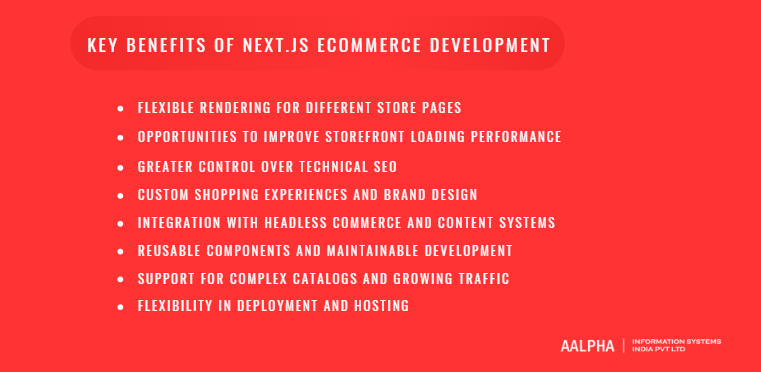
The main benefits of Next.js for eCommerce are page-level rendering control, faster storefronts when built well, full ownership of technical SEO, and unrestricted design. None of these are automatic. A poorly built Next.js store can be slower and harder to rank than a well-configured theme, so each benefit below depends on implementation and measurement.
-
Flexible rendering for different store pages
Different pages have different freshness needs. A homepage and category pages can be prerendered and refreshed when the catalog changes. A product page can serve a cached shell while stock levels load dynamically. Cart, checkout, and account pages render per request. Next.js lets you choose this per page, and even per component, rather than forcing one model across the whole site. A furniture retailer, for example, can cache its 4,000 product descriptions for days while fetching delivery dates for each shopper’s postcode at request time.
-
Opportunities to improve storefront loading performance
Server Components send HTML with less client-side JavaScript. Built-in image optimization serves resized, modern formats. Prerendered pages can be delivered from a CDN close to the shopper. Together, these can produce fast first loads and good Core Web Vitals on mobile. The word to notice is “can.” Heavy tracking scripts, oversized hero videos, or a client-rendered product grid will undo the gains. Measure with real-user data before and after launch.
-
Greater control over technical SEO
Next.js gives developers direct control over title tags, meta descriptions, canonical URLs, structured data, sitemaps, robots rules, and URL structure through its Metadata API and file conventions. Hosted platforms often fix URL patterns, such as /products/ and /collections/, and limit how faceted pages are handled. With Next.js, a store can design clean category hierarchies and decide exactly which filter combinations get indexed. Rankings still depend on content quality, links, and site health.
-
Custom shopping experiences and brand design
There is no theme to work around. Product configurators, 3D viewers, size advisors, subscription builders, and editorial landing pages can be designed from scratch. This matters most for brands where the shopping experience is part of the product, such as made-to-measure furniture or custom jewelry. The downside is cost: every custom interaction is code someone has to build, test, and maintain.
-
Integration with headless commerce and content systems
Next.js talks to any service with an API. A store might use Shopify for orders, Sanity for editorial content, Algolia for search, and Klaviyo for email, all composed in one storefront. Swapping one service later, such as moving search providers, affects one integration layer instead of the whole site.
-
Reusable components and maintainable development
Product cards, price displays, variant selectors, and cart drawers become shared React components. With TypeScript and a component library, a team can change the price display once and see it update across category pages, search results, and recommendations. This keeps large storefronts consistent and reduces regression bugs.
-
Support for complex catalogs and growing traffic
Prerendered and cached pages put little load on the backend, which helps during sales and campaigns. Incremental generation means a catalog of 100,000 SKUs does not need a full rebuild after each price change. Traffic spikes then hit the CDN and cache instead of the commerce API. The backend still needs its own capacity plan for carts and checkout.
-
Flexibility in deployment and hosting
Vercel offers the most direct hosting for Next.js, but it is not the only option. Stores also run on AWS, Google Cloud, Azure, Netlify, Cloudflare, or self-hosted Node.js servers in Docker containers. This lets companies with data residency rules or existing cloud contracts keep their infrastructure. Self-hosting does mean configuring caching, image optimization, and scaling yourself.
5. Next.js vs. other eCommerce development approaches
Next.js is not a replacement for Shopify, WooCommerce, or Magento. It is an alternative to their built-in storefronts, and it can sit on top of any of them. The real choice is between a platform’s own presentation layer and a custom one you own and maintain.
-
Next.js vs. a client-rendered React storefront
A plain React single-page app renders most content in the browser. Search engines can process JavaScript, but rendering is delayed and less reliable, and shoppers on slow phones wait for the bundle to download before seeing products. Next.js renders on the server first, sends ready HTML, and hydrates only the interactive parts. For a store that depends on organic traffic, a client-only React storefront is hard to justify today.
-
Next.js storefront vs. Shopify’s standard storefront
Shopify’s Liquid themes launch quickly, include hosting and checkout, and have a large app ecosystem. They limit URL structure, page logic, and complex custom experiences. A Next.js storefront using Shopify’s Storefront API keeps Shopify for products, payments, and checkout while freeing the frontend. The trade-off is that some theme apps stop working and need API-based replacements, and the brand now maintains a codebase. Shopify’s own Hydrogen framework is the other headless option inside that ecosystem.
-
Next.js vs. a traditional WooCommerce store
WooCommerce is low cost to start and flexible through plugins, but large catalogs and plugin-heavy sites often slow down and need constant updates. Using WooCommerce headlessly behind Next.js keeps the familiar admin while moving rendering off WordPress. In practice, many teams find the WooCommerce REST and GraphQL options limiting for complex carts, and some migrate the backend to a dedicated commerce engine once the storefront is separated.
-
Next.js storefront vs. a traditional Magento storefront
Magento, now Adobe Commerce, handles complex catalogs, B2B features, and multi-store setups well. Its default Luma frontend is heavy and slow to customize. Next.js storefronts on Magento’s GraphQL API are a common upgrade path. The work is significant because Magento’s checkout, customer, and B2B logic must be reconnected through APIs, but it often brings large improvements in page speed and frontend development time.
-
Choosing based on ownership, complexity, and total cost
Weigh five factors. Customization: hosted themes are limited by the template, while Next.js has no ceiling. Operational responsibility: a hosted platform runs the frontend for you, while a Next.js store needs someone to host, monitor, and patch it. Integration flexibility: Next.js connects to any API, whereas themes depend on available apps and plugins. Development effort: a theme launch takes weeks, while a custom Next.js storefront usually takes three to six months. Maintenance: themes update with the platform, while a Next.js codebase needs framework upgrades and integration fixes for its whole life.
If the brand values control and distinctiveness and has the budget to sustain it, Next.js wins. If speed to market and low operating overhead matter most, a hosted storefront wins. Many businesses start hosted and move to a Next.js storefront on the same backend once growth justifies it.
6. Planning the architecture of a Next.js eCommerce store
A sound Next.js store architecture keeps one rule: the storefront displays data, and the backend owns it. Prices, stock, discounts, and orders are decided by the commerce backend. Next.js renders them, caches what is safe to cache, and forwards customer actions to the backend for validation.
-
Storefront, commerce backend, and data ownership
Write down which system owns each type of data before writing code. Product names and specifications might live in a PIM. Marketing copy lives in the CMS. Prices, inventory, and promotions live in the commerce backend. Orders live in the commerce backend and then flow to the ERP. When two systems both claim to own prices, stores end up showing one figure and charging another.
-
Choosing a headless platform or custom backend
Headless platforms such as Shopify, BigCommerce, commercetools, and Salesforce Commerce Cloud provide tested cart, checkout, and order logic with an admin panel. Open-source engines such as Medusa and Saleor give more control and no per-order fees, but need hosting and engineering. A fully custom Node.js backend makes sense only when the business model does not fit any platform, such as rental, auction, or complex B2B contract pricing. Custom backends take longer and carry more risk, because you rebuild what platforms already solved.
-
Connecting a CMS, product information system, and search service
The CMS supplies landing pages, banners, and guides. A PIM, used mainly by stores with thousands of SKUs and many attributes, supplies enriched product data. A search service such as Algolia, Typesense, or Elasticsearch indexes products for fast search and filtering. Each needs a sync path: when a product changes in the backend, the search index and any cached pages must update too.
-
Cart, customer, and order data flows
Carts should live in the backend, linked to a cart ID stored in a secure, HTTP-only cookie. That way a cart survives refreshes, device changes after login, and server restarts. Customer sessions use the platform’s authentication or a provider such as Auth0 or Clerk. Order creation happens only in the backend, triggered by a verified payment confirmation.
-
APIs, webhooks, and background processing
The storefront calls backend APIs for reads and mutations. Backends send webhooks to Next.js Route Handlers when products, prices, or stock change, which trigger cache revalidation. Slow or retry-prone work, such as sending emails, syncing to the ERP, or generating invoices, belongs in background queues using tools like BullMQ, AWS SQS, or Inngest. Running these inside a page request slows the shopper down and fails silently.
-
Separating presentation logic from commerce rules
Keep business rules out of React components. Discount eligibility, shipping rules, tax, and stock checks belong in the backend or a dedicated server module. Components receive computed results and display them. This separation means a pricing change does not require touching the UI, and it prevents a browser user from manipulating values.
Here is how the parts work together in practice. A shopper lands on a category page served from cache. They open a product page, where the description is cached and stock is fetched fresh. Adding to cart calls a Server Action, which sends the request to the backend cart API and returns the updated cart. At checkout, the backend recalculates prices, discounts, tax, and shipping, then creates a payment intent with the payment provider. The provider’s webhook confirms payment to the backend, which creates the order, reserves stock, and queues a confirmation email and a warehouse job. Next.js then shows the confirmation page using the order record.
7. Essential features of a Next.js eCommerce website
A Next.js store needs a catalog, product pages, search, a cart, checkout, payments, shipping, accounts, and order management at launch. Reviews, wishlists, recommendations, and multi-currency can often follow once the store is trading. Prioritizing this way keeps the first release focused on the path to a completed order.
-
Product catalogs and category navigation
Categories should mirror how customers shop, not how the warehouse is organized. Build a clear hierarchy with breadcrumbs, mega menus where the range is wide, and category pages that carry a short intro and useful filters. Category pages are usually the highest-traffic SEO pages, so render them on the server with crawlable product links.
-
Product detail pages, variants, and availability
The product page needs images, price, variant selection, stock status, delivery information, specifications, and an add-to-cart button that responds instantly. Each variant (size, color, material) should update price, image, SKU, and availability without a full page reload. Out-of-stock variants should stay visible but disabled, with a back-in-stock option where it makes sense.
-
Search, filters, sorting, and pagination
Search should tolerate typos, understand synonyms, and show results as the shopper types. Filters should reflect real attributes, such as size, price range, brand, and material, and show counts. Sorting by price, newest, and relevance is the minimum. Use paginated or “load more” URLs that search engines can follow, rather than pure infinite scroll.
-
Shopping cart and guest checkout
A slide-out cart drawer keeps shoppers on the page. The cart should show line totals, discounts, estimated shipping, and stock warnings. Guest checkout is essential, since forced registration is a well-known cause of abandonment. Offer account creation after the order instead.
-
Customer accounts and order history
Accounts let customers track orders, save addresses, reorder, manage subscriptions, and download invoices. For B2B stores, accounts also hold company profiles, multiple buyers, spending limits, and approval roles.
-
Payments, discounts, and gift cards
Support cards, wallets such as Apple Pay and Google Pay, and local methods that matter in your markets, such as UPI in India, iDEAL in the Netherlands, or Klarna for buy-now-pay-later. Discount codes, automatic promotions, and gift cards must all be validated by the backend at checkout. Never apply them only in the browser.
-
Shipping options and delivery estimates
Show shipping costs before the final checkout step, ideally on the product page or in the cart. Delivery estimates by postcode reduce “where is my order” contacts. Integrate carrier rates through services such as ShipStation, EasyPost, or Shiprocket for multi-carrier stores.
-
Reviews, wishlists, and product recommendations
Verified reviews build trust and supply fresh content for product pages. Wishlists help returning visitors. Recommendations such as “frequently bought together” and “recently viewed” raise average order value. These usually come from specialist services and can follow the launch.
-
Returns, refunds, and customer support
A clear returns policy, a self-service returns portal, and refund status in the account reduce support load. Connect order data to your helpdesk, such as Zendesk or Gorgias, so agents see the full order history.
-
Multi-language and multi-currency shopping
International stores need translated content, local currency display, region-specific prices, local tax handling, and localized payment methods. Settle at launch which markets get full localization and which get currency conversion only.
-
Administrative and operational integrations
The storefront depends on connections behind it: ERP for inventory and finance, warehouse and 3PL systems, accounting tools, marketing automation, and analytics. Plan these early. They take more time than the visible pages.
For launch, the essentials are catalog and categories, product pages with variants, search and filters, cart, guest checkout, payments, shipping rates, order confirmation emails, basic accounts, analytics, and the core ERP or fulfillment connection. Reviews, wishlists, personalization, loyalty, subscriptions, and extra markets can follow in later releases.
8. Recommended technology stack and integrations
The right stack for a Next.js store depends on catalog size, team skills, budget, and existing systems. A common, well-supported combination is Next.js with TypeScript and Tailwind CSS, a headless commerce backend, a headless CMS, a hosted search service, Stripe or a regional payment gateway, and Sentry for error tracking. Choose each layer against clear criteria rather than copying a reference stack.
-
Next.js, React, and TypeScript
Use the App Router, which the Next.js documentation treats as the current standard, with React Server Components by default. TypeScript is close to mandatory for commerce. Typed product, cart, and order models catch errors such as a missing variant price at build time instead of in production.
-
Styling, UI components, and design systems
Tailwind CSS is popular for its speed and small output. Component libraries such as shadcn/ui or Radix UI give accessible primitives for dialogs, menus, and selects. Larger brands should build a design system with documented tokens for color, spacing, and typography, so new pages stay consistent.
-
Commerce backend and database selection
Pick the backend on four criteria: how well it fits your business model (B2C, B2B, subscriptions, marketplaces), the quality of its API, its fee structure, and who will operate it. Hosted options remove infrastructure work. Open-source engines such as Medusa run on PostgreSQL and give full data ownership. A custom backend typically pairs Node.js or NestJS with PostgreSQL and Redis.
-
CMS and product content management
Sanity, Contentful, Storyblok, Payload, and Strapi all work with Next.js. Look at the editing experience your marketing team prefers, visual preview support, localization, and pricing per seat or per API call. Stores with complex product data may add a PIM such as Akeneo or Salsify.
-
Search and product discovery
Algolia is fast to implement and strong on merchandising tools, but costs scale with records and searches. Typesense and Meilisearch are open-source and cheaper to run. Elasticsearch and OpenSearch handle large, complex catalogs but need more tuning. Test each with your real catalog and real search queries.
-
Payment, tax, shipping, and ERP integrations
Stripe and Adyen cover most international needs. Razorpay and Cashfree suit Indian stores, and Checkout.com and local gateways serve Gulf markets. Tax services such as Avalara or Stripe Tax handle multi-region rules. ERP connections to systems like NetSuite, SAP Business One, Odoo, or Microsoft Dynamics usually take the most integration effort, so scope them early.
-
Analytics, error tracking, and monitoring
Use GA4 or a privacy-focused alternative with ecommerce event tracking for product views, add-to-cart, checkout steps, and purchases. Add Sentry for frontend and server errors, and uptime and synthetic checkout monitoring through tools such as Checkly or Datadog. Real-user performance data from Vercel Speed Insights or a similar service shows how the store performs on customers’ devices.
9. Step-by-step Next.js eCommerce development process
A Next.js store is built in seven stages: requirements, data audit, UX design, architecture, core build, integrations, and launch with ongoing improvement. Each stage should end with a deliverable and acceptance criteria, so problems surface before they become expensive.
-
Define business requirements and success metrics
Agree on markets, customer types, catalog size, payment methods, integrations, and launch date. Set measurable targets, such as conversion rate, mobile Largest Contentful Paint under 2.5 seconds, and checkout completion rate. Deliverable: a requirements document and prioritized feature list. Acceptance: stakeholders sign off on launch scope and what is deferred.
-
Audit product data and existing systems
Review product data quality, attributes, images, URL structures, and existing SEO rankings. Document every system the store must connect to and its API limits. Poor data is the most common hidden delay in eCommerce builds. Deliverable: a data audit, a system integration map, and a URL redirect plan if replacing a store. Acceptance: every product field has an owner system and a cleaning plan.
-
Design shopping journeys and mobile interfaces
Map the main journeys: browse to buy, search to buy, returning customer reorder, and B2B quick order if relevant. Design mobile first, since most retail traffic comes from phones. Test clickable prototypes with a handful of real customers before development. Deliverable: wireframes, UI designs, and a component library in Figma. Acceptance: key journeys tested with users and approved.
-
Establish architecture and project structure
Choose the backend, CMS, search, hosting, and caching approach. Define the rendering and caching strategy per page type, the data ownership map, and the folder structure. Set up repositories, environments, CI/CD, and code standards. Deliverable: an architecture document and a working skeleton deployed to staging. Acceptance: the skeleton reads real catalog data and deploys automatically.
-
Build catalog, product, cart, and checkout experiences
Develop in sprints, starting with catalog and product pages, then search, cart, checkout, and accounts. Demo working software every one or two weeks. Deliverable: the complete storefront on staging. Acceptance: a tester can complete a purchase with test cards across devices, including discounts and edge cases.
-
Connect operational services and analytics
Integrate payments, tax, shipping, ERP, email, reviews, and analytics. Configure webhooks and background jobs. Validate the ecommerce event tracking against real test orders. Deliverable: end-to-end order flow from storefront to warehouse. Acceptance: test orders arrive correctly in every downstream system, and analytics records them accurately.
-
Test, launch, and improve using store data
Run functional, performance, accessibility, SEO, and load tests. Migrate data and set up redirects. Launch with monitoring active, and keep the team on standby for the first two weeks. After launch, review conversion funnels, search queries with no results, and performance data, and plan improvements. Deliverable: live store, launch report, and post-launch backlog. Acceptance: no critical defects, stable error rates, and redirects working for top-traffic URLs.
10. Performance and rendering best practices
The best performance practice for a Next.js store is to decide rendering and caching per page and per data type: cache what rarely changes, fetch what must be current, and never trust a cached value at checkout. Combine that with lean JavaScript, optimized images, and real-user measurement.
-
Select rendering strategies by page and data type
Category pages change when products are added or prices shift, so prerender them and revalidate on catalog changes. Product pages mix stable content, such as descriptions, specifications, and images, with volatile data, such as stock and sometimes price. Cache the stable parts and stream the volatile parts. Cart pages are personal, so render them dynamically per request. Checkout is personal and must use current data from the backend every time. Customer account pages are private, never shared through a public cache, and rendered per request after authentication.
-
Use Server and Client Components deliberately
In the App Router, components are Server Components unless marked with “use client”. Keep product grids, descriptions, and specifications on the server. Make only interactive pieces client components: the variant selector, add-to-cart button, image zoom, and cart drawer. A common mistake is marking a whole product page as a client component because one button needs state, which ships the entire page as JavaScript.
-
Define caching and revalidation rules explicitly
Next.js has two documented caching models: the newer Cache Components model, enabled with the cacheComponents setting, and the previous model. Check which one your project uses before writing caching code, because the APIs differ. Under Cache Components, the Next.js revalidation guide uses the “use cache” directive with cacheLife for time-based expiry and cacheTag for labeling data. Document a rule for each data type: what is cached, for how long, and what event clears it.
-
Keep displayed prices and inventory fresh
A product description can be cached for days without harm. A displayed price that is two hours stale during a flash sale cannot. Give price and stock short cache lifetimes or fetch them dynamically, and show stock as ranges such as “in stock” or “only 3 left” rather than exact live counts. Whatever the page shows, the checkout must validate current prices and availability against the authoritative backend before taking payment. If the price has changed, tell the shopper clearly and ask them to confirm.
-
Revalidate catalog content after backend updates
On-demand revalidation is cleaner than short timers for catalog content. Tag cached product data, for example with product:123 and category:sofas. When the backend changes a product, it sends a webhook to a Next.js Route Handler. The handler verifies the webhook signature and calls revalidateTag for the affected tags. According to the Next.js docs, revalidateTag uses stale-while-revalidate, serving the old version while the new one generates, and works in Server Actions and Route Handlers. updateTag expires the cache immediately but only works in Server Actions, which suits cases where an admin must see their own change at once. Prefer tags over revalidatePath, since tags clear only what changed.
-
Optimize product images, fonts, and third-party scripts
Use the next/image component with correct sizes attributes, so phones do not download desktop images. Prioritize only the main product or hero image. Load fonts through next/font to avoid layout shifts. Audit third-party scripts: chat widgets, review widgets, heatmaps, and ad pixels often account for most of a store’s main-thread blocking. Load them with next/script using lazy strategies, or remove those that do not earn their place.
-
Use streaming and useful loading states
Wrap slow sections, such as recommendations, reviews, and delivery estimates, in React Suspense boundaries so the rest of the page renders first. Show skeletons that match the final layout. Do not block the whole product page on the slowest API call.
-
Control JavaScript size and request waterfalls
Check bundle size with the Next.js bundle analyzer. Replace heavy libraries, such as a full date library for one formatted date. Fetch independent data in parallel with Promise.all instead of sequential awaits. Waterfalls, where the page waits for the product, then the category, then reviews, are a frequent cause of slow server responses.
-
Measure Core Web Vitals with real customer data
Lab tools like Lighthouse are useful during development, but rankings and revenue depend on real users. Use field data from the Chrome UX Report, Google Search Console, and a real-user monitoring tool. Track Largest Contentful Paint, Interaction to Next Paint, and Cumulative Layout Shift by page type and device. Review them after every major release and before big sales.
11. SEO best practices for Next.js eCommerce stores
Next.js stores rank well when product and category content is server-rendered, every indexable URL has unique metadata and a canonical, structured data describes products and offers, and faceted navigation is controlled. Next.js makes all of this possible, but none of it is configured by default.
-
Crawlable product and category content
Render product names, descriptions, prices, and category product lists on the server, so they appear in the initial HTML. Use real anchor links between categories and products, not click handlers. Check with the URL Inspection tool in Google Search Console that the rendered HTML contains what shoppers see.
-
Unique titles, descriptions, and canonical URLs
Use the generateMetadata function to build titles and descriptions from product data, such as product name, key attribute, and brand. Every indexable page needs a self-referencing canonical. Tracking parameters, sort orders, and session IDs should canonicalize to the clean URL.
-
Product, offer, and breadcrumb structured data
Add JSON-LD for Product, with nested Offer data for price, currency, and availability, AggregateRating where you have genuine reviews, and BreadcrumbList. Generate it from the same data that renders the page, so the price in the markup always matches the visible price. Validate with Google’s Rich Results Test.
-
XML sitemaps and indexing controls
Generate sitemaps from the catalog with the Next.js sitemap file convention, split into product, category, and content sitemaps for large stores. Exclude noindexed, redirected, and canonicalized URLs. Use robots.txt to block cart, checkout, account, and internal search pages.
-
Faceted navigation and duplicate URL management
Filters can create millions of URL combinations. Decide which facets deserve indexable pages, usually those with real search demand such as “black leather sofas,” and give them clean URLs, unique copy, and canonicals. Keep other combinations noindexed or out of crawl paths. This is where Next.js beats most hosted themes, because you control the logic.
-
Product variants, pagination, and internal linking
Usually one URL per product with variant parameters works best, canonicalized to the main product. Give variants separate pages only when they have distinct search demand, such as different models rather than colors. Paginated category pages should be crawlable and self-canonical. Link related categories, popular products, and buying guides to spread authority.
-
Out-of-stock and discontinued product handling
Keep temporarily out-of-stock pages live, mark availability correctly in structured data, and suggest alternatives. For permanently discontinued products, redirect to the replacement or closest category when one exists. Return a 410 or 404 when nothing relevant remains, instead of redirecting everything to the homepage.
-
International SEO and language alternatives
Use locale-specific URLs and hreflang annotations for each language and region version, including an x-default. Translate metadata and structured data, not only body text. Show prices in the local currency in both the page and the markup.
-
Helpful product content and visible trust information
Write clear specifications, dimensions, materials, care instructions, and compatibility details. Display shipping terms, return policy, warranty, and contact details on product pages. Show authentic reviews, including critical ones. This content helps shoppers decide and gives search engines and AI systems accurate information to work with. It improves the chance of being understood and cited, though no store can guarantee inclusion in AI-generated answers. Aalpha’s SEO services cover these technical and content checks for commerce sites.
12. Security and checkout reliability best practices
A secure Next.js checkout treats every value from the browser as untrusted, verifies every payment webhook, and makes order creation idempotent so retries never produce duplicates. Most real-world checkout failures come from these three gaps rather than from exotic attacks.
-
Server-side validation of prices, discounts, and cart items
The browser should send only product IDs, variant IDs, quantities, and discount codes. The server looks up prices, checks the discount’s validity and limits, applies tax and shipping, and calculates the total. Server Actions are public endpoints, even though they look like functions, so validate inputs in each one with a schema library such as Zod and check that the user is allowed to act on the cart.
-
Authentication, authorization, and session management
Use a proven authentication provider or the commerce platform’s customer accounts rather than custom password handling. Store session tokens in secure, HTTP-only, SameSite cookies. Check authorization on every request that reads or changes private data. A logged-in user changing an order ID in a URL must not see another customer’s order.
-
Secure handling of secrets and customer information
API keys for the commerce backend, payment provider, and CMS stay in server-side environment variables. Only variables prefixed with NEXT_PUBLIC_ reach the browser, so never put secrets there. Keep card data off your servers entirely by using the payment provider’s hosted fields or checkout, which keeps PCI DSS scope small. Collect only the personal data you need, and follow GDPR or the relevant local privacy law.
-
Payment provider integration and webhook verification
The payment confirmation that creates an order should come from the provider’s webhook, not from the browser redirect. A shopper may close the tab after paying, and a browser redirect can be faked. Verify each webhook’s signature using the provider’s library before acting on it, and reject anything that fails.
-
Idempotency and duplicate order prevention
Networks fail and providers retry. Stripe, for example, may deliver the same webhook more than once. Store each processed event ID and skip duplicates. Use idempotency keys when creating payment intents, so a shopper double-clicking “Pay” or retrying after a timeout does not create two charges. Make order creation check whether an order already exists for that payment before creating one.
-
Inventory reservation and concurrent purchases
Two customers try to buy the last chair at the same moment. If both checkouts only read stock and then write orders, both may succeed. Prevent this with an atomic reservation in the backend: a database transaction or conditional update that decrements stock only if enough remains. Hold the reservation for a short window during payment, release it on failure or timeout, and tell the second customer clearly that the item sold out.
-
Rate limiting, dependency updates, and abuse protection
Rate-limit login, signup, discount code, and checkout endpoints to stop credential stuffing, coupon guessing, and card testing. Add bot protection such as Cloudflare Turnstile on sensitive forms. Keep Next.js, React, and dependencies patched. Framework security advisories are released regularly, and stores running outdated versions are easy targets. Run automated dependency scans in CI.
13. User experience, accessibility, and conversion best practices
Conversion in a Next.js store improves when shoppers see clear product information, know the full cost early, can check out as guests, and can recover from errors without losing their cart. Accessibility is part of the same work, since forms and controls that work with a keyboard and screen reader also work better for everyone.
-
Mobile shopping and touch-friendly interfaces
Design for thumbs. Tap targets should be large and well spaced, filters should open in a full-height panel, and the add-to-cart button should stay reachable as the shopper scrolls. Test on mid-range Android phones on slower networks, not only on the latest iPhone over office Wi-Fi.
-
Clear product information and variant selection
Show price, key benefits, and stock status near the top. Make variant options visible as buttons or swatches rather than hidden dropdowns, and indicate unavailable combinations before the shopper picks them. Update images when a color is chosen.
-
Transparent delivery charges and order totals
Unexpected costs at checkout are a common reason shoppers abandon carts. Show shipping thresholds, such as free delivery above a set amount, on product and cart pages. Display estimated taxes and duties early for cross-border orders.
-
Simple guest checkout and helpful form validation
Ask only for what you need. Use address autocomplete, correct mobile keyboard types for phone and postcode fields, and inline validation that explains the fix, such as “Enter a 6-digit PIN code,” instead of a generic error. Offer express wallets at the top of checkout.
-
Accessible navigation, forms, and cart updates
Follow WCAG 2.2 AA. Every form field needs a label, focus states must be visible, color must not be the only signal, and menus and dialogs must work with a keyboard. When the cart updates, announce it to screen readers with an ARIA live region. In many markets, including the EU under the European Accessibility Act, accessibility is now a legal requirement for online stores.
-
Preserving cart state and recovering from errors
Keep the cart in the backend so it survives refreshes and failed payments. When a payment is declined, return the shopper to checkout with their details intact and a clear explanation. If an item sells out mid-checkout, show which item and offer alternatives rather than a blank error page.
-
Measuring checkout abandonment and testing improvements
Track each checkout step as an analytics event, so you can see exactly where shoppers drop off. Combine the numbers with session recordings for context. Test one change at a time, such as moving the shipping estimate to the cart, and keep it only if it improves completed orders, not only clicks.
14. Testing, deployment, and ongoing maintenance
Testing a Next.js store should focus on purchase outcomes: did the right customer pay the right amount and receive the right order? Unit and visual tests matter, but the expensive failures are operational, such as a payment that succeeds without an order being created. Build tests, monitoring, and rollback procedures around those risks.
-
Unit, integration, and end-to-end testing
Unit test pricing helpers, formatting functions, and validation schemas with Vitest or Jest. Integration test Server Actions and Route Handlers against a staging backend. Use Playwright for end-to-end journeys: search, add to cart, apply a discount, check out as a guest, check out as a member. Run them on every pull request.
-
Testing payments, promotions, refunds, and inventory
Use the payment provider’s test mode and test cards for successful, declined, and 3D Secure flows. Test stacked discounts, expired codes, minimum order rules, and gift card partial payments. Process refunds and partial refunds end to end. Simulate concurrent purchases of a low-stock item to confirm the reservation logic holds.
-
Performance and load testing before major sales
Run load tests with k6 or Artillery before Black Friday, Diwali, or launch campaigns. Test realistic shopper mixes, mostly browsing with a smaller share checking out, and include the commerce backend and payment rate limits. Find the breaking point in staging, not on sale day.
-
Accessibility and SEO validation
Add automated accessibility checks with axe in the CI pipeline, then do manual keyboard and screen reader passes on key journeys. Validate structured data, crawl staging with Screaming Frog to check canonicals, status codes, and noindex rules, and verify redirect maps before launch.
-
Hosting selection and deployment pipelines
Choose hosting by cache behavior, regional reach, data residency, and cost at your traffic level. Vercel offers the most direct Next.js support. AWS, Google Cloud, and self-hosted Docker setups give more infrastructure control but need more configuration, especially for shared caching across instances. Use preview deployments for every branch, automated tests before production, and staged rollouts.
-
Production monitoring, alerts, and rollbacks
Monitor error rates, response times, checkout success rate, and order volume compared with normal patterns. Alert on the one failure that matters most: payments captured without matching orders. Reconcile payment provider records with orders daily, at minimum, and automatically if volume allows. Keep instant rollback ready, so a bad deploy can be reverted in minutes.
-
Framework upgrades and integration maintenance
Next.js releases major versions roughly yearly, with frequent minor and security releases. Plan a quarterly maintenance window for upgrades and dependency updates. Integrations need upkeep too, since payment, shipping, and platform APIs version and deprecate endpoints. Budget ongoing maintenance as a fixed line, not an afterthought. Aalpha’s software maintenance plans are one way to structure this.
15. Next.js eCommerce development costs and timelines
Next.js eCommerce development typically costs USD 15,000 to 40,000 for a starter headless storefront, USD 40,000 to 150,000 for a custom store with advanced features and integrations, and USD 150,000 to 400,000 or more for enterprise and multi-region stores. Development timelines range from 8 weeks to 12 months, depending on the project scope. Integrations, data migration, custom checkout logic, and backend complexity generally affect costs more than the number of pages.
Cost Differences Between Basic, Custom, and Enterprise Stores
A starter headless storefront supporting up to approximately 1,000 SKUs, one market, a Shopify or BigCommerce backend, standard checkout, and a content management system typically costs USD 15,000 to 40,000 and takes 8 to 14 weeks to build. Monthly recurring costs generally range from USD 300 to 1,500 for hosting, platform subscriptions, and apps.
A custom direct-to-consumer (DTC) or content-led store with tailored product experiences, editorial content, search, customer reviews, and ERP or third-party logistics (3PL) integrations usually costs USD 40,000 to 90,000, with a development timeline of 3 to 5 months. Monthly operating costs typically range from USD 1,000 to 4,000, including search services and monitoring. B2B stores and stores with custom backends, such as Medusa or Node.js, may cost USD 70,000 to 150,000 and take 4 to 7 months. Features such as account-specific pricing, quick ordering, approval workflows, and multiple integrations contribute to the higher cost. Monthly infrastructure expenses generally range from USD 1,500 to 6,000.
Enterprise and multi-region stores typically cost USD 150,000 to 400,000 or more and take 6 to 12 months to develop. These projects may involve multiple markets and currencies, platforms such as commercetools or Adobe Commerce, product information management (PIM), complex ERP integrations, and large-scale data migration. Monthly recurring costs can range from USD 5,000 to 25,000 or more, including platform licenses.
Ongoing maintenance and improvements, including software upgrades, security patches, monitoring, and small feature additions, generally cost 15% to 25% of the initial development cost annually. These estimates assume an experienced offshore or blended development team, an included design phase, and an existing commerce platform unless a custom backend is specified. Onshore agencies in the US, UK, and Western Europe may charge 1.5 to 3 times more for comparable work. Actual costs depend on the required features, integration complexity, and catalog structure, so a detailed estimate requires a feature list, integration map, and catalog data review.
Main cost drivers
The biggest drivers are the number and complexity of integrations, especially ERP; the choice between a platform and a custom backend; custom checkout and pricing rules; data migration volume and quality; number of markets and languages; design complexity; and compliance needs such as accessibility audits. A clean catalog with a standard checkout on Shopify sits at the low end. A B2B store with contract pricing synced from SAP sits at the high end.
Development phases and timeline dependencies
Discovery and design take 3 to 6 weeks. The core build takes 6 to 20 weeks. Integrations and testing run 3 to 10 weeks, partly in parallel. Launch preparation and migration take 2 to 4 weeks. Delays usually come from client-side dependencies: product data not ready, ERP access granted late, or content arriving after the build.
Recurring hosting, platform, and integration costs
Recurring costs include hosting, the commerce platform subscription or transaction fees, CMS seats, search service plans, email and review tools, error monitoring, and payment processing fees, which are usually the largest line at scale. Check how each service prices growth. Some charge by API calls or records, which rises fast with large catalogs.
Maintenance and total cost of ownership
Over three years, maintenance, hosting, and services often equal or exceed the original build cost. Compare options on three-year total cost, not launch price. A cheaper build with no tests and no documentation usually costs more by year two.
16. Common challenges and mistakes to avoid
The costliest Next.js eCommerce mistakes are architectural: too much client-side code, stale prices, trusting browser totals, underestimated integrations, no monitoring, and premature complexity. Each is cheap to prevent at the design stage and expensive to fix after launch.
-
Overusing client-side components
Teams moving from React single-page apps often mark large components with “use client” out of habit. The store then ships far more JavaScript than needed and loses the speed advantage it was built for. Start on the server and move only interactive parts to the client.
-
Serving stale prices or stock information
A long cache on product pages without tag-based invalidation means price changes do not appear until the timer expires. During a sale, that produces complaints and abandoned carts. Tie revalidation to backend webhooks and keep checkout validation authoritative.
-
Trusting browser-supplied order totals
Any total, discount, or shipping cost sent from the browser can be edited with developer tools. Always recalculate on the server. This single rule prevents a whole class of fraud.
-
Underestimating integration and data migration work
The storefront pages are the visible part. ERP sync, customer and order history migration, and URL redirects often take as long. Scope them in discovery, with real API access, before fixing the budget.
-
Launching without monitoring or recovery procedures
Without alerts on checkout errors and payment-order mismatches, problems surface through angry customer emails days later. Set up monitoring, reconciliation, and a rollback plan before launch day, not after the first incident.
-
Adding complexity before validating business needs
Microservices, multiple regions, AI personalization, and a custom backend can each be justified, but not all on day one for a store still proving demand. Launch a focused version, measure, then add complexity where data shows a return.
17. How to choose a Next.js eCommerce development partner
Choose a eCommerce development partner who has shipped Next.js storefronts on real commerce backends, can explain their caching and checkout validation approach in detail, has handled integrations like yours, and hands over code you fully own. A strong portfolio of marketing sites is not the same as commerce experience.
-
Assess relevant commerce and Next.js experience
Ask for live stores they built, the backend each used, and what they owned. Look for App Router experience specifically, since older Pages Router projects follow different patterns. Ask for references from clients with similar catalog size or business model.
-
Review architecture, security, and testing practices
Ask how they decide what to cache, how they keep prices fresh, how they verify webhooks, and how they prevent duplicate orders. A capable team answers specifically and quickly. Ask to see a sample test suite and their CI pipeline.
-
Confirm integration and migration capabilities
List your ERP, payment, shipping, and marketing systems and ask which they have integrated before. For replatforming, ask how they handle product and customer data migration, URL redirects, and SEO preservation, and what happened on a past migration.
-
Clarify code ownership, documentation, and handover
The contract should give you full ownership of source code, designs, and infrastructure accounts. Require documentation of architecture, environment setup, and integrations, so another team could take over if needed.
-
Evaluate post-launch support and commercial terms
Compare support response times, maintenance pricing, and how change requests are estimated. Fixed-price works for well-defined scopes. Time-and-materials or dedicated teams suit evolving roadmaps. Ask what warranty period covers defects after launch.
Why choose Aalpha for Next.js eCommerce development?
Aalpha Information Systems builds Next.js applications and eCommerce platforms for B2C and B2B businesses across the US, UK, Gulf, Africa, and Asia. Our teams work on headless storefronts over platforms such as Shopify, migrations away from Magento and WooCommerce frontends, and custom Node.js commerce backends where a platform does not fit the business model.
Every engagement starts with a discovery phase that maps data ownership, integrations, and caching rules before development begins. Builds include server-side price validation, webhook verification, idempotent order handling, automated tests, and monitoring as standard, not optional extras. Clients own all code and receive full documentation at handover.
Since 2008, Aalpha has delivered more than 5,500 projects, and clients rate the team 4.9 out of 5 across more than 215 reviews on Clutch. Our delivery follows ISO 9001:2015 certified quality processes. You can review relevant work in our case studies.
18. Frequently asked questions
Is Next.js a good choice for eCommerce?
Yes, for stores that need custom design, strong technical SEO, complex catalogs, or several markets, and that can fund ongoing development. For small catalogs with standard needs and no developer support, a hosted theme is usually more practical.
Can Next.js work with Shopify or WooCommerce?
Yes. Next.js can use Shopify’s Storefront API or WooCommerce’s REST and GraphQL APIs as its backend. The platform keeps managing products, orders, and payments while Next.js renders the storefront. Some theme apps and plugins will need API-based replacements.
Does Next.js include a commerce backend?
No. Next.js is a frontend framework. Products, carts, pricing, checkout, and orders come from a commerce platform such as Shopify, BigCommerce, Medusa, or commercetools, or from a custom backend.
Which rendering approach works best for product pages?
A hybrid approach works best. Prerender and cache stable content such as descriptions and images, revalidate it when the product changes, and fetch volatile data such as stock dynamically. Cart and checkout render per request.
How should a store handle cached prices and inventory?
Use short cache lifetimes or dynamic fetching for price and stock, invalidate caches with backend webhooks, and always validate price and availability on the server at checkout before taking payment.
Can Next.js support B2B and international stores?
Yes. It supports account-specific catalogs and pricing, quick ordering, approvals, locale-based routing, and regional content. The commerce backend must support B2B price lists and multiple markets.
How much does Next.js eCommerce development cost?
A focused headless storefront typically costs USD 15,000 to 40,000. Custom stores range from USD 40,000 to 150,000, and enterprise multi-region builds start around USD 150,000. Integrations and data migration drive most of the variation.
How long does development take?
A starter headless storefront takes about 8 to 14 weeks. Custom stores take 3 to 7 months, and enterprise projects 6 to 12 months, depending on integrations and data readiness.
What maintenance does a Next.js store require?
Regular Next.js, React, and dependency upgrades, security patches, integration updates when third-party APIs change, performance monitoring, and small feature work. Plan for roughly 15 to 25 percent of the build cost each year.
19. Conclusion and call to action
Next.js is a strong choice for an eCommerce storefront when the business needs control over design, SEO, and integrations, and is ready to own the engineering that comes with it. The framework handles rendering and delivery well. The commerce backend, the data, and the discipline around caching and checkout decide whether the store succeeds.
Recap the benefits and implementation responsibilities
The benefits are real: per-page rendering control, fast pages when built with care, full technical SEO ownership, and a storefront that looks and works exactly as the brand intends. The responsibilities are just as real. Someone must choose and integrate the backend, keep prices fresh, validate every order on the server, monitor checkout, and maintain the codebase for years. Stores that budget for both sides get the gains. Stores that budget only for launch usually end up rebuilding.
Provide a practical readiness checklist
Before starting a Next.js eCommerce project, confirm the following:
- Catalog quality: product data is complete, consistent, and owned by one system.
- Backend readiness: you have chosen a commerce platform or confirmed why a custom backend is needed.
- Checkout requirements: payment methods, tax rules, shipping options, and promotion types are defined.
- Integrations: ERP, fulfillment, CRM, and marketing systems are listed with API access confirmed.
- Budget: the plan covers build, recurring services, and at least one year of maintenance.
- Support: an in-house team or partner is committed to running the store after launch.
If two or more items are unclear, a short discovery phase will save more money than it costs.
Back to you!
If you are planning a new Next.js store or moving an existing Magento, WooCommerce, or Shopify theme to a headless storefront, Aalpha Information Systems can help you scope it properly. A consultation covers recommended architecture and backend choice, integration and migration requirements, a phased delivery plan, and an estimated cost and timeline based on your catalog and systems. Contact the Aalpha team to start.