


Modern websites are no longer static information hubs. They are expected to act as real-time, intelligent interaction layers that guide users, answer questions, and drive conversions. This shift has led to the rapid adoption of AI chatbots as a core component of digital experiences. Businesses are increasingly asking a practical question: how can a website respond instantly to user intent without relying entirely on human teams? AI chatbots provide that answer by combining automation with conversational intelligence.
Unlike traditional contact forms or delayed email responses, AI chatbots operate as always-available assistants embedded directly within a website interface. They can engage visitors the moment they arrive, understand their queries, and provide contextual responses that feel natural and relevant. This capability significantly reduces friction in the user journey, whether the goal is to resolve a support issue, capture a lead, or guide a purchase decision.
From startups to enterprise platforms, organizations are recognizing that user expectations have changed. Visitors expect immediate answers, personalized recommendations, and seamless navigation. AI chatbots enable businesses to meet these expectations at scale without increasing operational costs. As a result, integrating an AI chatbot into a website is no longer considered an experimental feature; it has become a strategic necessity for improving customer experience, operational efficiency, and revenue outcomes.
What is an AI Chatbot?
An AI chatbot is a software application designed to simulate human-like conversations with users through text or voice interactions. It operates using a combination of technologies such as Natural Language Processing (NLP), machine learning, and automation systems to understand user input and generate appropriate responses.
At its core, an AI chatbot analyzes the intent behind a user’s message rather than just matching keywords. NLP enables the chatbot to interpret language structure, context, and meaning, allowing it to respond in a more conversational and accurate way. Machine learning models further enhance this capability by learning from past interactions, improving response quality over time.
Unlike rule-based chatbots that follow predefined scripts, AI chatbots can handle complex queries, adapt to different user inputs, and provide dynamic responses. They can be trained on business-specific data such as FAQs, product catalogs, or support documentation, making them highly relevant to the website they are integrated into.
In practical terms, an AI chatbot acts as a digital assistant embedded within a website, capable of answering questions, guiding users, and automating interactions without human intervention.
Why Businesses Are Integrating AI Chatbots
The growing adoption of AI chatbots across industries is driven by a fundamental shift in how users interact with digital platforms. Customers no longer tolerate delays in communication. Whether someone is browsing an eCommerce store, booking a medical appointment, exploring a SaaS product, or comparing financial services, they expect immediate, accurate responses.
In eCommerce, chatbots assist users in finding products, answering questions about pricing or availability, and reducing cart abandonment. In healthcare, they streamline appointment scheduling, patient triage, and information dissemination, helping reduce administrative burden. SaaS companies use chatbots to onboard users, explain features, and provide instant technical support, improving user retention. In fintech, chatbots help users navigate financial products, answer compliance-related queries, and provide secure, real-time assistance.
Another key driver is scalability. Businesses face increasing volumes of customer interactions, and hiring large support teams is neither cost-efficient nor sustainable. AI chatbots allow organizations to handle thousands of conversations simultaneously without compromising response time.
Additionally, the rise of AI technologies and large language models has significantly improved chatbot accuracy and usability. This has transformed chatbots from basic scripted tools into intelligent systems capable of delivering meaningful, context-aware conversations. As a result, businesses are integrating chatbots not just to automate tasks but to enhance the overall user experience and gain a competitive advantage.
Key Benefits of AI Chatbots for Websites
AI chatbots deliver measurable business value by addressing some of the most critical challenges in customer interaction and operational efficiency. One of the most immediate advantages is 24/7 availability. Unlike human teams that operate within limited hours, chatbots provide continuous support, ensuring that users receive assistance at any time, regardless of time zones. This is particularly important for global businesses and online platforms where traffic is not restricted to specific hours.
Lead generation is another significant benefit. AI chatbots can proactively engage visitors, ask qualifying questions, and collect contact information. Instead of waiting for users to fill out forms, businesses can convert passive website visitors into active leads through conversational interactions. This often results in higher conversion rates because the process feels more natural and less intrusive.
Cost reduction is a critical factor driving adoption. By automating repetitive queries such as FAQs, order tracking, and basic troubleshooting, chatbots reduce the workload on customer support teams. This allows businesses to allocate human resources to more complex and high-value tasks while maintaining efficiency at scale.
AI chatbots also improve user engagement by providing instant, personalized responses. They can recommend products, guide users through website navigation, and tailor interactions based on user behavior. This level of responsiveness keeps users engaged longer and increases the likelihood of conversion.
Finally, chatbots excel at automating repetitive tasks that would otherwise consume significant time and effort. From booking appointments to processing simple requests, automation ensures consistency, reduces human error, and accelerates service delivery. Collectively, these benefits make AI chatbots a powerful tool for enhancing both user experience and business performance.
Types of AI Chatbots You Can Integrate
Choosing the right type of chatbot is a foundational decision that directly impacts user experience, scalability, and long-term value. Not all chatbots operate in the same way, and businesses often ask which type of chatbot is best suited for their website. The answer depends on the complexity of interactions, industry requirements, and the level of automation needed.
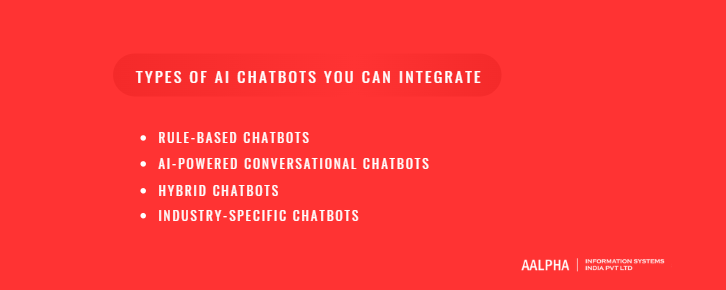
Broadly, chatbots can be categorized into rule-based systems, AI-powered conversational bots, hybrid models, and industry-specific implementations. Each type serves a different purpose and comes with its own strengths and limitations. Understanding these differences is essential before integrating a chatbot into your website, as it determines how effectively the bot can handle user queries, adapt to changing needs, and support business goals.
-
Rule-Based Chatbots
Rule-based chatbots are the simplest form of chatbot systems. They operate on predefined decision trees, where each user input triggers a specific response based on programmed rules. These bots typically guide users through structured conversations using buttons, menus, or keyword-based inputs.
For example, a rule-based chatbot on a website might ask, “What do you need help with?” and present options such as “Order Status,” “Pricing,” or “Support.” Based on the user’s selection, the chatbot follows a fixed path to provide answers.
While these chatbots are easy to build and cost-effective, they come with significant limitations. They cannot understand complex or unexpected queries, and they fail when users deviate from predefined paths. There is no real understanding of context or intent, which results in rigid and often frustrating interactions.
Rule-based chatbots are best suited for handling simple, repetitive tasks where user inputs are predictable, but they are not ideal for dynamic or conversational experiences.
-
AI-Powered Conversational Chatbots
AI-powered conversational chatbots represent a significant advancement over rule-based systems. These chatbots use technologies such as Natural Language Processing (NLP) and large language models (LLMs) to understand user intent, context, and conversational nuances.
Unlike decision-tree bots, AI chatbots can interpret free-form text. A user does not need to follow a structured path; they can ask questions naturally, and the chatbot generates responses dynamically. This makes interactions more fluid, human-like, and efficient.
For instance, instead of selecting from predefined options, a user can type, “I’m looking for affordable running shoes under $100,” and the chatbot can interpret intent, filter products, and provide relevant recommendations. It can also handle follow-up questions, maintain context across conversations, and personalize responses based on user behavior.
These chatbots are highly scalable and adaptable. They can be trained on large datasets such as FAQs, product catalogs, documentation, and user history, enabling them to deliver accurate and relevant answers. Over time, machine learning models improve performance by learning from interactions.
However, AI chatbots require more sophisticated development, data training, and ongoing optimization. Despite this complexity, they are the preferred choice for businesses aiming to deliver advanced customer experiences and automate complex workflows.
-
Hybrid Chatbots
Hybrid chatbots combine the strengths of both rule-based and AI-powered systems. They use predefined workflows for structured interactions while leveraging AI capabilities for handling open-ended queries and complex conversations.
In a hybrid setup, a chatbot might begin with a guided flow to categorize user intent, such as selecting between sales, support, or general inquiries. Once the intent is identified, the AI component takes over to handle the conversation dynamically. This approach ensures both control and flexibility.
For example, a user may start by selecting “Customer Support,” after which the chatbot can switch to an AI-driven mode to understand specific issues and provide tailored solutions. If the query becomes too complex, the system can escalate to a human agent.
Hybrid chatbots are widely used because they balance reliability and intelligence. They reduce the risk of incorrect responses while still offering a conversational experience, making them suitable for most business applications.
-
Industry-Specific Chatbots
Industry-specific chatbots are designed to address the unique requirements of particular sectors. Instead of being generic, these chatbots are trained and configured to handle domain-specific tasks, terminology, and workflows.
In healthcare, chatbots assist with appointment scheduling, symptom checking, and patient communication while adhering to compliance requirements. In eCommerce, they focus on product discovery, order tracking, and personalized recommendations. In customer support environments, chatbots manage ticketing, troubleshooting, and knowledge base queries.
These chatbots are typically built using AI or hybrid models but are customized with industry data and use cases. This specialization allows them to deliver more accurate, relevant, and efficient interactions compared to generic chatbot solutions.
How AI Chatbots Work (Architecture Explained)
To integrate an AI chatbot effectively into a website, it is essential to understand how these systems function at a technical level. Many businesses assume chatbots are simple scripts, but modern AI chatbots operate through a multi-layered architecture that combines language processing, machine learning, backend systems, and user interfaces.
At a high level, an AI chatbot receives a user query, processes the language to understand intent, uses trained models to generate or retrieve a response, and then delivers that response through a frontend interface. This entire process happens in real time, often within milliseconds. The accuracy and usefulness of the chatbot depend on how well each layer is designed and integrated.
Understanding this architecture helps answer critical questions such as how chatbots understand human language, how they access business data, and how they deliver consistent user experiences across devices. Each component plays a specific role in ensuring that the chatbot is not only functional but also intelligent, scalable, and reliable.
-
Natural Language Processing (NLP) Basics
Natural Language Processing (NLP) is the foundation of any AI chatbot. It enables the system to interpret, analyze, and respond to human language in a meaningful way. Without NLP, a chatbot would be limited to simple keyword matching, which significantly restricts its usefulness.
One of the key functions of NLP is intent detection. When a user types a message, the chatbot must determine what the user is trying to achieve. For example, if a user writes, “Where is my order?” the chatbot identifies the intent as order tracking rather than treating it as a generic question. Accurate intent detection ensures that the chatbot routes the query to the correct response or workflow.
Another critical component is entity extraction. This involves identifying specific pieces of information within the user’s input. In the same example, the chatbot might extract an order ID, product name, or date if provided. These entities help the system generate more precise and personalized responses.
NLP also handles language variations, such as synonyms, grammar differences, and conversational tone. Users rarely phrase questions in a uniform way, so the chatbot must interpret different expressions that carry the same meaning. This capability allows the chatbot to interact naturally, rather than forcing users to adapt to rigid input formats.
-
Machine Learning and LLM Models
Machine learning models, particularly large language models (LLMs), are responsible for generating intelligent and context-aware responses. These models are trained on vast amounts of text data, enabling them to understand language patterns, context, and relationships between words.
When a user sends a query, the chatbot uses these models to process the input and generate a response that aligns with the detected intent. Unlike traditional systems that rely on fixed responses, LLM-based chatbots can produce dynamic answers, making conversations more flexible and human-like.
For example, if a user asks a follow-up question such as “Can I change my delivery address?” after asking about an order, the model retains context from the previous interaction. This allows the chatbot to respond appropriately without requiring the user to repeat information.
Machine learning also enables continuous improvement. As the chatbot interacts with users, it can be refined using new data, improving accuracy and relevance over time. Businesses can train these models using their own datasets, such as support tickets, product documentation, or knowledge bases, ensuring that responses are aligned with their specific domain.
However, effective use of LLMs requires careful configuration, including prompt design, response validation, and guardrails to maintain accuracy and prevent incorrect or irrelevant outputs.
-
Backend Integration and APIs
A chatbot becomes truly valuable when it is connected to backend systems. Without integration, it can only provide generic responses. With proper backend connectivity, it can perform real actions and deliver personalized information.
Backend integration typically involves connecting the chatbot to systems such as Customer Relationship Management (CRM) platforms, databases, payment gateways, and third-party APIs. For instance, when a user asks about their order status, the chatbot retrieves real-time data from an order management system through an API.
APIs act as the communication layer between the chatbot and external systems. They allow the chatbot to send requests, fetch data, and trigger actions such as creating support tickets, booking appointments, or updating user information.
This integration transforms the chatbot from a passive information provider into an active assistant capable of executing business workflows. It also ensures that responses are accurate, up-to-date, and personalized based on user-specific data.
-
Frontend Interface
The frontend interface is the visible layer of the chatbot that users interact with. It is typically implemented as a chat widget embedded within a website, appearing as a floating button or a chat window.
A well-designed interface plays a critical role in user adoption and engagement. The chatbot should be easy to access, responsive across devices, and visually aligned with the website’s design. Poor UI/UX can discourage users from interacting with the chatbot, regardless of how advanced its backend capabilities are.
Key considerations include message clarity, response speed, and interaction design. Features such as typing indicators, quick reply buttons, and structured message formats can improve usability. Mobile responsiveness is particularly important, as a significant portion of users access websites through smartphones.
The interface should also support seamless transitions, such as escalating conversations to human agents when needed. This ensures that users are not stuck in automated loops and can receive assistance for complex issues.
In essence, the frontend interface is where technology meets user experience, and its design directly influences how effective the chatbot feels to end users.
Key Use Cases of Website Chatbots
AI chatbots are not limited to answering basic questions. When implemented correctly, they act as intelligent operational layers that support customer interactions, streamline workflows, and directly contribute to business growth. Organizations often ask where chatbots deliver the most measurable impact. The answer lies in use cases that combine high interaction volume with repetitive processes or time-sensitive responses.
Across industries, chatbots are being deployed to automate support, capture and qualify leads, guide purchasing decisions, manage bookings, and even handle internal operations. Each of these use cases addresses a specific business bottleneck, whether it is reducing response time, improving conversion rates, or minimizing manual workload.
The following use cases represent the most practical and high-impact applications of AI chatbots on websites.
-
Customer Support Automation
Customer support is one of the most common and valuable applications of AI chatbots. Businesses receive a large volume of repetitive queries such as order status, refund policies, account issues, and general FAQs. Handling these manually requires significant human resources and often leads to delays in response time.
AI chatbots automate these interactions by instantly answering frequently asked questions and guiding users to relevant solutions. For example, a user asking, “How can I reset my password?” can receive a step-by-step response within seconds, without waiting for a support agent. This reduces ticket volume and allows support teams to focus on more complex issues that require human intervention.
Another important aspect is consistency. Chatbots provide standardized responses based on verified information, reducing the risk of human error. They also ensure that every user receives the same level of service, regardless of time or workload.
By handling routine queries at scale, chatbots significantly reduce operational costs while improving customer satisfaction through faster and more reliable support.
-
Lead Generation and Qualification
Website traffic alone does not guarantee business growth; converting visitors into qualified leads is critical. AI chatbots play a direct role in this process by engaging users proactively and guiding them through conversational interactions.
Instead of relying solely on static forms, chatbots initiate conversations such as, “What are you looking for today?” or “Can I help you find the right solution?” Based on user responses, the chatbot collects relevant information such as contact details, requirements, and budget.
More importantly, chatbots can qualify leads in real time. For example, in a SaaS or service-based business, the chatbot can ask targeted questions to determine whether a user fits the ideal customer profile. This ensures that sales teams receive high-quality leads rather than unfiltered inquiries.
This conversational approach increases engagement and conversion rates because it feels interactive and personalized, rather than transactional.
-
eCommerce Assistance
In eCommerce, user experience directly influences purchasing decisions. AI chatbots enhance this experience by acting as virtual shopping assistants that guide users throughout their journey.
One of the most effective use cases is product recommendation. When a user expresses a need, such as “I need running shoes under $100,” the chatbot can analyze the query, filter available products, and suggest relevant options. This reduces decision fatigue and speeds up the buying process.
Chatbots also play a key role in reducing cart abandonment. If a user adds items to their cart but does not complete the purchase, the chatbot can intervene with reminders, answer objections, or offer assistance. For example, it can clarify delivery timelines, return policies, or payment options.
Additionally, chatbots can provide real-time updates on order status, shipping details, and product availability, ensuring that users remain informed throughout the purchasing journey.
-
Appointment Booking and Scheduling
Scheduling is a time-consuming process in industries such as healthcare, salons, consulting, and professional services. AI chatbots simplify this by automating appointment booking directly through the website.
A user can request an appointment by specifying preferences such as date, time, and service type. The chatbot checks availability through backend integrations and confirms the booking instantly. This eliminates the need for back-and-forth communication via calls or emails.
In healthcare settings, chatbots can also assist with patient intake, basic triage questions, and reminders, improving operational efficiency and reducing administrative workload.
-
Internal Business Automation
Beyond customer-facing use cases, AI chatbots are increasingly used for internal business operations. These chatbots act as digital assistants for employees, helping them access information and complete routine tasks.
For example, HR chatbots can answer employee queries related to leave policies, payroll, or onboarding processes. New employees can interact with the chatbot to understand company guidelines or complete initial documentation steps.
Similarly, internal chatbots can assist with IT support, document retrieval, and workflow automation. By reducing dependency on manual processes, businesses improve efficiency and allow teams to focus on higher-value work.
This internal application of chatbots demonstrates that their value extends beyond customer interaction, making them a versatile tool for overall business optimization.
Pre-Integration Planning: What You Need Before You Start
Integrating an AI chatbot into your website is not just a technical task; it is a strategic initiative that directly affects customer experience, operational efficiency, and business outcomes. Many implementations fail or underperform because businesses skip the planning phase and move straight into development or tool selection. A chatbot that is not aligned with business goals or user expectations quickly becomes ineffective, regardless of how advanced the technology is.
Before starting the integration process, it is essential to define clear objectives, understand user behavior, evaluate development approaches, and allocate the right resources. This planning stage ensures that the chatbot is not only functional but also purposeful, scalable, and capable of delivering measurable results.
The following elements form the foundation of a successful AI chatbot integration strategy.
-
Define Your Chatbot Goals
The first step in chatbot integration is to clearly define what you want the chatbot to achieve. Without a well-defined purpose, the chatbot risks becoming a generic tool that does not deliver tangible value. Businesses often ask whether a chatbot should focus on support, sales, or automation. The answer depends on the primary pain points you are trying to address.
If your website receives a high volume of customer inquiries, the chatbot can be designed to handle support-related tasks such as answering FAQs, resolving common issues, and reducing ticket load. This approach is particularly effective for businesses aiming to improve response time and reduce operational costs.
For sales-driven websites, the chatbot can focus on lead generation and conversion. It can engage visitors, ask qualifying questions, recommend solutions, and guide users toward taking action. In this case, the chatbot acts as a virtual sales assistant that works continuously without human intervention.
Automation is another key objective. Businesses can use chatbots to streamline repetitive processes such as appointment scheduling, order tracking, and data collection. This reduces manual workload and improves efficiency.
Engagement-focused chatbots aim to keep users on the website longer by providing interactive and personalized experiences. These chatbots can suggest content, answer exploratory questions, and guide users through the platform.
Defining clear goals ensures that every aspect of the chatbot, from conversation design to backend integration, is aligned with specific business outcomes.
-
Identify Target Users and Scenarios
A chatbot is only as effective as its ability to serve its intended audience. Identifying your target users and understanding how they interact with your website is critical for designing meaningful conversations.
Start by analyzing user segments. For example, an eCommerce website may have first-time visitors, returning customers, and high-intent buyers. Each group has different needs and expectations. A first-time visitor might need guidance, while a returning customer may want quick access to order information.
Next, map out user journeys and scenarios. Consider the most common reasons users visit your website and the questions they are likely to ask. These scenarios form the basis of your chatbot’s conversation flows. For instance, a user might arrive to check pricing, request a demo, track an order, or resolve an issue.
Intent mapping plays a key role here. Each user query should be categorized into intents such as “product inquiry,” “support request,” or “booking request.” This helps the chatbot respond accurately and efficiently.
By understanding who your users are and what they need, you can design a chatbot that delivers relevant, context-aware interactions rather than generic responses.
-
Decide Between Build vs Buy
One of the most important decisions in chatbot integration is whether to build a custom solution or use an existing chatbot platform. This choice has long-term implications for flexibility, scalability, and cost.
Using a ready-made chatbot platform is the faster and more cost-effective option. These platforms provide pre-built tools, templates, and integrations that allow businesses to deploy chatbots quickly. They are suitable for standard use cases such as FAQs, basic support, and simple lead generation. However, they often come with limitations in customization, data control, and advanced capabilities.
Building a custom AI chatbot offers greater flexibility and control. Businesses can design the chatbot according to their specific requirements, integrate it deeply with internal systems, and train it using proprietary data. This approach is ideal for complex use cases, industry-specific workflows, and businesses that require high levels of personalization and scalability.
However, custom development requires more time, technical expertise, and investment. It also involves ongoing maintenance and optimization.
The decision ultimately depends on your business needs. If speed and simplicity are priorities, a platform-based approach may be sufficient. If long-term scalability and advanced functionality are critical, a custom-built solution is the better choice.
-
Budget and Resource Planning
Successful chatbot integration requires careful budgeting and resource allocation. Many businesses underestimate the total cost involved, focusing only on initial development while overlooking ongoing expenses.
Development costs vary depending on the complexity of the chatbot. A basic implementation using a platform may require minimal investment, while a custom AI chatbot involves costs related to design, development, model training, and integration.
In addition to development, there are costs associated with APIs and infrastructure. For example, integrating with third-party services such as CRM systems, payment gateways, or AI models may involve usage-based pricing. Hosting and cloud infrastructure also contribute to operational expenses.
Maintenance is another critical factor. Chatbots require continuous updates, performance monitoring, and retraining to maintain accuracy and relevance. Without proper maintenance, chatbot performance can degrade over time.
Resource planning should also include human involvement. Even highly automated systems require oversight for quality control, data updates, and handling complex queries that need human intervention.
A well-planned budget ensures that the chatbot remains sustainable, scalable, and capable of delivering consistent value over the long term.
Step-by-Step Guide to Integrate an AI Chatbot into Your Website
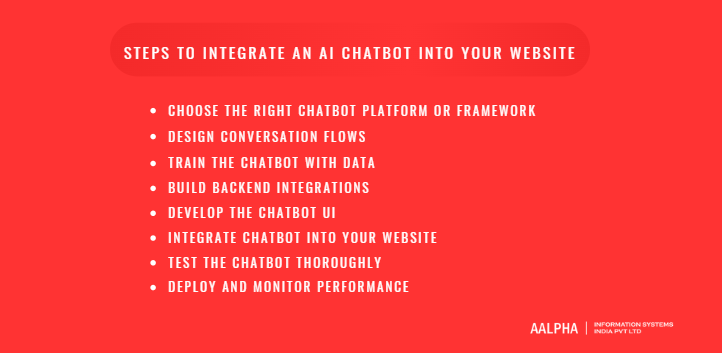
Integrating an AI chatbot into your website is a structured process that combines product thinking, conversational design, and technical execution. Many businesses partner with an experienced AI development company to simplify this journey and avoid common implementation gaps. The key is to move from idea to deployment through clearly defined steps, each focused on a specific outcome.
A successful chatbot integration is not just about embedding a widget. It involves selecting the right technology, designing meaningful interactions, connecting backend systems, and continuously improving performance based on real user data. The following step-by-step framework provides a practical roadmap that can be applied across industries and website types.
Step 1: Choose the Right Chatbot Platform or Framework
The first decision determines the overall direction of your chatbot implementation. Businesses typically choose between SaaS chatbot platforms and custom-built AI chatbot solutions.
SaaS platforms such as Google Dialogflow, Microsoft Bot Framework, and similar tools offer ready-to-use environments for building and deploying chatbots quickly. These platforms provide pre-built NLP models, integrations, and visual interfaces for designing conversation flows. They are ideal for businesses that want to launch quickly with minimal development effort. For example, a company that needs a chatbot for handling FAQs or simple lead capture can deploy a solution within days using such platforms.
However, SaaS solutions often come with limitations in customization, scalability, and data control. As business requirements grow, these constraints can become significant, especially when advanced workflows or deep system integrations are needed.
Custom AI chatbot development, particularly using large language models (LLMs) such as GPT-based systems, provides greater flexibility. Businesses can design highly tailored conversational experiences, integrate proprietary data, and build domain-specific intelligence. This approach is better suited for complex use cases such as personalized recommendations, multi-step workflows, and enterprise automation.
The choice depends on your long-term goals. If speed and simplicity are priorities, SaaS tools are effective. If you need control, scalability, and advanced capabilities, a custom-built chatbot is the more strategic investment.
Step 2: Design Conversation Flows
Once the platform is selected, the next step is designing how the chatbot will interact with users. Conversation design is one of the most critical aspects of chatbot success because it directly impacts usability and engagement.
The process begins with identifying user intents. Each interaction should be categorized based on what the user is trying to achieve, such as “track order,” “book appointment,” or “request pricing.” These intents form the backbone of the chatbot’s logic.
Next, conversation mapping is used to define how the chatbot responds to each intent. This involves creating structured flows that guide users toward desired outcomes. For example, a lead generation flow might start with a greeting, followed by a series of qualifying questions, and end with collecting contact details.
Fallback responses are equally important. Users often ask unexpected questions or phrase queries in ways that the chatbot may not fully understand. A well-designed fallback mechanism ensures that the chatbot responds gracefully, either by asking clarifying questions or redirecting the user to relevant options.
Effective conversation design balances structure and flexibility. It ensures that users can navigate easily while still allowing natural, conversational interactions.
Step 3: Train the Chatbot with Data
An AI chatbot is only as effective as the data it is trained on. Training involves providing the chatbot with relevant information so it can generate accurate and meaningful responses.
The primary sources of training data include FAQs, knowledge base articles, product documentation, support tickets, and internal resources. These datasets help the chatbot understand common user queries and provide consistent answers.
For LLM-based chatbots, prompt engineering plays a crucial role. This involves designing instructions and context that guide how the model generates responses. For example, the chatbot can be configured to respond in a specific tone, prioritize certain types of information, or follow business rules.
Data quality is more important than data quantity. Inaccurate or outdated information can lead to incorrect responses, which negatively impacts user trust. Therefore, it is essential to regularly update and validate training data.
Additionally, businesses can use real user interactions to refine the chatbot over time. By analyzing conversations, identifying gaps, and updating training data, the chatbot becomes more accurate and effective with continued use.
Step 4: Build Backend Integrations
To move beyond basic interactions, the chatbot must be connected to backend systems. This is where the chatbot transitions from an informational tool to a functional assistant capable of executing tasks.
Backend integration involves connecting the chatbot to systems such as CRM platforms, databases, payment gateways, and third-party APIs. For example, when a user asks about order status, the chatbot retrieves real-time data from an order management system. Similarly, for appointment booking, the chatbot interacts with scheduling systems to check availability and confirm bookings.
APIs enable this communication by allowing the chatbot to send and receive data. They act as the bridge between the chatbot interface and business systems.
These integrations allow the chatbot to perform actions such as creating support tickets, updating customer records, processing transactions, and triggering workflows. As a result, the chatbot becomes a central interaction layer that connects users with business operations.
Proper backend integration ensures that responses are not only conversational but also accurate, personalized, and actionable.
Step 5: Develop the Chatbot UI
The chatbot interface is the point of interaction between the user and the system. Even the most advanced chatbot can fail if the user interface is poorly designed.
The chatbot is typically implemented as a chat widget embedded within the website. It should be easily accessible, visually consistent with the website’s design, and intuitive to use. A clean layout, readable text, and clear interaction elements are essential for a positive user experience.
Features such as quick reply buttons, typing indicators, and structured responses can enhance usability. For example, instead of requiring users to type every response, quick options can simplify navigation and reduce friction.
Mobile responsiveness is critical. A significant portion of website traffic comes from mobile devices, so the chatbot must function seamlessly across screen sizes. This includes ensuring that the chat window adapts to smaller screens and remains easy to interact with.
The UI should also support smooth transitions, such as escalating conversations to human agents when necessary. This ensures that users always have a path to resolve complex issues.
Step 6: Integrate Chatbot into Your Website
Once the chatbot is developed, the next step is integrating it into your website. This process varies depending on the platform and website architecture.
The most common method is using a JavaScript embed. The chatbot provider or custom solution typically provides a script that can be added to the website’s code. This script loads the chat widget and enables interaction.
For more advanced implementations, API-based integration allows deeper customization and control. This approach is often used in custom-built chatbots where the frontend and backend are tightly integrated with existing systems.
Content Management Systems (CMS) such as WordPress, Shopify, and others often support chatbot integration through plugins or extensions. These tools simplify deployment and allow non-technical users to manage chatbot settings.
Regardless of the method, it is important to ensure that the chatbot loads quickly, does not affect website performance, and is accessible across all pages where user interaction is needed.
Step 7: Test the Chatbot Thoroughly
Testing is a critical step that ensures the chatbot performs as expected before going live. Skipping this phase can lead to poor user experiences and operational issues.
Functional testing involves verifying that all features work correctly. This includes checking conversation flows, backend integrations, data retrieval, and action execution. Each user scenario should be tested to ensure accuracy and reliability.
User testing focuses on real-world interactions. This involves observing how actual users engage with the chatbot, identifying confusion points, and refining conversation design. Users often interact differently than expected, making this step essential for improvement.
Edge cases should also be tested. These include unexpected inputs, incomplete queries, and unusual user behavior. The chatbot should handle these situations gracefully, either by providing helpful responses or guiding users toward resolution.
Thorough testing ensures that the chatbot is stable, accurate, and ready for deployment.
Step 8: Deploy and Monitor Performance
After testing, the chatbot can be deployed on the live website. However, deployment is not the end of the process; it marks the beginning of continuous optimization.
Performance monitoring is essential to understand how the chatbot is being used and where improvements are needed. Key metrics include response accuracy, user engagement, conversation completion rates, and fallback frequency.
Analytics tools provide insights into user behavior, common queries, and drop-off points. For example, if users frequently abandon conversations at a specific step, it may indicate a flaw in the conversation design.
Continuous improvement involves updating training data, refining conversation flows, and enhancing integrations based on insights. Over time, these optimizations significantly improve chatbot effectiveness.
A well-monitored chatbot evolves with user needs, ensuring that it remains relevant, accurate, and valuable as part of your website’s overall digital strategy.
Common Challenges and How to Overcome Them
While AI chatbots offer significant advantages, their effectiveness depends on how well they are implemented and maintained. Many businesses assume that deploying a chatbot will automatically improve user experience and efficiency. In reality, poorly designed or under-optimized chatbots can frustrate users, reduce engagement, and even harm brand perception.
Understanding the common challenges associated with chatbot integration helps businesses avoid costly mistakes and build systems that deliver consistent value. The following are the most critical challenges organizations face, along with practical approaches to address them.
-
Poor User Experience
One of the most frequent issues with chatbot implementations is poor user experience. This typically occurs when the chatbot provides irrelevant responses, fails to understand user queries, or forces users into rigid interaction flows. Users expect natural, intuitive conversations, and any friction can quickly lead to abandonment.
A common mistake is over-reliance on scripted responses without accounting for real-world user behavior. When users ask questions in unexpected ways, the chatbot may fail to respond effectively, creating frustration.
To overcome this, businesses should prioritize conversational design. This includes mapping real user queries, testing multiple phrasing variations, and ensuring that the chatbot can handle both structured and unstructured inputs. Providing clear navigation options and quick reply buttons can also improve usability.
Equally important is offering a human escalation path. When the chatbot cannot resolve an issue, users should be able to connect with a human agent seamlessly. This ensures that the chatbot enhances the experience rather than becoming a barrier.
-
Lack of Training Data
AI chatbots rely heavily on data to deliver accurate and relevant responses. A lack of high-quality training data often results in incomplete or incorrect answers, reducing user trust and effectiveness.
Businesses sometimes deploy chatbots with minimal datasets, expecting them to perform well from the start. However, without sufficient training data such as FAQs, knowledge base articles, and historical interactions, the chatbot lacks the context needed to understand user intent.
To address this challenge, organizations should begin by consolidating existing data sources. Customer support logs, product documentation, and frequently asked questions provide a strong foundation for training. These datasets should be cleaned, structured, and regularly updated to maintain accuracy.
In addition, continuous learning is essential. By analyzing real user interactions, businesses can identify gaps in the chatbot’s knowledge and refine its training data accordingly. This iterative approach ensures that the chatbot improves over time and remains aligned with user needs.
-
Integration Complexity
Integrating a chatbot with existing systems can be technically complex, especially for businesses with multiple platforms and legacy infrastructure. A chatbot that operates in isolation provides limited value, but connecting it to CRM systems, databases, and APIs requires careful planning and execution.
Challenges often arise from incompatible systems, lack of standardized APIs, or insufficient technical expertise. Poor integration can lead to delays, inaccurate data retrieval, and inconsistent user experiences.
To overcome this, businesses should adopt a modular integration approach. Instead of attempting to connect all systems at once, start with high-impact integrations such as CRM or order management systems. This allows for incremental progress and reduces risk.
Using well-documented APIs and middleware solutions can simplify communication between systems. It is also important to involve experienced developers or integration specialists who understand both the chatbot architecture and backend systems.
Proper documentation and testing are critical to ensure that integrations function reliably and scale as the system evolves.
-
Maintaining Accuracy Over Time
Deploying a chatbot is not a one-time effort. Over time, business information changes, user behavior evolves, and new use cases emerge. Without ongoing maintenance, chatbot accuracy can decline, leading to outdated or incorrect responses.
For example, changes in product offerings, pricing, or policies must be reflected in the chatbot’s knowledge base. If not updated, the chatbot may provide misleading information, which can negatively impact user trust and business outcomes.
To maintain accuracy, businesses should implement continuous monitoring and optimization processes. This includes tracking performance metrics such as response accuracy, fallback rates, and user satisfaction. Regular audits of chatbot responses help identify areas that require updates.
Updating training data and refining conversation flows should be an ongoing activity. Additionally, feedback loops can be established where users rate responses or flag issues, providing valuable insights for improvement.
A well-maintained chatbot evolves alongside the business, ensuring that it remains relevant, reliable, and effective in delivering value over the long term.
Cost of Integrating an AI Chatbot
The cost of integrating an AI chatbot into a website varies significantly based on the approach, complexity, and scale of implementation. Businesses often ask how much it actually costs to build and run a chatbot. The answer depends on whether you choose a subscription-based platform or invest in a custom-built solution, as well as the level of functionality required.
A basic chatbot designed for FAQs and simple interactions can be implemented at a relatively low cost, while a fully integrated AI chatbot with advanced capabilities, backend connections, and continuous learning features requires a higher investment. It is also important to consider not just the initial setup cost but the long-term operational expenses associated with maintaining and improving the chatbot.
Understanding these cost components helps businesses make informed decisions and align their investment with expected returns.
-
SaaS Chatbot Pricing
SaaS chatbot platforms follow a subscription-based pricing model, making them an attractive option for businesses looking for quick and cost-effective deployment. These platforms typically charge monthly or annual fees based on factors such as the number of users, conversations, or features included.
Entry-level plans can start as low as $20 to $100 per month, offering basic functionality such as rule-based conversations, limited integrations, and standard analytics. Mid-tier plans, ranging from $100 to $500 per month, often include advanced features such as AI-powered responses, CRM integrations, and customization options.
Enterprise-level plans can exceed $1,000 per month, providing capabilities such as high-volume conversation handling, advanced analytics, multi-channel support, and dedicated account management.
While SaaS solutions reduce upfront development costs and enable faster deployment, they may introduce limitations in customization, data ownership, and scalability. Over time, subscription fees can accumulate, especially for high-traffic websites or businesses requiring advanced features.
-
Custom AI Chatbot Development Cost
Custom AI chatbot development involves a higher initial investment but provides greater flexibility, control, and scalability. The total cost depends on several factors, including the complexity of the chatbot, the level of AI integration, and the extent of backend connectivity.
A basic custom chatbot with limited functionality may cost between $5,000 and $15,000. More advanced implementations, which include NLP capabilities, integration with business systems, and personalized responses, typically range from $20,000 to $50,000. Enterprise-grade chatbots with complex workflows, large-scale integrations, and advanced AI models can exceed $100,000.
In addition to development costs, infrastructure plays a significant role. Hosting, cloud services, and API usage for AI models (such as LLMs) can introduce ongoing expenses. These costs are often usage-based, meaning they scale with the number of interactions and data processed.
Custom development is particularly valuable for businesses with unique requirements, industry-specific workflows, or the need for deep integration with internal systems. While the upfront investment is higher, it often results in better long-term ROI due to improved performance and scalability.
-
Ongoing Maintenance Costs
Beyond initial development or subscription fees, maintaining an AI chatbot requires continuous investment. Ongoing costs include hosting, system updates, performance monitoring, and data management.
Hosting and infrastructure costs depend on the scale of the chatbot and the volume of interactions. Cloud-based deployments typically charge based on usage, including compute resources, storage, and API calls.
Regular updates are necessary to keep the chatbot aligned with changing business information, such as product updates, pricing changes, or policy revisions. This may involve updating training data, refining conversation flows, and improving integrations.
Training and optimization are also continuous processes. As user behavior evolves, the chatbot must be retrained to maintain accuracy and relevance. Monitoring tools and analytics platforms may add additional costs but are essential for tracking performance and identifying areas for improvement.
Overall, ongoing maintenance ensures that the chatbot remains effective, reliable, and capable of delivering consistent value over time.
How to Choose the Right AI Chatbot Development Partner
Selecting the right AI chatbot development company is a critical decision that directly influences the success of your implementation. Businesses often underestimate this step and focus only on cost or speed, but chatbot performance depends heavily on the expertise, processes, and long-term capabilities of the development team.
A reliable partner does more than build a chatbot. They understand your business goals, design meaningful user experiences, integrate systems effectively, and ensure the chatbot evolves over time. When evaluating a development partner, it is important to assess both technical capabilities and strategic alignment. The following criteria provide a structured approach to making the right choice.
-
AI and NLP Expertise
The foundation of any high-performing chatbot lies in its ability to understand and respond to user queries accurately. This requires strong expertise in AI technologies, particularly Natural Language Processing (NLP) and large language models.
A competent development partner should have hands-on experience in building AI-driven conversational systems rather than relying solely on pre-built templates. They should understand how to design intent recognition models, implement entity extraction, and fine-tune language models for domain-specific use cases.
In addition, expertise in prompt engineering, response validation, and model optimization is essential when working with LLM-based chatbots. These elements ensure that the chatbot delivers accurate, context-aware, and consistent responses.
Businesses should evaluate the partner’s past projects, technical approach, and ability to handle complex conversational scenarios. A team with strong AI and NLP capabilities can significantly improve chatbot accuracy and overall user experience.
-
Experience Across Industries
Industry experience plays a crucial role in chatbot development. Different sectors have unique requirements, workflows, and compliance considerations. For example, a chatbot designed for healthcare must handle sensitive data and regulatory requirements, while an eCommerce chatbot focuses on product discovery and transaction support.
A development partner with experience across multiple industries brings valuable insights into best practices, common challenges, and effective solutions. They can anticipate user behavior, design relevant conversation flows, and implement features that align with industry standards.
Reviewing case studies, client portfolios, and previous implementations helps assess whether the partner has successfully delivered chatbot solutions in similar domains.
-
Integration Capabilities
A chatbot’s value increases significantly when it is integrated with backend systems such as CRM platforms, databases, payment gateways, and third-party APIs. Without proper integration, the chatbot remains limited to generic responses.
The development partner should have proven experience in building secure and scalable integrations. This includes working with APIs, handling real-time data exchange, and ensuring that the chatbot can trigger actions such as creating support tickets, updating records, or processing transactions.
It is also important to evaluate their ability to work with your existing technology stack and infrastructure. Seamless integration ensures that the chatbot becomes an active part of your business operations rather than an isolated tool.
-
Scalable Architecture
As your business grows, the chatbot must be able to handle increased traffic, more complex interactions, and additional integrations. A scalable architecture ensures that the chatbot can evolve without requiring a complete rebuild.
The development partner should design the system with scalability in mind, using modular components, cloud-based infrastructure, and flexible APIs. This allows the chatbot to support higher volumes of conversations, expand to multiple channels, and incorporate new features over time.
Scalability also includes performance optimization. The chatbot should maintain fast response times and reliability even under heavy usage. A well-architected solution ensures long-term sustainability and avoids performance bottlenecks.
-
Long-Term Support
Chatbot development does not end with deployment. Continuous monitoring, updates, and optimization are essential to maintain performance and accuracy.
A reliable partner should offer long-term support services, including maintenance, performance tracking, and ongoing improvements. This ensures that the chatbot remains aligned with changing business needs and user expectations.
Working with experienced AI development companies such as Aalpha can provide both technical expertise and ongoing support, helping businesses build scalable, high-performing chatbot solutions that deliver consistent value over time.
Final Thoughts
Integrating an AI chatbot into your website is no longer optional for businesses aiming to deliver faster, smarter, and more scalable user experiences. When implemented correctly, a chatbot becomes a core digital asset that improves customer engagement, reduces operational workload, and drives measurable business outcomes.
The key is to approach integration strategically—starting with clear goals, choosing the right technology, and continuously optimizing performance based on real user interactions. Businesses that treat chatbots as evolving systems rather than one-time deployments consistently see better results.
If you are planning to integrate an AI chatbot into your website, working with an experienced AI development company can accelerate your success. Connect with Aalpha to build a custom, scalable chatbot solution tailored to your business needs.