





TL;DR
Food delivery app maintenance is the ongoing work that keeps a live delivery platform taking orders, collecting payments, dispatching riders and settling money correctly after launch. It covers bug fixes, OS and SDK updates, security patches, database care, integration upkeep and monitoring across four connected products: the customer app, restaurant dashboard, delivery partner app and admin panel. Most platforms should plan to spend 15% to 20% of the original build cost each year on maintenance labor, which works out to roughly USD 1,500 to 4,000 a month for an early-stage platform and USD 15,000 or more for a large multi-city operation. Hosting, maps, SMS and payment fees are billed on top. The work that protects revenue most is order-state consistency, payment webhook handling, dispatch reliability and peak-hour monitoring, not cosmetic updates. Aalpha Information Systems maintains food delivery platforms across all four apps, starting with a code audit and a prioritized maintenance plan, and supports both apps it built and apps inherited from other developers.
Introduction to Food Delivery App Maintenance
A food delivery app is never finished at launch. The day it goes live, it starts depending on things that change without asking: Apple and Google release new operating systems every year, payment gateways change their APIs, map providers adjust pricing, and order volume shifts with every promotion and festival.
Maintenance is what keeps those changes from turning into failed orders. A delivery platform has very little tolerance for downtime because every failure has a cost someone can see. A customer is charged but the restaurant never receives the order. A rider is sent to an old pickup address. A restaurant marks an item sold out, and the customer app keeps selling it for another twenty minutes. Each of these produces a refund, a support ticket, an angry review, or a restaurant partner who quietly starts favoring a competing platform.
The people affected are not only customers. Restaurants rely on the dashboard to run their kitchen during the dinner rush. Delivery partners rely on the app for their income, and a broken earnings screen or a delayed withdrawal damages trust quickly. Operations staff rely on the admin panel to resolve problems as they happen.
This guide covers what food delivery app maintenance includes, which tasks matter most, how much it costs, how to schedule it, and how to choose a team to do it. The cost figures are planning estimates with stated assumptions, because real budgets depend on the platform’s architecture, code quality and order volume.
What Is Food Delivery App Maintenance?
Food delivery app maintenance is the work of keeping an existing platform correct, secure, compatible and fast after release. It does not add new business capabilities. It keeps the ones you already paid for working as order volume, devices, operating systems and third-party services change around them.
Maintenance vs. New Feature Development
The boundary matters because it decides what a maintenance contract covers. Maintenance includes fixing a checkout bug, updating the Android target SDK, patching a vulnerable library, speeding up a slow restaurant search query, or repairing a broken payment webhook. New development includes adding table reservations, launching grocery delivery, building a loyalty program or entering a new country with a new payment method.
Some work sits in between. Adding a new city using existing logic is usually maintenance or light configuration. Adding a city that needs a new tax rule, language or gateway is new development. Writing this boundary into the contract early prevents most billing disputes later.
The Four Main Types of Software Maintenance
Software engineering commonly splits maintenance into four types, and each has a clear food delivery example.
Corrective maintenance fixes defects after users find them, such as a promo code applying twice when a customer taps the button quickly. Preventive maintenance fixes problems before they show, such as adding a database index before a slow orders query starts timing out during dinner. Adaptive maintenance keeps the platform working when its environment changes, such as an iOS release that changes background location permissions or a gateway retiring an old API version. Perfective maintenance improves what already works, such as cutting checkout from four screens to three or making the rider app use less battery.
Healthy platforms spend more time on preventive and adaptive work than on corrective work. A platform that spends most of its maintenance budget on corrective fixes is usually paying for technical debt.
Which Parts of a Food Delivery Platform Need Maintenance?
A food delivery platform is several products sharing one backend. The customer app handles discovery, ordering, payment and tracking. The restaurant dashboard or app manages menus, availability and order acceptance. The delivery partner app handles assignments, navigation, proof of delivery and earnings. The admin panel runs operations, pricing, promotions and support. Behind them sit the backend services, databases, queues, scheduled jobs and integrations with payments, maps, SMS, push notifications and analytics. A change in one part often breaks another, which is why maintenance has to be planned across the whole system.
Why Maintenance Requirements Change as the Platform Grows
A platform handling 200 orders a day in one city can survive with manual fixes and a single developer. At 5,000 orders a day across several cities, the same habits fail. Database tables grow large enough to slow queries, peak loads expose race conditions in dispatch, more restaurants mean more menu edge cases, and more service areas mean more pricing rules. Maintenance effort grows with operational complexity, not just with code size.
Why Food Delivery App Maintenance Matters
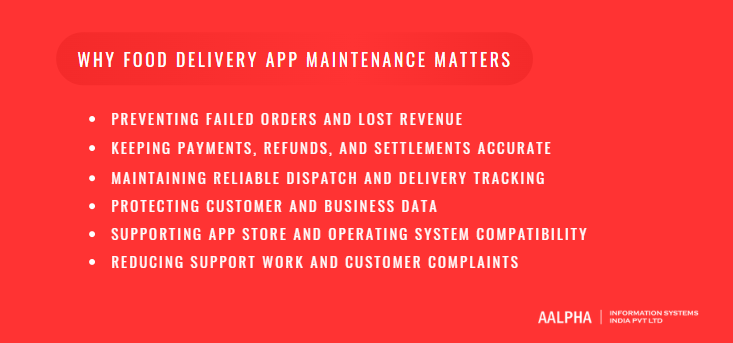
Maintenance matters because a delivery platform earns money only when an order completes end to end. Every skipped update or unfixed bug eventually shows up as a failed order, a refund, a support ticket or a lost restaurant partner. The cost of neglect is rarely one big outage. It is a steady leak of small failures.
-
Preventing Failed Orders and Lost Revenue
The most expensive failures happen at checkout. If the cart service times out under load, customers abandon orders they intended to pay for. If the app shows a restaurant as open after it has closed, the order fails after payment and needs a refund. Both are maintenance problems: one is performance, the other is data synchronization.
-
Keeping Payments, Refunds, and Settlements Accurate
Consider a common failure. The customer pays, the gateway captures the money, but the callback to your server fails because of a short network timeout. The customer sees a debit, the restaurant sees no order, and support sees an angry message an hour later. Fixing this requires webhook retries, reconciliation jobs and a clear rule for when to auto-refund. These need ongoing attention because gateways change their payloads and retry behavior.
-
Maintaining Reliable Dispatch and Delivery Tracking
Dispatch depends on fresh location data. If the rider app stops sending location in the background after an OS update, the dispatcher assigns orders to riders who are actually far away. A related failure is a rider receiving an outdated pickup location because the restaurant moved and the cached address was never refreshed. Both cost time, food quality and rider goodwill.
-
Protecting Customer and Business Data
A delivery platform stores names, phone numbers, home addresses, order history and restaurant bank details. Unpatched libraries, exposed admin panels and over-permissioned staff accounts are the usual ways this data leaks. Security patching is maintenance, not a one-time setup task.
-
Supporting App Store and Operating System Compatibility
Apple and Google set deadlines for building against newer SDKs. Google Play, for example, publishes target API level requirements that new apps and updates must meet, and Apple publishes upcoming submission requirements tied to newer Xcode versions. Miss these and you cannot ship updates, including urgent bug fixes.
-
Reducing Support Work and Customer Complaints
Many support tickets are symptoms of a few recurring defects: a missing order status update, a refund stuck in pending, a notification that never arrives. Fixing the root cause once removes hundreds of tickets a month. Maintenance done well is often the cheapest way to shrink a support team’s workload.
Essential Food Delivery App Maintenance Tasks
The essential tasks are the ones that keep each of the four apps, the backend and the integrations doing their daily job. Each app fails in its own way, so each needs its own checklist. The sections below list what to check and why it breaks.
-
Customer App Maintenance
Login and OTP break more often than teams expect. SMS providers change sender ID rules, telecom routes degrade, and OTP delivery rates drop in specific regions without any code change. Track OTP success rate by provider and region, and keep a fallback such as WhatsApp or voice OTP where the market supports it.
Restaurant discovery and search need relevance and speed checks. As the restaurant count grows, search queries slow down and results start showing closed or out-of-zone restaurants. Re-index regularly and test search against real customer queries, including misspellings.
Cart and checkout need the most testing of any screen. Re-test after every release: item customizations, add-ons, minimum order values, delivery fee rules, coupons, taxes, tips and wallet balances. Small pricing bugs here cost real money.
Addresses need geocoding checks. Customers type addresses badly, pins drift, and new housing areas are missing from maps. Review failed address lookups monthly.
Order tracking and notifications depend on push tokens that expire and change. Clean stale tokens, monitor push delivery rates, and confirm every order status change produces the right notification.
-
Restaurant Dashboard Maintenance
The restaurant dashboard decides whether the kitchen trusts the platform. Menu updates must reach the customer app within seconds, not minutes. Item availability toggles must stop sales immediately, because selling a sold-out dish guarantees a cancellation. Order acceptance alerts must be loud and reliable, since a missed alert on a busy tablet means an unaccepted order and a refund.
Check preparation times against actual handover times so the dispatcher sends riders at the right moment. Verify business hours and store status across time zones and holidays. Restaurants that pause for a rush must actually disappear from listings, and must reappear when they unpause.
-
Delivery Partner App Maintenance
The rider app runs in the hardest conditions: cheap phones, weak networks, constant movement and aggressive battery savers. Maintenance focuses on availability status, assignment acceptance, navigation handoff to the maps app, background location reporting, proof of delivery through photos, OTP or signatures, and earnings and withdrawals.
Background location deserves its own test plan. Each Android release and several manufacturer skins change how background services are throttled. A rider app that worked last month may stop reporting location on one phone brand after a firmware update. Test on the phones your riders actually use, not only on flagship devices.
-
Admin Panel Maintenance
The admin panel is where operations staff fix problems, so its bugs slow every other fix. Keep order management fast, with search by order ID, phone number and restaurant. Make support tools such as manual refunds, reassignments and order notes reliable and fully audited. Maintain service areas, pricing rules and promotions carefully, since a misconfigured surge rule or promo can lose money within an hour. Review permissions so staff see only what their role needs, and confirm reports still match the underlying data after schema changes.
-
Backend and API Maintenance
The backend holds the order lifecycle together. Maintenance here covers order processing logic, status transitions and their validation, API input validation, scheduled jobs such as payout runs and auto-cancellations, message queues that feed notifications and dispatch, and handling of integration failures. Keep old API versions alive until older app versions are no longer in use, and log every rejected request with a clear reason.
-
Database Maintenance
Orders, location pings and logs grow fast. Indexing and query optimization keep dashboards and searches responsive. Data integrity checks catch orders without payments, payments without orders, and riders assigned to two orders at once. Archival moves old location history and logs to cheaper storage. Storage growth forecasts prevent a full disk at 8 pm on a Friday. Access controls limit who can query production data directly.
-
Third-Party Integration Maintenance
A typical platform depends on a payment gateway, a maps provider, an SMS provider, push notification services, analytics tools and sometimes restaurant POS systems. Each one changes its API, pricing or limits on its own schedule. Subscribe to every provider’s changelog, track deprecation dates in one place, and test integrations in staging before the provider’s cutoff date.
-
Dependency and Framework Updates
Mobile SDKs, Flutter or React Native versions, backend frameworks and libraries all age. Unsupported packages stop receiving security patches and eventually block OS compatibility. Update in small steps every month or quarter rather than in one painful jump every two years. A framework that is three major versions behind can cost more to update than the feature work planned for that quarter.
Maintaining Payments, Orders, and Delivery Operations
The order lifecycle is where food delivery platforms lose the most money to bugs. One order touches the customer, the gateway, the restaurant, the dispatcher, a rider and the settlement system. If any two of them disagree about the order’s state, someone pays for it.
-
Keeping Order States Consistent Across Applications
Every order should have one source of truth: a state machine on the backend with allowed transitions, such as placed, paid, accepted, preparing, ready, picked up, delivered, cancelled and refunded. Apps should display state, never invent it. The common bug is an app that changes state locally when a network call fails, leaving the customer seeing “preparing” while the backend says “cancelled”. Reject invalid transitions on the server, log them, and run a daily job that flags orders stuck in one state for too long.
-
Handling Payment Webhooks and Duplicate Events
Gateways send webhooks late, out of order and more than once. Your system must treat each event as possibly duplicated. The standard fix is idempotency: store each event ID and ignore repeats, and send an idempotency key with each payment or refund request so a retry never charges twice. Stripe’s idempotent requests documentation and Razorpay’s webhook documentation both describe this behavior. Add a reconciliation job that compares gateway records with your orders every few hours and flags mismatches, because webhooks alone will miss some events.
-
Maintaining Refund and Cancellation Workflows
Refund rules depend on when and why an order was cancelled. A cancellation before restaurant acceptance usually earns a full refund. A cancellation after food is prepared may not. Encode these rules on the backend, show the outcome clearly to support staff, and test every path after any pricing or payment change. Track refunds stuck in “initiated” status, because customers notice those quickly.
-
Verifying Restaurant Settlements and Delivery Partner Earnings
Settlement errors damage partner trust faster than almost anything else. Verify that commissions, taxes, discounts funded by the platform versus the restaurant, and refunds are applied correctly in each payout run. For riders, check base pay, distance pay, incentives, tips and deductions. Keep a settlement report each partner can read, so disputes can be resolved with data rather than argument.
-
Preventing Duplicate or Missed Delivery Assignments
When two dispatch processes run at once, the same rider can receive two orders, or one order can reach two riders. Use database locks or atomic updates on assignment, and set a timeout so unaccepted assignments return to the pool. Monitor orders that stay unassigned beyond a threshold, often five to ten minutes, and alert operations when that count rises.
-
Maintaining Location Accuracy and Live Tracking
Tracking quality depends on how often riders send location, how the backend filters bad GPS points, and how the customer app smooths the marker. Monitor location freshness, meaning the age of each active rider’s last ping. If many riders show stale locations at once, the cause is usually an app release, an OS change or a backend queue backlog.
-
Handling Unavailable Restaurants and Interrupted Orders
Restaurants close early, run out of items and lose power. The platform needs clear paths for each case: partial fulfilment with partial refund, substitution with customer approval, or full cancellation. Riders also drop off mid-order. Reassignment must carry the order’s state, pickup status and any collected cash to the new rider.
Example: One Order from Checkout to Settlement
A customer orders two dishes and pays by card at 8:05 pm. The backend creates the order as “pending payment” and calls the gateway with an idempotency key. The gateway captures the money, but its webhook arrives forty seconds late. Meanwhile the app polls the payment status endpoint, confirms capture, and moves the order to “paid”. When the late webhook arrives, the backend sees the event ID already processed and ignores it.
The restaurant accepts at 8:06 pm and sets twelve minutes prep time. The dispatcher assigns a rider at 8:12 pm using a locked update, so no second rider gets it. The rider picks up at 8:19 pm and delivers at 8:31 pm with OTP proof. That night’s reconciliation job matches the gateway capture to the order. The weekly payout run credits the restaurant its share after commission, and credits the rider base plus distance pay. Every step has a log line, so if any part fails, support can see exactly where.
Performance Monitoring and Reliability
Reliability for a delivery platform means orders complete, not just that servers respond. A server can show 99.9% uptime while checkout fails for every customer using one payment method. Monitoring has to measure the business flow, not only the infrastructure.
Key Metrics to Monitor
Track a short list of metrics that map to completed orders. Crash-free sessions on each app show release quality. Checkout success rate shows how many started checkouts end in a placed order. Payment confirmation rate and time to confirmation show gateway health. API latency at the 95th and 99th percentile shows what slow users experience, which averages hide. Assignment success, meaning orders assigned to a rider within the target time, shows dispatch health. Tracking freshness shows whether riders are reporting location. Order completion rate ties everything together.
Set a baseline for each metric during normal weeks. A change from baseline is more useful than a fixed number, because every platform’s normal is different.
Monitoring Apps, Servers, Databases, and Integrations
Use crash reporting in the mobile apps, application performance monitoring on the backend, slow query logs on the database and health checks on every integration. Synthetic checks help too: a scheduled script that places a test order in production with a test restaurant and test card catches failures that internal metrics miss.
Setting Alerts for Business-Critical Failures
Alert on symptoms that cost money, and keep the list short so people respond to it. Good alerts include checkout success dropping below its usual range for ten minutes, payment confirmations stalling, unassigned orders piling up, or one restaurant region showing zero orders at peak time. Avoid alerting on every CPU spike. Alert fatigue causes real incidents to be ignored.
Preparing for Lunch, Dinner, Weekend, and Festival Peaks
Delivery traffic is spiky. Dinner can bring several times the load of mid-afternoon, and festivals or sports finals push it higher. Load test before known peaks, pre-scale servers and database read replicas, freeze non-urgent releases in the days before, and confirm third-party rate limits with SMS and maps providers. Have a runbook for switching off non-essential features, such as recommendations, if the system struggles.
Managing Background Jobs, Queues, and Retries
Notifications, dispatch, payouts and reports usually run through queues and scheduled jobs. Monitor queue depth and job failures, not only server health. Set retry limits with backoff, and send messages that keep failing to a dead-letter queue someone reviews. A silent queue backlog is a common cause of late notifications and stale order statuses.
Balancing Performance and Infrastructure Costs
Over-provisioning for peak all day wastes money. Use autoscaling for app servers, right-size databases after reviewing real usage, cache restaurant and menu data aggressively, and reduce map API calls by caching routes and geocoding results where provider terms allow. Review the cloud bill monthly against order volume. Cost per order is a more useful number than the total bill.
Security, Privacy, Backups, and Recovery
Security maintenance keeps customer, restaurant and rider data safe as code, libraries and staff change. Recovery maintenance makes sure that when something does go wrong, the platform can come back within a known time and with a known amount of data loss. Both have to be tested, not assumed.
Patching Vulnerabilities and Securing Dependencies
Run automated dependency scanning on every repository and review results weekly. Patch critical vulnerabilities in internet-facing services within days, not at the next quarterly release. Keep server operating systems, container base images and database engines on supported versions.
Protecting Accounts and Administrative Access
The admin panel is the most valuable target on the platform, because it can issue refunds, change payouts and export customer data. Require multi-factor authentication for all staff, restrict admin access by IP or VPN where practical, and remove access the day someone leaves. Customer accounts need rate limits on OTP requests and login attempts to block abuse and SMS cost attacks.
Managing Customer Addresses and Location Data
Home addresses and rider location trails are sensitive. Keep only what you need and only as long as you need it. Mask full addresses and phone numbers for riders once an order completes, and use number masking for calls between customers and riders. Archive or delete old location history on a defined schedule.
Securing Payment Integrations and Sensitive Credentials
Let the gateway handle card data through its hosted fields or SDK so card numbers never touch your servers. This keeps your PCI DSS scope small. Store API keys and webhook secrets in a secrets manager, never in code or app bundles, and verify webhook signatures on every call. Rotate keys when staff with access leave.
Reviewing Permissions and Access Logs
Review admin roles quarterly. Most platforms find staff with broader access than their job needs. Log every sensitive action, such as manual refunds, payout edits, data exports and role changes, and review unusual activity.
Maintaining Backups and Testing Restoration
Automated database backups are standard on managed cloud databases, but a backup that has never been restored is a guess. Restore to a separate environment at least once a quarter, check that the data is complete, and time how long it takes. Keep backups in a separate account or region so one compromised account cannot delete both production and backups.
Defining Recovery Time and Acceptable Data Loss
Agree on two numbers with the business. Recovery time objective is how long the platform can be down. Recovery point objective is how much data, measured in minutes, can be lost. A regional startup may accept four hours of downtime and fifteen minutes of data loss. A large platform may need under thirty minutes and near-zero loss, which requires replicas and failover and costs considerably more.
Reviewing Applicable Privacy and Payment Requirements
Privacy rules depend on where the platform operates. An Indian platform falls under the Digital Personal Data Protection Act, 2023. A platform serving the EU falls under the GDPR. Payment rules depend on the gateway and card networks involved. Have a qualified legal adviser confirm what applies to your market, then add the resulting tasks, such as data deletion requests and consent records, to the maintenance plan.
How Much Does Food Delivery App Maintenance Cost?
Food delivery app maintenance usually costs 15% to 20% of the original build cost per year in labor, which is the planning figure Aalpha Information Systems uses with clients, as noted in its guide to hiring food delivery app developers. In monthly terms, that is roughly USD 1,500 to 4,000 for an early-stage platform, USD 4,000 to 10,000 for a growing regional business, and USD 15,000 to 40,000 or more for a large multi-city operation. Cloud, maps, SMS and payment fees are extra.
These figures assume an offshore or blended team billing roughly USD 25 to 45 per hour, a reasonably clean codebase, and support during business hours with on-call cover for critical incidents. Teams in the US or Western Europe typically cost two to four times more per hour.
What a Maintenance Budget Includes
A complete budget covers engineering time for fixes and updates, QA for regression testing on real devices, monitoring tools for crashes, performance and uptime, infrastructure such as servers, databases and storage, third-party services such as maps, SMS, email and push, security work including scanning and periodic audits, and incident support outside office hours. Many quotes cover only engineering time, which makes them look cheaper than they are.
Monthly and Annual Maintenance Cost Estimates
An early-stage platform, typically one city, up to about 1,000 orders a day, a cross-platform mobile stack and a single backend, needs around 60 to 120 hours of maintenance a month. That is roughly USD 1,500 to 4,000 a month, or USD 18,000 to 48,000 a year in labor.
A growing regional business, typically several cities, 1,000 to 10,000 orders a day, more integrations and more admin tooling, needs around 150 to 300 hours a month. That is roughly USD 4,000 to 10,000 a month, or USD 48,000 to 120,000 a year.
A larger operation, with many cities, high peaks, native apps, multiple gateways and 24/7 coverage, usually needs a dedicated team of four to ten people. That typically runs USD 15,000 to 40,000 or more a month in labor.
These are planning ranges, not quotes. A codebase audit is the only reliable way to narrow them for a specific platform.
Maintenance Labor vs. Operating Expenses
Keep labor and operating expenses in separate budget lines. Labor is what the maintenance team charges. Operating expenses are usage-based bills that grow with orders: cloud hosting, database and storage, maps and geocoding API calls, SMS for OTP and order updates, email, push services, monitoring tools and payment processing fees. A small platform may spend a few hundred dollars a month on these. A busy one can spend more on maps and SMS than on developers. Payment gateway fees, charged as a percentage of each transaction, are usually the largest of all and are never part of a maintenance fee.
Cost Breakdown by Maintenance Task
For a typical early or growing platform, maintenance hours tend to split along these lines:
- Routine updates to OS versions, SDKs, libraries and frameworks: about 20% to 25% of hours
- Bug fixes and small corrections: about 25% to 35%
- Regression testing and release management: about 15% to 20%
- Monitoring, performance tuning and database care: about 10% to 15%
- Security patching and access reviews: about 5% to 10%
- Emergency and after-hours incident support: about 5% to 10%, higher on unstable platforms
If bug fixes take more than half the hours month after month, the codebase likely carries technical debt that should be addressed directly.
Fixed Retainers, Hourly Support, and Dedicated Teams
A fixed monthly retainer buys a set number of hours with defined response times. It suits most early and growing platforms because costs are predictable. The downside is that unused hours may be lost, and large unplanned work needs a separate estimate.
Hourly or pay-as-you-go support suits stable platforms with low change rates. It costs less in quiet months but gives no guaranteed response time, and the team may not be available during an incident.
A dedicated team suits large platforms that release often. The team knows the code deeply and can combine maintenance with ongoing development. It is the most expensive option and needs internal product management to direct it.
One-Time Audit and Handover Costs
When a new team takes over an app built by someone else, budget for an audit first. This covers repository review, build and deployment setup, documentation of integrations and credentials, a security scan and a list of technical debt ranked by risk. For a typical delivery platform this takes two to four weeks and costs roughly USD 2,000 to 8,000, depending on size and how much documentation exists. Skipping it usually costs more, because the new team learns the system through production incidents.
Hidden Costs Businesses Commonly Miss
The commonly missed costs are after-hours support at peak dinner and weekend times, device testing on the low-cost Android phones riders use, app store release work including review rejections and new policy forms, data recovery after an incident, and forced upgrades when a dependency or gateway API reaches end of life. Budget a contingency of 10% to 15% for these.
Example Maintenance Budgets
An early-stage single-city platform built in Flutter with a Node.js backend, around 600 orders a day, one gateway and business-hours support with critical on-call:
- Maintenance retainer of 80 hours a month: about USD 2,400
- Cloud hosting, database and storage: about USD 400 to 700
- Maps, SMS, push and monitoring tools: about USD 300 to 600
- Total: roughly USD 3,100 to 3,700 a month, excluding payment processing fees and new features
A growing three-city platform with around 4,000 orders a day, native rider app, two gateways and extended support hours:
- Maintenance retainer of 200 hours a month: about USD 6,500
- Cloud and data services: about USD 1,500 to 3,000
- Maps, SMS, push and monitoring tools: about USD 1,200 to 3,000
- Total: roughly USD 9,200 to 12,500 a month, excluding payment fees, marketing tools and feature development
Both examples assume blended offshore rates and a codebase in reasonable condition. Your own numbers will differ with architecture, volume and provider pricing.
Factors That Affect Maintenance Costs
Maintenance cost depends on how complex the platform is to keep running, not on how much it cost to build. Two platforms with the same build price can have very different maintenance bills. The factors below explain most of the difference.
-
Number of Apps, Dashboards, and Integrations
Each app is a separate release pipeline, test surface and store listing. A platform with a customer app, restaurant app, rider app, web ordering site and admin panel has five things to keep working. Each integration adds another dependency that can change without notice.
-
Order Volume and Peak Traffic
Higher volume exposes bugs that never appear at low load, such as race conditions in dispatch and slow queries on large tables. It also raises infrastructure and usage-based costs, and increases the need for monitoring and on-call cover.
-
Code Quality and Technical Debt
This is the biggest single factor. A codebase with tests, clear structure and current dependencies can cost half as much to maintain as one without them. Missing tests mean every change needs manual regression testing. Copy-pasted logic means one fix has to be made in several places.
-
Native vs. Cross-Platform Architecture
Separate native iOS and Android apps double much of the mobile maintenance work. Cross-platform frameworks such as Flutter or React Native share most code, which lowers routine effort. The downside is framework upgrades, which can be disruptive, and some native work still remains for background location and push notifications.
-
Location Tracking and Dispatch Complexity
Simple nearest-rider dispatch is cheap to maintain. Batched orders, multi-pickup routes, zone-based surge pricing and ETA prediction models add logic that needs constant tuning and testing.
-
Support Hours and Response Commitments
Business-hours support is the cheapest. Evening and weekend cover, which matches delivery peaks, costs more. Full 24/7 coverage with fast response targets needs a rotation of several engineers and costs the most.
-
Documentation and Team Familiarity
A team that built the platform or has worked on it for a year fixes issues faster. A new team without documentation spends hours finding out how things work. That is why the original build price is a poor guide: maintenance cost follows code quality, architecture, volume and support hours, none of which appear in the build invoice.
Building a Practical Maintenance Schedule
A practical schedule splits maintenance into daily, weekly, monthly, quarterly and event-based work, and gives each task an owner and a record that proves it was done. Without a schedule, maintenance happens only after something breaks.
Daily Checks
Each morning, review failed and stuck orders from the previous day, payment mismatches from the reconciliation job, crash spikes, error rates and open urgent support tickets. Owner: the on-duty support engineer. Evidence: a short daily log or a ticket noting what was found and fixed.
Weekly Tasks
Triage new bugs and rank them by effect on orders. Review latency, crash-free rates and slow queries against baseline. Check integration health and any provider notices. Clear reconciliation exceptions for payments, refunds and payouts. Owner: the tech lead with the operations manager. Evidence: a weekly maintenance report with metrics and closed items.
Monthly Tasks
Review dependency and security scan results and apply updates. Run database maintenance, such as index review and archival. Compare cloud, maps and SMS bills with order volume. Ship planned maintenance releases with full regression testing. Owner: the tech lead and DevOps engineer. Evidence: release notes, updated dependency list and a monthly cost summary.
Quarterly Tasks
Run a backup restoration drill and record the time taken. Review admin roles and remove unneeded access. Load test before the next known peak. Assess the architecture for risks such as single points of failure or end-of-life components. Owner: the tech lead with the business owner. Evidence: drill report, access review sign-off and load test results.
Event-Based Maintenance
Some work follows outside events rather than a calendar:
- New iOS or Android release: test all apps on beta versions and fix issues before public launch. Owner: mobile lead.
- Gateway, maps or SMS provider change: update and test in staging before the provider’s deadline. Owner: backend lead.
- New service area: configure zones, pricing, taxes and restaurant onboarding, then test end to end. Owner: operations with the backend lead.
- Major campaign or festival: load test, pre-scale and freeze risky releases. Owner: tech lead.
Keep the whole calendar in one shared tracker, so anyone can see which tasks are due, who owns them and whether they were completed.
Food Delivery App Maintenance Best Practices
The best practices that matter are the ones that prevent specific, costly failures. Each practice below is tied to a problem it stops.
-
Prioritize Issues by Their Effect on Orders and Users
Rank every bug by how many orders or users it affects and whether money is involved. A checkout failure for one payment method outranks a misaligned button on the profile screen, even if the button bug was reported first. A simple rule works: payment and order failures first, then dispatch and tracking, then restaurant tools, then cosmetic issues.
-
Test Complete Customer-to-Settlement Workflows
Unit tests catch small errors but miss the failures that hurt most, which happen between systems. Keep a set of end-to-end tests that place an order, pay, accept it in the restaurant app, assign a rider, deliver it, refund part of it and check the payout. A coupon change, for example, can silently turn restaurant payouts negative on discounted orders. Only a full flow test catches that before payout day.
-
Use Staging Environments and Safe Test Data
Staging should mirror production configuration, use gateway sandbox keys, and contain anonymized or synthetic data. Never copy real customer phone numbers and addresses into staging. If staging holds real numbers, one misconfigured SMS key turns a test promotion into live messages to real customers.
-
Automate Critical Regression Checks
Automate the twenty or thirty flows that would cost money if broken: login, search, add to cart, apply coupon, pay, accept, assign, deliver, refund. Run them on every build. Manual testing is still needed for new features and device-specific behavior, but automation keeps old features from breaking quietly.
-
Release Changes Gradually and Prepare Rollbacks
Use phased rollouts on Google Play and the App Store, and feature flags on the backend, so a bad change reaches 5% of users before it reaches everyone. Every backend release needs a tested rollback plan, including database migrations that can be reversed or are safe to leave in place.
-
Maintain Backward Compatibility During Mobile Rollouts
Users do not update apps on your schedule. A new backend version must keep working with app versions released weeks or months earlier. Version your APIs, avoid removing fields older apps depend on, and set a minimum supported app version so you can force an update when compatibility truly cannot be kept.
-
Keep Logs Useful Without Exposing Sensitive Data
Log order IDs, state changes, error codes and timings, so support can trace any order. Mask phone numbers, addresses, OTPs, tokens and payment details. Logs are often copied to third-party tools, and leaked logs are a common source of data exposure.
-
Document Integrations, Runbooks, and Known Issues
Write down how each integration works, where its credentials live, who owns the vendor account and what to do when it fails. Keep runbooks for common incidents such as a gateway outage or SMS provider failure, so whoever is on call at 9 pm can act without calling the original developer.
-
Review Recurring Incidents and Fix Root Causes
After each significant incident, write a short review covering what happened, why, how it was detected and what change prevents it next time. If the same issue appears three times, it needs an engineering fix, not another manual workaround from support.
-
Coordinate Releases with Restaurant and Delivery Operations
Never ship a major release during lunch or dinner peaks or right before a weekend. Tell restaurants before dashboard changes that alter how they accept orders, and tell riders before changes to assignment or earnings screens. A surprise change to the rider app on a busy Friday evening produces confused riders, missed assignments and a flood of support calls.
Choosing a Maintenance Team and Defining an SLA
The right maintenance team understands delivery operations, not just code, and agrees to a written service level agreement that defines response times, coverage and exclusions. Without an SLA, “urgent” means something different to the business and to the developers.
In-House Team vs. Outsourced Maintenance
An in-house team knows the business closely and is available on short notice. It is also expensive to hire, hard to staff across mobile, backend, QA and DevOps, and exposed when one key person leaves. Outsourced maintenance gives access to a full skill set for a predictable monthly fee, which suits most early and mid-sized platforms. Its downside is less day-to-day context, which good documentation and a regular review meeting reduce. Many larger platforms combine both: an internal product owner and tech lead, with an external team handling most engineering work.
Skills Required for Food Delivery Platform Support
The team needs mobile developers for iOS, Android or cross-platform code, backend developers familiar with order workflows and queues, a QA engineer with real-device testing, and DevOps skills for cloud, monitoring and deployments. Experience with payment gateways, maps APIs and background location on Android is particularly important for delivery platforms.
Questions to Ask a Maintenance Provider
Use this checklist when evaluating providers:
- Have you maintained delivery, marketplace or on-demand platforms before, and can you show examples?
- Will you audit the codebase before quoting a fixed retainer?
- Who is on call during evenings and weekends, and how do we reach them?
- How do you test releases, and on which devices?
- What monitoring will you set up, and what will we see each month?
- How do you handle work that falls outside the retainer?
- Who owns the code, credentials and documentation if we part ways?
Defining Incident Severity and Response Times
An illustrative severity scheme for a delivery platform:
- Severity 1, critical: orders cannot be placed, payments fail broadly, or the platform is down. Response within 30 minutes, at any hour covered by the agreement.
- Severity 2, high: a major function is degraded, such as dispatch delays or one gateway failing. Response within 2 hours.
- Severity 3, medium: a feature misbehaves with a workaround, such as a report showing wrong totals. Response within one business day.
- Severity 4, low: cosmetic issues and minor requests. Scheduled into the next planned release.
Response Time vs. Resolution Time
Response time is how quickly someone starts working on the issue. Resolution time is how quickly it is fixed or worked around. Most SLAs guarantee response, not resolution, because some fixes depend on third parties such as a gateway. Ask for target resolution times for Severity 1 and 2 issues, plus regular status updates until resolved.
Clarifying Coverage, Escalation, and Exclusions
State the support hours, time zone and holiday coverage. Name the escalation path when a fix stalls. List exclusions clearly, such as new features, third-party outages, issues caused by client-side changes, and infrastructure bills.
Confirming Code Ownership, Access, and Handover Terms
The business should own the source code repositories, cloud accounts, app store accounts and third-party service accounts, with the provider given access rather than ownership. The contract should require up-to-date documentation and a handover period if the engagement ends.
How to Reduce Maintenance Costs Without Hurting Reliability
The safest way to cut maintenance cost is to remove the causes of repeated work, not to reduce testing or support hours. Cutting QA saves money for one quarter and then costs more in incidents.
-
Fix Recurring Problems Before They Generate More Support Work
Pull the top ten support ticket categories each month and trace each to a cause. A refund that needs manual processing twenty times a week is worth a proper fix. Each recurring issue removed saves both developer and support time every month afterward.
-
Remove Unused Services and Dependencies
Old feature flags, abandoned experiments, unused libraries and idle servers all need patching and attention. Remove them. Fewer moving parts mean fewer updates and a smaller security surface.
-
Optimize Expensive Queries and API Usage
A few slow database queries often drive most database cost. Index or rewrite them. Cache restaurant lists and menus. Reduce map calls by geocoding addresses once and reusing results, and by lowering location ping frequency when riders are idle. These changes cut operating bills directly.
-
Improve Documentation and Operational Tools
Good admin tools let operations staff fix routine problems, such as reassigning a rider or re-sending a receipt, without a developer. Good documentation shortens the time any engineer needs to understand an issue. Both reduce paid developer hours.
-
Reserve Emergency Support for Critical Incidents
After-hours work costs more. Agree that only Severity 1 and 2 issues trigger out-of-hours response, and queue everything else for the next working day.
-
Separate Maintenance Priorities from Optional Feature Requests
Feature requests tend to creep into maintenance retainers and crowd out updates and fixes. Keep a separate backlog and budget for new features. This makes maintenance costs visible and stops necessary upkeep from being postponed in favor of new screens.
Why Choose Aalpha for Food Delivery App Maintenance?
Aalpha Information Systems is an app development company that maintains food delivery platforms as complete systems, covering all four apps, the backend, and integrations under one team. The company has been providing software development services since 2008 and has completed more than 5,500 projects for clients in over 55 countries.
-
Support Across Customer, Restaurant, Delivery Partner, and Admin Applications
A bug in the restaurant dashboard often shows up first as a complaint in the customer app. Aalpha assigns one team across all four applications, so issues are traced to their source rather than patched where they surface. The team covers native iOS and Android as well as Flutter and React Native codebases.
-
Maintenance for Backend Systems and Third-Party Integrations
Aalpha’s engineers maintain order workflows, dispatch logic, queues, databases and cloud infrastructure, along with payment gateway, maps, SMS and push integrations. That includes webhook handling, reconciliation jobs and provider migrations when an API is retired.
-
Code Audits and Prioritized Maintenance Plans
For platforms built by another developer, Aalpha starts with a code and infrastructure audit. The output is a list of risks ranked by their effect on orders and payments, plus a maintenance plan and a cost estimate based on what the code actually needs. This keeps the retainer grounded in evidence rather than guesswork.
-
Flexible Support Engagements
Clients choose a monthly retainer with defined hours and response times, on-demand hourly support, or a dedicated team that combines maintenance with feature development. Support hours can be set to match local lunch and dinner peaks rather than Indian office hours alone.
-
Transparent Reporting and Defined Responsibilities
Each engagement includes a written SLA, a named point of contact and monthly reports covering fixes, releases, metrics and hours used. Code repositories and service accounts stay in the client’s name. Aalpha holds ISO 9001:2015 certification, and its client reviews average 4.9 out of 5 across more than 215 reviews on Clutch.
-
Request a Food Delivery App Maintenance Assessment
If your platform is live, or about to change hands, Aalpha can review it and recommend a maintenance plan. Share your app links, current stack and order volume through aalpha.net, and the team will come back with an assessment of risks and a cost estimate.
Frequently Asked Questions
How much does food delivery app maintenance cost per month?
Most platforms spend about 15% to 20% of the original build cost per year on maintenance labor. In monthly terms, that is roughly USD 1,500 to 4,000 for an early-stage platform, USD 4,000 to 10,000 for a growing regional platform, and USD 15,000 or more for a large operation. Hosting, maps, SMS and payment fees are separate.
What tasks are included in a maintenance contract?
A typical contract covers bug fixes, OS and SDK updates, dependency and security patches, monitoring, database maintenance, integration upkeep, regression testing and app store releases. It should also define incident response times. New features, third-party bills and major redesigns are usually excluded and quoted separately.
How often should a food delivery app be updated?
Most platforms ship a planned maintenance release every two to four weeks, with urgent fixes released as needed. Dependencies should be reviewed monthly, and all apps should be tested against new iOS and Android versions before their public release each year.
Can another company maintain an app built by the original developer?
Yes, provided you own the source code, cloud accounts and app store accounts. The new team should start with a two to four week audit to set up builds, document integrations and find risky areas. Missing documentation adds time but rarely prevents a handover.
Does maintenance include hosting and third-party service charges?
Usually not. Maintenance fees cover the team’s work. Cloud hosting, maps, SMS, push, monitoring tools and payment processing fees are billed by those providers based on usage. Some providers manage these accounts for you, but the charges are still passed through.
How should payment and settlement errors be handled?
Use idempotent payment and refund requests, verify webhook signatures, ignore duplicate events, and run reconciliation jobs that compare gateway records with orders. Flag mismatches for review and give support staff clear tools for refunds. Fix the root cause of any mismatch that appears repeatedly.
Does a food delivery platform need 24/7 support?
Not always. Most platforms need cover during their operating hours, especially lunch, dinner and weekends, plus on-call response for critical failures. Platforms operating late at night or across many time zones may need full 24/7 coverage, which costs more.
When should an app be rebuilt instead of maintained?
Consider a rebuild when maintenance costs keep rising, core frameworks are several versions out of date, simple changes regularly break unrelated features, or the architecture cannot handle current order volume. An independent audit should confirm this first, because a targeted refactor of the worst areas is often cheaper than a full rebuild.
Conclusion
A food delivery platform makes money only when an order moves cleanly from checkout to settlement. Maintenance is the work that keeps that path open as phones, operating systems, gateways and order volumes change.
The right plan depends on the platform. A single-city startup can run well on a modest retainer with business-hours support and on-call cover for payment and ordering failures. A multi-city operation needs continuous monitoring, regular load testing, tested recovery and a team that knows the code. In both cases, put order flow, payments and dispatch first, keep maintenance separate from feature work, and budget for operating costs alongside developer fees.
If you run a live food delivery platform or are taking one over from another developer, start with an audit. Aalpha Information Systems can review your apps, backend, and integrations, identify risks that could affect orders, and outline a maintenance plan with a clear monthly estimate. Get in touch with Aalpha to discuss your platform and maintenance requirements.