





TL;DR: Manufacturing IT support keeps ERP, MES, WMS, QMS, CRM, and SCADA systems connected, secure, and running reliably — since a single software or integration failure can disrupt production schedules, inventory accuracy, and order fulfilment, not just admin work. It covers cloud hosting, data integration, access security, and legacy modernization, with costs scaling by users, facilities, and system complexity. Aalpha Information Systems helps manufacturers build custom software, modernize legacy applications, integrate enterprise platforms, and secure cloud-based systems tailored to their operations.
IT support for manufacturing refers to the software, data, cloud, integration, and cybersecurity services that keep digital manufacturing systems reliable and connected. Unlike general business IT, which commonly focuses on email, office applications, communication tools, and employee devices, manufacturing IT must support systems that influence production planning, inventory movement, quality control, procurement, order fulfilment, and plant-level decision-making.
Modern manufacturers depend on a combination of enterprise resource planning software, manufacturing execution systems, warehouse management platforms, quality management applications, supplier portals, analytics dashboards, mobile apps, and custom workflow tools. These systems must exchange accurate information across departments. A delay or error in one application can affect material availability, production schedules, product quality, delivery commitments, and financial reporting.
The connection between manufacturing operations and digital infrastructure has also become stronger. Production data is increasingly collected, processed, and shared through cloud platforms, APIs, centralized databases, and business intelligence systems. Managers expect real-time visibility into output, defects, inventory levels, equipment performance, order status, and supply chain activity. This makes software reliability, data accuracy, system integration, and application security essential to daily operations.
Effective manufacturing IT support helps reduce process delays, improve production visibility, strengthen quality control, protect sensitive business data, and support faster decision-making. It also allows manufacturers to replace spreadsheets and disconnected applications with integrated software systems that can support multiple departments, facilities, products, and users.
This guide explains the most important software-focused areas of manufacturing IT support, including custom software development, enterprise application integration, cloud solutions, data analytics, artificial intelligence, workflow automation, mobile applications, cybersecurity, legacy software modernization, scalability, implementation costs, and the selection of a suitable manufacturing software development partner.
What Is Manufacturing IT Support?
Manufacturing IT support refers to the services used to develop, integrate, secure, maintain, and improve the software systems that support manufacturing operations. Its purpose is to keep applications, databases, cloud platforms, APIs, reporting tools, and digital workflows functioning reliably across production planning, procurement, inventory, quality management, warehousing, sales, finance, and supply chain operations.
Office IT support usually focuses on general business applications such as email, document management, collaboration platforms, accounting tools, and communication systems. Manufacturing IT support has a broader operational role because software failures can affect production schedules, raw-material availability, quality inspections, order fulfilment, and customer delivery commitments. For example, an error in an inventory application may cause inaccurate stock records, while a failed ERP integration can prevent purchase orders, production updates, or invoices from moving between departments.
Manufacturing environments often include both information technology and operational technology. Information technology covers software applications, databases, cloud infrastructure, analytics platforms, and enterprise systems. Operational technology relates more directly to the systems used to monitor or control industrial processes. From a software solutions perspective, manufacturing IT support commonly concentrates on connecting operational data with ERP, manufacturing execution, quality management, warehouse, maintenance, and reporting applications. This allows authorized teams to access consistent information without relying on separate spreadsheets or manual data entry.
Users of manufacturing IT services may include production managers, inventory teams, procurement staff, quality-control personnel, warehouse employees, finance departments, sales teams, suppliers, distributors, and senior management. Each group requires different dashboards, permissions, workflows, reports, and approval processes. A well-designed manufacturing software environment gives users access to the information relevant to their responsibilities while protecting sensitive operational and financial data.
Manufacturers may manage these systems through an internal software team, an external IT solutions provider, or a hybrid model. Internal teams offer direct knowledge of company processes, while external providers contribute specialized skills in custom software development, cloud migration, integration, cybersecurity, data analytics, and application modernization. A hybrid model combines internal business knowledge with external technical expertise.
Typical manufacturing IT support activities include developing custom applications, integrating ERP and production systems, migrating legacy software to the cloud, building dashboards, automating approval workflows, improving database performance, securing APIs, implementing role-based access, creating mobile applications, managing data migration, and expanding software platforms to support new facilities, users, and business processes.
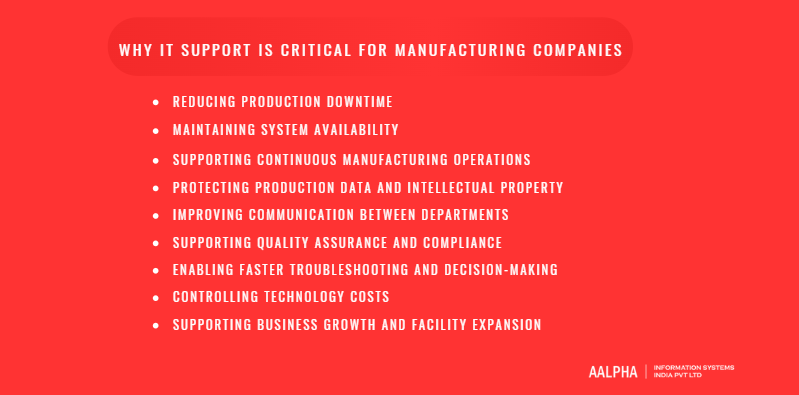
Why IT Support Is Critical for Manufacturing Companies
Manufacturing companies depend on software systems to manage production schedules, inventory, procurement, quality control, warehousing, sales, finance, and supply chain activities. When these systems are disconnected, outdated, or unreliable, operational delays can spread across the business. Effective IT support helps manufacturers maintain software availability, protect critical data, improve coordination, and make faster decisions.
-
Reducing Production Downtime
Software failures can interrupt production planning, material allocation, work-order processing, inventory updates, and dispatch operations. IT support helps identify application errors, integration failures, database issues, and cloud service disruptions before they cause extended delays. Monitoring, testing, backup procedures, and reliable recovery processes help manufacturers restore essential systems quickly and reduce the financial impact of downtime.
-
Maintaining System Availability
Manufacturing applications must remain accessible to production managers, warehouse teams, quality personnel, procurement departments, and decision-makers. IT support improves system availability through application monitoring, database optimization, cloud architecture, backup systems, and performance management. Reliable software access is particularly important for manufacturers operating across multiple shifts, facilities, or geographic locations.
-
Supporting Continuous Manufacturing Operations
Many manufacturers operate for long hours or follow continuous production schedules. Their software platforms must process orders, update inventory, record quality results, and share production data without interruption. IT support helps maintain stable integrations between ERP, MES, WMS, QMS, CRM, and other business applications so information moves accurately between departments.
-
Protecting Production Data and Intellectual Property
Manufacturing companies hold sensitive information, including product specifications, formulas, engineering documents, supplier contracts, customer records, pricing data, and production methods. IT support protects these assets through secure application architecture, access controls, encryption, database security, API protection, data backups, and cybersecurity monitoring. Strong controls also reduce the risk of ransomware, unauthorized access, and data theft.
-
Improving Communication Between Departments
Disconnected software often creates information gaps between production, procurement, inventory, sales, finance, and quality teams. Integrated systems provide a shared source of accurate data. IT support helps connect applications, automate notifications, and build dashboards that allow departments to coordinate production priorities, stock requirements, customer orders, and delivery schedules.
-
Supporting Quality Assurance and Compliance
Quality management software helps manufacturers record inspections, track defects, manage corrective actions, and maintain audit documentation. IT support keeps these systems accurate, secure, and accessible. It also helps configure approval workflows, audit trails, document controls, and reporting functions that support industry regulations and internal quality standards.
-
Enabling Faster Troubleshooting and Decision-Making
Real-time dashboards, automated alerts, and centralized reporting give managers clearer visibility into production performance, inventory shortages, order delays, and quality issues. IT support helps manufacturers collect and organize data from multiple systems, making it easier to diagnose problems and act before they affect customers or production targets.
-
Controlling Technology Costs
A structured IT strategy reduces unnecessary software duplication, inefficient manual processes, avoidable cloud expenses, and costly system failures. IT support helps manufacturers choose suitable platforms, modernize legacy applications, automate high-volume workflows, and improve software performance without replacing every system at once.
-
Supporting Business Growth and Facility Expansion
As manufacturers add products, users, departments, or facilities, their software systems must handle greater data volumes and more complex workflows. IT support helps scale applications, standardize processes, connect new locations, and maintain centralized reporting. This allows the business to grow without creating fragmented systems or losing operational visibility.
Understanding IT and OT in Manufacturing
Manufacturing environments rely on two major technology categories: information technology and operational technology. Although they serve different purposes, modern factories increasingly connect them to improve visibility, automation, data analysis, and decision-making.
What Information Technology Includes
Information technology refers to the software, data, cloud platforms, databases, and business systems used to manage and process information. In manufacturing, IT commonly includes enterprise resource planning systems, customer relationship management software, warehouse management platforms, accounting applications, supplier portals, analytics dashboards, document management systems, and cloud-based collaboration tools.
These systems support business functions such as procurement, production planning, inventory management, sales, finance, quality reporting, and supply chain coordination. IT systems are generally designed to protect data confidentiality, maintain application availability, and provide authorized users with accurate business information.
What Operational Technology Includes
Operational technology refers to the systems used to monitor, control, and manage physical manufacturing processes. OT is directly connected to production activities and industrial equipment. Its primary purpose is to maintain safe, accurate, and uninterrupted operations.
Common OT assets include programmable logic controllers, supervisory control and data acquisition systems, distributed control systems, human-machine interfaces, industrial sensors, machine controllers, robotics software, process monitoring applications, and production-line control systems.
Key Differences Between IT and OT Systems
IT systems mainly manage business data, transactions, communication, and enterprise workflows. OT systems monitor or control physical processes, machinery, production lines, temperature, pressure, speed, and other operational conditions.
IT environments frequently prioritize data confidentiality, user access, and application performance. OT environments place greater importance on availability, safety, reliability, and real-time response. An interruption in an office application may delay administrative work, while an OT system failure could stop production, damage materials, or create safety concerns.
Why IT and OT Systems Are Becoming Connected
Manufacturers need real-time information from production environments to improve planning and management. Connecting IT and OT systems allows production data to flow into ERP platforms, manufacturing execution systems, quality applications, maintenance software, and business intelligence dashboards.
For example, production output recorded by operational systems can automatically update inventory, order status, material consumption, and management reports. This reduces manual data entry and gives decision-makers a more accurate view of factory performance.
Benefits of IT and OT Convergence
IT and OT convergence can improve production visibility, traceability, forecasting, quality control, and resource planning. It supports automated reporting, predictive maintenance, faster issue detection, and better coordination between production, inventory, procurement, and management teams. Manufacturers can also use operational data for advanced analytics and AI-based decision support.
Security and Operational Risks
Connecting IT and OT systems can also introduce cybersecurity and operational risks. Insecure integrations, weak access controls, outdated applications, and poorly protected APIs may expose production systems to unauthorized access or malware. A cyberattack that begins in a business application could affect connected production systems if proper controls are not in place.
Role of IT Support in Connected Environments
IT support helps manufacturers manage connected environments through secure system integration, network segmentation, access controls, API security, encryption, monitoring, backup planning, and incident response procedures. Software specialists also help validate data flows, test integrations, document dependencies, and maintain reliable communication between enterprise applications and production systems. This structured approach allows manufacturers to benefit from IT and OT convergence while reducing security and operational risks.
Core Components of Manufacturing IT Infrastructure
Manufacturing IT infrastructure provides the digital foundation required to run enterprise applications, production management systems, analytics platforms, cloud services, databases, integrations, and automation tools. For software-focused manufacturing operations, the most important components include application connectivity, cloud and server environments, data architecture, integration layers, access management, and communication platforms.
-
Application and Network Connectivity
Manufacturing software depends on reliable connectivity between offices, production facilities, warehouses, cloud platforms, and external business partners. ERP, MES, WMS, QMS, CRM, procurement, and reporting applications must exchange data without delays or inconsistencies.
A properly designed connectivity environment supports secure communication between applications and facilities. It also allows employees to access authorized systems from offices, factory locations, warehouses, or remote work environments. Manufacturers operating across several plants need centralized connectivity so management can view production, inventory, quality, and financial information from a single platform.
Segmentation is also important when business applications connect with production-related systems. Separating office applications, manufacturing platforms, external portals, and sensitive databases helps limit unauthorized access and reduces the effect of a security incident.
-
Cloud and Application Hosting Infrastructure
Manufacturing software may be hosted on company-managed servers, public cloud platforms, private cloud environments, or a hybrid combination. On-premises hosting may be suitable for legacy applications, sensitive production data, or systems that require local access. Cloud infrastructure offers flexible computing capacity, centralized access, automated backups, and easier support for multiple locations.
Hybrid infrastructure allows manufacturers to retain selected applications locally while hosting newer platforms, analytics systems, portals, and databases in the cloud. The appropriate model depends on application requirements, security policies, data volumes, connectivity, and business continuity needs.
Scalable hosting architecture is particularly important for manufacturers adding new plants, users, suppliers, customers, or software modules.
-
Data Storage and Database Systems
Manufacturing applications generate large volumes of data related to orders, inventory, production output, quality inspections, procurement, costs, suppliers, and customers. This information must be stored in secure, structured, and accessible databases.
A centralized data architecture reduces duplication and allows different departments to work with consistent information. Manufacturers may use relational databases for transactions, cloud storage for documents, and data warehouses for reporting and analytics.
Backup environments are equally important. Automated backups, off-site copies, encryption, retention policies, and tested recovery procedures help protect critical manufacturing data from accidental deletion, system failure, ransomware, and application errors.
-
Integration and API Infrastructure
Integration infrastructure connects manufacturing applications and enables data to move automatically between them. APIs, middleware, webhooks, and data synchronization tools can link ERP, MES, WMS, CRM, accounting, eCommerce, logistics, payment, and supplier systems.
For example, a confirmed customer order can automatically create a production request, reserve inventory, generate procurement requirements, update financial records, and notify warehouse teams. Without integration, employees may need to enter the same data into several applications, increasing processing time and error rates.
A well-designed integration layer also makes it easier to introduce new software without rebuilding the entire technology environment.
-
Identity, Access, and Security Infrastructure
Manufacturing applications contain sensitive production, financial, customer, supplier, and product information. Identity and access management systems control who can view, create, approve, modify, or export this data.
Role-based permissions help provide employees with access based on their responsibilities. Additional controls may include multi-factor authentication, single sign-on, audit logs, encryption, session management, and privileged access restrictions.
Security infrastructure should also protect cloud applications, databases, APIs, mobile apps, and external portals from unauthorized access and cyberattacks.
-
Communication and Collaboration Platforms
Manufacturers use communication platforms to connect production planners, procurement teams, quality departments, warehouse employees, management, suppliers, and customers. Email, project management applications, video conferencing tools, document-sharing platforms, and internal communication systems support collaboration across departments and locations.
These platforms can also be integrated with manufacturing software. Automated alerts may notify managers about inventory shortages, delayed production orders, quality issues, pending approvals, or shipment changes. This improves communication and helps teams respond more quickly to operational issues.
Manufacturing Software Systems That Require IT Support
Manufacturing companies use several software platforms to manage production, inventory, engineering, quality, supply chains, maintenance, sales, and finance. These systems often exchange data with one another, which means a failure in one application can affect several departments. Effective IT support helps maintain system performance, data accuracy, integrations, security, user access, reporting, and application scalability.
-
Enterprise Resource Planning Systems
Enterprise resource planning systems connect core business functions such as finance, procurement, inventory, production planning, order management, and human resources. Manufacturers use ERP software to create production plans, purchase raw materials, track costs, manage stock, process customer orders, and generate financial reports.
IT support for ERP systems includes configuration, module customization, database optimization, integration development, data migration, workflow automation, access control, and performance monitoring. Manufacturers may also require custom dashboards or extensions when standard ERP modules do not match their internal processes.
-
Manufacturing Execution Systems
Manufacturing execution systems manage production activities between enterprise planning and factory operations. They help teams track work orders, production output, material consumption, labour activity, process status, and production performance.
IT support helps connect MES platforms with ERP, inventory, quality, and reporting systems. It also addresses data synchronization problems, inaccurate work-order updates, slow application performance, reporting gaps, and integration errors. Reliable MES support gives production managers a current view of work in progress and production targets.
-
Supervisory Control and Data Acquisition Systems
Supervisory control and data acquisition software collects operational information and supports process monitoring and equipment control. It may display production conditions, alerts, equipment status, and process measurements through centralized interfaces.
From a software perspective, IT support focuses on secure data exchange, application availability, database connectivity, historical data storage, access control, and integration with analytics or manufacturing management platforms. Because SCADA environments may connect with operational systems, security controls and careful integration planning are particularly important.
-
Product Lifecycle Management Software
Product lifecycle management software organizes product information from initial design through engineering, production, revision, and retirement. It stores specifications, bills of materials, drawings, technical documents, approval records, and change histories.
IT support helps maintain document version control, role-based access, workflow configuration, data migration, integration with ERP or CAD platforms, and secure collaboration between engineering, production, suppliers, and management. Proper support reduces the risk of teams using outdated product specifications or incorrect engineering data.
-
Computer-Aided Design and Manufacturing Software
CAD and CAM software supports product design, engineering documentation, production preparation, and manufacturing instructions. These applications often generate large files and require integration with product lifecycle, document management, and production systems.
Software-related IT support includes application configuration, cloud collaboration, file management, version control, data conversion, plugin integration, automation scripts, and secure access to design information. Support teams may also help move design workflows from isolated desktop applications to centralized collaboration platforms.
-
Warehouse Management Systems
Warehouse management systems control inventory movement, receiving, storage, picking, packing, and dispatch. They provide real-time information about stock locations, order status, batch numbers, and warehouse activity.
IT support helps integrate WMS platforms with ERP, eCommerce, logistics, barcode, and order management systems. It also addresses inventory synchronization errors, workflow issues, reporting gaps, and data accuracy problems. Custom mobile applications may be developed to support warehouse scanning, stock transfers, and order fulfilment.
-
Supply Chain Management Platforms
Supply chain management software supports supplier coordination, procurement, demand planning, logistics, shipment visibility, and inventory forecasting. It helps manufacturers manage the movement of materials and finished products across multiple locations.
IT support may include supplier portal development, logistics integrations, automated purchase-order workflows, demand forecasting tools, API connections, and real-time dashboards. These services help manufacturers respond more quickly to supplier delays, inventory shortages, and changing customer demand.
-
Quality Management Systems
Quality management systems record inspections, defects, corrective actions, non-conformance reports, audit findings, and compliance documentation. They provide a structured way to manage quality processes across production locations.
IT support helps configure inspection workflows, automate approvals, maintain audit trails, generate reports, and connect quality data with production and ERP platforms. Mobile quality inspection applications can also allow employees to enter results directly from production areas.
-
Customer Relationship Management Systems
Customer relationship management systems store sales opportunities, customer communications, quotations, order histories, service requests, and account information. Manufacturing companies may use CRM platforms to manage distributors, dealers, enterprise buyers, and after-sales relationships.
IT support includes CRM customization, ERP integration, sales workflow automation, customer portal development, reporting, and data synchronization. Connecting CRM with production and inventory systems gives sales teams more accurate information about order status, availability, and expected delivery dates.
-
Maintenance Management Software
Maintenance management software helps manufacturers schedule preventive maintenance, track service requests, record equipment history, manage spare parts, and analyze maintenance costs. It may also support maintenance planning based on operating hours, usage data, or fault conditions.
IT support helps configure maintenance workflows, build mobile service applications, connect maintenance data with inventory and production systems, and develop performance dashboards. Accurate maintenance records allow manufacturers to identify recurring problems, plan service activities, and reduce avoidable interruptions.
Together, these platforms form the software foundation of modern manufacturing operations. Their value depends not only on individual application performance but also on how effectively they exchange data, support business workflows, protect sensitive information, and adapt to changing production requirements.
Common IT Challenges in Manufacturing
Manufacturing companies often operate with a mix of legacy applications, modern cloud platforms, production software, custom databases, and third-party systems. These technologies may have been introduced at different times and for different departments, resulting in disconnected workflows, inconsistent data, security gaps, and limited operational visibility. Addressing these challenges requires a software strategy that considers integration, scalability, data management, security, and business continuity.
-
Legacy Software and Outdated Systems
Many manufacturers continue to depend on older applications built for specific production, inventory, finance, or engineering processes. These systems may use outdated programming languages, unsupported databases, or desktop-based architectures that are difficult to integrate with modern platforms.
Legacy software can restrict access to real-time data, create security weaknesses, and make it expensive to introduce new features. Complete replacement is not always practical, so manufacturers may need phased modernization, API development, database migration, or cloud-based extensions.
-
Incompatible Production and Business Applications
Production, inventory, finance, quality, sales, and procurement systems are often supplied by different vendors. When these applications cannot exchange data properly, employees must transfer information manually or maintain separate spreadsheets.
Incompatibility can result in duplicate records, delayed updates, inaccurate reporting, and inconsistent order information. API integration, middleware, centralized databases, and standardized data formats can help create a more connected software environment.
-
Limited Visibility Across IT and OT Data
Manufacturers may collect production data through operational systems while storing financial, customer, inventory, and supply chain data in business applications. When these datasets remain separate, managers cannot easily compare production output with costs, quality, demand, or delivery performance.
Centralized dashboards and analytics platforms can combine selected data from IT and OT systems. However, these integrations must be designed carefully to protect production environments and prevent unauthorized access.
-
Unplanned Software Downtime
Application failures, database errors, cloud service interruptions, integration breakdowns, and configuration problems can disrupt production planning, order processing, inventory updates, and warehouse operations. Even when production equipment remains operational, employees may be unable to access the information needed to continue work accurately.
Manufacturers need application monitoring, failure alerts, database replication, recovery procedures, and tested business continuity plans to reduce the effect of software downtime.
-
Cybersecurity Risks
Manufacturers store valuable intellectual property, product specifications, supplier records, customer information, pricing data, and production plans. This makes them attractive targets for ransomware, data theft, credential attacks, and supply chain compromises.
Cybersecurity challenges often increase when legacy applications, remote access tools, cloud platforms, APIs, and third-party portals are connected. Role-based access, multi-factor authentication, encryption, application testing, audit logs, secure integrations, and continuous monitoring are important controls.
-
Lack of Reliable Data Backups
Some manufacturers back up only selected databases or depend on backup processes that have never been tested. Others store backup copies in the same environment as production data, leaving both vulnerable to a single incident.
Reliable backup planning should cover databases, documents, application configurations, integration settings, and critical business records. Backups should be encrypted, stored separately, monitored, and tested through regular recovery exercises.
-
Data Silos Between Departments
Production, procurement, quality, finance, sales, and warehousing teams may use separate applications that contain different versions of the same information. These silos make it difficult to calculate accurate costs, forecast demand, track orders, or identify quality problems.
Integrated ERP, MES, WMS, CRM, and QMS platforms can reduce duplication. Where full platform consolidation is not practical, APIs and centralized reporting systems can provide shared visibility.
-
Dependence on Vendor-Specific Applications
Some manufacturing applications use proprietary data formats, restricted integrations, or closed architectures. This can make it difficult to customize workflows, extract information, change providers, or connect new software.
Before adopting a platform, manufacturers should assess data ownership, export capabilities, API availability, customization limits, and integration costs. Custom middleware can sometimes reduce dependency, but poorly documented proprietary systems may still present long-term risks.
-
Shortage of Manufacturing Software Specialists
Manufacturing software projects require knowledge of enterprise applications, databases, cloud architecture, cybersecurity, data integration, and production workflows. Finding professionals with both technical skills and manufacturing understanding can be difficult.
Manufacturers may address this gap through external software development companies or hybrid teams that combine internal process knowledge with specialized technical expertise.
-
Remote Access and Support Limitations
Distributed teams often require remote access to manufacturing applications, reports, and dashboards. However, insecure or unreliable remote access can expose sensitive systems and create support delays.
Secure cloud applications, identity management, role-based permissions, encrypted connections, and centralized monitoring can improve remote support without giving unrestricted access to critical systems.
-
Multiple Factories and Distributed Operations
Manufacturers operating across several locations may use different software versions, data structures, workflows, and reporting methods. This fragmentation makes centralized planning and performance comparison difficult.
A scalable, multi-location software architecture can standardize core processes while allowing site-specific configurations. Centralized data platforms also give management a consolidated view of inventory, production, quality, and financial performance.
-
Limited Windows for Software Changes
Manufacturing operations may run across several shifts, leaving little time for application migration, database changes, integration testing, or system replacement. Poorly planned changes can interrupt production or create data inconsistencies.
Phased implementation, parallel testing, rollback plans, sandbox environments, and scheduled deployment windows help manufacturers introduce software improvements with less operational disruption.
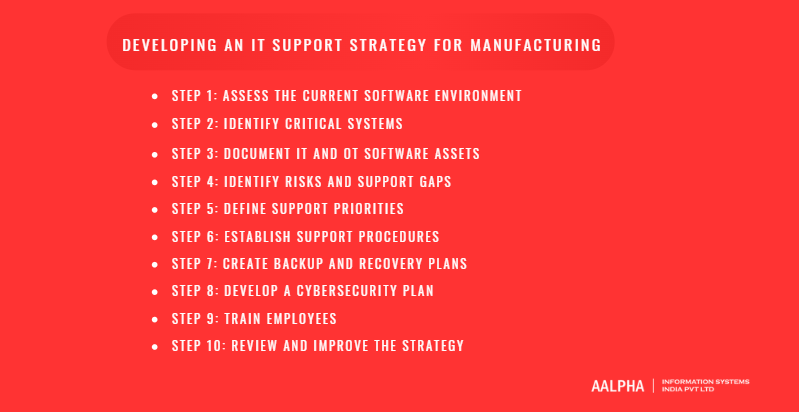
How to Develop an IT Support Strategy for a Manufacturing Company
A manufacturing IT support strategy should define how business applications, production software, databases, cloud platforms, integrations, and digital workflows will be managed and protected. The objective is to reduce software disruption, improve data accuracy, strengthen security, and support future expansion. The following steps provide a practical framework.
Step 1: Assess the Current Software Environment
Begin by reviewing the applications currently used across production planning, inventory, procurement, quality, warehousing, finance, sales, and supply chain management. Document whether each system is cloud-based, on-premises, custom-built, or supplied by a third party.
The assessment should also identify databases, integrations, APIs, user roles, reporting tools, and manual spreadsheet-based processes. This provides a clear view of how information moves across the organization and where duplication, delays, or technical dependencies exist.
Step 2: Identify Critical Systems
Determine which applications directly affect production continuity, order fulfilment, inventory accuracy, quality control, financial processing, and customer delivery commitments. ERP, MES, WMS, QMS, production planning, and supply chain systems are often business-critical.
Critical systems should receive stronger monitoring, faster response targets, reliable backups, and clearly documented recovery procedures. Their dependencies, such as databases, cloud services, integrations, and authentication systems, should also be included.
Step 3: Document IT and OT Software Assets
Create an inventory of enterprise applications, production software, databases, cloud accounts, APIs, mobile apps, analytics platforms, and third-party services. Record the owner, purpose, users, technology stack, integration points, support status, and business importance of each system.
For applications connected to operational technology, document what data is exchanged and which departments depend on it. Accurate documentation reduces confusion during incidents, upgrades, migrations, and audits.
Step 4: Identify Risks and Support Gaps
Review the environment for outdated applications, unsupported databases, weak access controls, failed integrations, unreliable backups, poor documentation, performance issues, and excessive dependence on individual vendors or employees.
Manufacturers should also identify systems that cannot scale, applications that create duplicate data, and workflows that rely heavily on manual entry. These findings help prioritize modernization, integration, and security improvements.
Step 5: Define Support Priorities
Classify applications according to their operational importance. Production-critical systems require immediate attention because failure may interrupt manufacturing activity. Business-critical systems affect procurement, sales, finance, inventory, or customer commitments. Routine applications can follow standard support timelines.
This classification helps allocate technical resources and define suitable response and recovery targets.
Step 6: Establish Support Procedures
Create clear processes for reporting, reviewing, escalating, and resolving software incidents. Each request should include the affected application, business impact, users involved, and urgency level.
Support procedures should also define responsibility for application errors, integration failures, database issues, access requests, security incidents, and cloud disruptions. Escalation paths should be documented for internal teams, software development partners, and third-party platform providers.
Step 7: Create Backup and Recovery Plans
Define backup and recovery procedures for databases, application files, configurations, documents, and integration settings. Critical systems should have recovery point and recovery time targets based on their business importance.
Backups should be encrypted, stored separately, monitored, and tested through scheduled restoration exercises. Recovery plans should also explain how teams will continue essential activities when a core application is unavailable.
Step 8: Develop a Cybersecurity Plan
The cybersecurity plan should cover role-based access, multi-factor authentication, encryption, API security, cloud configuration, audit logging, vulnerability testing, and incident response.
Preventive controls reduce the likelihood of an attack, detective controls identify suspicious activity, and response controls define how incidents will be contained and investigated. Special attention should be given to applications connected with suppliers, customers, remote users, and production systems.
Step 9: Train Employees
Employees should understand how to use manufacturing applications correctly, protect login credentials, recognize phishing attempts, report software issues, and follow data-handling procedures.
Training should be tailored to different user groups, including production managers, warehouse teams, quality personnel, finance staff, administrators, and senior management. Clear user guidance reduces errors and improves incident reporting.
Step 10: Review and Improve the Strategy
The IT support strategy should be reviewed regularly as the manufacturer introduces new applications, facilities, integrations, users, and business processes. Performance reports, security assessments, incident records, backup tests, and user feedback can reveal areas that require improvement.
Regular reviews help the company modernize outdated software, improve application performance, strengthen security, and align technology investments with operational and growth objectives.
Cost of IT Support for Manufacturing
The cost of manufacturing IT support varies according to the number of software systems, users, facilities, integrations, security requirements, and support responsibilities involved. A company using a single cloud-based ERP platform will have different requirements from a multi-location manufacturer operating ERP, MES, WMS, QMS, CRM, custom applications, analytics platforms, and supplier portals.
-
Number of Employees and Software Users
The number of employees who use manufacturing applications affects support costs because larger user groups create more access requests, configuration needs, workflow changes, training requirements, and application-related incidents. Costs may also increase when users require different permission levels, dashboards, reports, or department-specific features.
A manufacturer with hundreds of employees across production planning, procurement, quality, warehousing, sales, and finance may need more structured application management than a smaller company with a limited number of software users.
-
Number and Size of Manufacturing Facilities
Manufacturers operating across several plants, warehouses, or regional offices usually require centralized applications, multi-location databases, cloud access, standardized workflows, and consolidated reporting. Each additional facility may introduce new users, integrations, data migration requirements, and location-specific processes.
Support costs may rise when different facilities use separate software versions or inconsistent data structures because these environments require additional integration and modernization work.
-
Complexity of Manufacturing Software
The number and complexity of software platforms are major cost factors. Supporting a basic inventory application is less demanding than managing an integrated environment containing ERP, MES, WMS, QMS, CRM, business intelligence tools, mobile apps, and custom APIs.
Custom workflows, real-time data synchronization, complex approval processes, third-party integrations, and high transaction volumes also increase development, testing, monitoring, and support requirements.
-
Required Support Availability
Manufacturers operating across multiple shifts may require extended application monitoring and faster response times. Business-critical systems that support production planning, inventory control, quality reporting, or order fulfilment usually need higher service availability than routine administrative applications.
The cost depends on whether support is required only during business hours or through extended, weekend, or continuous coverage.
-
Cybersecurity Requirements
Cybersecurity costs depend on the sensitivity of manufacturing data and the number of connected applications. Role-based access, multi-factor authentication, API security, audit logging, application testing, cloud security reviews, database protection, and incident response planning all require specialized expertise.
Manufacturers handling valuable product designs, customer information, supplier data, or regulated records may need additional controls and security assessments.
-
Legacy Software and Modernization Needs
Older applications are often more expensive to support because they may use outdated frameworks, unsupported databases, limited documentation, or restricted integration methods. Technical specialists may need additional time to understand the code, maintain compatibility, and prevent failures.
Costs may include application reengineering, database migration, API development, interface redesign, or gradual cloud migration. Although modernization requires an initial investment, it can reduce long-term support costs and improve scalability.
-
Internal Team and Outsourced Support Costs
An internal software team involves salaries, recruitment, training, management, and employee retention costs. Manufacturers may need developers, cloud specialists, database administrators, cybersecurity professionals, business analysts, and quality assurance engineers.
Outsourced IT support provides access to a broader technical team without hiring every specialist internally. A hybrid arrangement is also common, with internal employees managing business processes while an external software company handles development, integration, cloud services, and complex technical issues.
-
Common Pricing Models
Fixed monthly contracts are suitable for manufacturers that require ongoing application monitoring, maintenance, optimization, and technical assistance. Hourly pricing may be appropriate for occasional support, smaller enhancements, or short-term troubleshooting.
Project-based pricing is generally used for custom software development, cloud migration, ERP integration, mobile app development, data migration, cybersecurity improvements, or legacy application modernization. The final cost depends on scope, features, architecture, integrations, testing, and implementation requirements.
-
Hidden Costs of Inadequate IT Support
Inadequate support can create costs that are much higher than the service itself. Software downtime may delay production planning, order fulfilment, inventory updates, invoicing, and customer deliveries. Poor integrations can lead to duplicate data, inaccurate reports, and manual rework.
Weak security may result in data loss, ransomware, legal exposure, or intellectual property theft. Manufacturers should therefore evaluate IT support based on business continuity, software reliability, security, and long-term operational value rather than selecting a provider based only on the lowest price.
How to Choose a Manufacturing IT Support Provider
Choosing the right manufacturing IT support provider requires more than comparing hourly rates or service packages. The provider should understand how software systems affect production planning, inventory, quality, supply chains, finance, and customer fulfilment. A poor choice can lead to weak integrations, slow issue resolution, security gaps, and software that does not match actual manufacturing workflows.
-
Manufacturing Industry Experience
Look for a provider that understands manufacturing processes rather than treating the engagement like a standard office IT project. Familiarity with production planning, procurement, inventory control, warehouse operations, quality management, and multi-location operations helps the provider design more practical software solutions.
Relevant industry experience also reduces the time needed to understand terminology, workflows, user roles, and data dependencies.
-
Knowledge of IT and OT Environments
Even when the scope is primarily software-focused, the provider should understand how enterprise applications connect with operational systems. This is important when ERP, MES, SCADA, quality, maintenance, or analytics platforms exchange data with production environments.
The provider should be able to plan secure integrations without creating unnecessary operational risk.
-
Experience With Manufacturing Platforms
Assess the provider’s experience with ERP, MES, SCADA, WMS, QMS, CRM, PLM, and supply chain systems. Strong capabilities in API development, database integration, cloud migration, data synchronization, and custom application development are particularly valuable.
The provider should also be able to work with legacy systems that have limited documentation or restricted integration options.
-
Cybersecurity Capabilities
Manufacturing applications may contain product designs, pricing, supplier records, production plans, and customer data. The provider should have practical experience with role-based access, multi-factor authentication, encryption, API security, audit logging, secure cloud configuration, vulnerability testing, and incident response.
Security should be included in application architecture and integration planning rather than added only after development.
-
Remote Support and Monitoring
A capable provider should be able to monitor applications, databases, cloud environments, and integrations remotely. Automated alerts can identify failed data transfers, application errors, unusual activity, and performance problems before they affect users.
Remote support is especially important for manufacturers with several plants, warehouses, or offices.
-
Response and Resolution Commitments
Review the service-level agreement carefully. It should define incident priorities, expected response times, escalation procedures, communication responsibilities, and resolution targets.
Production-critical applications should receive faster attention than routine requests. The provider should also explain how after-hours incidents are handled when manufacturing operations continue beyond normal business hours.
-
Multi-Facility Support
Manufacturers with several locations need software that supports centralized visibility while allowing local workflows where required. The provider should understand multi-tenant or multi-plant architecture, centralized databases, location-based access controls, and consolidated reporting.
It should also have a clear approach to rolling out updates and integrations across different facilities.
-
Backup, Recovery, and Cloud Expertise
The provider should be able to design backup and recovery plans for databases, application configurations, documents, and integration settings. Ask how backups are tested, how quickly critical systems can be restored, and how recovery responsibilities are assigned.
Cloud expertise is also important for migration, scalability, security, cost control, and hybrid application environments.
-
Reporting and Communication Practices
Reliable communication is essential during software implementation and ongoing support. The provider should offer clear reporting on incidents, application performance, security findings, project progress, and unresolved risks.
Regular meetings, documented decisions, accessible project records, and a defined escalation contact help avoid delays and misunderstandings.
-
Pricing Transparency
The proposal should clearly explain what is included, what is excluded, and how additional work is priced. Review whether the engagement uses fixed monthly support, hourly billing, dedicated resources team, or project-based pricing.
Ask about charges for emergency support, new integrations, data migration, cloud services, security testing, and scope changes.
-
References and Case Studies
Request examples of similar enterprise software, integration, cloud, or manufacturing-related projects. References can help verify the provider’s ability to meet deadlines, communicate clearly, and support applications after launch.
Case studies should show the business problem, technical approach, and measurable outcome rather than listing technologies alone.
-
Questions to Ask Before Signing a Contract
Ask who will manage the project, how knowledge will be documented, how source code and data ownership are handled, what support is available after launch, and how security incidents are managed. It is also important to understand the provider’s testing process, change control procedures, communication model, and experience with your existing software stack.
For manufacturers seeking custom software development, system integration, cloud migration, data analytics, AI, and application modernization, Aalpha Information Systems can be considered as a development and long-term technology partner.
The final decision should be based on manufacturing knowledge, technical depth, communication quality, security practices, scalability, and long-term support capability rather than price alone.
Conclusion
Reliable IT support helps manufacturers connect software systems, protect critical data, improve visibility, reduce operational disruptions, and support future growth. The right strategy should focus on secure integrations, cloud adoption, application modernization, automation, analytics, and scalable software architecture.
Manufacturers that continue to rely on disconnected or outdated systems may face higher costs, slower decisions, data errors, and limited control over production and supply chain activities.
Aalpha Information Systems helps manufacturing companies develop custom software, modernize legacy applications, integrate enterprise platforms, and build secure cloud-based solutions. Contact Aalpha to discuss your manufacturing IT requirements and create a software strategy aligned with your business goals.