






Interactive 3D experiences are becoming a practical requirement for many digital products, not just a visual trend. Ecommerce brands use 3D product configurators to help customers inspect products from every angle, change colors, view materials, and understand features before buying. Real estate companies use browser-based 3D walkthroughs to present properties without requiring physical visits. Manufacturing, healthcare, education, architecture, gaming, and data analytics businesses are also using 3D interfaces to explain complex products, simulate processes, and improve user engagement. As users expect more visual and interactive digital experiences, businesses are increasingly investing in web-based 3D applications that run directly in the browser.
Three.js is one of the most widely used technologies for building these experiences because it allows developers to create 3D graphics using JavaScript. Instead of building a heavy desktop application or relying only on static images and videos, companies can use Three.js to create interactive 3D scenes, product viewers, animations, simulations, and WebXR experiences that work across modern web browsers. This makes it especially useful for businesses that want immersive digital experiences without asking users to download a separate app.
However, hiring a Three.js developer is different from hiring a standard frontend developer. A normal frontend developer may be skilled in HTML, CSS, JavaScript, React, or Next.js, but Three.js development also requires knowledge of 3D rendering, cameras, lights, materials, textures, animation, model loading, geometry, performance optimization, and sometimes WebGL or shader programming. The developer must understand how to make a 3D experience look good, load fast, respond smoothly, and work across different devices.
This guide explains how to hire Three.js developers for your project. It covers what Three.js developers do, which skills to look for, where to find qualified talent, how much it may cost to hire them, and which mistakes to avoid during the hiring process. It also compares freelance, in-house, and dedicated developer hiring models so you can choose the right approach based on your project size, timeline, budget, and long-term goals.
TL;DR
To hire Three.js developers, look for candidates with strong JavaScript or TypeScript skills, practical Three.js experience, 3D rendering knowledge, asset optimization ability, animation skills, browser testing experience, and performance tuning expertise. Freelancers can work for simple demos or short-term visual projects, while dedicated developers or a development company are better for complex product configurators, WebGL platforms, virtual showrooms, and long-term 3D applications. Businesses that need full project support can work with Aalpha Information Systems for Three.js development, frontend integration, backend development, UI/UX design, QA, deployment, and maintenance.
What Is Three.js Development?
Definition of Three.js Development
Three.js development is the process of building interactive 3D graphics, animations, visual simulations, product viewers, and immersive web experiences using the Three.js JavaScript library. It allows developers to create 3D scenes that run inside a web browser without requiring users to install separate desktop software or mobile applications. A Three.js application can include objects, cameras, lighting, textures, shadows, animations, user controls, clickable elements, and real-time interactions.
In simple terms, Three.js helps convert a normal web page into a visual 3D environment. Instead of showing users only flat images, videos, or static UI screens, businesses can use Three.js to let users rotate a product, zoom into a model, explore a virtual space, interact with 3D data, or experience an animated brand story directly on a website.
How Three.js Creates 3D Graphics in the Browser
Three.js simplifies the complex work involved in browser-based 3D rendering. Developers can create a scene, add 3D objects, define a camera view, apply materials and textures, set up lighting, and render everything on a web page. The library handles many low-level graphics tasks, allowing developers to focus on building the actual experience rather than writing every rendering instruction from scratch.
For example, an ecommerce company can use Three.js to build a 3D product configurator where customers change the color, material, size, and accessories of a product in real time. A real estate business can use it to show an interactive building model. A healthcare company can use it to display anatomical models for education or training. These experiences are possible because Three.js connects 3D graphics logic with normal web technologies such as JavaScript, HTML, CSS, React, and Next.js.
Three.js, WebGL, and WebGPU
Three.js is not the same as WebGL or WebGPU, but it works closely with them. WebGL is a browser technology that allows web pages to render hardware-accelerated 2D and 3D graphics using the device’s GPU. WebGPU is a newer graphics API designed to provide more modern access to GPU capabilities. Three.js sits above these lower-level technologies and gives developers a friendlier way to create 3D scenes without manually writing all the graphics code.
This matters during hiring because a strong Three.js developer should understand more than the Three.js API. For simple projects, practical Three.js experience may be enough. For advanced applications involving heavy scenes, shaders, complex animation, simulations, or performance-sensitive rendering, deeper WebGL or WebGPU knowledge becomes valuable.
How Three.js Differs from Basic Frontend Development
Basic frontend development focuses on user interfaces, layouts, forms, navigation, responsiveness, API calls, and browser behavior. Three.js development includes many of those frontend responsibilities but adds a 3D graphics layer. A Three.js developer must think about camera angles, object positions, lighting, material realism, render loops, frame rates, model size, texture compression, and GPU performance.
This is why a skilled React or JavaScript developer may not automatically be qualified for a Three.js project. The developer needs both frontend engineering knowledge and 3D rendering knowledge. Without that combination, the final product may look poor, load slowly, break on mobile devices, or fail to deliver a smooth interactive experience.
Three.js vs Unity and Unreal Engine
Three.js is different from game engines such as Unity and Unreal Engine. Unity and Unreal are full game development platforms used for complex games, simulations, AR/VR applications, and high-end real-time 3D experiences. They include advanced tools for physics, animation, visual scripting, asset management, and native app deployment.
Three.js is lighter and more web-focused. It is usually the better choice when the goal is to create interactive 3D experiences inside a website or web application. For example, product configurators, 3D landing pages, browser-based visualizers, interactive dashboards, and lightweight WebXR experiences are often good fits for Three.js. Unity or Unreal may be better for large games, advanced training simulators, or applications that need high-end real-time rendering beyond what a typical browser experience requires.
Why Businesses Use Three.js
Businesses use Three.js because it brings 3D interaction directly to the web. It can improve product presentation, explain complex ideas, increase user engagement, and create memorable digital experiences without forcing users to download anything. It also works well with modern web stacks, which makes it easier to connect 3D experiences with ecommerce systems, CMS platforms, analytics tools, backend APIs, payment systems, and user dashboards.
For companies that want to make websites more interactive, demonstrate products better, or create browser-based 3D tools, Three.js development offers a practical and flexible option. The key is hiring developers who understand both the visual side of 3D experiences and the engineering discipline required to make them fast, stable, and scalable.
Who Is a Three.js Developer?
-
Role of a Three.js Developer
A Three.js developer is a web developer who specializes in building interactive 3D experiences for browsers using the Three.js JavaScript library. Their role is to convert 3D ideas, models, product concepts, data, or visual designs into functional browser-based experiences that users can interact with in real time. They work with scenes, cameras, lights, materials, textures, 3D models, animations, controls, and rendering logic to create applications that feel smooth, useful, and visually clear.
Unlike a developer who only builds static web pages or standard web interfaces, a Three.js developer works with depth, movement, perspective, and real-time interaction. They must understand how 3D objects behave in a virtual scene and how users will navigate or interact with them through mouse, touch, keyboard, or AR/VR devices.
-
Responsibilities in a Web or Product Team
In a web or product team, a Three.js developer is usually responsible for creating the 3D layer of the application. This may include setting up the Three.js scene, importing 3D models, applying textures, configuring lighting, adding animations, building object interactions, optimizing performance, and connecting the 3D experience with the rest of the website or application.
They may also work on loading states, responsive behavior, camera controls, model compression, user interaction logic, and browser compatibility. In a product configurator, for example, the developer may build features that allow users to change product colors, rotate the model, select parts, zoom into details, and save or submit selected configurations. In a visualization dashboard, they may connect real-time or stored data to 3D charts, maps, simulations, or spatial models.
-
Three.js Developer vs Frontend Developer
A frontend developer focuses mainly on building user interfaces using technologies such as HTML, CSS, JavaScript, React, Vue, Angular, or Next.js. They handle layouts, navigation, forms, API integration, responsiveness, and user experience across devices. A Three.js developer may also use these frontend technologies, but their work goes deeper into 3D rendering and visual interaction.
The key difference is that Three.js developers need additional knowledge of 3D graphics concepts such as geometry, lighting, materials, camera perspective, coordinates, raycasting, animation loops, frame rates, and GPU performance. A frontend developer may know how to build a product page, while a Three.js developer knows how to place an interactive 3D product model inside that page and make it load fast, look realistic, and respond smoothly.
-
Collaboration With Other Team Members
Three.js developers often work closely with UI/UX designers, 3D artists, backend developers, and product managers. UI/UX designers define the user flow, interface layout, interaction patterns, and visual direction. 3D artists create or prepare models, textures, lighting references, and visual assets. Backend developers provide APIs, product data, user accounts, pricing logic, saved configurations, or analytics events. Product managers define business goals, feature priorities, timelines, and acceptance criteria.
This collaboration is important because a successful Three.js project depends on both design quality and technical execution. A beautiful 3D model will not be useful if it is too heavy for the browser, and a technically correct scene will not deliver value if the user flow is confusing. The Three.js developer connects these parts into one working experience.
-
Types of Projects Three.js Developers Handle
Three.js developers commonly work on 3D product configurators, ecommerce product viewers, real estate walkthroughs, virtual showrooms, interactive landing pages, 3D data visualizations, browser-based simulations, educational tools, medical visualizations, WebXR experiences, digital twins, and lightweight web games. They may also build internal business tools where teams need to inspect machines, buildings, products, logistics flows, or technical models in a more visual way.
For businesses hiring Three.js developers, the main goal is to find someone who can combine web engineering, 3D thinking, performance awareness, and practical product understanding. The best Three.js developers do not only create attractive 3D scenes. They create interactive web experiences that support real business goals and work reliably for real users.
Why Businesses Hire Three.js Developers
-
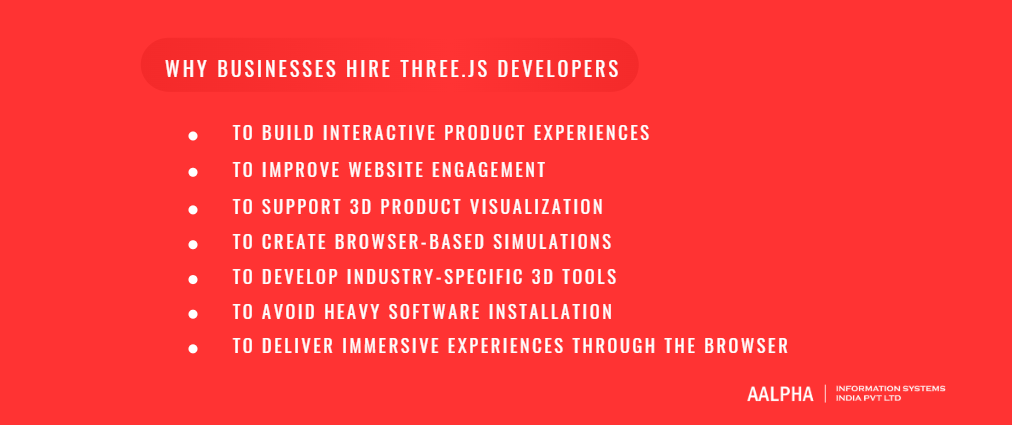
To Build Interactive Product Experiences
Businesses hire Three.js developers when static images, videos, or standard web pages are not enough to explain a product clearly. A Three.js developer can build interactive product experiences where users can rotate an item, zoom into details, change colors, switch materials, view components, and understand how the product looks before making a decision. This is especially valuable for ecommerce, furniture, fashion accessories, automobiles, electronics, industrial equipment, and custom-made products where visual detail strongly influences buying behavior.
For example, a furniture brand can allow customers to view a sofa in different fabrics and colors. A watch company can let users inspect the dial, strap, case, and finish from multiple angles. A manufacturing company can show how a machine works through interactive 3D parts. These experiences help users understand the product better and reduce uncertainty before purchase.
-
To Improve Website Engagement
Three.js is also used to make websites more engaging. A normal website may communicate information through text, images, icons, and videos. A Three.js-powered website can add movement, depth, interactivity, and visual storytelling. Users can explore content rather than only scroll through it. This can make the website feel more memorable and can help brands stand out in competitive markets.
Interactive 3D experiences are particularly useful for product launches, campaign pages, technology websites, creative agencies, SaaS brands, and premium consumer brands. When implemented correctly, Three.js can increase the time users spend on a page and make complex information easier to understand. However, this requires careful development because poor performance, slow loading, or excessive animation can have the opposite effect. Skilled Three.js developers know how to balance visual quality with speed and usability.
-
To Support 3D Product Visualization
One of the strongest business reasons to hire Three.js developers is 3D product visualization. Many products are difficult to sell through flat images alone, especially when users need to understand size, finish, structure, customization options, or internal components. Three.js developers can build product viewers and configurators that allow users to inspect the product from different angles and interact with product variants in real time.
This is useful for businesses selling furniture, jewelry, shoes, vehicles, machinery, packaging, home decor, appliances, and made-to-order products. Instead of uploading dozens of images for every product variation, businesses can use optimized 3D models and dynamic configuration logic. This can improve the buying experience and help sales teams present products more effectively.
-
To Create Browser-Based Simulations
Three.js developers are often hired to create simulations that run directly inside the browser. These simulations may show how a mechanical system works, how a scientific process happens, how an architectural space is structured, or how data changes over time. Browser-based simulations are useful because users can access them through a link without installing heavy software.
For example, an education company may use Three.js to create interactive science lessons. A healthcare company may use it to explain anatomy, surgical procedures, or medical devices. A manufacturing company may use it to train employees on equipment workflows. These simulations can make learning and decision-making more visual, practical, and accessible.
-
To Develop Industry-Specific 3D Tools
Businesses across several industries hire Three.js developers to build specialized 3D tools. Real estate companies use Three.js for property walkthroughs, floor plan visualization, and virtual tours. Architecture firms use it to present building models and interior concepts. Ecommerce companies use it for product configurators and virtual showrooms. Education platforms use it for interactive lessons and simulations. Healthcare companies use it for anatomical models, medical training, and device demonstrations. Manufacturing companies use it for digital product visualization, equipment demos, and industrial training tools.
The common benefit across these industries is clarity. Three.js helps businesses explain things that are difficult to communicate with text or flat visuals. When users can explore a product, space, or process visually, they understand it faster and remember it better.
-
To Avoid Heavy Software Installation
Another major reason businesses use Three.js is accessibility. Traditional 3D applications often require users to install desktop software, mobile apps, plugins, or large files. Three.js reduces that friction by delivering 3D experiences through the browser. Users can open a link and interact with the experience on a supported device.
This is useful for sales teams, customer demos, training portals, ecommerce websites, investor presentations, and public-facing product pages. A browser-based 3D experience can reach more users because it does not depend on software installation or complex setup.
-
To Deliver Immersive Experiences Through the Browser
Three.js allows businesses to deliver immersive digital experiences directly through websites and web applications. These experiences can include interactive animations, 3D environments, virtual product demos, WebXR features, and real-time visualizations. For businesses, this means 3D content can become part of the normal customer journey instead of existing as a separate app or offline presentation.
Hiring the right Three.js developer helps businesses turn 3D ideas into reliable, fast, and user-friendly web experiences. The best developers do not only create attractive visuals. They understand performance, browser behavior, mobile limitations, user interaction, and business goals. This combination makes Three.js development valuable for companies that want to create richer digital experiences without making the user journey complicated.
Common Use Cases for Three.js Development
-
3D Product Configurators for Ecommerce
One of the most common use cases for Three.js development is building 3D product configurators for ecommerce websites. A product configurator allows customers to view a product in 3D and customize it based on available options such as color, size, material, texture, accessories, components, and finishes. This is useful for products where appearance, structure, or customization plays a major role in the buying decision.
For example, a furniture store can let users change sofa fabric, leg style, cushion color, and room view. A shoe brand can allow users to customize the upper, sole, laces, and branding. A jewelry business can show rings, watches, or pendants from different angles with material and gemstone variations. For industrial products, a configurator can help buyers understand machine parts, attachments, and technical options before requesting a quote. Three.js helps make this experience interactive, browser-based, and easier to connect with ecommerce carts, pricing engines, inventory systems, and customer enquiry forms.
-
Virtual Showrooms
Three.js developers are also hired to build virtual showrooms where users can explore products, collections, spaces, or brand environments online. A virtual showroom can recreate a retail store, exhibition booth, product gallery, interior space, or custom digital environment. Users can move through the space, click on products, view details, watch product videos, and submit enquiries without visiting a physical location.
This is valuable for furniture brands, automobile companies, real estate firms, fashion labels, luxury brands, equipment manufacturers, and B2B businesses that need to present products visually. A browser-based showroom can support sales teams, reduce dependency on physical demos, and make product discovery available to customers across locations.
-
Real Estate and Architectural Visualization
Real estate and architecture are strong use cases for Three.js because buyers, investors, and clients often need to understand space before it is built or visited. Three.js can be used to create interactive floor plans, building walkthroughs, apartment views, township visualizations, interior previews, and exterior architectural models.
A real estate business can allow users to explore a 3D apartment layout, inspect rooms, compare unit types, or view amenities. An architecture firm can present building designs, landscape concepts, lighting studies, or interior layouts through an interactive browser experience. This helps users understand scale, layout, and spatial flow better than static images or PDF brochures.
-
3D Data Visualization Dashboards
Three.js is useful for building 3D data visualization dashboards where complex information needs to be presented visually. These dashboards may include spatial data, network structures, logistics movement, IoT device data, scientific data, financial models, operational flows, or geographic relationships. Instead of showing only tables and flat charts, Three.js can help represent data in 3D space.
For example, a logistics company can visualize warehouse movement, delivery routes, or vehicle flows. A cybersecurity company can show network activity and threat paths. A manufacturing company can display machine health, production data, or facility-level status in a 3D plant model. These dashboards are useful when decision-makers need to understand relationships, patterns, or real-time activity across a visual system.
-
Browser-Based Games and Interactive Demos
Three.js is also used for lightweight browser-based games, interactive demos, and gamified web experiences. While it is not a full game engine like Unity or Unreal Engine, it is suitable for many web games, product demos, educational games, brand campaigns, and interactive storytelling experiences. Developers can create objects, animations, collision logic, camera movement, controls, scoring systems, and visual effects directly inside the browser.
Businesses may use these experiences for marketing campaigns, product education, internal training, or customer engagement. A simple interactive game can make a campaign more memorable, while a product demo can help users understand features through direct interaction rather than passive viewing.
-
WebXR, AR, and VR Experiences
Three.js can be used to build WebXR experiences, including browser-based augmented reality and virtual reality applications. WebXR allows supported browsers and devices to deliver immersive experiences without requiring a separate native app in every case. This makes Three.js useful for companies experimenting with AR product previews, virtual environments, 3D learning modules, and immersive demonstrations.
For example, a furniture brand can allow users to preview a chair or table in their room through AR. An education company can build a virtual science lab. A real estate company can provide a virtual property walkthrough. Although WebXR projects require careful planning around device support, performance, and interaction design, Three.js gives businesses a practical way to bring immersive features to the web.
-
Medical and Scientific Visualization
Medical, scientific, and research-based organizations hire Three.js developers to create visual tools that explain complex structures and processes. Three.js can be used to display anatomical models, organs, molecules, medical devices, biological processes, laboratory simulations, and research data. These tools can support education, patient communication, training, product demonstrations, and scientific presentations.
For example, a healthcare company can create an interactive heart model to explain a condition or treatment. A medical device company can show how an implant or diagnostic tool works. A science education platform can let students explore molecules, cells, or physics concepts visually. In these cases, Three.js helps convert technical information into a more understandable visual format.
-
Training Simulations
Training simulations are another important use case for Three.js development. Companies can create browser-based training tools that help employees learn procedures, equipment handling, safety steps, or technical workflows. These simulations may not replace full physical training, but they can help users understand processes before entering a real environment.
Manufacturing companies can use Three.js to train workers on machine parts and operating procedures. Healthcare organizations can use it for anatomy or device training. Logistics companies can simulate warehouse layouts or process flows. Education companies can build interactive learning environments. Since Three.js runs in the browser, training modules can be distributed easily to teams across different locations.
-
Digital Twins and Industrial Visualization
Three.js is often used for digital twins and industrial visualization systems. A digital twin is a virtual representation of a real-world asset, machine, building, facility, or process. When connected with backend systems, IoT sensors, or operational data, a Three.js-based digital twin can help teams monitor equipment, inspect layouts, identify issues, and understand system behavior.
For example, a factory can display machines, production lines, and equipment status in a 3D model. A logistics hub can visualize warehouse zones, inventory movement, and loading areas. An energy company can show assets such as turbines, grids, or plants. These systems help technical and business teams view operations in a more practical way than spreadsheets or static reports.
-
Interactive Landing Pages and Brand Experiences
Many businesses use Three.js to create interactive landing pages and brand experiences that stand out from standard websites. These experiences may include animated 3D objects, scroll-based interactions, product storytelling, immersive backgrounds, interactive mascots, visual effects, or 3D brand elements. This approach is often used by technology companies, creative agencies, product startups, consumer brands, and campaign-driven businesses.
However, successful Three.js landing pages require careful execution. The experience must look impressive without slowing down the website or confusing users. A skilled Three.js developer can optimize assets, manage animation performance, support mobile responsiveness, and keep the page focused on business goals such as sign-ups, enquiries, product education, or conversions.
Overall, Three.js development is useful wherever businesses need to explain, visualize, simulate, or present something in a more interactive way. From ecommerce configurators and virtual showrooms to scientific tools and industrial dashboards, the technology helps companies create browser-based 3D experiences that are easier to access and more engaging than traditional static content.
Key Skills to Look for in Three.js Developers
-
Strong JavaScript or TypeScript Skills
The first skill to look for in a Three.js developer is strong JavaScript or TypeScript knowledge. Three.js is built for the JavaScript ecosystem, so a developer must be comfortable writing clean, modular, and maintainable code. They should understand ES6 syntax, classes, modules, promises, async operations, event handling, browser APIs, memory management, and build tools. For larger applications, TypeScript is especially useful because it improves code reliability, makes refactoring easier, and helps teams manage complex 3D logic with better type safety.
A developer who only knows how to copy Three.js examples may be able to create a basic scene, but they may struggle when the project requires real product logic, API integration, reusable components, state management, or advanced user interactions. For business-grade projects, the developer must be able to structure the application properly, not just make a 3D object appear on screen.
-
Three.js Fundamentals
A qualified Three.js developer should have a solid understanding of core Three.js concepts such as scenes, cameras, renderers, geometry, materials, lights, shadows, textures, meshes, loaders, and controls. These are the building blocks of every Three.js application. The developer should know how to create a scene, position objects, configure a camera, set up a renderer, apply materials, add lighting, and manage the animation loop.
For example, in a 3D product viewer, the developer must know which camera angle works best, how to light the model without making it look flat, how to apply realistic materials, how to add shadows carefully, and how to let users rotate or zoom the product. Poor understanding of these fundamentals can lead to dull visuals, broken perspectives, unrealistic materials, or slow performance.
-
WebGL and Rendering Pipeline Understanding
Three.js simplifies 3D development, but experienced developers should still understand the basics of WebGL and the rendering pipeline. They do not always need to write raw WebGL code, but they should understand how the browser uses the GPU to render 3D graphics, how shaders work at a basic level, why draw calls matter, how textures affect memory, and how lights, materials, and geometry influence rendering cost.
This knowledge becomes important in advanced projects. A simple 3D viewer may work without deep rendering knowledge, but a virtual showroom, digital twin, simulation, or WebXR experience can quickly become slow if the developer does not understand GPU limitations. Developers with WebGL awareness can make better decisions about scene complexity, material choices, texture resolution, and optimization strategy.
-
3D Math Skills
Three.js developers should understand practical 3D math. Important topics include vectors, matrices, quaternions, transformations, coordinate systems, rotations, scaling, interpolation, raycasting, bounding boxes, and object hierarchies. These concepts are used in almost every serious Three.js project.
For example, raycasting helps detect which 3D object a user clicked. Vectors help calculate movement, direction, and distance. Quaternions help handle smooth 3D rotation without common rotation problems. Coordinate systems help place objects correctly in a scene. A developer does not need to be a mathematician, but they must understand enough 3D math to solve real interaction and animation problems.
-
Asset Handling and Optimization
Most Three.js projects involve 3D assets created in tools such as Blender, Maya, Cinema 4D, or other modeling software. A good Three.js developer should know how to load and manage common 3D asset formats such as glTF, GLB, FBX, and OBJ. Among these, glTF and GLB are widely used for web-based 3D because they are designed for efficient transmission and rendering.
The developer should also understand texture formats, image compression, mesh optimization, model cleanup, polygon count reduction, material simplification, and asset loading strategies. Large 3D files can slow down a website, especially on mobile devices. A skilled developer can work with 3D artists to reduce file size, compress textures, use Draco or mesh compression where suitable, and load assets only when needed. This is important for ecommerce, real estate, and virtual showroom projects where users expect fast loading and smooth interaction.
-
Animation Skills
Three.js developers should be able to create and manage different types of animation. This includes keyframe animation, skeletal animation, object movement, camera animation, material animation, scroll-based animation, and custom animation loops. They may also use animation libraries such as GSAP for advanced timeline-based interactions.
In ecommerce, animation may be used to rotate a product, open product parts, show feature transitions, or highlight selected components. In education or healthcare, animation may explain a process step by step. In a landing page, animation may support storytelling and visual impact. The developer should know how to make animations smooth without hurting performance or confusing users.
-
Performance Optimization Skills
Performance optimization is one of the most important skills when hiring Three.js developers. A 3D experience must look good, but it must also load fast and run smoothly across devices. Developers should understand draw calls, polygon count, texture size, lazy loading, level of detail, GPU memory, frame rate, caching, model compression, and render loop optimization.
For example, if a product configurator loads multiple high-resolution models and textures at once, it may work on a powerful laptop but fail on a mid-range smartphone. A skilled developer will optimize the scene, reduce unnecessary rendering, compress assets, manage memory, and test performance early. They should also know when to reduce visual complexity for mobile devices or older hardware.
-
Frontend Framework Integration
Many Three.js projects are built inside modern frontend applications. Therefore, developers should understand how to integrate Three.js with frameworks such as React, Next.js, Vue, or Svelte. For React-based projects, React Three Fiber is an important skill because it allows developers to build Three.js scenes using React components and state-driven architecture.
This is especially useful for businesses building SaaS platforms, ecommerce websites, dashboards, or content-driven applications where 3D elements must work alongside standard UI components. A developer should know how to manage state, routing, server-side rendering limitations, hydration issues, component lifecycle, and browser-only rendering when using frameworks such as Next.js.
-
UI and Interaction Handling
A Three.js developer must know how users will interact with the 3D experience. This includes orbit controls, drag controls, zoom behavior, object selection, hotspots, annotations, clickable parts, hover states, camera transitions, touch gestures, and keyboard controls. Interaction design is important because even a visually impressive 3D scene fails if users do not know how to control it.
For example, in a product configurator, users may need to click different parts of a product and change options from a side panel. In a real estate walkthrough, users may need to move between rooms. In a medical visualization tool, users may need to highlight specific body parts. The developer should make these interactions smooth, intuitive, and accessible across desktop and mobile devices.
-
Browser Testing and Device Compatibility
Three.js developers must test experiences across browsers, operating systems, screen sizes, and device capabilities. A 3D web experience may behave differently on Chrome, Safari, Firefox, Edge, iOS, Android, tablets, laptops, and low-end devices. WebGL support is broad, but performance depends heavily on hardware, GPU capability, memory, and browser behavior.
A strong developer should test loading time, frame rate, touch controls, memory usage, responsiveness, and fallback behavior. They should also know how to handle cases where a user’s device does not support the full experience. This may include showing a lighter scene, a static preview, or a simplified version for weaker devices.
-
API Integration and Backend Communication
Many Three.js applications are not standalone visual demos. They need to communicate with backend systems. A product configurator may need pricing, inventory, product variants, user accounts, saved configurations, cart data, or quote requests. A dashboard may need real-time sensor data, analytics, or operational metrics. A training platform may need user progress, assessment results, and admin reporting.
Therefore, Three.js developers should understand API integration, authentication basics, data fetching, error handling, and frontend-backend communication. They should be able to connect the 3D experience with business logic rather than building only a visual layer.
-
Debugging and Developer Tools
Finally, a good Three.js developer should have strong debugging skills. They should be comfortable using browser developer tools to inspect performance, monitor memory, debug JavaScript, analyze network loading, and identify rendering issues. They may also use Three.js inspector tools, stats panels, performance profilers, and WebGL debugging utilities to understand what is happening inside a scene.
Debugging is especially important when dealing with broken models, missing textures, lighting issues, flickering shadows, memory leaks, slow frame rates, or inconsistent behavior across browsers. A developer who can debug systematically will save significant time during development and post-launch maintenance.
When hiring Three.js developers, businesses should evaluate both creative and technical ability. The right developer should know JavaScript, Three.js fundamentals, 3D math, asset workflows, animation, performance optimization, browser testing, API integration, and debugging. This combination is what separates a basic demo builder from a developer who can deliver a reliable, production-ready 3D web application.
In-House vs Freelance vs Dedicated Three.js Developers
-
Hiring In-House Three.js Developers
Hiring an in-house Three.js developer means bringing the developer directly onto your company’s payroll. This model works well when 3D development is a long-term part of your product strategy. For example, if you are building a SaaS platform with continuous 3D visualization features, an ecommerce platform with ongoing product configurator updates, or an industrial dashboard that needs regular improvements, an in-house developer can give you deeper product ownership and closer team collaboration.
The main advantage of in-house hiring is continuity. The developer understands your product, business goals, technical architecture, design standards, and customer feedback over time. They can work closely with your internal product, design, marketing, and engineering teams. This model is also useful when you need faster internal communication and frequent changes after launch.
However, in-house hiring can be expensive and slower to execute. Three.js developers with strong WebGL, 3D math, asset optimization, and frontend framework experience are not as easy to find as general frontend developers. You also need to handle recruitment, salary, benefits, onboarding, management, hardware, software tools, and retention. If your 3D requirement is limited to one project or a short campaign, hiring full-time may not be cost-effective.
-
Hiring Freelance Three.js Developers
Freelance Three.js developers are suitable for short-term projects, prototypes, MVPs, landing pages, campaign experiences, product demos, and small 3D features. If you need a basic product viewer, a simple animated 3D section, or a proof of concept, a freelancer can be a practical option. Freelancers are often easier to hire quickly, and you can work with them on an hourly or fixed-price basis.
The biggest advantage of freelancers is flexibility. You can hire them for a specific task without committing to long-term employment. This can reduce upfront cost and help businesses test an idea before investing in a larger development team. Freelancers may also bring niche skills, such as shaders, React Three Fiber, WebXR, or 3D animation, depending on their experience.
The main risk is consistency. Some freelancers may be strong at creating visual demos but weak at production architecture, browser testing, documentation, or long-term maintenance. Availability can also become a problem after project delivery. If the application breaks after a browser update, needs performance improvement, or requires new features, the same freelancer may not always be available. This model works best when the scope is clear, the project is not mission-critical, and your internal team can review the code quality.
-
Hiring Dedicated Three.js Developers From an Agency
Hiring dedicated Three.js developers from an agency gives businesses access to skilled developers without the burden of full-time recruitment. In this model, a web development company assigns one or more developers to work on your project either full-time, part-time, or for a fixed duration. This is useful when you need technical depth, faster hiring, better project management, and access to supporting roles such as UI/UX designers, backend developers, QA testers, DevOps engineers, and project managers.
This model works well for MVPs, ecommerce configurators, virtual showrooms, real estate visualization platforms, industrial dashboards, WebXR applications, and enterprise-grade 3D tools. An agency can usually provide a more complete delivery setup than an individual freelancer. If the project needs backend APIs, admin panels, payment integration, analytics, authentication, CMS integration, or cloud deployment, an agency-led team can handle the wider technical requirements.
The main advantage is lower management risk. You get access to vetted developers, replacement support if needed, structured communication, code review, QA, and delivery milestones. The cost may be higher than hiring a low-cost freelancer, but the overall project risk is usually lower for complex or business-critical applications.
-
Pros and Cons of Each Hiring Model
Each hiring model has trade-offs. In-house developers offer strong product ownership and long-term continuity, but recruitment can be slow and expensive. Freelancers offer flexibility and lower initial cost, but quality, availability, and post-launch support can vary. Dedicated developers from an agency offer a balance between flexibility and reliability, especially when the project needs more than only Three.js coding.
For a small marketing microsite, hiring a freelancer may be enough. For a long-term product where 3D is a core feature, an in-house developer or dedicated team model may be better. For a complex product configurator, virtual showroom, real estate visualization tool, or industrial dashboard, an agency model is often more practical because these projects usually require frontend development, 3D asset handling, backend communication, testing, deployment, and maintenance.
-
Best Model for MVPs, Long-Term Products, Enterprise Systems, and Campaigns
For MVPs, the right choice depends on complexity. If the MVP is a simple clickable prototype or basic 3D viewer, a freelancer can work. If the MVP needs user accounts, backend APIs, admin features, ecommerce integration, or performance testing, a dedicated developer from an agency is safer.
For long-term products, in-house hiring can make sense once the product has stable funding and a clear roadmap. However, many businesses start with a dedicated development team before building an internal team. This helps them validate the product, launch faster, and avoid early recruitment delays.
For complex enterprise systems, dedicated agency teams or in-house teams are usually better than freelancers. Enterprise projects often need architecture planning, security, scalability, browser compatibility, QA, documentation, and integration with existing systems. A single freelancer may not cover all these requirements.
For short-term campaigns, product launches, interactive landing pages, and experimental demos, freelancers or small agency teams are often suitable. The project duration is limited, and the focus is usually on fast execution, creative interaction, and visual polish.
-
Cost, Availability, Management, and Quality Control
Cost should not be judged only by hourly rate. A low hourly rate can become expensive if the developer produces slow code, oversized assets, poor architecture, or an experience that fails on mobile devices. In-house hiring has the highest fixed commitment, but it gives better long-term control. Freelancers may cost less initially, but require stronger internal review. Dedicated agency developers may cost more than individual freelancers, but usually include better process, supervision, and continuity.
Availability is another important factor. In-house developers are available for ongoing work but take longer to hire. Freelancers are flexible but may not be available when you need urgent updates. Agencies can usually assign or replace developers faster, which reduces delivery risk.
Management effort also varies. Freelancers require clear briefs, close follow-up, and technical review. In-house teams need internal management and career growth planning. Agency developers usually work within a defined process, which reduces the burden on non-technical business owners.
-
Recommendation Based on Project Complexity
For simple demos, lightweight landing pages, and one-time interactive visuals, a skilled freelancer can be enough. For ecommerce configurators, virtual showrooms, real estate tools, and business applications that need backend integration, hiring dedicated Three.js developers from an agency is usually the better option. For companies where 3D visualization is a permanent product function, in-house hiring becomes more attractive after the product has matured.
The safest approach is to match the hiring model to project complexity. If the project is small, keep the team lean. If the project affects sales, customer experience, operational workflows, or long-term product value, choose a dedicated or in-house model with stronger quality control and post-launch support.
Where to Find and Hire Three.js Developers
-
Software Development Companies
Software development companies are one of the most reliable sources for hiring Three.js developers, especially when the project involves more than a standalone 3D scene. A Three.js project often requires frontend development, backend integration, UI/UX design, 3D asset handling, performance testing, deployment, and long-term maintenance. A software development company can provide these skills under one delivery structure, which is useful for businesses building ecommerce configurators, real estate platforms, virtual showrooms, industrial dashboards, healthcare visualizations, or WebXR applications.
The main advantage of working with a web or software development company is accountability. Instead of depending on one individual, businesses get access to a broader team that may include project managers, frontend engineers, QA testers, backend developers, designers, and DevOps specialists. This reduces delivery risk when the project has multiple technical layers. It is also easier to scale the team if the project grows or requires new features after launch.
-
Dedicated Developer Agencies
Dedicated developer agencies are a good option for businesses that want to hire Three.js developers on a full-time or part-time basis without recruiting them internally. In this model, the agency assigns one or more developers to work as an extension of the client’s team. The client usually manages priorities, while the agency handles hiring, payroll, replacement support, and administrative overhead.
This model works well for companies that already have a product roadmap but need skilled Three.js talent quickly. It is useful for startups building MVPs, ecommerce companies adding 3D features, SaaS platforms requiring interactive visualization, and enterprises that need temporary capacity for a specific module. Dedicated hiring is often more flexible than in-house recruitment and more stable than relying on multiple freelancers.
-
Freelance Marketplaces
Freelance marketplaces can help businesses find Three.js developers for short-term tasks, prototypes, landing pages, interactive demos, and small product viewers. Platforms that list freelance developers often allow clients to review portfolios, hourly rates, past project ratings, and client feedback. This can make it easier to compare multiple candidates quickly.
However, businesses should be careful when hiring through freelance marketplaces. A visually impressive demo does not always prove that the developer can build production-ready software. Before hiring, review live examples, ask about the developer’s exact contribution, check whether the experience works on mobile devices, and request details about performance optimization. Freelancers can be a good fit for clearly defined projects, but complex applications may need stronger technical supervision.
-
GitHub and Open-Source Communities
GitHub is a valuable place to find Three.js developers with real coding experience. Developers who contribute to Three.js-related repositories, React Three Fiber projects, shader examples, WebGL utilities, loaders, or 3D visualization tools often demonstrate stronger technical capability than candidates with only screenshots in a portfolio.
When reviewing GitHub profiles, look at code structure, commit history, documentation, issue participation, project complexity, and whether the developer has built original work. A public repository can reveal how the developer organizes components, handles assets, manages rendering logic, and solves technical problems. This is especially useful when hiring for senior or technically complex roles.
-
LinkedIn
LinkedIn is useful for finding Three.js developers, frontend engineers with 3D experience, WebGL developers, React Three Fiber developers, and creative technologists. It allows businesses to search by skills, job titles, previous companies, project experience, and location. LinkedIn is also useful for reaching developers who may not be actively applying on job boards but are open to relevant opportunities.
When using LinkedIn, search beyond the exact title “Three.js Developer.” Many qualified candidates may use titles such as WebGL Developer, Frontend Engineer, Creative Developer, 3D Web Developer, React Three Fiber Developer, Graphics Engineer, or Visualization Engineer. Review their project links, technical posts, GitHub profiles, and case studies before starting the hiring process.
-
Three.js Community Forums and Developer Networks
Three.js community forums, Discord groups, developer communities, and technical discussion boards can also help businesses find skilled developers. These communities are useful because members often discuss real implementation problems, performance issues, browser compatibility, shaders, model loading, and framework integration. Developers who actively help others or share advanced examples may have stronger practical experience.
This source is especially useful for niche requirements such as WebXR, advanced shaders, physics-based interactions, procedural geometry, or React Three Fiber architecture. However, hiring from communities requires careful outreach. Businesses should approach developers professionally, clearly describe the project, and avoid treating technical forums as generic job boards.
-
Design and 3D Communities
Design and 3D communities can be useful when the project needs strong visual quality as well as development skill. Platforms where 3D artists, motion designers, creative developers, and interactive designers showcase their work can help businesses find talent for virtual showrooms, product configurators, brand experiences, and interactive landing pages.
However, it is important to distinguish between 3D design ability and Three.js development ability. A 3D artist may create excellent models, but may not know how to implement them in a browser. A creative developer may build strong interactions, but may need support from 3D artists for asset creation. For visually rich projects, businesses may need both roles: a 3D artist to create optimized assets and a Three.js developer to build the interactive web experience.
-
Referrals and Technical Networks
Referrals are often one of the best ways to find reliable Three.js developers. Recommendations from technical founders, CTOs, product managers, designers, or agencies can reduce hiring risk because the candidate has already worked on real projects. Referrals are especially useful when hiring for senior roles or business-critical applications where quality, communication, and reliability matter as much as technical skill.
A strong referral should still be verified. Ask for live project links, code samples, technical discussion, and references from previous clients or employers. Even when a candidate comes recommended, the project requirements may differ from their previous work.
-
How to Evaluate the Quality of Each Source
The best hiring source depends on the project’s complexity, timeline, budget, and level of internal technical support. Software development companies and dedicated agencies are better for complex or long-term projects because they provide team support and delivery structure. Freelance marketplaces are useful for smaller tasks and short-term experiments. GitHub and developer communities are strong sources for technically skilled candidates. LinkedIn is useful for broader outreach. Design and 3D communities are valuable when the project needs visual creativity.
Regardless of source, businesses should evaluate developers using live demos, code samples, portfolio quality, mobile performance, asset optimization knowledge, communication skills, and experience with similar projects. The goal is not just to find someone who can create a 3D scene, but to hire a developer who can deliver a reliable, fast, and user-friendly Three.js experience for real business users.
Cost to Hire Three.js Developers
-
Factors That Affect Hiring Cost
The cost to hire Three.js developers depends on the type of experience you need, the complexity of the 3D application, the hiring model, the developer’s location, and the level of supporting work required around the core Three.js implementation. A simple 3D product viewer may need only one frontend-focused Three.js developer, while a large product configurator, virtual showroom, WebXR application, or industrial visualization dashboard may require a team that includes a Three.js developer, UI/UX designer, 3D artist, backend developer, QA tester, and project manager.
Three.js development is usually more expensive than basic frontend development because it requires knowledge of both web engineering and 3D graphics. The developer must understand JavaScript or TypeScript, Three.js fundamentals, rendering performance, model loading, texture handling, camera controls, animation, browser limitations, and device compatibility. For advanced projects, skills such as WebGL, shaders, physics, React Three Fiber, WebXR, and GPU optimization can increase the cost further. Public hiring platforms also show that WebGL and Three.js-related roles are treated as specialized development skills rather than basic web development roles. Upwork, for example, lists Three.js hiring under web 3D, WebGL, frontend fundamentals, and JavaScript framework requirements, while MDN defines WebGL as a browser API for high-performance 2D and 3D graphics using hardware acceleration.
-
Developer Experience Level
Experience level has a direct impact on cost. A junior Three.js developer may be suitable for basic scene setup, simple animation, small visual components, or support work under senior guidance. A mid-level developer can usually handle product viewers, model loading, user interaction, frontend integration, and standard optimization. A senior Three.js developer is required when the project involves complex architecture, advanced rendering, custom shaders, heavy asset optimization, WebXR, real-time data visualization, or performance-sensitive applications.
Hiring a cheaper junior developer for a complex 3D project can create long-term problems. Three.js projects often fail not because the first visual demo is impossible, but because the production version becomes too slow, too heavy, or too difficult to maintain. Senior developers cost more, but they are better equipped to make the right decisions early regarding scene structure, asset loading, frame rate, device compatibility, and future scalability.
-
Hiring Model
The hiring model also affects cost. Freelance Three.js developers usually charge hourly or per project and are suitable for smaller tasks, prototypes, landing pages, and short-term 3D modules. Dedicated developers from an agency may cost more than individual freelancers, but they usually provide better continuity, project management, QA support, and replacement options. In-house developers involve the highest fixed commitment because the company must pay salary, benefits, hiring costs, tools, and management overhead.
General 2026 developer rate benchmarks show wide variation by region and skill. Arc’s freelance developer rate guide lists broad regional hourly averages ranging from about $22-$55 per hour in South Asia, $40-$85 per hour in Eastern Europe, $70-$120 per hour in Western Europe, and $82-$130 per hour in the United States and Canada. For WebGL developers specifically, Arc lists a typical hourly range around $75-$95 for some remote regions such as Eastern Europe and Latin America. These figures should be used as directional market references rather than fixed Three.js pricing, because final cost depends heavily on project scope and skill depth.
-
Project Complexity and Advanced Skills
Project complexity is often the biggest cost driver. A simple 3D viewer with one optimized GLB model, orbit controls, basic lighting, and responsive layout may cost far less than an advanced ecommerce configurator with multiple product variants, dynamic pricing, hotspots, material switching, saved configurations, cart integration, analytics, and backend APIs.
Advanced technical requirements increase the price. React Three Fiber may be needed when a Three.js scene is part of a React or Next.js application. WebXR may be required for AR or VR experiences. Shaders may be needed for custom visual effects, realistic materials, procedural animation, or advanced rendering. Physics engines may be required for simulations, games, product movement, or training tools. Backend integration may be needed for user accounts, product data, configuration saving, pricing rules, CMS control, or real-time dashboards. Each of these requirements adds development time, testing effort, and technical risk.
-
Simple 3D Viewer vs Advanced Product Configurator
A simple 3D viewer is usually the lowest-cost Three.js project. It may include model loading, camera controls, basic lighting, zoom, rotation, and responsive display. This type of project is suitable for product pages, portfolios, basic demos, and proof-of-concept experiences.
An advanced product configurator costs significantly more because it includes business logic and user decision-making. It may require multiple product models, material and texture changes, variant rules, price calculation, inventory checks, admin control, ecommerce cart integration, user accounts, shareable configurations, screenshots, quotations, and mobile optimization. In many cases, the 3D development is only one part of the total cost. Backend systems, UI/UX design, QA, 3D model preparation, and post-launch support can represent a large share of the budget.
-
Hourly, Monthly, and Project-Based Pricing
Three.js developers can be hired through hourly, monthly, or fixed project-based pricing. Hourly pricing works well when requirements are changing or when the business needs technical support, optimization, debugging, or ongoing improvements. Monthly pricing is suitable for dedicated developers working as part of a long-term team. Project-based pricing works best when the scope, deliverables, timeline, and acceptance criteria are clearly defined.
For smaller projects, fixed pricing can be attractive because the budget is easier to control. For complex projects, hourly or monthly engagement may be safer because requirements often change after testing real 3D assets, performance benchmarks, and browser behavior. Businesses should avoid vague fixed-price contracts for complex 3D applications because they often lead to scope disputes or quality compromises.
-
Hidden Costs to Consider
The cost of hiring a Three.js developer is not limited to coding. Businesses should also budget for 3D model creation or cleanup, texture optimization, file compression, UI/UX design, browser testing, mobile testing, performance optimization, backend APIs, cloud hosting, CDN usage, analytics, QA, documentation, and post-launch maintenance. If the business does not already have web-ready 3D assets, asset preparation can become a major cost component.
Maintenance is also important. Browser updates, device differences, new product variants, new models, bug fixes, and performance improvements may be needed after launch. A product configurator or virtual showroom should be treated as a living digital product, not a one-time design asset.
-
Why Low-Cost Hiring Can Become Expensive
Low-cost hiring can become expensive when the developer lacks production experience. A poorly built Three.js application may load slowly, consume too much GPU memory, fail on mobile devices, show broken textures, create inconsistent lighting, or become difficult to update. These issues can damage user experience and may require costly rework by a senior developer later.
The best hiring decision is not always the lowest hourly rate. Businesses should evaluate the developer’s portfolio, code quality, optimization knowledge, browser testing process, asset handling experience, and ability to connect 3D features with real product requirements. For simple visual demos, a lower-cost developer may be enough. For revenue-generating ecommerce configurators, enterprise visualization tools, healthcare simulations, or customer-facing WebXR experiences, investing in experienced Three.js developers is usually the safer and more cost-effective choice.
Mistakes to Avoid When Hiring Three.js Developers
-
Hiring a General Frontend Developer Without 3D Experience
One of the most common mistakes businesses make is hiring a general frontend developer for a Three.js project without checking their 3D development experience. A frontend developer may be excellent with React, Next.js, HTML, CSS, API integration, and responsive UI, but Three.js requires additional knowledge of scenes, cameras, lighting, materials, textures, geometry, model loading, animation loops, raycasting, and rendering performance.
This mistake usually becomes visible after the first basic demo. The developer may be able to display a cube or load a simple model, but may struggle when the project needs realistic lighting, model optimization, material switching, mobile performance, 3D interactions, or smooth animation. Businesses should verify actual Three.js project experience before hiring, especially for ecommerce configurators, virtual showrooms, simulations, and WebXR applications.
-
Ignoring Performance Optimization
Performance is critical in Three.js development. A 3D scene can look impressive on a high-end laptop but fail on average mobile devices if it uses oversized textures, heavy models, excessive draw calls, poor lighting setup, unnecessary animation loops, or unoptimized assets. Ignoring performance early can lead to slow loading, low frame rates, overheating devices, browser crashes, and poor user experience.
Businesses should ask candidates how they optimize model size, texture resolution, render loops, GPU memory, lazy loading, level of detail, and mobile performance. A good Three.js developer should think about performance from the beginning, not only after the project is complete.
-
Not Checking Live Demos
Screenshots and videos are not enough to evaluate a Three.js developer. A screenshot may look polished, but it does not prove that the 3D experience loads fast, responds smoothly, works on mobile, or handles user interaction properly. Businesses should always ask for live demos, deployed links, or interactive examples.
When reviewing a live demo, test the loading time, rotation, zoom, clicks, touch gestures, responsiveness, and behavior across devices. If possible, ask what part of the project the developer personally built. Some candidates may show team projects where their contribution was limited.
-
Overlooking Mobile Performance
Many users will access browser-based 3D experiences from mobile devices. This is especially important for ecommerce, real estate, education, healthcare, and public-facing campaign pages. A Three.js experience that works only on desktop has limited commercial value unless the project is specifically built for internal desktop use.
Mobile devices have smaller screens, lower GPU capacity, memory limits, touch-based controls, battery constraints, and browser-specific behavior. A skilled developer should know how to simplify scenes, reduce asset size, support touch gestures, adjust camera behavior, and provide fallback experiences where needed.
-
Not Defining Asset Requirements
Three.js projects depend heavily on 3D assets. If the business does not define asset requirements early, the project can face delays, quality issues, and cost overruns. Models created for animation, rendering, or CAD software are not always ready for web use. They may have too many polygons, large textures, unsupported materials, missing UVs, incorrect scale, or file formats that need conversion.
Before hiring, businesses should clarify who will create, clean, export, compress, and test the 3D assets. The developer should be comfortable working with formats such as GLB, glTF, FBX, and OBJ, and should understand how to coordinate with 3D artists or designers.
-
Not Planning Browser Compatibility
Three.js runs in the browser, so compatibility must be planned from the beginning. Different browsers and devices may handle WebGL, memory, textures, controls, and performance differently. Safari on iOS, for example, may behave differently from Chrome on desktop. If compatibility is not tested early, the final product may fail for a large portion of users.
Businesses should define supported browsers, devices, and fallback behavior before development starts. This is especially important for customer-facing websites where users may access the experience from many different environments.
-
Choosing Freelancers Without Long-Term Support
Freelancers can be a good option for small Three.js projects, but long-term support must be considered. A 3D web application may need updates after launch, especially when new products, new assets, new browser versions, new devices, or performance issues appear. If the freelancer is unavailable later, the business may need another developer to understand and fix the existing code.
To reduce this risk, businesses should ask for clean documentation, organized code, repository access, deployment instructions, asset guidelines, and maintenance terms before the project begins.
-
Skipping Technical Interviews
A portfolio alone does not prove technical depth. Businesses should conduct technical interviews to understand how the developer thinks, solves problems, and handles real project constraints. Interview questions should cover Three.js fundamentals, JavaScript or TypeScript, model loading, materials, lighting, animation, raycasting, performance optimization, browser compatibility, and debugging.
For senior roles, businesses should also ask about architecture decisions, React Three Fiber integration, backend communication, WebXR, shaders, and experience with production deployments. A short technical discussion can reveal whether the candidate truly understands 3D web development or has only modified existing examples.
-
Not Involving 3D Designers or Asset Creators Early
Three.js developers and 3D asset creators must work together. If designers create models without considering browser performance, the developer may receive assets that are too heavy or difficult to use. This can lead to rework, delays, and visual compromises.
For product configurators, virtual showrooms, architectural visualization, and medical models, asset planning should happen early. The team should define polygon limits, texture sizes, file formats, naming conventions, material requirements, and export settings. Early coordination helps the final experience look good and perform well.
-
Underestimating Testing and Maintenance
Three.js projects need more testing than many standard web pages. Teams must test visual quality, interactions, loading time, frame rate, memory usage, responsiveness, browser behavior, mobile gestures, asset loading, and fallback states. Testing should include both technical checks and user experience reviews.
Maintenance is also important. After launch, businesses may need to add new models, update product variants, fix browser-specific issues, optimize performance, or improve interactions based on user feedback. Treating a Three.js application as a one-time visual asset is a mistake. It should be planned, tested, and maintained like a real digital product.
Why Hire a Three.js Development Company?
-
Complex 3D Projects Need More Than One Developer
Hiring a Three.js development company is often a better choice when the project is more complex than a simple 3D viewer or visual demo. Many business-grade Three.js projects require multiple skill sets working together. A product configurator, virtual showroom, real estate walkthrough, WebGL dashboard, digital twin, or WebXR experience may need frontend engineering, backend development, UI/UX design, 3D asset preparation, testing, deployment, and post-launch support. One developer may be able to build the first version, but larger projects usually need a structured team to deliver a stable, scalable, and production-ready application.
A Three.js development company can provide this team-based approach. Instead of depending on one freelancer for every technical and creative decision, businesses can work with specialists who handle different parts of the project. This reduces risk, improves execution quality, and makes the final product easier to maintain after launch.
-
Access to Frontend, Backend, UI/UX, 3D, QA, and DevOps Skills
Three.js development is not only about rendering 3D objects in the browser. A customer-facing 3D product configurator may need ecommerce integration, pricing logic, product variant management, cart connection, analytics, and admin controls. A real estate visualization tool may need CMS integration, user enquiries, property data, image galleries, maps, and lead capture. An industrial visualization dashboard may need backend APIs, real-time data, authentication, role-based access, and reporting.
A development company can bring together frontend developers, backend engineers, UI/UX designers, 3D artists or asset specialists, QA testers, DevOps engineers, and project managers. This is important because a technically correct Three.js scene is not enough. The application must look good, load quickly, work across devices, connect with business systems, and support real users.
-
Faster MVP Development and Better Architecture
A Three.js development company can also help businesses build MVPs faster. Since the team already has experience with project planning, development workflows, code reviews, testing, and deployment, they can move from concept to working product more efficiently. This is useful for startups and enterprises that want to validate a 3D product idea before investing in a larger platform.
Architecture is another major advantage. Poorly planned Three.js applications can become difficult to update, especially when new product models, animations, user roles, backend features, or integrations are added later. A professional development company can plan the structure properly from the beginning, including component architecture, asset loading strategy, API communication, performance benchmarks, and deployment setup.
-
Performance Testing Across Devices
Performance testing is critical for Three.js applications. A 3D experience may work well on a high-end desktop but fail on mobile phones, tablets, older laptops, or different browsers. A development company can test the application across devices, browsers, screen sizes, and network conditions. This includes checking loading speed, frame rate, memory usage, texture size, touch controls, camera behavior, and fallback states.
This testing process is especially important for ecommerce websites, public landing pages, healthcare tools, education platforms, and enterprise dashboards where users may access the application from different environments.
-
Long-Term Maintenance and Feature Upgrades
Three.js applications often need updates after launch. Businesses may need to add new 3D models, improve performance, update product options, fix browser-specific issues, integrate new APIs, add analytics, or improve user interactions based on feedback. A development company can provide long-term maintenance and feature upgrades so the application continues to work as business needs change.
Businesses planning to build Three.js-based platforms, 3D product configurators, WebGL applications, interactive visualizations, or immersive web experiences can work with experienced development companies such as Aalpha Information Systems for frontend development, Three.js integration, backend development, UI/UX design, performance optimization, QA, deployment, and long-term support.
Conclusion
Hiring the right Three.js developer is important if your business wants to build interactive 3D product viewers, configurators, virtual showrooms, WebGL dashboards, simulations, or immersive browser-based experiences. A strong Three.js developer should understand JavaScript or TypeScript, 3D rendering, asset optimization, animation, browser compatibility, performance, and frontend integration.
For small demos or short-term campaigns, a freelancer may be enough. For complex, customer-facing, or long-term platforms, hiring dedicated Three.js developers or working with a Three.js development company is usually a safer choice. The right team can help you plan the architecture, optimize 3D assets, test performance across devices, and support the application after launch.
If you are planning to build a Three.js-based web application, 3D product configurator, WebGL platform, or interactive visualization tool, Aalpha Information Systems can help with Three.js development, frontend engineering, backend integration, UI/UX design, QA, deployment, and long-term maintenance. Contact now!
FAQs
What does a Three.js developer do?
A Three.js developer builds interactive 3D experiences that run inside web browsers. They work with 3D scenes, cameras, lighting, textures, models, animations, controls, and user interactions to create product viewers, configurators, visualizations, simulations, and WebXR experiences.
Why should I hire a Three.js developer?
You should hire a Three.js developer when your project needs browser-based 3D features instead of static images or basic web pages. They can help build interactive product demos, virtual showrooms, real estate walkthroughs, training simulations, and 3D dashboards that users can access directly from a website.
How much does it cost to hire a Three.js developer?
The cost depends on the developer’s experience, location, hiring model, and project complexity. A simple 3D viewer usually costs less than an advanced product configurator with backend integration, animations, WebXR, shaders, or real-time data. Businesses can hire Three.js developers hourly, monthly, or on a fixed project basis.
What skills should a Three.js developer have?
A Three.js developer should have strong JavaScript or TypeScript skills, knowledge of Three.js fundamentals, 3D math, WebGL basics, model loading, texture optimization, animation, performance tuning, browser testing, and frontend framework integration. Experience with React Three Fiber, Next.js, WebXR, or shaders is useful for advanced projects.
Is Three.js good for ecommerce product configurators?
Yes, Three.js is a strong choice for ecommerce product configurators. It allows users to rotate products, zoom into details, change colors, switch materials, select components, and view product variations in real time. It is useful for furniture, jewelry, shoes, vehicles, machinery, home decor, and custom products.
Should I hire a freelance Three.js developer or a development company?
A freelance Three.js developer may be suitable for small demos, landing pages, and short-term prototypes. A development company is usually better for complex projects that need UI/UX design, backend APIs, ecommerce integration, QA, performance testing, deployment, and long-term support.
How do I test a Three.js developer before hiring?
Ask for live demos, review code samples, check mobile performance, and discuss their role in previous projects. You can also give a small practical test, such as loading a GLB model, adding controls, creating hotspots, optimizing assets, or fixing performance issues in a sample Three.js scene.