






TL;DR: Website Maintenance Costs
Website maintenance typically costs $5–$25/month for personal sites, up to $100/month for small business sites, and $1,500–$2,500/month for eCommerce platforms — with monthly costs overall ranging $150–$5,000 depending on complexity, traffic, security needs, and integrations. Add-on costs include domain renewal ($8–$20/year), SSL ($10–$1,500/year), and hosting ($24–$24,000/year depending on shared, VPS, or dedicated). Core tasks span security patches, backups, performance monitoring, content updates, and SEO checks — done monthly, quarterly, and annually. Skipping maintenance risks security breaches, SEO decline, and lost revenue, so partnering with an experienced provider like Aalpha helps ensure scalability, security, and long-term reliability.
Most people and businesses will, at some point, opt to have their own websites. There are different purposes for building websites. Some core objectives are sharing information, selling a product, carrying out campaigns or email marketing, or providing service. Within the confines of these purposes, a website is core to achieving the intended goals but will need maintenance to increase efficiency and effectiveness.
Website maintenance may take place in phases, on a yearly basis, or upon request. It may involve activities like updating new content, doing away with spam messages, enhancing the website’s security, and monitoring the website traffic. The maintenance of a website is a key to ensuring it is user-friendly and runs efficiently with no noticeable interruptions. Such activity may require a team of web designers, software developers, and security experts.
Website maintenance will enhance the general outlook and experience of the website, traffic and increase sales. This article will define website maintenance, give reasons for the process, the components, costs, the types of maintenance, and tips for managing them.
What is website maintenance?
We can define website maintenance as the process of keeping the designed website to the latest model, ensuring the smooth running of all resources and optimal performance. It includes various tasks like ensuring there are no broken links or links with errors and inappropriate redirects, feeding the website with updated content, setting security add-ons, and removing unnecessary spam messages. You may also do so by backing up the website and monitoring all the visits to the website.
Importance of website maintenance
-
Most customers are conducting their research using online platforms
It is estimated that 87% of people will research online before purchasing something online. If people are considering buying your products or service, there is a likelihood they will visit your website. If your website has a bad impression of who you are as a company, that will give your competitor a higher advantage, and you will miss selling out to the customer.
-
The website will determine your visitor’s first impressions
If your website is outdated or not working efficiently, customers or visitors will likely avoid it or click away. That comes out as a first negative impression of the customers towards your business. An unprofessional website makes visitors think your business is a joke.
-
A website will assist in growing sales
The website is a guiding tool for the visitors to end up making a purchase. You must have a properly functioning eCommerce website to ensure you tap all potential sales.
-
Visitors and customers value their general user experience of the website
If visitors get a bad user experience, a large percentage will end up shopping or going to your competitor. Regular maintenance will ensure an excellent user experience and enhances the chances of potential customers making a purchase.
-
Improving the security of the website
With increased cyberattacks on the rise, if you don’t be careful, you may need to repair damage brought about by such attacks, and it may cost you your customers since they lose trust once their personal information is compromised. Maintain the security protections you have set in place, which will make your customers comfortable making their purchases on the website. Ensure the security systems on your website are always up to date to fight against cyber threats.
-
Website maintenance improves SEO
Keep your website regularly updated to ensure Google ranks it well and users, customers, audiences, or clients visit frequently. If you have a high bounce rate, you rank lower in search results; thus, you get less traffic.
Ensure security issues, technical concerns, design, structure, and content are all in order and updated.
Types of website maintenance
Website maintenance is core to preventing technical issues, improving user experience, and ranking high in search engine results pages (SERPs). It is a tedious process, but very important to ensure the site runs smoothly. Here are the core types to check:
- Security updates: Always ensure your website has security patches that are up to date to protect the site from hackers.
- Plugin & theme updates: The functionality of the website is extended by themes and plugins. Keep them up to date to ensure there are no compatibility concerns with security patches while using the latest web browsers.
- Performance monitoring and optimization: Monitor and optimize the website to improve the responsiveness and speed of the website. Such may include the use of minifying code, optimizing image sizes, and enhancing page load times.
- Content updates: Always update your content, and it should be accurate and relevant. Create new blog posts, remove outdated posts, and update product descriptions. Include the terms of service (TOS) and privacy policy pages on your website.
- Accessibility testing: Do this to ensure your site is accessible to people who experience slow internet speeds, compatible with mobile devices, and accessible to those with disabilities.
- Backup and disaster recovery: Always back up your website depending on the timelines you set, either weekly or daily. Backups prevent data loss and enhance the restoration of compromised attacks or hacking. Disaster recovery will ensure you get back to running smoothly and quickly in case of a hitch.
- Security scanning: Secure the website and protect it from potential threats. Once you scan, it helps you identify and fix any security vulnerabilities.
- User management: You should be ready to create and delete user accounts, reset passwords, and manage different levels of permissions. Having full control ensures you do away with bots and spam accounts.
- SEO monitoring: Your site needs to be visible to the major search engines. Track the ranking of the site, the traffic, and track backlinks.
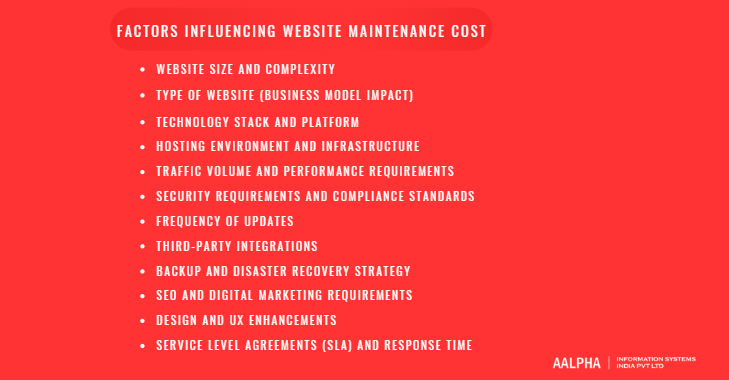
Factors Influencing Website Maintenance Cost
Website maintenance costs vary widely because no two websites are built, hosted, secured, or scaled in the same way. When businesses ask, “Why does website maintenance cost $5-10 per month for one site and $2,000 per month for another?”, the answer lies in multiple technical, operational, and strategic variables. Understanding these factors helps you budget accurately and avoid underestimating long-term operational expenses.
Below are the most important elements that directly influence website maintenance pricing.
-
Website Size and Complexity
The number of pages, features, and interactive components significantly impacts maintenance effort. A five-page brochure website requires minimal updates and monitoring. In contrast, a multi-language corporate website with 300+ pages, landing pages, gated resources, forms, APIs, and integrations demands continuous technical oversight.
Complex websites often include:
- Custom dashboards
- User login systems
- Payment gateways
- Inventory management modules
- CRM or ERP integrations
Each additional feature increases testing requirements after updates. The more complex the architecture, the more time developers spend ensuring stability, compatibility, and performance. Larger sites also require deeper QA validation during every update cycle.
-
Type of Website (Business Model Impact)
The nature of the website plays a critical role in cost determination.
Personal or Portfolio Website
Requires occasional content updates and basic security monitoring.
Corporate Website
Needs regular content publishing, SEO updates, and compliance monitoring.
eCommerce Website
Requires ongoing product uploads, payment gateway maintenance, order processing checks, fraud monitoring, security hardening, and performance optimization. Downtime directly affects revenue, making proactive monitoring essential.
Web Applications or SaaS Platforms
Involve server monitoring, API health checks, database optimization, performance scaling, and continuous feature updates. Maintenance for SaaS platforms resembles software lifecycle management rather than simple website upkeep.
The more revenue-critical the website, the higher the maintenance investment.
-
Technology Stack and Platform
The framework or CMS used to build the website significantly affects maintenance complexity.
WordPress Websites
Require plugin updates, theme updates, core updates, and compatibility testing. Poorly maintained plugin ecosystems increase vulnerability risk.
Custom-Built Platforms (Laravel, Django, Node.js)
Require developer involvement for updates, dependency upgrades, and framework patches. Maintenance costs are higher because changes must be coded, tested, and deployed manually.
Headless or JavaScript Frameworks (React, Next.js, Vue)
Require ongoing dependency updates, build optimization, server configuration management, and deployment pipeline monitoring.
Websites built on modern frameworks may have better scalability but require skilled developers for maintenance, increasing cost.
-
Hosting Environment and Infrastructure
Hosting type directly influences operational maintenance expenses.
Shared Hosting
Lower cost, limited scalability, basic monitoring.
VPS or Cloud Hosting
Requires server configuration, uptime monitoring, patch management, and performance tuning.
Dedicated Servers or Enterprise Cloud Infrastructure
Require infrastructure engineers for monitoring load balancing, CDN configuration, firewall rules, database replication, and auto-scaling.
If your site experiences traffic spikes, especially during marketing campaigns or seasonal sales, additional infrastructure management increases maintenance costs.
-
Traffic Volume and Performance Requirements
Higher traffic requires stronger performance management. Websites receiving thousands of visitors per day require:
- CDN configuration
- Advanced caching systems
- Database query optimization
- Load testing
- Real-time monitoring
If performance drops, bounce rates increase, which affects SEO and revenue. High-traffic websites require proactive maintenance rather than reactive troubleshooting.
-
Security Requirements and Compliance Standards
Security complexity significantly impacts maintenance pricing. Basic websites may require only SSL and periodic malware scans. However, websites handling sensitive data require more advanced security layers.
For example:
- eCommerce sites must comply with PCI-DSS standards.
- Healthcare-related websites may need HIPAA compliance safeguards.
- Businesses operating in Europe must adhere to GDPR data protection requirements.
Compliance-driven maintenance includes vulnerability testing, audit logs, encryption monitoring, firewall configuration, and regular penetration testing. These requirements increase both cost and technical involvement.
-
Frequency of Updates
Maintenance costs rise when updates are frequent.
Websites that publish weekly blog posts, landing pages, product updates, or marketing campaigns require ongoing content management and testing. On the other hand, static websites with minimal changes incur lower ongoing costs.
Additionally, businesses that constantly integrate new tools, marketing platforms, or third-party APIs increase maintenance scope.
-
Third-Party Integrations
Modern websites often integrate:
- Payment gateways
- Email marketing tools
- CRM systems
- Analytics platforms
- Chatbots
- Inventory management systems
Each integration must be monitored for API changes, version updates, and compatibility issues. If an external provider changes its API structure, your website may break unless updated promptly. The more integrations involved, the higher the ongoing maintenance workload.
-
Backup and Disaster Recovery Strategy
Backup frequency influences cost. Daily automated backups stored in secure off-site environments cost more than weekly manual backups.
Websites that cannot afford downtime require:
- Real-time database replication
- Automated rollback systems
- Redundant hosting environments
Advanced disaster recovery plans increase reliability but add to recurring operational expenses.
-
SEO and Digital Marketing Requirements
Websites competing in high-ranking industries require continuous SEO monitoring, including:
- Technical audits
- Schema markup updates
- Broken link monitoring
- Page speed improvements
- Core Web Vitals optimization
Maintenance becomes a growth-focused activity rather than just technical upkeep. Businesses investing heavily in organic traffic will allocate more budget to SEO-related maintenance.
-
Design and UX Enhancements
Maintenance is not only technical. Periodic UI/UX updates improve engagement and conversion rates.
Websites that regularly optimize:
- Landing page layouts
- Conversion funnels
- Mobile responsiveness
- Accessibility standards
Require design and development collaboration. Continuous UX optimization increases maintenance cost but improves ROI.
-
Service Level Agreements (SLA) and Response Time
Some businesses require guaranteed response times in case of emergencies. If your maintenance agreement includes:
- 24/7 monitoring
- 2-hour emergency response
- Immediate patch deployment
- Uptime guarantees
You will pay more compared to a basic support package.
Mission-critical websites often choose higher-tier maintenance contracts for operational stability.
Website maintenance cost is not a fixed number but a reflection of technical complexity, traffic scale, security expectations, and business reliance on digital revenue. A small informational website may require minimal monthly oversight, while a high-traffic eCommerce platform or SaaS product demands continuous monitoring, security hardening, infrastructure management, and performance optimization.
When budgeting for website maintenance, the right question is not “What is the cheapest option?” but rather “What level of reliability, security, and scalability does my business require?” The answer to that question determines the true cost.
Website Maintenance Checklist (Monthly, Quarterly, and Annual)
A structured website maintenance checklist ensures your site remains secure, fast, compliant, and aligned with business goals. Instead of reacting to problems after they occur, a proactive maintenance schedule reduces downtime risk, improves SEO performance, and protects long-term revenue. Below is a comprehensive, execution-ready checklist divided into monthly, quarterly, and annual tasks.
-
Monthly Website Maintenance Tasks
Monthly tasks focus on stability, security, and performance. These are non-negotiable for any business website, especially those generating leads or sales.
Core Updates
Update your CMS core files, themes, plugins, and framework dependencies. Outdated components are the most common entry point for security breaches. Every update should be followed by functional testing to ensure compatibility across browsers and devices. For custom-built applications, dependency libraries and server packages must also be reviewed and updated where required.
Security Scans
Run automated malware scans and vulnerability assessments to detect suspicious activity, unauthorized file changes, or potential exploits. Review firewall logs, monitor brute-force login attempts, and ensure security patches are applied. If your site processes payments or stores customer data, this task becomes even more critical.
Backup Verification
Do not just schedule backups. Verify them. Confirm that backups are successfully stored and test restoration procedures periodically. Many businesses assume backups are working until they need them and discover corrupted or incomplete files. Ideally, maintain off-site encrypted backups with at least one recent full-site copy available at all times.
Speed and Performance Check
Measure page load times, Core Web Vitals, server response time, and database performance. Optimize large images, clear unused plugins, review caching configurations, and monitor hosting performance. A decline in speed directly impacts SEO rankings and user experience.
Broken Link and Error Monitoring
Check for 404 errors, redirect loops, and broken internal or external links. These negatively affect search engine indexing and user trust. Automated monitoring tools can alert you to critical errors before they escalate.
Form and Transaction Testing
Test contact forms, checkout processes, payment gateways, and email notifications. Even minor integration failures can silently block conversions for weeks if not monitored.
Quarterly Website Maintenance Tasks
Quarterly reviews go beyond technical upkeep and focus on optimization, growth, and strategic improvement.
User Experience (UX) Audit
Evaluate navigation flow, mobile responsiveness, accessibility compliance, and conversion paths. Review heatmaps and analytics data to identify drop-off points. A UX audit ensures your website evolves with user behavior rather than becoming outdated.
Database Cleanup and Optimization
Remove unnecessary revisions, spam comments, temporary files, and orphaned data. Optimize database tables to improve performance and reduce server load. For high-traffic websites, database health directly affects page speed and scalability.
SEO Audit
Conduct a technical SEO review covering:
- Crawl errors
- Indexing issues
- Schema markup validation
- Page speed benchmarks
- Meta tag optimization
- Internal linking structure
Review keyword rankings and organic traffic performance. Address declining pages and update underperforming content strategically.
Content Pruning and Updates
Audit blog posts, service pages, and product listings. Update outdated statistics, remove irrelevant content, and consolidate thin pages. Search engines reward freshness and accuracy. Content that no longer aligns with your services or positioning should be revised or retired.
Security Policy Review
Reassess password policies, user access permissions, and admin roles. Remove inactive users and limit access privileges to essential personnel only. Insider risk and credential misuse are common security threats.
Third-Party Integration Review
Check CRM connections, marketing automation tools, API integrations, payment systems, and analytics platforms. Confirm compatibility after updates and review subscription renewals.
Annual Website Maintenance Tasks
Annual tasks focus on long-term strategy, infrastructure evaluation, and business alignment.
Hosting Environment Review
Evaluate whether your current hosting plan meets performance and scalability needs. Review uptime reports, server load history, and traffic growth trends. If your website traffic has grown significantly, upgrading infrastructure may prevent future downtime.
SSL Certificate Renewal and Security Audit
Confirm SSL certificate validity and renew before expiration to prevent browser warnings. Conduct a deeper security assessment, which may include penetration testing and compliance review, especially if handling sensitive data.
Full Design Refresh Evaluation
Assess whether the website design still aligns with brand positioning, market trends, and user expectations. You do not always need a full redesign, but visual refreshes, layout updates, and improved calls-to-action can significantly improve conversion rates.
Accessibility Compliance Review
Ensure compliance with accessibility standards such as WCAG guidelines. Accessibility improvements expand your audience reach and reduce legal risk in regulated markets.
Analytics and KPI Review
Analyze annual performance metrics, including traffic growth, bounce rate trends, conversion rates, revenue impact, and user engagement. Use this data to set optimization priorities for the next year.
Technology Stack Evaluation
Review whether your current CMS, framework, or architecture remains future-ready. Older technologies may increase long-term maintenance costs and security risk. A planned modernization roadmap can reduce technical debt.
Many businesses ask whether website maintenance is really necessary if the site “seems to work fine.” The reality is that most failures occur silently until they cause visible disruption. A structured monthly, quarterly, and annual checklist ensures preventive maintenance instead of reactive crisis management.
This systematic approach improves security posture, strengthens SEO performance, protects brand reputation, and ensures the website continues to function as a reliable revenue engine. Over time, proactive maintenance costs significantly less than emergency recovery or reputational damage repair.
A well-maintained website is not just operational infrastructure; it is a strategic business asset that requires consistent oversight and long-term planning.
How much does website maintenance cost?
Website maintenance cost is a relative figure that will always depend on the website type. Some potential website maintenance costs depending on website type, may include:
Website Type | Maintenance Cost Range | Additional Costs |
Personal Websites | $5 - $25 per month | - Domain Renewal: $8 - $20 per year |
- SSL Certificate: $10 - $1500 per year | ||
- Hosting: Varies | ||
SMEs Websites | Up to $100 per month | - Domain Renewal: $8 - $20 per year |
- SSL Certificate: $10 - $1500 per year | ||
- Hosting: Varies | ||
eCommerce Websites | $1500 - $2500 per month | - Domain Renewal: $8 - $20 per year |
- SSL Certificate: $10 - $1500 per year | ||
- Hosting: Varies |
- A range of $5 to $25 every month for personal websites
- Up to $100 on a monthly basis for SMEs websites
- Ranging from $1500 to even $2500 for eCommerce websites
There are also additional website maintenance costs you will incur. They include:
- Costs for renewing your domain which can be somewhere between $8 to $20 per year.
- Renewing or purchasing a Secure Sockets Layer (SSL) certificate. With the SSL in place, your site will have HTTPS in the URL. The costs may range from $10 to $1500 per year.
- Website hosting costs will vary depending on the provider and your package. Shared hosting can range from $24 to $120 on a yearly basis. A virtual private server (VPS) can range from $240 to $600 on a yearly basis, and a dedicated server can cost between $1200 to $24,000 yearly.
In a nutshell, The cost of monthly website maintenance varies between $150 and $5,000, based on factors like website complexity, required updates, & services.
How to Choose the Right Website Maintenance Provider
Choosing a website maintenance provider is a strategic business decision, not a routine outsourcing task. Your website directly influences revenue, brand perception, customer trust, and operational continuity. A poorly maintained website can result in security breaches, performance degradation, SEO decline, and lost sales. The right maintenance partner ensures your digital infrastructure remains secure, scalable, and aligned with business objectives.
Below are the essential criteria every business should evaluate before selecting a website maintenance provider.
-
Experience with Scalable Systems
A reliable maintenance provider must understand how websites behave under growth and traffic pressure. Many agencies manage small brochure websites but lack experience handling high-traffic eCommerce platforms, enterprise portals, or SaaS applications. If your website supports transactions, user dashboards, or large content volumes, scalability expertise becomes critical.
An experienced provider should be capable of managing server load, optimizing databases, configuring CDNs, and monitoring performance during traffic spikes. This ensures your website remains stable during marketing campaigns, seasonal peaks, or product launches. Maintenance should support business growth rather than limit it.
-
Security-First Approach
Security cannot be treated as an afterthought. Cyber threats are increasing in both frequency and sophistication, and outdated plugins or unpatched systems are common attack vectors. A competent maintenance provider implements layered security controls, conducts regular vulnerability assessments, and proactively applies security patches.
Look for a partner that provides malware scanning, firewall monitoring, secure backup systems, and role-based access management. If your website handles customer data or online payments, compliance awareness such as GDPR or PCI standards is essential. A security-first mindset protects both your business and your customers.
-
Transparent Service Level Agreements (SLAs)
Professional maintenance services should be backed by clear and documented service agreements. An SLA defines what is included in the scope, update frequency, monitoring procedures, reporting standards, and escalation protocols.
Without transparency, businesses often face hidden charges or unclear responsibilities during emergencies. A well-defined SLA ensures accountability and sets measurable expectations. It protects both parties and establishes a structured maintenance framework.
-
Defined Response Time Guarantees
Website downtime directly impacts revenue and reputation. A maintenance provider should clearly specify response times for different severity levels. Critical issues such as website crashes, payment failures, or security breaches require immediate action.
Providers offering guaranteed response windows demonstrate operational maturity and reliability. For business-critical websites, fast emergency response capability is not optional; it is a requirement.
-
Proven Portfolio and Track Record
Experience should be validated with real-world examples. Review the provider’s portfolio to assess the type of websites they manage. Have they handled projects similar to yours in scale, complexity, or industry?
Client testimonials, long-term partnerships, and case studies demonstrate consistency and reliability. A strong portfolio indicates that the provider understands diverse business needs and can adapt to different technical environments.
-
Technical Stack Expertise
Website maintenance requires deep familiarity with the technology stack used to build your platform. Whether your website runs on WordPress, Shopify, Magento, Laravel, Node.js, or a headless framework like React or Next.js, the provider must possess hands-on expertise in that ecosystem.
Inexperienced handling of framework updates, dependency upgrades, or custom modules can introduce compatibility issues and downtime. Technical proficiency ensures safe updates, optimized performance, and secure deployments.
-
Long-Term Support and Strategic Guidance
Website maintenance support should not be limited to bug fixes and updates. A strong provider acts as a long-term technical partner who offers performance insights, SEO improvements, infrastructure optimization, and modernization planning.
As your business evolves, your website must adapt to new marketing strategies, compliance standards, and technological advancements. A long-term support model ensures your platform remains future-ready and avoids accumulating technical debt.
Why Partnering with an Experienced Development Team Matters
For businesses seeking a dependable and scalable maintenance partner, working with an established web development company offers structural advantages. A company like Aalpha Information Systems combines security expertise, scalable architecture knowledge, transparent SLAs, and long-term support frameworks under one roof. Instead of reactive troubleshooting, the focus shifts to proactive optimization and strategic growth.
Choosing the right website maintenance provider is ultimately about risk management and business continuity. The right partner safeguards your digital infrastructure while enabling performance, security, and scalability for years to come.
Conclusion
We all agree that website maintenance is crucial to enhance your general online business experience and marketing campaigns. Never ignore this process to ensure you have a successful story and a wonderful online presence where customers or visitors maintain loyalty. The website maintenance cost varies depending on several factors like the type of site and the related services like hosting and SSL. You can decide to undertake the website maintenance by yourself or hire an expert web development company to do this. You can always consult a website maintenance expert whenever a problem occurs and ensure it is handled in a timely manner.
Website Maintenance Costs FAQs
How much does website maintenance cost per month?
Website maintenance costs vary based on website type and complexity. Personal websites typically range from $5 to $25 per month. Small and medium business websites can cost up to $100 per month. eCommerce websites usually range between $1,500 and $2,500 per month due to higher security, performance, and operational requirements. The final cost depends on features, integrations, hosting environment, and update frequency.
What factors increase website maintenance costs?
Maintenance costs increase when a website has more pages, custom features, payment gateways, user dashboards, third-party integrations, high traffic volume, or strict security requirements. eCommerce and SaaS platforms require continuous monitoring, performance optimization, and compliance checks, which significantly raise monthly costs compared to simple informational websites.
Does website maintenance include hosting and SSL costs?
Hosting and SSL certificates are typically separate from maintenance service fees. Domain renewal may cost $8 to $20 per year, while SSL certificates range from $10 to $1,500 per year depending on security level. Hosting costs vary depending on whether you use shared hosting, VPS, or a dedicated server.
Why is eCommerce website maintenance more expensive?
eCommerce websites process payments, manage product inventories, handle customer accounts, and store sensitive data. They require frequent security updates, payment gateway monitoring, fraud protection, speed optimization, and downtime prevention. Since revenue depends directly on uptime and performance, proactive and advanced maintenance is necessary.
Can I manage website maintenance myself?
Basic updates such as content changes may be handled internally for small websites. However, technical updates, security patches, backup management, and performance optimization require professional expertise. For business websites generating leads or sales, hiring a professional maintenance provider reduces risk and ensures consistent performance.
Also Check: Mobile App Maintenance Cost