





TL;DR
To hire a designer for your SaaS app, define the product stage and core workflows first, then shortlist designers who can show shipped SaaS work with complete flows, not just polished screens. Test their thinking with a paid trial, check references, and agree on deliverables and file ownership in writing. Choose the hiring model by workload: a freelancer suits a narrow MVP, an in-house designer suits continuous product work, and a product development company such as Aalpha Information Systems suits teams that want design and engineering under one roof. Budgets vary widely. Freelance rates run from about $20 to $150+ per hour depending on region and seniority, and a scoped SaaS MVP design commonly lands between $8,000 and $40,000. The cheapest hourly rate rarely produces the cheapest product, because weak flows cost more to fix after developers have built them. Measure the engagement against a baseline you record before work starts, such as onboarding completion or time on a key task.
Why does a SaaS app need more than an attractive interface?
A SaaS app is used daily to get work done, so its design is judged by how quickly people finish tasks, not by how it looks in a screenshot. Good SaaS design shortens the path to first value, reduces support tickets, and keeps paying customers from quietly cancelling.
How design drives adoption
A buyer signs up because the marketing site made a promise. The product keeps or breaks that promise in the first session. If a new user cannot connect their data, invite a colleague, or see a useful result within minutes, the trial ends without a conversion, regardless of how good the colour palette is.
Why SaaS screens are harder than they look
Dashboards, multi-step workflows, account settings, billing pages and permission screens carry most of the product’s complexity. A single table may need sorting, filtering, bulk actions, empty states and different views for an admin and a viewer. Designers who have only worked on marketing sites or consumer apps often underestimate this.
The expensive mistake
Many founders hire on the strength of attractive Dribbble shots, approve a set of static screens, and hand them to developers. Gaps appear during the build: missing error states, unclear navigation, flows that break when a second user role is added. Fixing those after the code exists costs far more than designing them properly at the start.
This guide walks through the full process: deciding what kind of designer you need, writing a brief, finding and vetting candidates, comparing costs, agreeing on contracts, and measuring whether the design work paid off.
What does a SaaS app designer actually do?
A SaaS app designer turns product requirements into flows and screens that users can complete without help. The work covers research, navigation structure, task flows, wireframes, prototypes, final interface design, reusable components and close collaboration with developers until the product ships and gets tested with real users.
-
Researching users and goals
Before drawing anything, a capable designer talks to the founder, reads support tickets, and ideally interviews a handful of target users. The aim is to understand who buys the product, who uses it day to day, and which tasks matter most. In B2B SaaS those are often different people with different needs.
-
Structuring navigation and information architecture
SaaS products grow quickly. A designer decides where features live, how menus are grouped, and how a user moves between projects, settings and reports. Get this wrong early and every new feature makes the product harder to use. The discipline behind it is information architecture.
-
Mapping journeys and task flows
The designer maps each core task step by step: creating an account, importing data, setting up a workflow, inviting teammates, exporting a report. Flow diagrams expose missing steps and dead ends before anyone writes code.
-
Creating wireframes, prototypes and interface designs
Low-fidelity wireframes test structure cheaply. Clickable prototypes in Figma let you watch users try the product. High-fidelity designs then add visual hierarchy, typography, colour and spacing.
-
Designing the hard parts
Onboarding, dashboards, long forms, data tables and multi-step workflows carry most of the effort. A good designer also covers empty, loading, error and permission states, which are the screens users see when something is missing or goes wrong.
-
Building components and a design system
Buttons, inputs, modals and table patterns are defined once and reused. This keeps the product consistent and speeds up both design and development. A mature setup becomes a full design system.
-
Working with developers
The job does not end at handoff. Designers answer questions during the build, review implemented screens against the designs, and adjust when a technical constraint makes the original idea impractical.
Which type of designer does your SaaS product need?
Most early SaaS products need one experienced product designer who can handle research, UX and UI. Specialists such as UX researchers or design systems designers become worthwhile once the product, team or user base grows. The engagement can be freelance, agency or in-house, depending on how much ongoing work exists.
UX designer
Focuses on research, usability, information architecture and workflows. Strong UX designers produce flows and wireframes that make complex tasks simple. Some are less polished on final visuals, so check whether they also deliver production-ready UI.
UI designer
Focuses on visual hierarchy, styling, typography and components. A UI designer makes the interface clear and consistent. On their own, they may not question whether a flow should exist in the first place, which is a risk for a new product.
Product designer
Covers the whole path from discovery to delivery and iteration. Product designers think about business goals, user needs and technical limits together. For an MVP or a redesign, this is usually the best first hire.
UX researcher
Runs interviews, usability tests and analysis full time. Worth hiring when you have real uncertainty about users, such as entering a new market or serving a regulated industry, and when you have enough users to study.
Design systems specialist
Builds and maintains the component library, tokens and documentation. This role pays off when several designers and front-end developers work on the same product and inconsistency starts slowing releases.
Freelancer, agency or in-house
A freelancer fits a defined scope with a clear end. An agency or product development company fits work that needs several skills at once or tight coordination with engineering. An in-house designer fits a product with a steady flow of design work for the foreseeable future. The freelancer, agency and in-house comparison later in this guide covers the trade-offs.
One designer or a team
One senior product designer can design an MVP with a handful of core workflows. You need more capacity when the product has several user roles, a mobile app alongside the web app, a public marketing site, or a release cadence that keeps a single designer permanently behind developers.
What should you define before you start hiring?
Write down your product stage, target users, core workflows, constraints, budget, timeline and who approves design decisions. A one-page brief built from these answers attracts better candidates, makes proposals comparable, and stops the first two weeks of the engagement from being spent rediscovering what you already know.
-
Product stage
An idea needs discovery and quick prototypes. An MVP needs a small set of complete, buildable flows. A growth-stage product needs improvements to specific metrics. A redesign needs an audit of what exists before anything new is drawn. Each stage calls for a different kind of designer and a different budget.
-
Users and jobs to be done
Name the buyer, the daily user and the administrator, even if one person plays all three today. For each, list the two or three jobs they hire the product to do. “Finance manager reconciles supplier invoices weekly” is useful. “Busy professionals who want efficiency” is not.
-
Essential versus secondary workflows
Rank features. The first release should design the essential flows to completion, including edge cases, rather than sketching every feature at a shallow level. Secondary features can follow in later phases.
-
Known problems and constraints
For an existing product, gather support tickets, churn reasons and analytics that point to friction. List technical constraints too: the front-end framework, an existing component library, integration limits, and accessibility or compliance requirements.
-
Scope, deliverables, timeline and budget
State what you expect to receive, such as user flows, wireframes, a Figma prototype, final UI for named screens, and a component library. Give a target date and a budget range. Candidates cannot propose realistically without one.
-
Decision-maker
Name one person who approves design work. Committees produce slow, blended designs that satisfy nobody.
-
Measurable objectives
Pick two or three numbers the design should move, for example onboarding completion, time to complete a key task, or support tickets about a specific screen. Record today’s values before work begins.
A sample design brief
Here is a short brief for a fictional product, written the way it might go to candidates:
- Product: a SaaS tool that helps small accounting firms collect documents from clients
- Stage: MVP, web app only, React front end planned
- Users: firm partners (buyers and admins), staff accountants (daily users), and clients who upload files without creating a full account
- Core flows: firm signup and setup, creating a document request, client upload via secure link, staff review and approval, reminder settings
- Out of scope for now: billing pages, mobile app, marketing website
- Deliverables: user flows, wireframes, clickable prototype, final UI for about 25 screens with all states, and a basic component library in Figma
- Timeline and budget: 8 weeks, USD 12,000 to 18,000
- Success measures: a new firm sends its first document request within 15 minutes of signing up; clients complete uploads without contacting the firm
- Decision-maker: the product lead, with weekly reviews
What skills should a SaaS designer have?
Look for proven SaaS experience, the ability to simplify data-heavy interfaces, research and testing habits, solid interaction and visual design, accessibility knowledge, component thinking, an understanding of roles and permissions, and enough technical awareness to work smoothly with developers. Communication and judgement matter as much as craft.
-
SaaS and recurring workflow experience
People open a SaaS product many times a week. A designer who has worked on such products knows that speed and predictability beat novelty, and that keyboard shortcuts, saved views and sensible defaults save users real time.
-
Simplifying complex, data-heavy screens
Ask to see a dense screen they made simpler. The skill is deciding what to show by default, what to hide behind a click, and how to group information so a user can scan it in seconds.
-
Research and usability testing
The designer should be able to plan a short round of interviews or a five-person usability test, run it without leading the participant, and turn findings into design changes. They do not need a research lab. They do need the habit.
-
Interaction design and information architecture
This covers how elements respond to input, how users move between areas of the product, and how menus, tabs and breadcrumbs are organised.
-
Visual design and accessible interfaces
Typography, spacing, colour and hierarchy should make the interface readable at a glance. Accessibility is part of the job, not an extra. A designer should know the Web Content Accessibility Guidelines, check contrast, and design visible focus states and readable error messages.
-
Responsive design where it matters
Many B2B tools are used mostly on desktop, but approvals, notifications and quick lookups often happen on a phone. The designer should ask which tasks happen on which device rather than designing every screen for every size by default.
-
Design systems and component thinking
Look for libraries built with variants, auto layout and clear naming. A designer who builds components well saves development time on every future feature.
-
Roles, permissions and account types
SaaS products serve owners, admins, members, guests and sometimes client users. The designer should show how each role sees the product and what happens when someone tries an action they are not allowed to take.
-
Developer collaboration
They should understand what is cheap and what is expensive to build, write clear annotations, and accept that some ideas will change during implementation.
-
Communication, prioritisation and business judgement
The best SaaS designers explain decisions in terms of user tasks and business impact, push back politely when a request hurts the product, and know when a good-enough solution is the right call for this release.
Where can you find designers for your SaaS app?
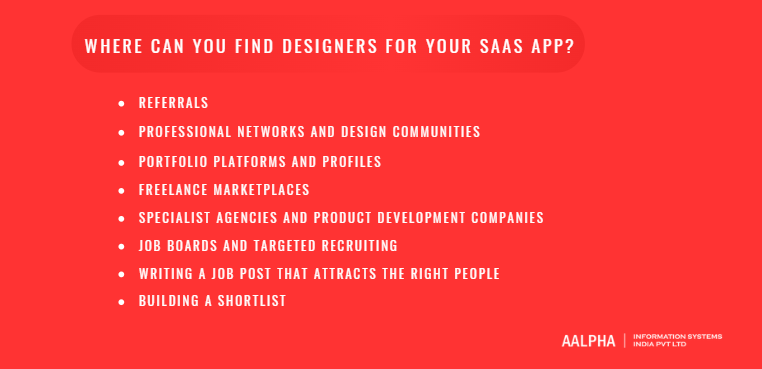
The best SaaS designers usually come through referrals from other founders, product managers and developers. Portfolio platforms, professional networks, freelance marketplaces, specialist agencies and targeted job posts fill the gaps. Whatever the channel, shortlist on evidence of solved product problems rather than visual style alone.
-
Referrals
Ask founders whose products you admire who designed them, and ask your developers which designers were easy to build from. A referral tells you about reliability and collaboration, two things a portfolio cannot show.
-
Professional networks and design communities
LinkedIn search filtered by “product designer” and “SaaS” or “B2B” gives a long list quickly. Design communities on Slack and Discord, local product meetups, and design conference speaker lists produce shorter, stronger lists.
-
Portfolio platforms and profiles
Dribbble and Behance are useful for spotting visual skill but tend to reward attractive single screens. Treat them as a starting point, then look for a personal site or case studies that explain process.
-
Freelance marketplaces
Upwork, Toptal, Contra and similar platforms offer speed and payment protection. Quality varies a lot. Filter by SaaS dashboard or B2B web app work, read reviews for comments on communication, and expect to interview several people to find one strong fit.
-
Specialist agencies and product development companies
These suit you when design must stay closely tied to engineering, or when you need research, UX, UI and development in one contract. Check review platforms such as Clutch for verified client feedback, and ask for SaaS case studies with named outcomes.
-
Job boards and targeted recruiting
For an in-house hire, general job boards attract volume. Design-specific boards and direct outreach to designers at SaaS companies you respect attract relevance.
-
Writing a job post that attracts the right people
Lead with the product and the problem, not with a list of tools. Say who the users are, what stage you are at, and which workflows need design. State the engagement type, expected hours, time zone overlap, and budget or salary range. Ask applicants to share one SaaS case study and explain their role in it. That single request filters out most mismatched applications.
-
Building a shortlist
Aim for five to eight candidates. Score each against your brief: relevant product complexity, evidence of research and testing, complete flows rather than isolated screens, and clear explanation of decisions. Visual taste is a tiebreaker, not the first filter. A designer with a plain portfolio and three shipped B2B products is usually a safer bet than one with stunning concept work and no live products.
How do you evaluate a SaaS designer’s portfolio?
Judge a portfolio by the problems it solved, not by how good the screens look. Look for products of similar complexity, case studies that explain constraints and decisions, complete workflows with edge-case states, clear statements of the designer’s own contribution, and honest evidence of outcomes from shipped work.
-
Relevant complexity over identical industry
A designer who has built a logistics dashboard can design an HR tool. What transfers is experience with multiple roles, dense data and long workflows. Industry knowledge is useful, but it is quick to learn compared with product design skill.
-
Case studies that explain the process
A strong case study states the problem, the users, the constraints, the options considered, the reason one option won, and what happened after launch. If a portfolio contains only final screens, ask the designer to walk you through one project from the brief onward.
-
Individual contribution
Many shipped products are team efforts. Ask directly: “Which parts did you design yourself, and who else worked on it?” Vague answers about “we” with no specifics are a warning sign.
-
Complete workflows, not hero screens
Ask to see the full sequence for one task, for example creating a project, configuring it, inviting teammates and reviewing results. Gaps between screens show where the designer stopped thinking.
-
The screens that carry SaaS products
Look specifically at onboarding, dashboards, data tables, forms and navigation. These reveal more about SaaS skill than a landing page or a mobile splash screen.
-
Loading, empty, error and permission states
These are the most common omissions. A designer who has thought about what a new account sees before any data exists, or what a viewer sees when they lack edit rights, has done real product work.
-
Accessibility and responsiveness
Check text contrast, button sizes, focus indicators and whether layouts adapt sensibly. Ask how they tested for accessibility.
-
Shipped work versus concepts
Concept redesigns of famous apps show visual skill but skip the hardest part, which is designing within real constraints. Give more weight to live products you can sign up for and try yourself.
-
Outcome claims
“Increased activation by 40%” deserves a follow-up. Ask what was measured, over what period, and what else changed at the same time. Honest designers will explain the limits of the number.
A simple portfolio scorecard
Rate each candidate from 1 to 5 on these criteria, then compare totals across your shortlist:
- Relevance of product complexity to your SaaS app
- Clarity of problem, process and reasoning in case studies
- Evidence of the designer’s individual contribution
- Completeness of workflows, including edge-case states
- Quality of data-heavy screens such as tables and dashboards
- Accessibility and responsive behaviour
- Proportion of shipped work versus concept work
- Credibility of outcome claims
A candidate scoring well on the first five usually outperforms one who scores high only on visual polish.
What should you ask a SaaS designer in the interview?
Ask questions that reveal how the designer thinks under real constraints: thin research, complex workflows, competing priorities, disagreement, multiple user roles and developer handoff. Strong answers use specific past examples and explain trade-offs. Weak answers stay general, describe a perfect process, or focus mainly on tools.
How do you approach a product with limited user research?
Good answers mention quick, cheap methods: a few customer calls, support ticket review, sales call notes, competitor sign-ups, and early prototype tests. Follow up if they say they cannot start without a full research phase.
Tell me about a complicated workflow you simplified
Listen for how they found the complexity, what they removed or reordered, and how they knew the new version worked. Ask what the developers thought of the change.
How do you decide which design problems to solve first?
Look for prioritisation by user impact and business value, not by what is most interesting to design.
How do you balance user needs, business goals and technical limits?
A good answer includes a real example where they gave something up, and why that was the right call.
How do you test whether a design works?
Expect usability testing with real or representative users, prototype testing before build, and checking analytics after release. “I ask stakeholders” is not testing.
How do you handle disagreement with a founder or developer?
Strong designers bring evidence, propose a test, and accept the decision once it is made. Watch for candidates who either always defer or treat every disagreement as a fight.
How do you design for several user roles?
They should describe mapping permissions, designing what each role sees, and handling blocked actions clearly.
How do you document components and prepare developer handoff?
Look for organised Figma files, component variants, annotations for behaviour and states, and availability during the build.
How do you use AI tools, and how do you check their output?
AI can speed up research synthesis, copy drafts and early layout ideas. A thoughtful designer treats that output as a draft, checks it against real user evidence, and is clear about where AI should not make decisions.
Reading the answers
Strong answers name a specific project, describe what went wrong as well as right, and connect design choices to user or business outcomes. Answers that need follow-up include those that blame others for every failed project, claim impressive metrics without explaining measurement, or describe a textbook process the candidate never seems to have used under pressure. Ask “What would you do differently?” on any project they describe. The quality of that answer often tells you more than the rest of the interview.
How do you run a paid design trial and check references?
A paid trial is useful when a portfolio leaves real doubt about how a designer handles your kind of problem. Keep it small, realistic and paid, judge reasoning more than polish, and combine the result with portfolio evidence, interview answers and reference calls before deciding.
-
When a trial helps
Use one when the candidate’s best work is under NDA, when their portfolio is strong visually but thin on SaaS workflows, or when two finalists look equally good. Skip it when the portfolio already shows several shipped products similar to yours.
-
Choosing the problem
Pick a real but contained task, such as redesigning the invite-a-teammate flow or proposing a layout for one dense settings page. Share the context you would give an employee. Limit it to 6 to 10 hours of work.
-
Paying and setting terms
Pay the candidate’s normal rate. Agree in writing who owns the output and whether you may use it. Unpaid trial work puts off experienced designers and raises fair questions about how you will treat them later.
-
What to evaluate
Look at the questions they asked before starting, the assumptions they stated, how they explained trade-offs, and whether the proposed flow would actually be easier for users. A rough wireframe with sharp reasoning beats a beautiful mock-up that ignores your constraints.
-
Avoiding the polish trap
Presentation skill is real, but in a short trial it can hide weak thinking. Ask the designer to walk you through what they would test next and what they are least sure about.
-
Reference calls
Speak to at least two past clients or managers, ideally including a developer who built from their designs. Ask whether deadlines were met, how feedback was handled, how much rework the build needed, and whether they would hire the designer again for a similar product. Hesitation on that last question is worth exploring.
No single signal should decide the hire. A designer who does well across portfolio, interview, trial and references is a much lower risk than one who shines in only one of them.
Should you hire a freelancer, an agency or an in-house SaaS designer?
Hire a freelancer for a defined early-stage scope, an agency or product development company when design must move in step with engineering or needs several skills at once, and an in-house designer when the product has a steady, long-term stream of design work. Fractional and dedicated arrangements sit between these options.
-
Freelancer
Freelancers are flexible, quick to start and usually the lowest total cost for a contained MVP. The downside is capacity and continuity. One person can fall ill, take another client, or move on after the project. You also manage them yourself, which takes founder time. A freelancer suits a pre-seed or seed-stage product with five to ten core flows and a founder who can give fast decisions.
-
Agency or product development company
An agency brings research, UX, UI and often front-end skills under one contract, with someone else handling resourcing and holidays. A product development company that also builds the software removes the handoff gap between design and code, because designers and developers work in the same team and sprint. The trade-offs are higher hourly rates than an individual freelancer and less direct control over who works on your product day to day. Ask who exactly will be assigned and whether that person stays for the whole engagement.
-
In-house designer
An employee learns your users and product deeply, joins every planning conversation, and keeps design consistent release after release. The cost is a full salary plus benefits, recruitment time of one to three months, and the risk of a single designer working without peer review. In-house makes sense once you have product-market fit signals and a roadmap that keeps a designer busy every week.
-
Dedicated and fractional designers
A dedicated designer from an agency works only on your product for an agreed period, which gives continuity without a permanent hire. A fractional designer, often a senior freelancer, gives you a fixed number of days per month. Both work well for growth-stage products that need regular design input but not a full-time employee yet.
How to choose
Compare five things: total cost for the scope, how soon work can start, continuity over 12 months, how much management the arrangement demands from you, and how much capacity you can add if the roadmap grows. Then match the answer to your stage. Idea and MVP stages lean towards a senior freelancer or a design and development partner. Growth stages lean towards dedicated, fractional or in-house. Large redesigns often need an agency team for the main push, followed by an in-house designer who maintains the result.
How much does it cost to hire a SaaS designer?
Hiring a SaaS designer typically costs $20 to $60 per hour for experienced offshore freelancers, $70 to $150+ per hour for US and Western European freelancers, and $100 to $250 per hour for Western agencies. A scoped SaaS MVP design usually costs $8,000 to $40,000, while full redesigns and design systems cost more.
Hourly pricing
You pay for time worked. It suits exploratory or ongoing work where scope will change. Review hours weekly, or budgets drift.
Fixed-price projects
You pay an agreed sum for agreed deliverables. It suits a well-defined MVP or audit. Expect the price to include a buffer for risk, and expect change requests to be priced separately.
Monthly retainers
You pay a monthly fee for a set number of hours or days. It suits post-launch improvement work and gives the designer predictable time for your product.
Salaried employment
You pay an employee, plus benefits, equipment and recruitment costs. In the US, the employer’s total cost of a salaried designer is commonly 25% to 40% above base salary.
What moves the price
Experience is the biggest factor. A senior product designer charges more per hour but often needs fewer hours and produces fewer costly mistakes. Location changes rates by a factor of two to four for similar skill. Scope and complexity matter next: number of user roles, number of workflows, data density, and whether research and testing are included. Tight deadlines and regulated industries such as healthcare or finance add cost.
Typical SaaS design costs in 2026
In 2026, SaaS design costs vary by designer experience, location, project scope, and engagement model. Freelance designers in India, Eastern Europe, and Latin America typically charge $20 to $60 per hour, while designers in the US, UK, and Western Europe may charge $70 to $150 or more per hour. Design agencies and product studios generally charge $40 to $90 per hour offshore and $100 to $250 per hour in the US and UK, often covering research, UX, UI, and project management.
For specific projects, a UX audit of an existing SaaS product typically costs $2,000 to $10,000 and takes one to three weeks. Designing a SaaS MVP with approximately 15 to 40 screens can cost $8,000 to $40,000, with a timeline of six to twelve weeks. The work usually includes user flows, wireframes, prototypes, final UI designs, and basic components. Redesigning an established SaaS product may cost $15,000 to $80,000 or more and take two to six months, depending on the research, information architecture, usability testing, and redesign scope.
Building a design system typically costs $10,000 to $40,000 and takes one to three months, covering design tokens, reusable components, and documentation. Businesses that need ongoing design support can expect monthly retainers of $3,000 to $15,000 for feature design, iterations, and implementation reviews. Hiring an in-house product designer in the US typically involves an annual base salary of $100,000 to $160,000, excluding benefits, with the designer taking responsibility for the product’s overall design.
These figures are approximate market estimates for design work only. They exclude software development costs, and actual quotes depend on project complexity, designer seniority, location, and deliverables.
Illustrative budgets
An MVP with three user roles and around 25 screens, designed by an experienced offshore team, might cost $10,000 to $18,000 over eight weeks. The same scope with a senior US freelancer could reach $25,000 to $40,000. A redesign of a mature product with ten core workflows often starts near $30,000 once research and testing are included. Ongoing improvement work for a growth-stage product commonly runs on a $4,000 to $8,000 monthly retainer.
Costs beyond the initial quote
Budget for extra revision rounds, usability testing incentives and tools, stock assets and font licences, and the designer’s time during development for questions and implementation review. That last item is often missing from quotes and is where many builds drift from the approved design.
Comparing proposals fairly
List each proposal’s deliverables side by side: number of screens, states included, prototype fidelity, research sessions, test rounds, component library and handoff support. A cheaper quote often leaves out states, testing or developer support. A low hourly rate also stops being cheap if the designer needs twice the hours or produces flows that developers must rework.
Keeping spend under control
Design the essential flows first and phase the rest. Approve wireframes before high-fidelity work, because changes are cheap at that stage. Hold weekly reviews with one decision-maker. Reuse components instead of designing every screen from scratch.
What should the contract cover before design work starts?
Put the scope, deliverables, milestones, payments, acceptance criteria, feedback rounds, change process, ownership of files and research, third-party licences, confidentiality, handoff support and termination terms in writing before work begins. Clear terms prevent the two most common disputes: unpaid extra work and unclear ownership of design files.
-
Scope and deliverables
List the flows and screens included, the states to be designed, the prototype level, research sessions and the component library. Name what is out of scope as well.
-
Milestones, payment and acceptance
Tie payments to milestones such as approved flows, approved wireframes and final UI. Define what “accepted” means and how long you have to review each delivery.
-
Feedback rounds and changes
Agree how many revision rounds each milestone includes. Describe how new requests are estimated, approved and billed so that scope changes do not become arguments.
-
Ownership of work
State that all source files, components, prototypes and research outputs transfer to you on payment. Ask for editable Figma files in your own workspace, not exported images.
-
Third-party licences
Fonts, icon sets, illustrations and stock images carry their own licences. Confirm they cover commercial use in a SaaS product and who pays for them.
-
Confidentiality and customer data
Sign an NDA if needed. If the designer will see real customer data or join user interviews, agree how that data is handled, stored and deleted.
-
Handoff, support and termination
Define how many hours of developer support follow handoff, the notice period for ending the contract, and what you receive if it ends early.
How do you onboard and work well with your SaaS designer?
Give the designer product context, customer evidence, tool access and direct contact with developers in the first week. Then agree on a discovery and delivery plan, a regular review rhythm, feedback rules based on user tasks, and a shared place for decisions and files. Good onboarding saves weeks of rework.
-
Share goals and evidence
Hand over the brief, the roadmap, analytics, recent support tickets, sales call notes and churn feedback. Raw evidence beats a summary, because designers spot patterns founders have stopped noticing.
-
Give access to the product and the people
Provide a test account for every user role, access to staging, and introductions to the developers, the product owner, and someone in sales or support. If possible, invite the designer to a few customer calls.
-
Agree on a discovery and delivery plan
The first one to two weeks should cover discovery: reviewing the product, short interviews, and mapping flows. Delivery then moves through wireframes, prototype testing and final UI. Write the plan down with dates.
-
Set a review cadence
A weekly review with the decision-maker plus short asynchronous check-ins works for most teams. Long gaps between reviews create big surprises.
-
Give feedback based on tasks, not taste
“A new admin will not find where to invite users” is useful feedback. “I don’t like the blue” is rarely useful unless the colour breaks contrast or brand rules. Tie comments to user goals and the brief.
-
Bring developers in early
Let developers review wireframes for feasibility before high-fidelity work starts. A ten-minute conversation can save days of design on something the current architecture cannot support.
-
Keep decisions and files tidy
Log key decisions with a date and reason. Agree on Figma page structure, naming and version history, so anyone can find the latest approved design.
-
Schedule testing and implementation reviews
Book usability sessions in advance rather than squeezing them in at the end. Once developers ship a screen, ask the designer to review it against the design and file fixes before release.
Which SaaS design practices should your designer get right?
Your designer should deliver a short path to first value, predictable navigation, readable dashboards, efficient tables, forgiving forms, clear role-based views, accessible components, helpful system states, layouts suited to real usage, and honest billing and cancellation flows. Use this list to review their work at every milestone.
-
Onboarding with a clear first win
Identify the first moment a new user gets real value, such as seeing their first report or sending their first request, and remove every step that does not lead there. Sample data, templates and setup checklists help. Long product tours rarely do.
-
Predictable navigation and consistent patterns
The same action should look and behave the same everywhere. Primary navigation should stay stable as features grow, with new items added to existing groups rather than bolted on.
-
Dashboards that answer questions
A dashboard should answer the two or three questions a user arrives with. Fewer, well-labelled metrics with clear comparisons beat a wall of charts. Let users drill down for detail rather than showing everything at once.
-
Tables, filters, search and bulk actions
Power users live in tables. Give them column sorting, saved filters, fast search, sensible pagination or virtual scrolling, and bulk actions with an undo or confirmation step for destructive changes.
-
Forms, validation and error recovery
Ask only for what is needed now. Validate inline, explain errors in plain words next to the field, and keep entered data when something fails. Autosave long forms.
-
Role-based experiences
Show each role what it needs. When a user cannot do something, explain why and who can help, rather than hiding the option with no explanation or showing an error after they try.
-
Accessible components and keyboard use
Every interactive element should be reachable and usable by keyboard, with visible focus states, sufficient contrast and proper labels for screen readers. Accessibility also helps power users who prefer the keyboard.
-
Empty, loading, success and failure states
An empty state should explain what belongs there and offer the next action. Loading states should show progress for anything slow. Success messages should confirm what happened. Failure messages should say what to do next.
-
Responsive layouts for real usage
Design mobile views for the tasks people actually do on phones, such as approvals, alerts and quick lookups, rather than shrinking every desktop screen.
-
Transparent upgrade, billing and cancellation
Show plan limits before users hit them, explain what an upgrade changes, make invoices easy to find, and keep cancellation straightforward. Hidden cancellation paths damage trust and invite complaints and chargebacks.
How do you measure whether the design engagement worked?
Record baseline numbers before design changes go live, then compare task completion, errors, time on task, onboarding completion, feature adoption and design-related support tickets afterwards. Pair analytics with user interviews, and account for pricing, marketing or product changes that happened during the same period.
-
Start with a baseline
Capture current values for your chosen metrics at least a few weeks before launch. Without a baseline, any improvement is a guess.
-
Task success, errors and time
Usability tests before and after the redesign show whether users complete key tasks, how many mistakes they make, and how long it takes. Five to eight participants per round usually expose the main problems.
-
Onboarding and adoption
Track the share of new accounts that reach the first-value moment and how quickly. Track adoption of redesigned features over the following weeks.
-
Support and feedback
Tag support tickets by screen or flow. A drop in “how do I” tickets for a redesigned area is one of the clearest signs of success.
-
Qualitative research alongside analytics
Numbers show what changed. Short interviews explain why, and often reveal the next problem worth solving.
-
Separate design effects from other changes
If pricing, a marketing campaign and a redesign all launched in the same month, be cautious about crediting design alone. Staggered releases or feature flags help isolate the effect.
-
Plan the next round
Treat launch as the start of a cycle: review results after 30 and 90 days and feed the findings into the next design sprint.
What mistakes should you avoid when hiring a SaaS designer?
The costliest mistakes are hiring on screenshots alone, starting without scope or a decision-maker, confusing brand design with product design, skipping research and testing, demanding unpaid trials, excluding developers, ignoring accessibility and file ownership, and treating design as a one-off project rather than ongoing product work.
Hiring on attractive screenshots
Polished shots say little about flows, states or constraints. Always ask for a full walkthrough of one project.
No clear scope or decision-maker
Without them, designers guess, reviews stall, and the budget goes on rework.
Confusing branding with product design
A strong logo and marketing site portfolio does not prove someone can design a permissions screen or a reporting dashboard.
Skipping research and testing
Saving two weeks on research often costs two months of rebuilding after launch.
Extensive unpaid trial work
It drives away experienced designers and selects for people with spare time rather than the best fit.
Leaving developers out
Designs that ignore technical reality get quietly changed during the build, usually for the worse.
Ignoring accessibility, edge cases and ownership
These cause legal risk, frustrated users and locked-away source files.
Treating design as a one-time task
SaaS products change every release. Plan for continued design capacity after launch.
Why choose Aalpha for your SaaS app design and development?
Aalpha Information Systems is a SaaS development company that designs and builds SaaS products in one team, so research, UX, UI and engineering decisions are made together rather than handed across company boundaries. That removes the most common source of SaaS rework: designs that look approved on paper but break during development.
Design connected to the build
Aalpha’s UI/UX design team works alongside the developers who will implement each screen, using Next.js and Node.js on the engineering side. Feasibility questions are settled during wireframing, not after handoff.
A practical process
Engagements start with discovery and flow mapping, move to clickable prototypes that can be tested with your users, and finish with production-ready UI, a component library and implementation reviews during development.
Relevant experience
Since 2008, Aalpha has completed more than 5,500 projects for clients in 55+ countries, including SaaS platforms such as MoneyWellth, a US financial wellness product sold to employers. Client feedback is public on Clutch, where Aalpha holds a 4.9 out of 5 rating from more than 215 reviews.
Flexible engagement models
Choose a fixed-price MVP design, a dedicated designer, or a combined design and development team, with defined support after launch.
If you are planning a new SaaS product or need to improve an existing one, get in touch with Aalpha Information Systems. Share your requirements, key features, and timeline so the team can recommend a suitable approach and provide a scoped proposal with estimated costs.
Frequently asked questions
Do I need a UI designer, a UX designer or a product designer?
For most SaaS products, start with a product designer. They cover research, flows and final interface design. Add a UI or UX specialist later if one area needs more depth.
Can one designer handle an entire SaaS MVP?
Yes, if the MVP has a focused set of core workflows and the designer is senior. Several user roles, a companion mobile app or a tight deadline usually call for more than one person.
Should I hire a designer before hiring developers?
Ideally, bring the designer in a few weeks before development starts, then keep them involved during the build. Developers should still review wireframes early for feasibility.
How long does SaaS app design take?
A UX audit takes one to three weeks. An MVP with 15 to 40 screens usually takes 6 to 12 weeks. A full redesign of a mature product can take two to six months.
Should I hire a freelancer or a design agency?
A freelancer suits a defined scope and a hands-on founder. An agency or design and development partner suits work needing several skills, steady capacity, or close coordination with engineering.
What files and deliverables should I receive?
Expect user flows, wireframes, a clickable prototype, final UI for every screen and state, a component library, and editable Figma source files in your own workspace.
Can I hire someone to improve an existing SaaS interface?
Yes. Start with a UX audit to find the biggest problems, then redesign in phases, beginning with the flows that most affect activation, retention or support load.
How do I assess a designer without a design background?
Focus on reasoning. Ask them to walk through a project, explain trade-offs and describe outcomes. Check references, especially developers, and consider a short paid trial.